I tried detecting actually reachable ports from the internet using the new AWS Security Hub feature "Network Scanning"

This page has been translated by machine translation. View original
Introduction
On July 9, 2026, Network Scanning (network reachability scanning) functionality was added to AWS Security Hub.
Until now, Security Hub performed control plane analysis to determine "whether something is exposed to the internet based on configuration" by analyzing settings such as security groups. The newly added Network Scanning actually sends probes from the internet side to verify port responses. For ports that respond with TLS, the handshake and certificate information are also retrieved.
| Perspective | Conventional (Control Plane Analysis) | New Feature (Network Scanning) |
|---|---|---|
| Detection Method | Statically analyzes rules such as security groups | Actually sends probes and verifies responses (performs TLS handshake when TLS response is received) |
| Detection Target | Ports open to the internet based on configuration | Ports actually reachable from the internet |
| Evidence | Configuration values (SG rules, etc.) | Port responses, TLS certificate information, service detection |
| False Positives | May be detected if open based on configuration, even if actually blocked by OS-side firewall or filters along the route | Detected when a response to the probe is confirmed at the time of scanning |
| Finding Format | ASFF (get-findings) |
OCSF (get-findings-v2) |
This article covers the procedure for enabling Network Scanning, the structure of Findings (in OCSF format), and the granularity of scan targets. The target of verification is an EC2 instance exposing port 443 with a public IP.
Verification Details
Verification Environment
- Region: ap-northeast-1
- EC2: t3.nano (Amazon Linux 2023)
- Elastic IP: xxx.xxx.xxx.xxx attached
- Security Group: TCP 443 allowed to 0.0.0.0/0
- Nginx 1.30.2 + TLS 1.3 (ECDSA certificate issued by AWS Certificate Manager's ACME-compatible endpoint)
- Security Hub: Essentials plan
Please refer to the following article for the certificate issuance procedure.
Enabling Network Scanning
Enable network reachability scanning from "Settings" > "General" in the Security Hub console.
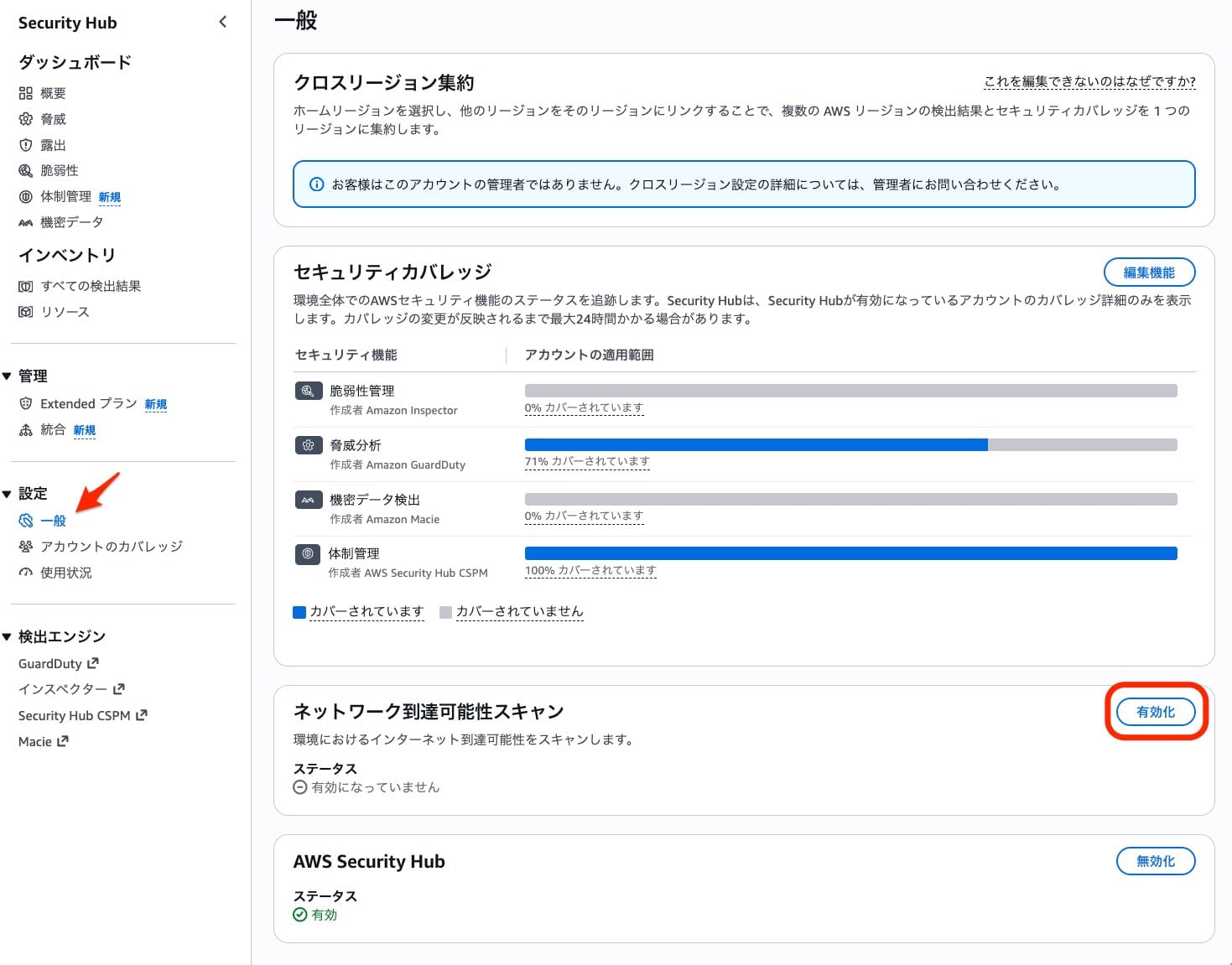
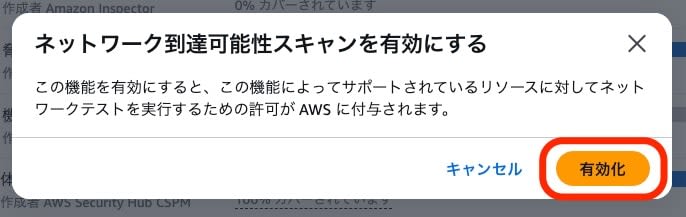

After enabling, Findings were generated within a few minutes in this verification.
Checking Findings
On the "All findings" screen, you can view Findings from Network Scanning by filtering the type to "Network Scanning/Network Reachability".
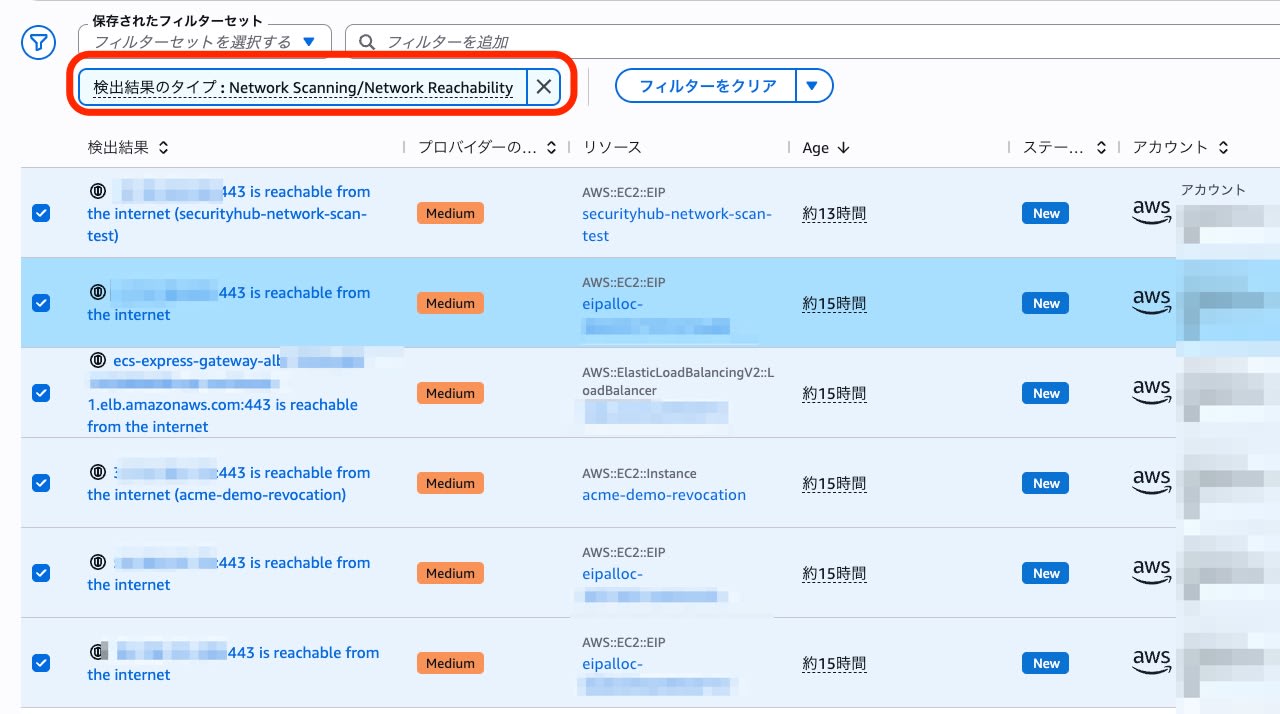
A Finding has been generated for internet reachability of port 443 for the verification EIP.
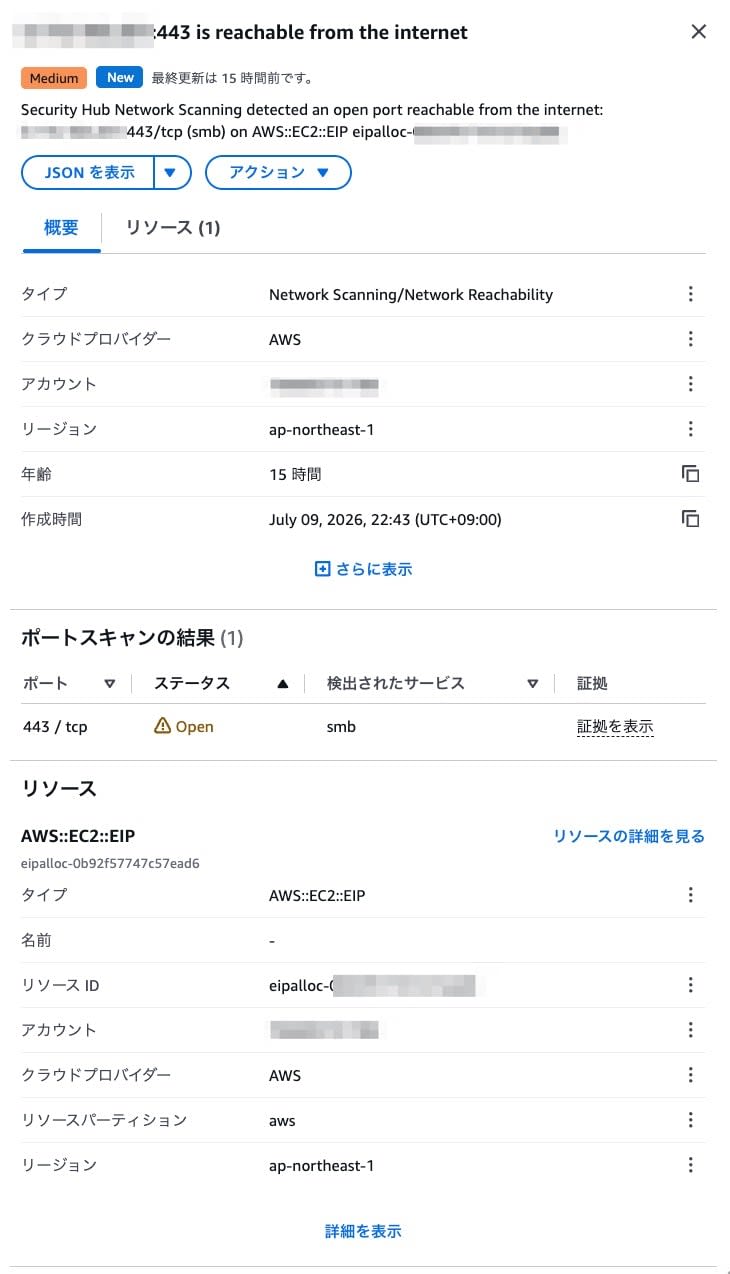
The Finding contains the following information.
- Port scan results: 443/tcp is Open
- Service estimation result: smb (described later)
- TLS evidence: TLSv1.3, issuer
CN=Amazon ECDSA 256 S07,O=Amazon,C=US, certificate expiration date - Resource:
AWS::EC2::EIP eipalloc-0xxxxxxxxxxxxxxxxxxxxx
Checking with CLI
Network Scanning Findings cannot be retrieved with the conventional get-findings API (ASFF format). You need to use the new get-findings-v2 API (OCSF format).
aws securityhub get-findings-v2 --region ap-northeast-1 --max-results 5
get-findings-v2 output (excerpt)
{
    "class_name": "Network Scan Finding",
    "class_uid": 99802002,
    "finding_info": {
        "created_time_dt": "2026-07-09T16:08:14.293Z",
        "desc": "Security Hub Network Scanning detected an open port reachable from the internet: xxx.xxx.xxx.xxx:443/tcp (smb) on AWS::EC2::EIP eipalloc-0xxxxxxxxxxxxxxxxxxxxx.",
        "title": "xxx.xxx.xxx.xxx:443 is reachable from the internet (securityhub-network-scan-test)",
        "types": [
            "Network Scanning/Network Reachability"
        ],
        "uid": "xxxxxxxxxxxxxxxxxxxxxxxxxxxxxxxxxxxxxxxxxxxxxxxxxxxxxxxxxxxxxxxx"
    },
    "port_scan_result_list": [
        {
            "port_info": {
                "port": 443,
                "protocol_name": "tcp",
                "protocol_num": 6
            },
            "status": "Open",
            "svc_name": "smb",
            "tls": {
                "certificate": {
                    "expiration_time_dt": "2026-08-21T05:39:09.000Z",
                    "is_self_signed": false,
                    "issuer": "CN=Amazon ECDSA 256 S07,O=Amazon,C=US",
                    "serial_number": "xxxxxxxxxxxxxxxxxxxxxxxxxxxxxxxx"
                },
                "handshake_dur": 8,
                "version": "TLSv1.3"
            }
        }
    ],
    "resources": [
        {
            "ip": "xxx.xxx.xxx.xxx",
            "name": "securityhub-network-scan-test",
            "type": "AWS::EC2::EIP",
            "uid": "eipalloc-0xxxxxxxxxxxxxxxxxxxxx"
        }
    ],
    "severity": "Medium",
    "severity_id": 3
}
In OCSF format Findings, port scan results are structured in port_scan_result_list. A notable feature is that it includes TLS handshake time (handshake_dur, in milliseconds) and certificate information.
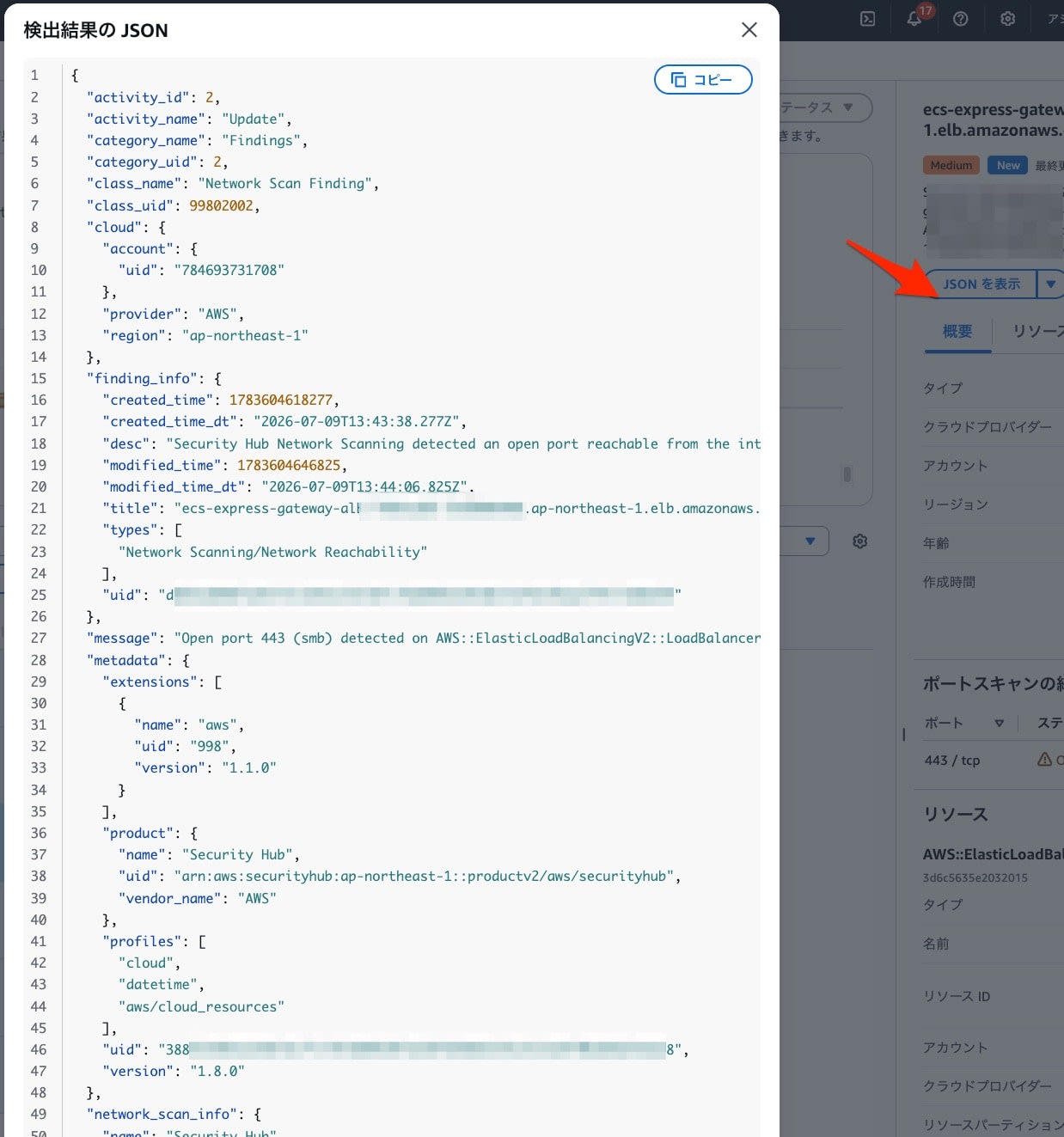
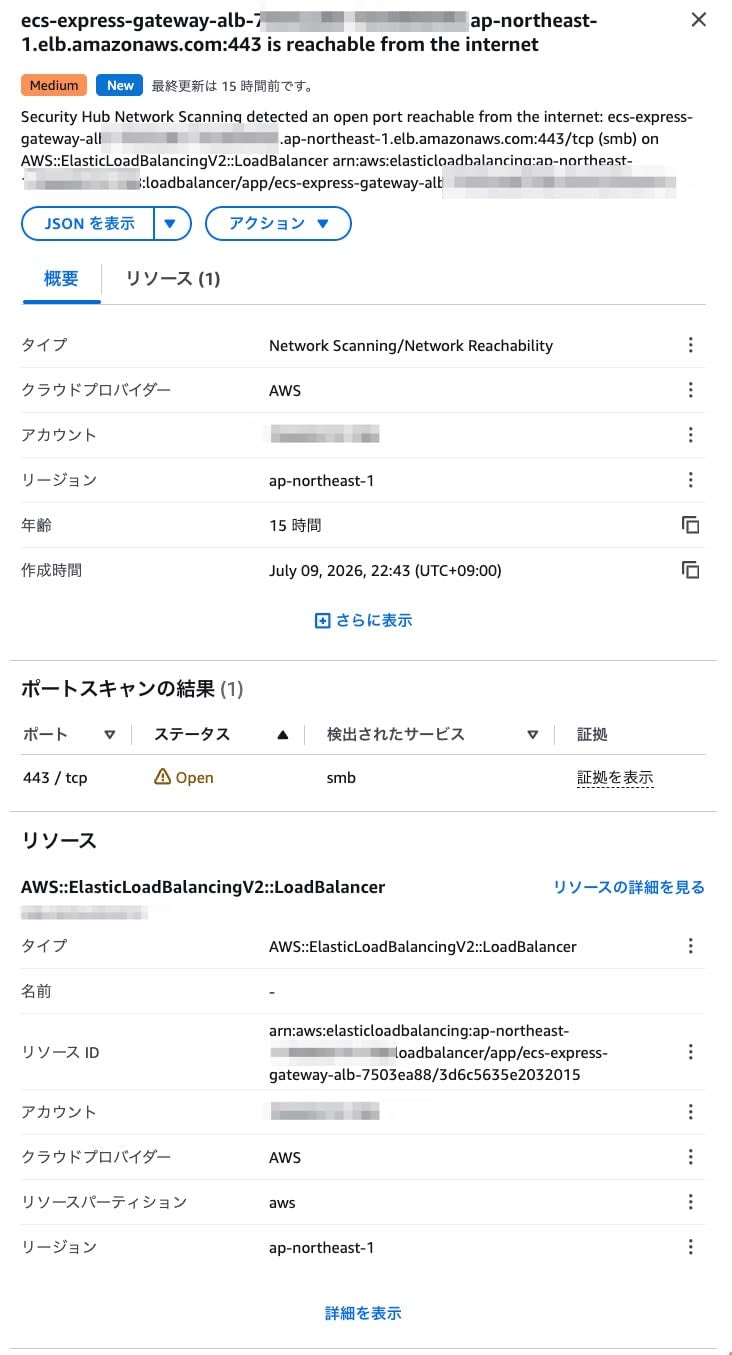
Scan Targets and Detection Units
In this verification, the Finding resource was generated per public IP address unit, not per EC2 instance. In addition to the verification EIP, Findings for public endpoints associated with ELBs within the same account were also confirmed.
Notes
- Finding Format: Network Scanning Findings can only be retrieved via
get-findings-v2(OCSF format). They will not appear in the conventionalget-findings(ASFF format). Please be aware of this when referencing via CLI or API. - Scan Frequency: According to the documentation, the initial scan is performed within up to 24 hours after enabling. If new resource creation or configuration changes are detected, scanning may be prioritized.
- Exclusion Method: According to the documentation, you can exclude resources from scanning by adding the
SecurityHubNetworkScanExclusiontag to the target resource. Please follow the documentation for conditions such as tag values (this article does not verify exclusion behavior). - Cost: Included in Security Hub Findings billing. There is no additional charge for Network Scanning alone.
Summary
We enabled AWS Security Hub's Network Scanning and confirmed that 443/tcp reachable from the internet is detected as a Finding.
Network Scanning not only checks configuration values such as security groups, but actually sends probes from the internet side to verify port responses. In this verification, in addition to open ports, information such as the TLS version, certificate issuer, and expiration date was also included in the OCSF format Findings.
When checking via CLI or API, you need to use get-findings-v2 instead of the conventional get-findings. Also, since service name estimation results may not match the actual service, it seems best to treat them as reference values.
Since you can check ports that are actually responding from the outside on Security Hub, I felt this is a useful feature for understanding external exposure and discovering unintentionally exposed ports.
