![[Report] No Complex Data Movement Required! Real-time Data AI Utilization with Snowflake Postgres and Unistore #SWTTokyo26](https://images.ctfassets.net/ct0aopd36mqt/4kFYCMTvi9ucEtpiAfvm01/b605f81aa314b1fdbc86f8fee275fb43/eyecatch_snowflakeworldtourtokyo2026.webp?w=3840&fm=webp)
[Report] No Complex Data Movement Required! Real-time Data AI Utilization with Snowflake Postgres and Unistore #SWTTokyo26

This page has been translated by machine translation. View original
This is Kawabata.
"SNOWFLAKE WORLD TOUR 2026 - TOKYO" was held on September 10–11, 2026.
This article is a report blog for the session
【No Complex Data Movement Required! Real-Time Data AI Utilization with Snowflake Postgres and Unistore】.
※ Some features introduced in the session are under development or in preview. Please check the latest official documentation for availability.
Speakers
- Ken Enokizono
- Snowflake, 5th Solution Engineering Division, Senior Solution Engineer
The "Latency Gap" Between OLTP and OLAP
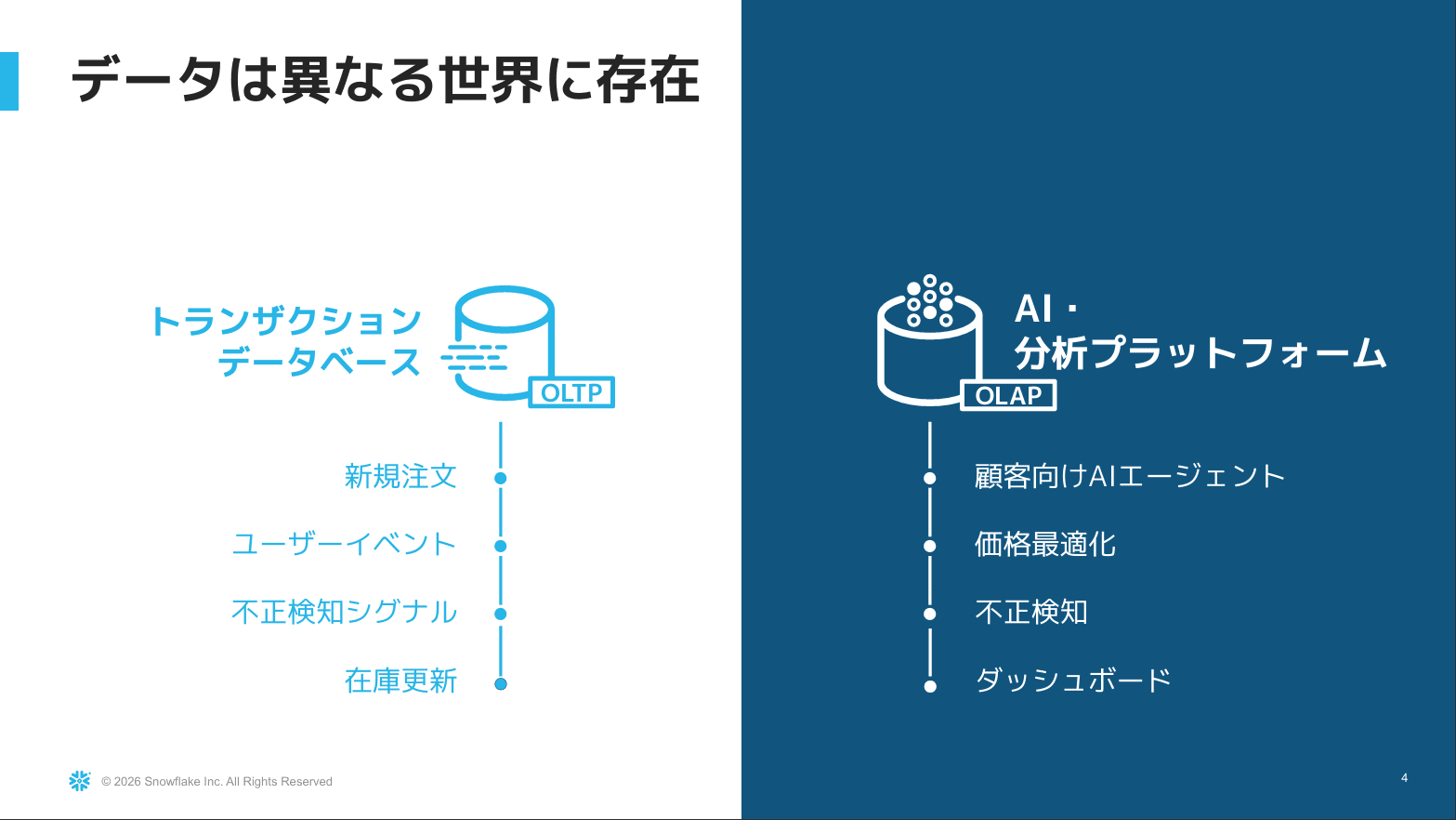
- Data exists in two different worlds: the OLTP (transaction) world and the OLAP (analytics) world
- OLTP: Data that flows in the moment a business operation occurs, such as new orders or user events. Primarily write-oriented
- OLAP: An environment with fewer writes, where AI or humans perform thoughtful analysis
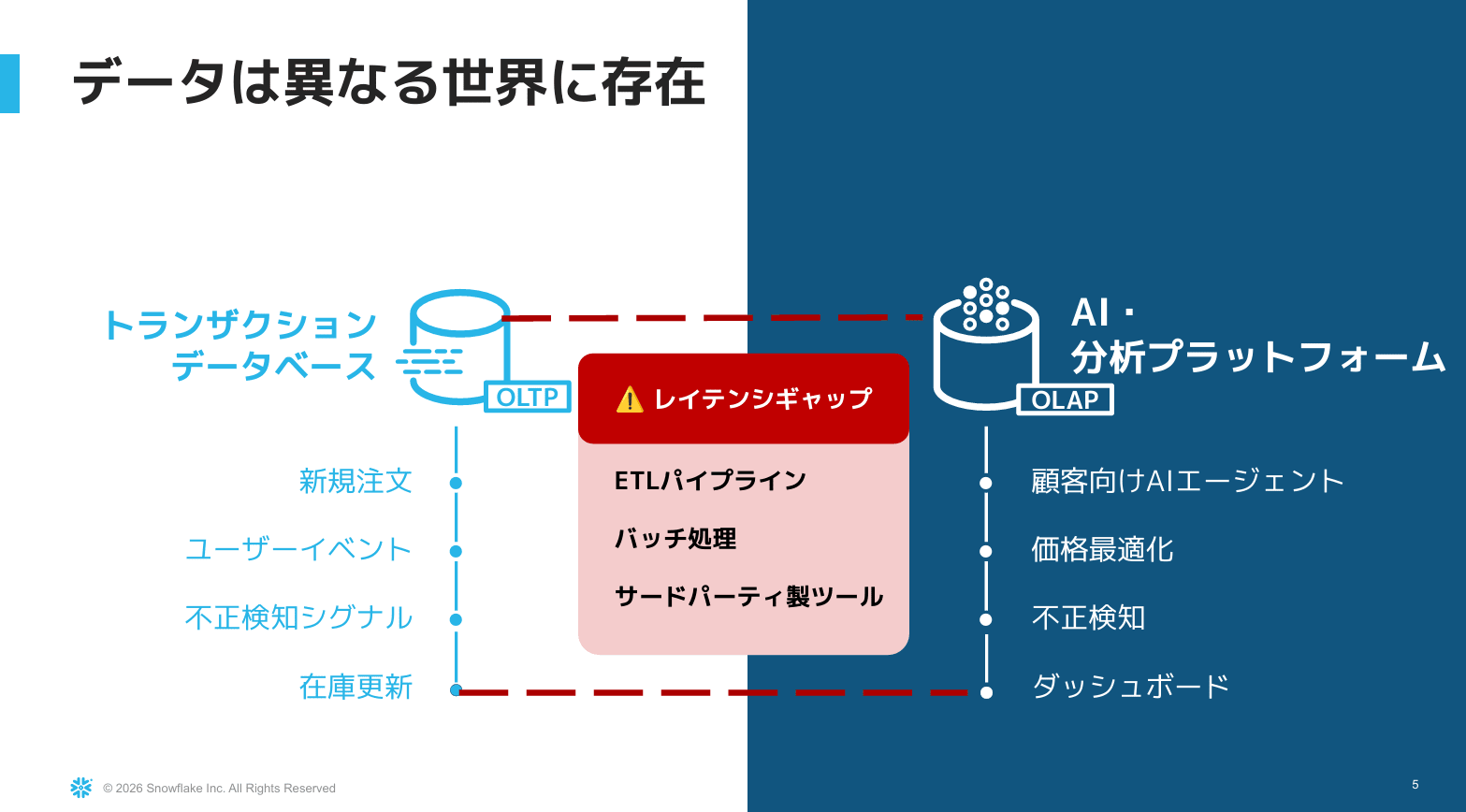
- There is a latency gap between the two
- Moving data from OLTP to OLAP requires ETL, batch processing once a day or every few hours, or separate tools
- Operational overhead is always present, such as analyzing where failures occurred and considering how to recover
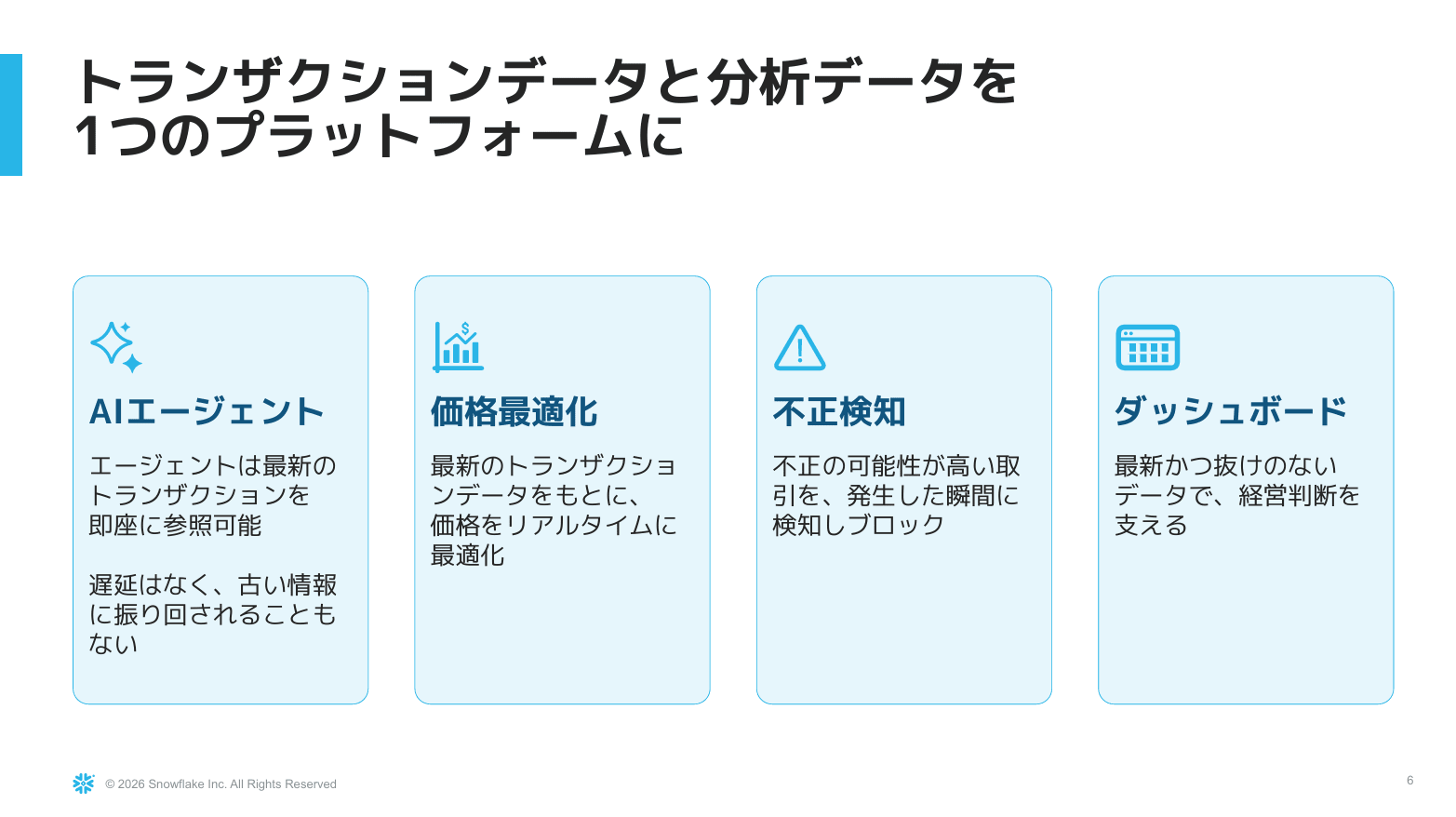
- Snowflake's approach is to eliminate this gap and achieve everything on a single platform
- Removing time lags enables the following:
- AI agents can reference the latest transaction data to answer user questions
- Real-time data can be used for price optimization and similar tasks
- Dashboards showing near-latest data enable correct business decisions
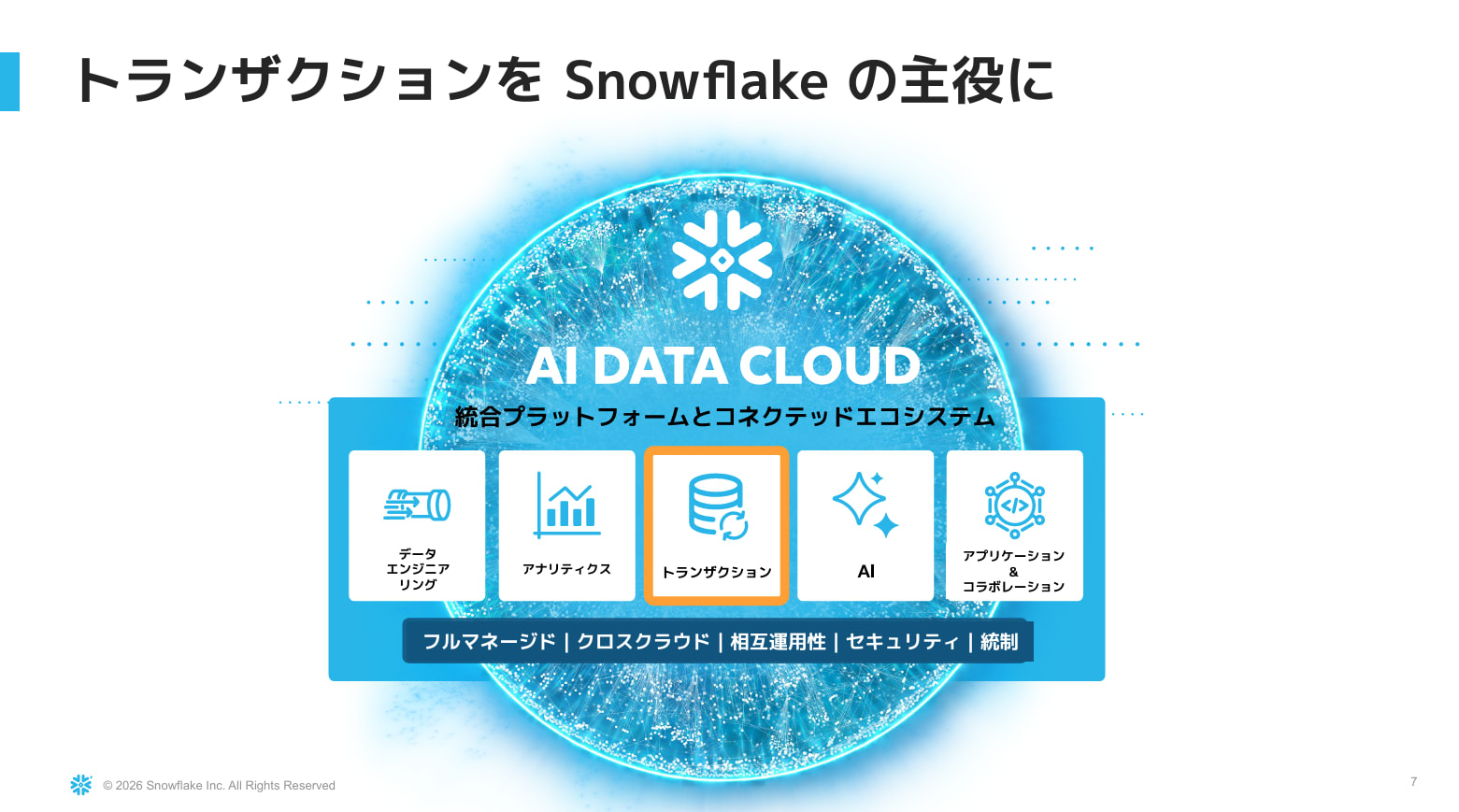
- Snowflake positions transactions as one of its major pillars, included among the five pillars of the AI Data Cloud
Two Paths for Handling Transactions
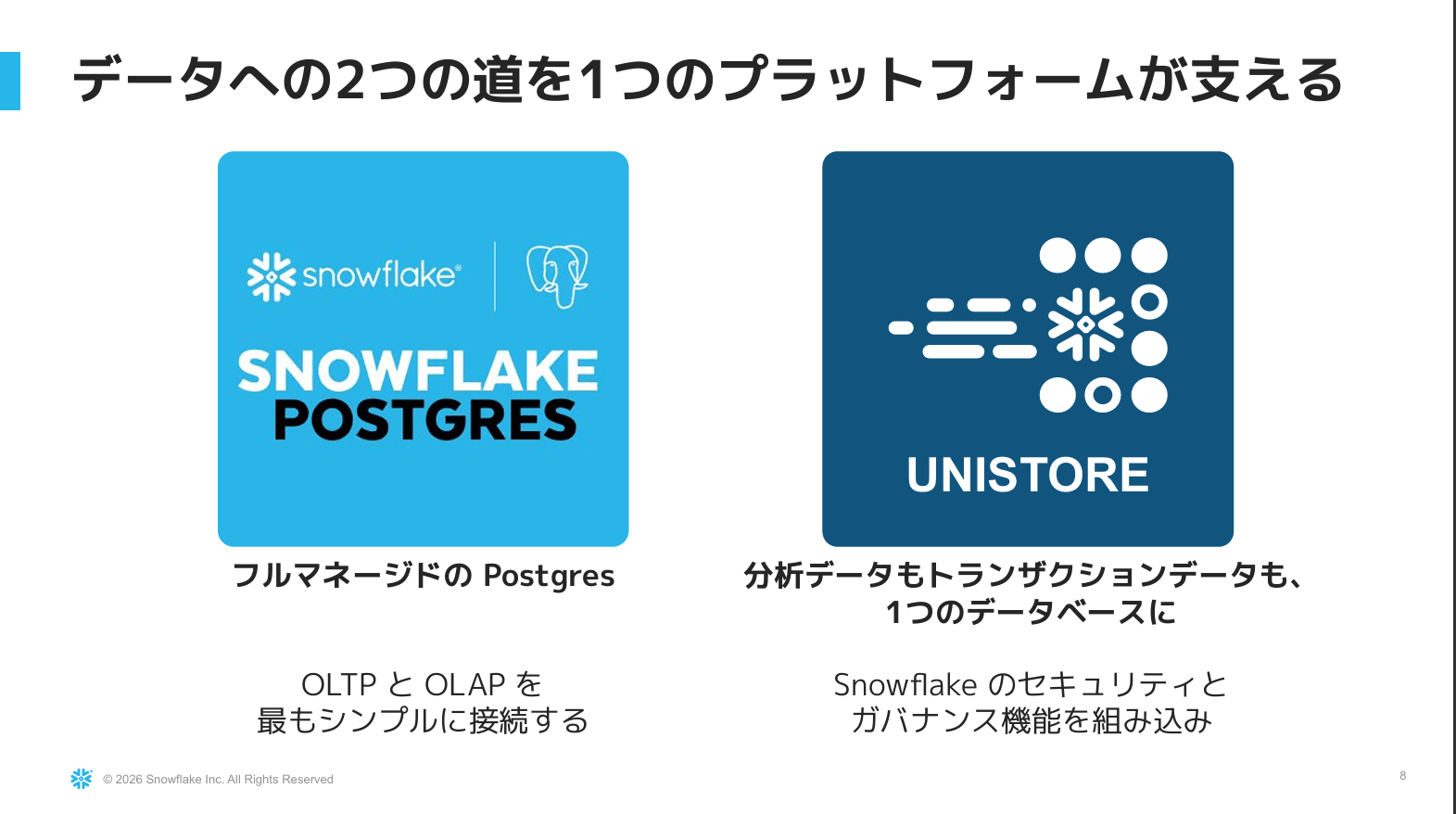
The following two options were presented as choices for handling transactions in Snowflake.
| Snowflake Postgres | Unistore (Hybrid Tables) | |
|---|---|---|
| Positioning | Postgres fully managed and operated by Snowflake | Snowflake-native table |
| Data handling | Transactions on the Postgres side. Data is linked to Snowflake for analytics | Transactions and analytics managed in a single table |
| Key point | How to connect with Snowflake's analytics world (data mirroring, pg_lake) | Snowflake's security and governance features are built in natively |
The first half of the session covered Snowflake Postgres, and the second half introduced Unistore.
Snowflake Postgres
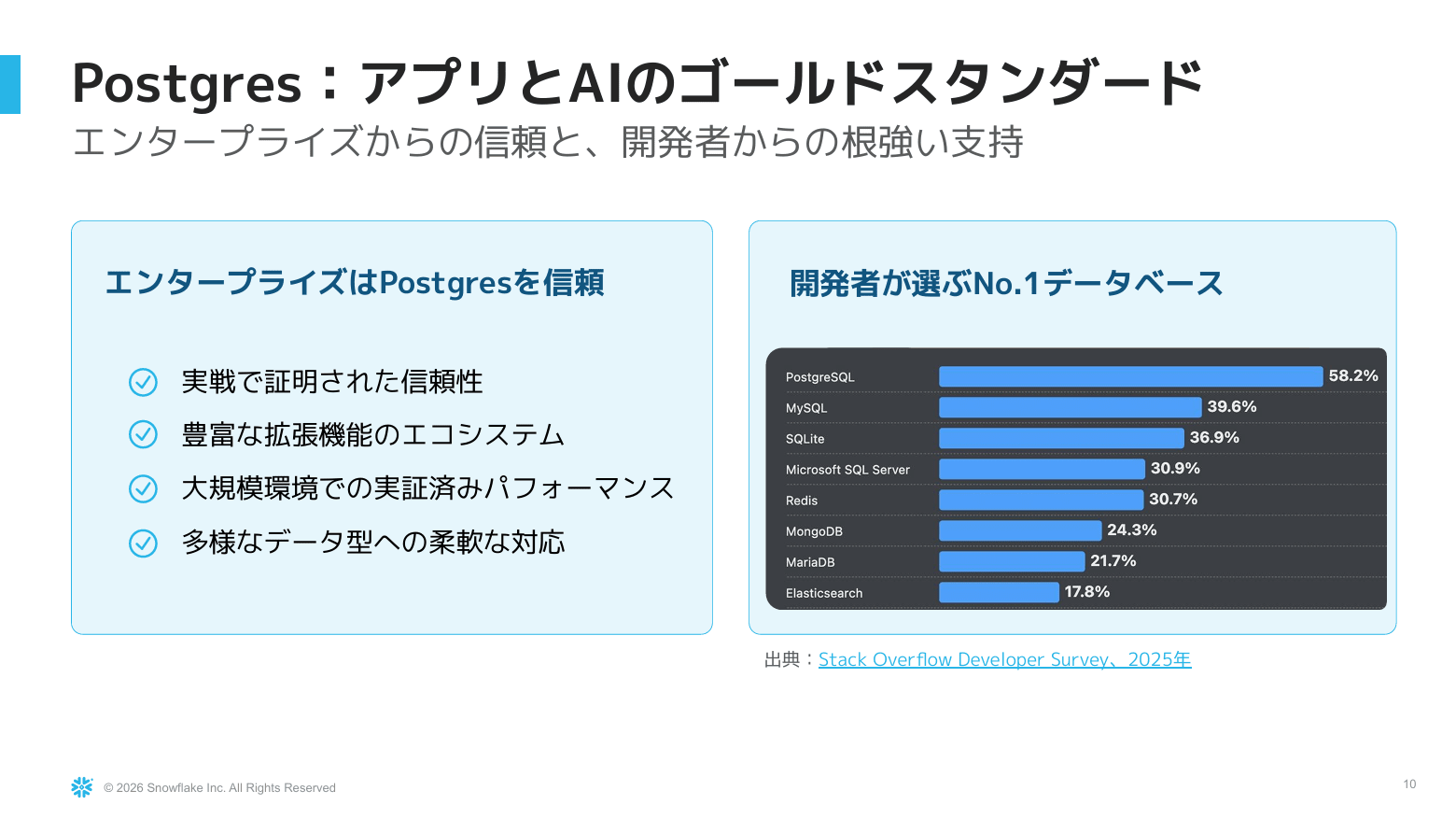
- Postgres remains the overwhelmingly well-regarded standard among enterprise companies and developers
- It continues to be chosen by developers in the 2025 Stack Overflow Developer Survey as well
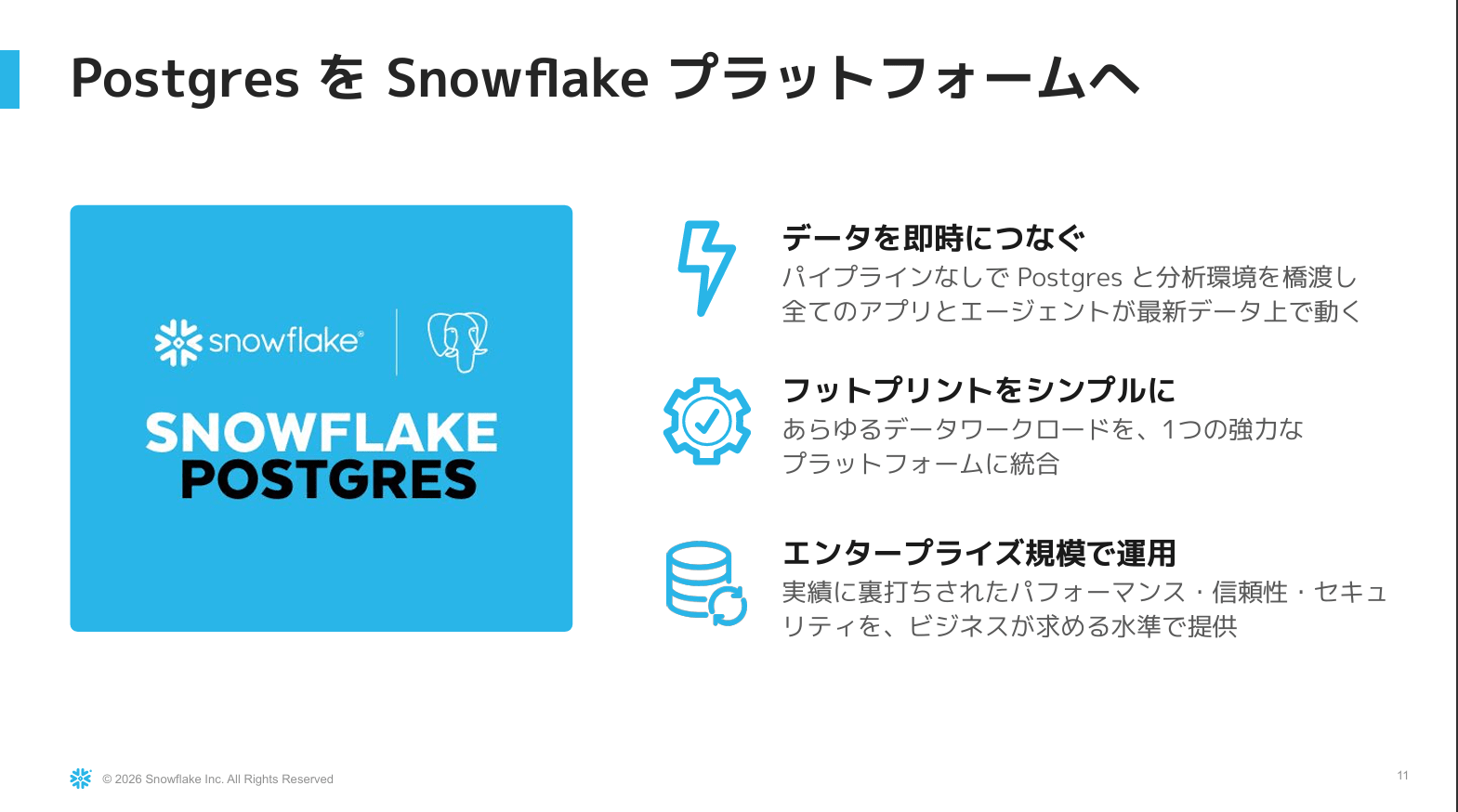
- Snowflake Postgres emerged following the acquisition of Crunchy Data, a company strong in Postgres, in 2025
- General availability (GA) launched on February 24, 2026
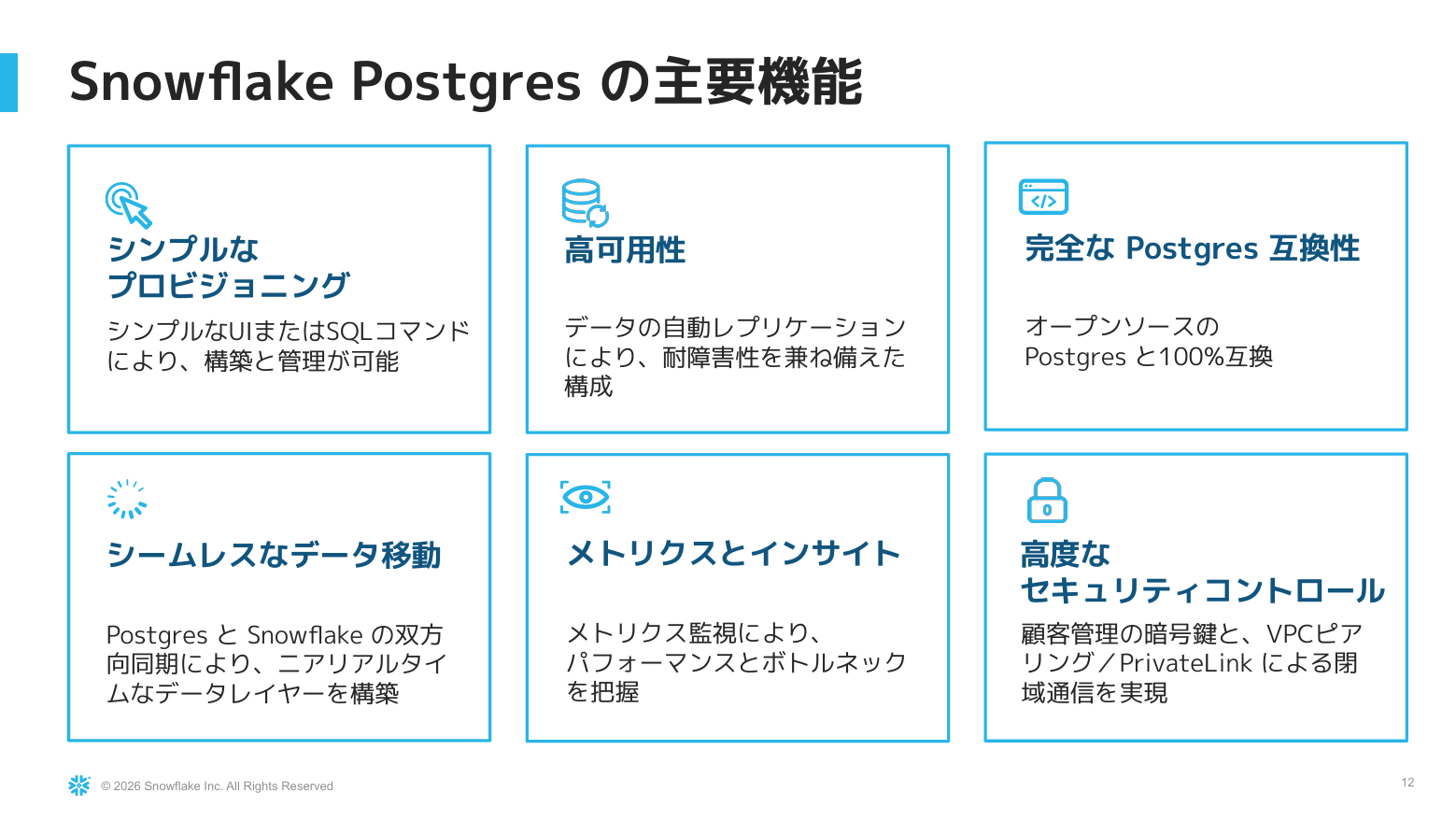
- The following six key features were introduced:
- Simple provisioning: Instances can be created simply by entering settings in the UI
- High availability
- Full Postgres compatibility
- Seamless data movement: Bringing data from Postgres into Snowflake's native analytics world
- Performance bottleneck identification through metrics monitoring
- Advanced security controls leveraging Snowflake's characteristics
Data Mirroring
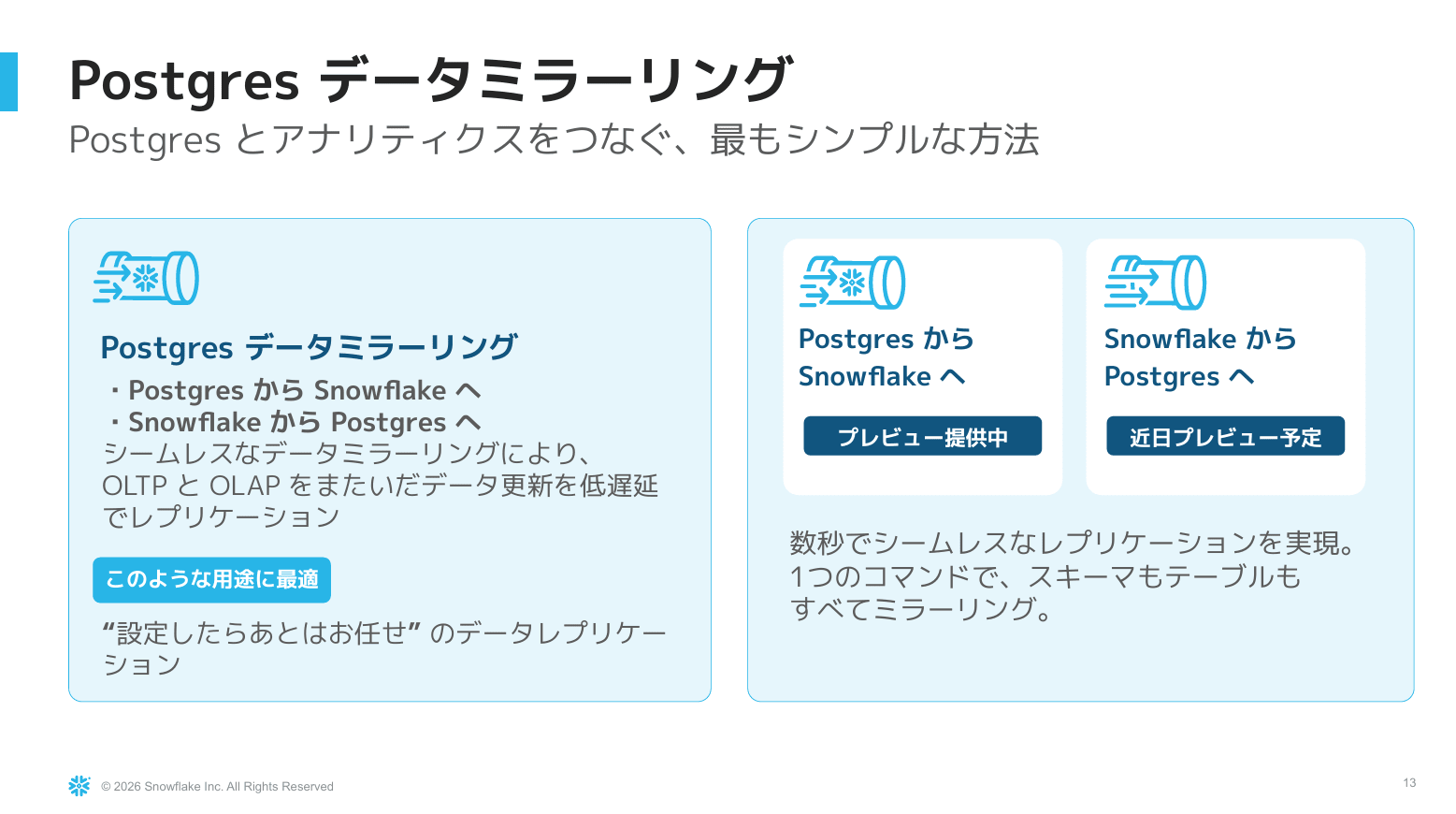
- The simplest method of connecting Postgres data to Snowflake's analytics environment. Currently a preview feature
- Mirroring in the reverse direction from Snowflake to Postgres is scheduled for preview soon
- The intended use case is to perform daily registrations and business processing in Postgres, then link that latest state to Snowflake for analysis via BI, AI, and SQL
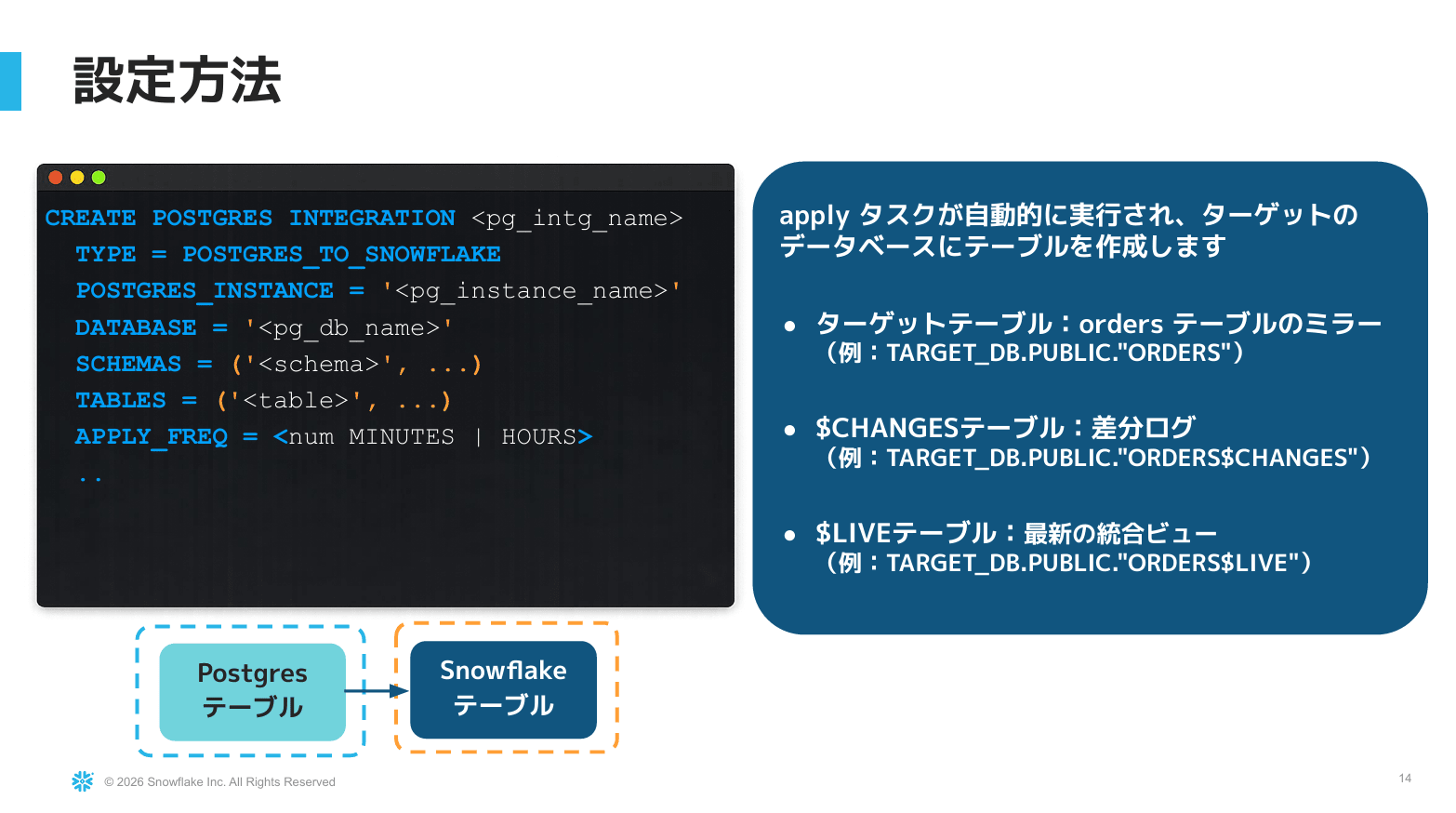
- Configuration can be created from either the Snowsight GUI or via SQL. You specify which instance and which database in Postgres to mirror
When mirroring is configured, three types of objects are created on the Snowflake side.
| Object | Description |
|---|---|
| Target table | The table where data is actually mirrored and written |
$changes table |
Holds the change history (differential log) for the table, not the data itself |
$live view |
A latest view that integrates the target table with unapplied changes. Updated ahead of the target table |
If you want to see the most up-to-date state, reference the $live view; if you want to see data after mirroring is confirmed, reference the target table.
Demo: Analyzing Mirrored Data with Snowflake CoWork
The demo was video-based and proceeded using the presenter's demo environment.
-
Built ORDERS, ORDER_ITEMS, and CUSTOMERS in Snowsight's Postgres, and configured data mirroring via the GUI
-
Analyzed mirrored data using natural language through Cortex Agent / CoWork via Snowflake semantic views
-
Order data added to Postgres was immediately reflected in analytics after sync, with the latest dates and category-based sales rankings also updated
-
The analytics output is not limited to AI agents; the latest data can similarly be referenced via BI dashboards or SQL
pg_lake
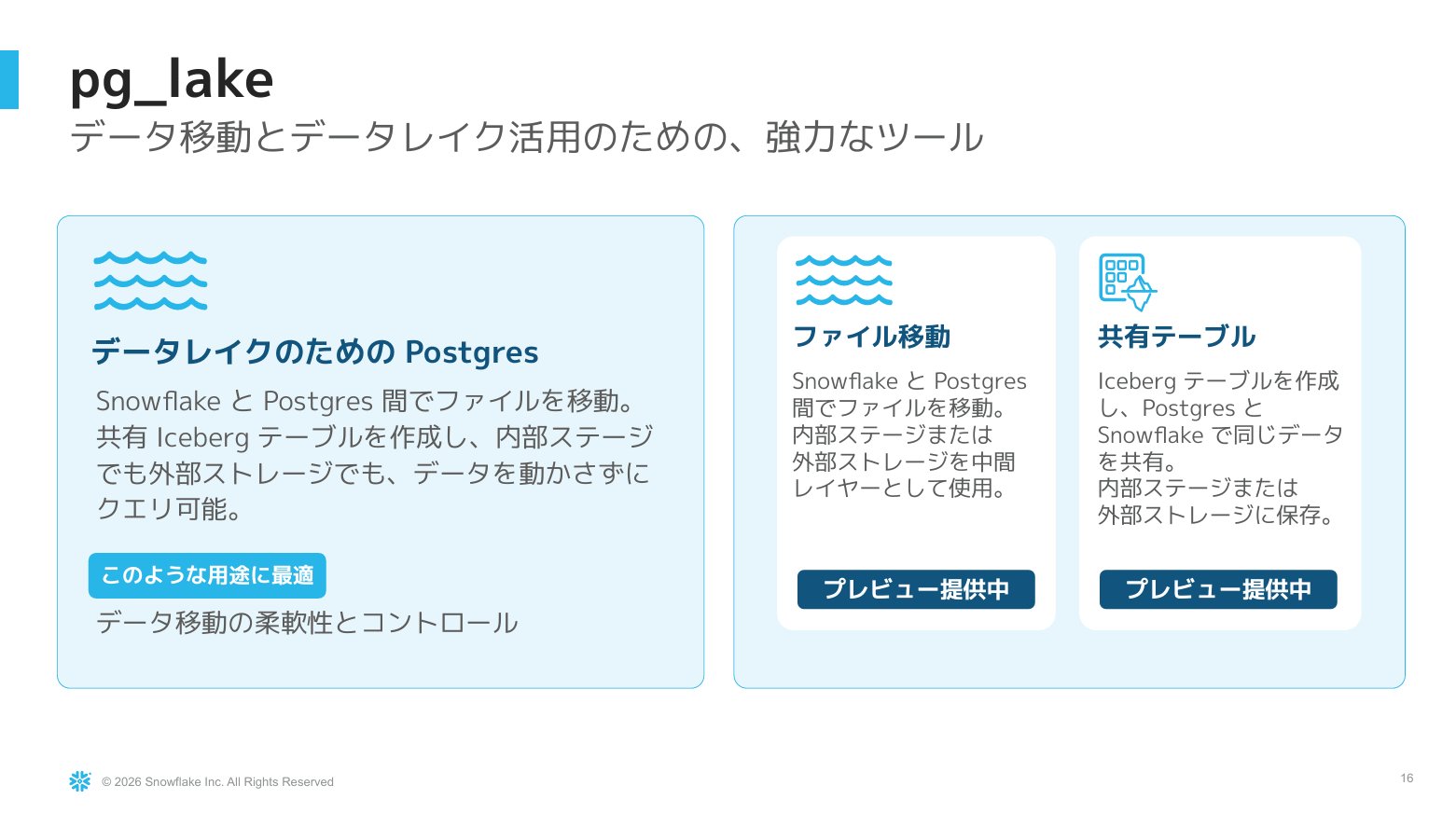
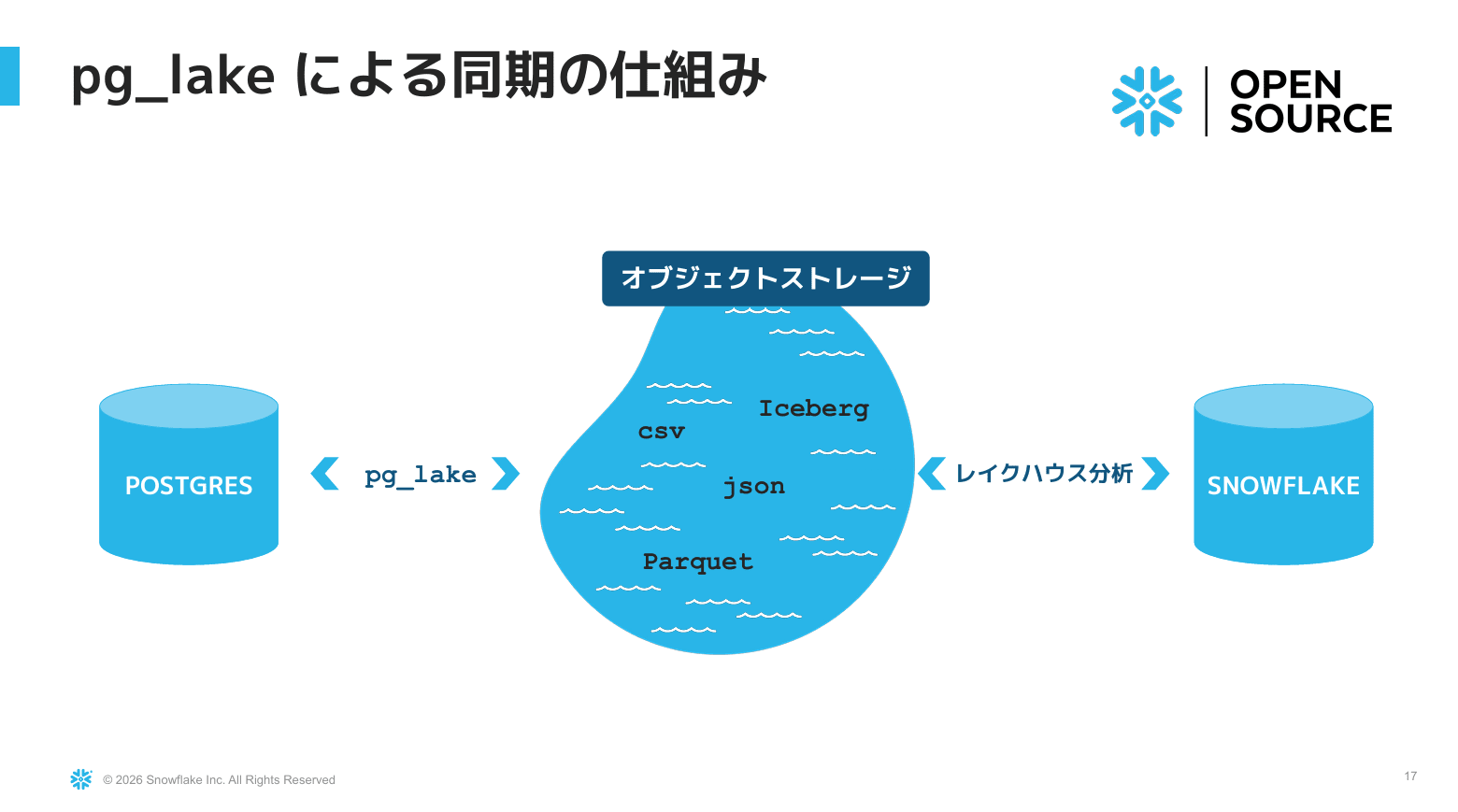
- pg_lake was introduced as "Postgres for the data lake." There are two ways to integrate Postgres and Snowflake
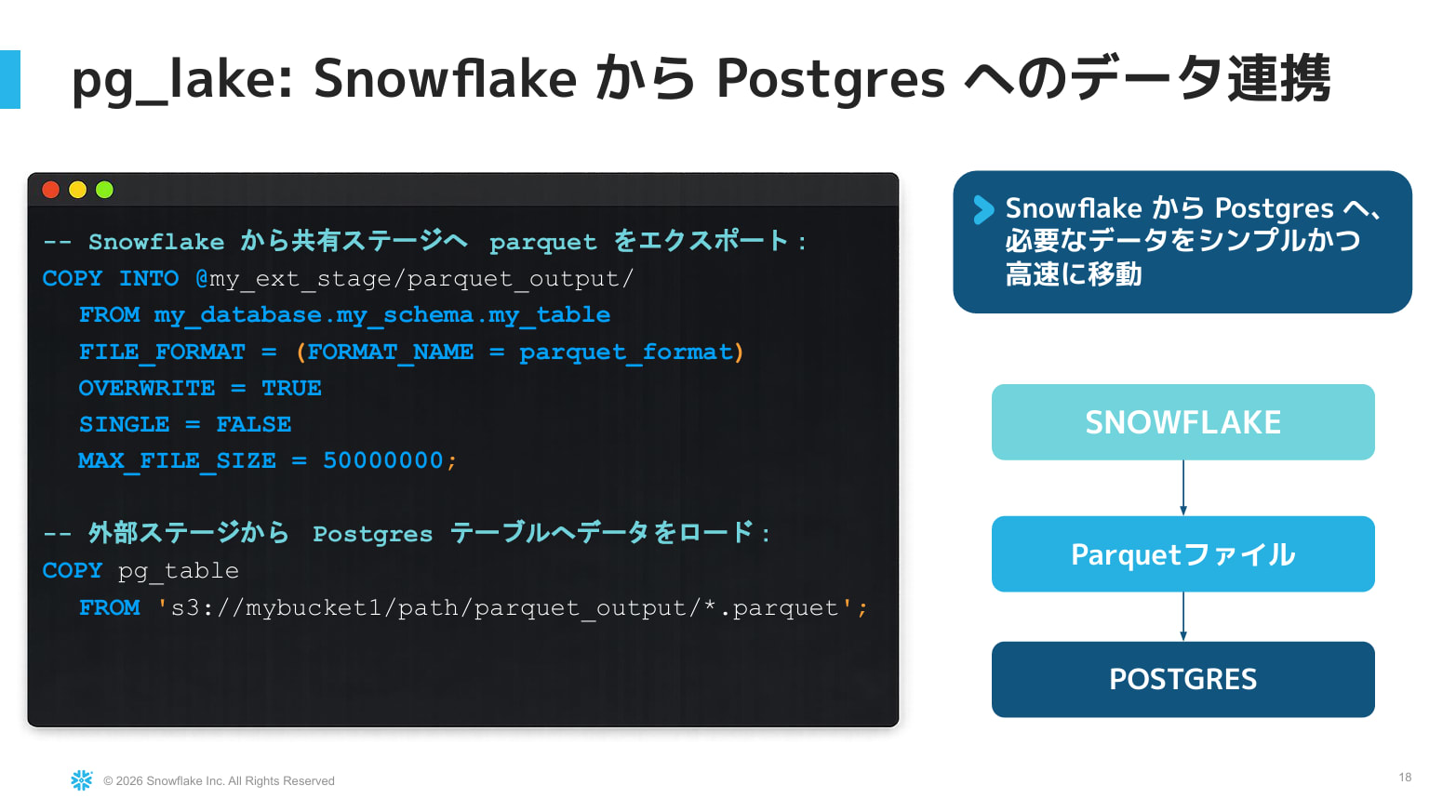
- Pattern 1: Via files
- Use pg_lake from Postgres to write out CSV or Parquet to object storage
- On the Snowflake side, either load it directly into a table or reference it as an Iceberg table
- This path also enables data linkage from Snowflake to Postgres at this point in time. It serves as an option until reverse mirroring is provided
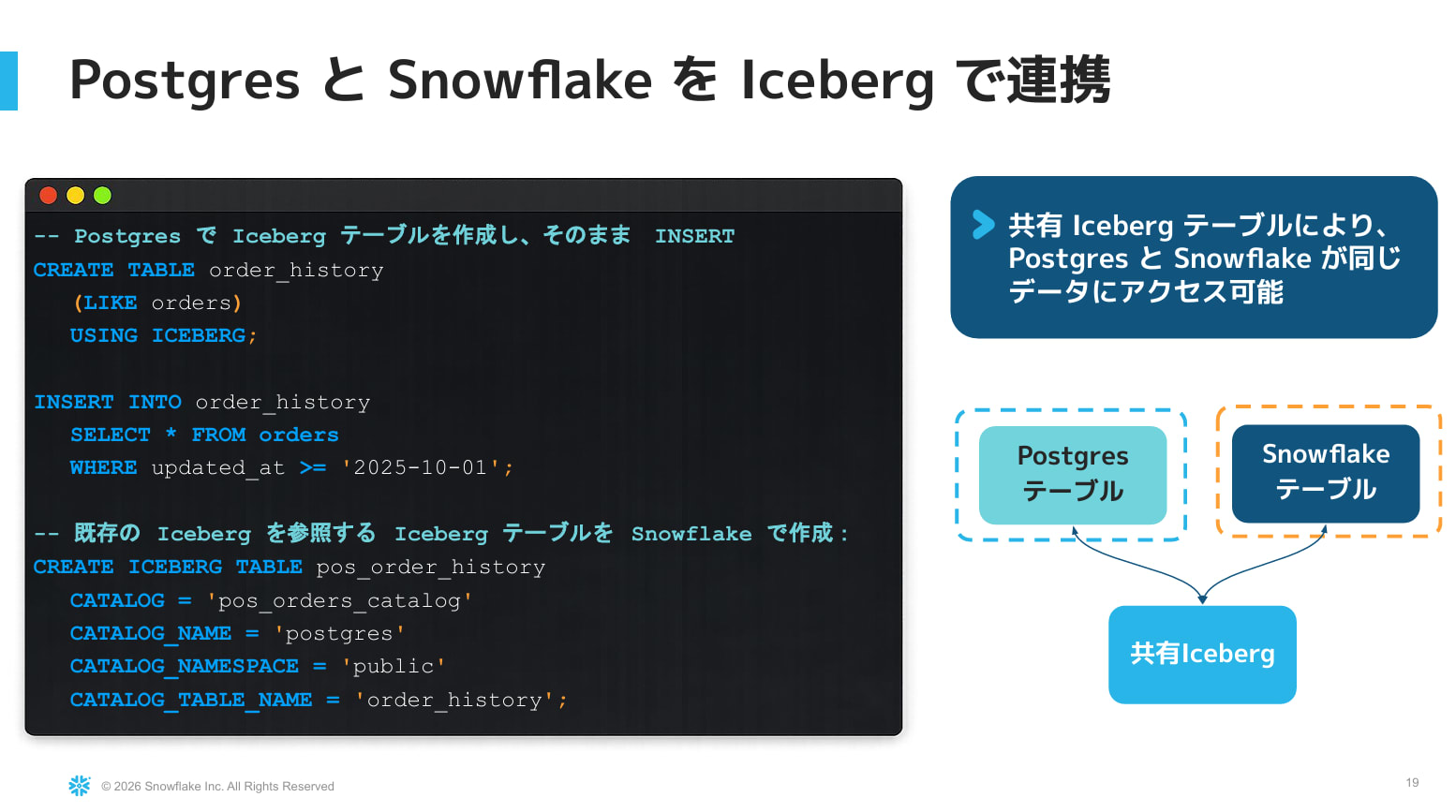
- Pattern 2: Sharing Iceberg tables
- Create an Iceberg table on the Postgres side with
CREATE TABLE ... USING icebergand INSERT the necessary data - On the Snowflake side, reference it by specifying the catalog and catalog table name with
CREATE ICEBERG TABLE - Metadata and actual data reside on object storage, allowing both Postgres and Snowflake to work with the same table without duplicating data
- Create an Iceberg table on the Postgres side with
Unistore (Hybrid Tables)
Overview
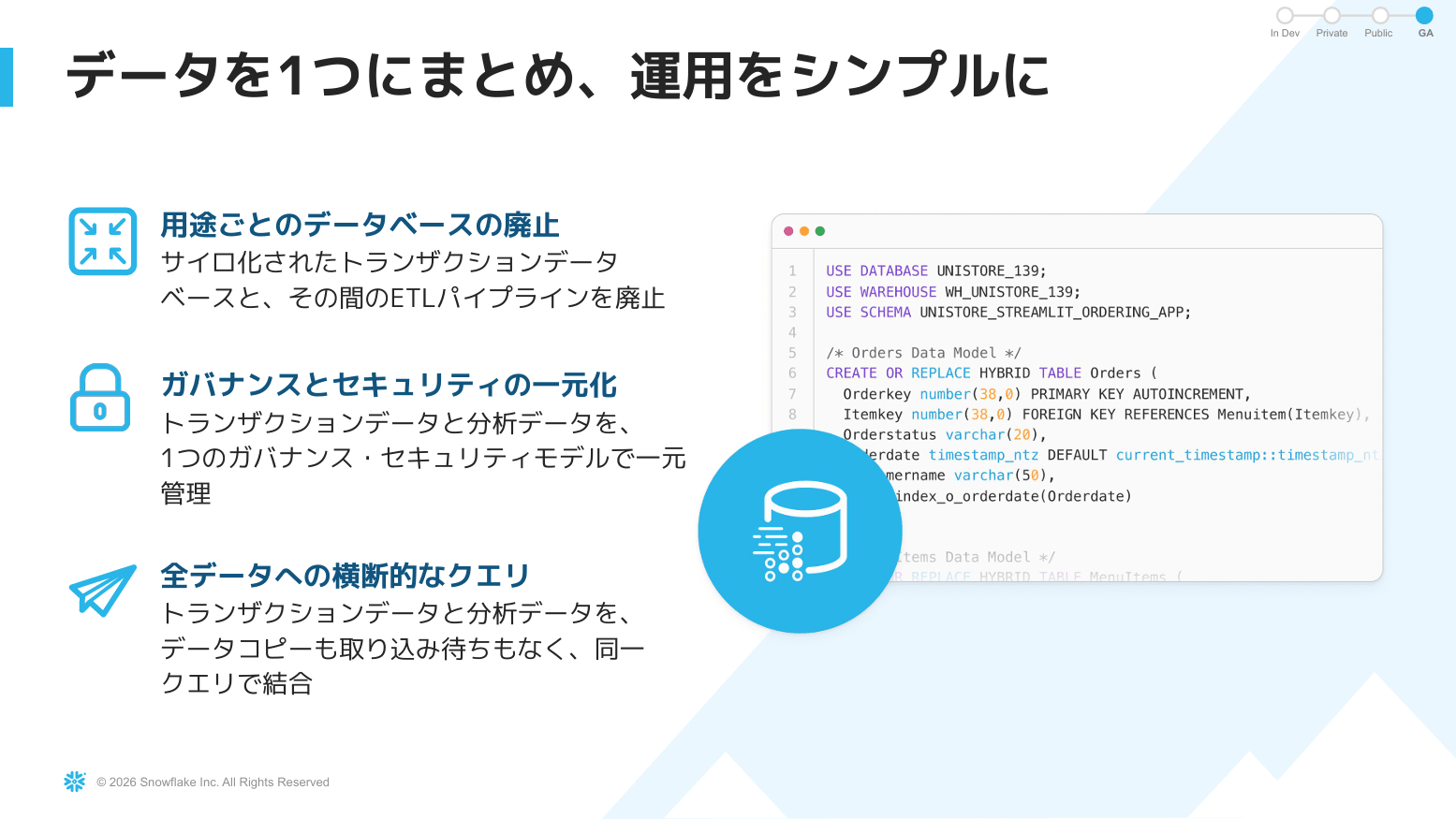
- The right-hand path of the two. Without adding databases or ETL, manage governance centrally and handle transaction and analytics data with the same SQL
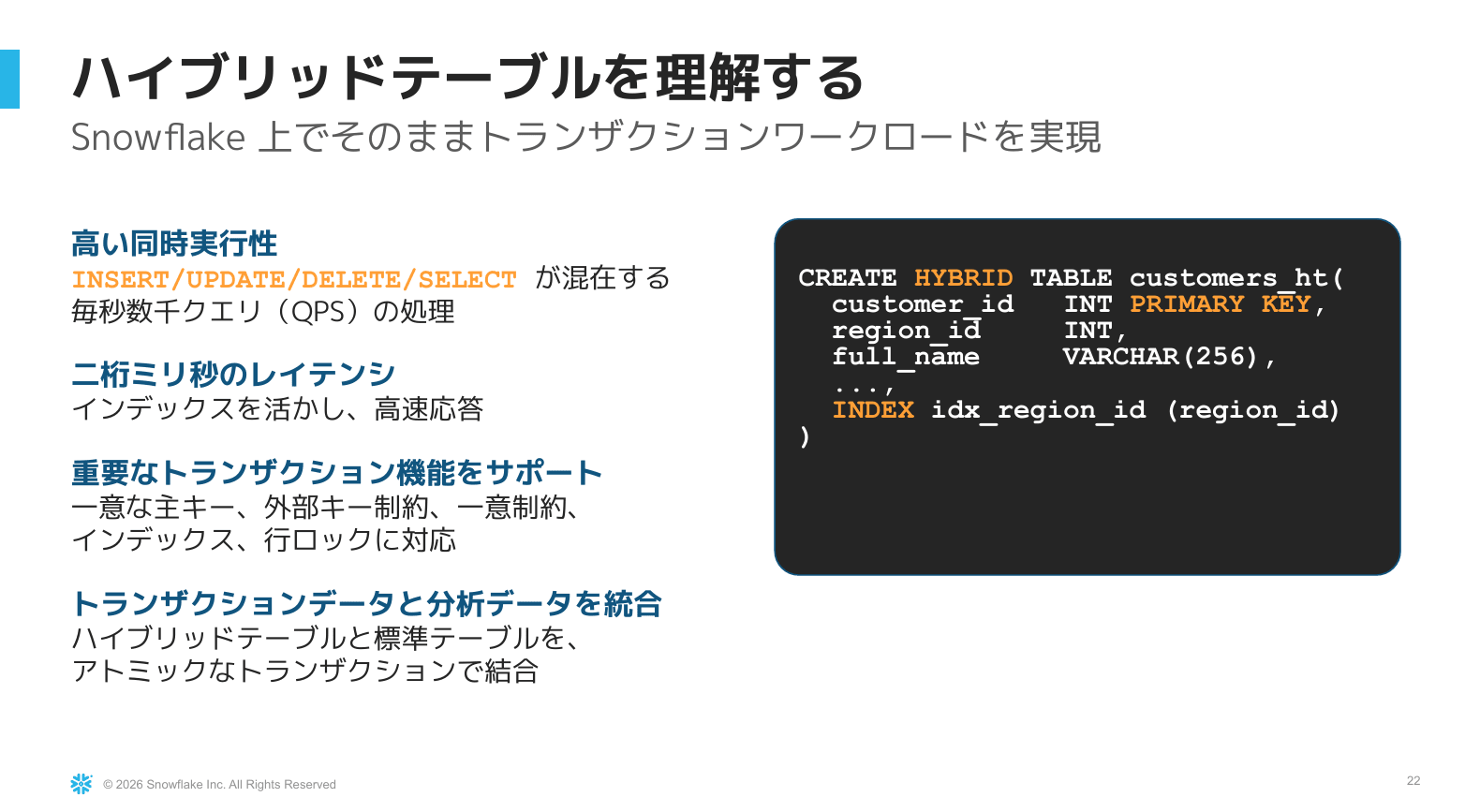
- Created with
CREATE HYBRID TABLEby specifying a primary key and other options - Enables fast execution of processing combining DML such as INSERT, UPDATE, DELETE, and MERGE with SELECT
- Supports ACID transactions and integration with standard tables (such as JOINs)
- The session noted that thousands of companies worldwide are using it in production environments
Recent Evolutions
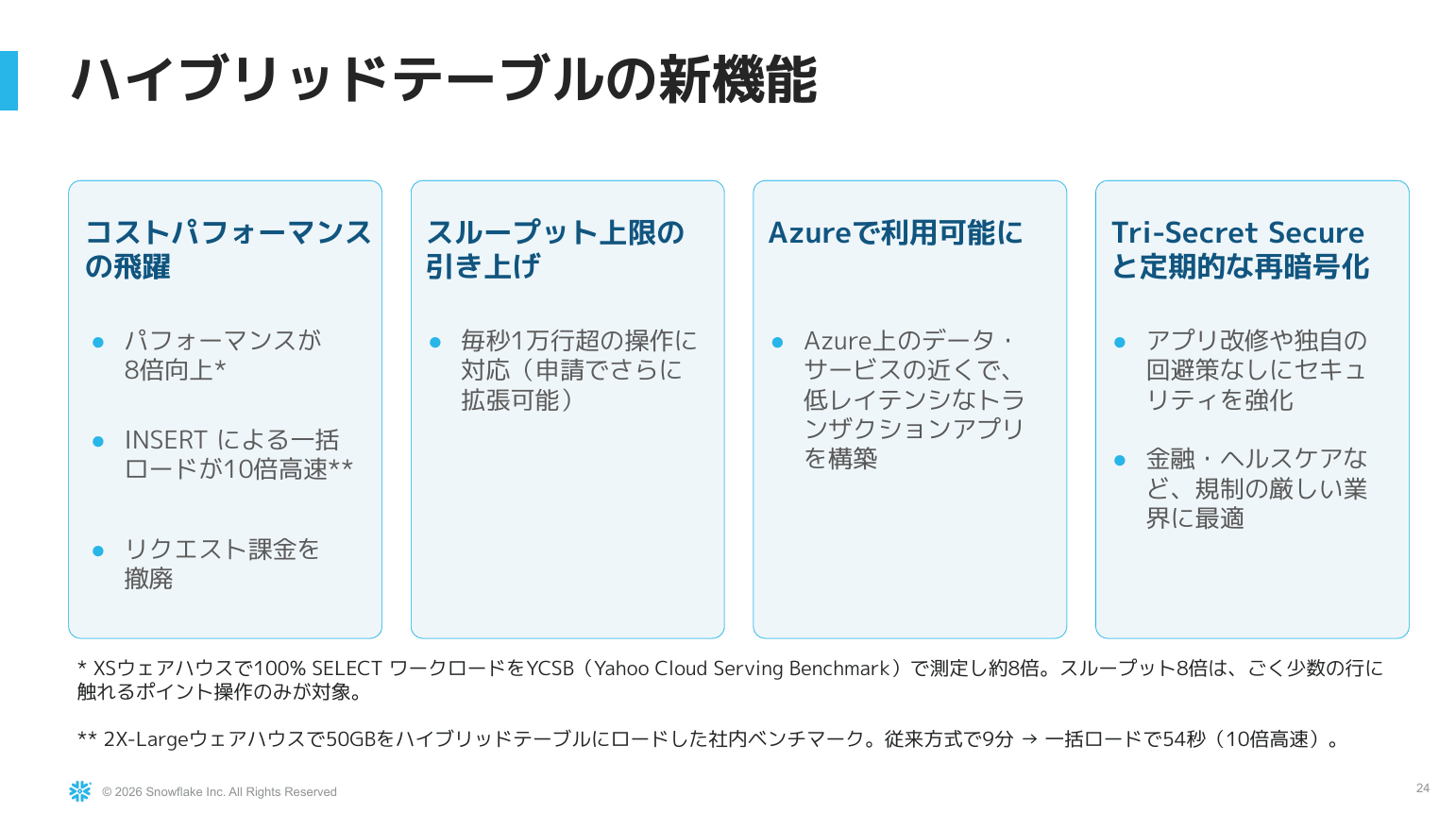
- Dramatic leap in cost performance
- Point operation performance improved by up to 8x (described below)
- Bulk loading via INSERT also accelerated
- Now available on Azure as well
- Support for Tri-Secret Secure encryption
- Tables can be encrypted using not only keys provided by Snowflake but also keys held by the customer
- Using this with hybrid tables requires a dedicated storage mode (Hybrid Tables Dedicated Storage Mode)
- Cannot be applied to existing tables immediately; recreation is required
Point Lookup Performance Improvement (Preview)
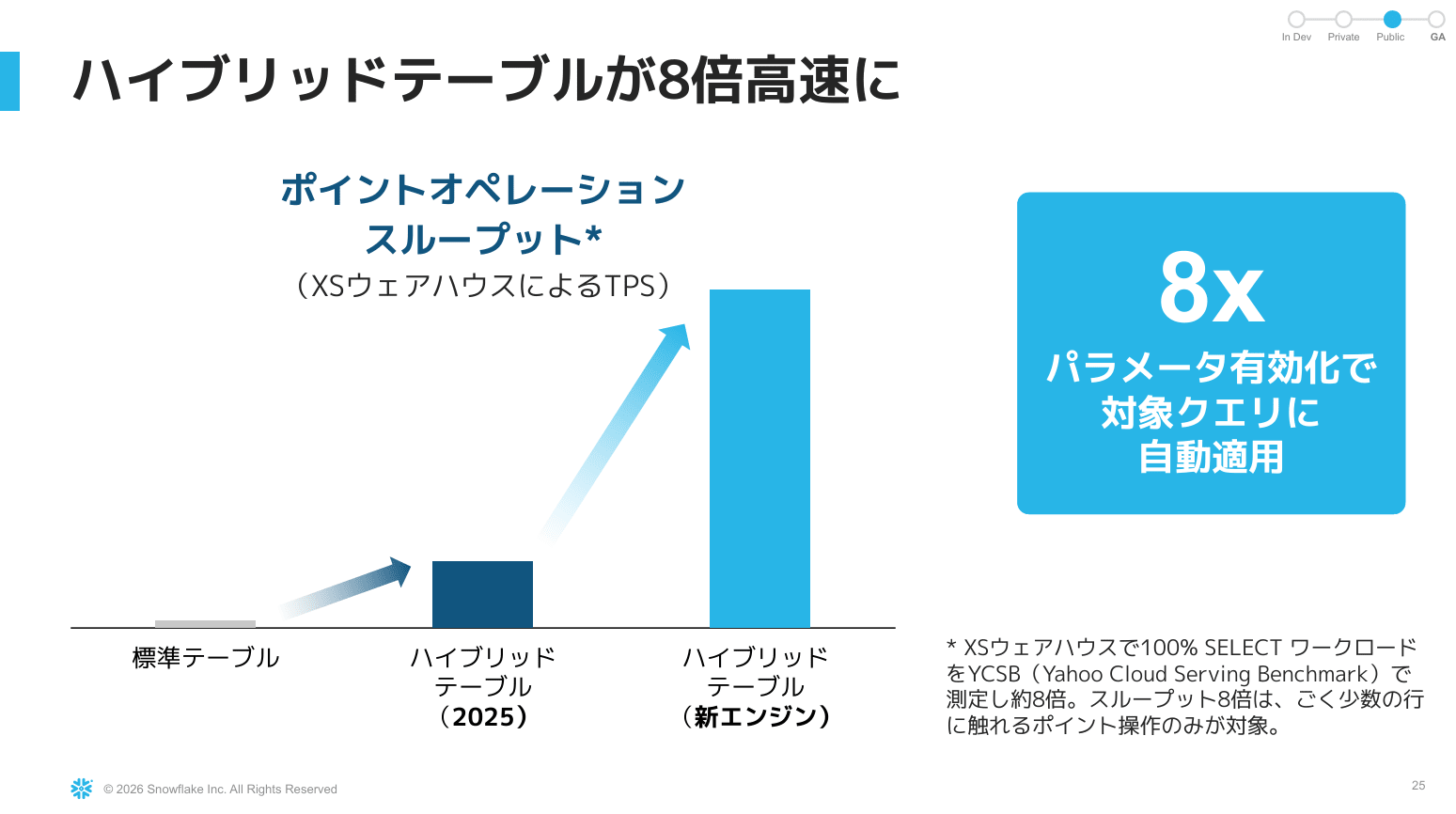
- Targets point operation queries that touch very few rows, such as searches that find specific sales for a specific date among a large number of records
- Enabling the parameter automatically applies the optimal plan, measured to be up to approximately 8x faster
- Still in preview. Once GA, it will be available in an enabled state
Elimination of Request Credit Billing
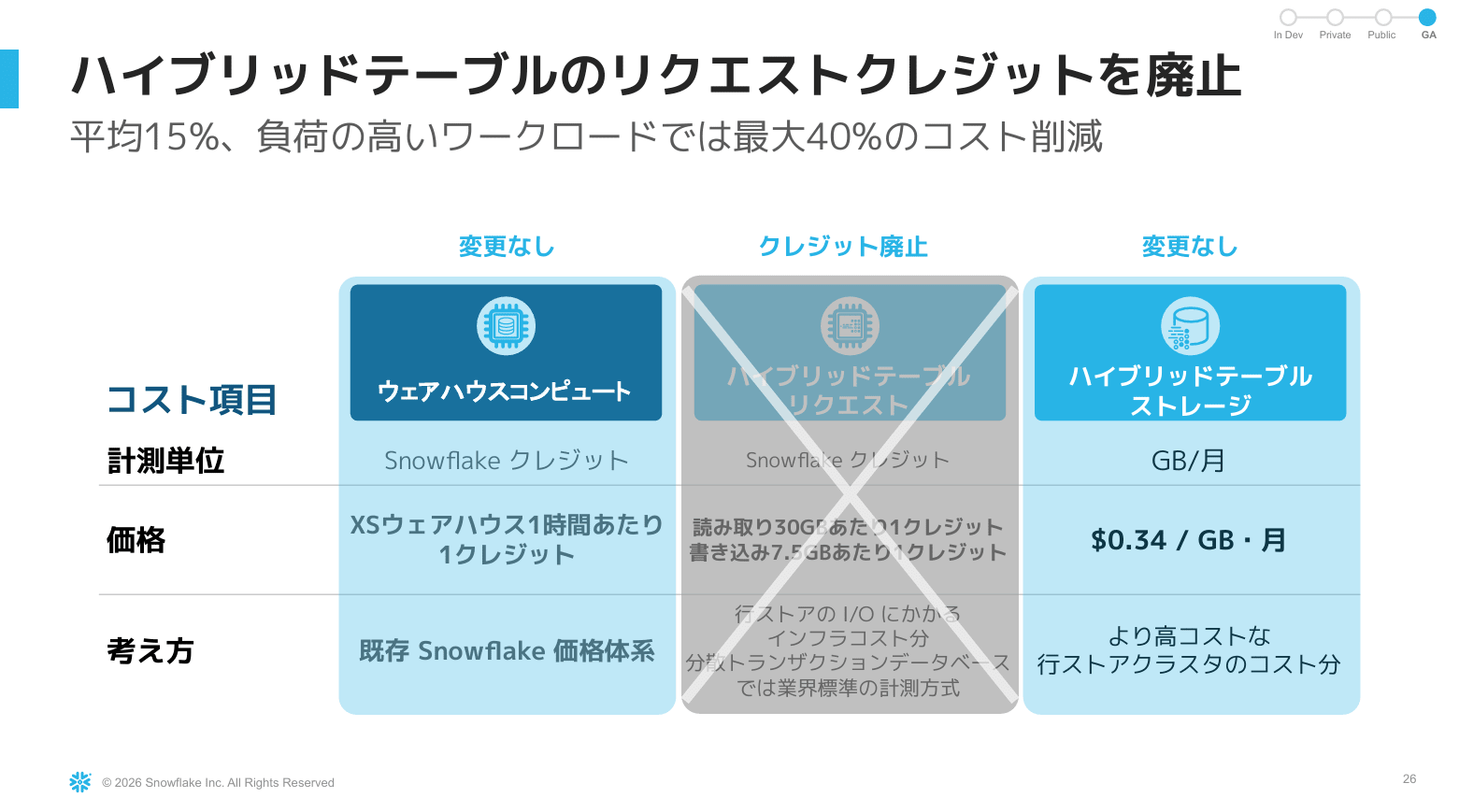
- Hybrid table costs consist of three components, and the "request credit" billing among them has been eliminated
- Warehouse compute credits and hybrid table storage costs continue to apply as before
- Request credits were charged for read/write IO to row storage
- In the session, it was explained as a pricing structure that consumed 1 credit per 30 GB of reads and 7.5 GB of writes
- This year, Snowflake changed this so that Snowflake bears the cost, based on the idea that customers should not be burdened with the infrastructure costs of IO
- Some customers have seen cost reductions of up to 40% in high-load workloads
Key Workloads
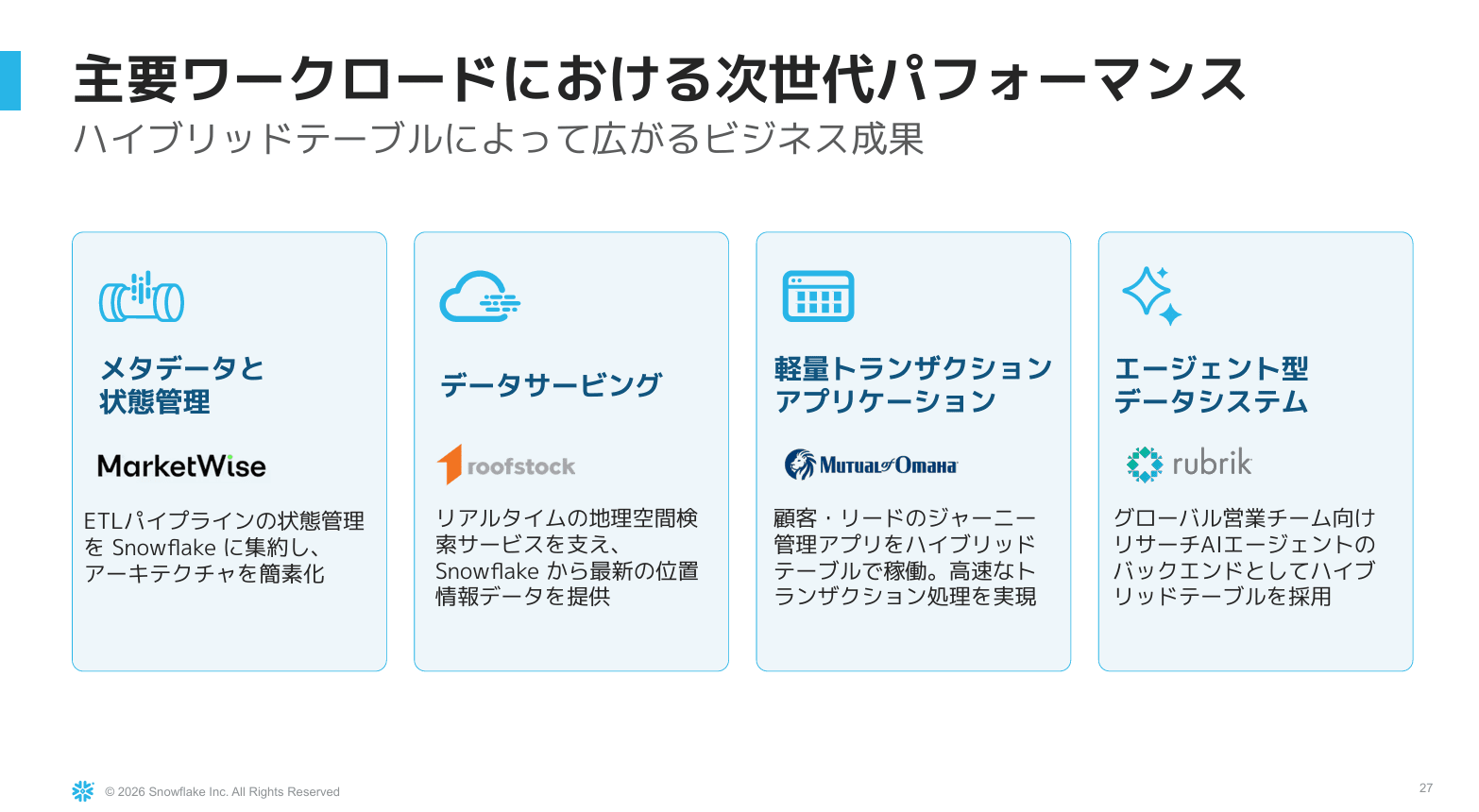
- State management and aggregation in ETL pipelines. A case study of simplified architecture
- Data serving
- Lightweight transaction applications. Achieving fast transaction processing using hybrid tables on the backend
- Tables behind AI agents. Utilized in a research AI agent for a global sales team
Session Summary
- Snowflake Postgres and Unistore were introduced as two paths connecting the transactional world and the analytics world
- Snowflake Postgres simplifies data integration into the analytics world through data mirroring
- Hybrid tables continue to evolve for broader use through the elimination of request credit billing and performance improvements
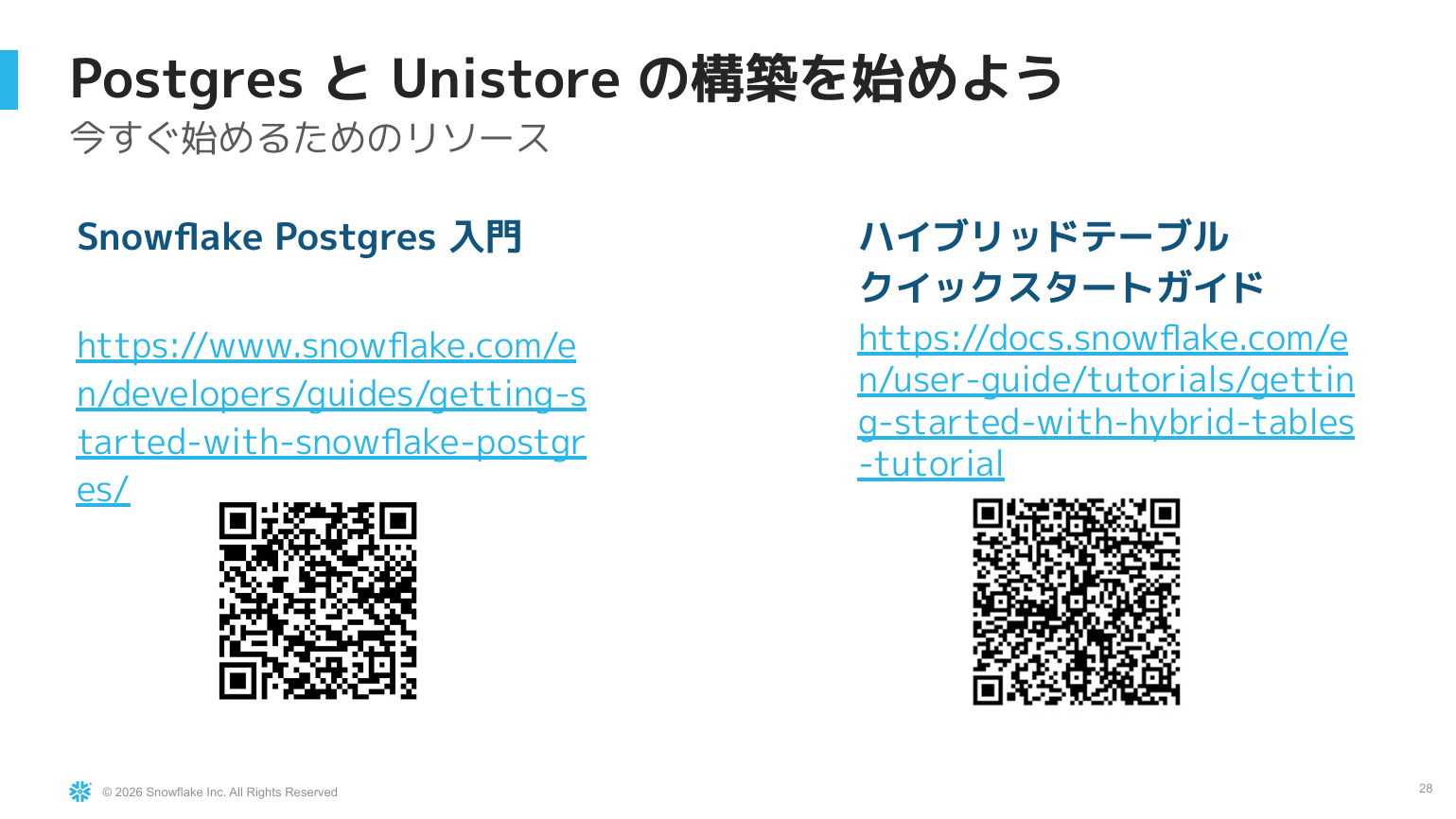
- Getting started guides have been published for both, so please try them out on your own
【Snowflake Postgres Getting Started】
【Hybrid Tables Quick Start Guide】
Reference Links
These are the official documents and official blog posts used to verify the session content.
Personal Impressions
Although it was the very first session on Day 1, it was a session where I could genuinely feel that Snowflake, as a platform, can bridge the "latency gap" between OLTP and OLAP.
What was particularly impressive was the demo where a single row INSERTed into Postgres was reflected in Snowflake CoWork's response in less than a minute without building any pipeline. This seemed like something with many potential use cases, and I felt it would broaden the range of applications even further.
I hope this article serves as a helpful reference for something!