
Execute a TASK triggered by AppFlow data integration to Snowflake

This page has been translated by machine translation. View original
This is Suzuki from the Data Business Division.
Yesterday I published an article about trying out incremental data integration from Salesforce to Snowflake using Amazon AppFlow, and since I wanted to execute a TASK after the integration to run additional processing, I verified whether it could be triggered.
▼ Yesterday's published article
About the Implementation Approach
When combining AppFlow and Snowflake, I think there are broadly two methods for executing Snowflake processing triggered by data integration from AppFlow.
- Detect table changes on the Snowflake side using streams, and execute tasks
- Detect flow completion on the AWS side, and execute Snowflake processing from AWS
For the latter, one could consider triggering EventBridge to execute Lambda, for example, but since Snowflake's API cannot be called without holding Snowflake credentials on the AWS side, the former approach seems simpler.
Since Snowflake streams can detect COPY INTO operations on tables, it seemed possible to use this as a trigger to execute tasks.
For executing tasks from streams, I referenced the following and gave it a try.
Trying It Out
1. Preparing Snowflake Resources
I created streams and tasks on the Snowflake side as shown below. The table monitored by the stream was created in a separate blog post, and I assumed that data is being integrated from Salesforce via an AppFlow flow.
-- Create stream
CREATE OR REPLACE STREAM OPPORTUNITY_STREAM ON TABLE APPFLOW_DB
.APPFLOW_SCHEMA.SALESFORCE_OPPORTUNITY;

-- Table for data consumption
CREATE OR REPLACE TABLE APPFLOW_DB.APPFLOW_SCHEMA.APPFLOW_LOAD_EVENTS (
  detected_at TIMESTAMP_NTZ,
  stream_row_count NUMBER
);

-- Task definition
CREATE OR REPLACE TASK APPFLOW_DB.APPFLOW_SCHEMA.CONSUME_OPPORTUNITY_STREAM
  WAREHOUSE = COMPUTE_WH
  WHEN SYSTEM$STREAM_HAS_DATA('APPFLOW_DB.APPFLOW_SCHEMA.OPPORTUNITY_STREAM')
AS
  INSERT INTO APPFLOW_DB.APPFLOW_SCHEMA.APPFLOW_LOAD_EVENTS
  SELECT
    CURRENT_TIMESTAMP(),
    COUNT(*)
  FROM APPFLOW_DB.APPFLOW_SCHEMA.OPPORTUNITY_STREAM;

-- RESUME the task
ALTER TASK CONSUME_OPPORTUNITY_STREAM RESUME;
2. Data Integration to Snowflake
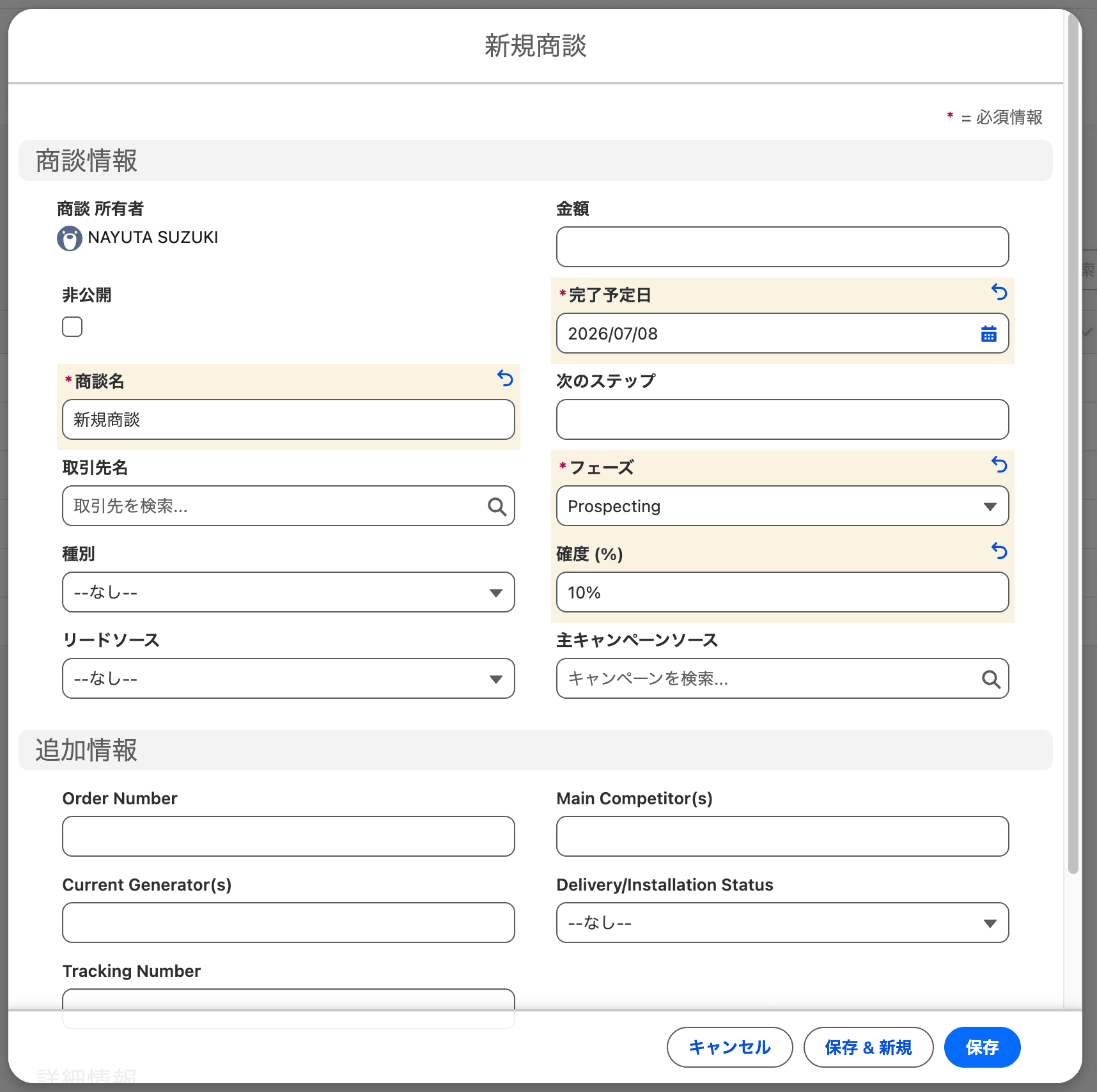
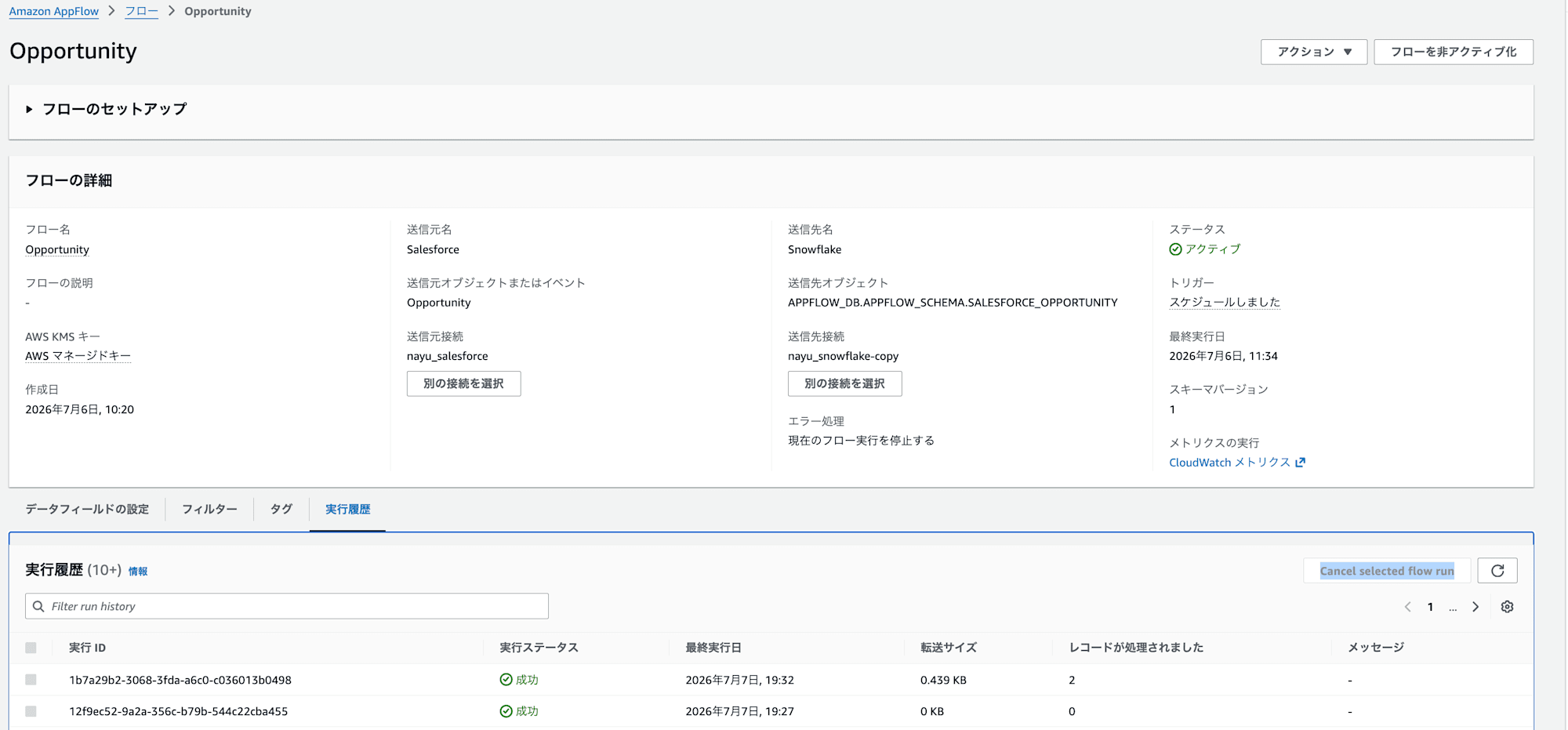
I created data in Salesforce for verification purposes and integrated it into Snowflake via AppFlow.
▼ Example of created data
▼ Integration history in AppFlow
3. Confirming Task Execution
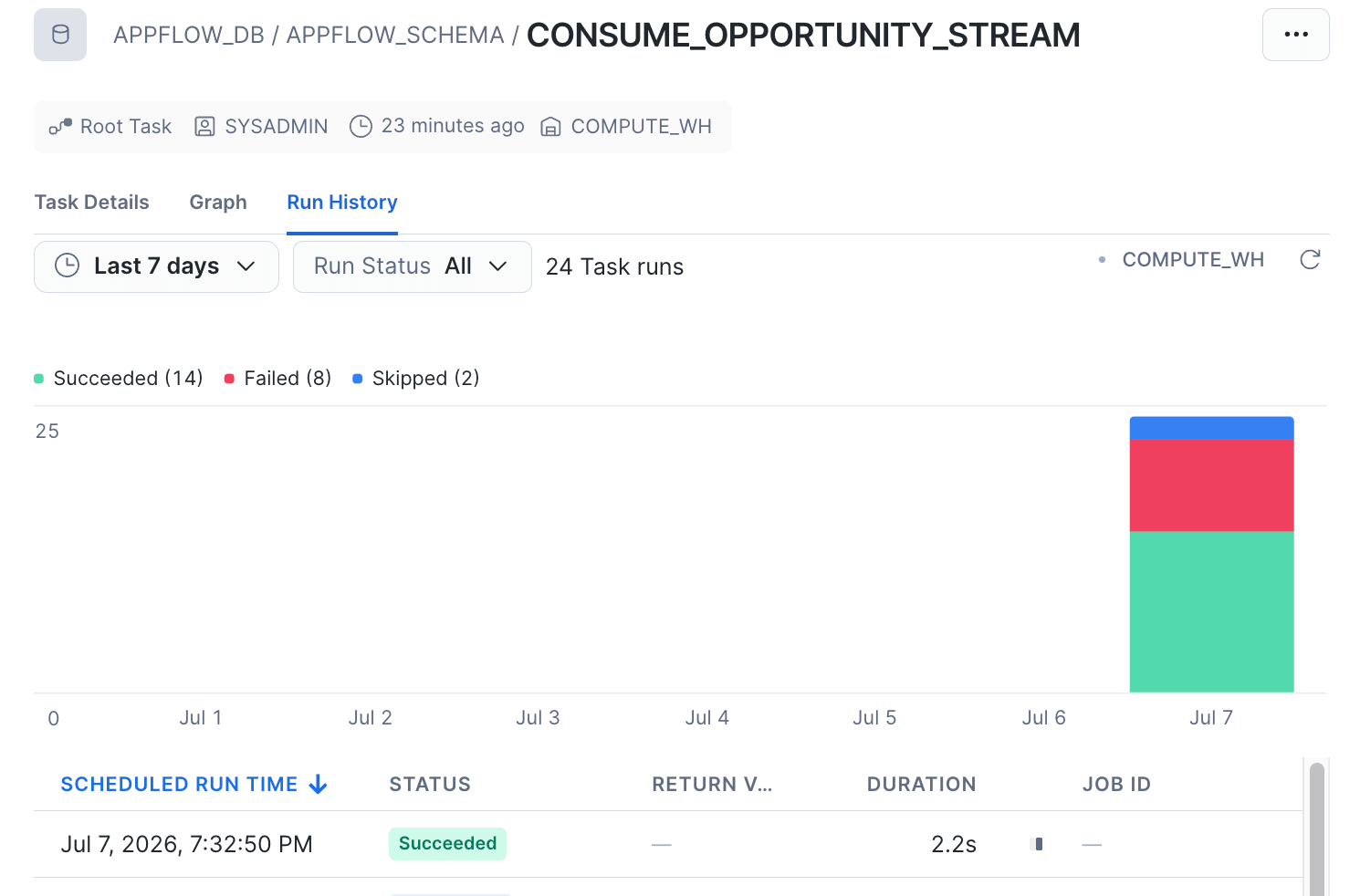
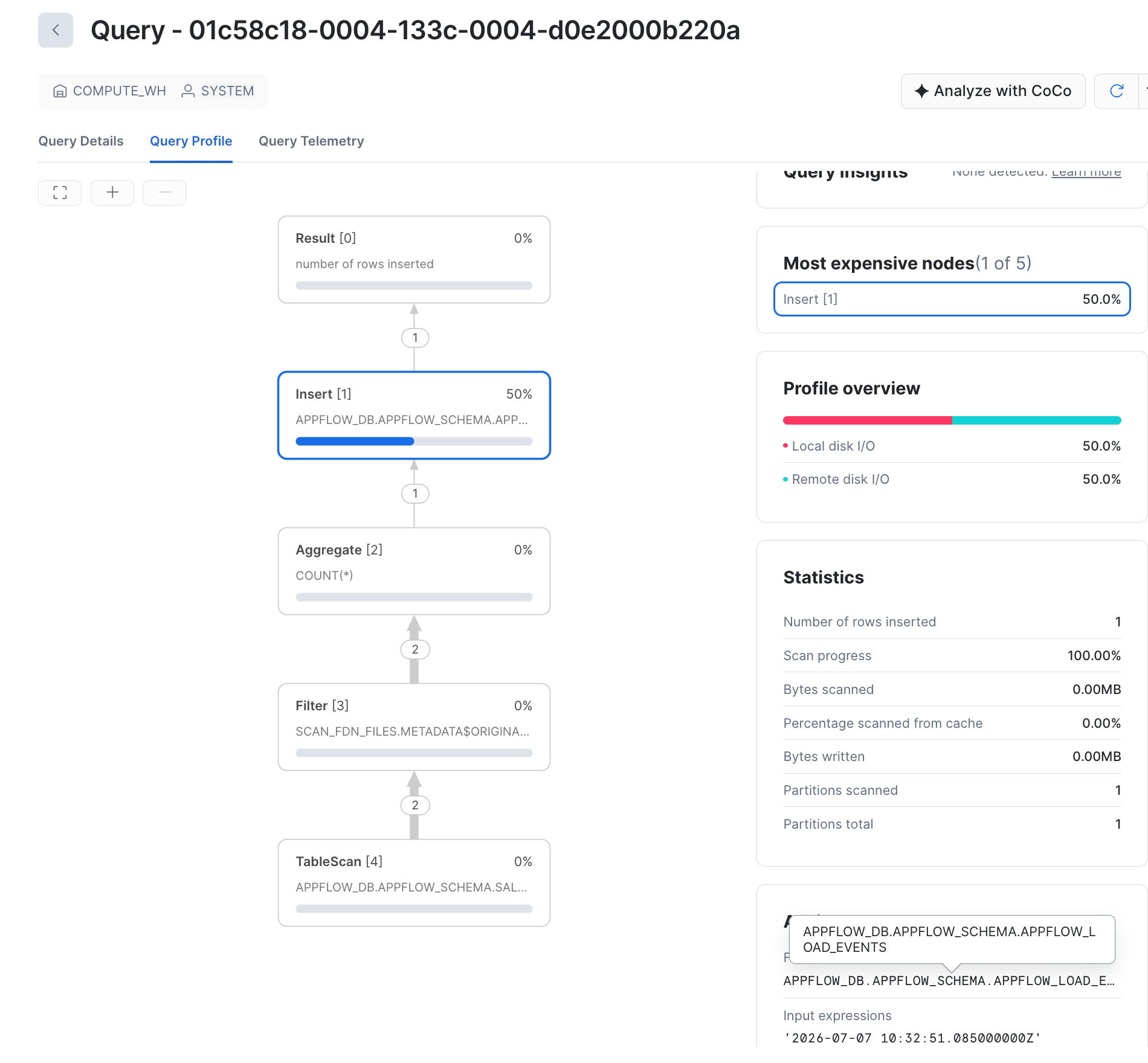
Checking the task execution history, I confirmed that the INSERT had indeed been executed.
▼ Task execution history
▼ Executed task log
Closing
I used streams to execute a TASK triggered by AppFlow data integration into Snowflake.
This time I simply performed a SELECT on the data, but by chaining a task to execute a dbt project after this task, it could also serve as a trigger for dbt execution, which broadens the possibilities for pipeline construction.
I hope this was helpful.
