
I tried out Twilio for Claude (MCP + Skills) with Claude Code

This page has been translated by machine translation. View original
Introduction
Twilio announced Twilio for Claude in May 2026. This is an integration package that incorporates Twilio's expertise into AI coding agents such as Anthropic Claude.
It consists of two components: a Model Context Protocol (MCP) server and Agent Skills. The MCP server enables AI to search and reference more than 1,800 Twilio API specifications. Skills are instruction guides that compile official best practices for each product such as SMS and Voice.
The main subject of this article is sharing the experience of actually installing Twilio for Claude into Claude Code and trying it out. I chose to implement browser-based calling with the Twilio Video API as the subject matter. By rebuilding the same functionality as my previously written Twilio Video API + Twilio Function で 1対1 ビデオ通話を実装する through AI pair programming, I observe how useful MCP and Skills are in actual implementation work.
The verification environment is Claude Code 2.1.153 (Opus 4.7) on macOS, Node v24.15.0.
What is Twilio
Twilio is a cloud service that provides communication features such as SMS, voice calls, video calls, and email sending as APIs. You can incorporate full-featured communication capabilities into your application with just a small amount of code.
Target Audience
- People who want to know what it's like to use Twilio for Claude (MCP and Skills)
- Twilio developers who want to try AI pair programming with Claude Code
- People interested in how Twilio can be used from AI coding agents
References
- Introducing the Twilio MCP Server and Skills (Twilio Blog)
- Twilio Brings Customer Engagement Workflows into Claude by Anthropic (Twilio Blog)
- Twilio Skills for AI coding agents (Twilio Docs)
- Twilio MCP server (Twilio Docs)
- twilio/ai (GitHub)
Prerequisites
To set up Twilio for Claude, add the Twilio AI repository to Claude Code's plugin marketplace and install the twilio-developer-kit plugin. This makes 55 Skills available.
The official blog explains that the plugin alone includes MCP in one step, but when checking plugin v0.3.1 at the time of verification with claude plugin details, it showed MCP servers (0), and the MCP server was not bundled. Therefore, I registered it separately as an HTTP MCP server using claude mcp add.
claude plugin marketplace add twilio/ai
claude plugin install twilio-developer-kit@twilio
claude mcp add --transport http twilio-docs https://mcp.twilio.com/docs
After starting a session following installation, mcp__twilio-docs__twilio__search and mcp__twilio-docs__twilio__retrieve become available as tools that AI can call. Skills metadata is loaded into the system context, allowing AI to load and invoke Skill bodies as needed.
Regarding Twilio credentials, the Account SID and Auth Token are used when issuing an API Key with the Twilio CLI, and the API Key SID and Secret are used on the app implementation side (for issuing Access Token JWTs).
Actually Using Twilio for Claude
Passing Requirements Roughly
I intentionally passed the requirements in rough natural language.
I want to create a 1-on-1 video call with Twilio. The configuration should allow two browser tabs on a PC to verify bidirectional video and audio. Please actively utilize Twilio for Claude (MCP + Skills).
In response, the AI first tried a Skill from the Planner category. Twilio Skills are divided into four categories: Setup, Planner, Product, and Guardrail, where Planner plays the role of selecting products based on use cases. The AI loaded twilio-customer-support-architect, but this was designed for IVR and contact centers and did not fit WebRTC-based browser video calling.
In the end, looking across all 55 Skills, there was not a single one that directly handles the Video API. While SMS, Voice, WhatsApp, Verify, SendGrid, and Compliance have strong coverage, Video appears to be intentionally out of scope. The AI honestly acknowledged this situation and switched to "making product selection decisions outside the Skills framework."
MCP Fills the Video API Gap
MCP complements the areas where Skill coverage doesn't reach. The AI used twilio__search to search for documentation on creating Group Rooms and issuing Access Tokens.
The search results included sample code using the JavaScript SDK's Twilio.Video.connect, event patterns for participantConnected and trackSubscribed, and the API schema for op::twilio_video_v1::CreateRoom. Using these, a skeleton for the frontend and backend could be assembled.
Skill-Recommended Procedures Don't Work in the Current Environment
The plan proceeded with placing the backend in Twilio Functions, the same as in the previous article. The AI loaded the Skill twilio-cli-reference and understood that the Twilio Serverless Toolkit could be completed with just two commands: twilio serverless:init and twilio serverless:deploy.
However, when running twilio plugins:install @twilio-labs/plugin-serverless, the internal dependency twilio-run@5.0.1 was incompatible with Node v24 and the installation failed. twilio-run requires ^20.x || ^22.x and cannot be used with the current LTS Node 24.
error twilio-run@5.0.1: The engine "node" is incompatible with this module.
Expected version "^20.x || ^22.x". Got "24.15.0"
The Skill text reflects the official recommended procedures, but the detailed Node requirements of the toolchain are not written in the Skill itself. Even relying solely on the Skill, you cannot catch this problem in advance.
Switching Configuration to Integrate with Vercel
Here the AI reconsidered the plan and decided to switch the backend to Vercel Serverless Functions. Specifically, it added api/join-room.js directly under the Vercel project root, integrating the frontend and backend into a single Vercel project. Vercel Functions automatically recognizes files under the /api directory as Serverless Functions. This is different from Next.js App Router Route Handlers — in this case, Next.js is not used and Vercel Functions are placed directly.
With the switched configuration, the entire process from Vercel CLI through to production deployment was completed in three steps: vercel link, vercel env add, and vercel --prod. Environment variables can be registered without remaining in shell history by piping them into stdin like printf '%s' "$VAR" | vercel env add ... production.
After deployment, when I ran a smoke test on POST /api/join-room with curl, I got HTTP 200 and a JWT-format Access Token on the first try. The quality of the MCP sample code working almost as-is was a major factor.
Contents of Vercel Serverless Function (app/api/join-room.js)
const twilio = require('twilio');

const AccessToken = twilio.jwt.AccessToken;
const VideoGrant = AccessToken.VideoGrant;

const {
  TWILIO_ACCOUNT_SID,
  TWILIO_API_KEY_SID,
  TWILIO_API_KEY_SECRET,
} = process.env;

module.exports = async function handler(req, res) {
  res.setHeader('Access-Control-Allow-Origin', '*');
  res.setHeader('Access-Control-Allow-Methods', 'POST,OPTIONS');
  res.setHeader('Access-Control-Allow-Headers', 'Content-Type');

  if (req.method === 'OPTIONS') return res.status(204).end();
  if (req.method !== 'POST') return res.status(405).json({ error: 'Method Not Allowed' });

  const { roomName, identity } = req.body || {};
  if (!roomName || !identity) {
    return res.status(400).json({ error: 'roomName と identity は必須です' });
  }

  const client = twilio(TWILIO_API_KEY_SID, TWILIO_API_KEY_SECRET, {
    accountSid: TWILIO_ACCOUNT_SID,
  });

  try {
    try {
      await client.video.v1.rooms(roomName).fetch();
    } catch (e) {
      if (e && e.code === 20404) {
        await client.video.v1.rooms.create({ uniqueName: roomName, type: 'group' });
      } else throw e;
    }

    const token = new AccessToken(
      TWILIO_ACCOUNT_SID,
      TWILIO_API_KEY_SID,
      TWILIO_API_KEY_SECRET,
      { identity }
    );
    token.addGrant(new VideoGrant({ room: roomName }));

    res.status(200).json({ token: token.toJwt(), identity, roomName });
  } catch (err) {
    res.status(500).json({ error: err.message || 'unknown error' });
  }
};
Main parts of the frontend (excerpt from app/app.js)
const { token } = await fetchToken(roomName, identity);
const room = await Twilio.Video.connect(token, {
  name: roomName,
  audio: true,
  video: { width: 640 },
});

room.localParticipant.tracks.forEach((publication) => {
  if (publication.track) attachTrack(publication.track, localContainer);
});

room.participants.forEach(handleRemoteParticipant);
room.on('participantConnected', handleRemoteParticipant);
room.on('participantDisconnected', () => clearContainer(remoteContainer));

function handleRemoteParticipant(participant) {
  participant.tracks.forEach((publication) => {
    if (publication.track) attachTrack(publication.track, remoteContainer);
  });
  participant.on('trackSubscribed', (track) => attachTrack(track, remoteContainer));
}
The Twilio Video JS SDK was loaded from CDN https://media.twiliocdn.com/sdk/js/video/releases/2.32.0/twilio-video.min.js.
Verification
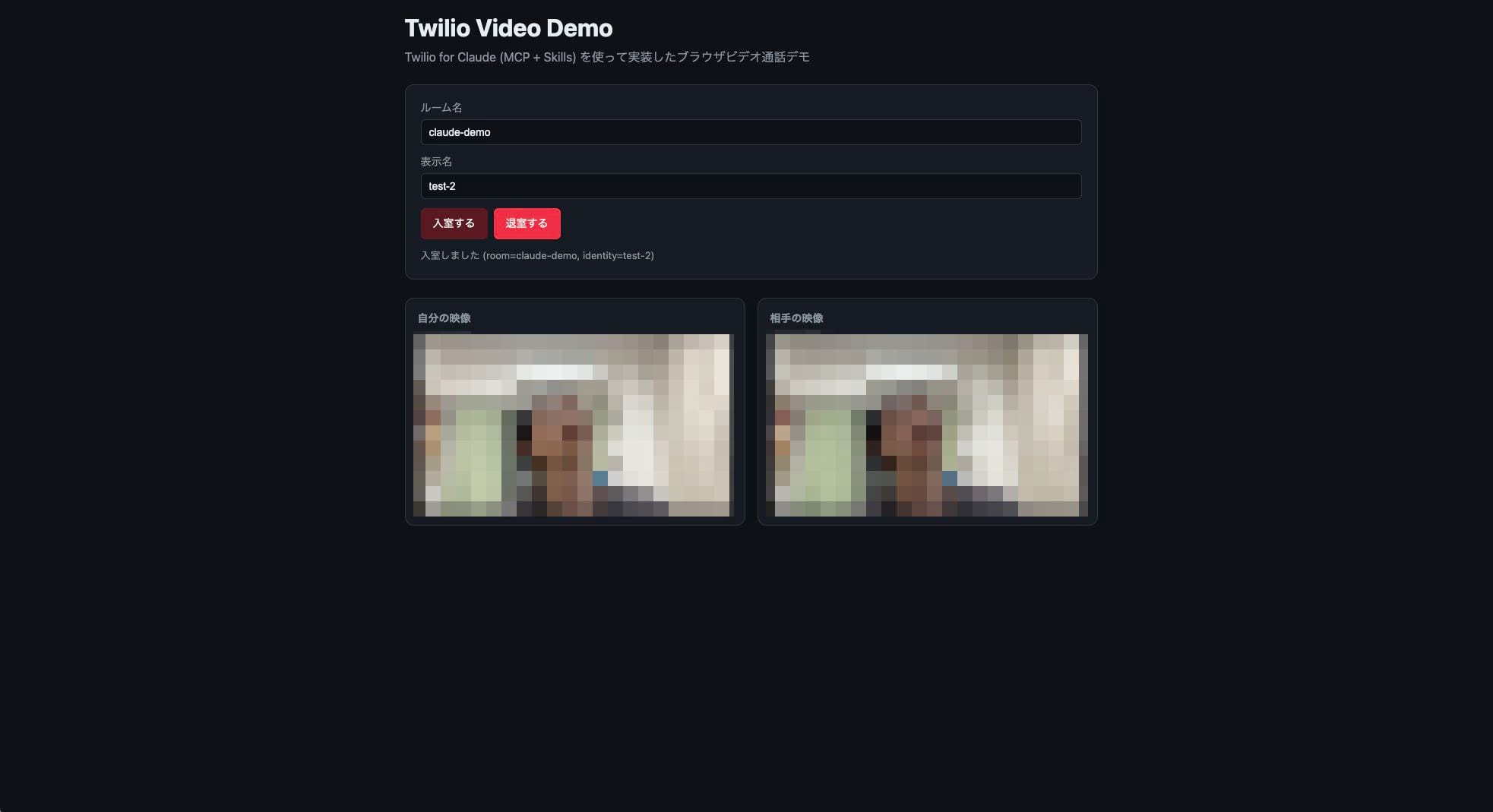
I opened two Chrome tabs and joined the same room named claude-demo with different display names. I confirmed that both tabs displayed my own video alongside the other person's video, and that audio flowed bidirectionally.
Observations and Impressions
MCP proved to be more capable than expected as a means of retrieving API documentation from AI. Simply sending a natural language query to twilio__search returns sample code and API schemas in order of relevance. It feels like AI is acting as a substitute for an SE's DevDocs search.
On the other hand, with Skills, it became clear that there is a significant gap between areas that have been turned into Skills and those that haven't, across Twilio's wide range of products. For features outside Skill coverage like the Video API, you end up relying on MCP. It's reasonable to think of Skills as "templates for officially recommended development workflows" that are useful but do not cover all products.
Another discovery was that there are cases where Skill-recommended procedures don't work in the current environment. This time, the Twilio Serverless Toolkit didn't work with Node v24, and the AI proposed switching to Vercel Serverless Functions on the spot. Skills are convenient, but even in AI pair programming, the attitude of verifying whether recommended procedures actually work — rather than blindly trusting them — is necessary.
Summary
I installed Twilio for Claude into Claude Code and verified the experience using browser-based calling implementation with the Video API as the subject. MCP proved useful as a means of automating API reference searches from AI. Skills, on the other hand, are strong in their areas of expertise, but for features outside their coverage like Video, MCP補完 is a prerequisite. I hope this serves as a reference for those considering whether to adopt Twilio for Claude.
Webinar Announcement
Classmethod holds webinars on Twilio utilization.

If you are interested in the latest Twilio topics including Twilio for Claude and implementation examples, please visit the Twilio Webinar page.
