![[Minor Topic] I tried using Opus 4.7 (which doesn't appear in /model) with the old Claude Code](https://images.ctfassets.net/ct0aopd36mqt/3KBTm8tdpO9RJJuaVvVzod/a9964bb03097b448b2327edc6920bf9f/Claude.png?w=3840&fm=webp)
[Minor Topic] I tried using Opus 4.7 (which doesn't appear in /model) with the old Claude Code

This page has been translated by machine translation. View original
Introduction
On April 16, 2026, Anthropic released Claude Opus 4.7 (official announcement).
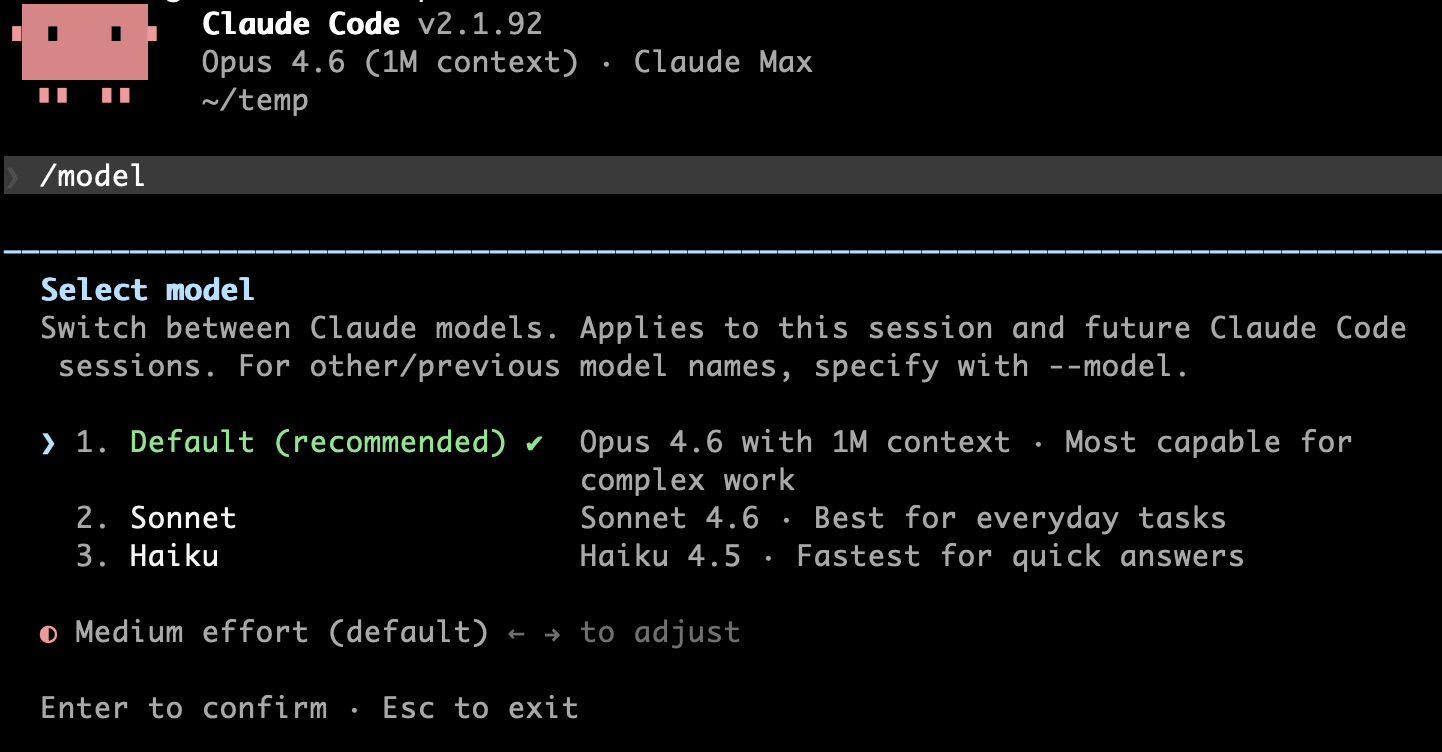
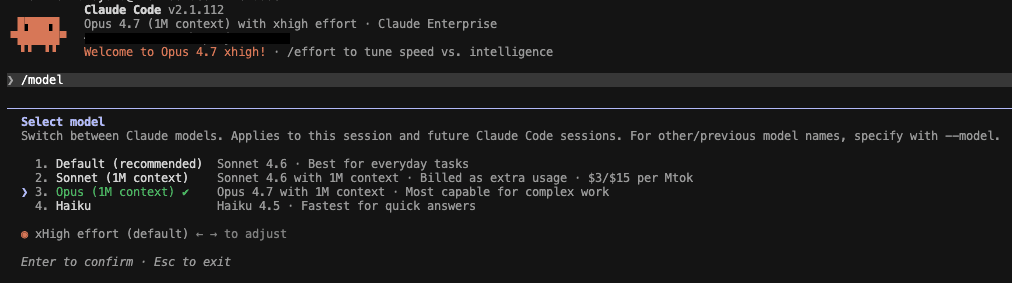
I tried to test it with Claude Code, but in my environment, I installed it via Homebrew and I'm not using the @latest version, so I'm locked to the stable version (v2.1.92). When I use /model, Opus 4.7 doesn't appear in the options. On the other hand, a colleague using v2.1.112 of Claude Code says that Opus 4.7 appears properly as an option.
v2.1.92
v2.1.112
The official documentation also states:
Opus 4.7 requires Claude Code v2.1.111 or later. Run
claude updateto upgrade.
— Model configuration
So the proper approach is to "update Claude Code." However, there are cases where you want to try the new model without updating, so I tried specifying the model ID directly. In conclusion, even if it doesn't appear in the /model selection options, it works normally if you explicitly specify the model ID.
Test Environment
- macOS Sequoia
- Claude Code v2.1.92 (installed via Homebrew)
- Claude Code Max plan
Procedure
You can simply pass the model ID directly to the /model command.
# Switch during the session (persists to global settings)
/model claude-opus-4-7
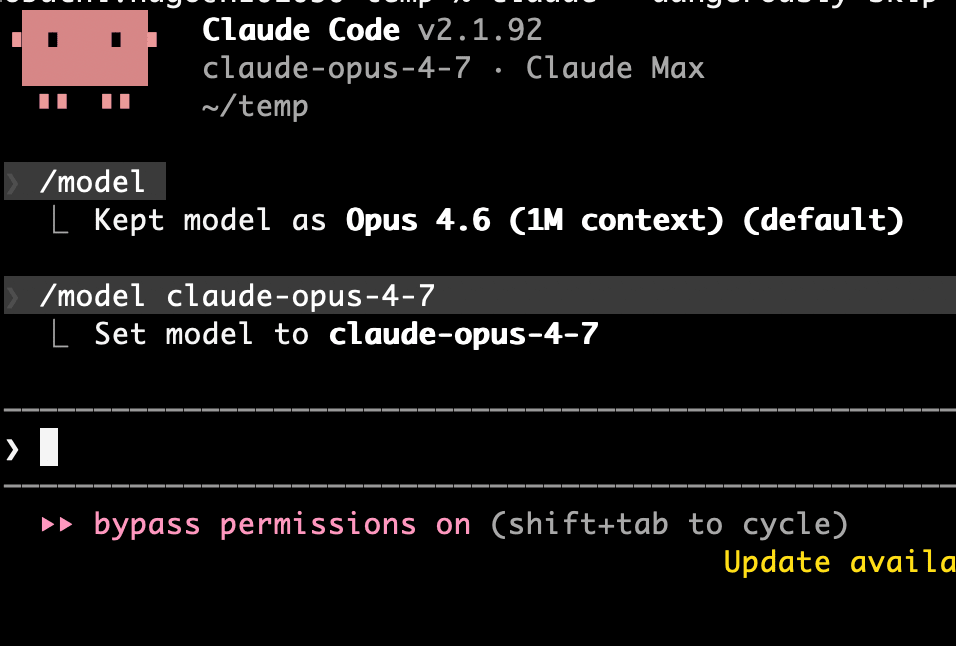
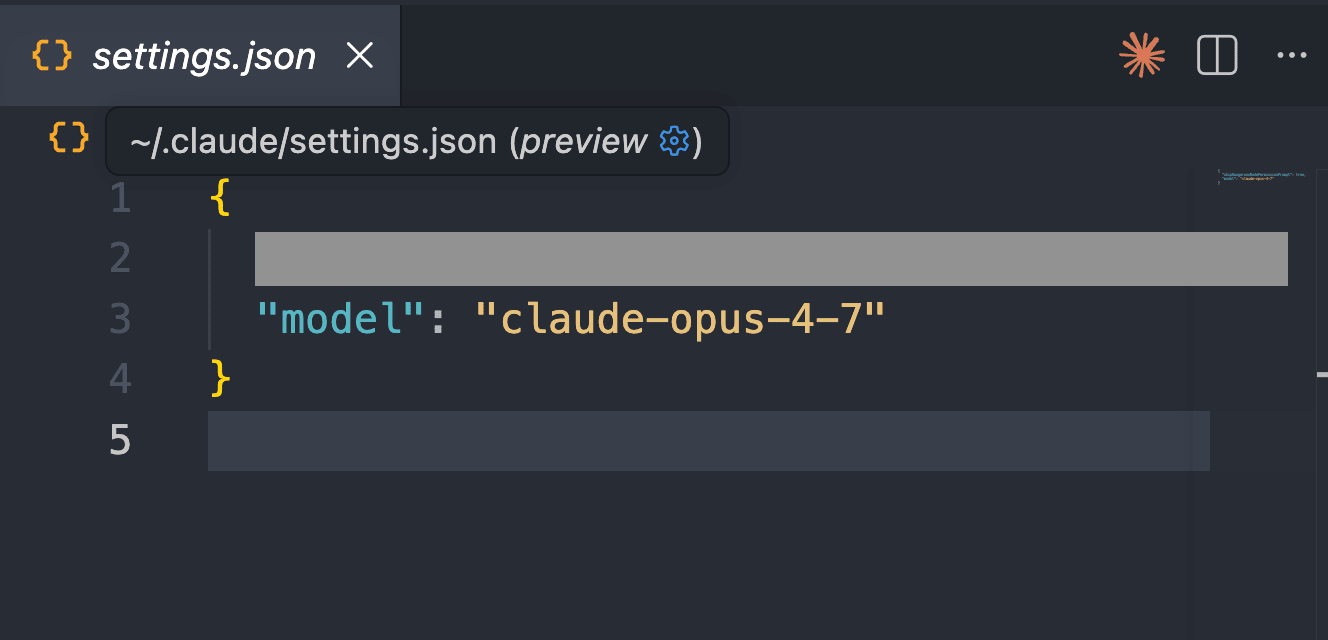
This command writes the following to ~/.claude/settings.json:
{
  "model": "claude-opus-4-7"
}
If you want to try it just for one session, it's easier to specify it with a flag when launching the CLI:
claude --model claude-opus-4-7
You can also use the environment variable ANTHROPIC_MODEL. The official documentation's Setting your model section summarizes the setup methods and their priorities.
Verifying that Opus 4.7 is actually being called
If you pass a non-existent ID, it gets properly rejected:
/model claude-opus-4-8
→ Model 'claude-opus-4-8' not found
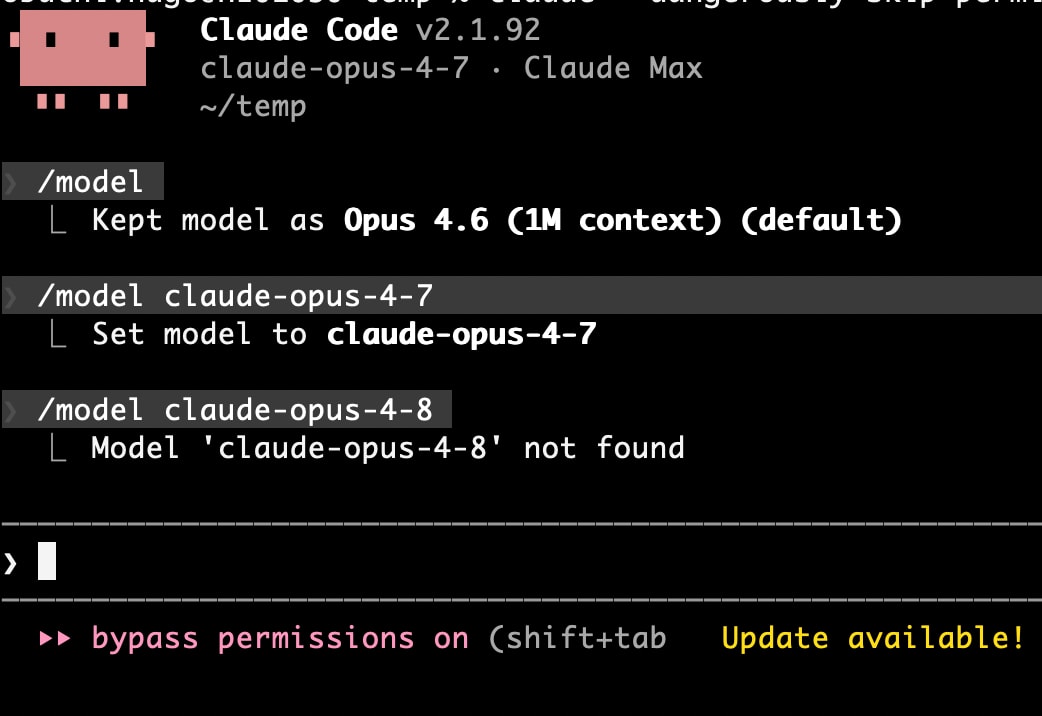
Conversely, claude-opus-4-7 works, so it seems that 4.7 is included in the CLI's internal model list, but just doesn't appear in the /model picker UI.
UI Tidbits
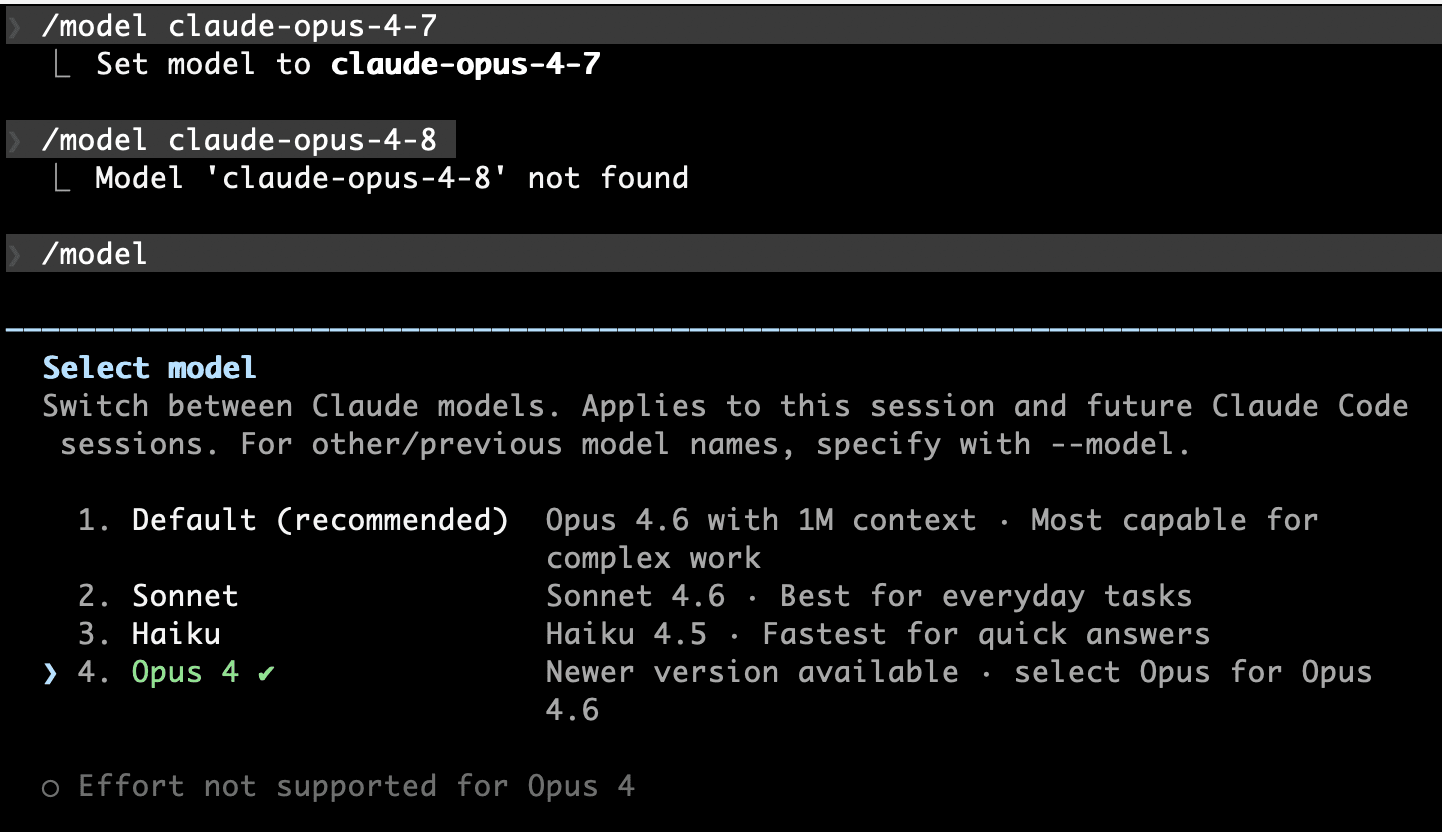
Looking at the /model page in the older Claude Code, claude-opus-4-7 is displayed as follows:
- The model name label shows "Opus 4" (not "Opus 4.7")
- "○ Effort not supported for Opus 4" appears grayed out
At first, I was concerned that "maybe the older CLI doesn't fully utilize 4.7's capabilities?", but reading the documentation reveals the cause:
Claude Code enables features like effort levels and extended thinking by matching the model ID against known patterns.
— Customize pinned model display and capabilities
Claude Code determines whether a model supports Effort by pattern matching the model ID, so an older CLI that doesn't know about Opus 4.7 falls back to the default assumption that "Opus 4 series = Effort not supported". As a result, the Effort slider appears grayed out.
In reality, according to the official documentation's Adjust effort level section, Opus 4.7 does support Effort, with a default of xhigh.
| Item | How it appears in older Claude Code | Actual behavior |
|---|---|---|
| Label | "Opus 4" | claude-opus-4-7 is being sent to the API |
| Effort slider | Grayed out | Works with the default xhigh on the API side |
So, if you want to adjust the Effort to something other than xhigh, you should update Claude Code, but for "just want to try Opus 4.7" purposes, the older CLI works fine.
Conclusion
Even without updating Claude Code, you can use the new model by directly specifying the model ID. Not appearing in the /model picker ≠ not usable, so if you're waiting for an update right after release, give it a try.
However, UI adjustments like Effort settings won't work with the older CLI, so for serious use, running claude update is ultimately easier.
Verified as of 2026-04-20 / With Claude Code v2.1.92
