
I deployed a 2-player ping pong game using Vercel + Momento Topics

This page has been translated by machine translation. View original
Introduction
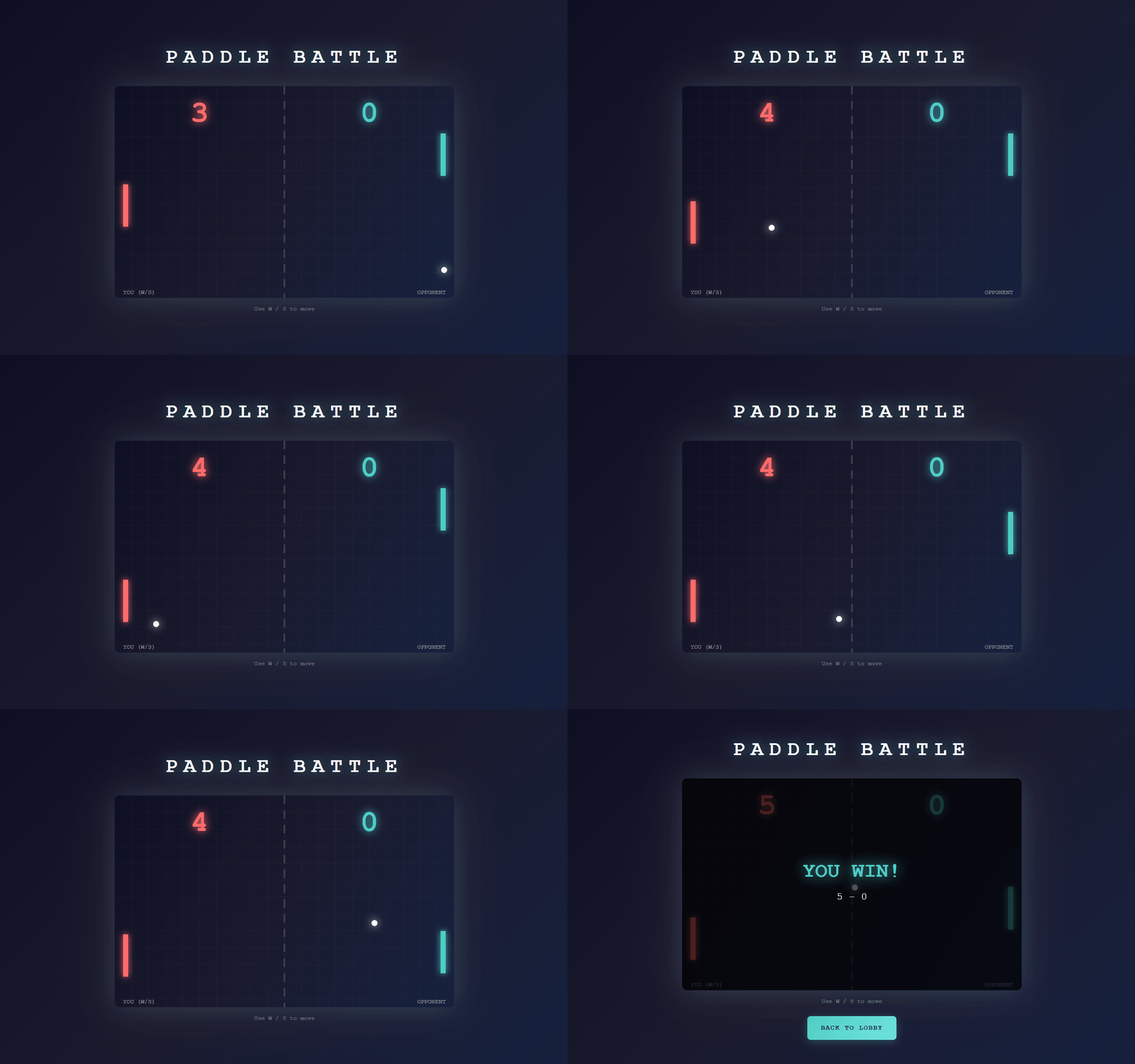
This article introduces how to build real-time communication using Momento Topics through the creation of a minimal two-player ping pong game deployable on Vercel. Additionally, I'll share the challenge we faced where guest user inputs were frequently dropped during post-deployment testing.
What is Vercel
Vercel is a hosting platform that enables continuous deployment of Web applications, primarily Next.js, through Git integration. It stands out for its ability to handle not just frontend but also APIs (Route Handlers) within the same project, making demo verification easier.
Realtime Communication on Vercel
Since Vercel Functions are not persistent processes, they don't support maintaining WebSocket connections (reference). Vercel recommends a design where clients subscribe to external real-time platforms, and Functions handle the publishing side (reference).
What is Momento Topics
Momento Topics is a service that provides Pub/Sub-style real-time distribution in a serverless environment. Topics operates on a fire-and-forget model, explicitly not providing message persistence or delivery guarantees.
Target Audience
- Those wanting to learn about minimal real-time communication setups deployable on Vercel
- Those looking to quickly create a room-based demo for two clients (host and participant)
References
- Publish and Subscribe to Realtime Data on Vercel
- Do Vercel Serverless Functions support WebSocket connections?
- Momento Topics
- Get to know the Momento Web SDK
Architecture
In this demo, we delegate real-time communication to Momento Topics while handling room management and authorization through Vercel's API. Since Momento Topics alone doesn't have mechanisms for determining room capacity or defining host/guest roles, we designed a system that stores who participates in which room in Momento Cache.
Preparation in Momento Console
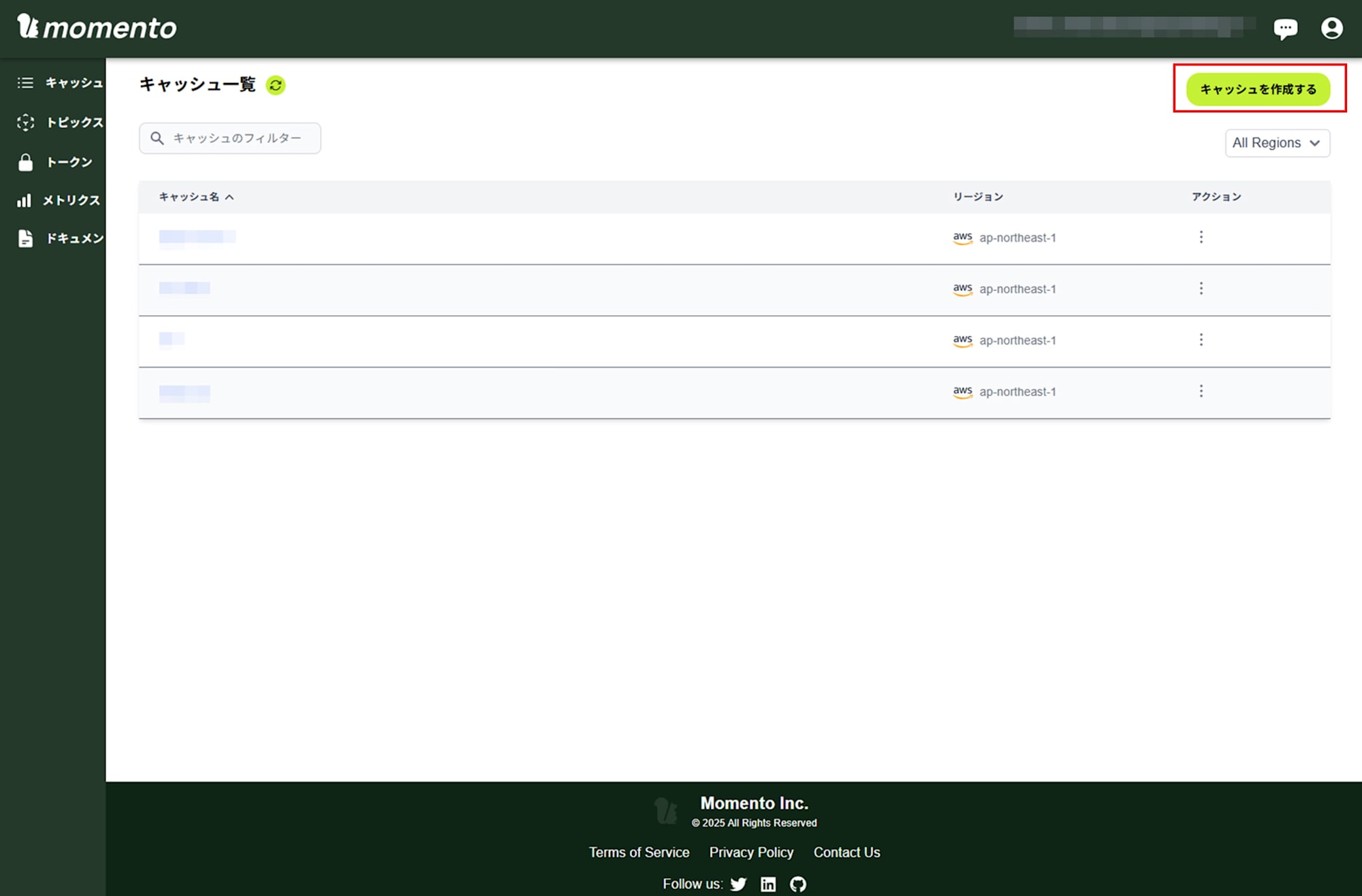
Create a cache in the Momento console.
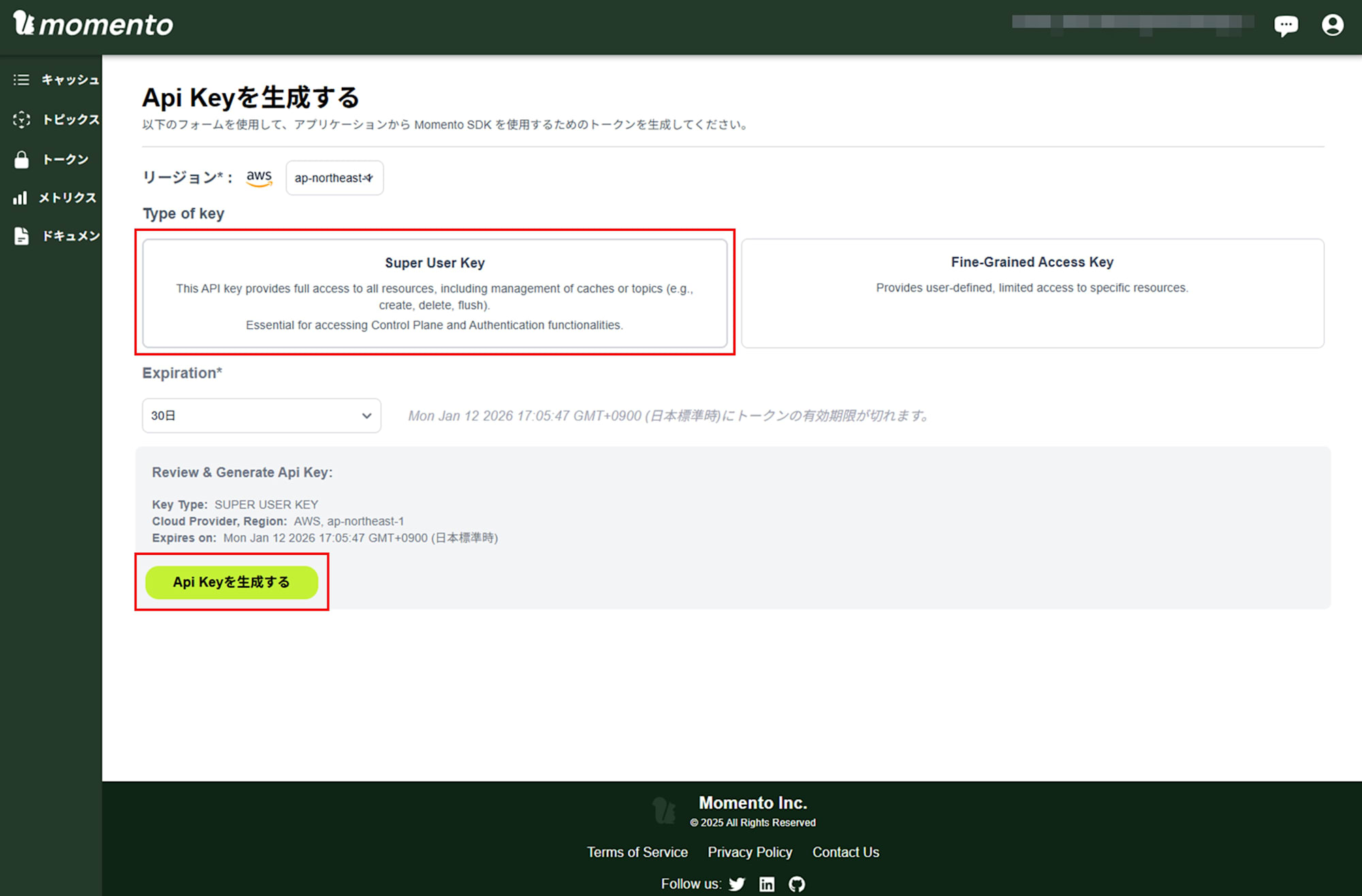
Generate a Super User Key to use both cache and Topics features.
Next.js Application Implementation
Create an API for Room Creation
Let's create an entry point for the host to create a room. In our demo, calling POST /api/rooms returns a roomId and stores the host's clientId in Momento Cache against that roomId.
Excerpt from app/api/rooms/route.ts
import { nanoid } from "nanoid";
import { NextRequest, NextResponse } from "next/server";
import { setRoomHost } from "@/lib/momento";

export const runtime = "nodejs";

interface CreateRoomRequest {
  clientId: string;
}

export async function POST(request: NextRequest) {
  const body = (await request.json()) as CreateRoomRequest;
  const { clientId } = body;

  if (!clientId) {
    return NextResponse.json({ error: "clientId is required" }, { status: 400 });
  }

  const roomId = nanoid(8);

  // Register host in Momento Cache
  await setRoomHost(roomId, clientId);

  return NextResponse.json({ roomId });
}
On the frontend, after receiving the roomId, it proceeds to the Momento connection process described later. The important point here is establishing the prerequisites for joining Topics through Vercel's API, which simplifies token issuance verification.
Create an API for Room Joining
Next, we create an entry point for guests to join. In our demo, POST /api/rooms/join checks for the host's existence and stores the guest's clientId in Momento Cache if no guest is registered yet. If a guest already exists, it returns a 409 status to tell the frontend the room is full.
Excerpt from app/api/rooms/join/route.ts
import { NextRequest, NextResponse } from "next/server";
import { getRoomHost, getRoomGuest, setRoomGuest } from "@/lib/momento";

export const runtime = "nodejs";

interface JoinRoomRequest {
  roomId: string;
  clientId: string;
}

export async function POST(request: NextRequest) {
  const body = (await request.json()) as JoinRoomRequest;
  const { roomId, clientId } = body;

  if (!roomId || !clientId) {
    return NextResponse.json(
      { error: "roomId and clientId are required" },
      { status: 400 }
    );
  }

  // Check if room exists ( host is registered )
  const hostId = await getRoomHost(roomId);
  if (!hostId) {
    return NextResponse.json({ error: "Room not found" }, { status: 404 });
  }

  // Check if guest slot is already taken
  const existingGuest = await getRoomGuest(roomId);
  if (existingGuest) {
    return NextResponse.json({ error: "Room is full" }, { status: 409 });
  }

  // Register guest
  await setRoomGuest(roomId, clientId);

  return NextResponse.json({ success: true });
}
Trying to determine room capacity through Topics would lead to inconsistent states due to reliance on messages without delivery guarantees. Establishing roles through the API makes the demo more understandable and manageable.
Implement a Token Vending Machine
To avoid exposing the Momento API key (MOMENTO_API_KEY) to the browser, we create an API on the Vercel side to issue disposable tokens. Momento's Web SDK assumes this token vending machine setup for browser usage, where short-lived tokens are issued.
Excerpt from app/api/momento/token/route.ts
import { NextRequest, NextResponse } from "next/server";
import { getRoomHost, getRoomGuest, generateRoomToken } from "@/lib/momento";

export const runtime = "nodejs";

interface TokenRequest {
  roomId: string;
  clientId: string;
  role: "host" | "guest";
}

export async function POST(request: NextRequest) {
  const body = (await request.json()) as TokenRequest;
  const { roomId, clientId, role } = body;

  if (!roomId || !clientId || !role) {
    return NextResponse.json(
      { error: "roomId, clientId, and role are required" },
      { status: 400 }
    );
  }

  // Verify the client is authorized for this room and role
  if (role === "host") {
    const hostId = await getRoomHost(roomId);
    if (!hostId || hostId !== clientId) {
      return NextResponse.json(
        { error: "Unauthorized: not the host of this room" },
        { status: 403 }
      );
    }
  } else {
    const guestId = await getRoomGuest(roomId);
    if (!guestId || guestId !== clientId) {
      return NextResponse.json(
        { error: "Unauthorized: not the guest of this room" },
        { status: 403 }
      );
    }
  }

  // Generate disposable token
  const tokenData = await generateRoomToken(roomId, clientId, role);

  return NextResponse.json(
    {
      authToken: tokenData.authToken,
      expiresAt: tokenData.expiresAt,
      endpoint: tokenData.endpoint,
    },
    { headers: { "Cache-Control": "no-store" } }
  );
}
The token generation implementation is in lib/momento.ts. For the scope of this article, it's sufficient to understand that we're fixing the Topics target to paddle-game:{roomId} and granting publishsubscribe permissions.
Excerpt from lib/momento.ts
export async function generateRoomToken(
  roomId: string,
  clientId: string,
  role: "host" | "guest"
): Promise<{ authToken: string; expiresAt: number; endpoint: string }> {
  const authClient = getAuthClient();

  const topicName = `paddle-game:${roomId}`;

  const response = await authClient.generateDisposableToken(
    {
      permissions: [
        {
          role: "publishsubscribe",
          cache: CACHE_NAME,
          topic: topicName,
        },
      ],
    },
    ExpiresIn.seconds(TOKEN_TTL_SECONDS),
    { tokenId: `${role}:${clientId}` }
  );

  if (response.type !== GenerateDisposableTokenResponse.Success) {
    throw new Error(`Failed to generate token: ${response.toString()}`);
  }

  return {
    authToken: response.authToken,
    expiresAt: response.expiresAt.epoch(),
    endpoint: response.endpoint,
  };
}
Connect to Momento Topics from the Browser
On the browser side, we first fetch a disposable token via POST /api/momento/token, then initialize the TopicClient and subscribe to paddle-game:{roomId}.
Excerpt from components/RealtimePaddleGame.tsx
const connectToMomento = useCallback(
  async (roomIdToJoin: string, playerRole: Role) => {
    // Fetch disposable token from server
    const tokenRes = await fetch("/api/momento/token", {
      method: "POST",
      headers: { "Content-Type": "application/json" },
      body: JSON.stringify({ roomId: roomIdToJoin, clientId, role: playerRole }),
    });

    if (!tokenRes.ok) {
      const errorData = await tokenRes.json();
      throw new Error(errorData.error || "Failed to get token");
    }

    const tokenData = await tokenRes.json();

    // Create TopicClient ( Web SDK ) with disposable token
    const topicClient = new TopicClient({
      credentialProvider: CredentialProvider.fromString(tokenData.authToken),
    });
    topicClientRef.current = topicClient;

    const topicName = `paddle-game:${roomIdToJoin}`;
    topicNameRef.current = topicName;

    // Subscribe
    const subscribeResponse = await topicClient.subscribe(
      CACHE_NAME,
      topicName,
      {
        onItem: (item) => handleMessage(item.valueString()),
        onError: (err) => setError(err.message),
      }
    );

    if ("unsubscribe" in subscribeResponse) {
      subscriptionRef.current = subscribeResponse;
    } else {
      throw new Error("Failed to subscribe to topic");
    }

    // If guest, send join message after subscribing
    if (playerRole === "guest") {
      const joinMessage: JoinMessage = {
        type: "join",
        clientId,
        t: Date.now(),
      };
      await topicClient.publish(CACHE_NAME, topicName, JSON.stringify(joinMessage));
    }

    setRole(playerRole);
    setRoomId(roomIdToJoin);
    setPhase("waiting");
  },
  [clientId, cleanup]
);
After subscribing, the guest publishes a join message, and when the host receives it, it publishes a game start (start) message and begins the tick process. This flow allows the Vercel side to handle only short API calls while real-time communication between browsers is delegated to Topics.
Design Messages with Host Authority in Mind
Momento Topics is fire-and-forget, offering no persistence or delivery guarantees. Therefore, designing with recovery in mind helps prevent breakdowns.
In this demo, the host publishes the game state at regular intervals, and the guest reflects received states in their rendering. Even if a state message is occasionally dropped, the system can catch up with the next state, improving demo stability.
Excerpt from components/RealtimePaddleGame.tsx
const TICK_INTERVAL = 50; // 20 fps

// Host tick (excerpt)
const message: StateMessage = {
  type: "state",
  state: { ...state },
  t: Date.now(),
};
topicClient.publish(CACHE_NAME, topicName, JSON.stringify(message));

setDisplayState({ ...state });
On the other hand, guest inputs are designed to publish input messages when keydown/keyup events fire. This is where our challenge originated.
Excerpt from components/RealtimePaddleGame.tsx
const handleKeyDown = (e: KeyboardEvent) => {
  if (role === "guest") {
    if (e.key === "ArrowUp") {
      guestInputRef.current.up = true;
      const inputMessage: InputTopicMessage = {
        type: "input",
        up: guestInputRef.current.up,
        down: guestInputRef.current.down,
        t: Date.now(),
      };
      topicClientRef.current?.publish(
        CACHE_NAME,
        topicNameRef.current,
        JSON.stringify(inputMessage)
      );
    }
    if (e.key === "ArrowDown") {
      guestInputRef.current.down = true;
      const inputMessage: InputTopicMessage = {
        type: "input",
        up: guestInputRef.current.up,
        down: guestInputRef.current.down,
        t: Date.now(),
      };
      topicClientRef.current?.publish(
        CACHE_NAME,
        topicNameRef.current,
        JSON.stringify(inputMessage)
      );
    }
  }
};

const handleKeyUp = (e: KeyboardEvent) => {
  if (role === "guest") {
    if (e.key === "ArrowUp") {
      guestInputRef.current.up = false;
      const inputMessage: InputTopicMessage = {
        type: "input",
        up: guestInputRef.current.up,
        down: guestInputRef.current.down,
        t: Date.now(),
      };
      topicClientRef.current?.publish(
        CACHE_NAME,
        topicNameRef.current,
        JSON.stringify(inputMessage)
      );
    }
    if (e.key === "ArrowDown") {
      guestInputRef.current.down = false;
      const inputMessage: InputTopicMessage = {
        type: "input",
        up: guestInputRef.current.up,
        down: guestInputRef.current.down,
        t: Date.now(),
      };
      topicClientRef.current?.publish(
        CACHE_NAME,
        topicNameRef.current,
        JSON.stringify(inputMessage)
      );
    }
  }
};
Deployment on Vercel
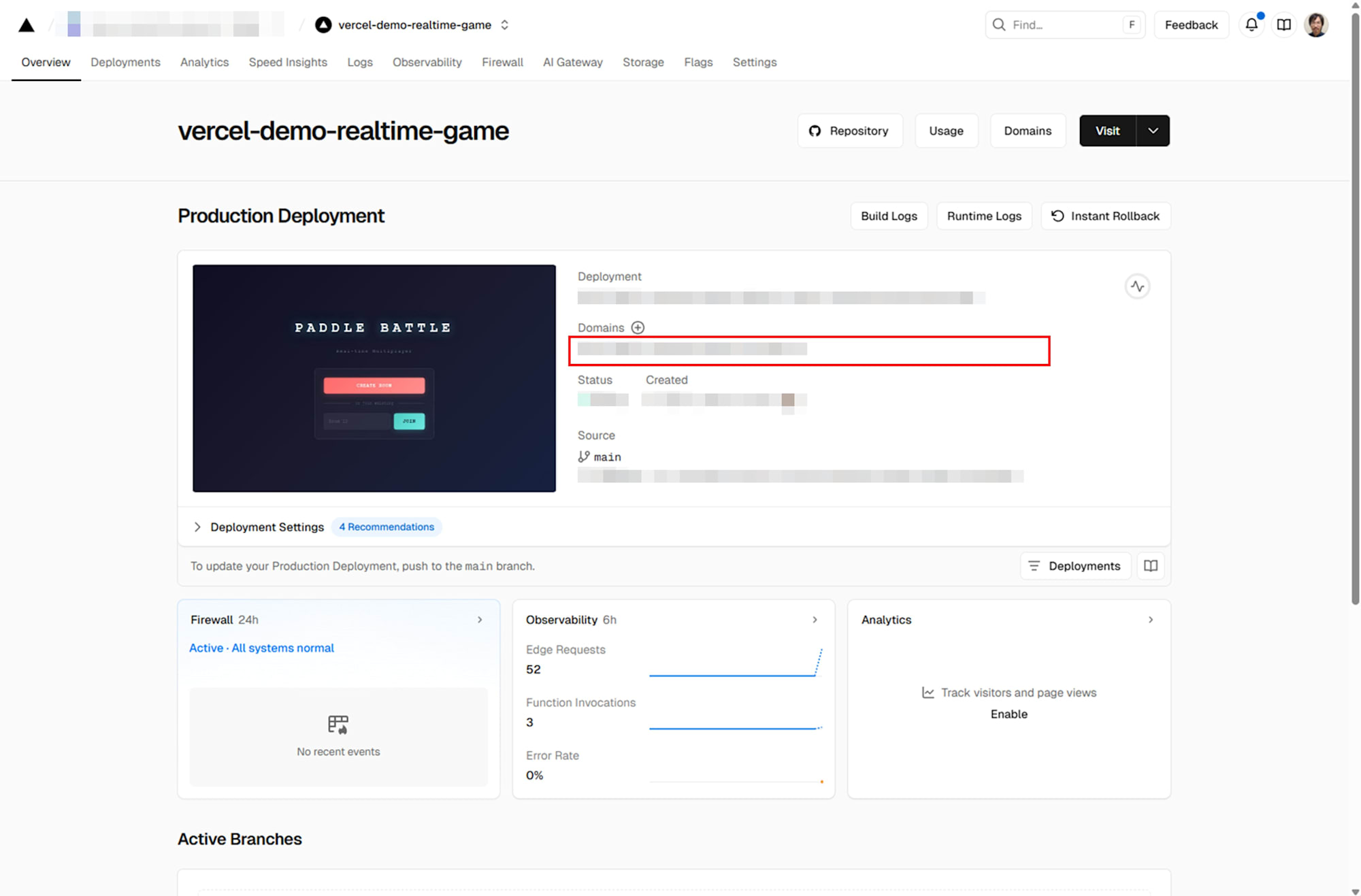
After creating a project on Vercel, specify the GitHub repository, set environment variables (like MOMENTO_API_KEY), and deploy.

Once deployment is complete, access the provided URL to verify functionality.
Verification
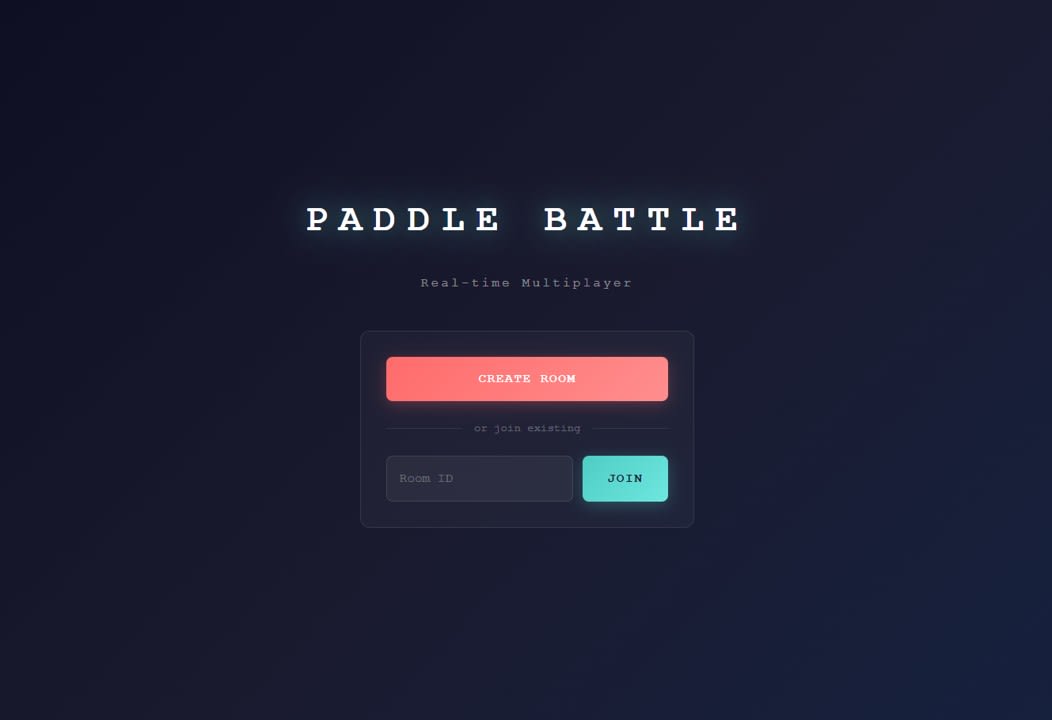
I accessed the URL provided by Vercel and confirmed the home page displayed correctly.
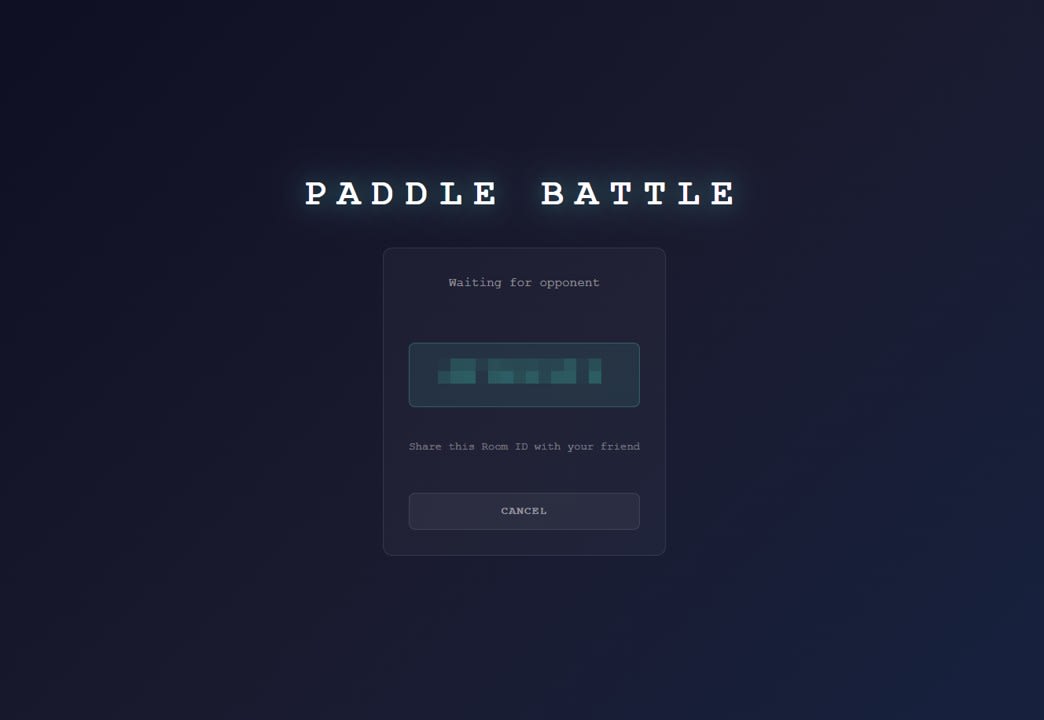
I clicked CREATE ROOM and verified a room number was displayed.
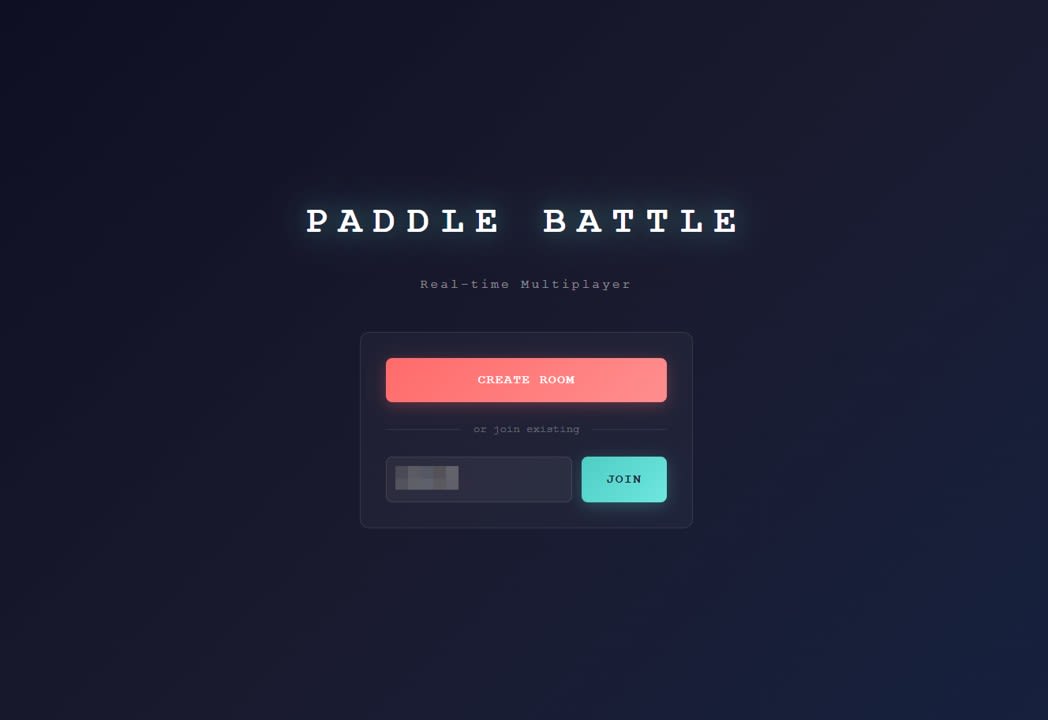
I entered the issued number and confirmed that joining and playing against an opponent worked.
During testing, while the host side worked without issues, we observed that input drops occurred frequently on the guest side.
Analysis
Reasons for Input Drops on the Guest Side and Challenges
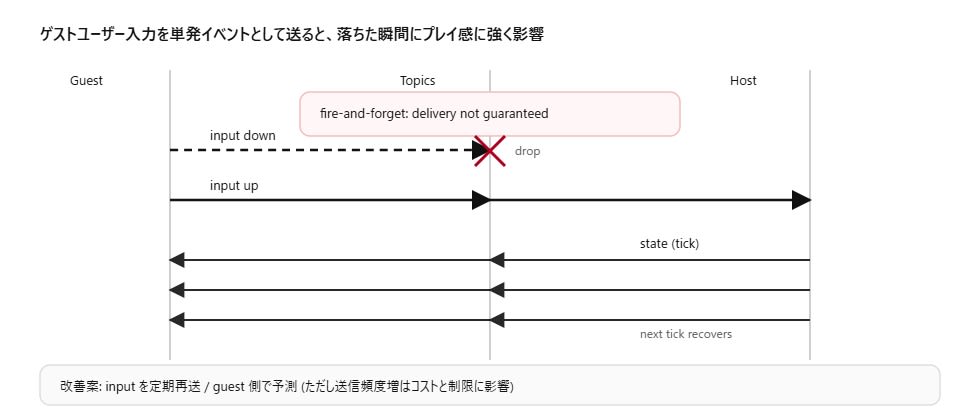
Momento Topics operates on a fire-and-forget model with no message delivery guarantees. Given this premise, our implementation publishes guest inputs as one-off events when keydown/keyup events occur.
With this combination, if just the keydown input message gets dropped, it appears as though nothing happens despite pressing a key. Conversely, if a keyup message is dropped, it can result in behavior where the pressed state persists. The feeling that inputs weren't registering well after deployment was likely due to this one-off event design being susceptible to network conditions.
In our demo, the host regularly publishes state, so state drops can be recovered with the next state. However, inputs aren't regularly resent, making them harder to recover and more likely to affect the gameplay experience.
Potential improvements include regularly resending input states rather than relying on one-off events, or implementing local prediction where the guest moves their paddle first before confirmation. However, increasing message frequency requires consideration of cost and rate limit designs.
Conclusion
When creating real-time multiplayer demos on Vercel, combining with an external real-time platform is more straightforward than running a WebSocket server on Vercel itself. Momento Topics, with its token vending machine for authentication separation, combined with room management via Momento Cache and Vercel API, enables a minimal setup for two-player games. However, since Topics offers no delivery guarantees, designing guest inputs as one-off events leads to drops affecting gameplay experience, a challenge that needs to be acknowledged.