
I built a real-time multiplayer quiz game using Vercel and Supabase

This page has been translated by machine translation. View original
Introduction
Combining Next.js and Supabase allows you to build multiplayer games with real-time communication using minimal code. In this article, I'll introduce specific techniques through the implementation of a photo quiz game I created for my child's first birthday party.
What is Vercel
Vercel is a hosting platform provided by the developers of Next.js. By simply connecting with your Git repository, it automatically handles everything from building to deployment.
What is Supabase
Supabase is a BaaS (Backend as a Service) based on PostgreSQL. You can easily use backend features such as database, authentication, storage, and real-time communication through its SDK.
Target Audience
- Those with experience developing applications with Next.js
- Those interested in Supabase's real-time features
References
- Next.js Documentation
- Supabase Documentation
- Supabase Realtime - Postgres Changes
- Supabase Realtime - Presence
- Vercel Integration for Supabase
Overview of What I Built
It's a multiplayer game where participants join the same game from their smartphones using a room code, competing for scores by guessing the baby's monthly age in three quiz rounds.
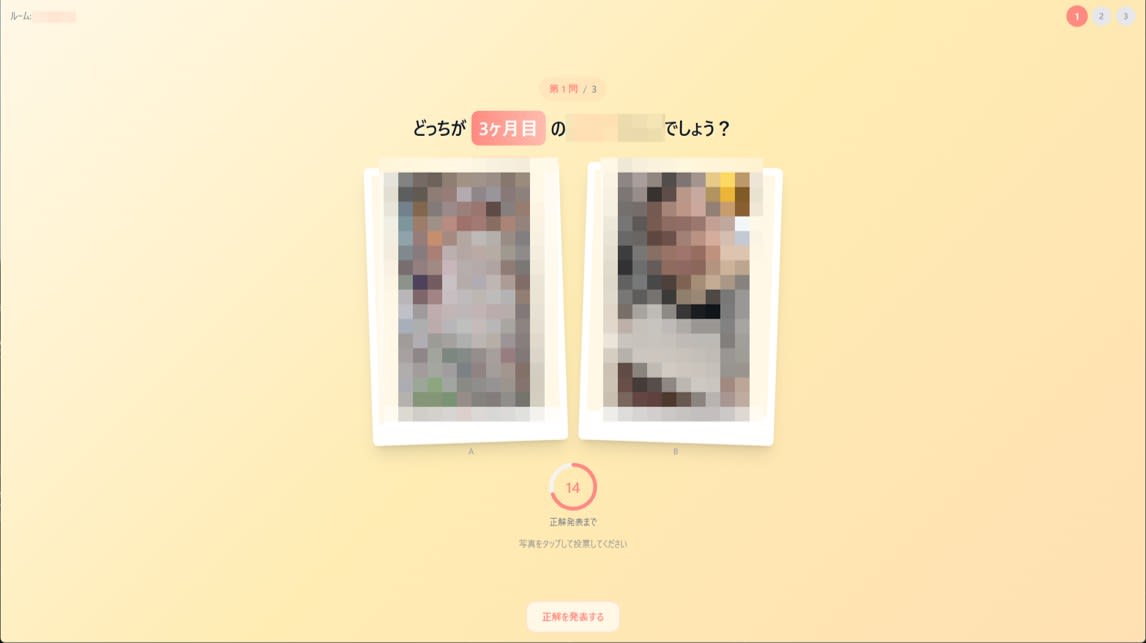
The game flow is as follows:
For the frontend, I used Next.js 16 (App Router) + React 19 + TypeScript, and for the backend, Supabase (PostgreSQL + Realtime + Storage), deployed on Vercel. The entire stack from frontend to backend is unified with TypeScript.
What I Prepared in Supabase
I stored the photos used in the game in Supabase Storage. I created a public bucket called photos and uploaded images organized in folders by month.
photos/
├── 0/      # Photos from 0 months
├── 1/      # Photos from 1 month
...
└── 11/     # Photos from 11 months
I prepared an upload script to handle both uploading to the bucket and registering metadata in the photos table by specifying a local photo folder.
The database schema and RLS policies are defined in supabase/schema.sql. There are six tables: photos, rooms, room_players, room_questions, votes, and vote_counts. Direct client access to room_questions (containing correct answers) and votes (detailed voting data) is blocked by RLS and can only be operated from API Routes. Additionally, INSERT operations to votes are aggregated into the vote_counts table via a trigger, and only this aggregation table is broadcast through Supabase Realtime, allowing for sharing of vote counts in real-time while hiding individual voting content.
Implementation Details
Here's a brief overview of the application structure:
API Routes: I've prepared endpoints for room creation/joining, game start (question generation), voting, answer reveal, next question, and room deletion. Host permission verification and prevention of duplicate votes (UNIQUE constraint) are all handled server-side.
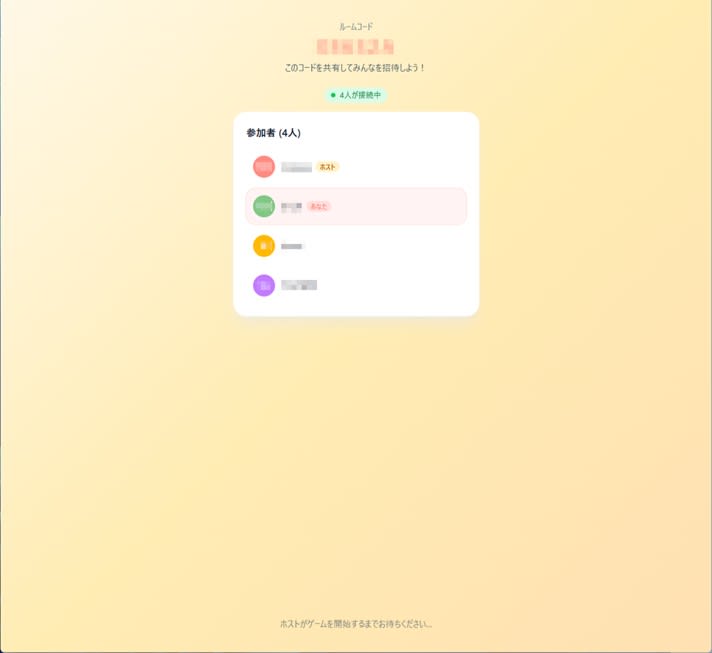
Custom Hooks: useRoom subscribes to game state changes, while useVoteCounts subscribes to vote count changes, both using Supabase Realtime's Postgres Changes. In the lobby screen, usePresence uses Supabase's Presence API to display connected players in real-time.
Differentiation of Supabase Clients: I prepared two types: one for the browser (public key, following RLS) and one for the server (secret key, bypassing RLS). The client is only responsible for data references and real-time subscriptions, while the server handles answer verification and score updates.
Deploying to Vercel
Vercel provides integration with Supabase. By adding the Supabase Integration in your Vercel project settings and linking it with your Supabase account, the SUPABASE_URL, SUPABASE_ANON_KEY, and SUPABASE_SECRET_KEY are automatically set as environment variables. This reduces the risk of configuration errors by eliminating the need to manually copy environment variables.
- Import your Git repository in the Vercel dashboard
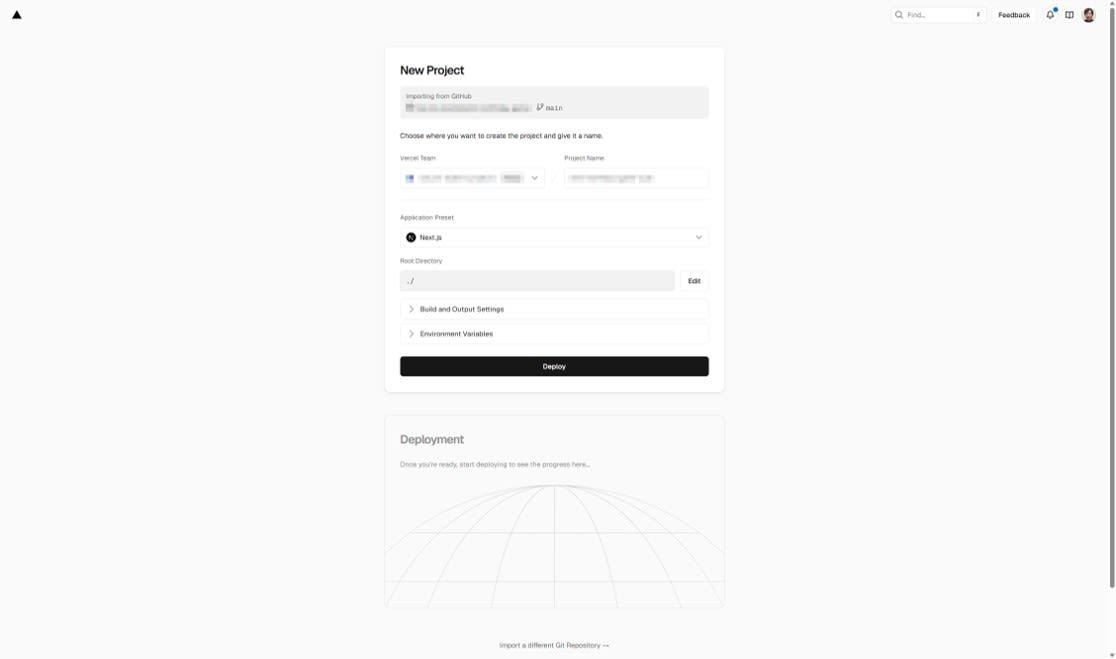
- Add "Supabase" from Settings → Integrations in your project
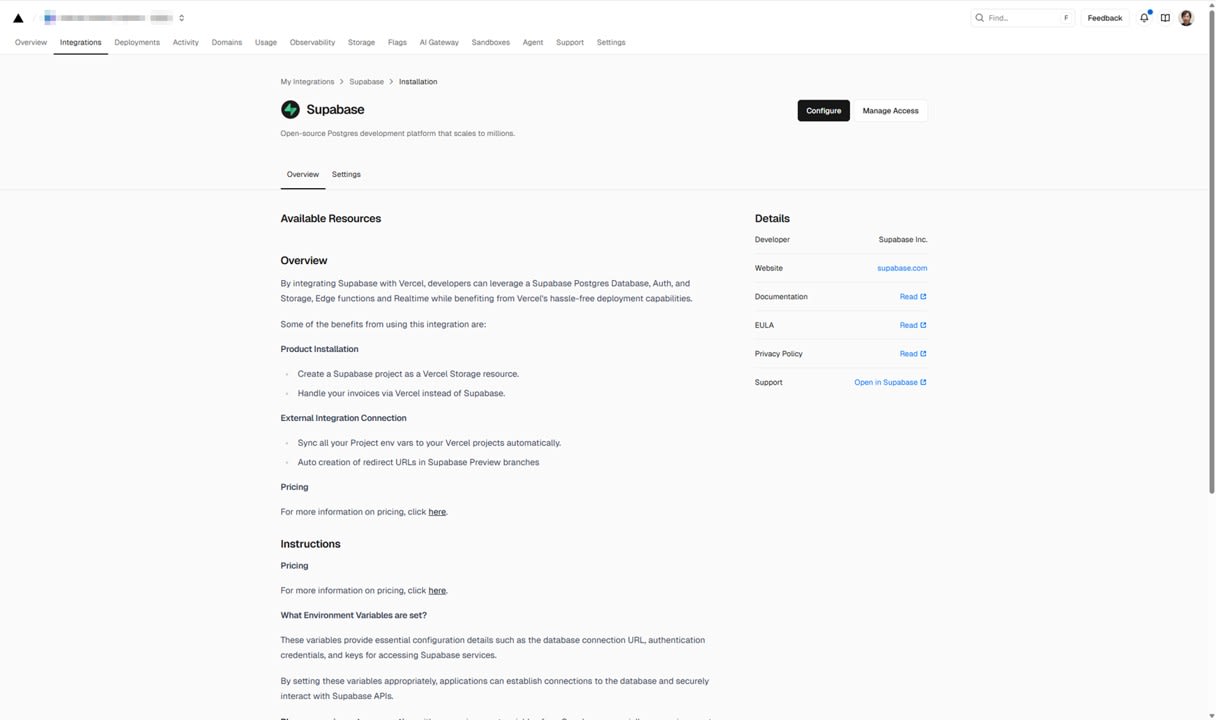
- Authenticate with your Supabase account and link the target project

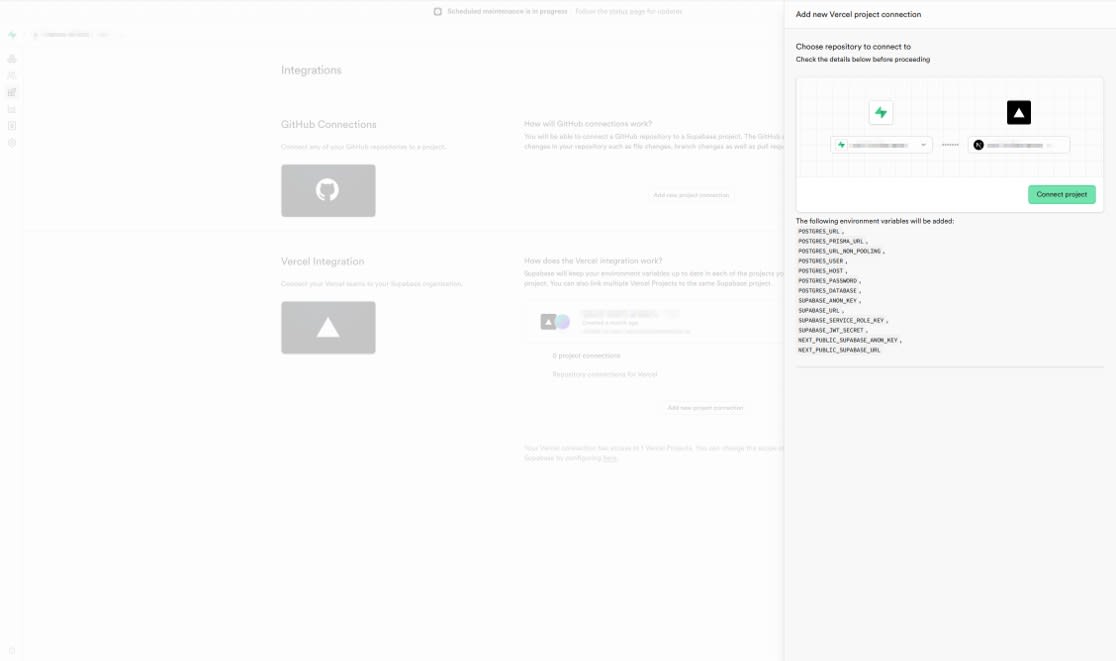
With just these steps, the environment variables are automatically configured, and after redeploying, your application will operate connected to Supabase.
Gameplay Experience
Here's what the game looks like when played.
Room Creation and Lobby
On the top page, enter a nickname and create a room to receive a 6-digit room code. As participants enter the code to join, the player list updates in real-time, and once everyone is ready, the host starts the game.
Questions and Voting
Two photos are displayed side by side, and players must tap on the photo with the correct monthly age within a 20-second time limit. After voting, other players' voting status is displayed in real-time.
Answer Reveal and Results
After the time limit expires, the host reveals the correct answer. When all three questions are completed, a ranking of correct answers is displayed with a confetti animation.

Lessons Learned
Vercel and Supabase Integration is Surprisingly Easy
I found it very convenient that Supabase environment variables are synchronized with just a few clicks. Interestingly, when you rotate keys on the Supabase side, they are automatically reflected. I think this is well-suited for quickly launching applications for small events.
Safely Building Real-Time Features with Triggers + Realtime
It was valuable to build real-time communication without setting up a WebSocket server from scratch. The pattern of reflecting votes to an aggregation table via PostgreSQL triggers and broadcasting only that aggregation table through Realtime seems widely applicable for scenarios where you want to hide individual data while sharing aggregated results.
Conclusion
By combining Vercel and Supabase, I was able to build a multiplayer game with real-time communication using just Next.js. I feel this configuration is more than sufficient for small event applications.