
Warp has integrated with X Premium/Grok subscriptions, allowing you to run the Agent without consuming Warp credits.

This page has been translated by machine translation. View original
Hey there! I'm Yuji Nishimura from the Operations team!
You can now connect your xAI Grok subscription (SuperGrok or X Premium) to the Warp Agent.
Requests sent using the connected Grok model will be executed against your xAI account's usage quota rather than Warp credits.
When I connected using Warp v0.2026.06.17.09.49 and ran the Agent with grok-build-0.1, the Credits used in the usage history was recorded as 0.
What Changed
xAI published Use Grok in Warp on 2026-06-15.
On the Warp side, v0.2026.06.17.09.49 was released as stable in the Changelog dated 2026-06-17, and SuperGrok connectivity was promoted from dogfood to stable.
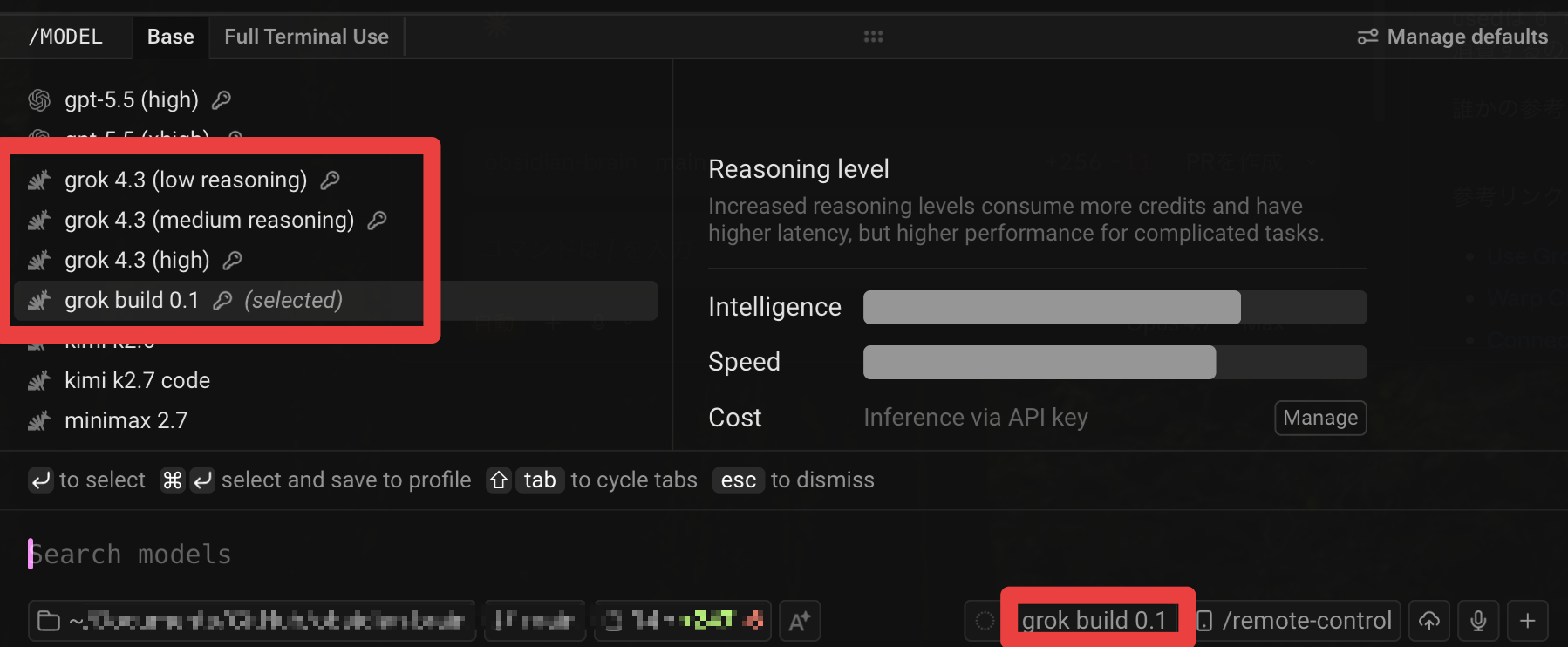
After connecting, you can select grok-build-0.1 and grok-4-3-low / grok-4-3-medium / grok-4-3-high from Warp's model picker.
Requests made using Grok models marked with a lock icon are executed against your xAI account's usage quota rather than Warp credits.
The official behavior description can be found at Connecting a Grok subscription – Warp Docs.
Trying It Out
Environment
- macOS (Apple Silicon)
- Warp
v0.2026.06.17.09.49 - Active X Premium subscription
1. Connect your xAI subscription to Warp
Open Warp's Settings and type SuperGrok in the search field.

Click the Connect button in the SuperGrok section that appears, and xAI's consent screen will open in your browser.
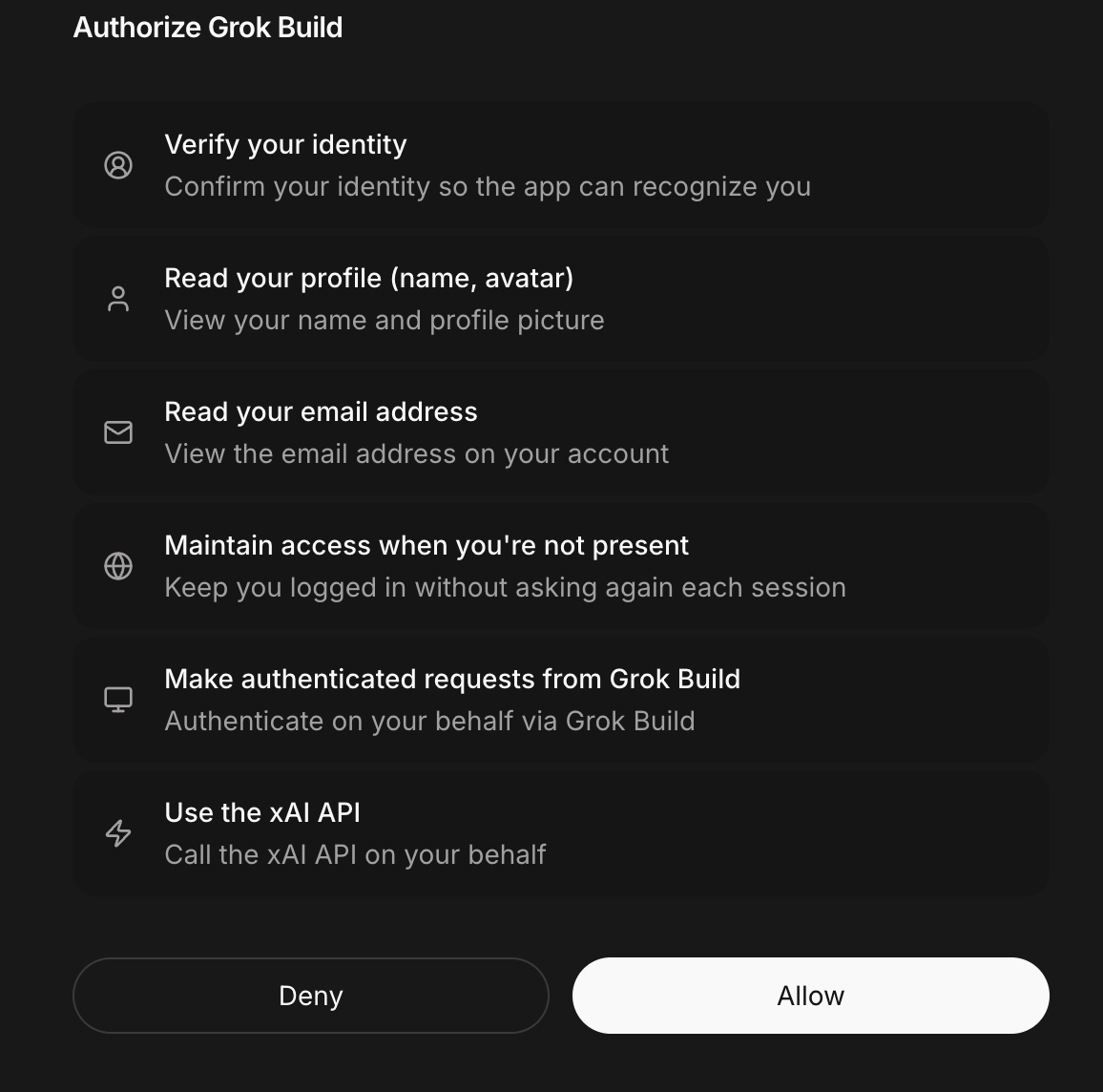
After granting permission, you'll be redirected back to Warp and the connection with your xAI account will be complete.
According to the documentation, the OAuth token is stored in your local device's OS keychain or equivalent and is not stored on Warp's servers.
Rather than a BYOK approach where you paste an xAI API key, this mechanism links the subscription itself via OAuth.
2. Switch to a Grok model and use it
Once connected, Grok models will be added to the model picker with a lock icon.
Grok models are divided into the general-purpose Grok 4.3 series (grok-4-3-low / grok-4-3-medium / grok-4-3-high) and the coding-specialized grok-build-0.1.
I referenced Agent model choice – Warp Docs for the positioning of each model and xAI Docs - grok-build-0.1 for the description of Grok Build 0.1.
This time I selected grok-build-0.1 to match my usual terminal work and ran the Agent.
3. Check Credits used in the usage history
You can check Warp's Agent usage history at oz.warp.dev/runs.
When I opened a Run sent with a Grok model, Credits used was recorded as 0.

Things to Note
If you select the Auto model, Warp's own inference will run and consume Warp credits, even if you have an xAI subscription connected.
When you want to run requests via your subscription, you need to explicitly select a Grok model rather than Auto.
Because the OAuth token is only stored on your local device, this does not apply to Warp Cloud Agents.
Executions on the Cloud Agent side will continue to consume Warp credits as before.
When the Grok model side hits a rate limit or usage cap, if you haven't enabled Warp credit fallback, requests will not automatically be retried against your Warp credits.
How I Plan to Use It
My main AI agent for everyday use is Claude, and I occasionally use Warp's Agent within the free tier.
With this Grok subscription connection, I'm going to try covering the following types of tasks on the Warp side.
- Minor code fixes
- Error investigation
- Command generation
- Light refactoring
- Edits spanning one to a few files
- Everyday terminal questions
I plan to continue handling changes that span multiple modules or involve larger design decisions on the Claude side.
Summary
As of Warp v0.2026.06.17.09.49, you can now connect your xAI subscription to the Warp Agent.
Runs using Grok models do not consume Warp credits, and my local usage history confirmed that Credits used was recorded as 0.
The Auto model and Cloud Agents continue to consume Warp credits as before, so you need to explicitly select a Grok model when you want to run requests via your subscription.
I hope this is helpful to someone.
Reference Links