
I Tried Connecting to CrowdStrike MCP, an MCP Server Hosted by CrowdStrike, from Claude Code

This page has been translated by machine translation. View original
Hello, I'm Hayashi.
CrowdStrike Falcon provides an MCP server that lets AI agents reference detection details and host status.
A previous article introduced how to run "falcon-mcp," published by CrowdStrike, on your local PC and connect using the credentials of an API client.
When I checked the README of falcon-mcp, it contained the following:
- falcon-mcp has entered maintenance mode, and only security and dependency fixes will be made going forward
- New tools and improvements will be added to "CrowdStrike MCP," an MCP server hosted by CrowdStrike
- Migrating to CrowdStrike MCP is recommended
CrowdStrike MCP can be used by logging in with a Falcon user, without running an MCP server locally.
I checked the steps to connect from Claude Code and the tools available after connecting.
Conclusion first
- Register the URL with
claude mcp add, then log in to Falcon and approve from/mcpto connect - No need to create an API client or store a secret
- Two tools are added to Claude Code,
search_toolsandexecute_tool, and Falcon tools are run viaexecute_tool - In this environment, 161 Falcon tools were available, of which 64 were write tools
- If you want to use it for read-only purposes, restrict the write tools with a read-only role on the Falcon side or a hook on the Claude Code side
- Connection approvals and tool executions can be checked in the audit log of the Falcon console
What is CrowdStrike MCP?
It is an MCP server provided by CrowdStrike on the Falcon platform.
There is no need to install an MCP server locally; you register the destination URL and use it.
Operations you perform are recorded in Falcon's audit log.
Here are the differences from falcon-mcp.
| Item | falcon-mcp | CrowdStrike MCP |
|---|---|---|
| Form of provision | Open source | CrowdStrike product |
| Where it runs | Local PC | CrowdStrike cloud |
| Installation | Install with uv or pip | Not required |
| Available tools | Determined by the API client's scopes | Determined by the Falcon role and permissions |
| Future development | Security and dependency fixes only | New tools and improvements will be added |
The regions where CrowdStrike MCP is available are US-1, US-2, and EU-1.
In the following cases, you are advised to continue using falcon-mcp for the time being.
- Your tenant is in a region other than those above
- You use the Fusion SOAR or Zero Trust Assessment modules, which are available only in falcon-mcp
Authentication methods
There are two authentication methods for connecting to CrowdStrike MCP.
| Authentication method | What is used to connect | Available tools |
|---|---|---|
| Browser authentication | Falcon user | Determined by the user's role and permissions |
| API client authentication | API client ID and secret | Determined by the API client's scopes |
Browser authentication is a method where you log in as the same user as in the Falcon console and approve the connection from Claude Code.
API client authentication is a method that uses the API client ID and secret, as with falcon-mcp.
This time, I tried browser authentication, which allows connecting without creating an API client.
If you authenticate with an API client, you can use the Claude Code plugin published by CrowdStrike.
Test environment
| Item | Details |
|---|---|
| Claude Code | 2.1.331 |
| OS | macOS 27.2.1 |
| Falcon region | US-2 |
| Role of the connected user | Falcon Administrator |
The list of roles in the Falcon console included "CrowdStrike MCP User" and "CrowdStrike MCP User - Read Only" as MCP roles.
Roles are assigned in "User management" in the Falcon console.
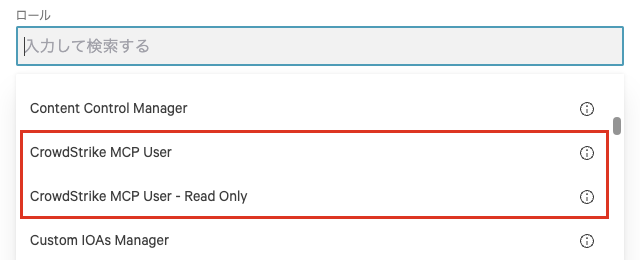
This time, I connected with the Falcon Administrator role.
Steps
1. Register the MCP server
The destination URL differs by region.
| Region | URL |
|---|---|
| US-1 | https://mcp.crowdstrike.com/v1 |
| US-2 | https://mcp.us-2.crowdstrike.com/v1 |
| EU-1 | https://mcp.eu-1.crowdstrike.com/v1 |
In this environment, the Falcon console URL is falcon.us-2.crowdstrike.com, so the region is US-2.
Register the MCP server with claude mcp add.
Use --scope to specify the range in which the registered MCP server can be used.
| Scope | Range of availability |
|---|---|
| local (default) | Only your own Claude Code in the folder where the command was run |
| project | All members who share the folder's .mcp.json |
| user | Your own Claude Code, in all folders |
Here are the commands for each scope.
# local
$ claude mcp add --transport http crowdstrike "https://mcp.us-2.crowdstrike.com/v1"

# project
$ claude mcp add --transport http --scope project crowdstrike "https://mcp.us-2.crowdstrike.com/v1"

# user
$ claude mcp add --transport http --scope user crowdstrike "https://mcp.us-2.crowdstrike.com/v1"
The crowdstrike part of the command is the server name.
You can specify any name, and it becomes part of the tool name, such as mcp__crowdstrike__execute_tool.
This time, I registered it with the user scope.
$ claude mcp add --transport http --scope user crowdstrike "https://mcp.us-2.crowdstrike.com/v1"
Added HTTP MCP server crowdstrike with URL: https://mcp.us-2.crowdstrike.com/v1 to user config
File modified: /Users/<ユーザー名>/.claude.json
With the project scope, the destination URL is saved in the folder's .mcp.json.
It does not contain credentials, so it can be shared in the repository.
The scope cannot be changed after registration.
To change it, you need to delete it with claude mcp remove crowdstrike and register it again.
2. Authenticate
I ran /mcp in Claude Code and selected crowdstrike from the list.
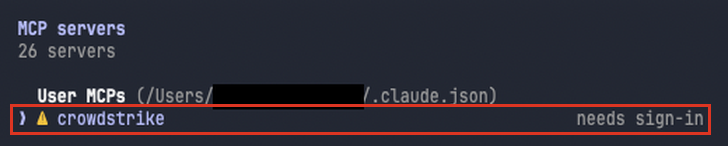
Immediately after registration, authentication was required.
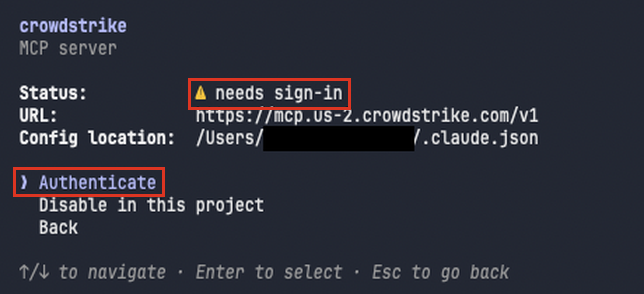
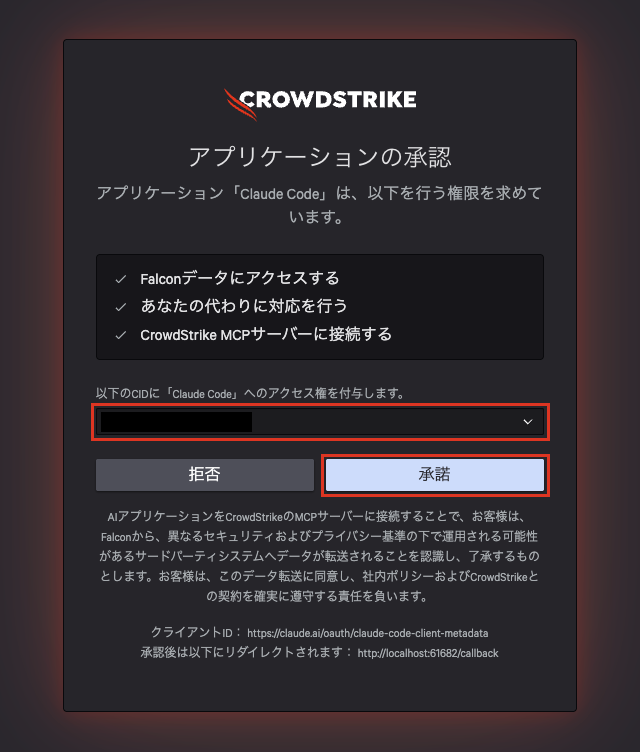
When I selected "Authenticate," the Falcon login screen opened in the browser.
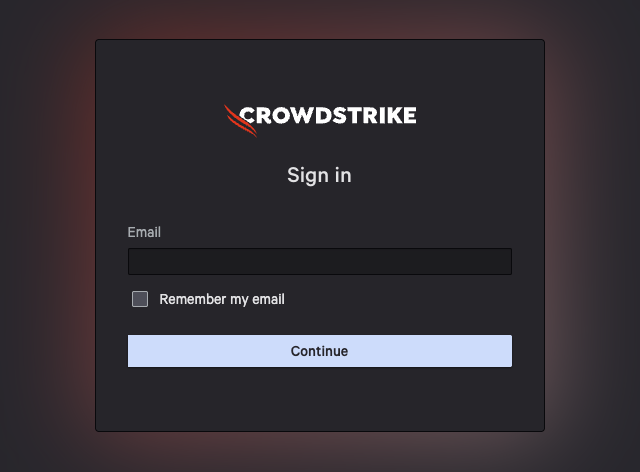
After logging in, the screen switched to one for approving the connection.
I selected the CID to connect to and clicked "Accept."
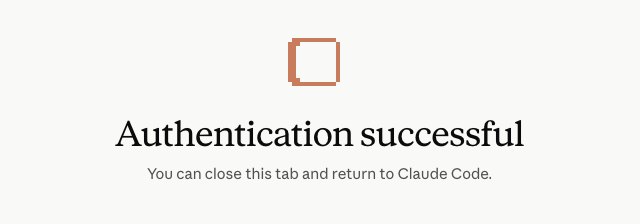
"Authentication successful" was displayed in the browser.
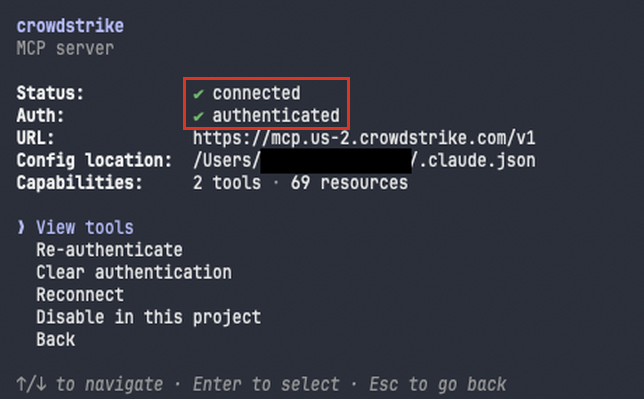
Claude Code displayed "Signed in and connected to crowdstrike." and the connection was established.
The access token has a validity period.
If it expires, authenticate again from /mcp.
3. Check the tools
After connecting, two tools were added to Claude Code.
| Tool | Behavior |
|---|---|
mcp__crowdstrike__search_tools |
Returns the names, modules, and descriptions of the available Falcon tools |
mcp__crowdstrike__execute_tool |
Runs the Falcon tool specified in the argument name |
Falcon operations such as searching hosts are provided as "Falcon tools" like falcon_search_hosts.
Claude Code searches for Falcon tools with search_tools and runs them by specifying the tool name in execute_tool.
Available tools
This time, I connected with the Falcon Administrator role.
When I ran search_tools with no arguments, 161 Falcon tools were returned.
The available tools vary depending on the connected user's role and permissions.
Each tool had read_only, indicating whether it is read-only, and destructive, indicating whether it is an operation such as deletion.
Here is the result of classifying the 161 tools using these two flags.
| Category | Count |
|---|---|
Read-only (read_only: true) |
97 |
Write (read_only: false) |
64 |
Of the write tools, operations such as deletion (destructive: true) |
17 |
Tool names follow the format falcon_<verb>_<target>, as in falcon_search_hosts.
The verbs used were divided between read-only tools and write tools.
| Category | Verbs |
|---|---|
| Read-only | search, get, aggregate, list, count, preview, pivot, generate, download |
| Write | create, update, delete, perform, set, add, manage, remove, launch |
Trying to get a list of hosts
Now that I was connected, I asked Claude Code for a list of hosts.
CrowdStrike MCPで、登録されているホストを、最後に通信した順に一覧にして
The host name, last communication date and time, OS, and sensor version were returned in a table.
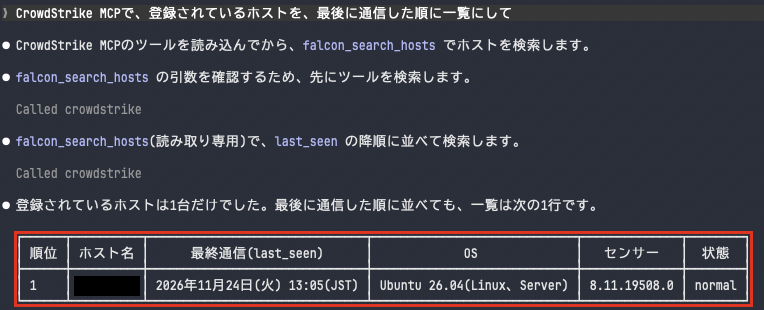
The tools executed at this time were search_tools and execute_tool.
Here is the input to execute_tool.
{
  "name": "falcon_search_hosts",
  "arguments": {
    "sort": "last_seen.desc",
    "limit": 100
  }
}
If you want to use it for read-only purposes
Of the 161 Falcon tools, 64 were write tools.
With the Falcon Administrator role used this time, the write tools are also available.
If you want to use it only for referencing Falcon information, restrict the write tools.
There are two ways to restrict them.
| Method | Details |
|---|---|
| Restrict on the Falcon side | Prepare a user for MCP and assign the read-only role "CrowdStrike MCP User - Read Only" |
| Restrict on the Claude Code side | Use a PreToolUse hook to check the name argument of execute_tool and allow only tools that start with a read verb |
Because execute_tool is used for both reading and writing, it cannot be distinguished with Claude Code's permissions.
Audit log
Operations in CrowdStrike MCP could be checked under "Falcon UI" in the "Audit log" of the Falcon console.
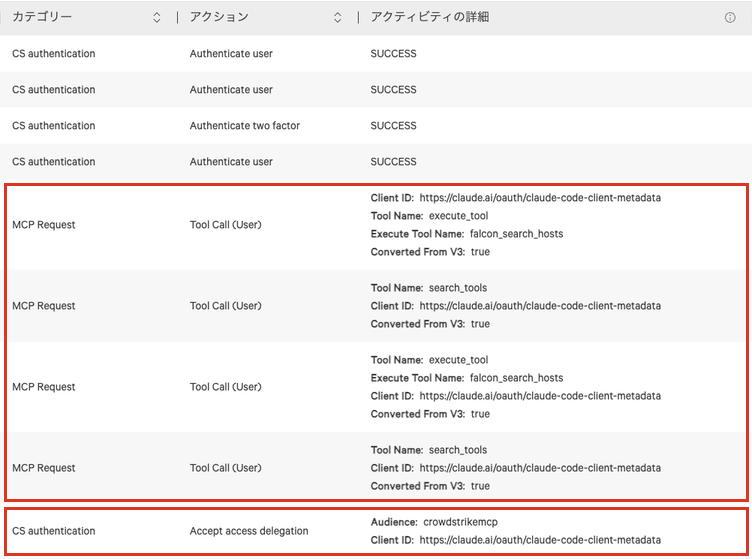
The connection approval was recorded as the action "Accept access delegation," and tool searches and executions as "Tool Call (User)."
The "Activity details" show the name of the Falcon tool that was executed.
The tool arguments and results were not included in the records.
The email address of the connected user was also recorded.
Summary
I tried connecting to CrowdStrike MCP from Claude Code.
- Register the URL with
claude mcp add, then log in to Falcon and approve from/mcpto connect - No need to create an API client or store a secret
- Two tools are added to Claude Code,
search_toolsandexecute_tool, and Falcon tools are run viaexecute_tool - In this environment, 161 Falcon tools were available, of which 64 were write tools
- If you want to use it for read-only purposes, restrict the write tools with a read-only role on the Falcon side or a hook on the Claude Code side
- Connection approvals and tool executions can be checked in the audit log of the Falcon console
I hope this article is helpful to someone. Thank you for reading to the end!
References