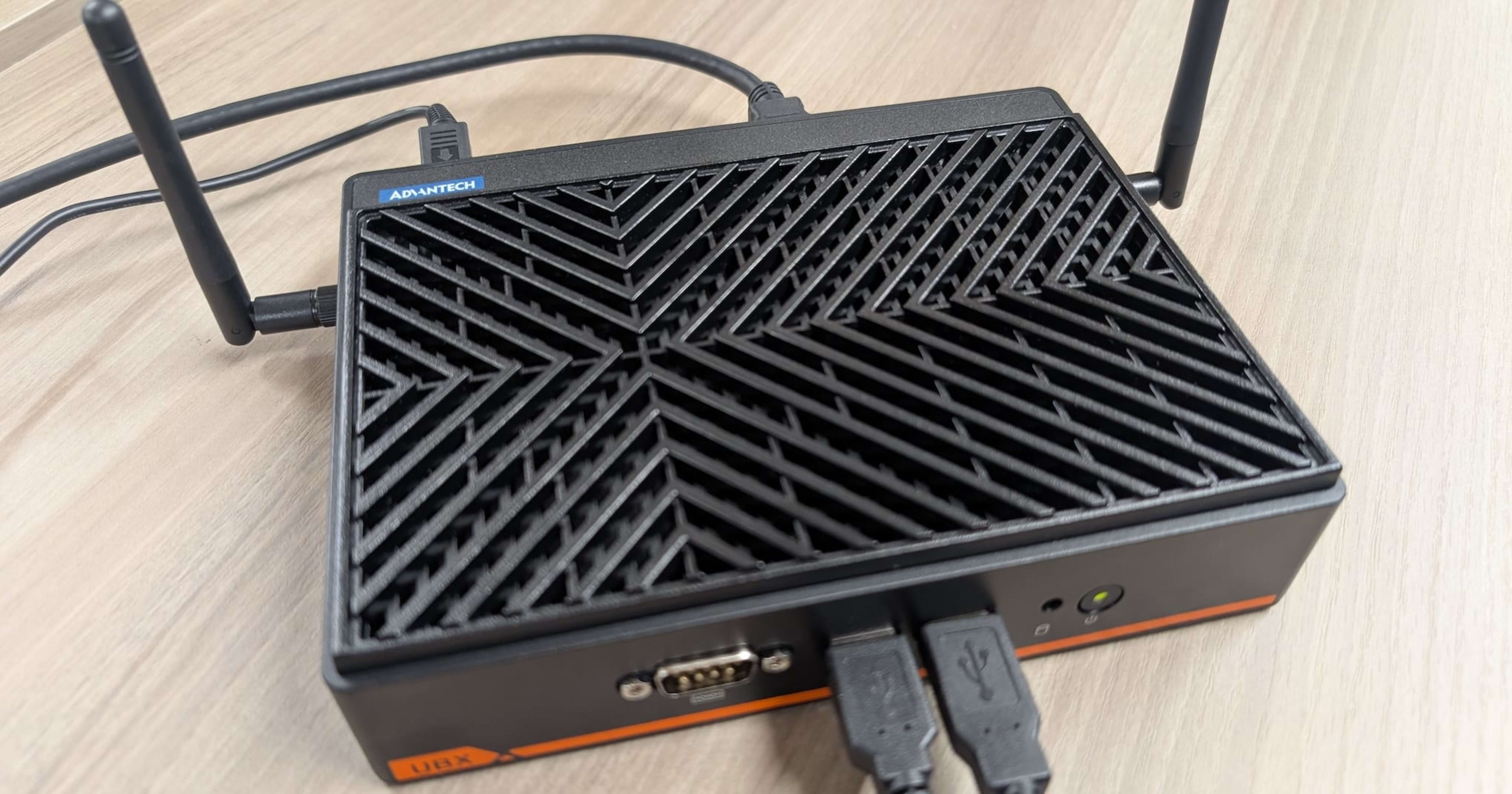
Try remotely managing the UBX-110K with Advantech's device management service DeviceOn

This page has been translated by machine translation. View original
I'm Okuri, who loves whiskey, cigars, and pipes. I recently joined the Manufacturing Business Technology Department.
I had an Advantech UBX-110K edge computer from Advantech, the world's top market share holder in industrial PCs, so I tried remote management using their device management service DeviceOn. It allows you to manage devices in environments where there are no on-site IT staff, such as factories, stores, and digital signage.
- Advantech Edge Device Management Software "DeviceON"
- Advantech DeviceOn: Intelligent IoT Device Management Platform
- DeviceOn Developer Center
- UBX-110K - Advantech
What is DeviceOn
DeviceOn is an IoT device operations management platform provided by Advantech. It centrally manages edge devices installed on-site from a server, covering everything from status monitoring to remote operations and software updates.
The main features are as follows.
| Feature | Description |
|---|---|
| Real-time Monitoring | Visualize device status, performance, and availability on an integrated dashboard |
| Remote Control | Screen capture, remote desktop, terminal operations, and power operations |
| OTA Updates | Remote batch updates of firmware, OS, and applications |
| Grouping and Automation | Device grouping by location/purpose and scheduled task execution |
| Data Security and Event Logs | Communication encryption, x.509 certificate authentication, and event logs |
| API Integration and Extensibility | REST API for external system integration |
DeviceOn is used by building a cloud (server side) to host the devices. The official documentation's "Cloud Versions" introduces the following two server deployment options. It also appears to be available on WISE-PaaS, the industrial IoT cloud platform provided by Advantech.
| Deployment Type | Description |
|---|---|
| Standalone Version (VM) | Builds all components on a cloud or on-premises VM using a single installer. |
| DeviceOn for Azure (Enterprise Edition) | Deployed on a managed cluster on Azure Kubernetes Service (AKS). Integrates with Azure IoT Hub and Cosmos DB, supporting thousands of devices. |
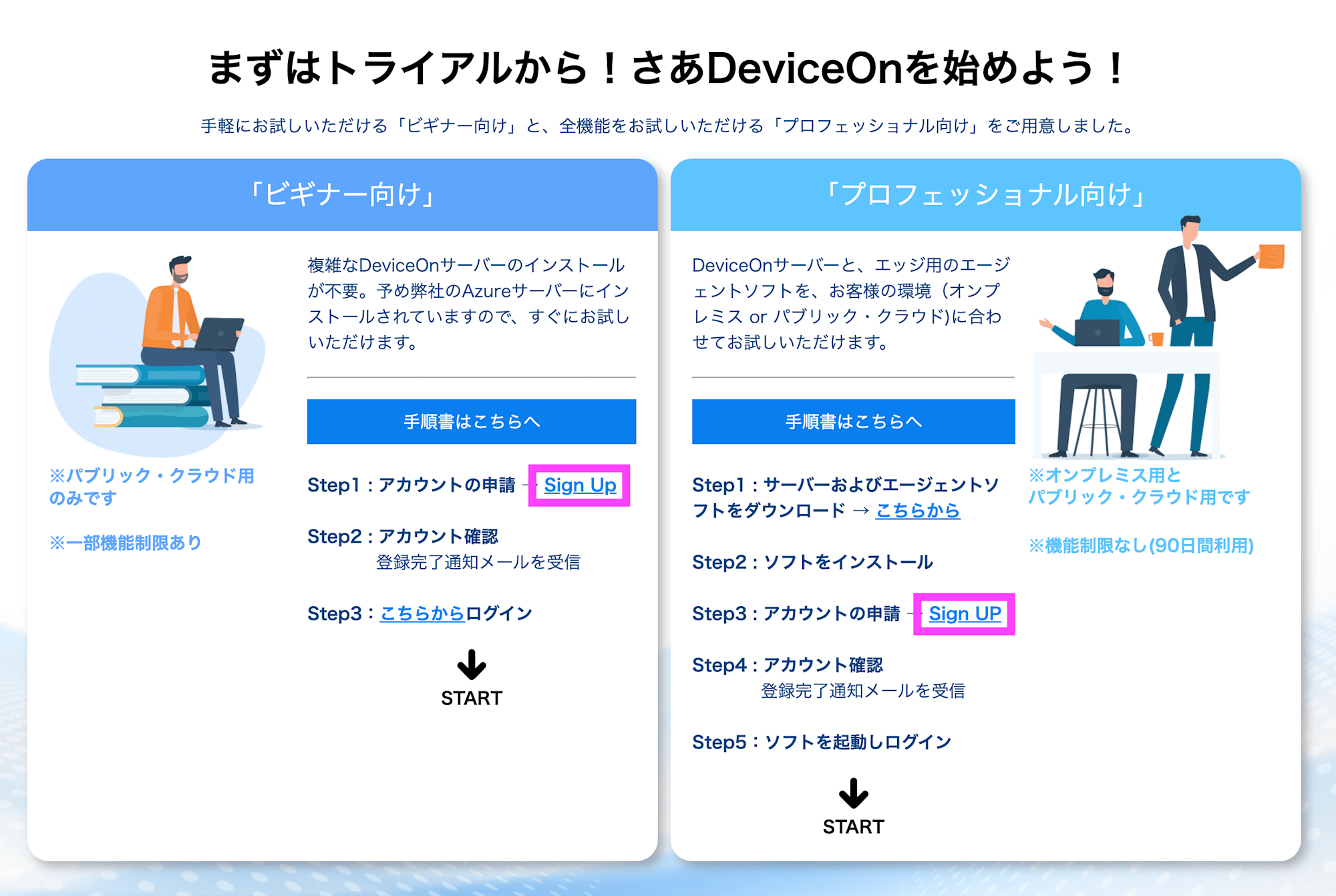
You can also sign up for a free trial by going to "Account Application → Sign Up" on the DeviceOn website. This article proceeds with the assumption of using a DeviceOn server (trial environment) built in the cloud.
DeviceOn Communication Requirements
Cloud (Server Side)
| Communication | Inbound Port |
|---|---|
| DeviceOn HTTP, HTTPS Web Services | 80/tcp, 443/tcp |
| DeviceOn Dashboard (Grafana) | 3000/tcp |
| Message Broker (RabbitMQ) MQTT, MQTTs | 1883/tcp, 8883/tcp |
| Message Broker (RabbitMQ) AMQP, AMQPs | 5671/tcp, 5672/tcp |
| Message Broker (RabbitMQ) Management Console | 15672/tcp |
| Repeater for Remote Desktop | 5501/tcp, 8022/tcp |
| Websockify for Remote Desktop | 6083/tcp |
| MongoDB | 27017/tcp |
| PostgreSQL | 5432/tcp |
| FTP Service | 2121/tcp |
Agent
Since the DeviceOn agent only uses outbound communication, no individual public IP or firewall rules are required.
| Communication | Outbound Port |
|---|---|
| MQTT/MQTTs Message Client | 1883/tcp, 8883/tcp |
| Remote Desktop VNC Client | 5501/tcp, 8022/tcp |
About the UBX-110K
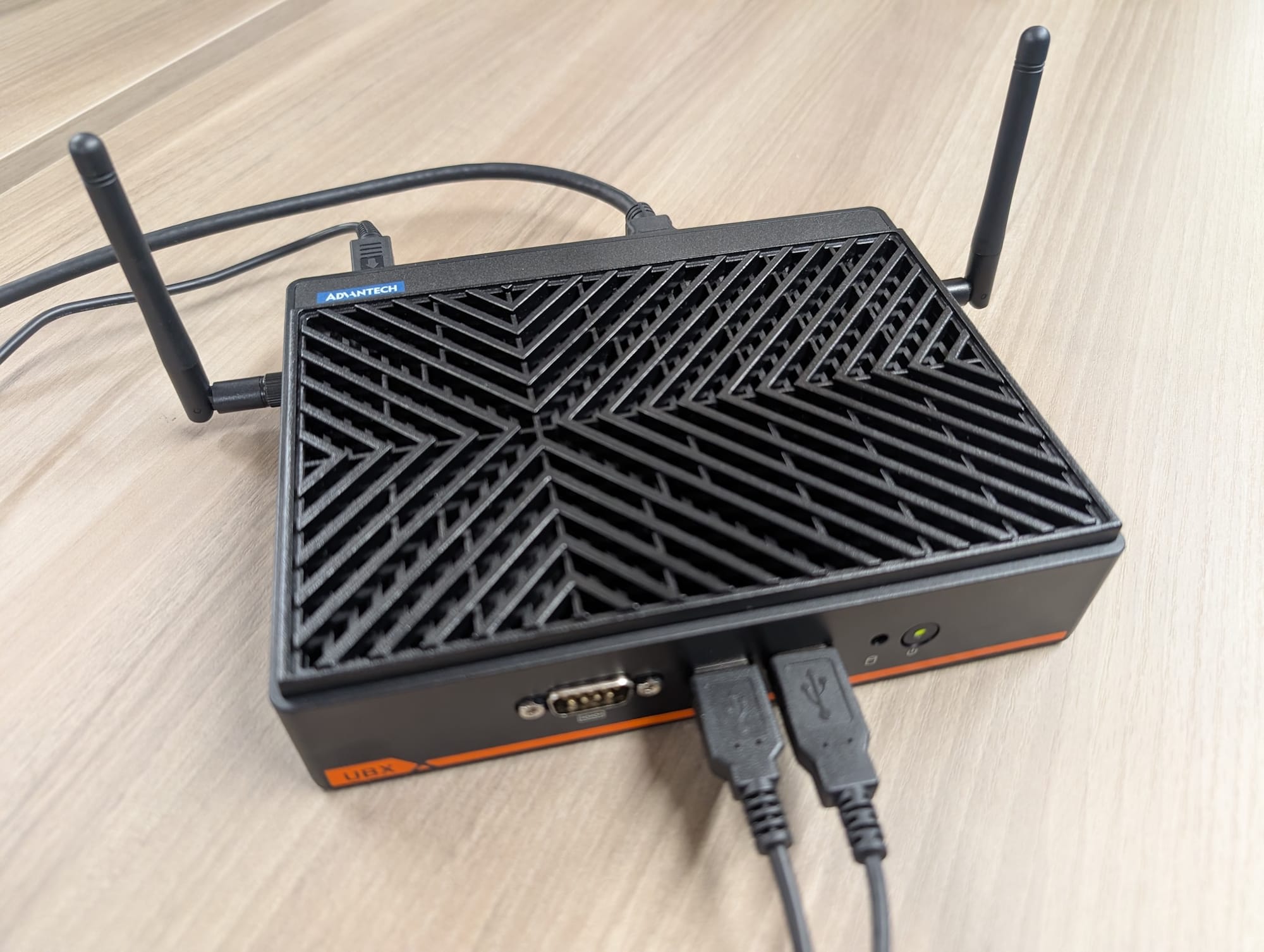
The UBX-110K is a fanless edge computer for stores and retail. The main specifications are as follows.
| Item | Description |
|---|---|
| CPU | Intel N97 or Intel Core i3-N305 |
| Memory | DDR5-4800 (N97: max 8GB, N305: max 16GB) |
| Display | 4K UHD support (up to 3 screens) |
| Security | Built-in TPM 2.0 chip |
| Supported OS | Windows 10/11 IoT Enterprise, Ubuntu 22.04, Android 14 |
Let's Try It
Applying for a Trial and Creating an Account
Sign up for a trial by clicking "Sign UP" on the DeviceOn website. A form for entering various information will be displayed, and after submitting it, you will receive access instructions.
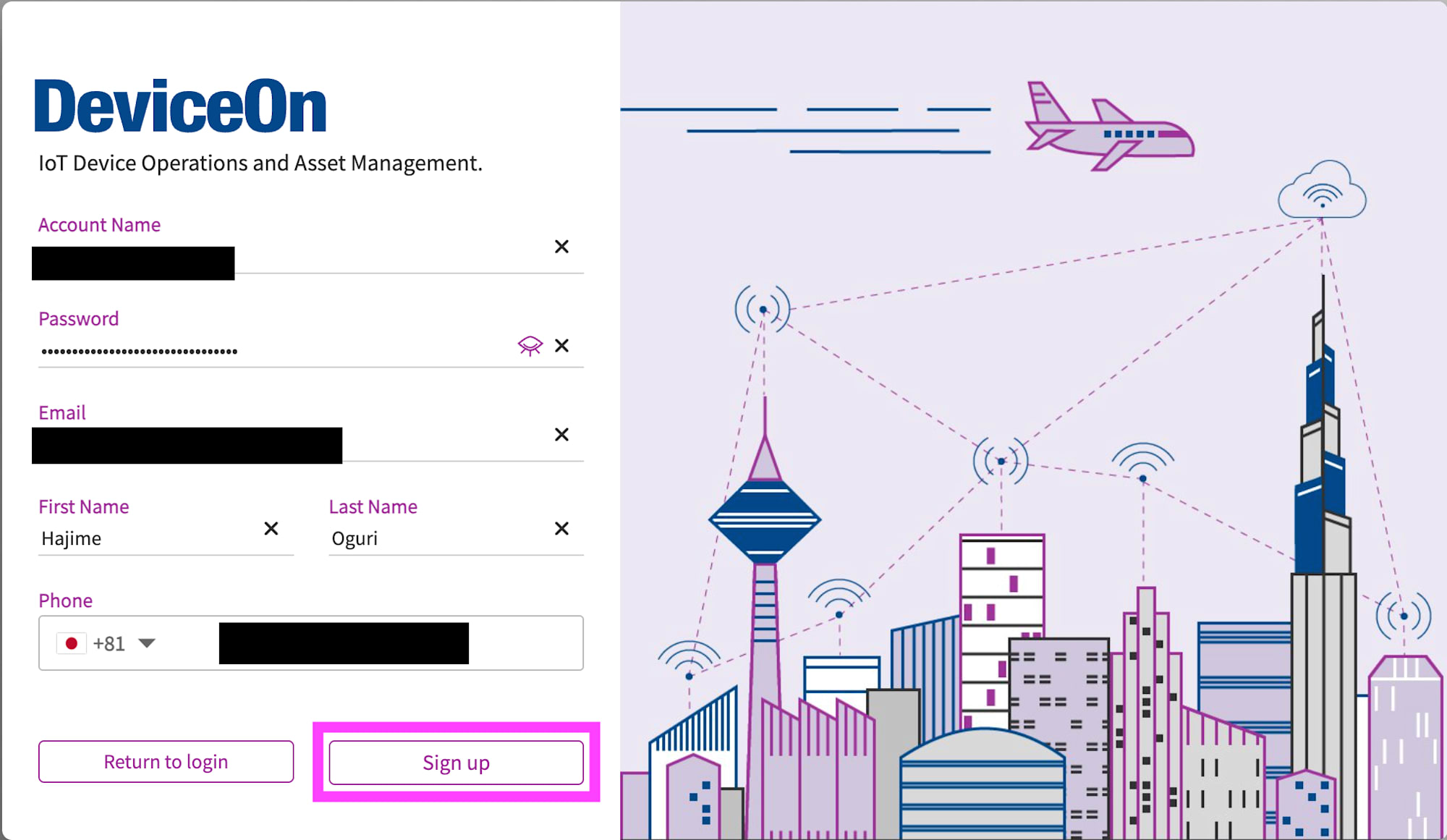
Follow the instructions to register an account on the DeviceOn portal. The sign-up screen requires you to enter the following items.
| Input Item | Description |
|---|---|
| Account Name | Account name (any string) |
| Password | Password |
| Email address (used as login ID) | |
| First Name / Last Name | Full name |
| Phone | Phone number |
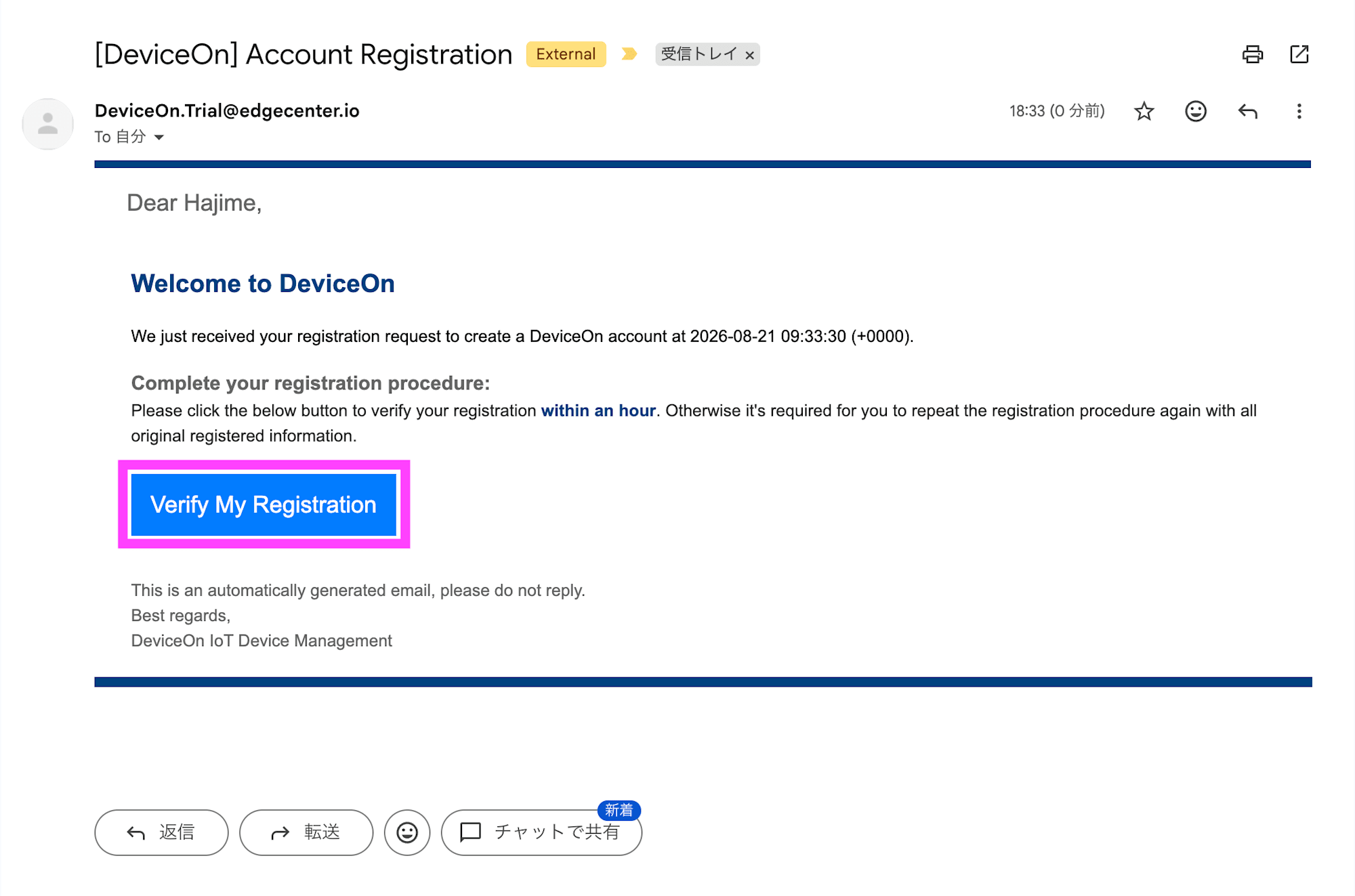
After registering, you will receive an email with the subject [DeviceOn] Account Registration, so click Verify My Registration within 1 hour to complete the registration. Once registration is complete, log in with your email address and password.
Onboarding the UBX-110K
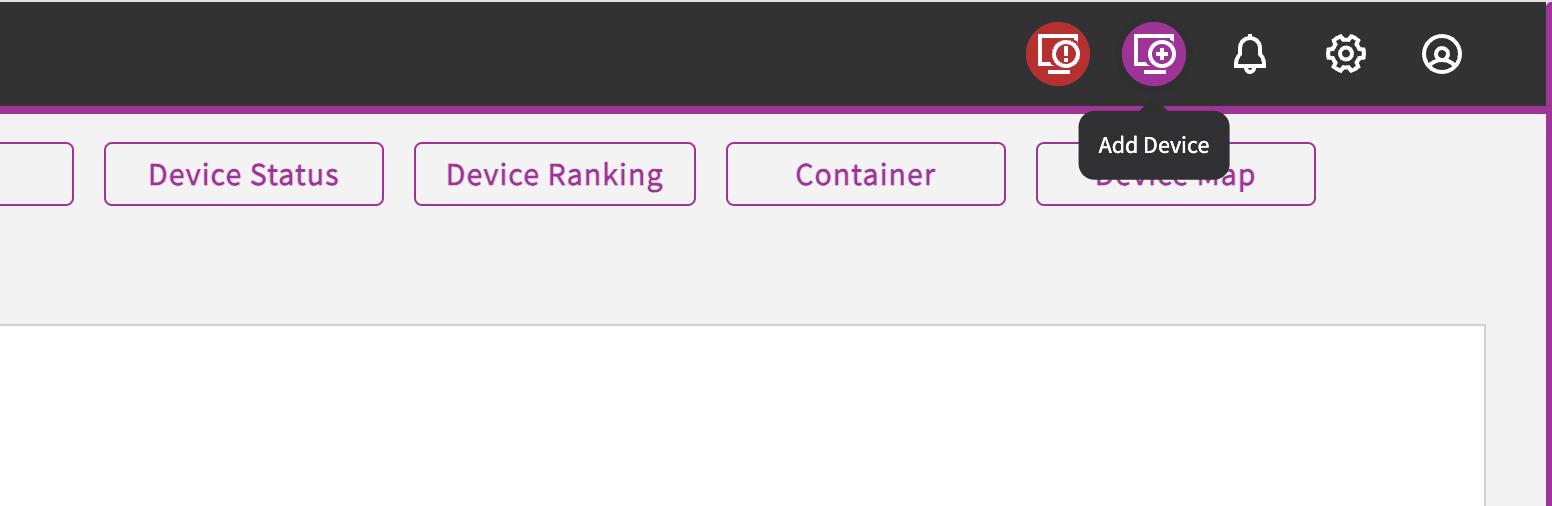
"Device OnBoarding" is displayed on the first login to the DeviceOn portal. If it is not displayed, click "Add Device" in the upper right menu.
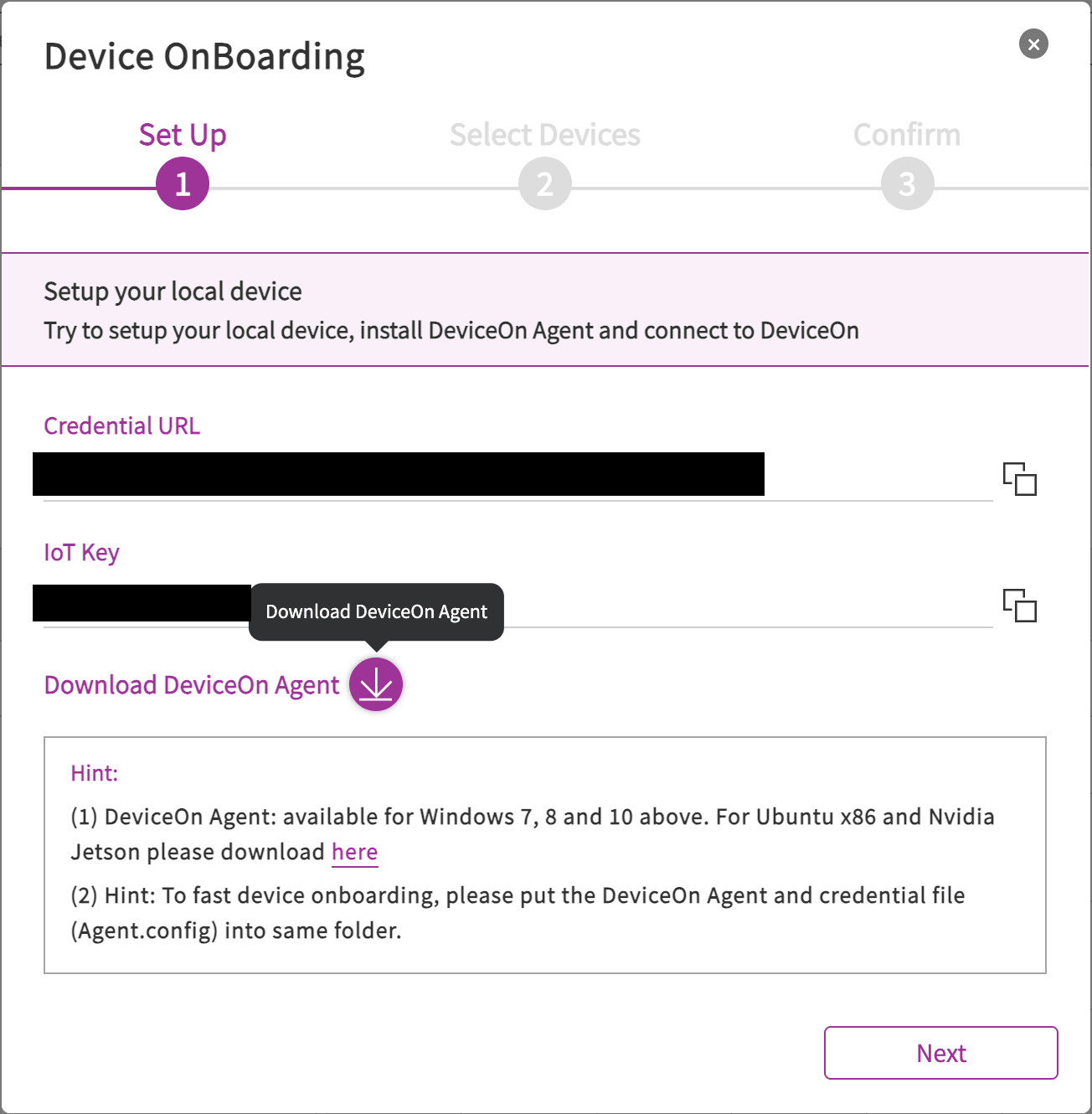
When Device OnBoarding is displayed, clicking the ↓ under "Download DeviceOn Agent" will download the Windows agent installer (DeviceOn_AgentSetup_x64_2.x.x.exe) and the connection information file (Agent.config).
Copy the two files to the edge server (UBX-110K) and place them in the same folder.
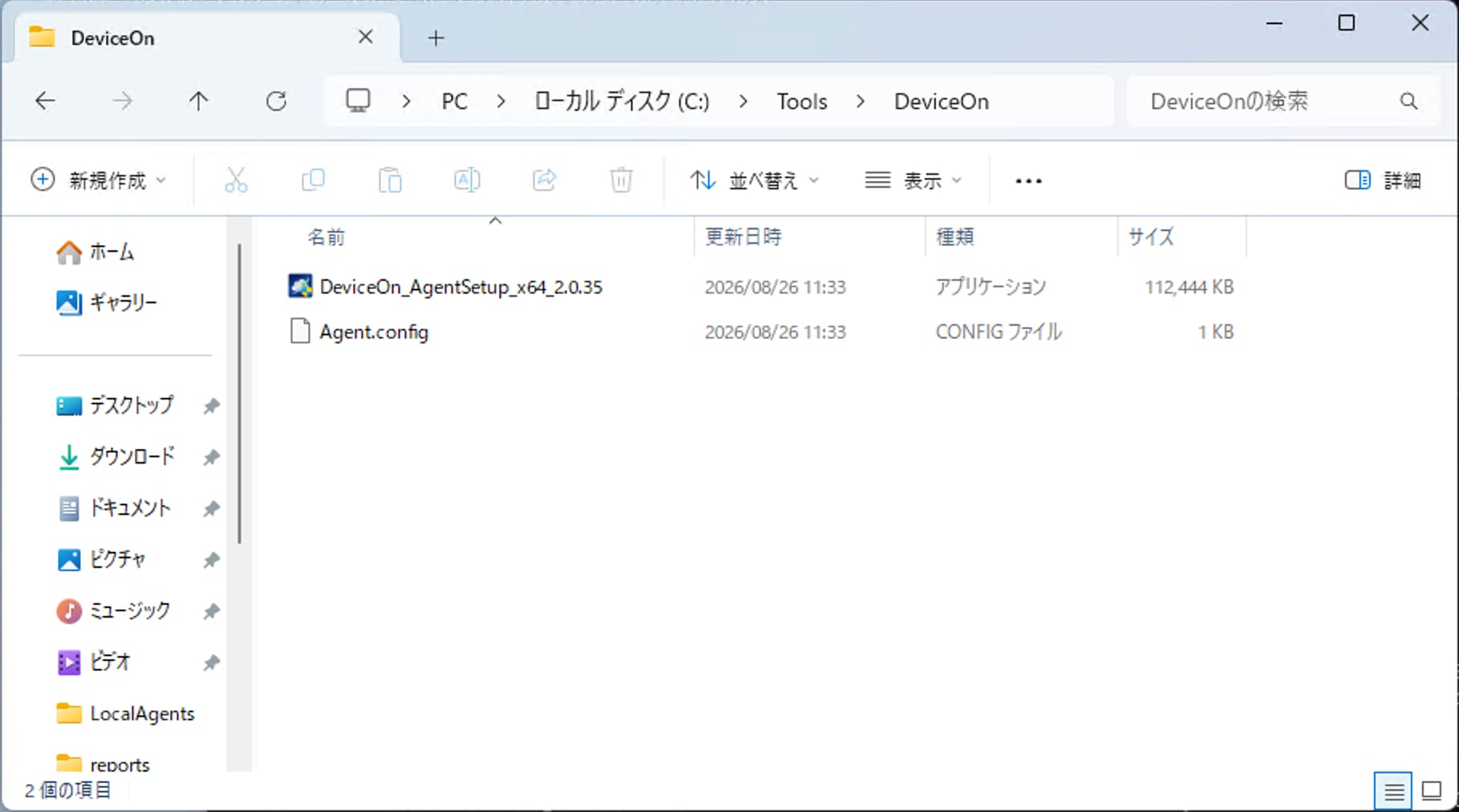
- Run the installer (DeviceOn_AgentSetup_x64_2.0.35.exe). A UAC (User Account Control) confirmation will appear, so click "Yes." During the process, you will be asked to choose between Quick mode and Advanced mode, but Quick mode is generally fine.
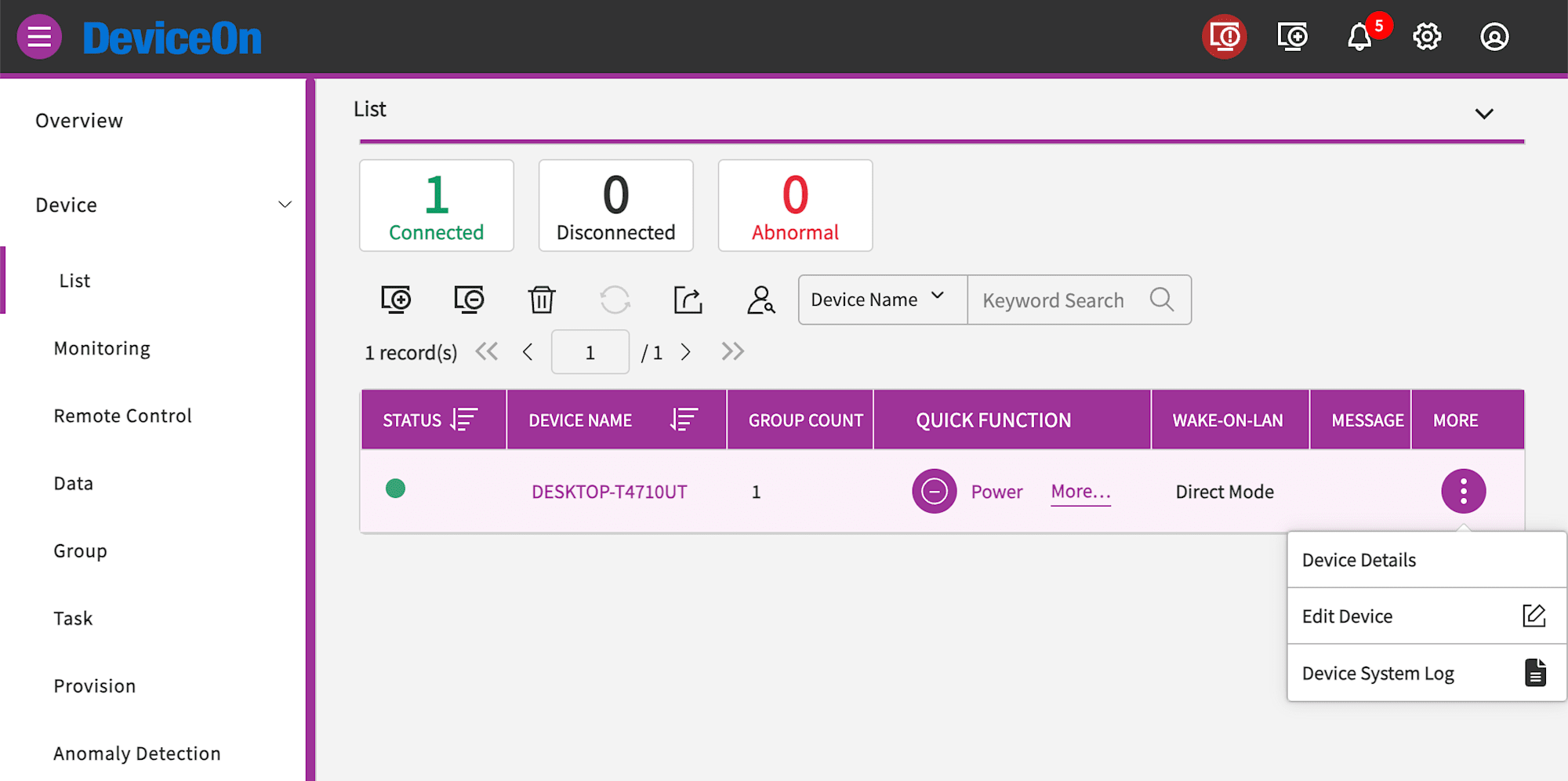
A few minutes after installation is complete, the UBX-110K will appear as online in the device list on the portal. Click Edit Device from the menu on the right side of the displayed device.
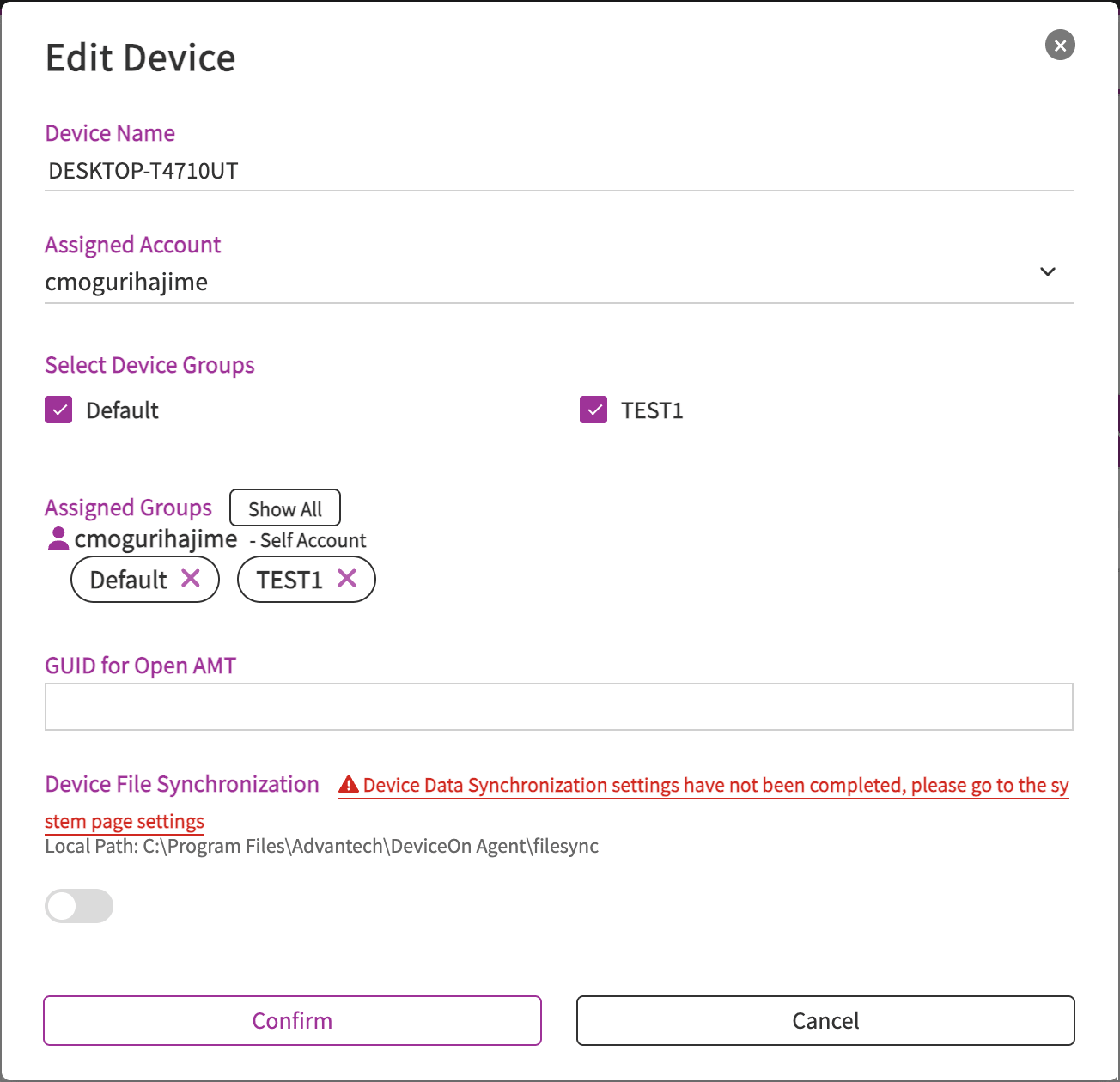
Set the device name, device group, and other settings, then click Confirm to finalize.
Checking Device Information
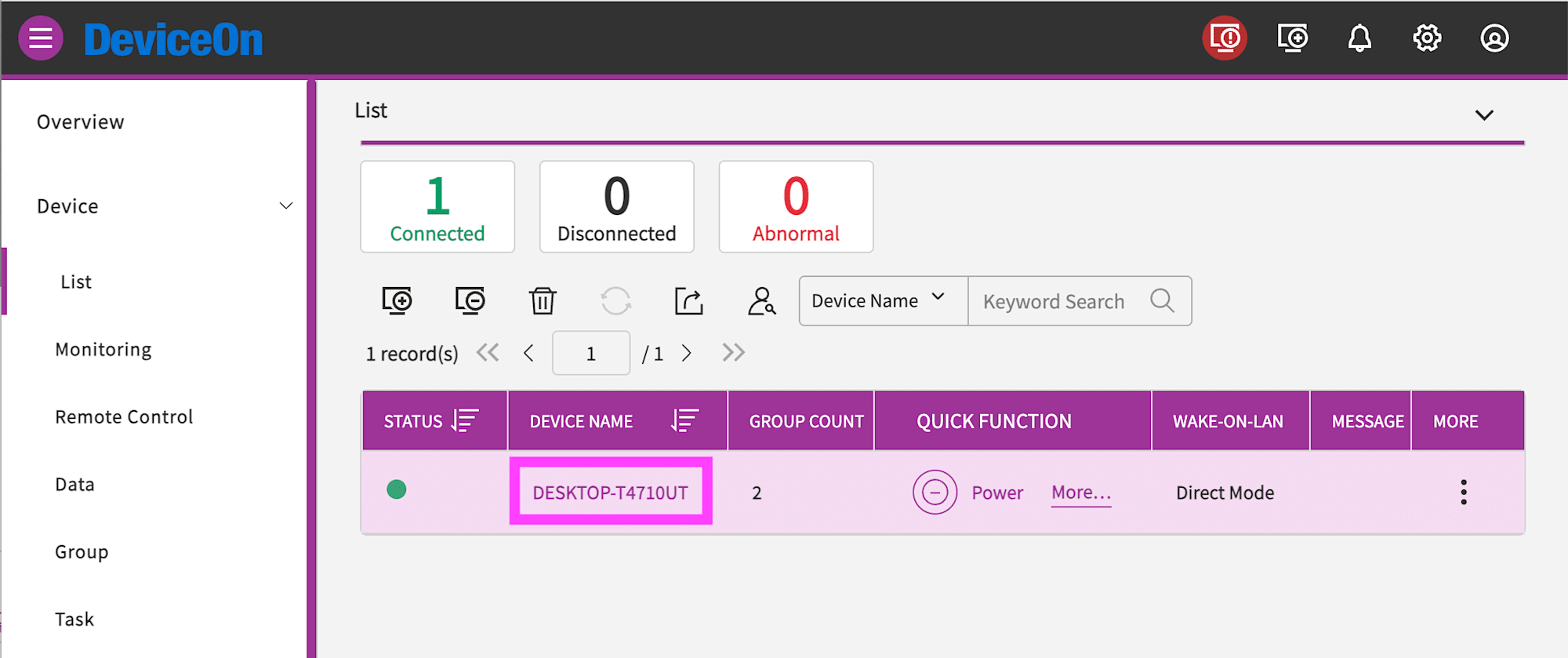
Click the device name from the device list.
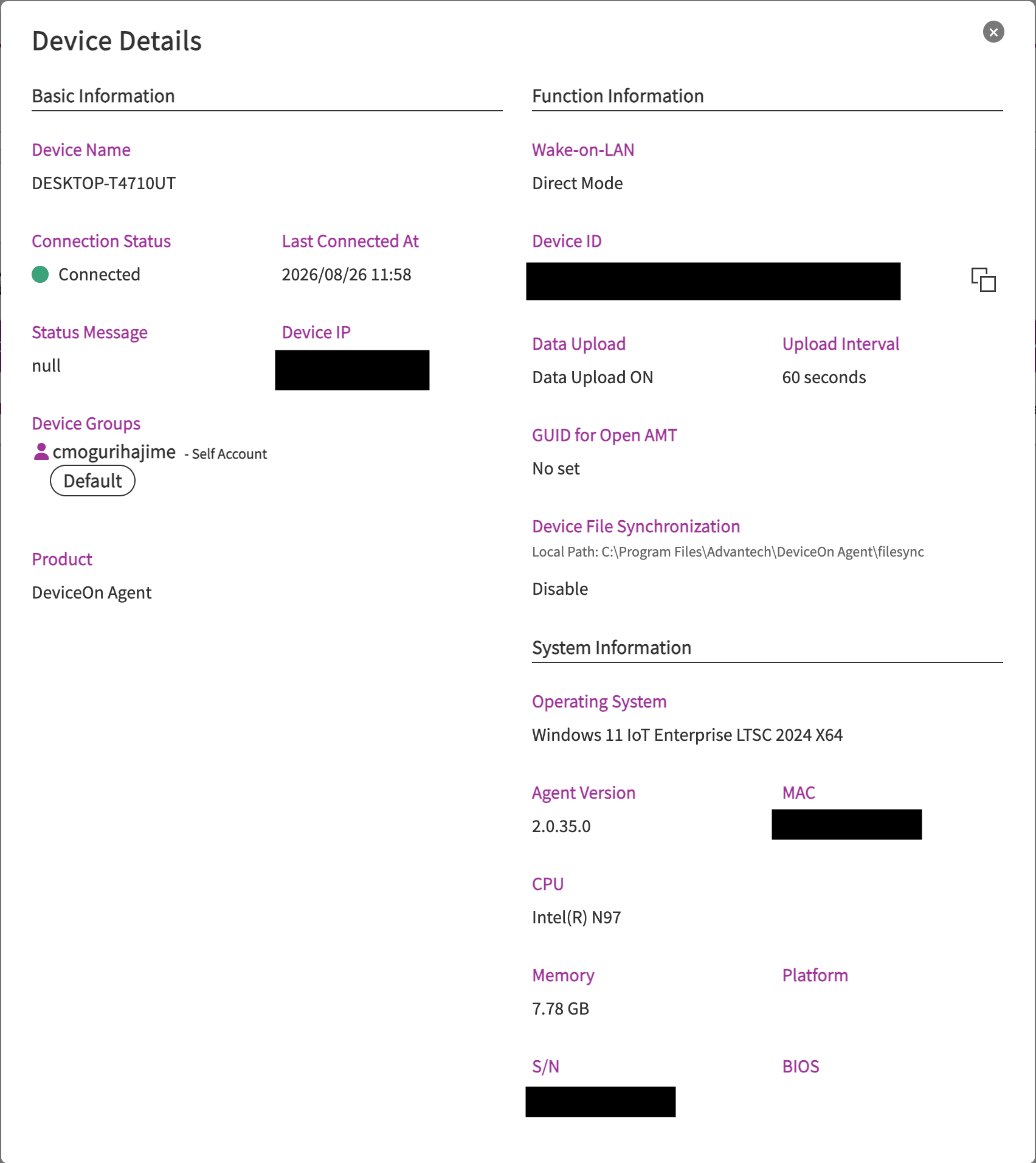
You can check hardware and software information such as IP address, agent version, MAC address, CPU, and memory.
Remote Control of the Device
Remote control of the device is available from Device - Remote Control in the portal.
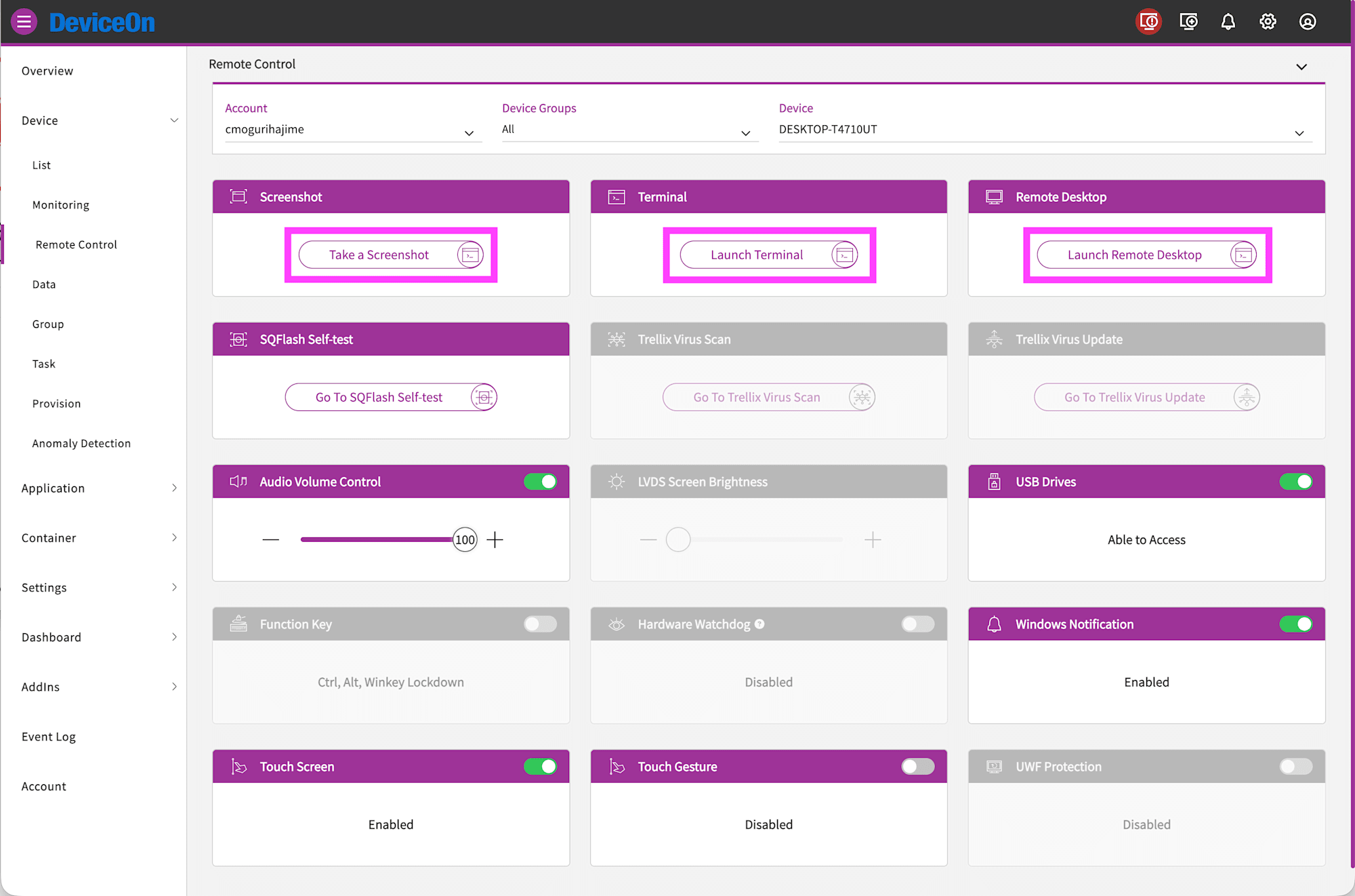
Clicking Take a Screenshot captures a screenshot of the current screen.
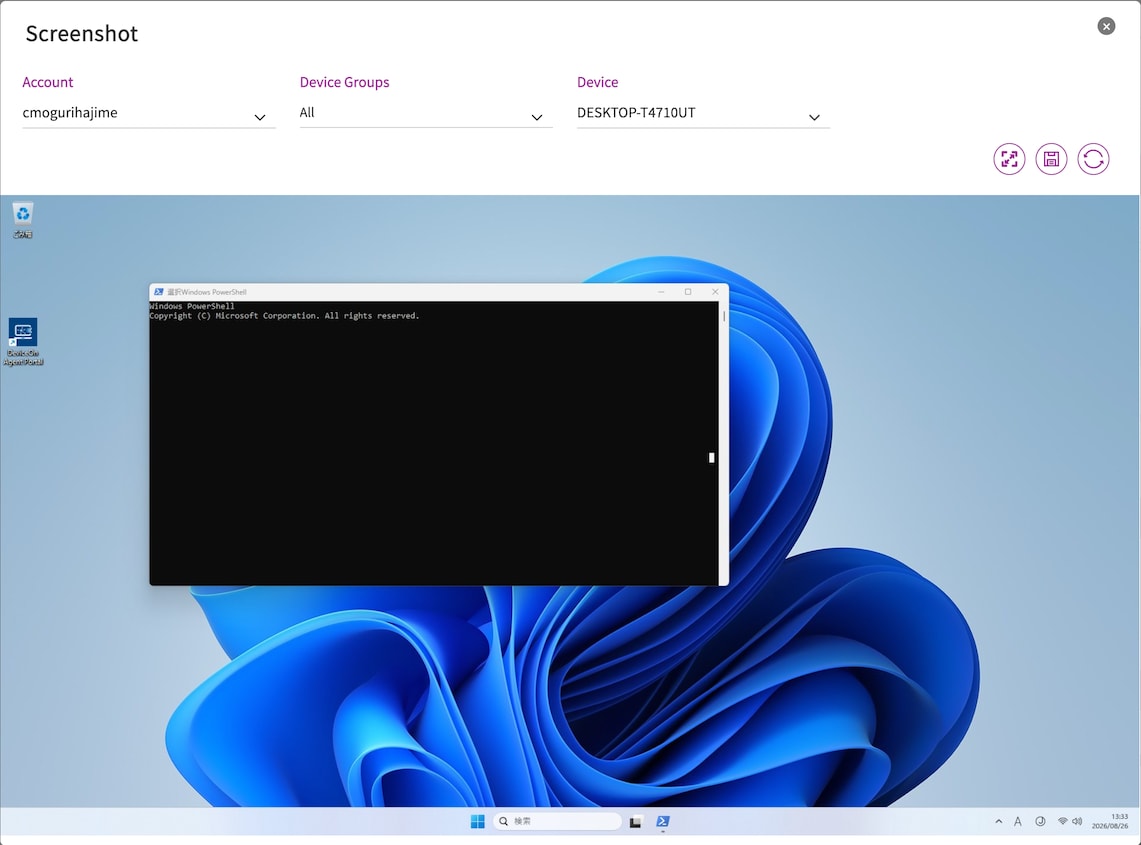
Clicking Launch Terminal displays a terminal where you can execute commands. However, rather than typing directly into the terminal, commands are entered into an input field and then sent.
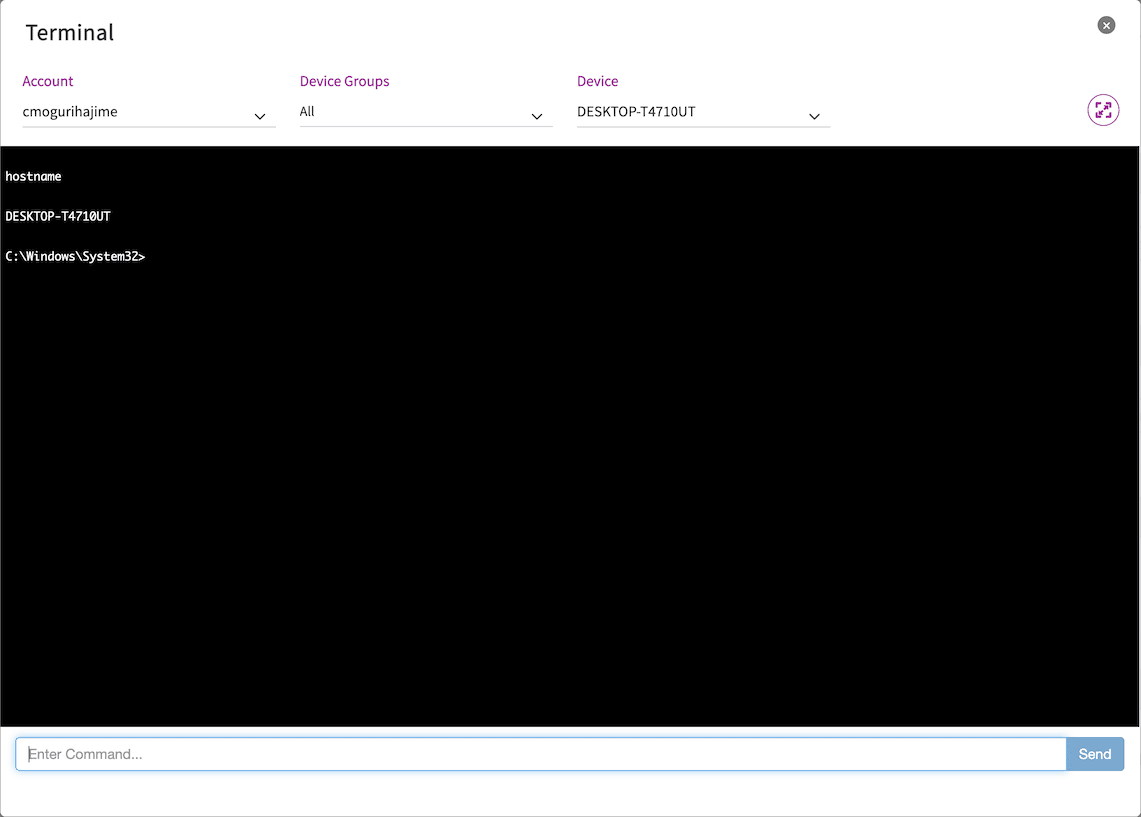
Clicking Launch Remote Desktop allows you to remotely connect to the desktop via VNC. Key combinations such as Ctrl+Alt+Del can be sent from Action at the bottom left.
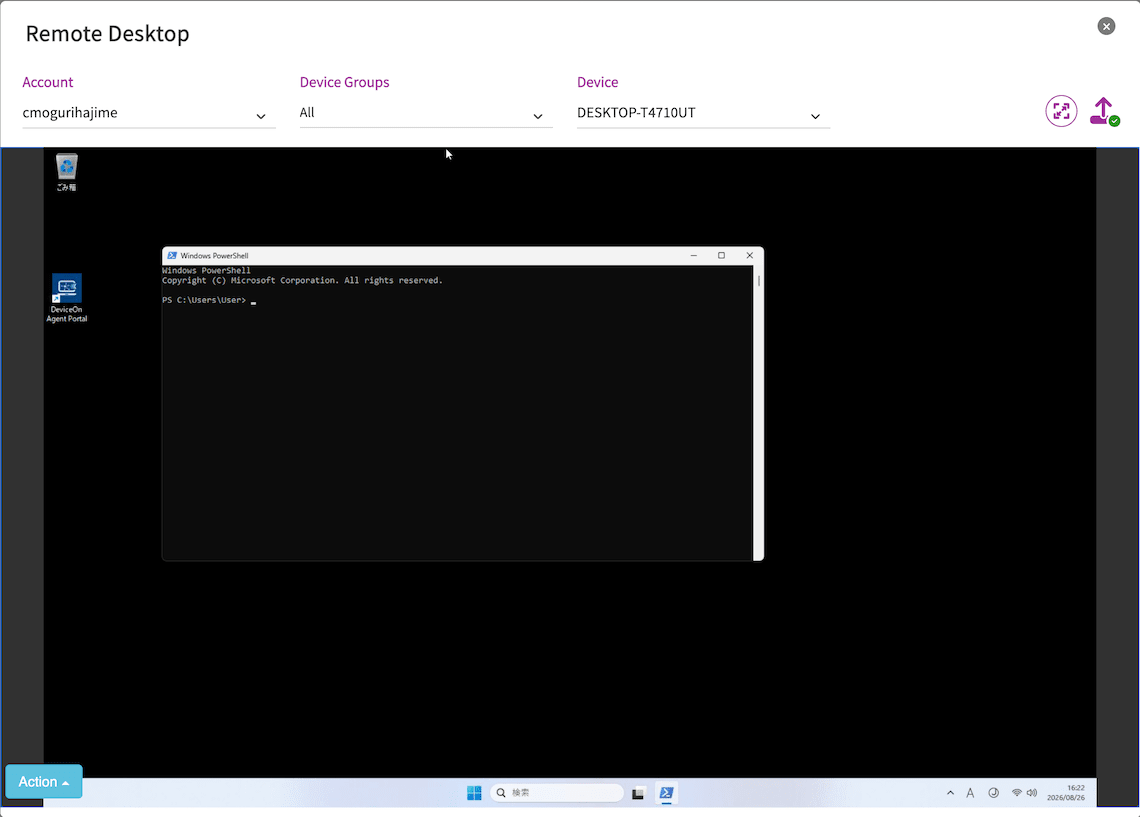
Power Operations
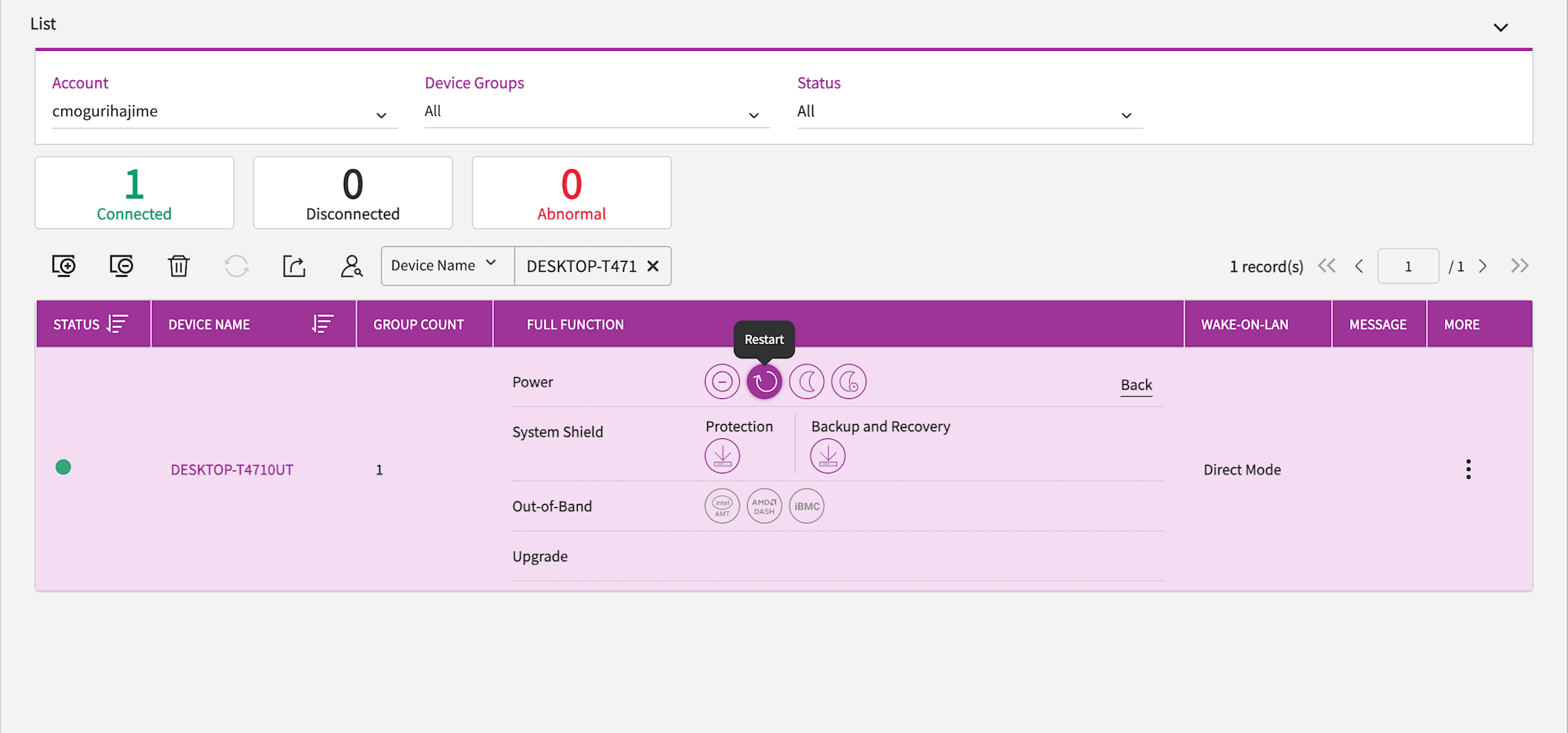
From the device list, you can perform power on/off (power on requires Wake-on-LAN support), restart, sleep, and hibernate. It also supports out-of-band management such as Intel AMT, AMD DASH, and Advantech iBMC, which apparently allows power operations even when the OS is hung. Unfortunately, the UBX-110K on hand does not have Wake-on-LAN or out-of-band management options.
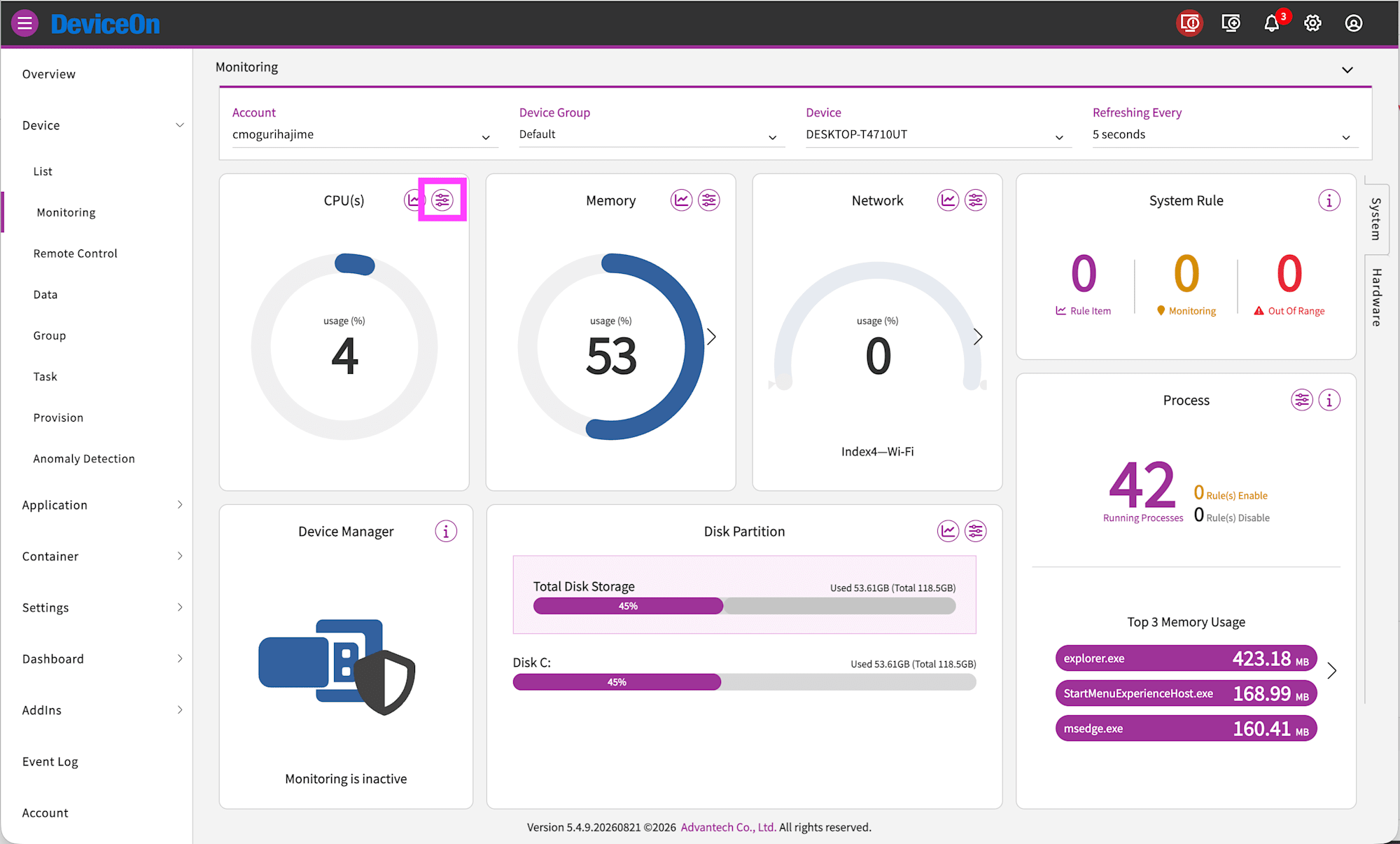
Threshold Monitoring and Notifications
Click the icon in the upper right of the item you want to set a threshold for on the device monitoring screen. Here, we will monitor the CPU threshold.
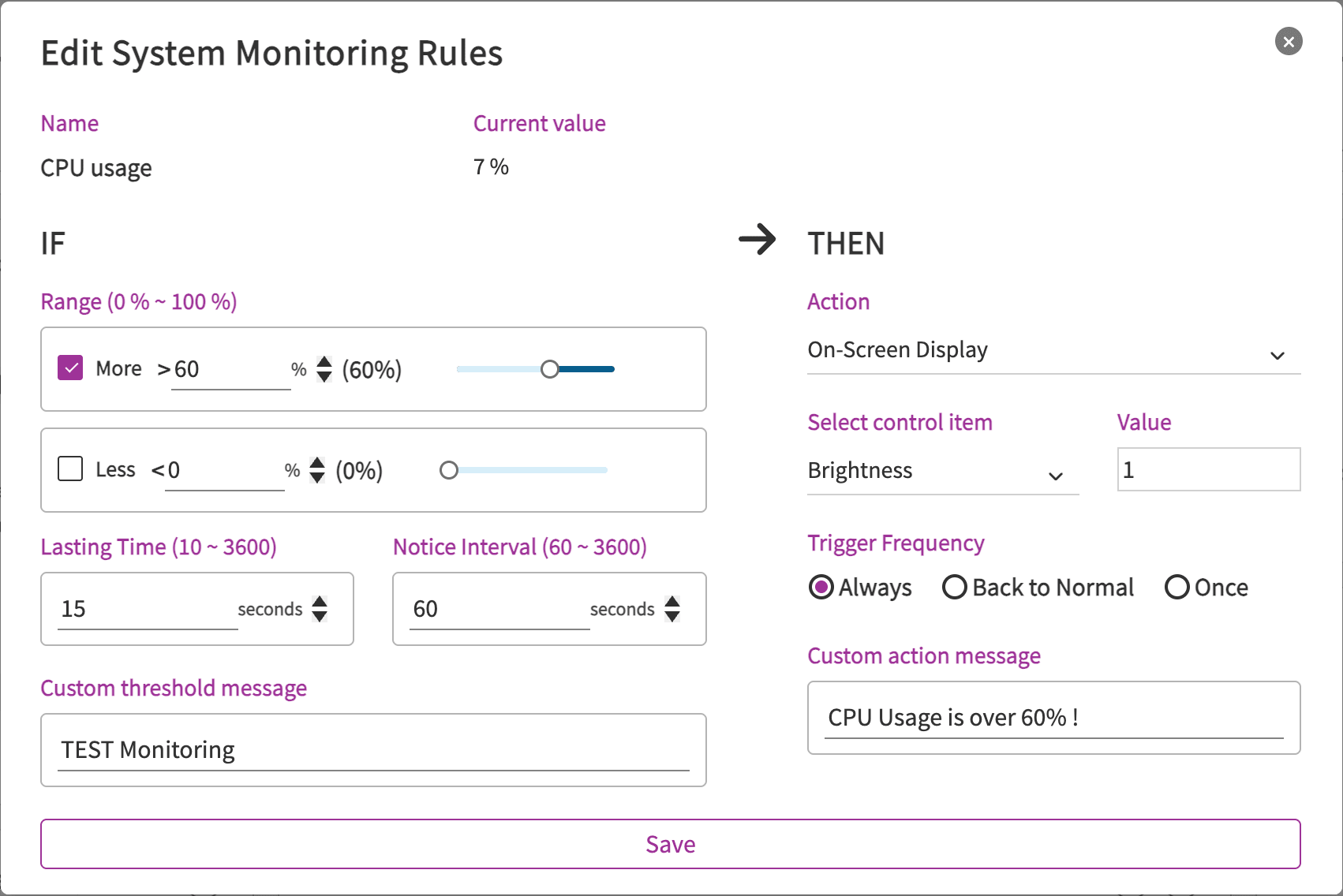
Here, we configure a notification to be sent when CPU usage exceeds 60% for 15 seconds. The custom display message is set to CPU Usage is over 60% !.
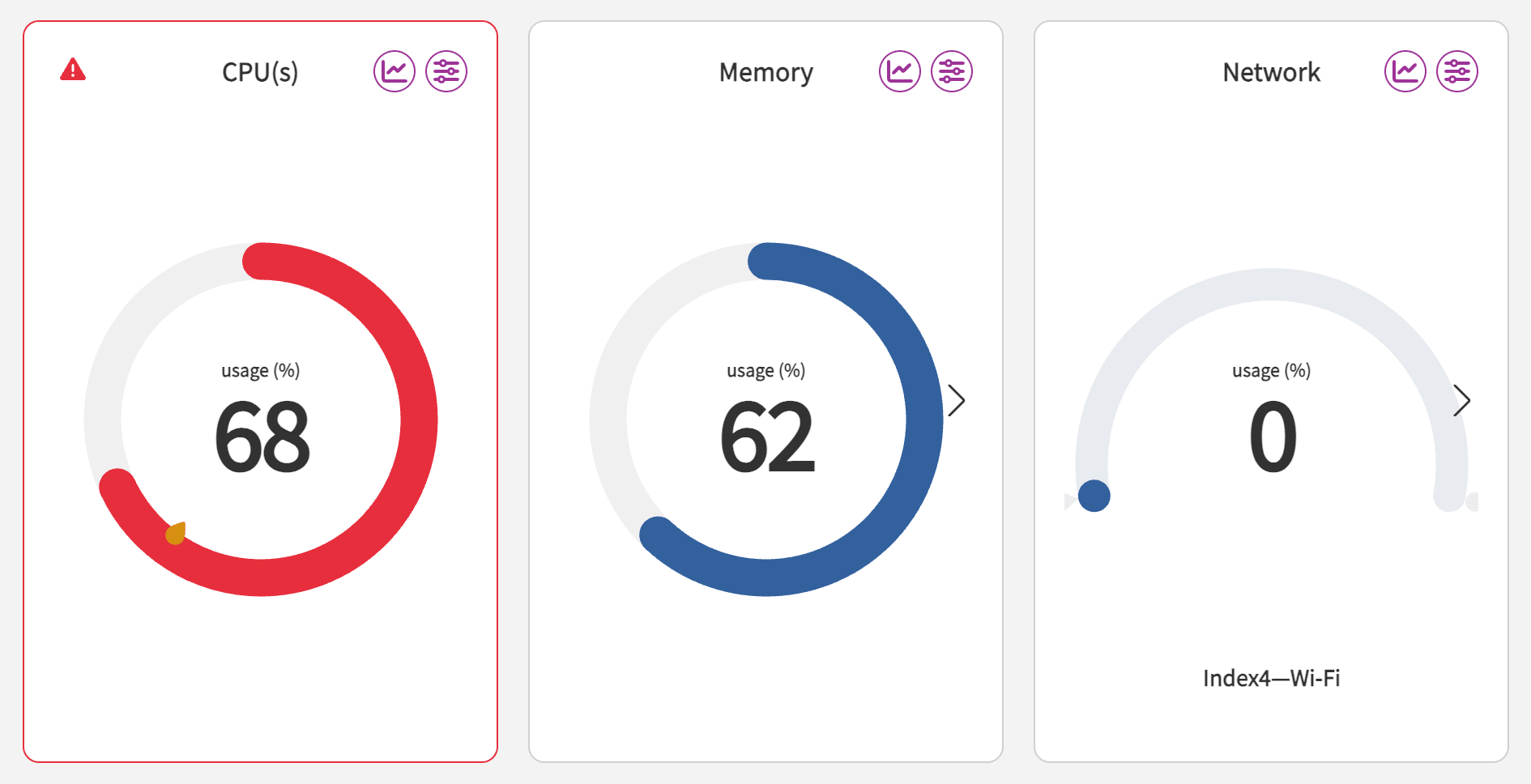
A mark has been added at the 60% threshold that was set.
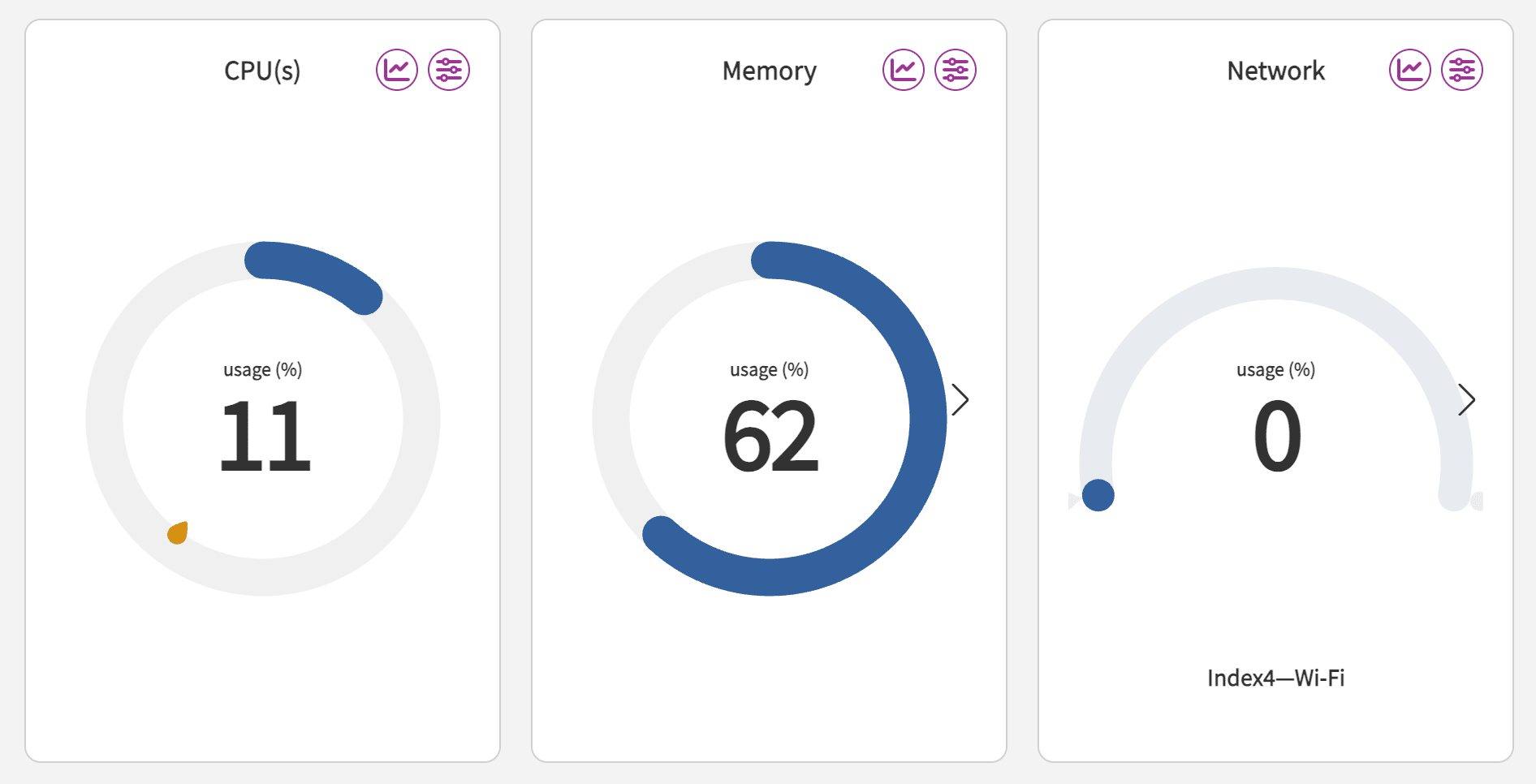
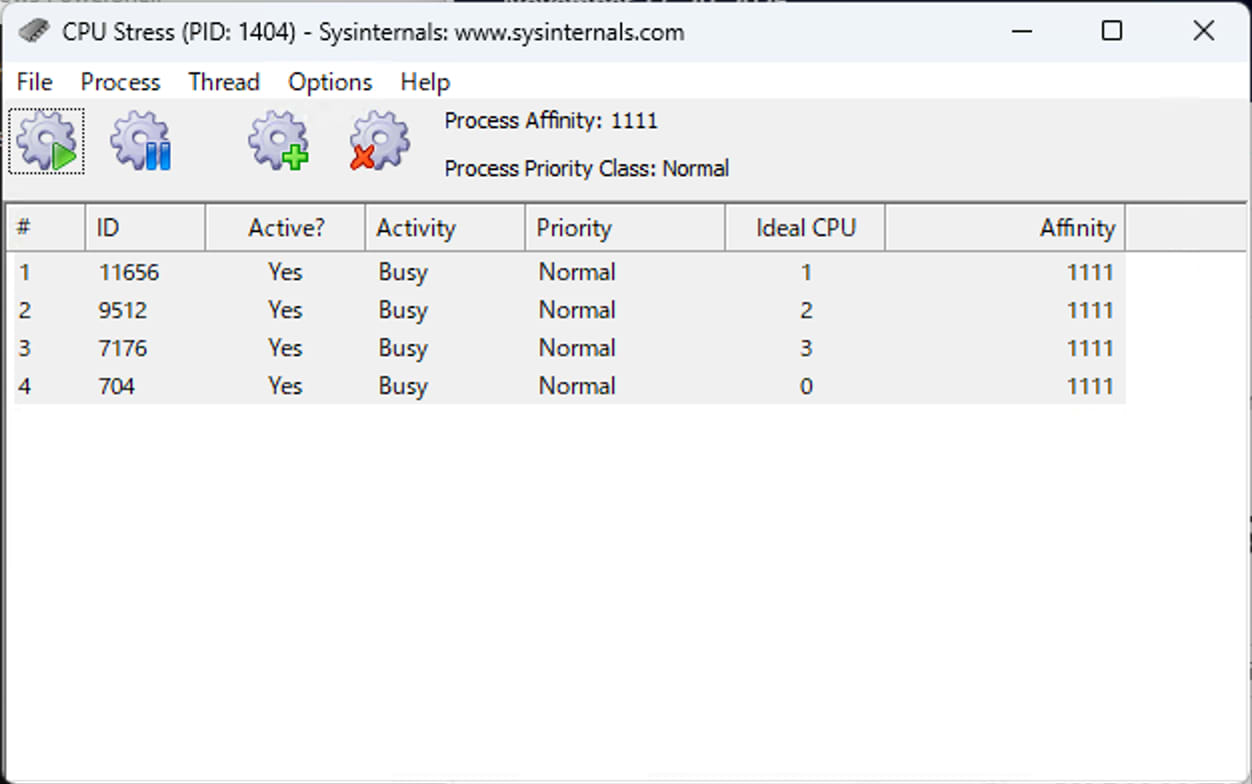
Let's actually increase the CPU usage on the edge server (UBX-110K). Here, we are using Sysinternals' CpuStres. Set Activity to Busy (75%) and run it.
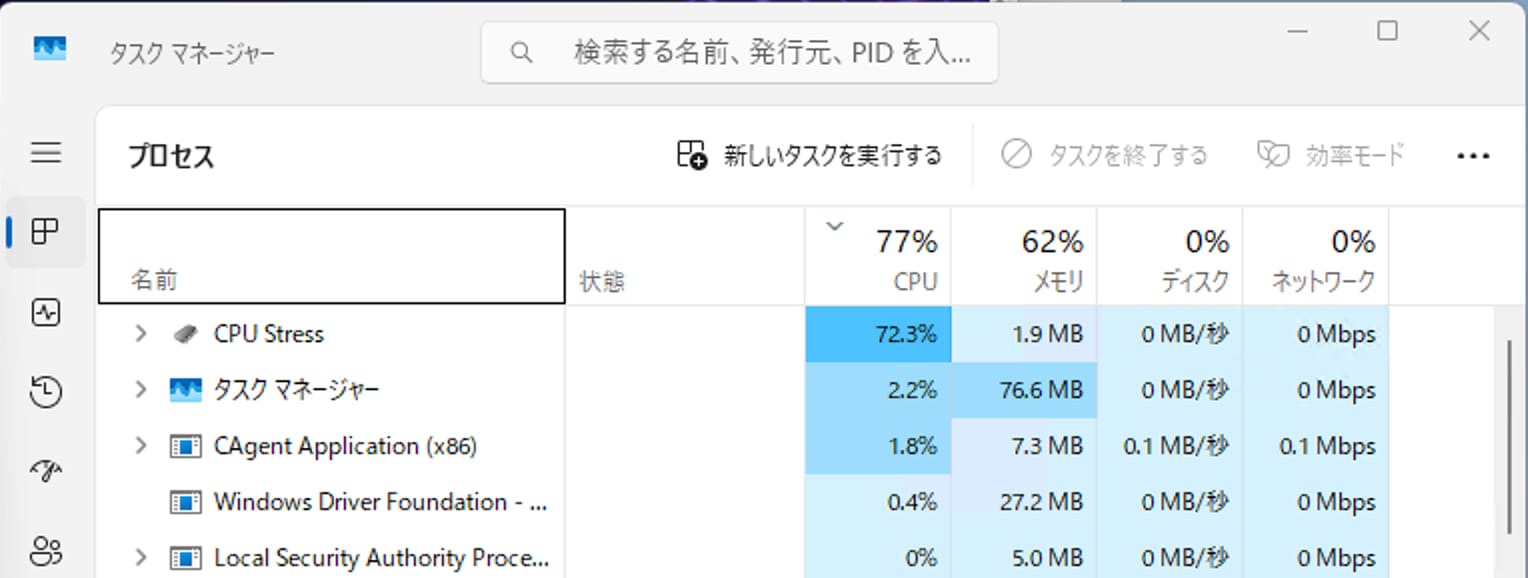
Task Manager shows CPU usage at around 75%.
Checking the DeviceOn portal, the threshold has been exceeded and the meter has turned red.
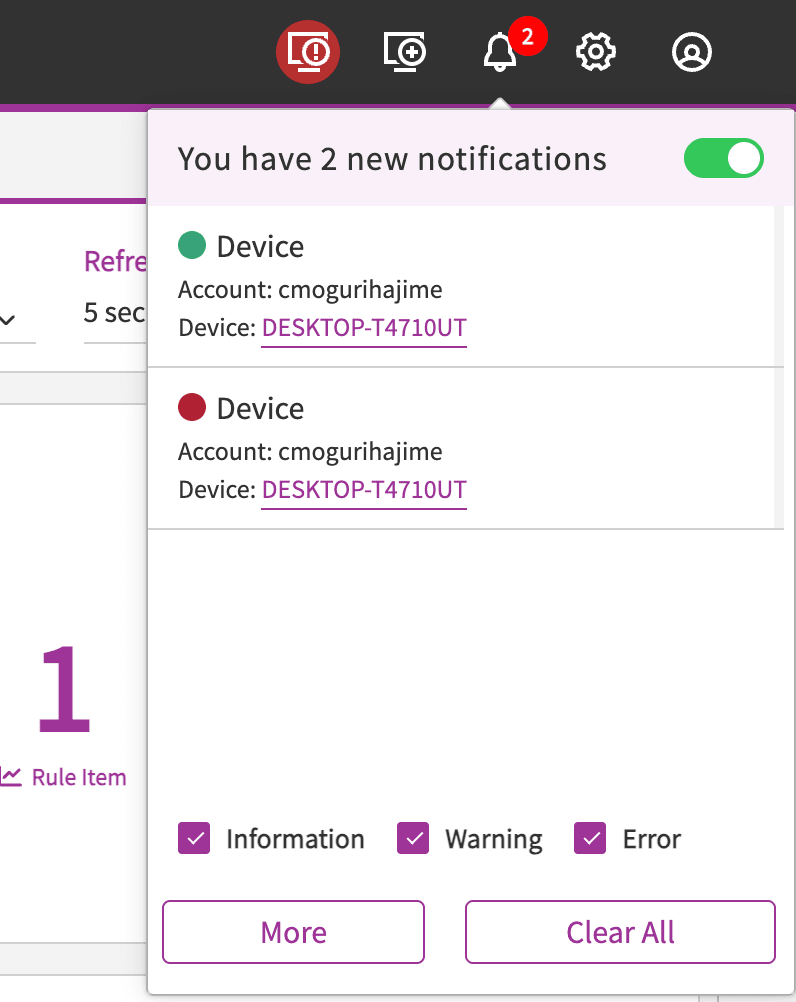
An alert notification has appeared.
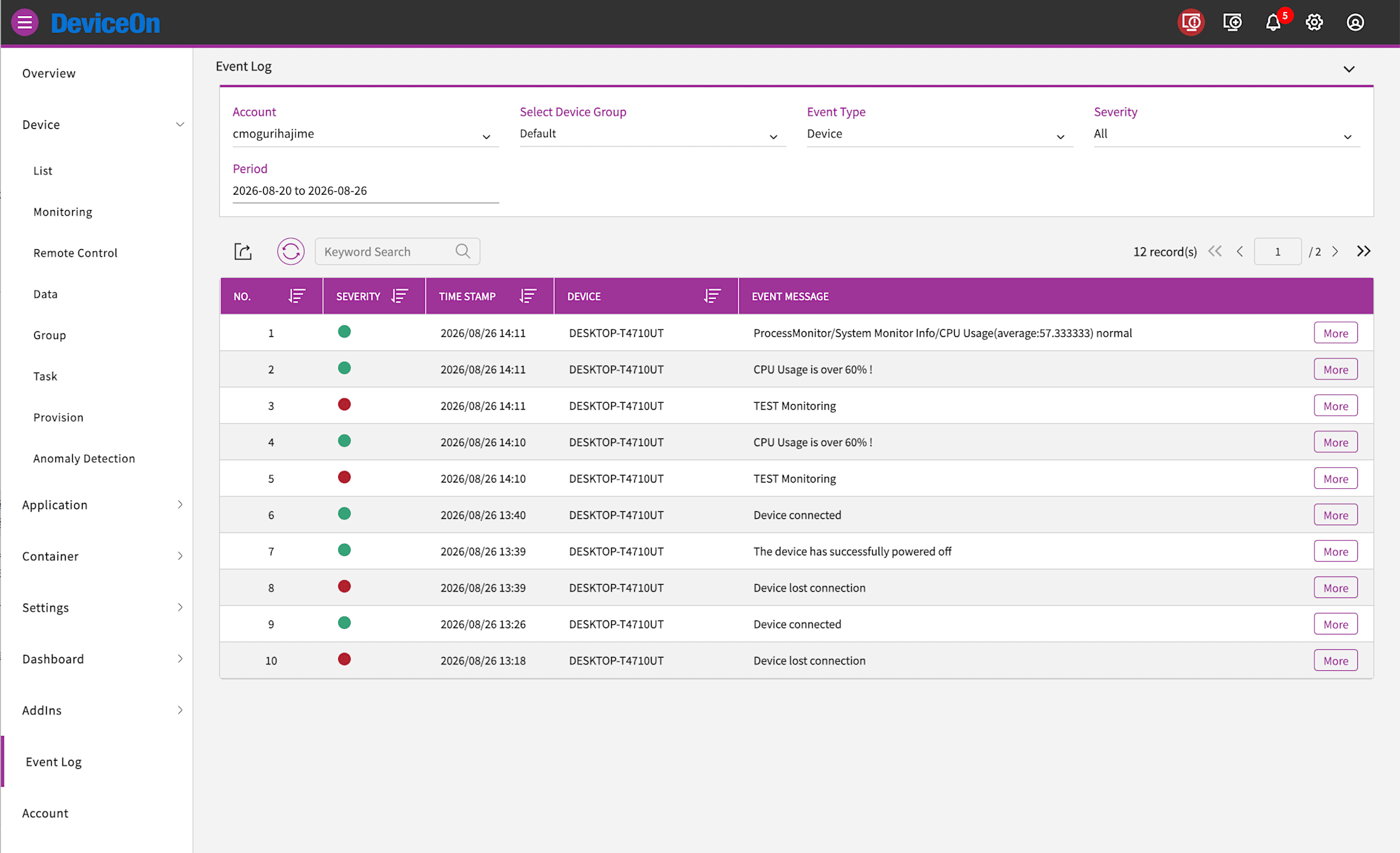
Checking the event log, the custom message CPU Usage is over 60% ! is displayed.
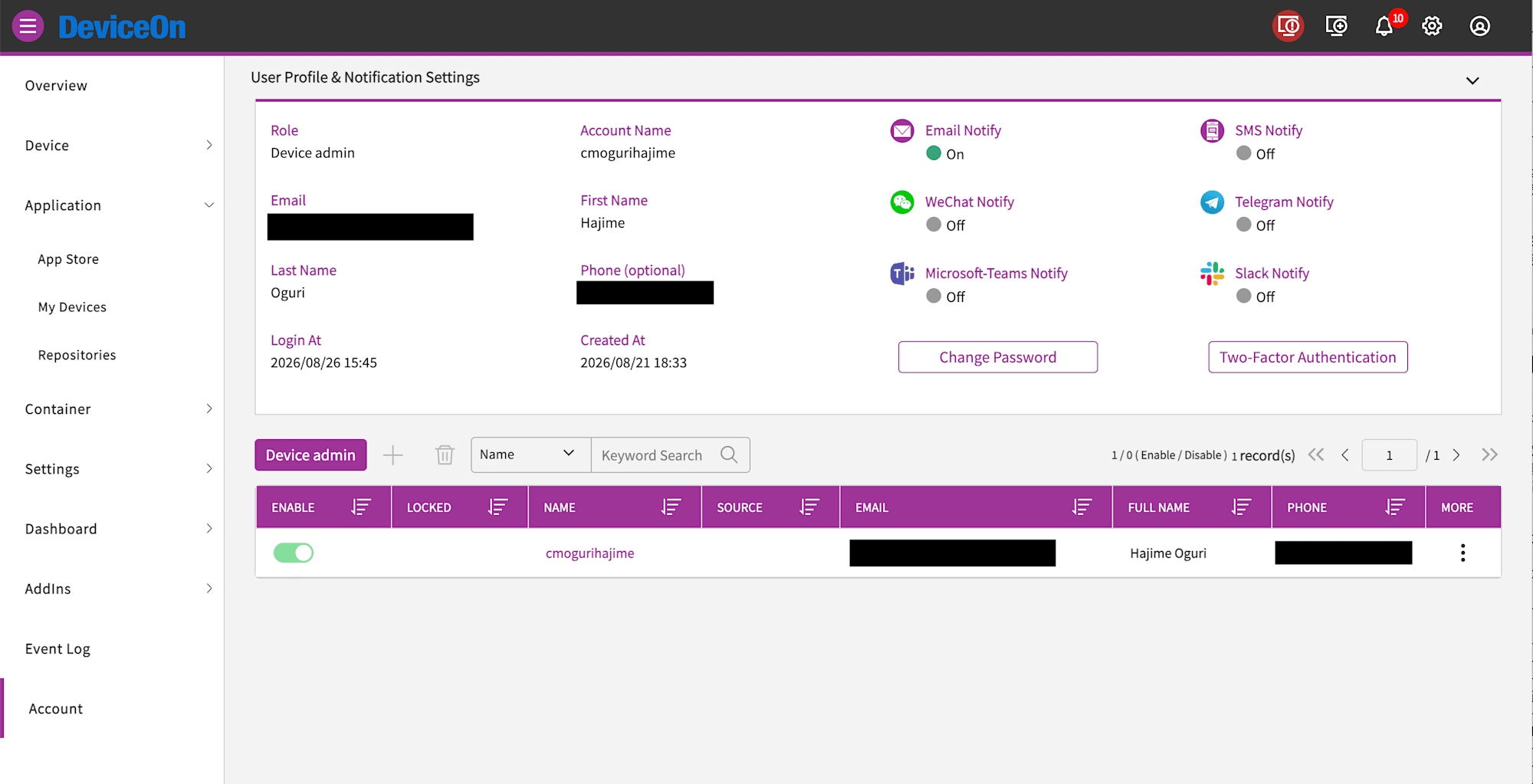
Notifications natively support Email, SMS, WeChat, Telegram, Microsoft Teams, and Slack.
Conclusion
Using DeviceOn, you can handle status monitoring, remote desktop, power operations, and OTA updates all from a single console for devices in environments where there are no on-site IT staff, such as factories, stores, and digital signage. In particular, the combination of remote desktop that works with outbound communication only and out-of-band management that works even when the OS is hung can significantly reduce the need for on-site response. If you are deploying edge devices like the UBX-110K across multiple locations, it seems best to use machines with options like Wake-on-LAN and incorporate the agent from the kitting stage.