
I gave a presentation at DevelopersIO 2025 Osaka titled "Let's Try Amazon Bedrock Agent Core! ~Explaining Key Points of Various Features~"! #devio2025

This page has been translated by machine translation. View original
Hello, I'm Kanno from the Consulting Department!
I presented at DevelopersIO 2025 Osaka held on Wednesday, September 3, 2025, with a talk titled "Let's Try Amazon Bedrock AgentCore! ~Explaining the Key Points of Various Features~"!
In this presentation, I introduced the attractive features of Amazon Bedrock AgentCore, which was released as a public preview in July 2025, based on my hands-on experience.
I'm grateful that quite a number of people attended, and though I was nervous, I hope I was able to convey the appeal of AgentCore!
Presentation Materials
Due to my enthusiasm, I ended up creating 81 slides for a 20-minute presentation.

Key Points of the Presentation
What is Amazon Bedrock AgentCore?
Amazon Bedrock AgentCore is a managed service optimized for deploying and operating AI agents.
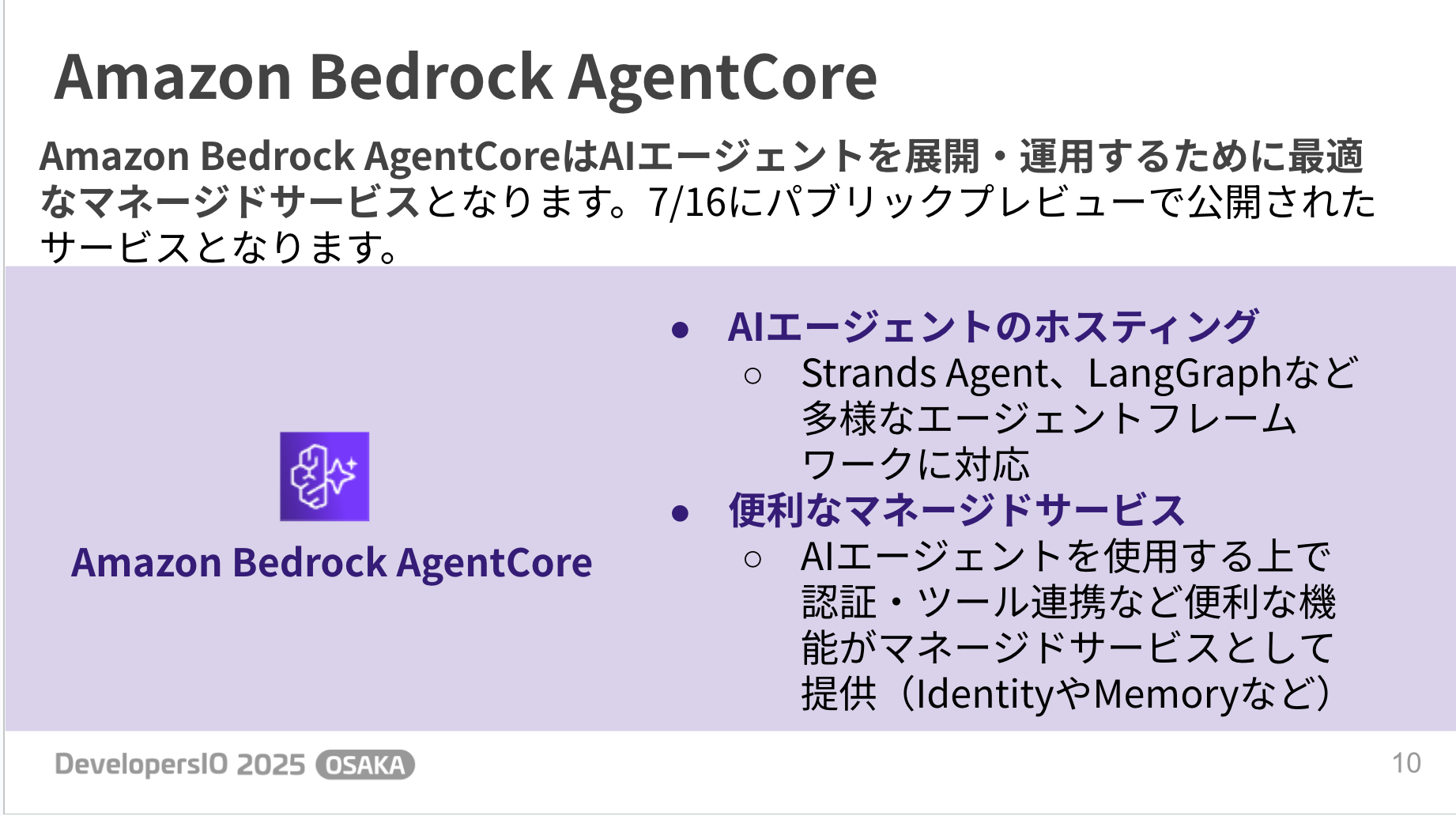
There are various managed functions available, and here are the types of features:
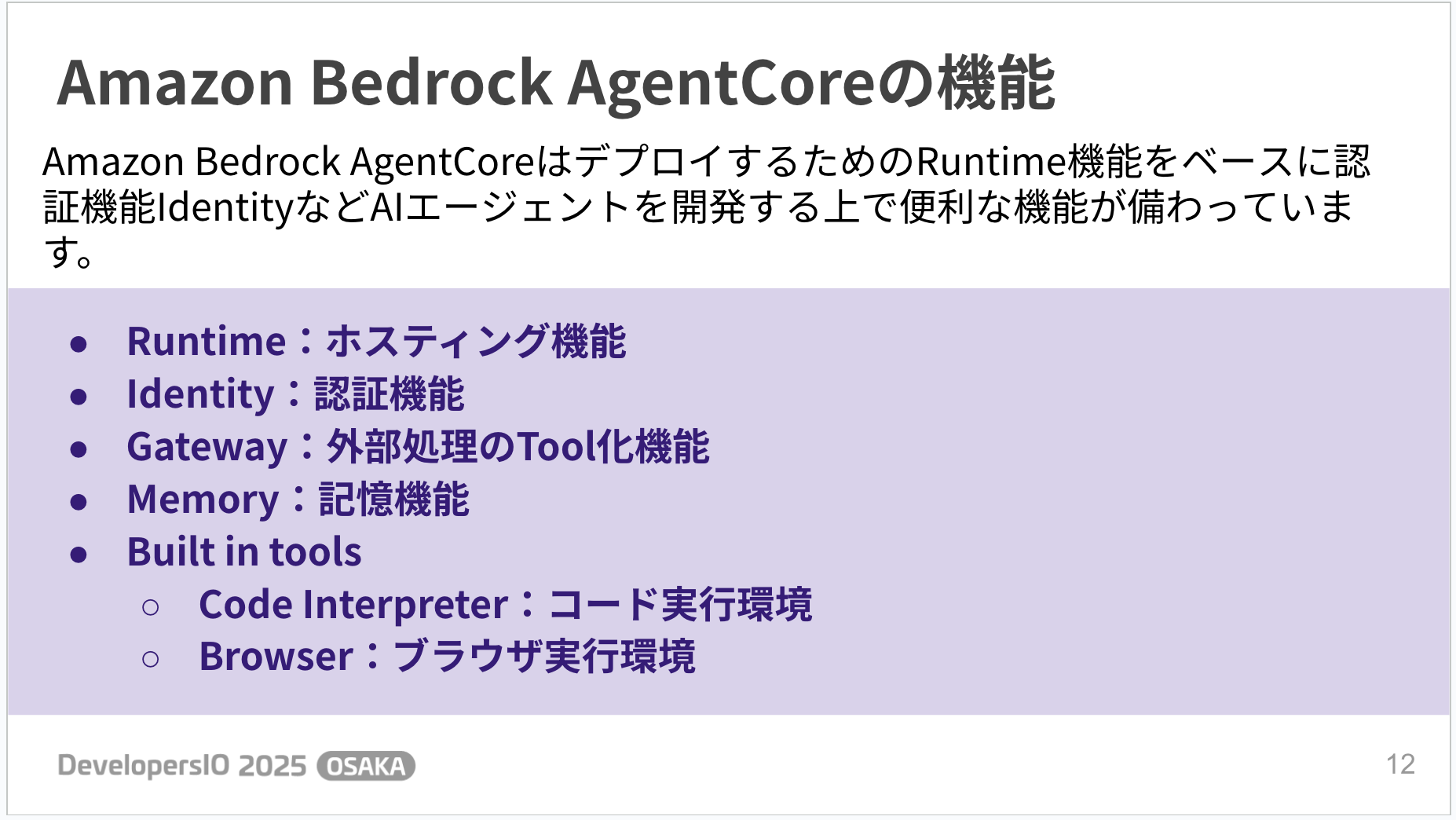
- Runtime
- Hosting functionality
- Identity
- Authentication functionality
- Gateway
- Tool integration for external processes
- Memory
- Memory functionality
- Built in tools
- Code Interpreter: Code execution environment
- Browser: Browser execution environment
It's packed with features! Here's a rough overview of how these features can be connected:
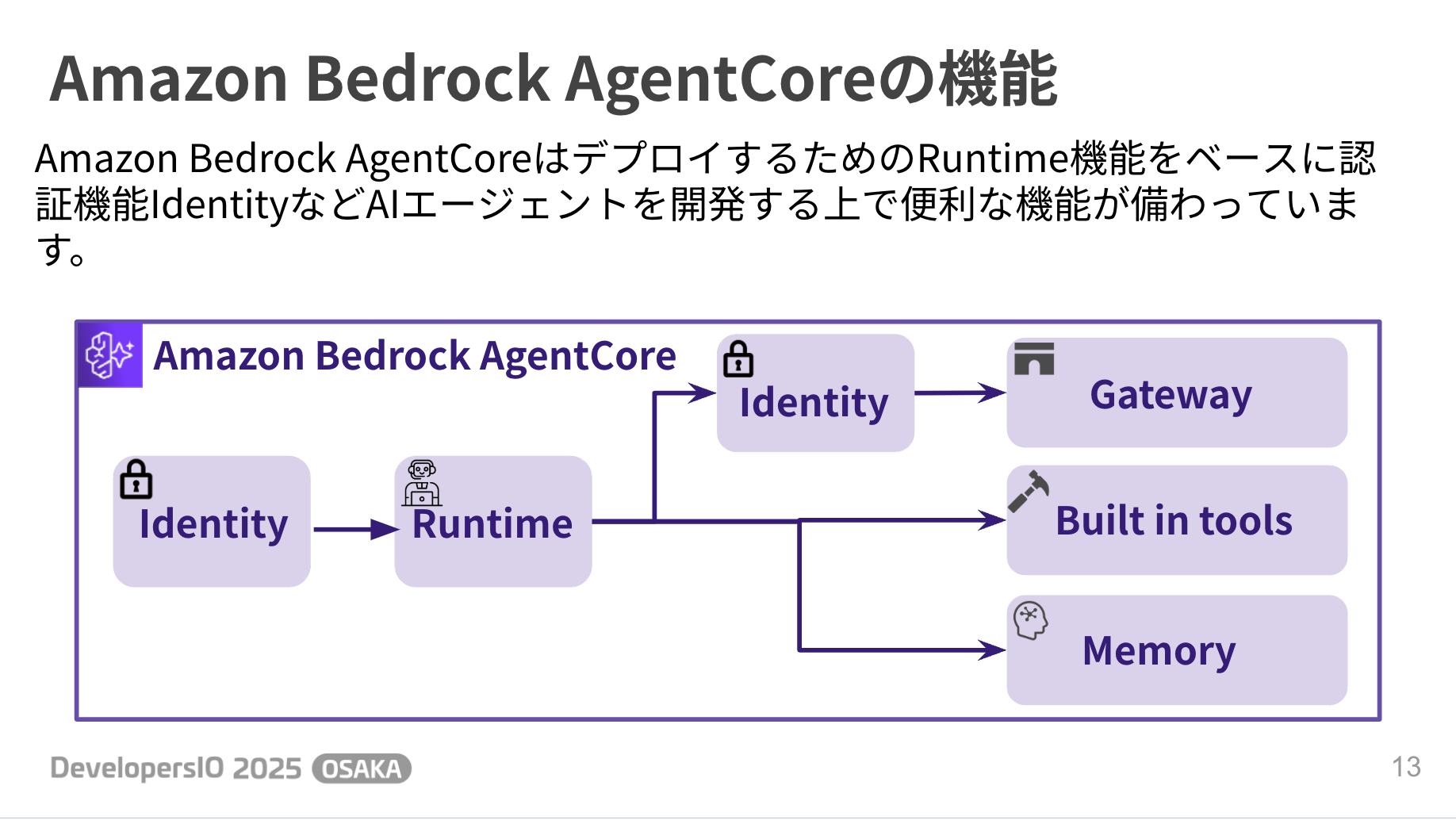
Let's examine each service one by one.
Runtime
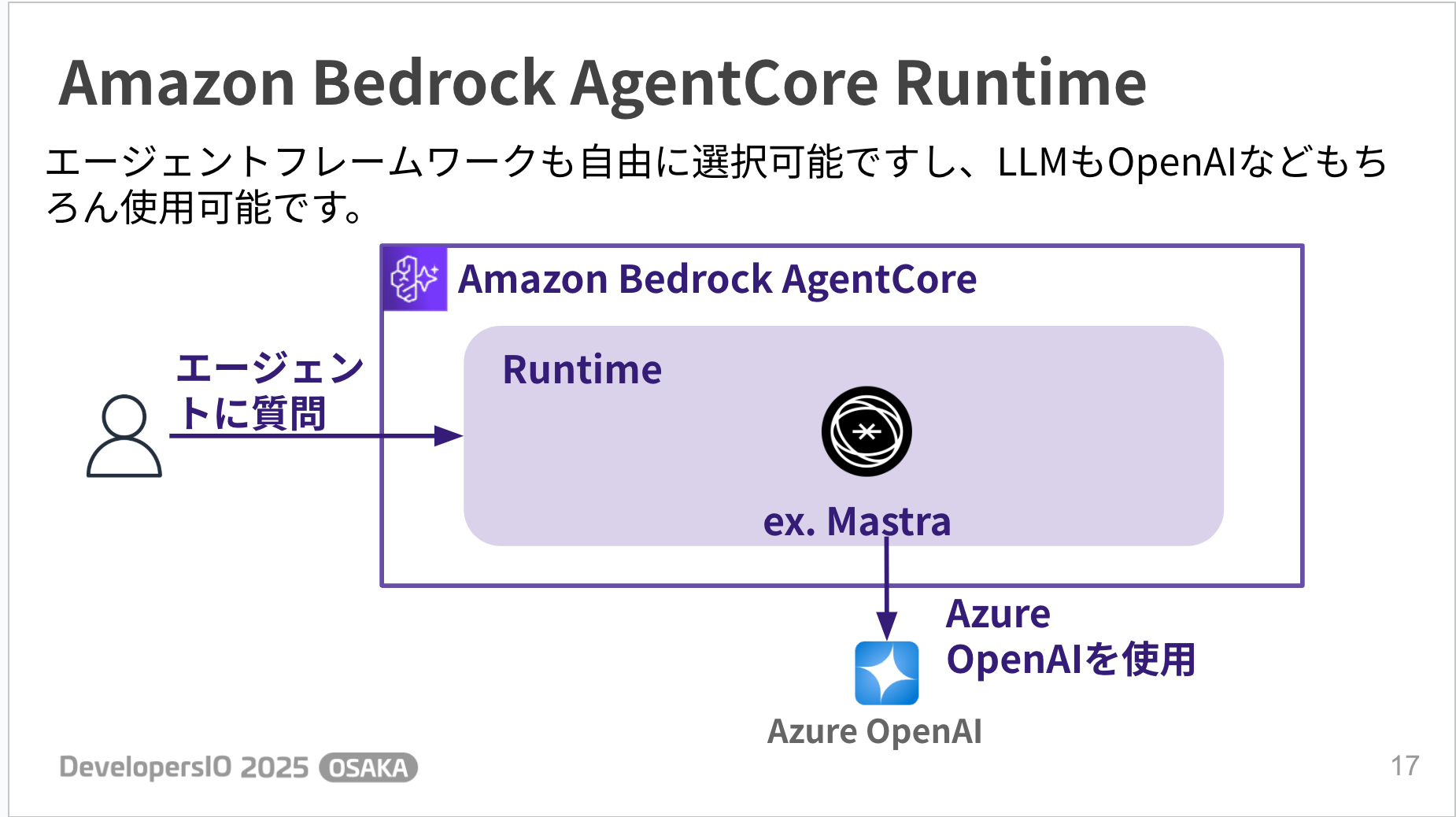
Runtime is a managed service for hosting AI agents.
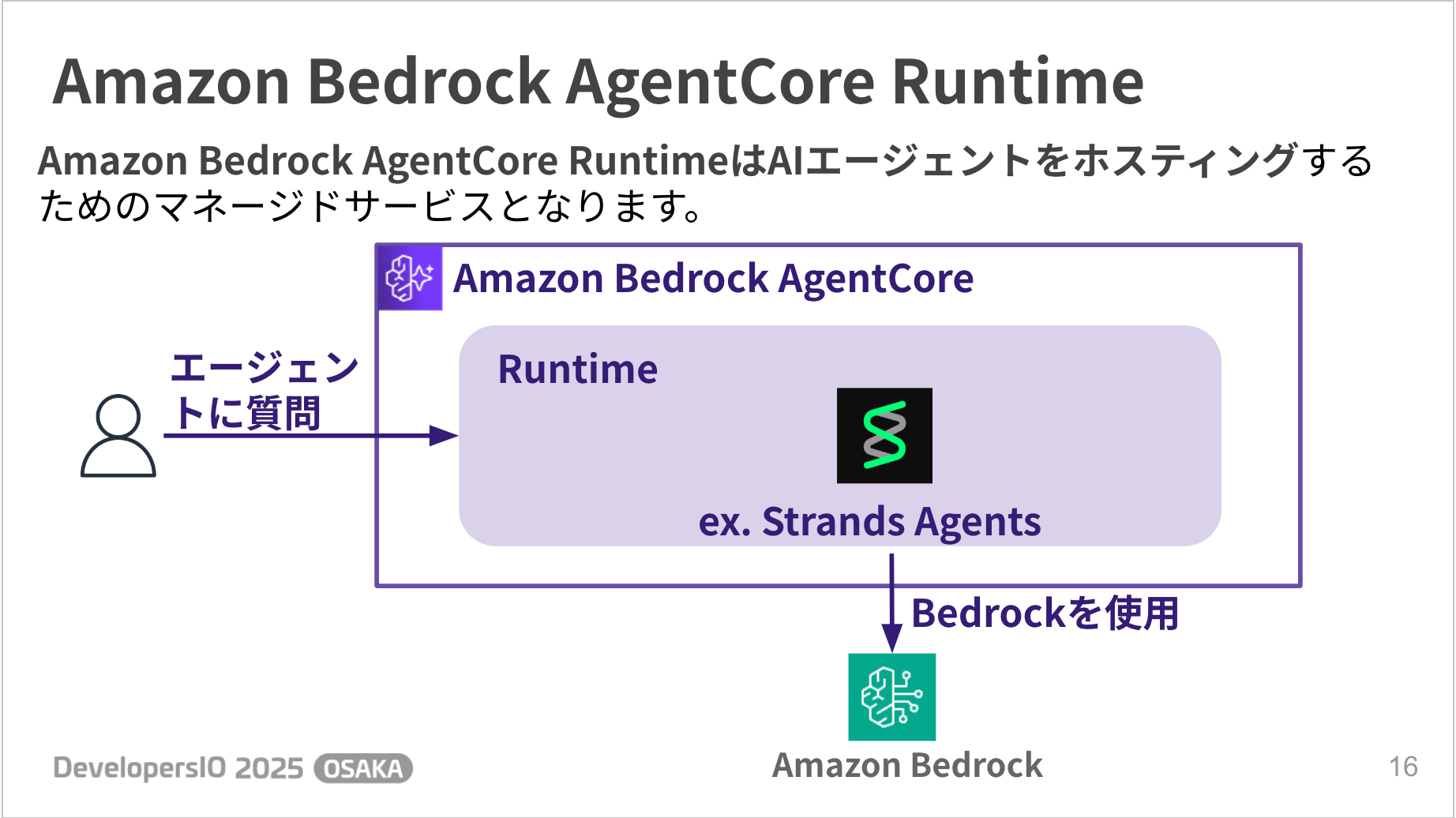
As a hosting environment, you can freely choose your agent framework and LLM as shown below.
It's nice not to be locked into a specific vendor.
Deployment
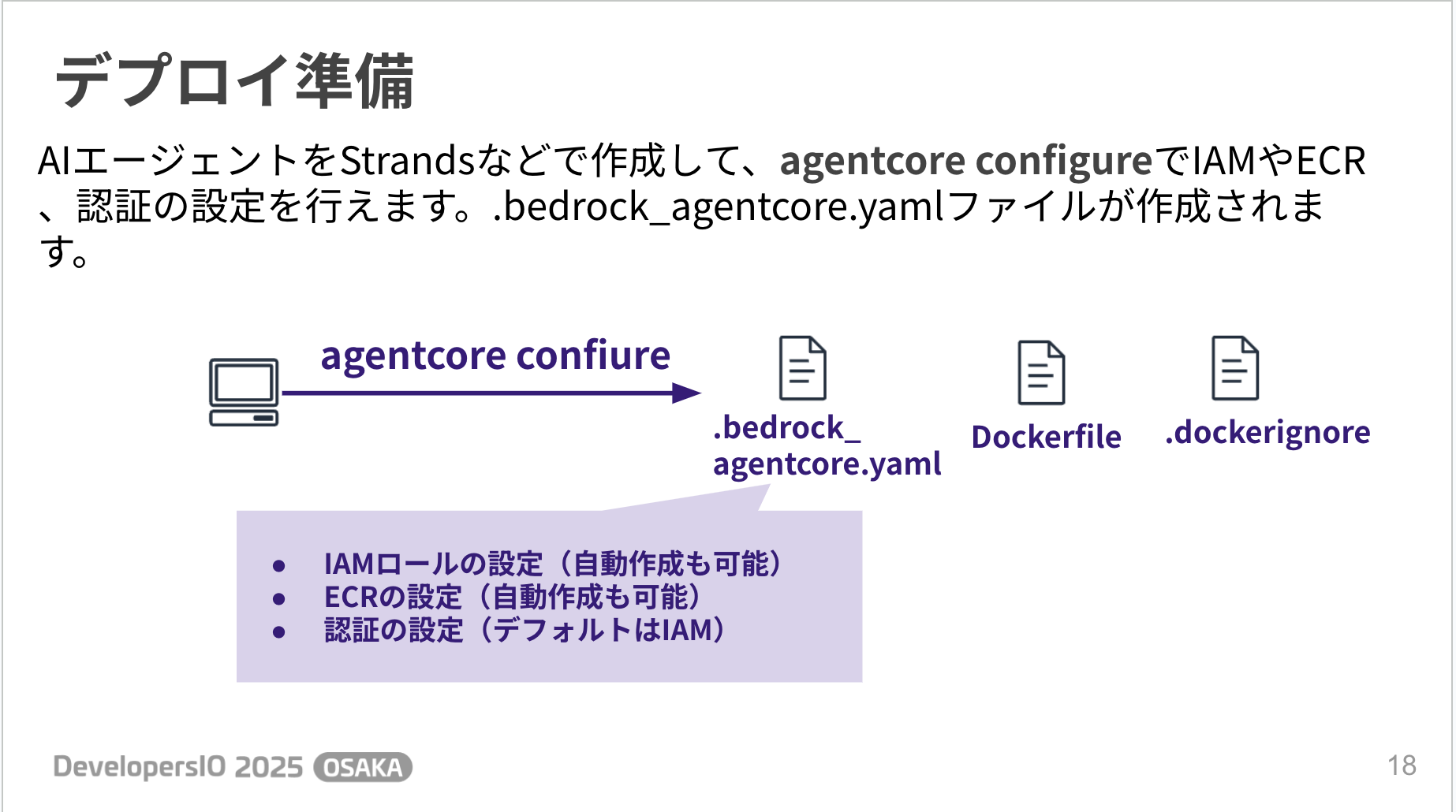
Running the agentcore configure command will prompt you for IAM and ECR configuration settings, with the option for automatic creation. That's convenient!
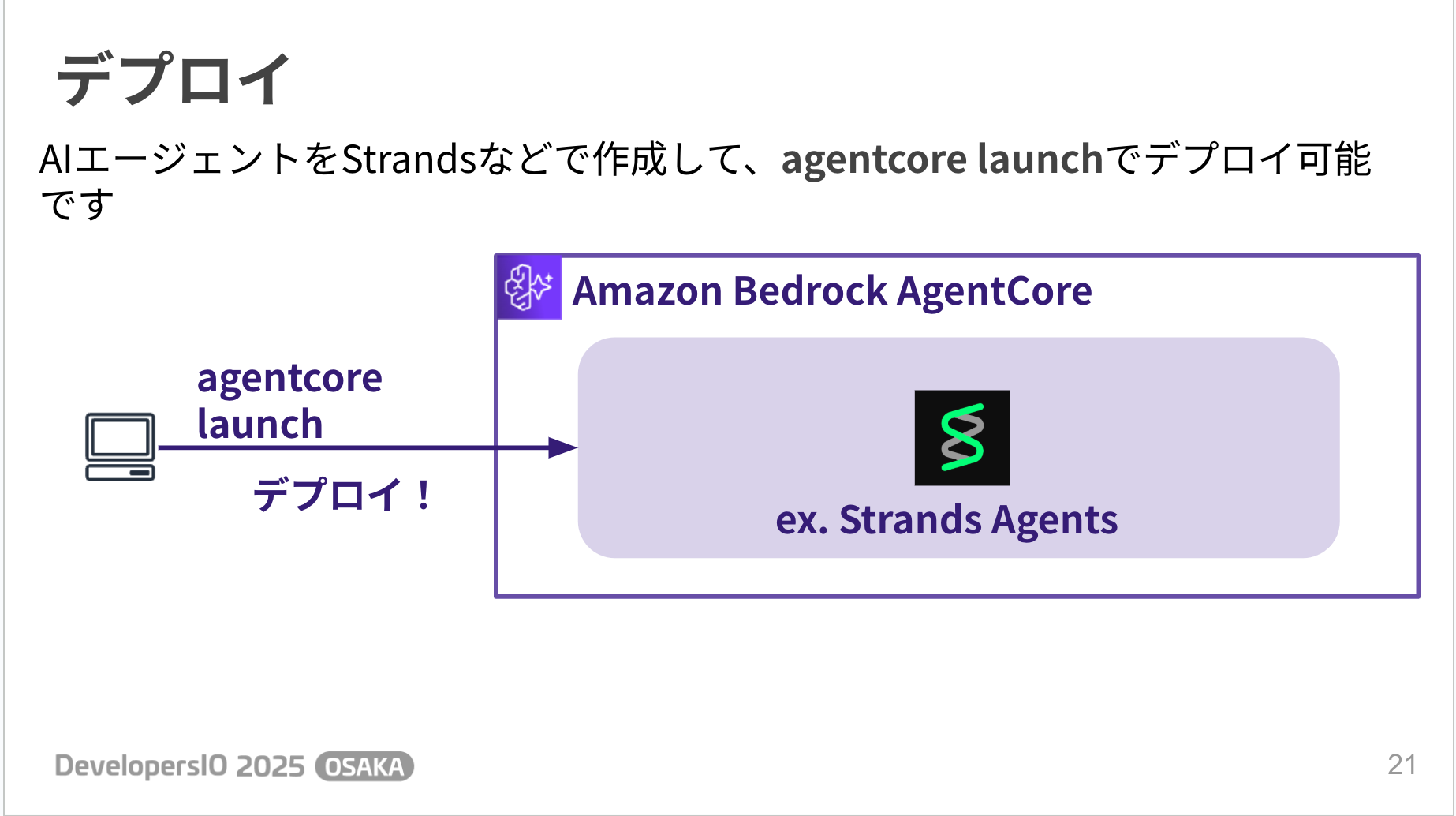
After running the agentcore configure command, you can deploy with agentcore launch. Simple!
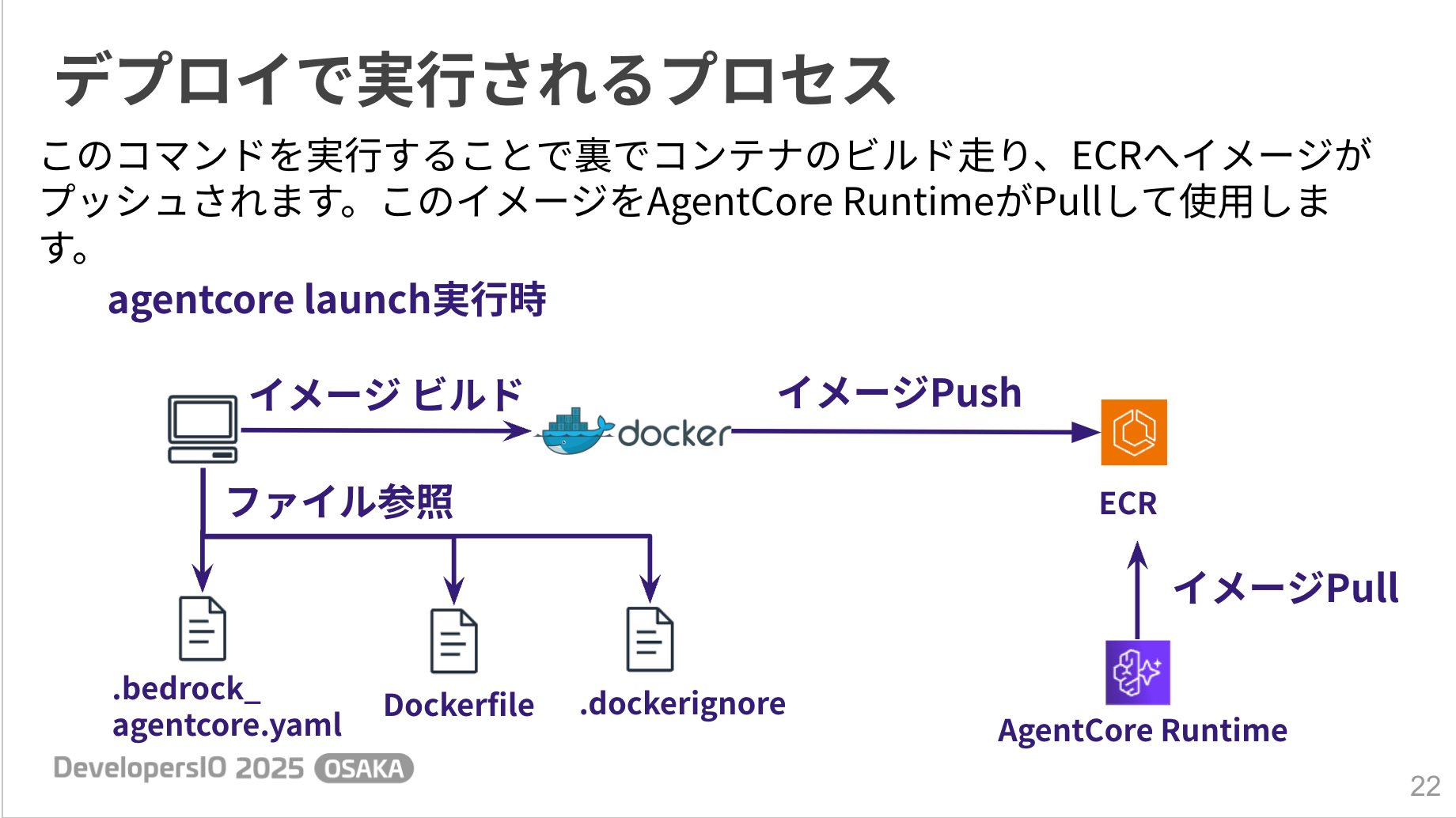
Let's also look at how the deployment process works.
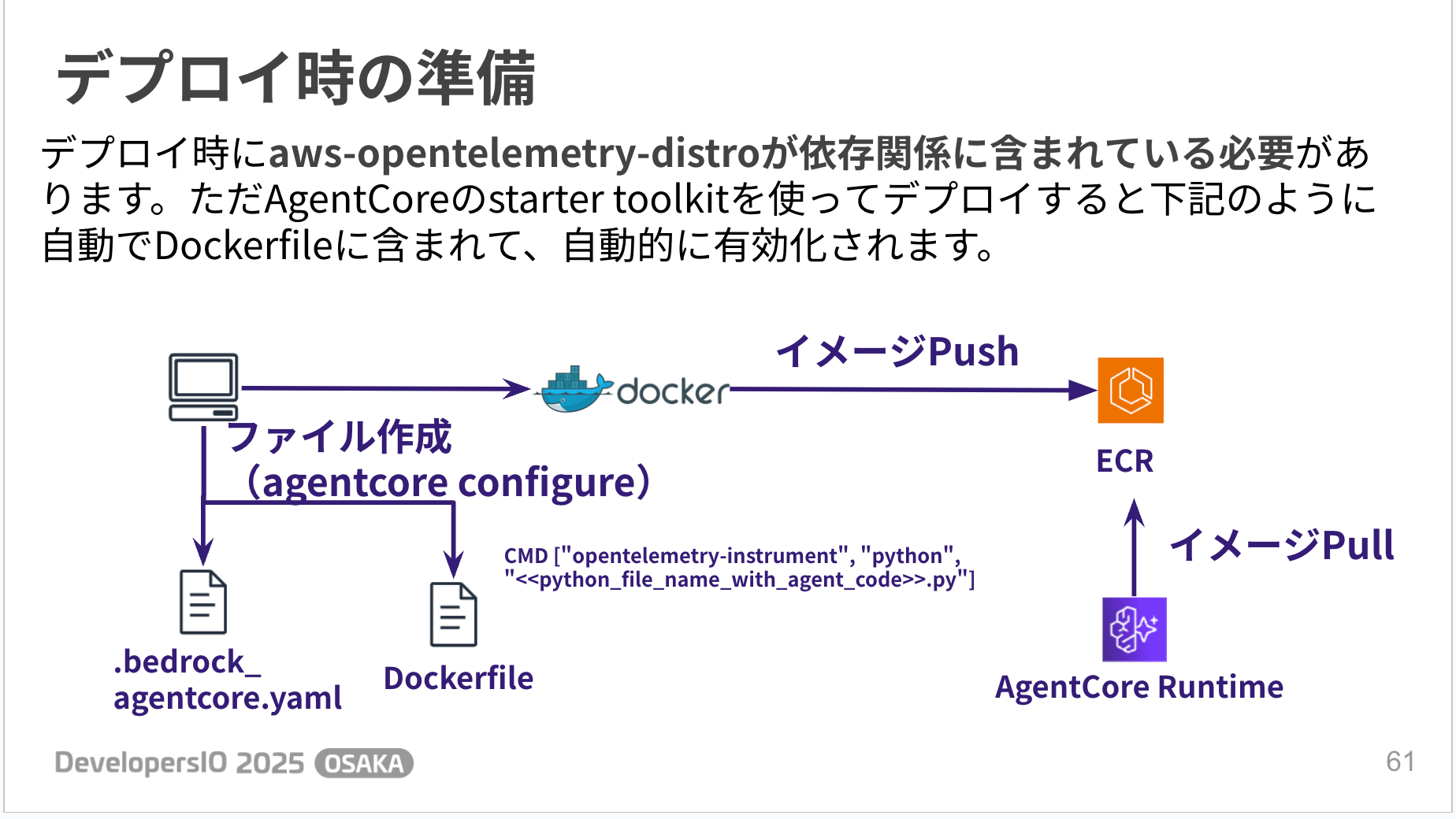
The files created by the configure command are used to build a container image, push it to ECR, and then AgentCore Runtime pulls that image.
Invocation is also simple - you can call the created agent using agentcore invoke.
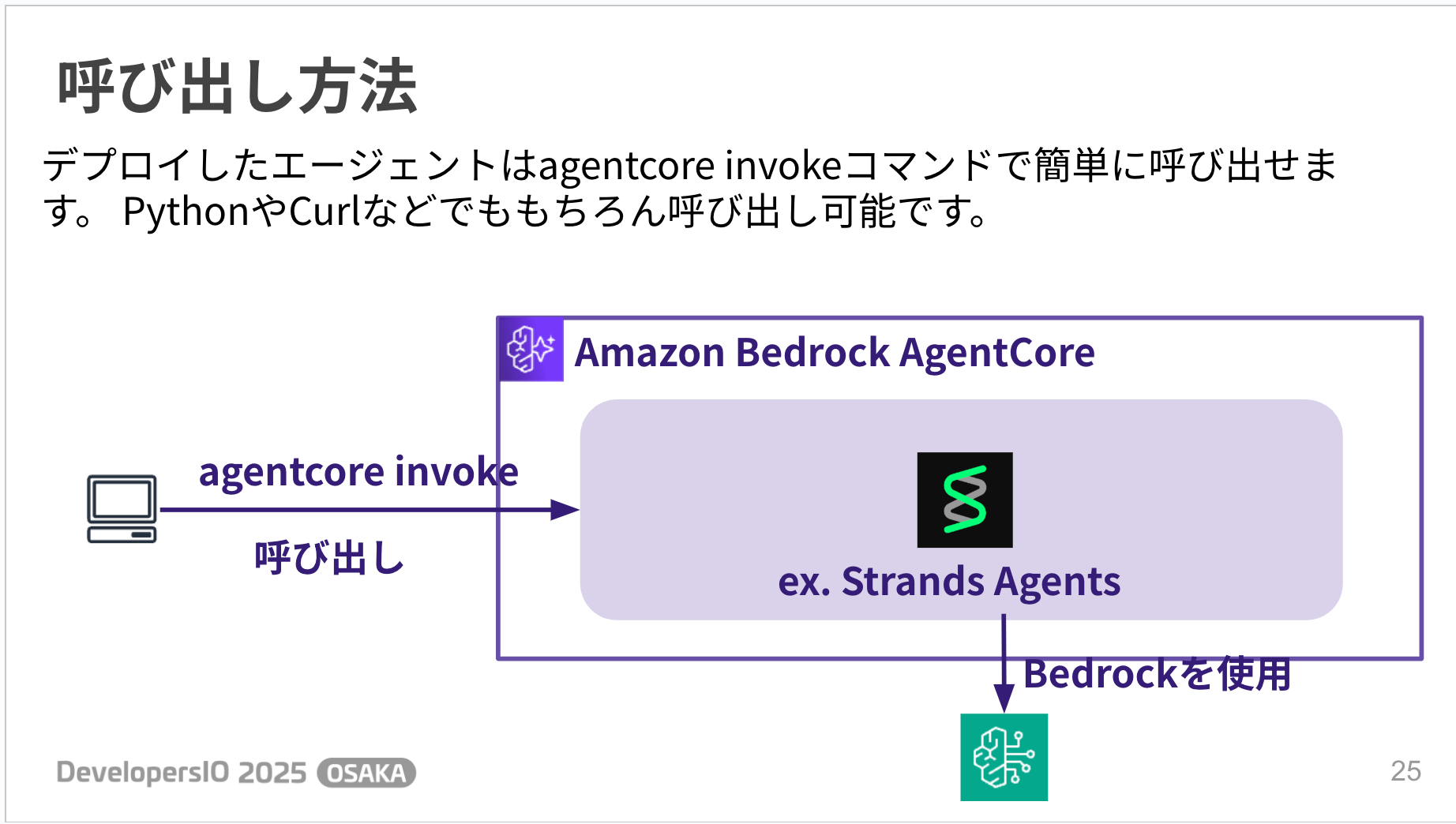
When invoked, results are returned as shown below. You can see the AI agent's message in the response field!
agentcore invoke '{"prompt": "Hello"}'
Payload:
{
  "prompt": "Hello"
}
Invoking BedrockAgentCore agent 'agent' via cloud endpoint
Session ID: c4dbea7b-7c51-471c-b631-330f991d5893

Response:
{
  "ResponseMetadata": {
    "RequestId": "c796b751-caf4-4d44-a450-dbde138546dd",
    "HTTPStatusCode": 200,
    "HTTPHeaders": {
      "date": "Fri, 05 Sep 2025 22:47:24 GMT",
      "content-type": "application/json",
      "transfer-encoding": "chunked",
      "connection": "keep-alive",
      "x-amzn-requestid": "c796b751-caf4-4d44-a450-dbde138546dd",
      "baggage":
"Self=1-68bb6874-5e56d29a3edd9d1103a57630,session.id=c4dbea7b-7c51-471c-b631-330f991d5893",
      "x-amzn-bedrock-agentcore-runtime-session-id": "c4dbea7b-7c51-471c-b631-330f991d5893",
      "x-amzn-trace-id":
"Root=1-68bb6874-56784cc51d5370ab108fd780;Self=1-68bb6874-5e56d29a3edd9d1103a57630"
    },
    "RetryAttempts": 0
  },
  "runtimeSessionId": "c4dbea7b-7c51-471c-b631-330f991d5893",
  "traceId":
"Root=1-68bb6874-56784cc51d5370ab108fd780;Self=1-68bb6874-5e56d29a3edd9d1103a57630",
  "baggage":
"Self=1-68bb6874-5e56d29a3edd9d1103a57630,session.id=c4dbea7b-7c51-471c-b631-330f991d5893",
  "contentType": "application/json",
  "statusCode": 200,
  "response": [
    "b'{\"role\": \"assistant\", \"content\": [{\"text\": \"Hi there! How are you doing today?
Is there anything I can help you with?\"}]}'"
  ]
}
Blog
For more details, please refer to the following blog post!
Identity
Identity is a managed service that provides authentication for AI agents. There are two types: Inbound Auth and Outbound Auth.
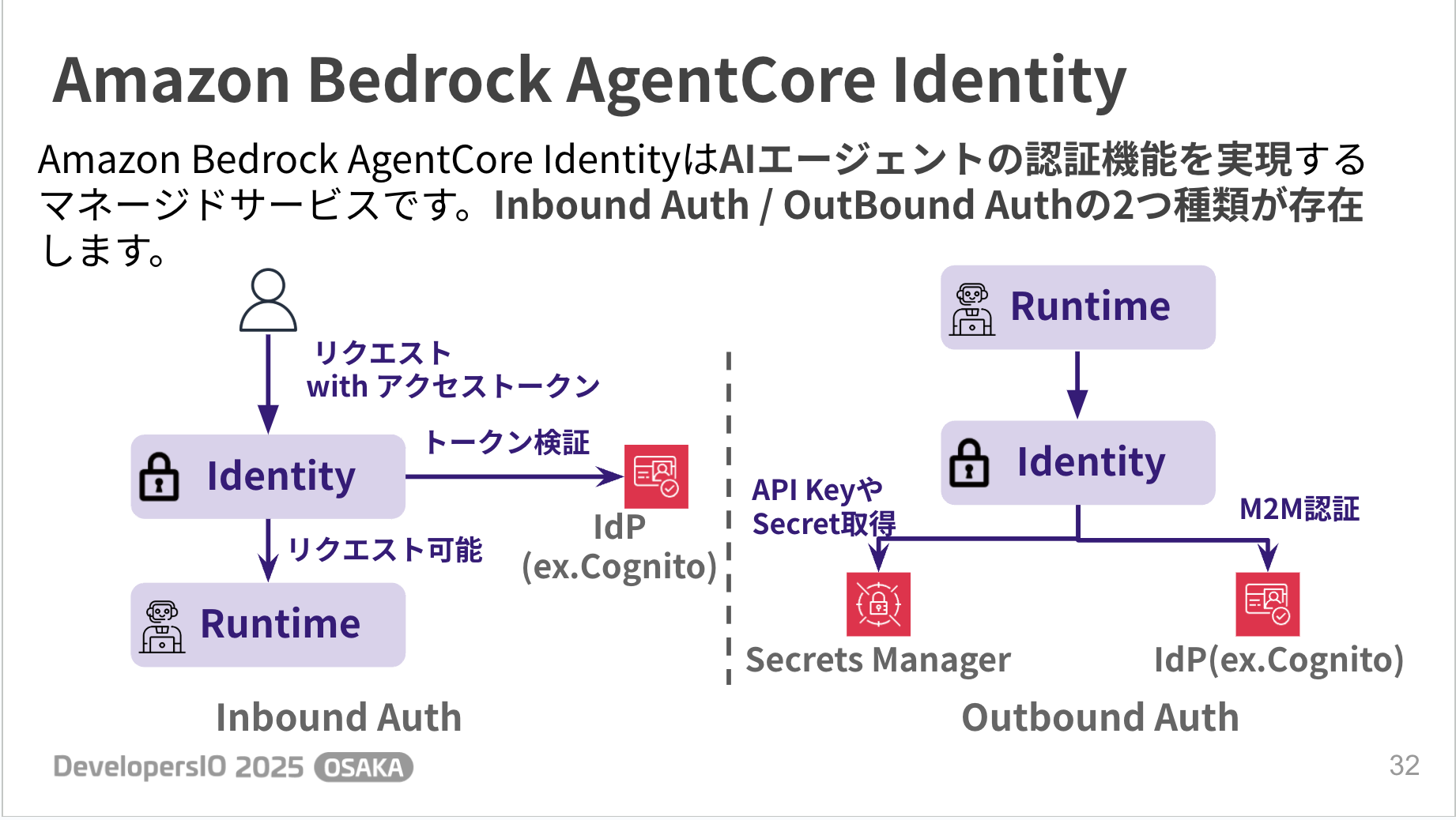
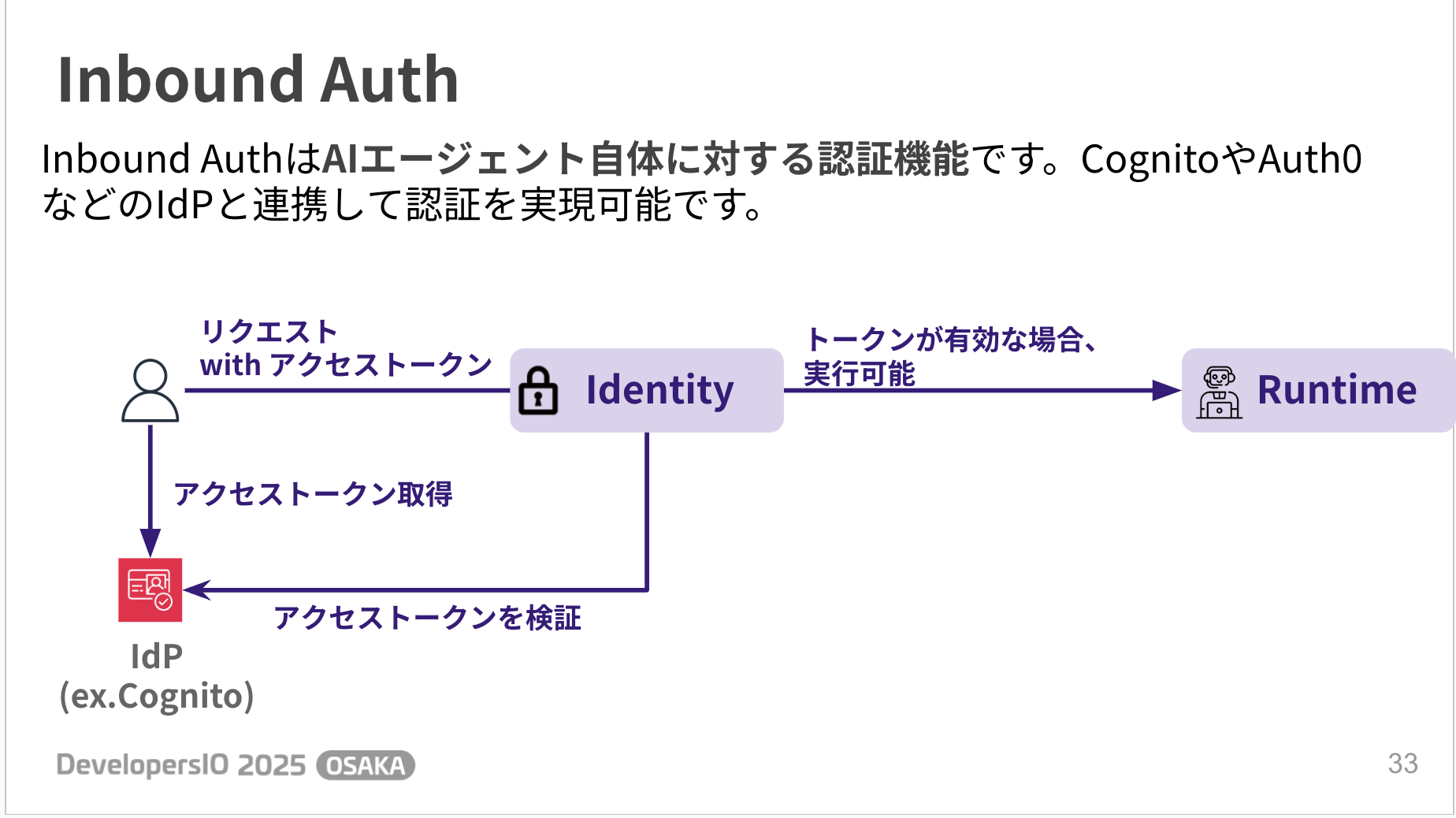
Inbound Auth is an authentication mechanism for the AI agent itself. It can implement authentication by integrating with IdPs such as Cognito.
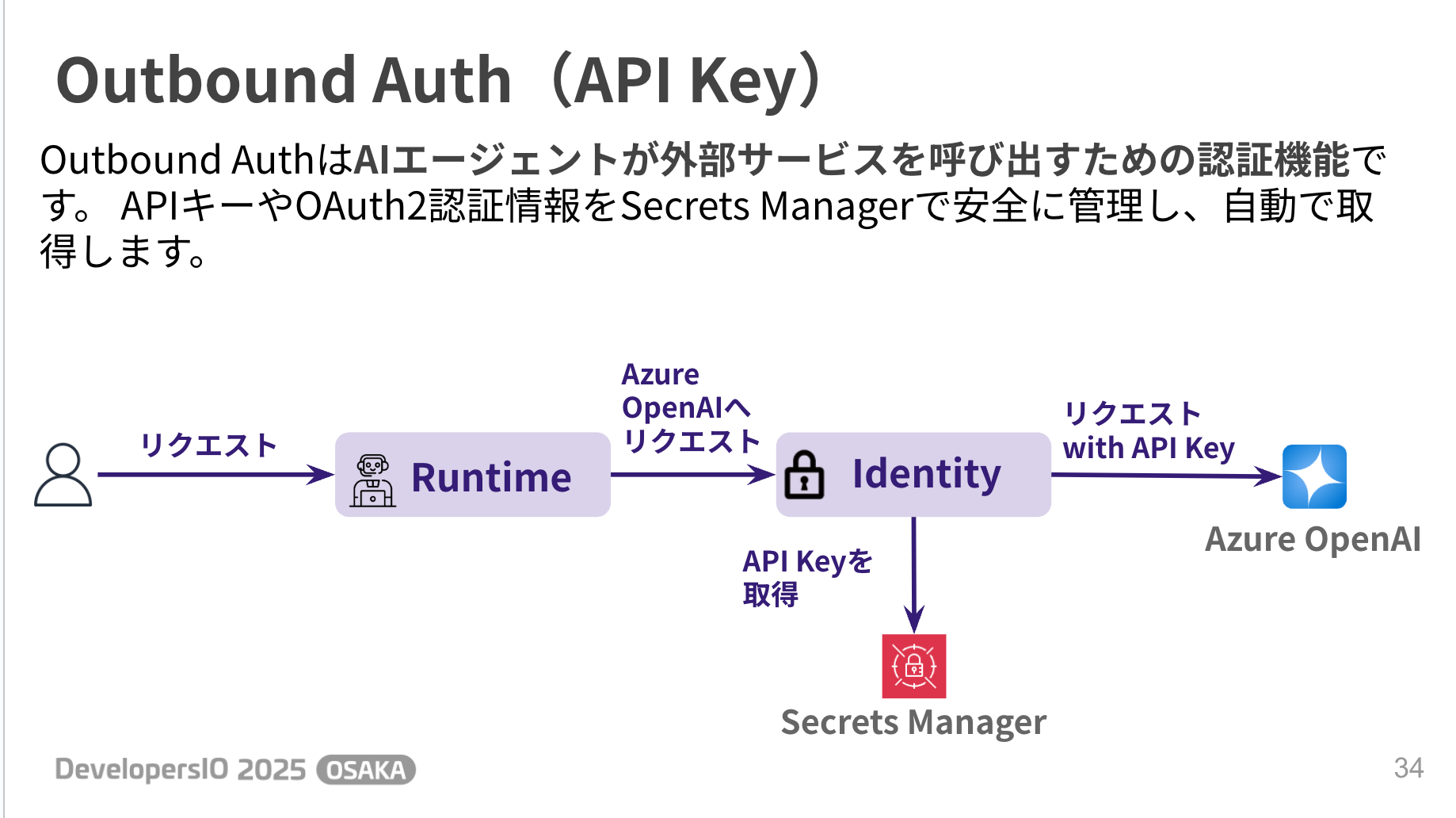
Outbound Auth is an authentication mechanism for AI agents to call external services. API keys and OAuth credentials are managed in a managed way and can be retrieved automatically.
For example, in the case of an API Key, it can be obtained through the flow shown below, and the retrieval logic can be implemented simply by adding a decorator, which is convenient.
@requires_api_key(
    provider_name="azure-openai-key"
)
async def need_api_key(*, api_key: str):
Blog
For more details, please refer to the following blog post!
Memory
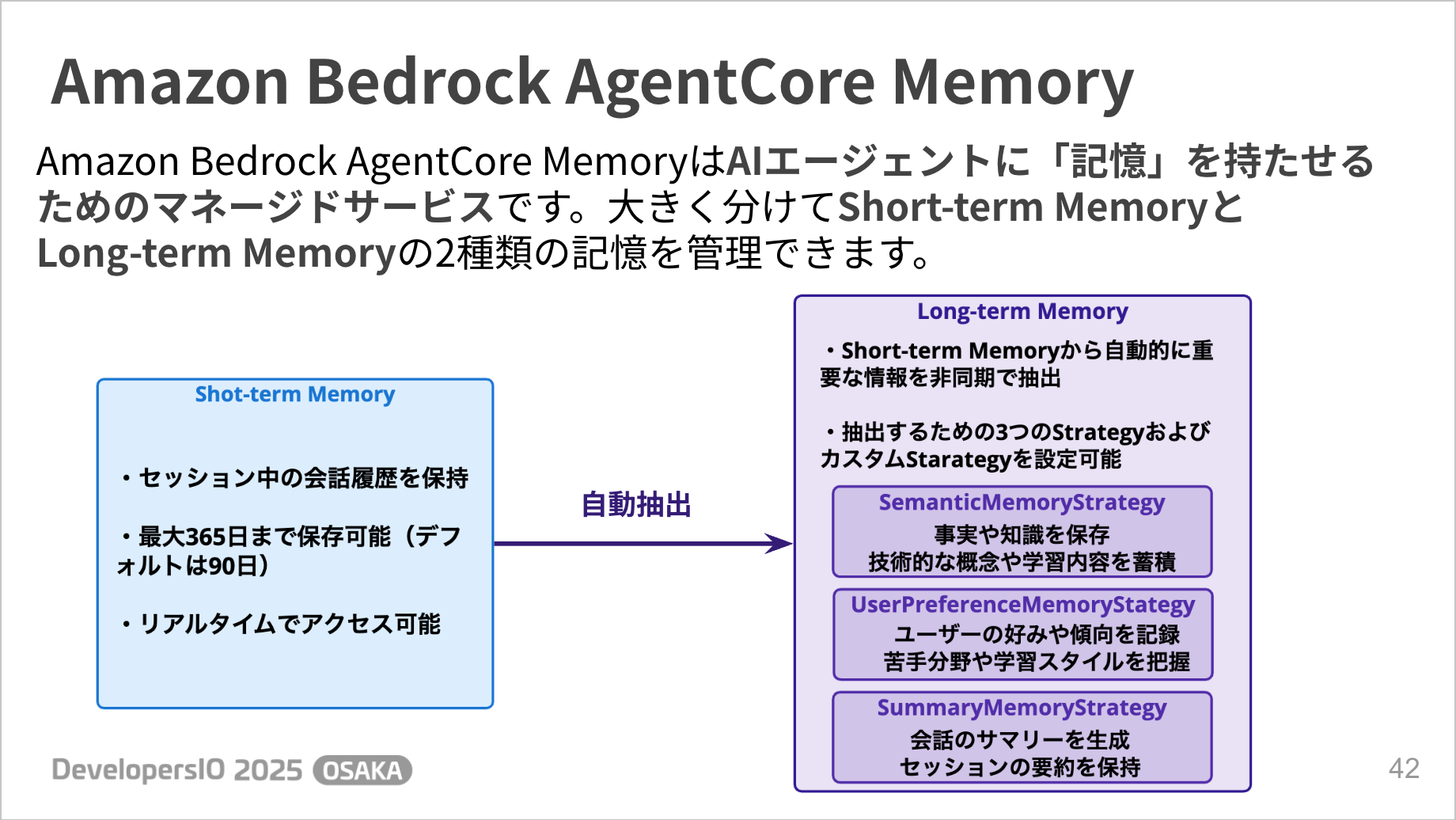
Memory is a managed service that gives AI agents "memory". There are two types of memory: Short-term Memory and Long-term Memory.
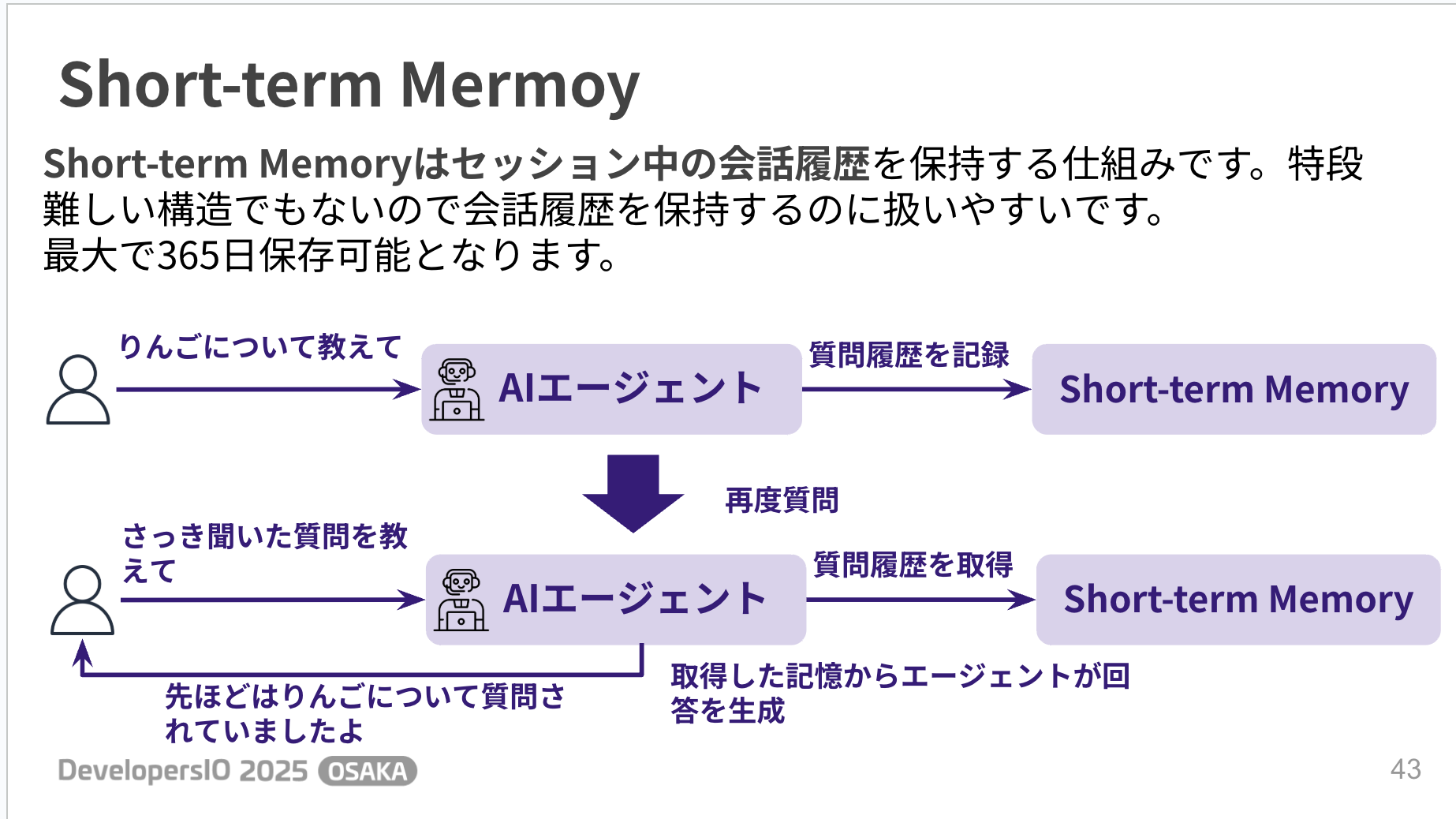
Short-term Memory is a mechanism that maintains conversation history during a session. It's great to have a managed service to keep conversation history. The logic for memory retention and retrieval is not too complicated to implement.
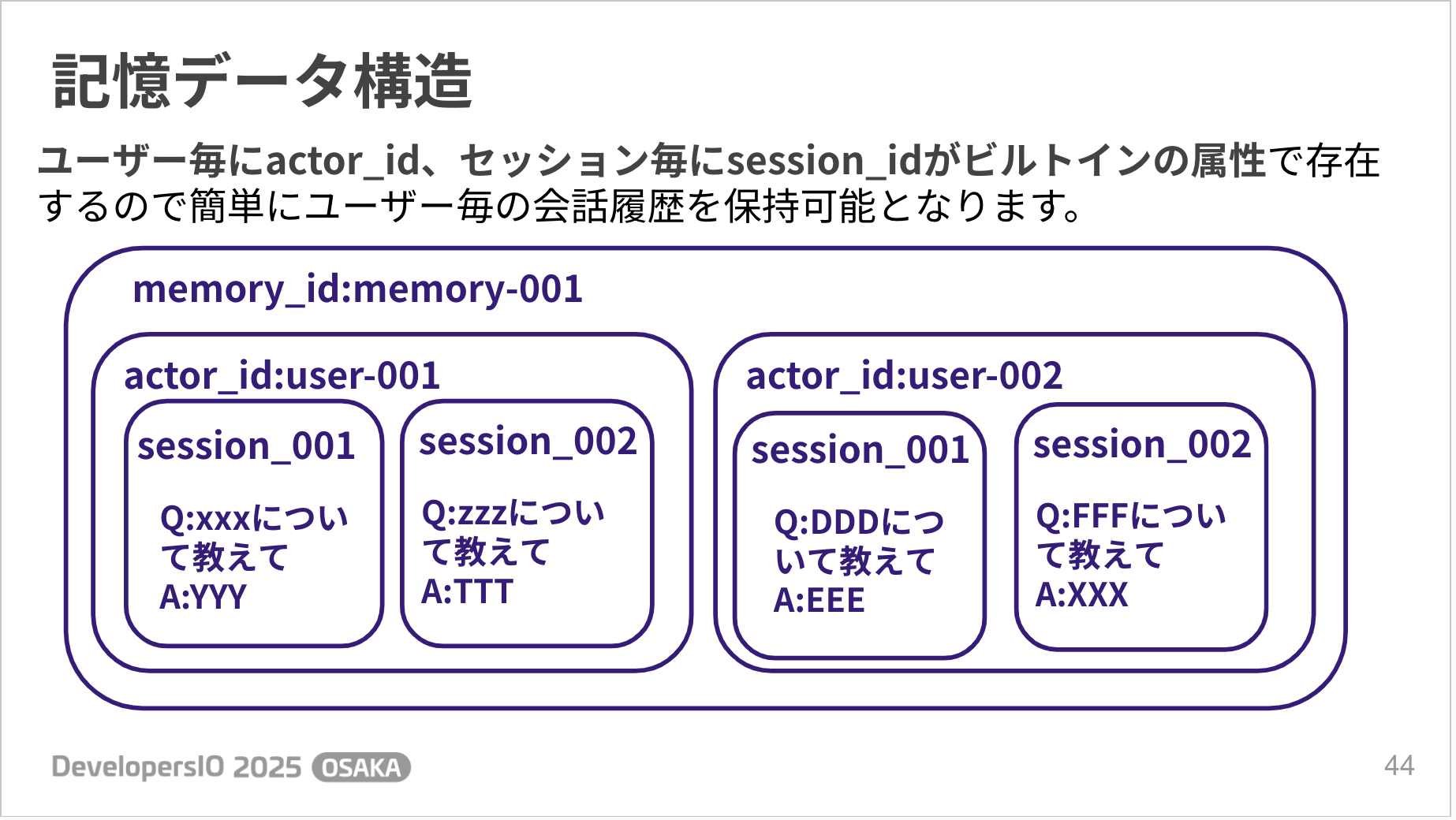
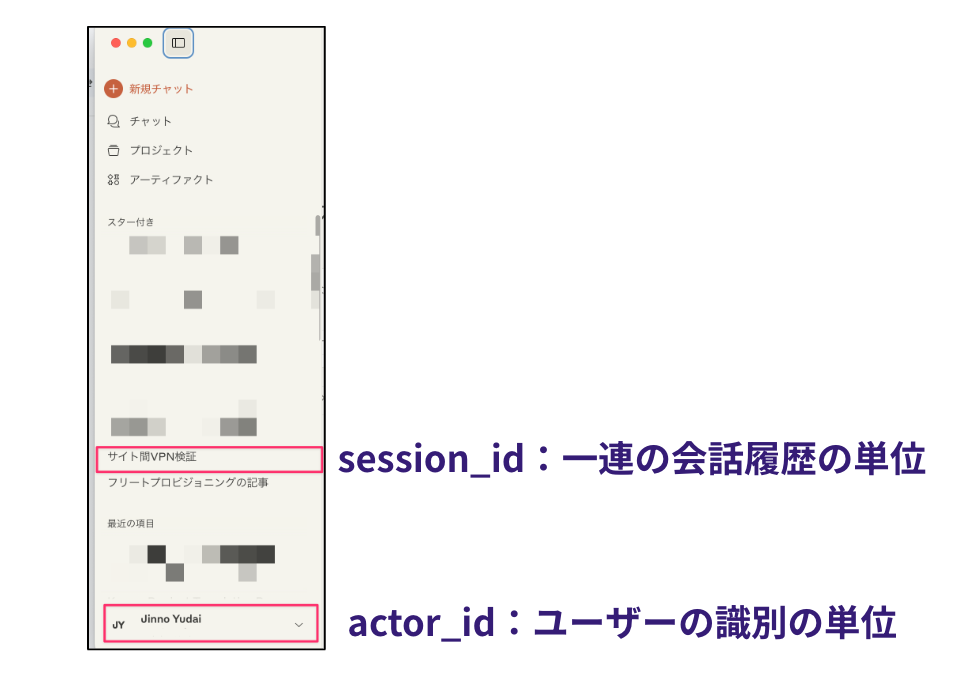
The data structure can be managed with built-in attributes such as actor_id for each user and session_id for each session, so you don't have to think about complicated things. The conversation history tabs in ChatGPT or Claude might be an easy way to imagine it.
On the other hand, Long-term Memory automatically extracts and integrates important information from Short-term Memory.
The extracted data is saved as vectors, allowing relevant memories to be extracted through semantic search.
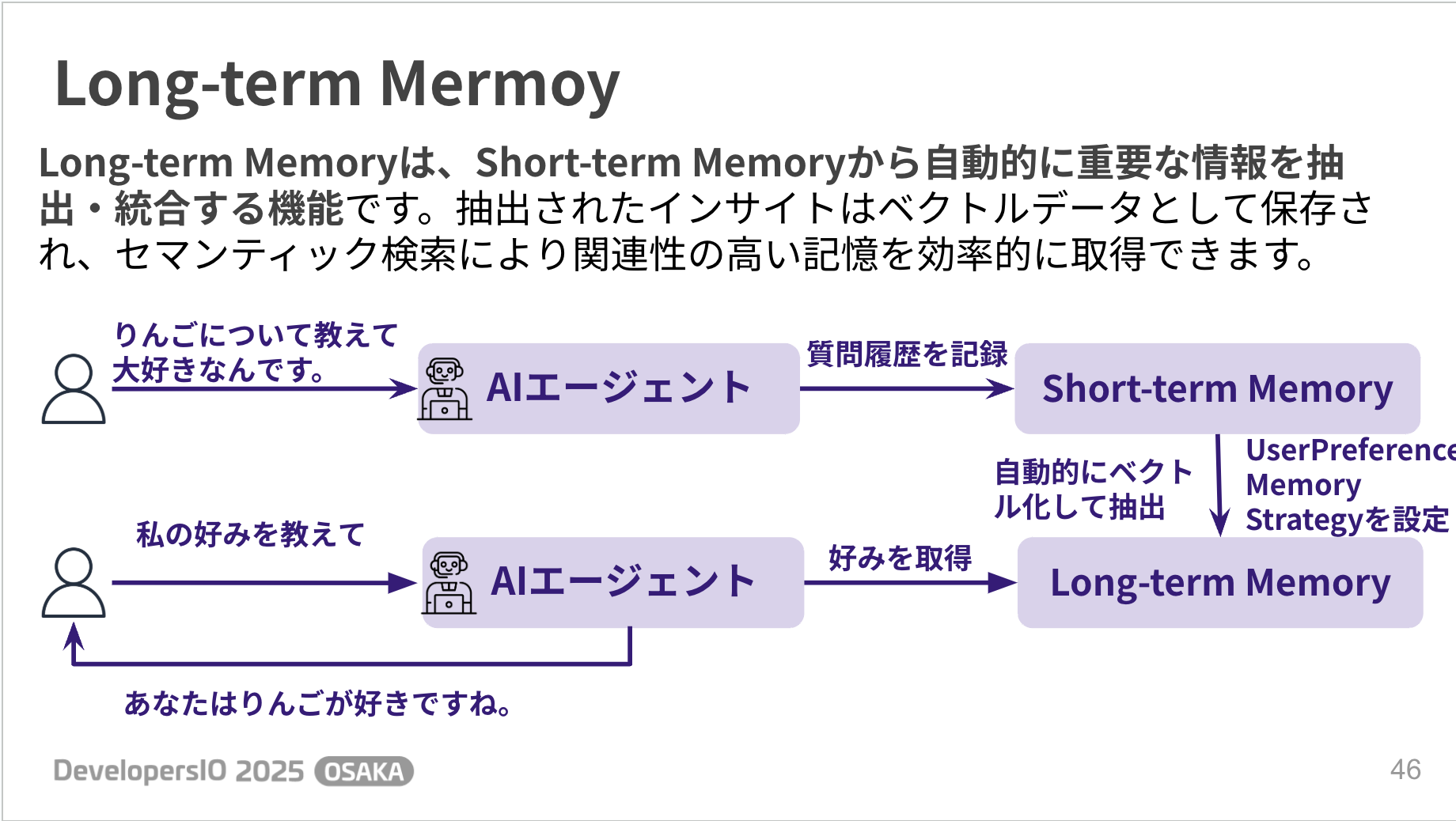
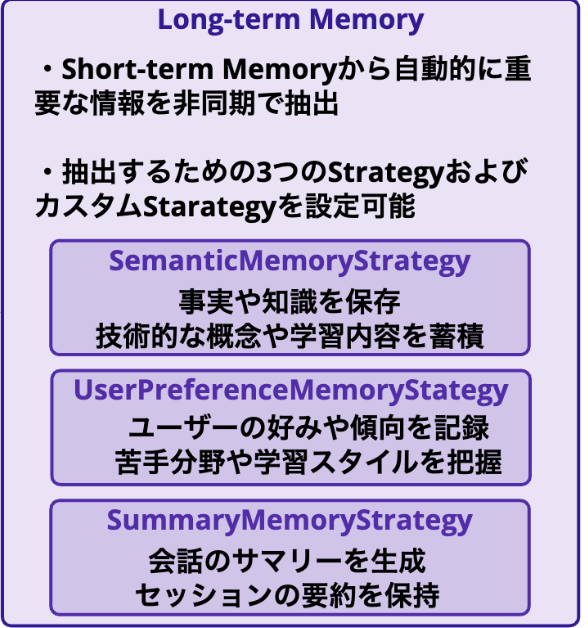
You might wonder how to configure the transition from Short-term Memory to Long-term Memory.
This is done by setting up a Strategy to enable extraction. There are three built-in Strategies. It's about considering which extraction to choose based on your use case.
Blog
For more details, please refer to the following blog post!
Gateway
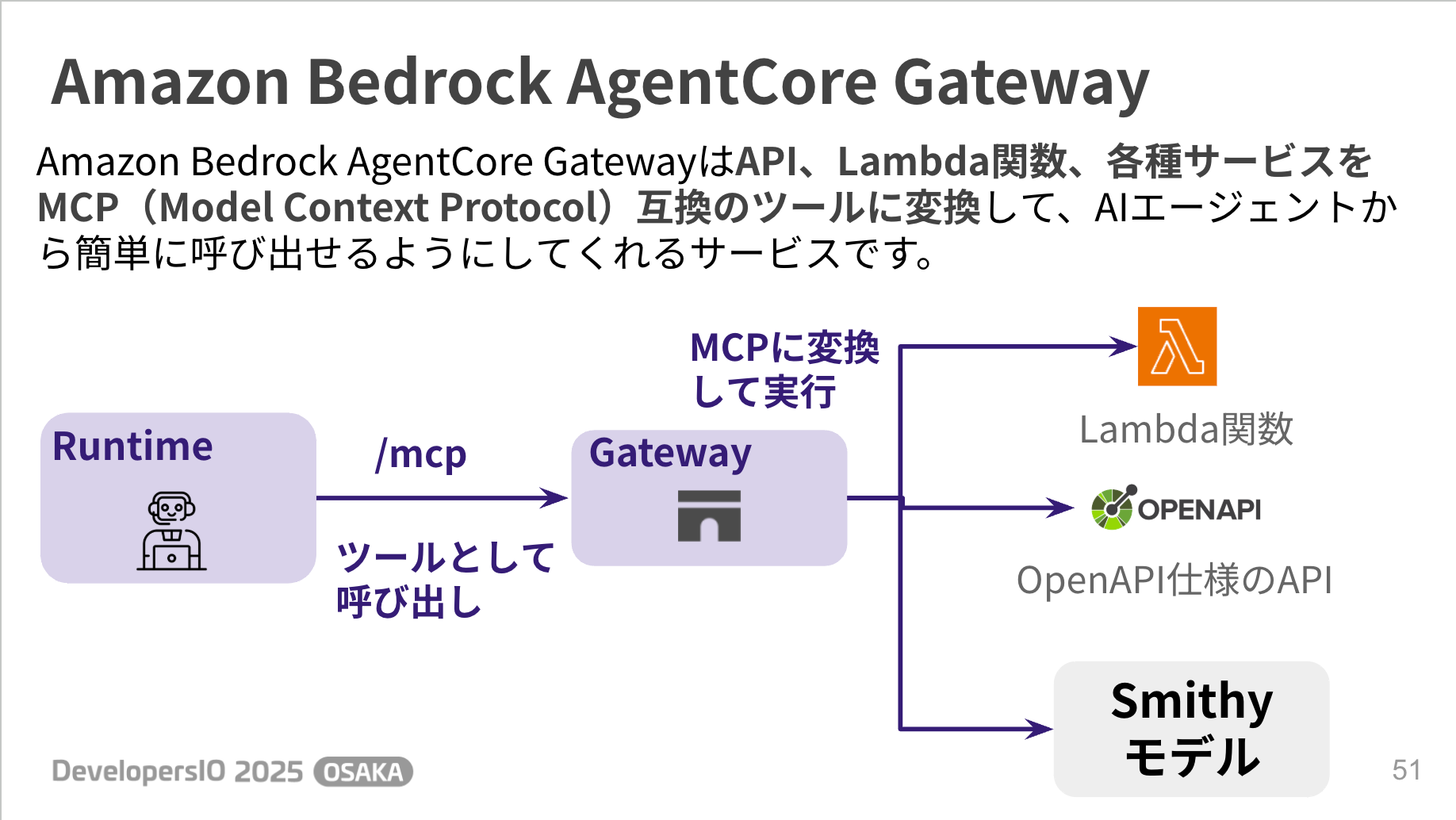
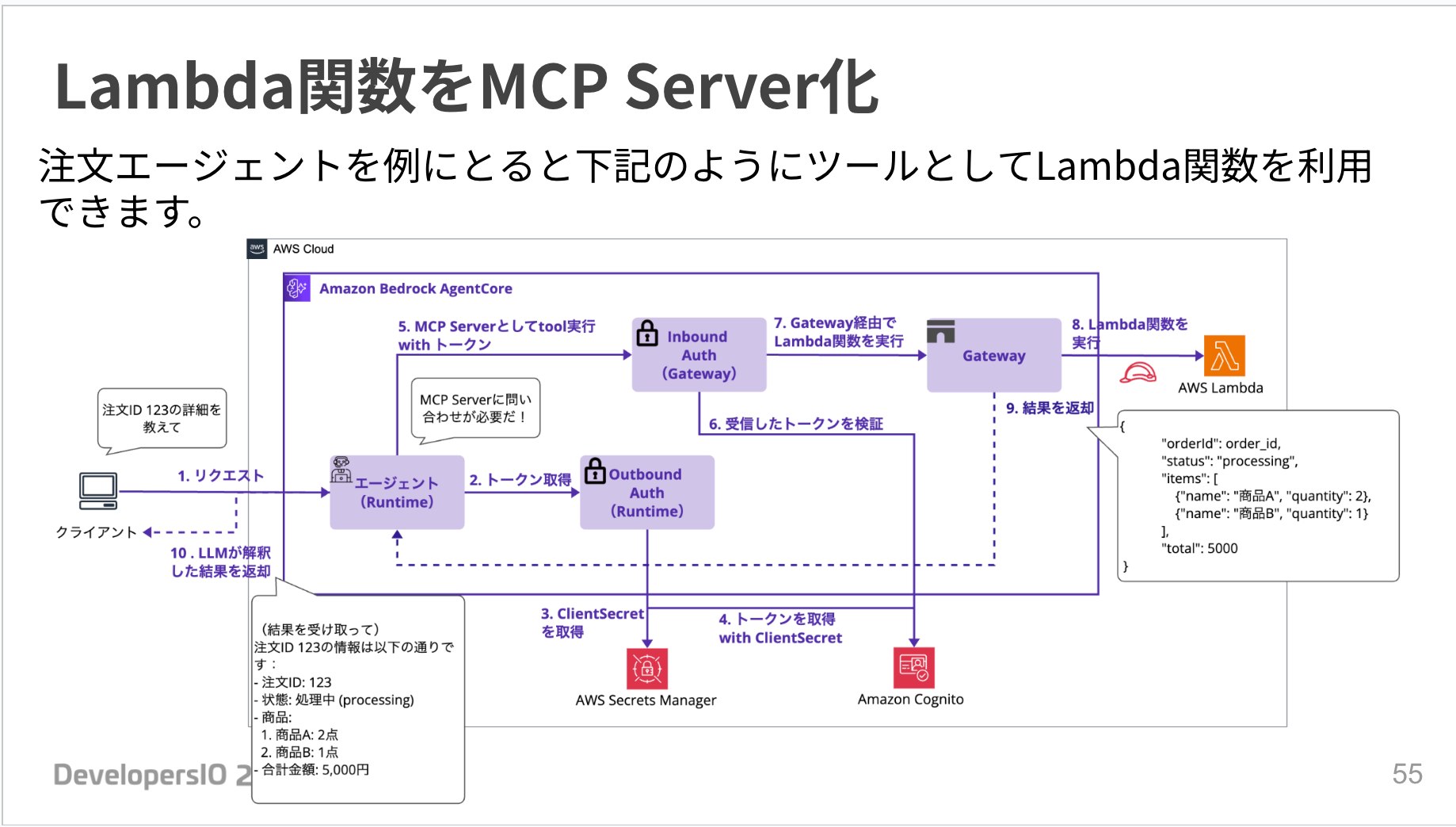
Gateway is a service that converts APIs, Lambda functions, and various services into MCP (Model Context Protocol) compatible tools, making them easy to call from AI agents.
This seems convenient for cases where you want an AI agent to handle APIs or Lambda functions as tools.
In this section, we'll look at how to turn a Lambda function into a Tool.
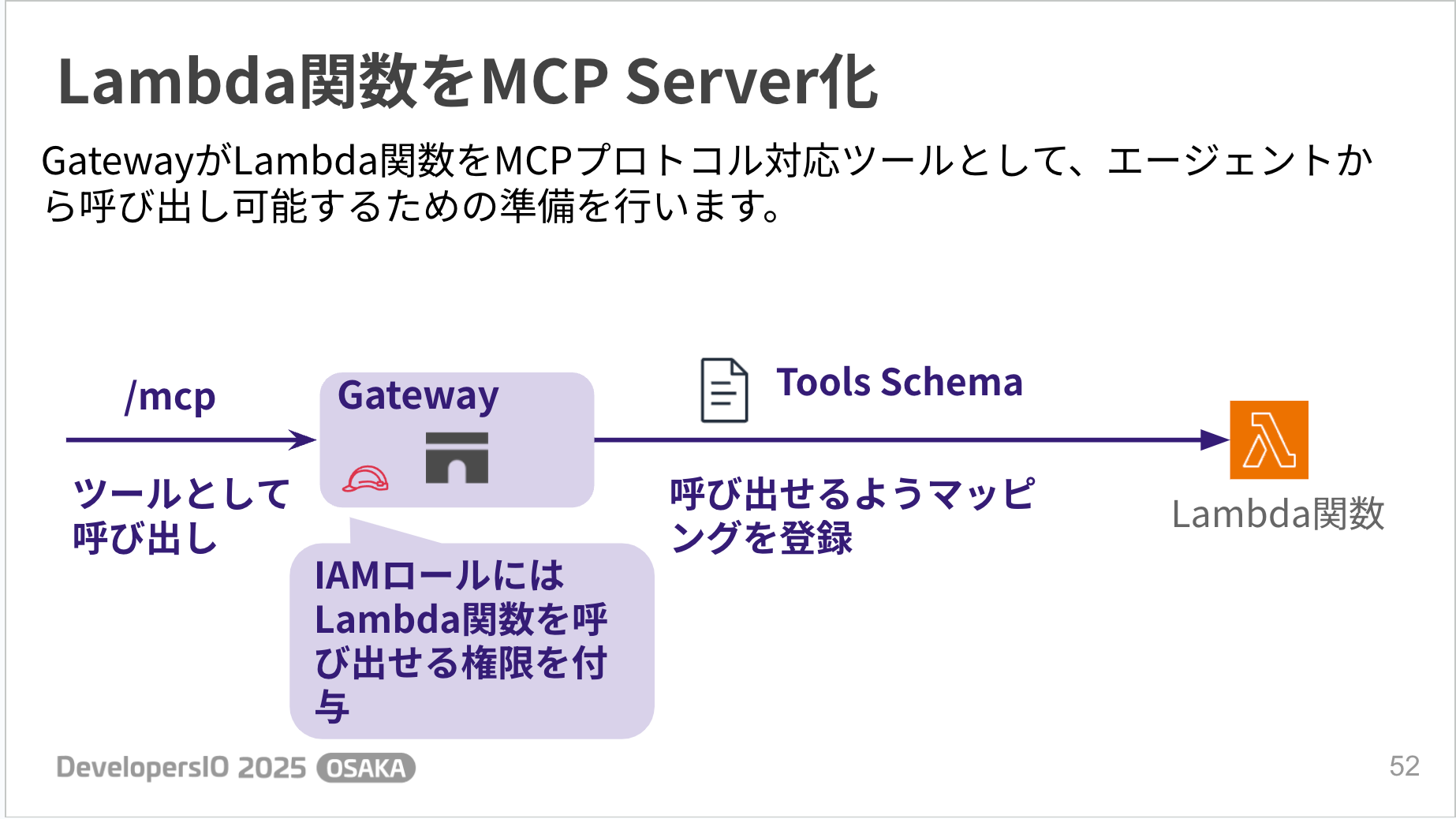
Gateway prepares Lambda functions to be callable from agents as MCP protocol-compatible tools. Specifically, you grant the Gateway permission to call Lambda functions and register the mapping between Lambda functions and tools in the Tool Schema.
# Define tool schemas
tool_schemas = [
    {
        "name": "get_order_tool",
        "description": "Retrieve order information",
        "inputSchema": {
            "type": "object",
            "properties": {
                "orderId": {
                    "type": "string",
                    "description": "Order ID"
                }
            },
            "required": ["orderId"]
        }
    },
    {
        "name": "update_order_tool",
        "description": "Update order information",
        "inputSchema": {
            "type": "object",
            "properties": {
                "orderId": {
                    "type": "string",
                    "description": "Order ID"
                }
            },
            "required": ["orderId"]
        }
    }
]

# Target configuration
target_config = {
    "mcp": {
        "lambda": {
            "lambdaArn": lambda_arn,
            "toolSchema": {
                "inlinePayload": tool_schemas
            }
        }
    }
}

# Credential provider (using Gateway IAM role for Lambda invocation)
credential_config = [
    {
        "credentialProviderType": "GATEWAY_IAM_ROLE"
    }
]
After these preparations, you can use Lambda functions as Tools as shown below.
The agent can also return the results of the Tool-ified Lambda to the user.
Blog
For more details, please refer to the following blog post!
Observability
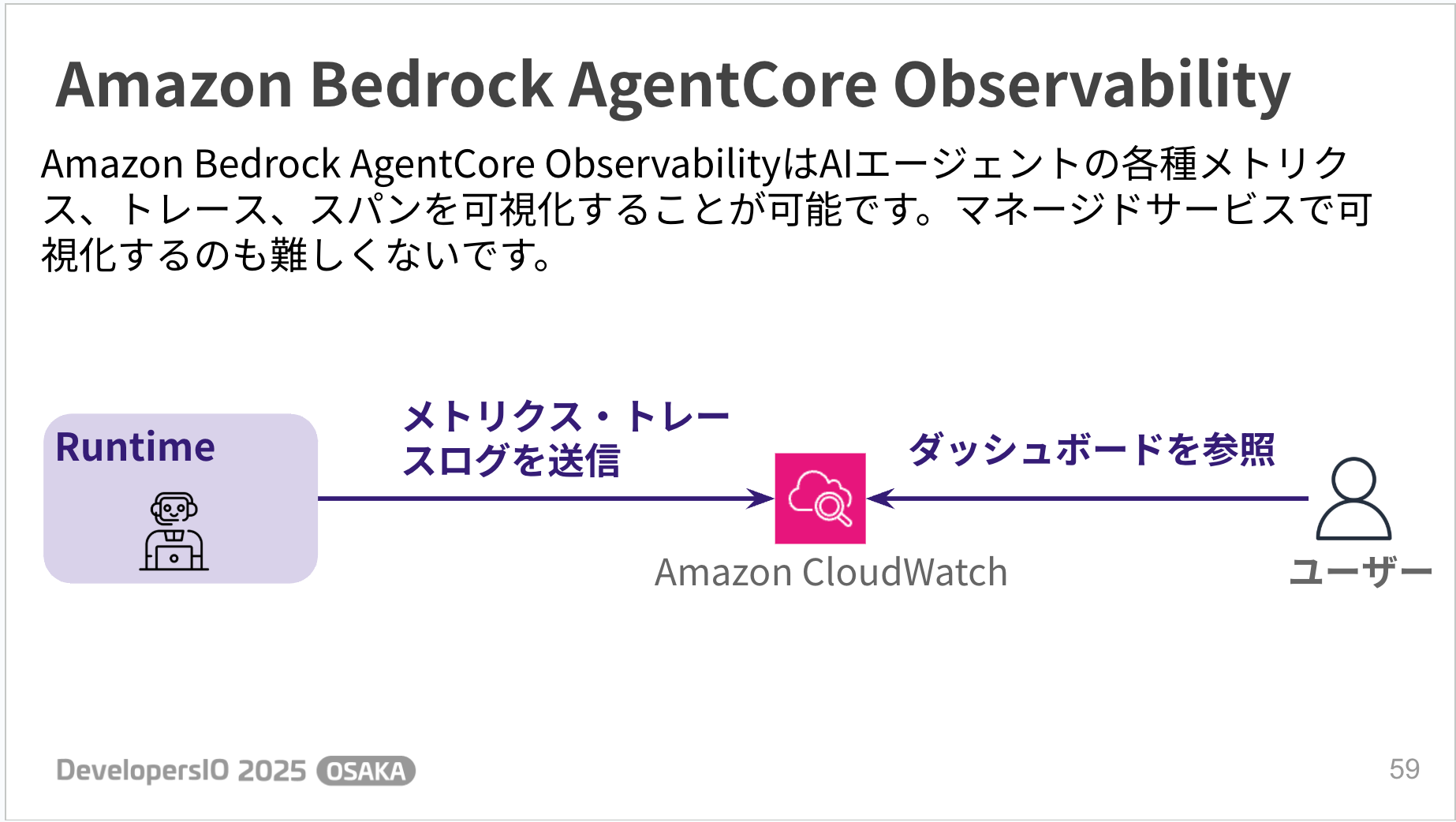
Observability is a managed service that allows you to visualize various metrics, traces, and logs of AI agents.
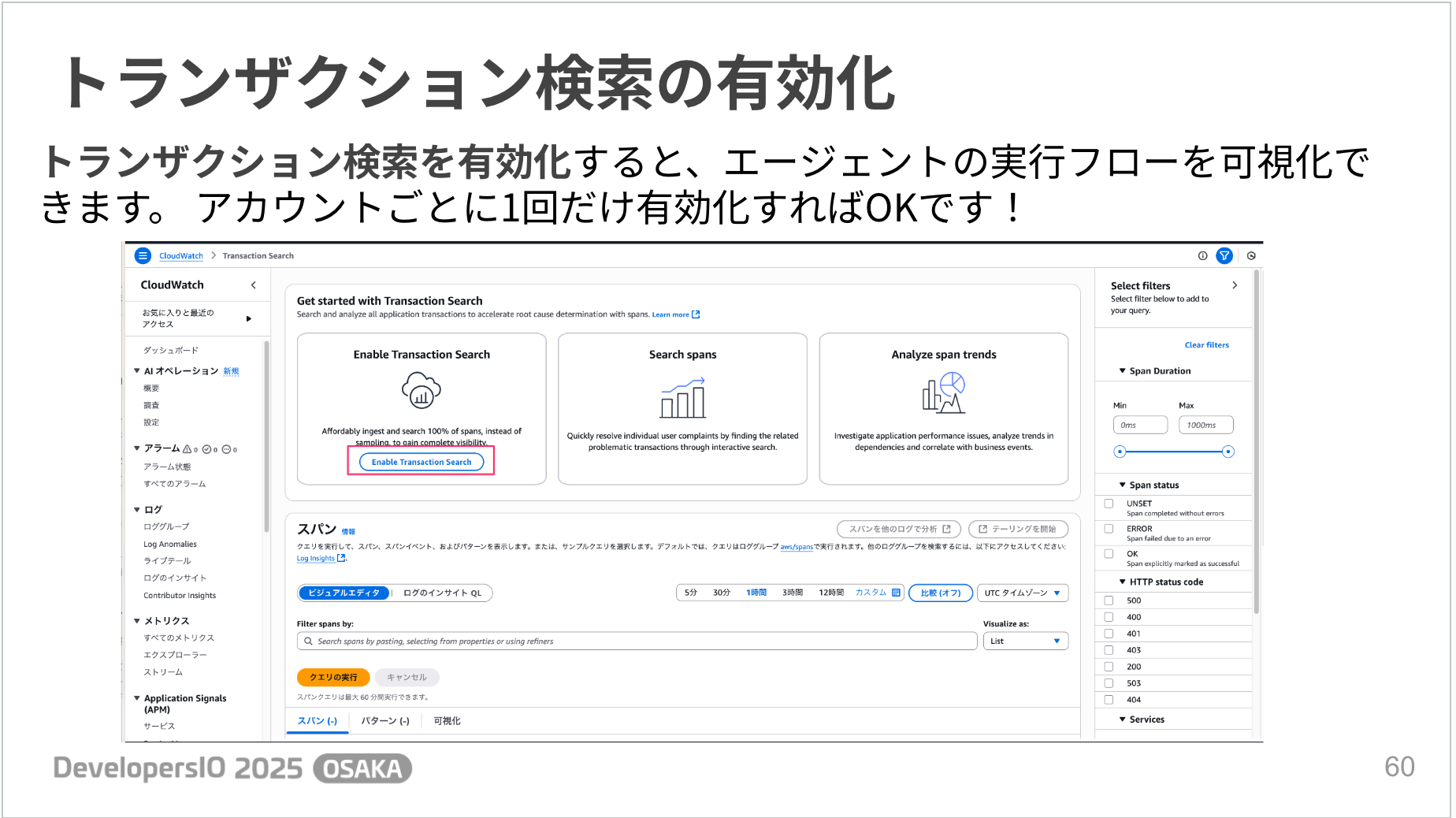
There is some preliminary work to do. There's a transaction search feature that visualizes the agent's execution flow, which can be enabled once per account.
Also, aws-opentelemetry-distro needs to be included in the dependencies. However, if you deploy using AgentCore's starter toolkit, it is automatically included in the Dockerfile and enabled. That's a nice point.
Integrated Dashboard
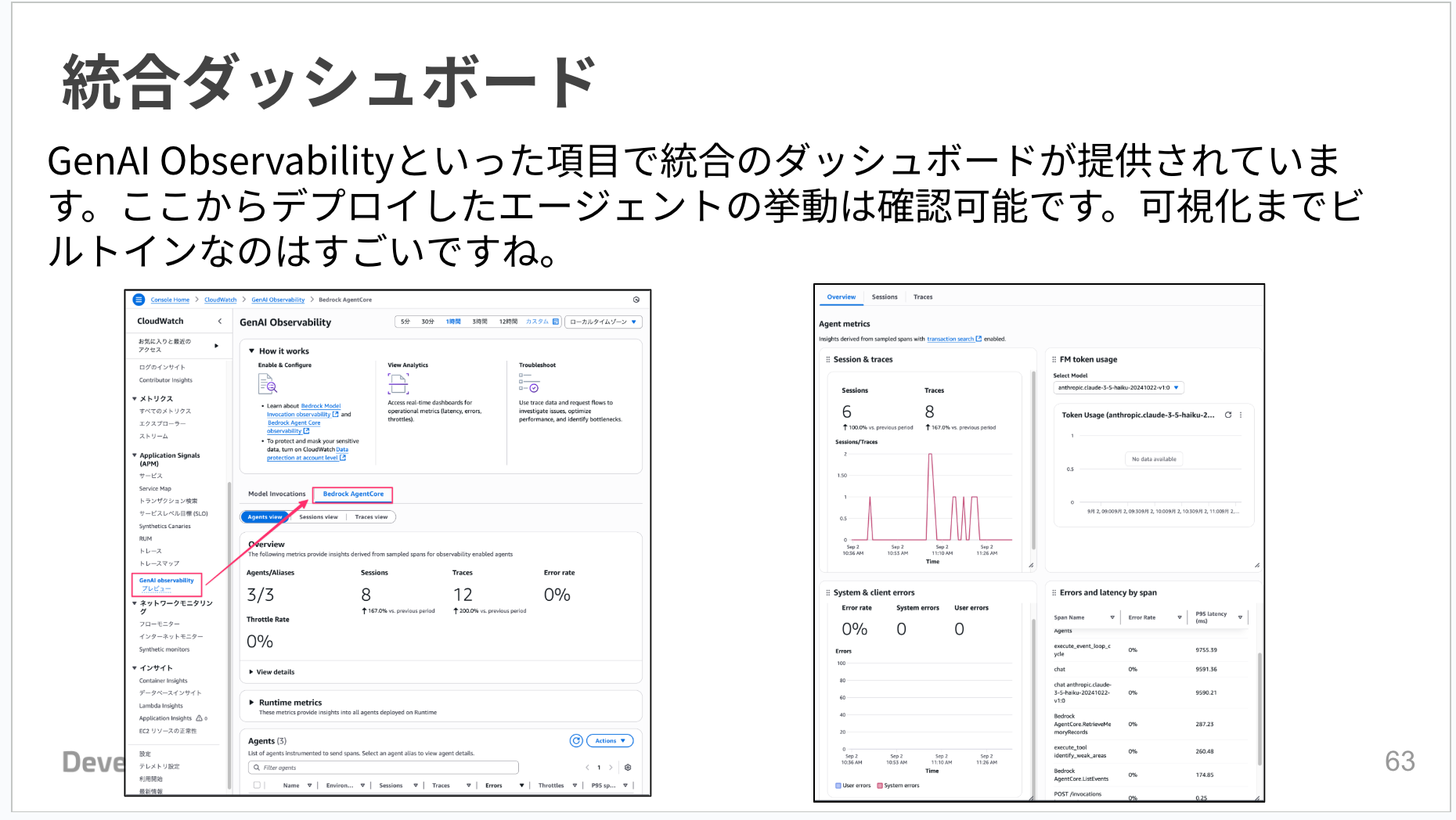
CloudWatch provides an integrated dashboard called GenAI Observability, which allows you to check agent behavior at a glance.
It visualizes the number of sessions, error rates, token usage, etc., which helps monitor performance and detect problems early.
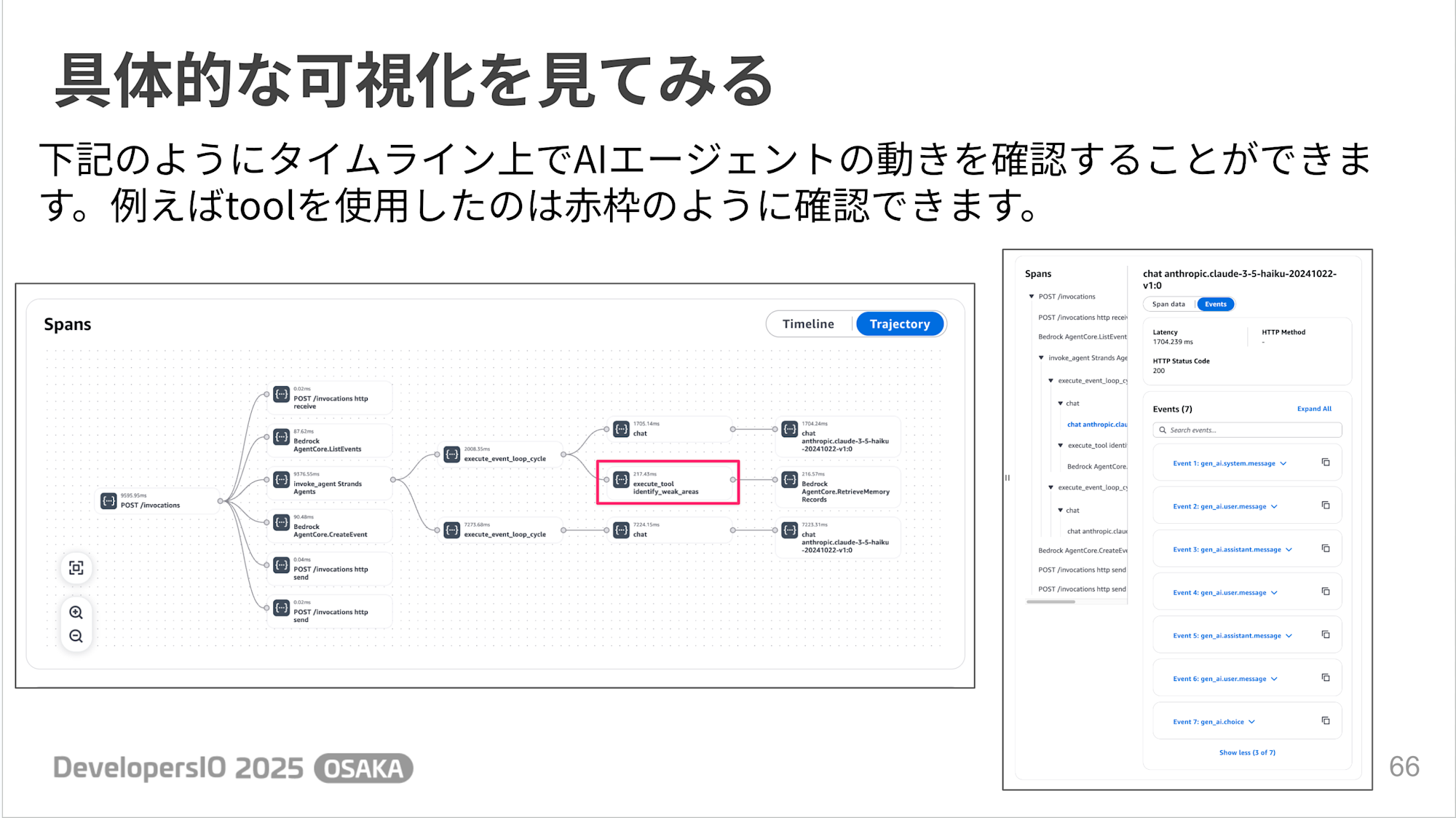
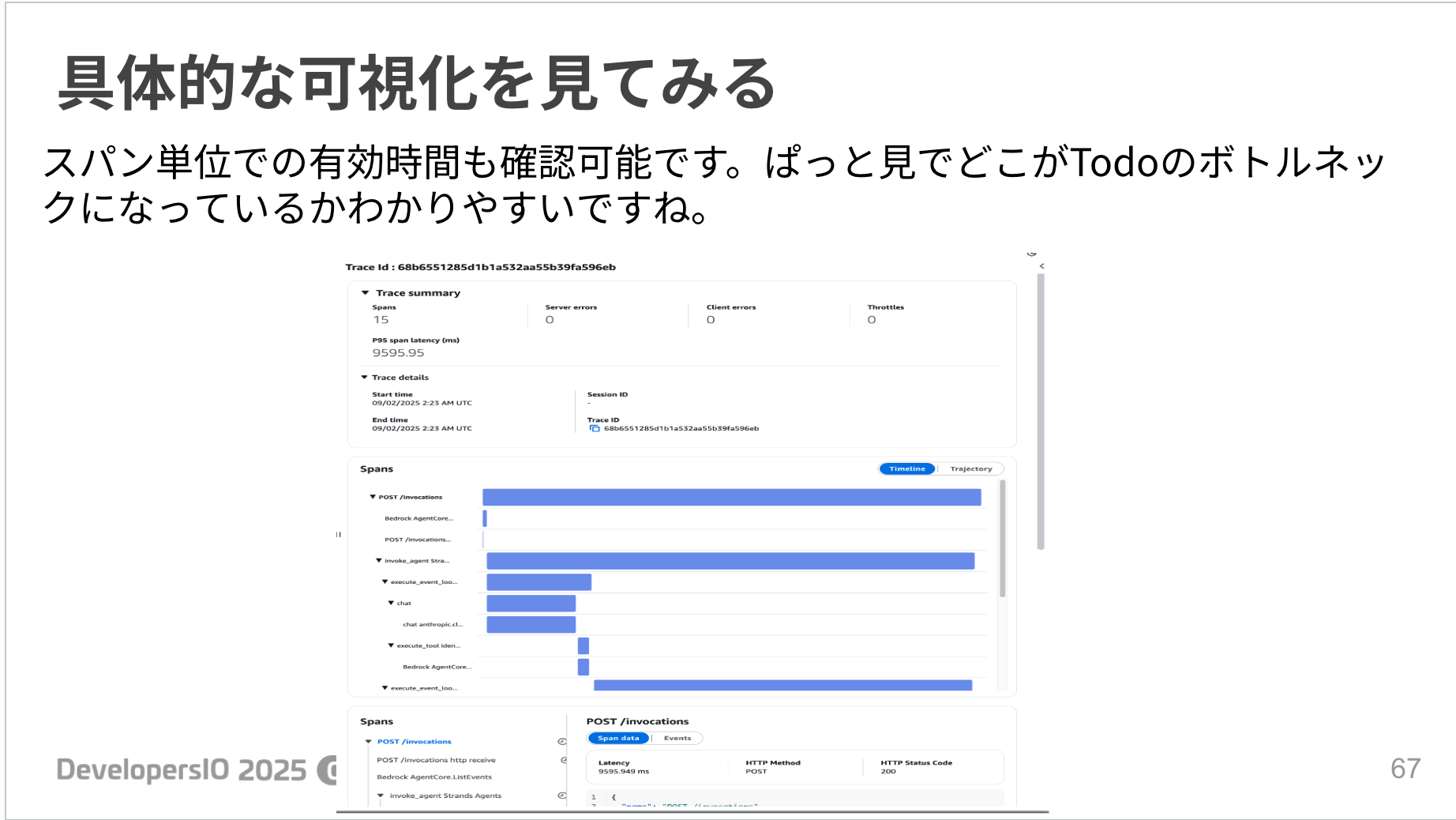
I found it useful to be able to see the AI agent's actions on a timeline. Being able to visually understand which tools were used when and where bottlenecks occur is very helpful for debugging.
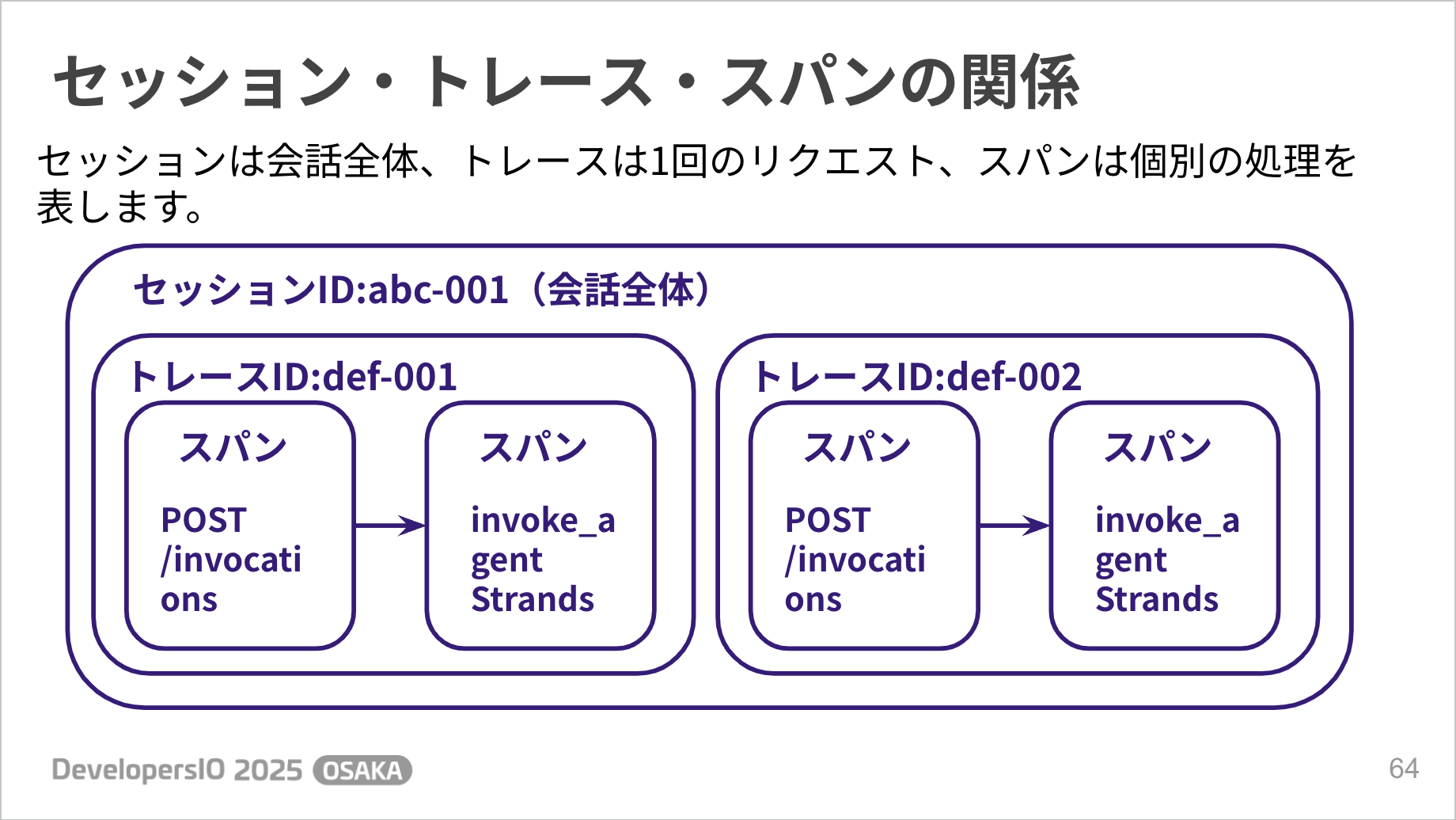
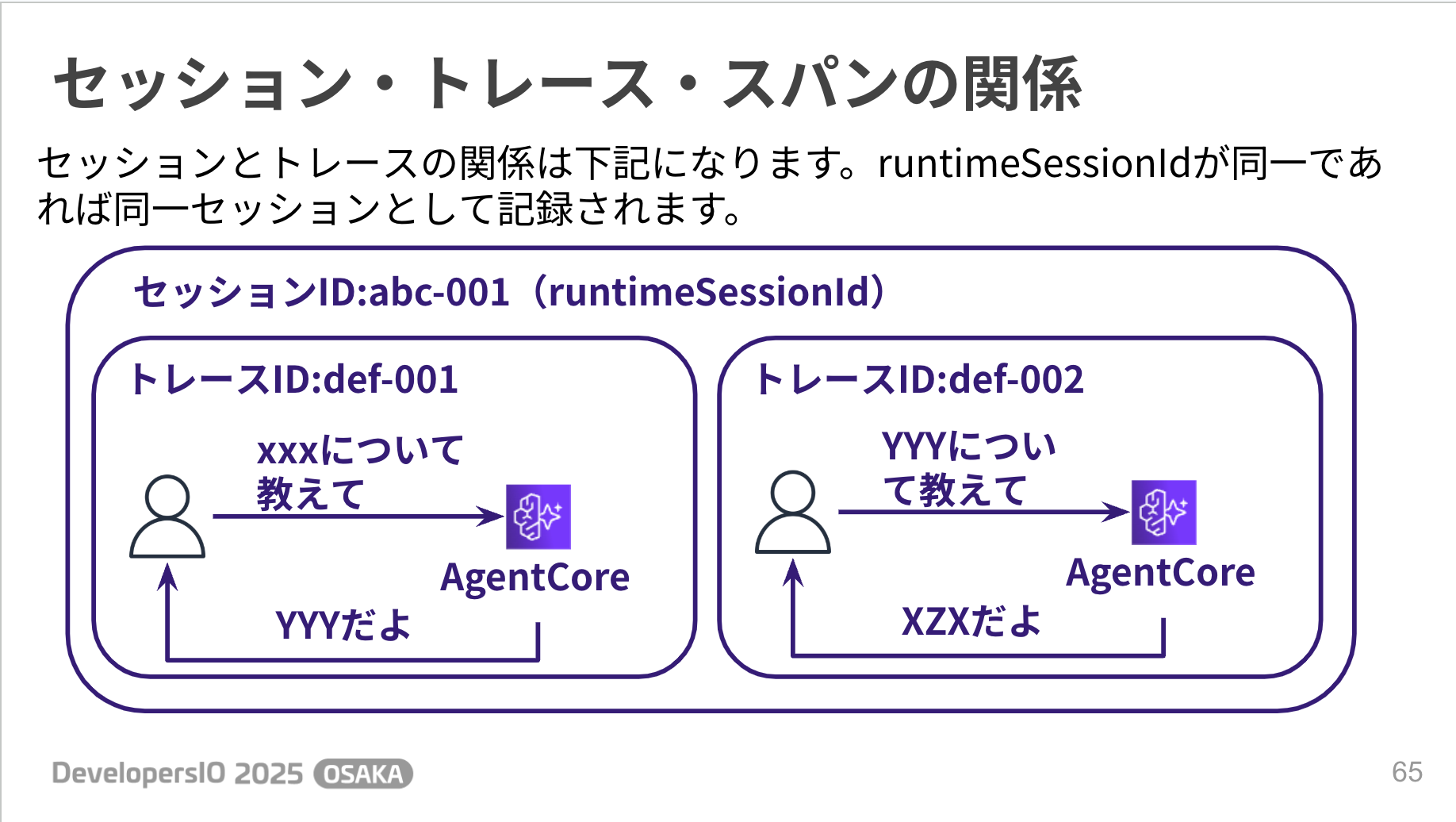
We've mentioned terms like traces, spans, and sessions; here's how they relate to each other:
Blog
For more details, please refer to the following blog post!
Built-in Tools
Built-in Tools provide two convenient features: Code Interpreter and Browser.
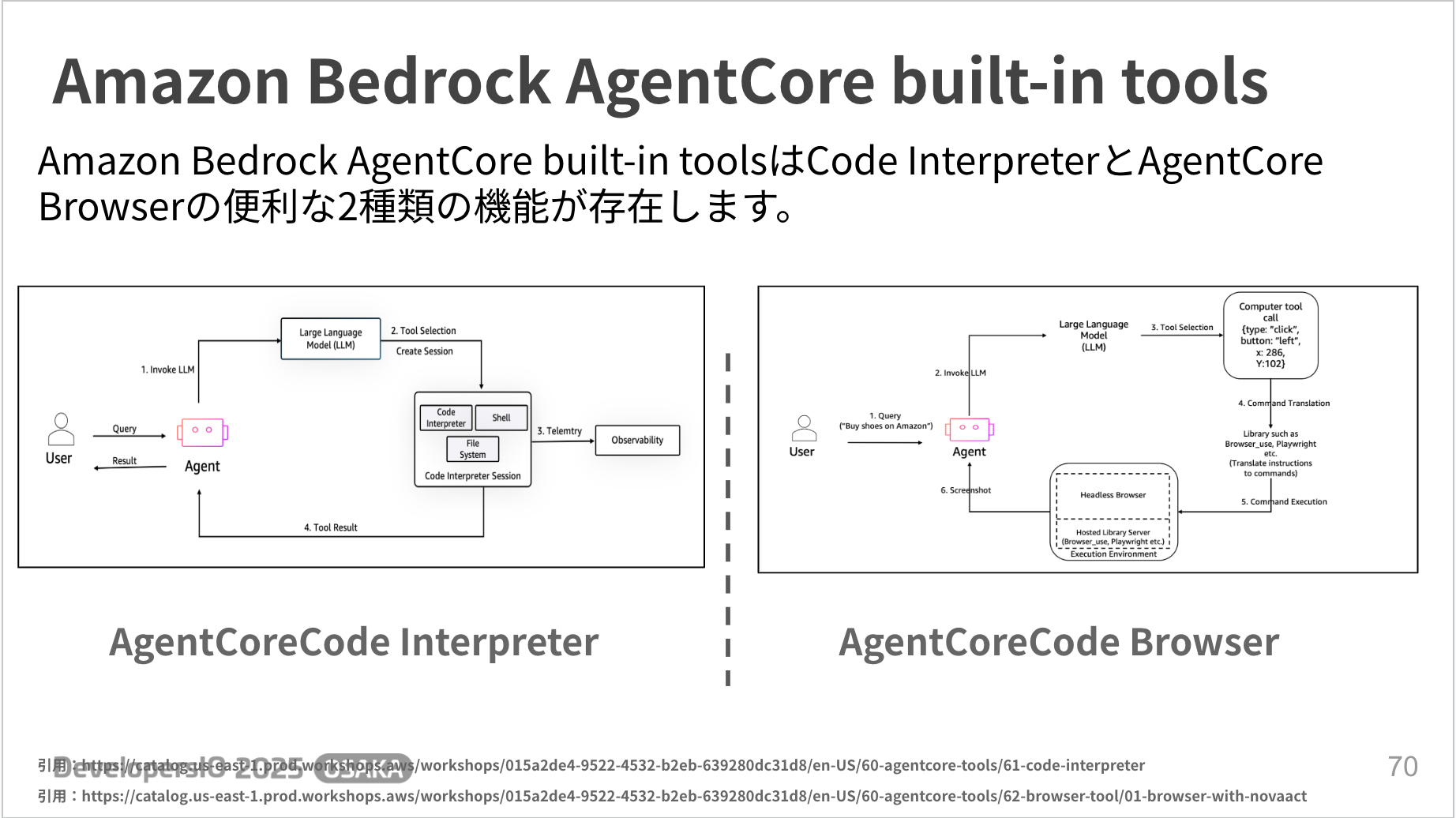
Both are provided in a managed way, so it's good that you don't have to worry about security or environment setup.
Code Interpreter
Code Interpreter is a feature for executing code created by generative AI in a secure external environment.
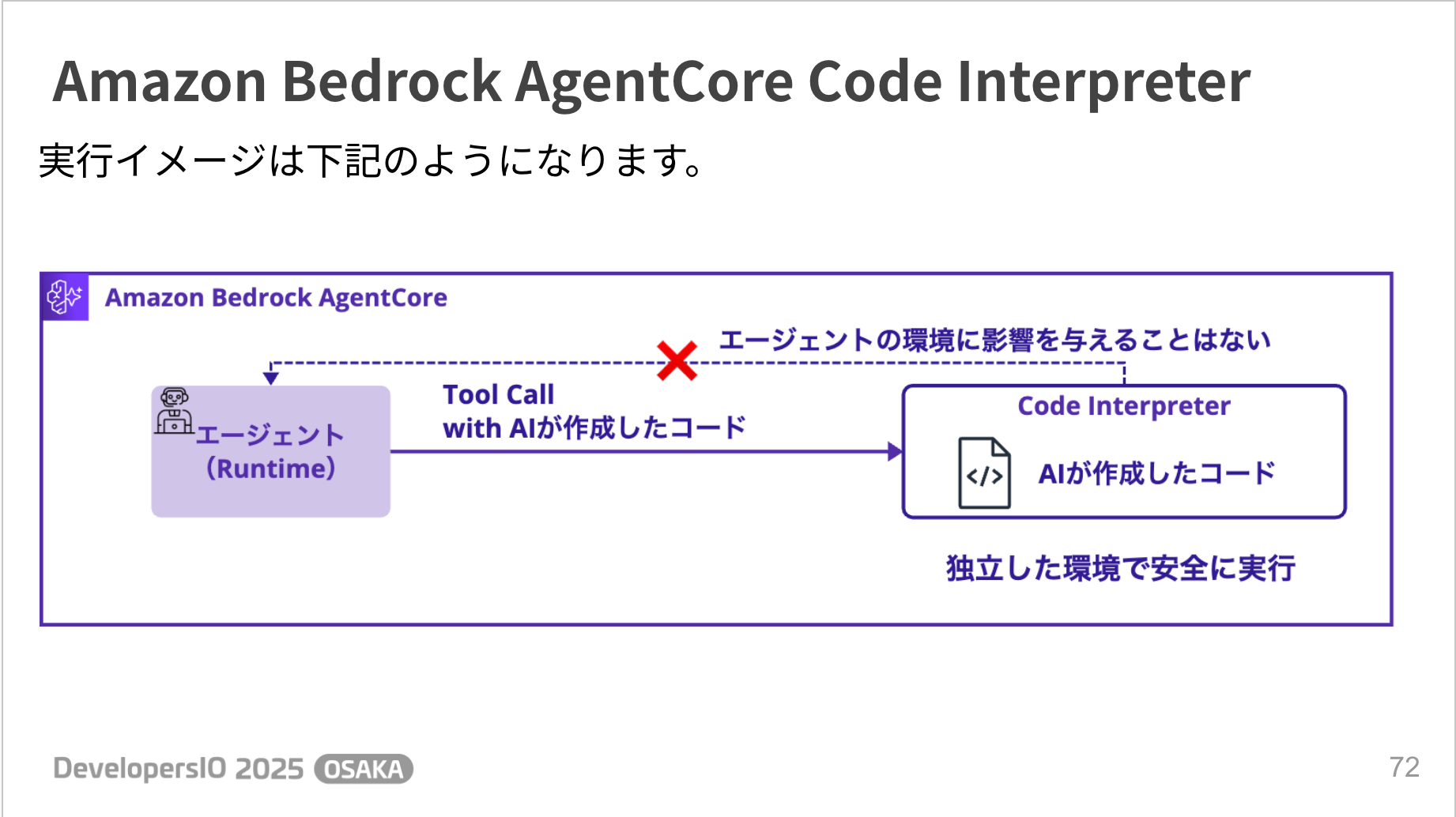
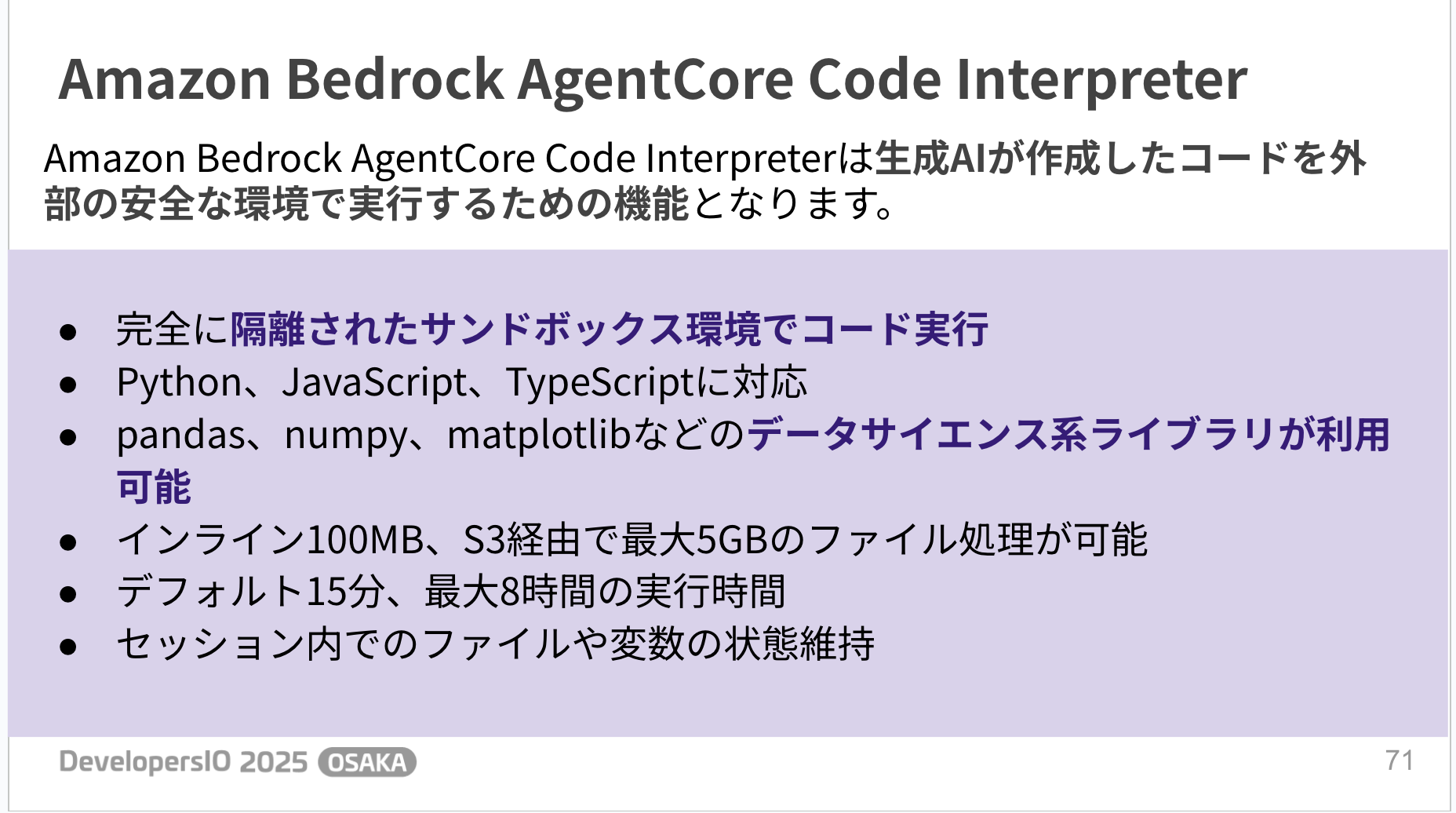
Code execution occurs in a completely isolated sandbox environment, allowing safe code execution without affecting the agent's own environment. It supports Python, JavaScript, and TypeScript, and data science libraries such as pandas, numpy, and matplotlib are also available.
Blog
For more details, please refer to the following blog post!
Browser
Browser is a service that provides an execution environment for generative AI to operate a browser.
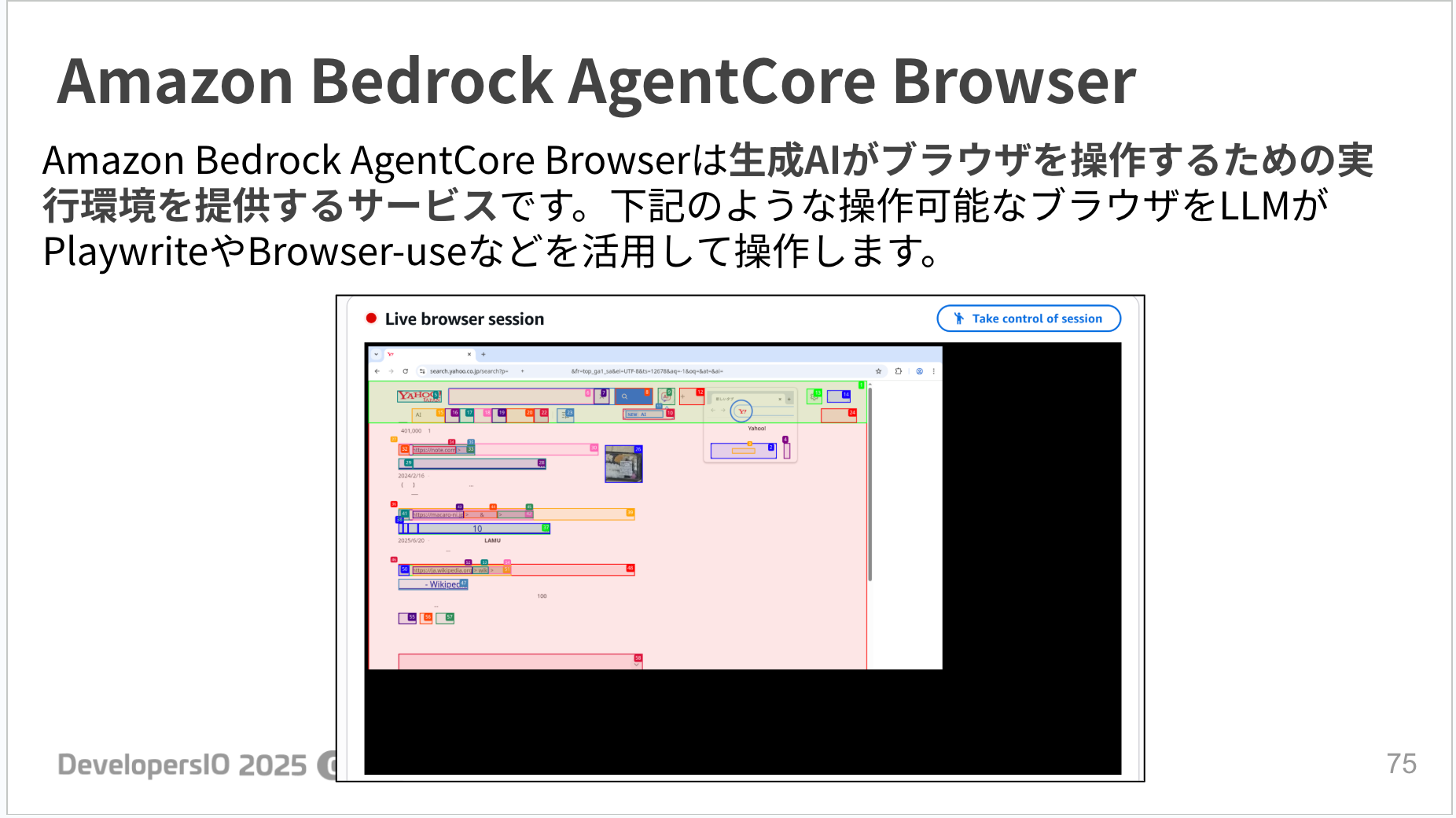
It allows you to operate an actual web browser using Playwright, Browser-use, etc. It seems useful for information gathering and automating screen operations.
However, there is a caution that using search engines may trigger CAPTCHAs. The official documentation recommends using MCP tools (such as Tavily) other than browsers for general searches.
Blog
For more details, please refer to the following blog post!
Summary
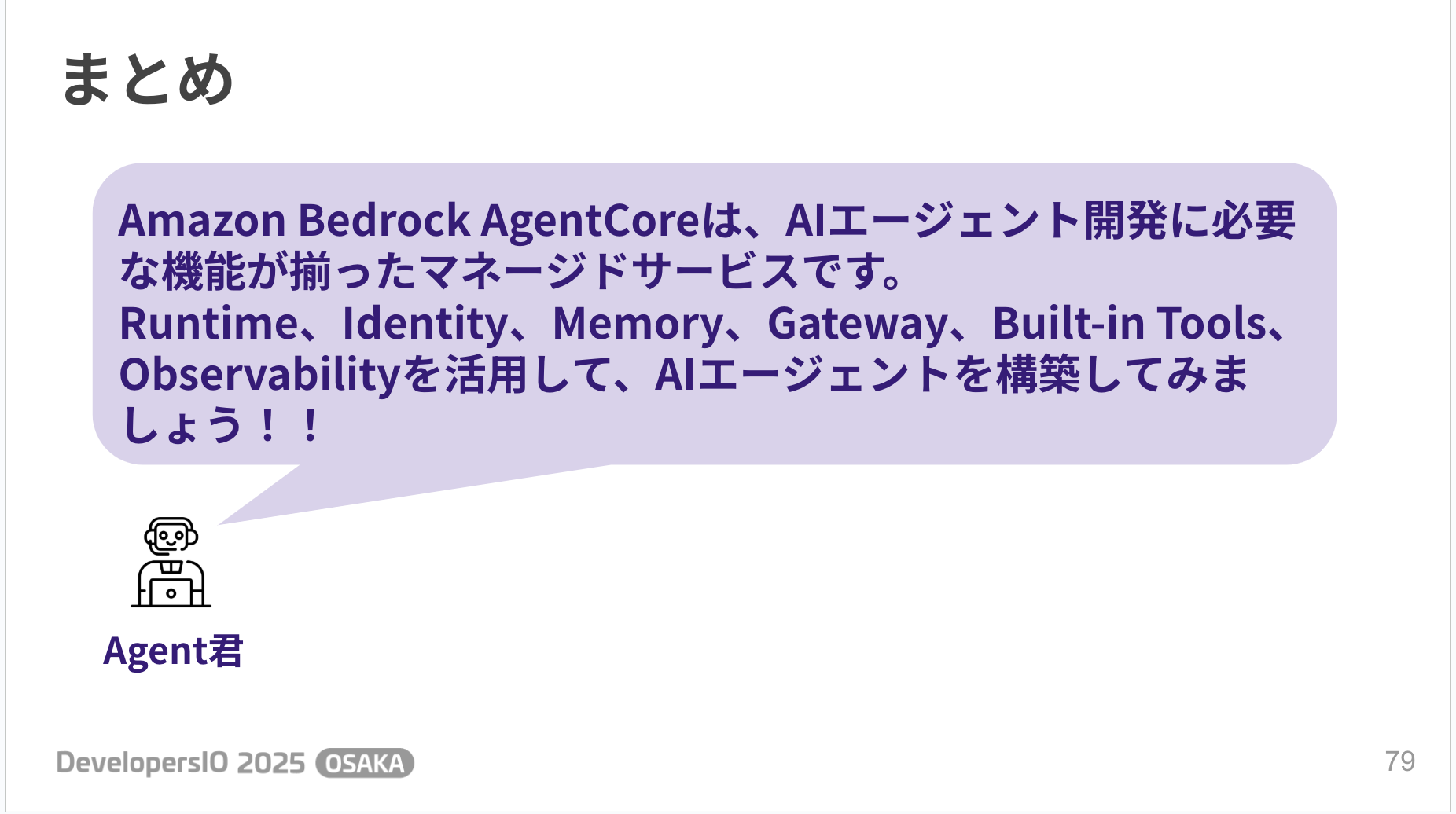
AgentCore is a managed service with all the features needed for AI agent development. Let's build AI agents by combining the necessary features!
Conclusion
That was my presentation blog on "Let's Try Amazon Bedrock AgentCore! ~Explaining the Key Points of Various Features~"!
Since it's free to use during the preview period, I'd really like everyone to try this service. I plan to dive deeper into it and share practical usage and tips on my blog in the future!
I'd be happy if you became interested and tried it out! Let's create useful AI agents together!

Thank you for reading to the end!