![[Update] Amazon RDS for SQL Server 2025 is now available](https://images.ctfassets.net/ct0aopd36mqt/wp-thumbnail-2c57fccc8e2c16d5a63f28901f8904ac/7718b1b99dd3a06f49e762d814b6c3c6/amazon-rds?w=3840&fm=webp)
[Update] Amazon RDS for SQL Server 2025 is now available

This page has been translated by machine translation. View original
This is Shibata.
This is from last week, but SQL Server 2025, the latest version of SQL Server, has become available on RDS for SQL Server.
The announcement from AWS is here.
This is the first major version upgrade in about three years since the release of RDS for SQL Server 2022 in 2023.
RDS for SQL Server 2025 Details
Details about RDS for SQL Server 2025 are summarized in the following documentation.
As of today, SQL Server 2025 CU5 (Ver.17.0.4045.5) is provided.
New updates will be applied from time to time going forward.
Please check the available instance types on the following page.
Since Web Edition has been discontinued starting with SQL Server 2025, it will not be offered on RDS for SQL Server either.
Also, following the new split of Developer Edition into Standard and Enterprise, RDS for SQL Server now offers it by edition as well.
For new features in SQL Server 2025 itself, please refer to Microsoft's documentation.
You can also check unsupported features in RDS for SQL Server here.
Regarding new features in RDS for SQL Server 2025,
- ZSTD backup compression algorithm
is not supported, and SQL Server Integration Services (SSIS) is also not yet available.
(SSIS is planned to be supported in the future)
In addition to these, please note that features that were not supported in RDS for SQL Server 2022 continue to be unsupported.
Tried It Out
Let's give it a try right away.
I'll create a new instance on a VPC set up in the Tokyo region of my AWS account for testing purposes.
Preparation 1. Creating a Subnet Group
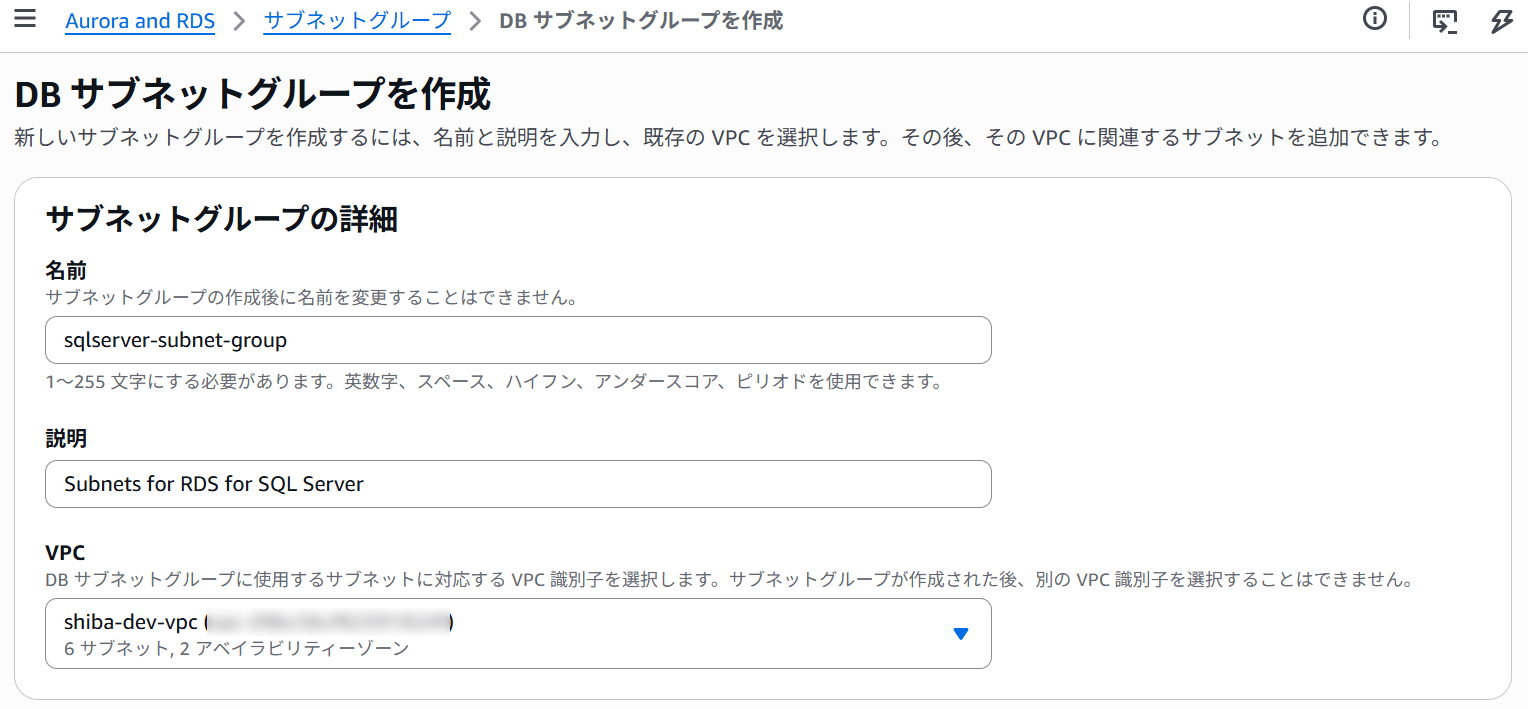
As preparation, I'll create a subnet group, parameter group, and option group.
First, I'll create the subnet group targeting an existing VPC.
Preparation 2. Creating a Parameter Group
Next, I'll create a parameter group.
Since the internal version of SQL Server 2025 is Ver.17, I'll choose the family that becomes sqlserver-[edition]-17.0.
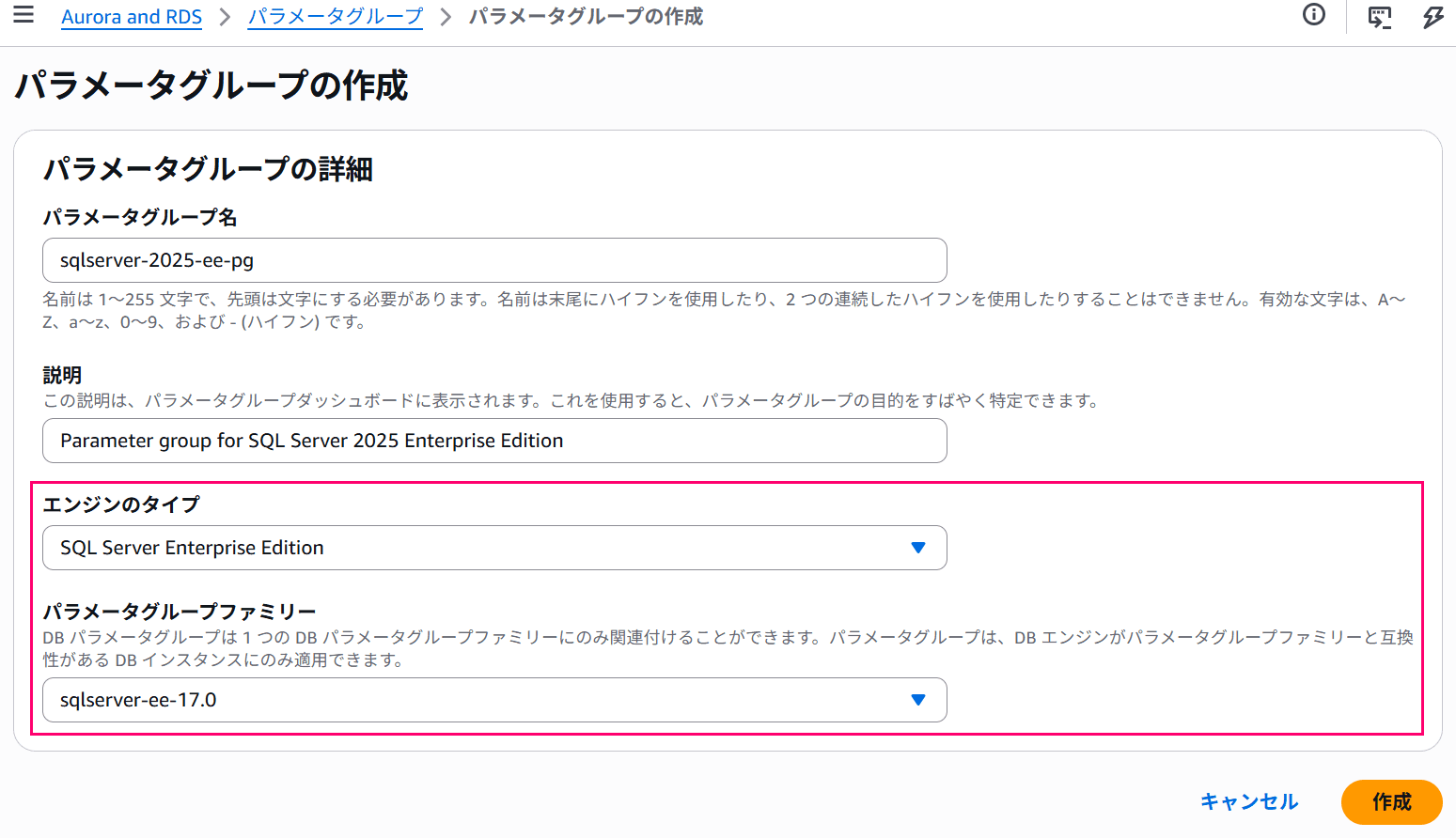
This time I'll create a parameter group for Enterprise Edition.
Preparation 3. Creating an Option Group
I'll also create an option group.
In the option group, I'll set the major engine version to 17.00.
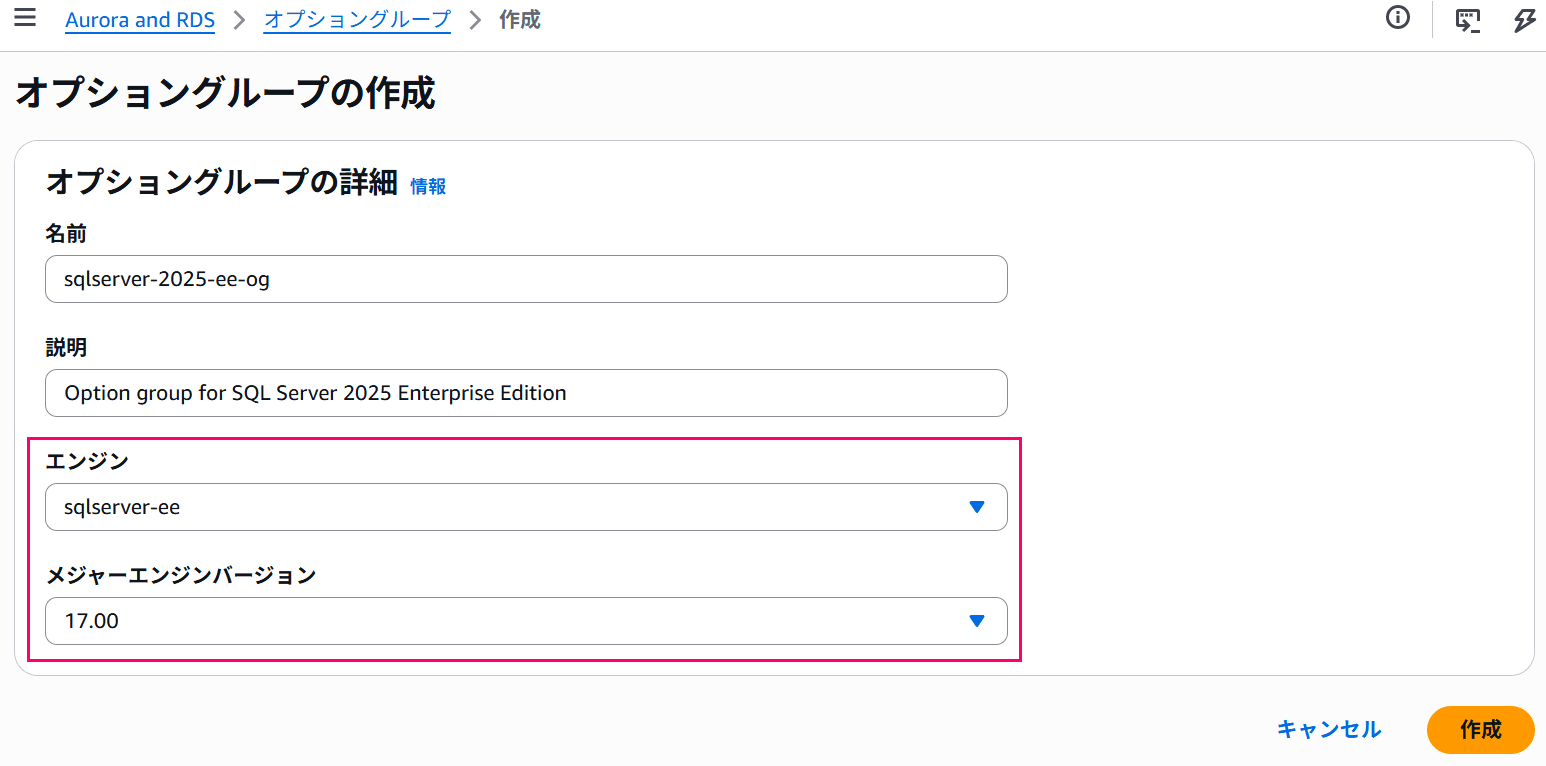
The edition will be Enterprise Edition.
This completes the preparation.
Creating an Instance
From here, I'll actually create the instance.
I'll start the wizard by creating a new instance from the RDS management console.
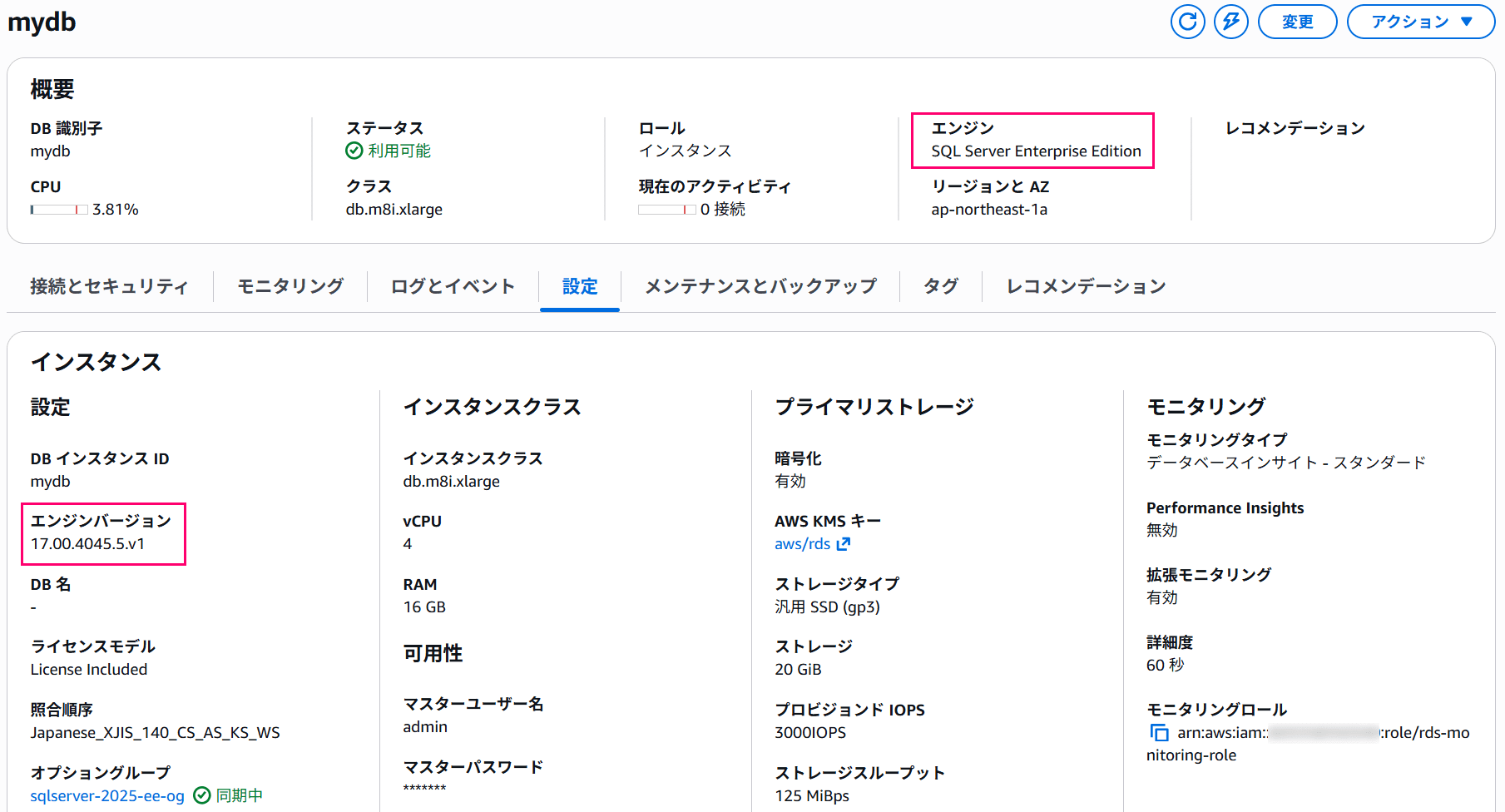
I'll select "SQL Server" as the engine type, and choose SQL Server 2025 17.00.4045.5.v1, the current latest version.
The edition is set to Enterprise Edition to match the parameter group and option group I created earlier.
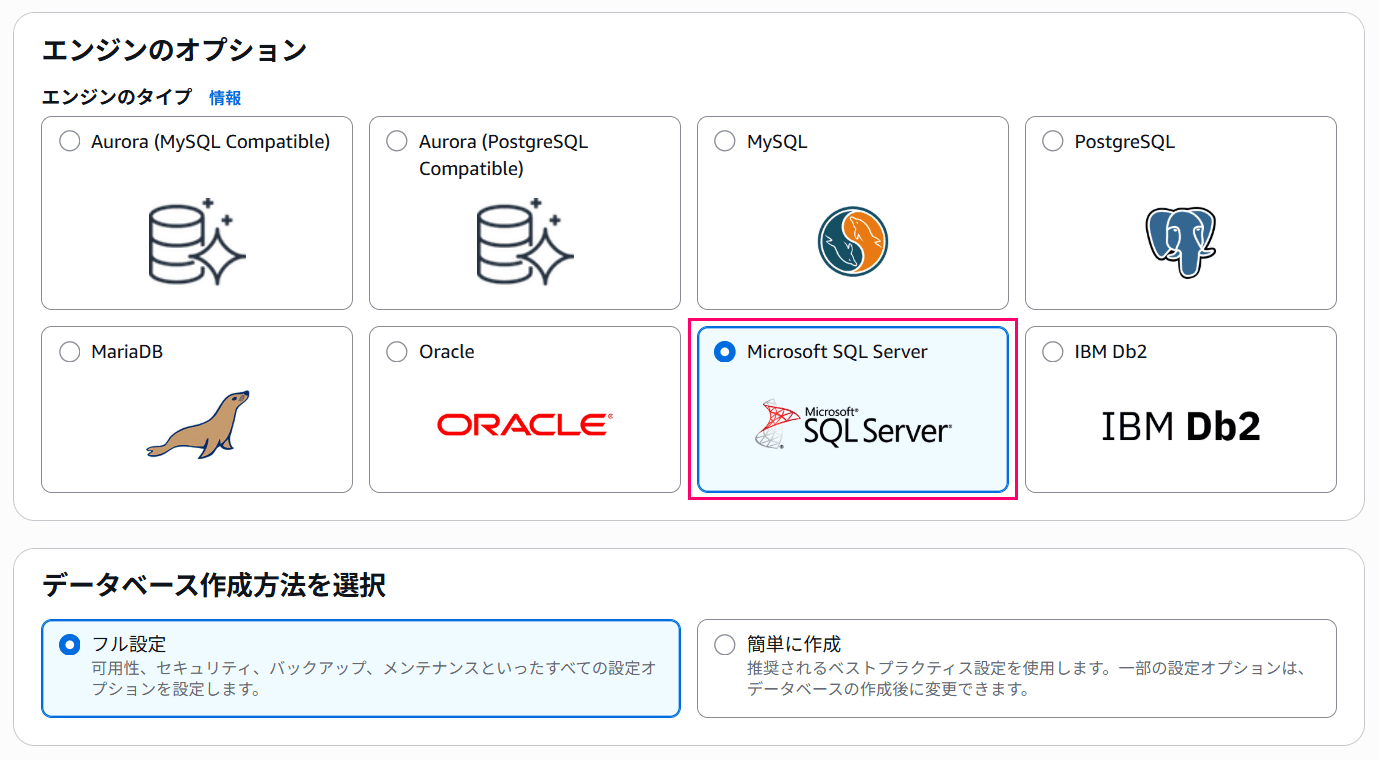
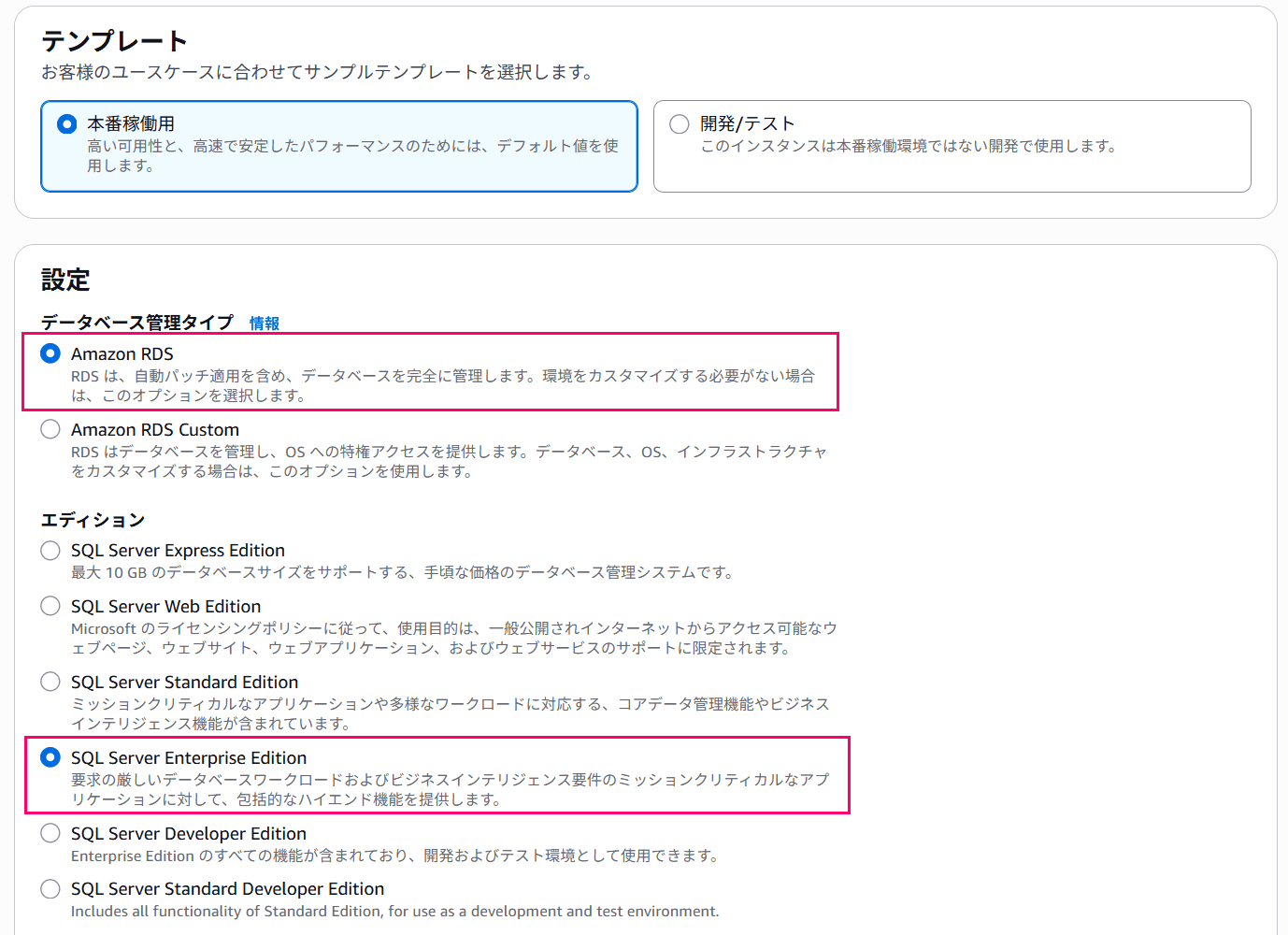
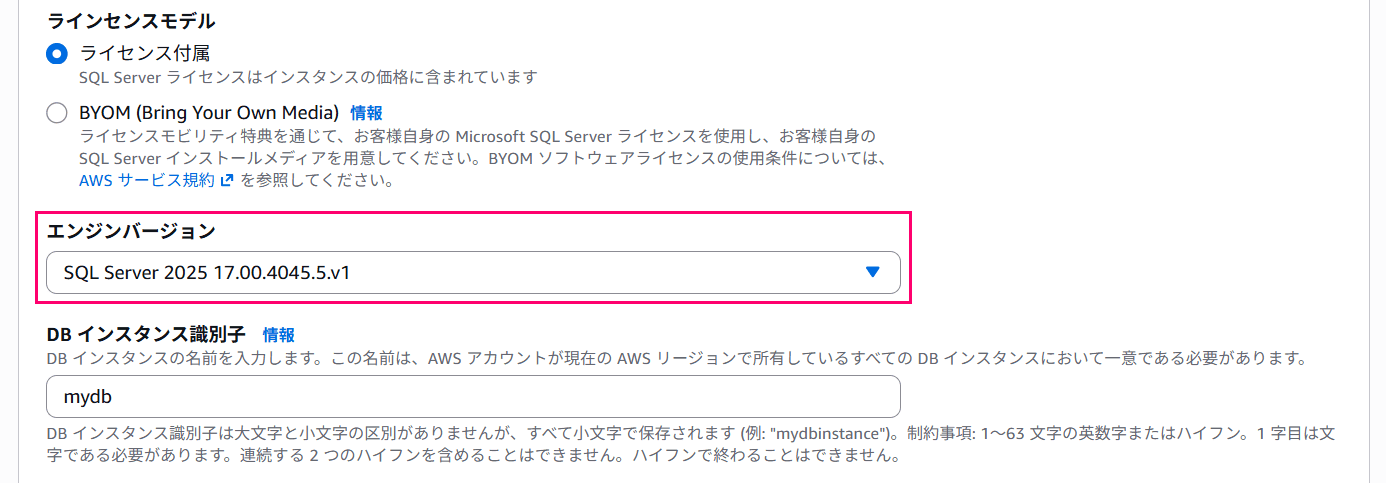
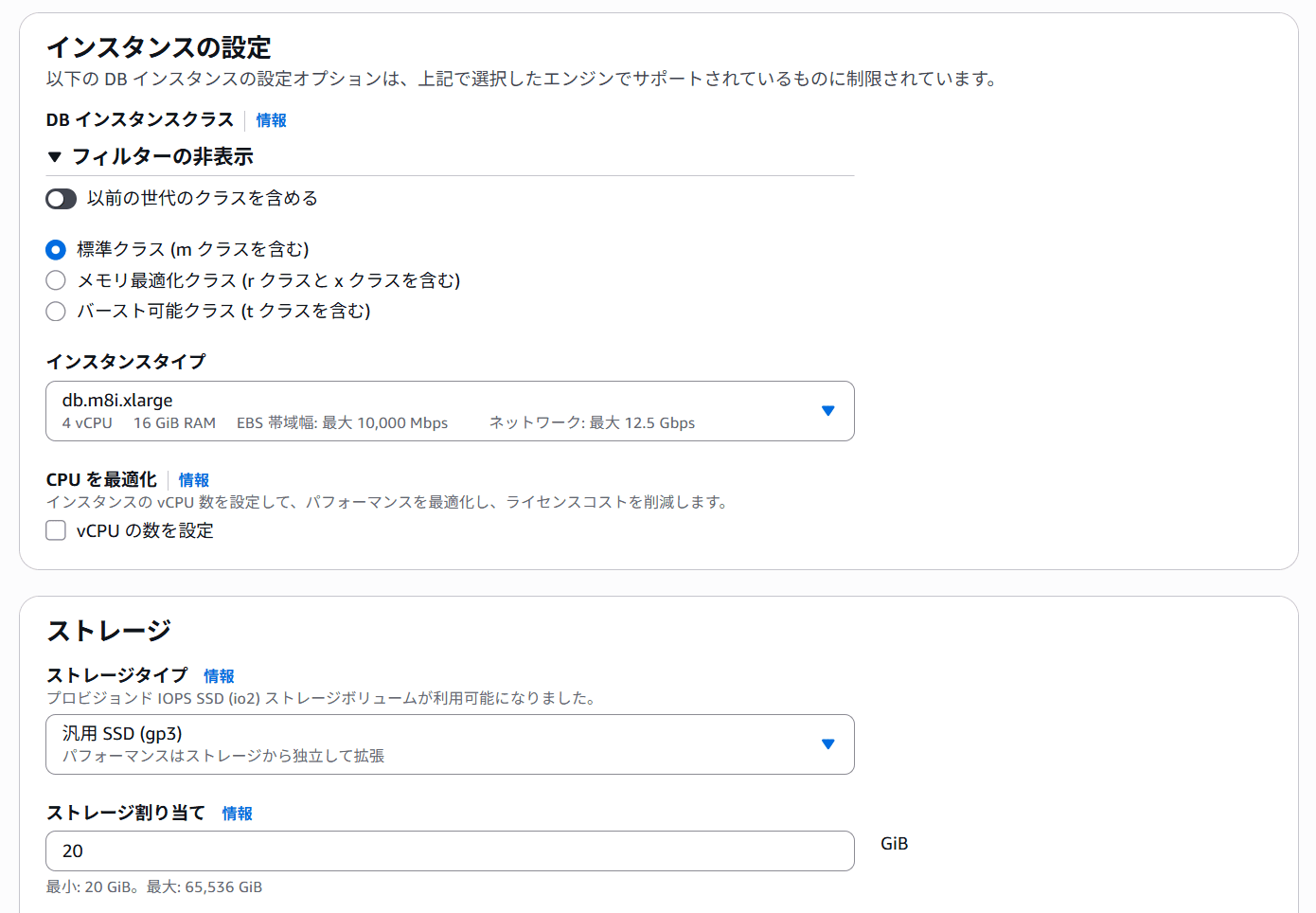
Other settings are configured with values appropriate for the environment.
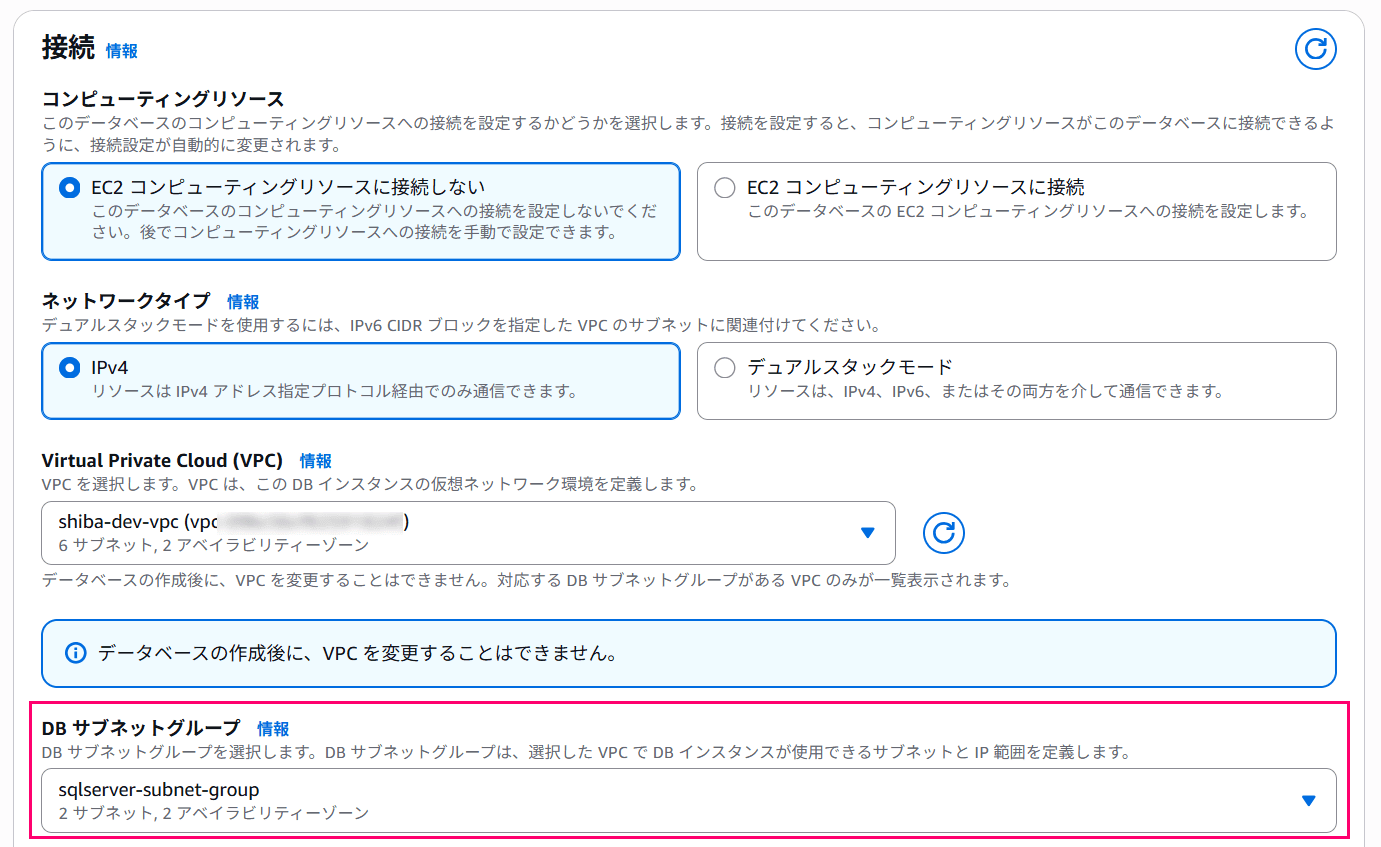
For the subnet group, I'll specify the one I configured earlier,
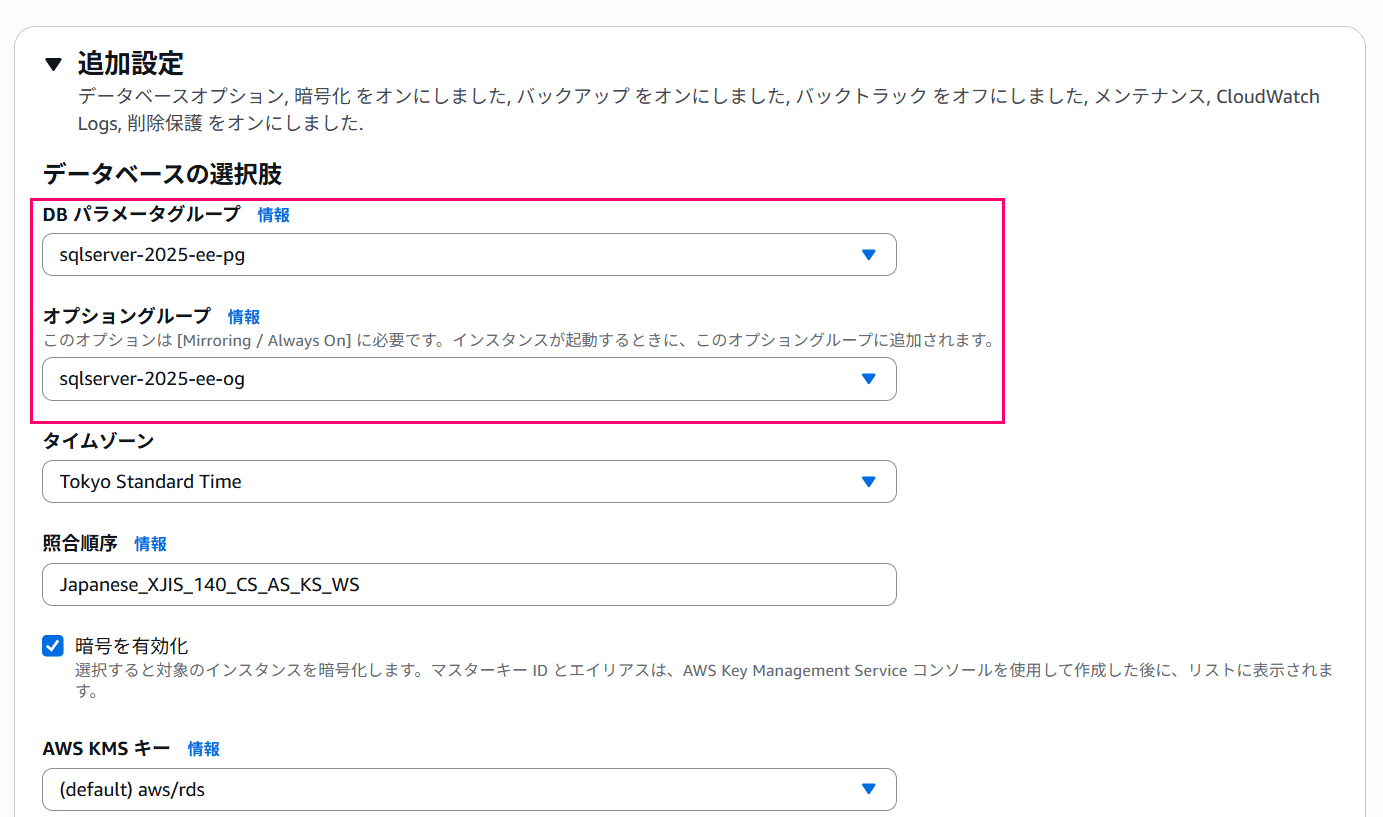
In additional settings, I'll set the parameter group and option group to the ones created during preparation.
Also, I'll specify the timezone and server-level collation as needed.
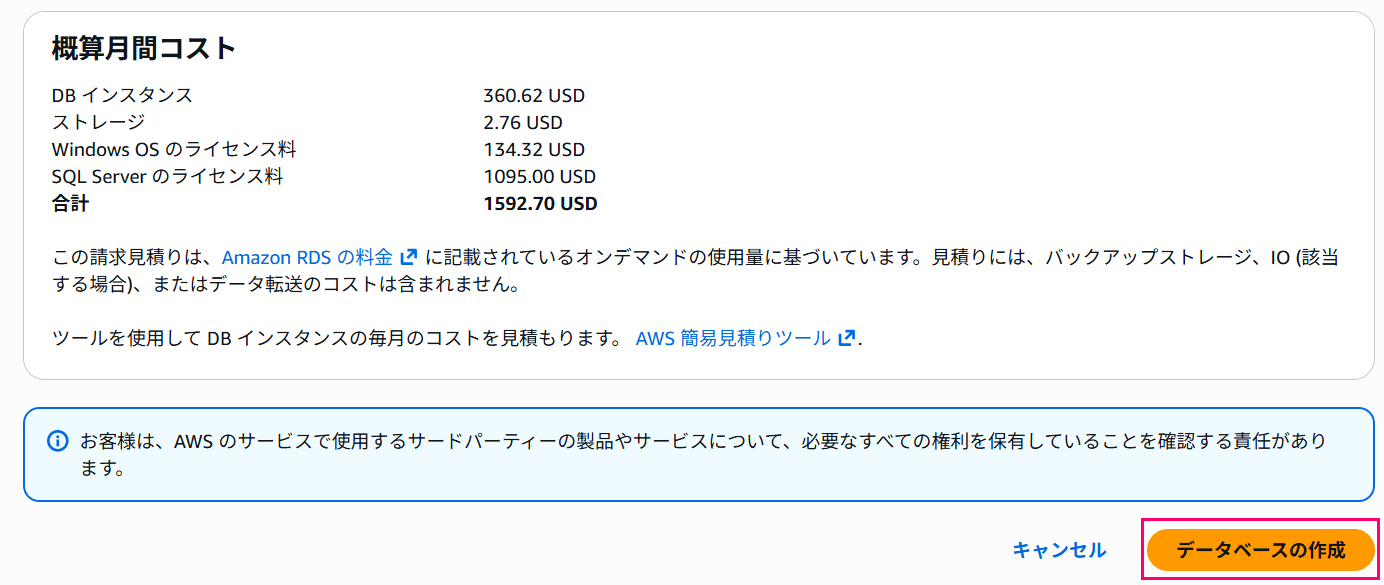
After entering all the settings, I'll click the "Create database" button to create the DB instance.
After waiting a while, the instance creation completes and it looks like this.

Connecting from SQL Server Management Studio (SSMS)
Finally, here is the result of connecting from SSMS.
You can see that the underlying OS is Windows Server 2019.
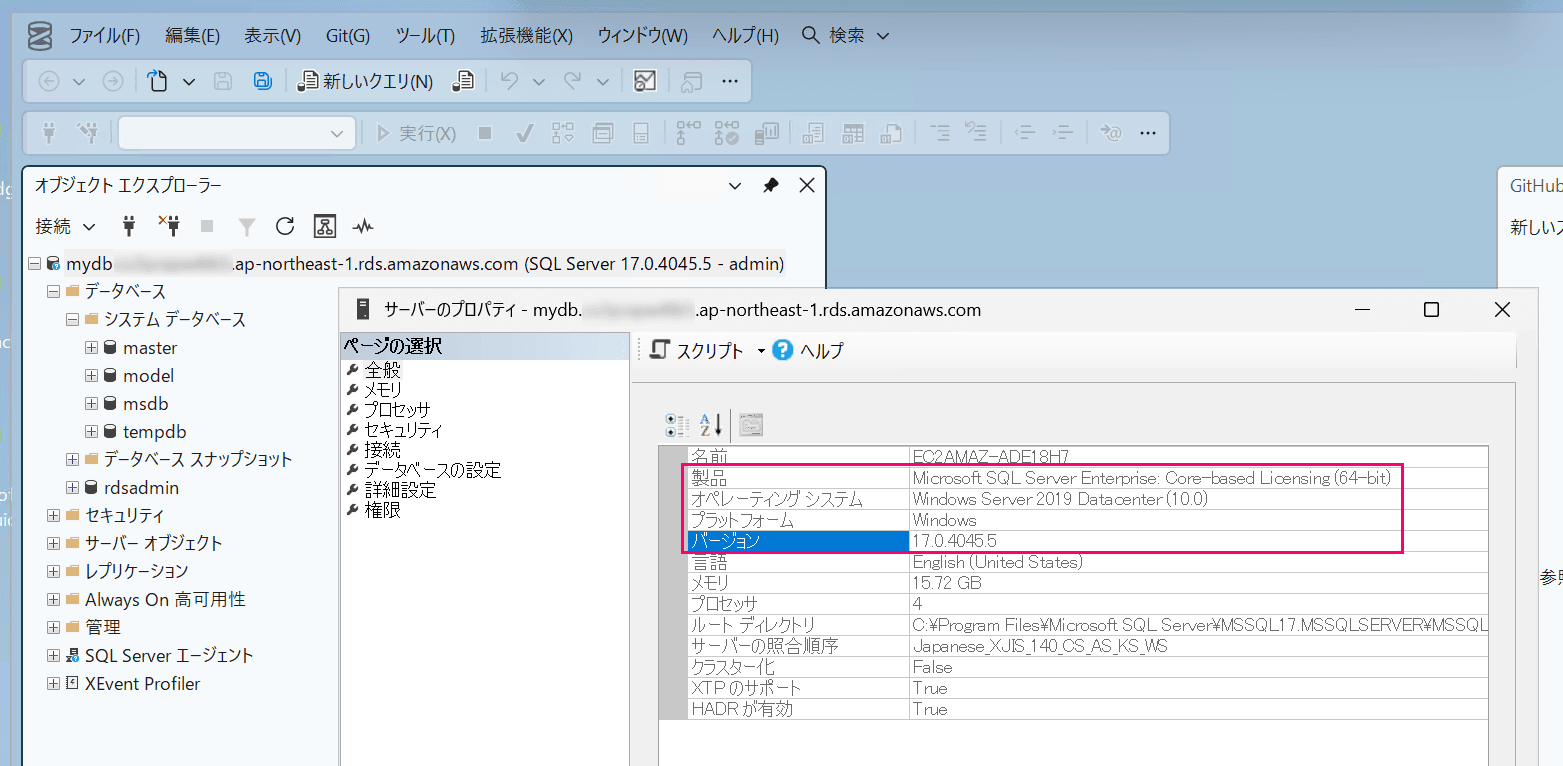
With RDS for SQL Server 2022, it was Windows Server 2016, so it has certainly become newer than that, but 2019 was a bit surprising.
Closing
That's it for a quick summary.
Please feel free to try out the latest version of SQL Server.
