AWS Interconnect - multicloud that directly connects AWS and Google Cloud has gone GA!

This page has been translated by machine translation. View original
I will translate the Japanese Markdown content to English while preserving all formatting.
I'm Okuri, a devoted lover of whisky, cigars, and pipes.
AWS Interconnect - multicloud, which had its preview announced in November 2025, has finally reached GA after approximately 5 months! Alongside this, Google Cloud's Partner Cross-Cloud Interconnect for AWS has also exited preview. Since I'd been looking forward to this feature ever since hearing the announcement at AWS re:Invent 2025, I'd like to introduce it here.
- AWS announces general availability of AWS Interconnect - multicloud
- AWS Interconnect - multicloud
- Partner Cross-Cloud Interconnect for AWS overview
What is AWS Interconnect - multicloud
AWS Interconnect - multicloud is a service that directly connects Amazon VPC and other cloud service provider (CSP) networks via a private, high-speed connection. Until now, building a multi-cloud connection required routing through a colocation facility via Direct Connect, or connecting through a third-party fabric—methods that involved long lead times and heavy operational burden.
With AWS Interconnect - multicloud, you only need to prepare a Direct Connect Gateway on the AWS side and a Cloud Router on the Google Cloud side. A private connection can be established in just minutes through a simple two-step process of creation and approval. There is no need to be aware of customer routers, BGP, or peer IP addresses at all. The physical infrastructure is pre-provisioned by both AWS and Google Cloud, configured with quadruple redundancy distributed across 2 or more physical facilities and 4 routers.

Amazon Web Services. "Interconnect architecture diagram". What is AWS Interconnect?. AWS Documentation. https://docs.aws.amazon.com/interconnect/latest/userguide/what-is-interconnect.html, (accessed 2026-04-15).
For more details on the mechanism and architecture, please refer to the following past entries.
- 【Report】 Google Takes the Stage at AWS re:Invent! Effortless Multi-Cloud with AWS Interconnect - Multicloud #NET205 #AWSreInvent
- I Talked About AWS Interconnect - multicloud for Direct AWS and Google Cloud Connection #AWSreInvent #cmregrowth
- [Preview] AWS Interconnect Has Arrived, Making It Easy to Procure Resilient High-Speed Private Network Connections Between AWS and Other Cloud Service Providers
Changes from Preview to GA
Here is a comparison table summarizing the main differences between the preview and GA.
| Item | Preview (November 2025) | GA (April 2026) |
|---|---|---|
| Availability | Public Preview | Generally Available |
| Production traffic | Not recommended | Possible |
| Bandwidth | 1 Gbps only | 1 Gbps to 100 Gbps (selectable from pre-approved speeds) |
| Pricing | Free | Single pricing structure based on bandwidth and geographic scope |
| Free tier | Entire connection is free | Starting in May, 1 Interconnect at 500 Mbps per region is free |
| Supported region pairs | 5 region pairs | 5 region pairs (no change) |
| Supported CSPs | Google Cloud | Google Cloud (Microsoft Azure planned for the second half of 2026) |
The most significant changes are that bandwidth options now range from 1 Gbps up to 100 Gbps, and that the pricing structure has become clearly defined. Since running production traffic was not recommended during the preview, production use is now officially supported.
Partner Cross-Cloud Interconnect for AWS Also Appears to Have Reached GA
The corresponding Google Cloud feature, Partner Cross-Cloud Interconnect for AWS, has also had its preview label removed from the documentation, and it appears to have reached GA as well. Let's review the differences from the existing Cross-Cloud Interconnect.
| Item | Cross-Cloud Interconnect | Partner Cross-Cloud Interconnect for AWS |
|---|---|---|
| Physical provisioning | Required | Not required |
| Physical connections and ports | Required | Not required |
| Connection speed | 10 Gbps or 100 Gbps | Pre-approved speeds from 1 Gbps to 100 Gbps |
| Provisioning time | 1–4 weeks | Minutes to within 1 day |
| Connection initiation direction | Initiated from Google Cloud | Can be initiated from either Google Cloud or AWS |
| Supported CSPs | OCI, AWS, Azure, Alibaba, etc. | AWS only |
Partner Cross-Cloud Interconnect for AWS has a constraint of one transport resource per project per region. If you want to configure multiple Interconnects in the same region, you will need to consider separating projects accordingly.
Pricing
You need to check pricing on both the AWS and Google Cloud sides. Google Cloud's pricing is straightforward, but AWS's pricing experience is complex, so caution is required.
Google Cloud Pricing
Pricing for Partner Cross-Cloud Interconnect for AWS is summarized in the Partner Cross-Cloud Interconnect section of the Cloud Interconnect pricing page. The key points are as follows:
- Billing is hourly for the connection transport
- No data transfer charges for either inbound or outbound traffic
- Pricing is determined by the combination of bandwidth and region (North America / Europe / Asia Pacific / South America), with higher bandwidth and more geographically distant regions resulting in higher unit prices
- Bandwidth not explicitly listed in the pricing table (e.g., 20 Gbps) is calculated using a linear multiplier from the preceding tier's price
| Transport location | 1 Gbps | 5 Gbps | 10 Gbps | 100 Gbps |
|---|---|---|---|---|
| North America | $3.50 | $17.30 | $19.00 | $146.60 |
| Europe | $3.50 | $17.30 | $19.00 | $146.60 |
| Asia Pacific | $5.00 | $24.90 | $26.40 | $196.10 |
| South America | $7.60 | $38.00 | $46.90 | $299.60 |
If accessing from a region different from the connection location, standard inter-region communication charges will apply additionally.
AWS Pricing
A pricing structure has been introduced with the GA release. There are several key points.
- Hourly billing based on bandwidth and automatically assigned pricing tiers
- No data transfer charges for either inbound or outbound traffic
- Tiers range from 1 to 5 (Tier 5 being the most expensive), with 5 levels
- The tier is determined by the combination of the source AWS region of VPC traffic and the local AWS region of the Interconnect (when the access origin and connection location are in the same region, Tier 1 appears to apply)
- Greater geographic distance results in a higher tier being assigned
- A single tier is assigned to each Interconnect, and higher tiers cover all routes of lower tiers as well
- Billing begins when the Interconnect is created and continues on an hourly basis until it is deleted
- When using AWS Cloud WAN, the tier is determined by the highest tier among the Core Network Edges (CNEs) in the topology rather than the CNE in the Interconnect's local region.
500 Mbps Free Tier
Personally, what I'm most happy about at the time of the GA announcement is that starting in May, one local Interconnect at 500 Mbps per region will be available for free. This means that PoC-level validation and small-scale development environments can be tested without worrying about costs. I think this is a powerful benefit to encourage those who want to try out multi-cloud connectivity.
SLA
AWS SLA
On April 16, 2026, the SLA document for AWS Interconnect - multicloud was published.
As of April 15, 2026, the SLA document for AWS Interconnect - multicloud does not appear to have been published yet. This article will be updated as soon as official figures are announced.
| Monthly Uptime Percentage | Service Credit Rate |
|---|---|
| 99.99% to 99.0% | 10% |
| 99.0% to 95.0% | 25% |
| 95.0% and below | 100% |
Also, since the SLA scope of responsibility is expected to be limited to the AWS side, similar to AWS Direct Connect, you will need to separately check Google Cloud's Interconnect SLA for availability on the Google Cloud side.
Google Cloud SLA
As of April 15, 2026, while a Google Cloud Interconnect SLA document exists, it appears that Partner Cross-Cloud Interconnect is not yet included as a covered service. This article will be updated as soon as it is officially included as a covered service.
However, on the Google Cloud console in the Try it out section, the SLA is displayed as 99.9%.
Supported Regions
The region pairs supported at the time of GA are as follows. There are no changes from the preview.
| AWS Region | Google Cloud Location |
|---|---|
| us-east-1 US East (N. Virginia) | us-east4 (Northern Virginia) |
| us-west-1 US West (N. California) | us-west2 (Los Angeles) |
| us-west-2 US West (Oregon) | us-west1 (Oregon) |
| eu-west-2 Europe (London) | europe-west2 (London) |
| eu-central-1 Europe (Frankfurt) | europe-west3 (Frankfurt) |
Note that, as with the preview, cross-region combinations such as us-east-1 to us-west-1 are not supported by a single Interconnect. If you want to connect across regions, the architecture involves combining with Cloud WAN.
However, the documentation on locations for Google Cloud Partner Cross-Cloud Interconnect for AWS states the following, which suggests that Singapore is supported.
| Google Cloud locations | AWS locations |
|---|---|
| asia-southeast1 | ap-southeast-1 Asia Pacific (Singapore) |
| europe-west2 | eu-west-2 Europe (London) |
| europe-west3 | eu-central-1 Europe (Frankfurt) |
| us-east4 | us-east-1 US East (Northern Virginia) |
| us-west1 | us-west-2 US West (Oregon) |
| us-west2 | us-west-1 US West (Northern California) |
Trying It Out
Here, I will try connecting in the Oregon region (AWS: us-west-2, Google Cloud: us-west1). For simplicity, I will assume that VPC subnets have already been set up in the Oregon region on both AWS and Google Cloud. On AWS, a Direct Connect Gateway is also assumed to be in place, and on Google Cloud, a Cloud Router is assumed to be ready as well.
During the preview, Google Cloud did not have a console available, but it appears that a console has been added with the GA release.
AWS Preparation
Existing Configuration
| Public / Private | Subnet Name | Availability Zone | CIDR |
|---|---|---|---|
| Public | interconnect-subnet-public1-us-west-2a | us-west-2a | 10.0.0.0/20 |
| Public | interconnect-subnet-public2-us-west-2b | us-west-2b | 10.0.16.0/20 |
| Public | interconnect-subnet-public3-us-west-2c | us-west-2c | 10.0.32.0/20 |
| Private | interconnect-subnet-private1-us-west-2a | us-west-2a | 10.0.128.0/20 |
| Private | interconnect-subnet-private2-us-west-2b | us-west-2b | 10.0.144.0/20 |
| Private | interconnect-subnet-private3-us-west-2c | us-west-2c | 10.0.160.0/20 |
Network Configuration
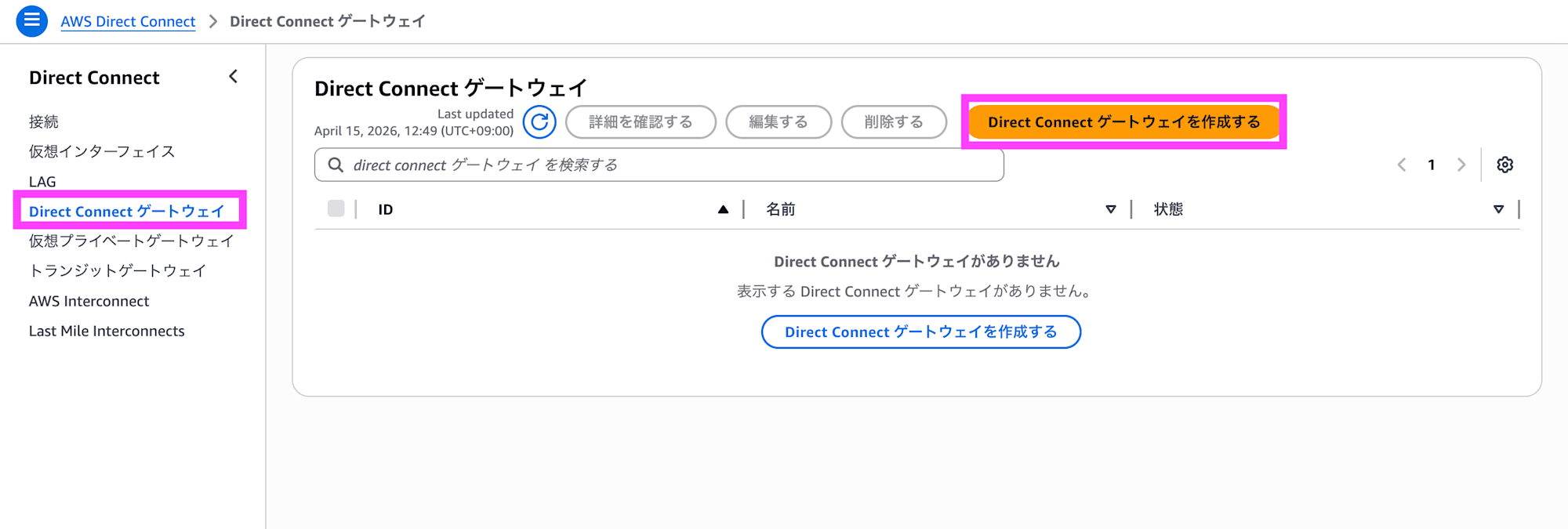
In the AWS Direct Connect Gateway console, click Create Direct Connect gateway.
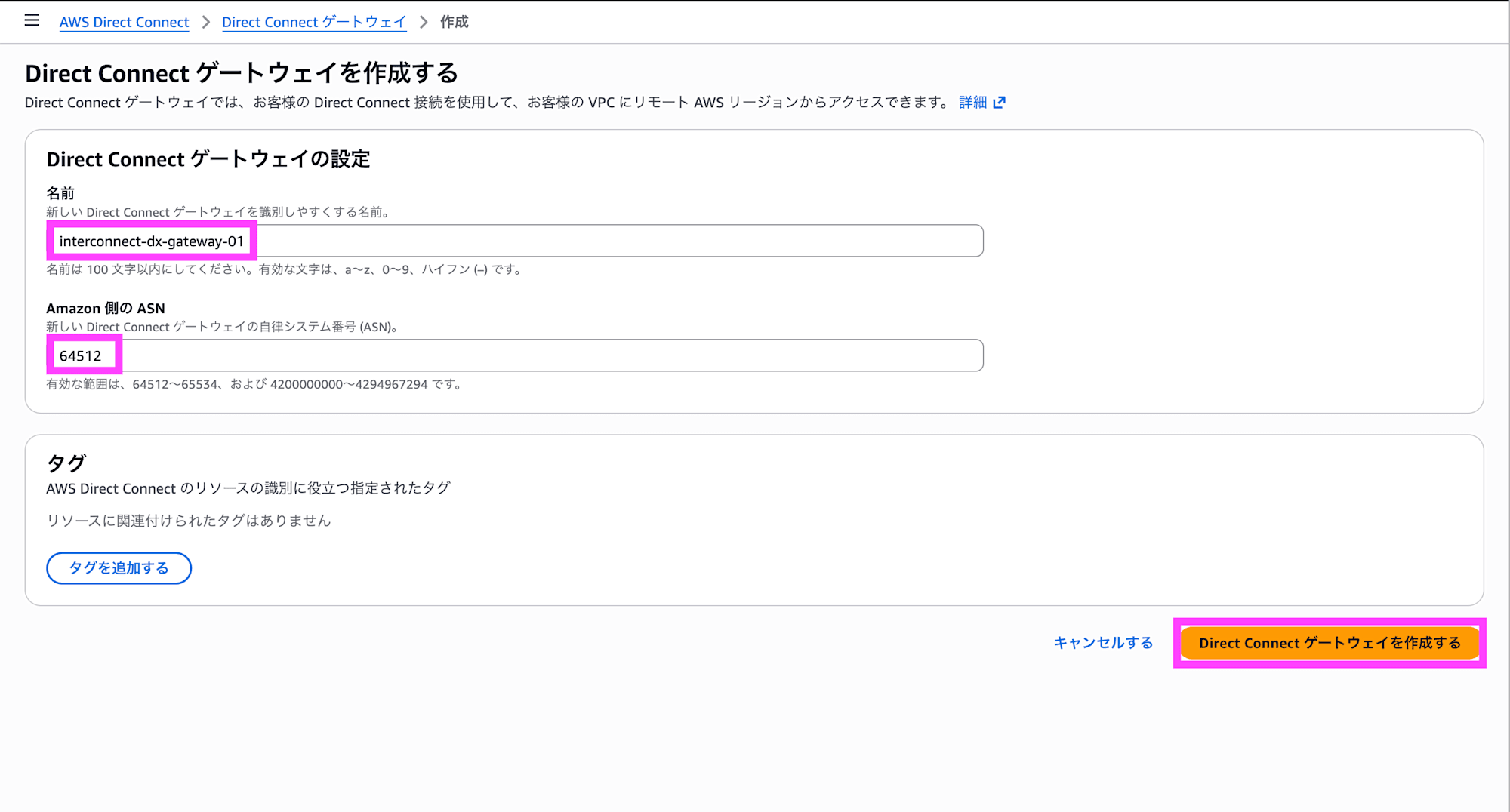
Enter a name and ASN, add tags as needed, and click Create Direct Connect gateway.
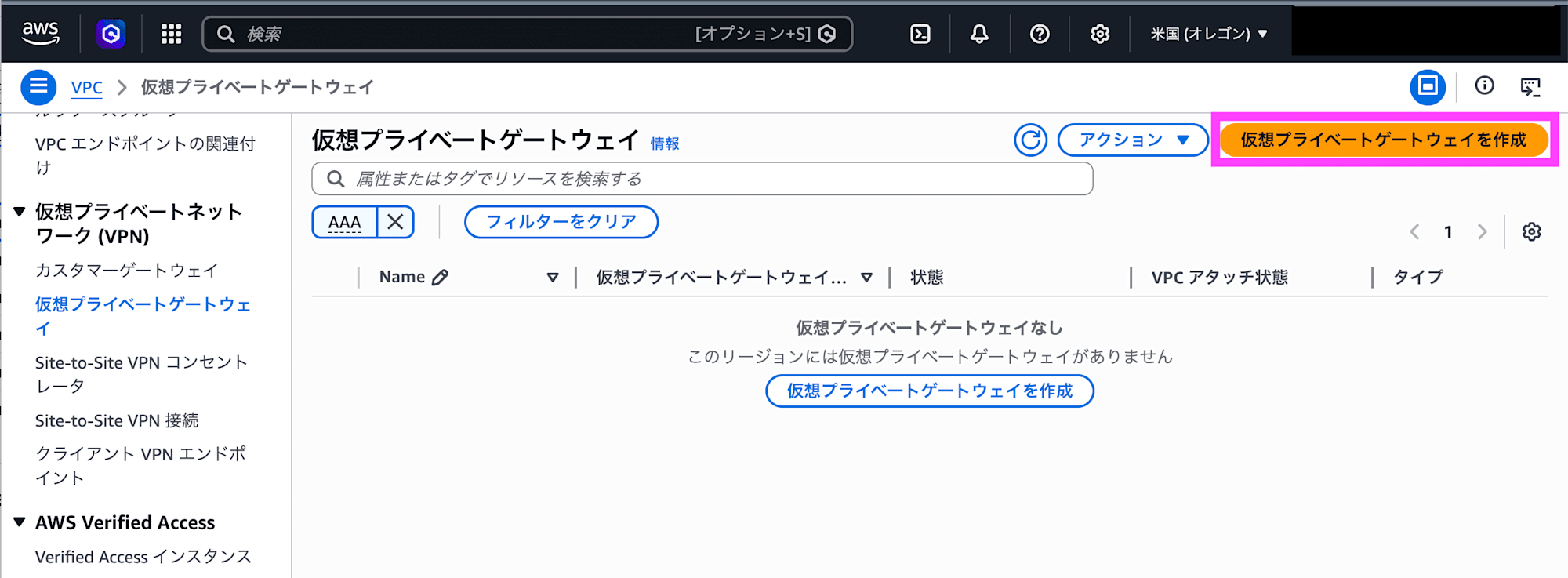
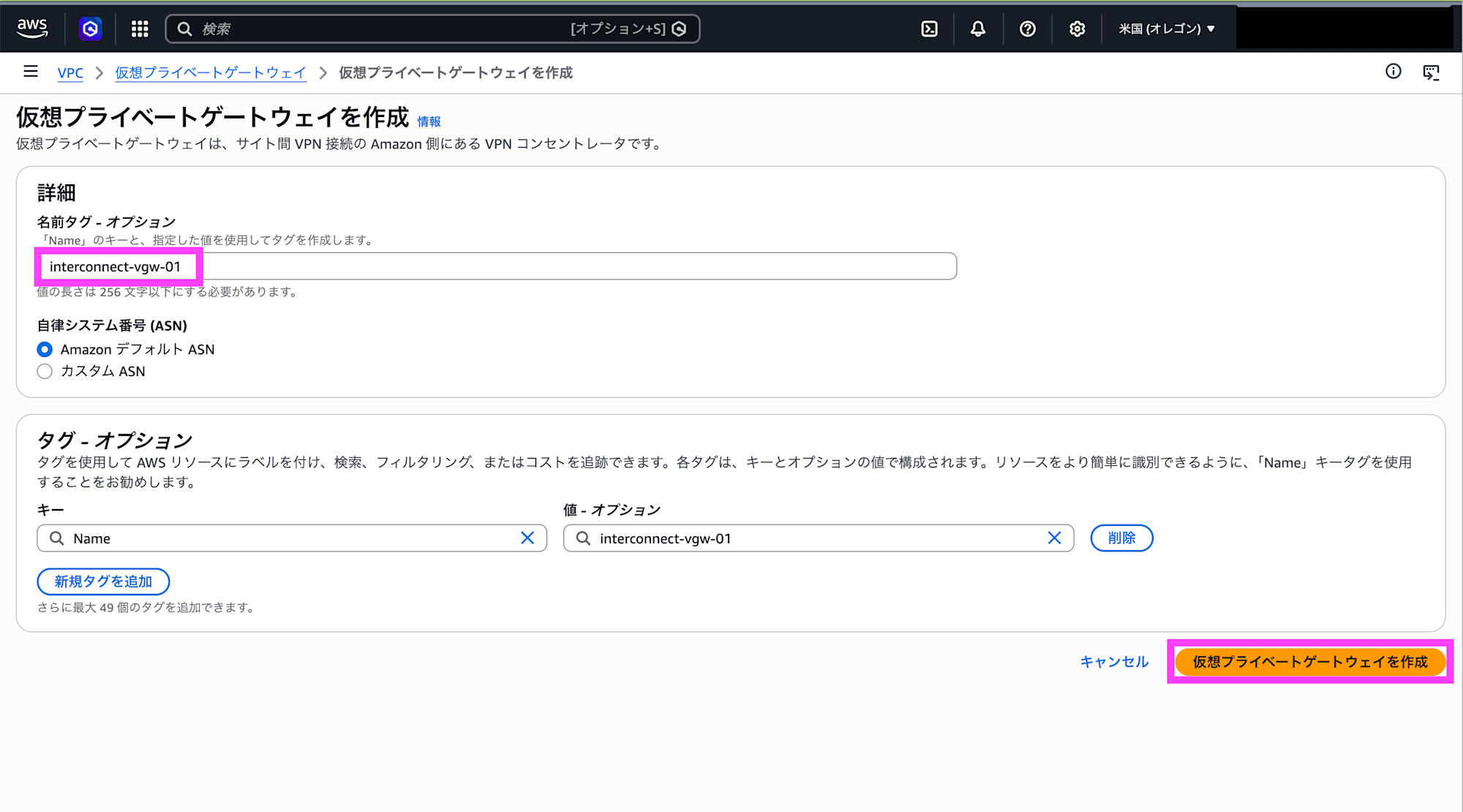
Open the Virtual Private Gateway console in the VPC for the Oregon region and click Create virtual private gateway.
Set a name tag and click Create virtual private gateway.
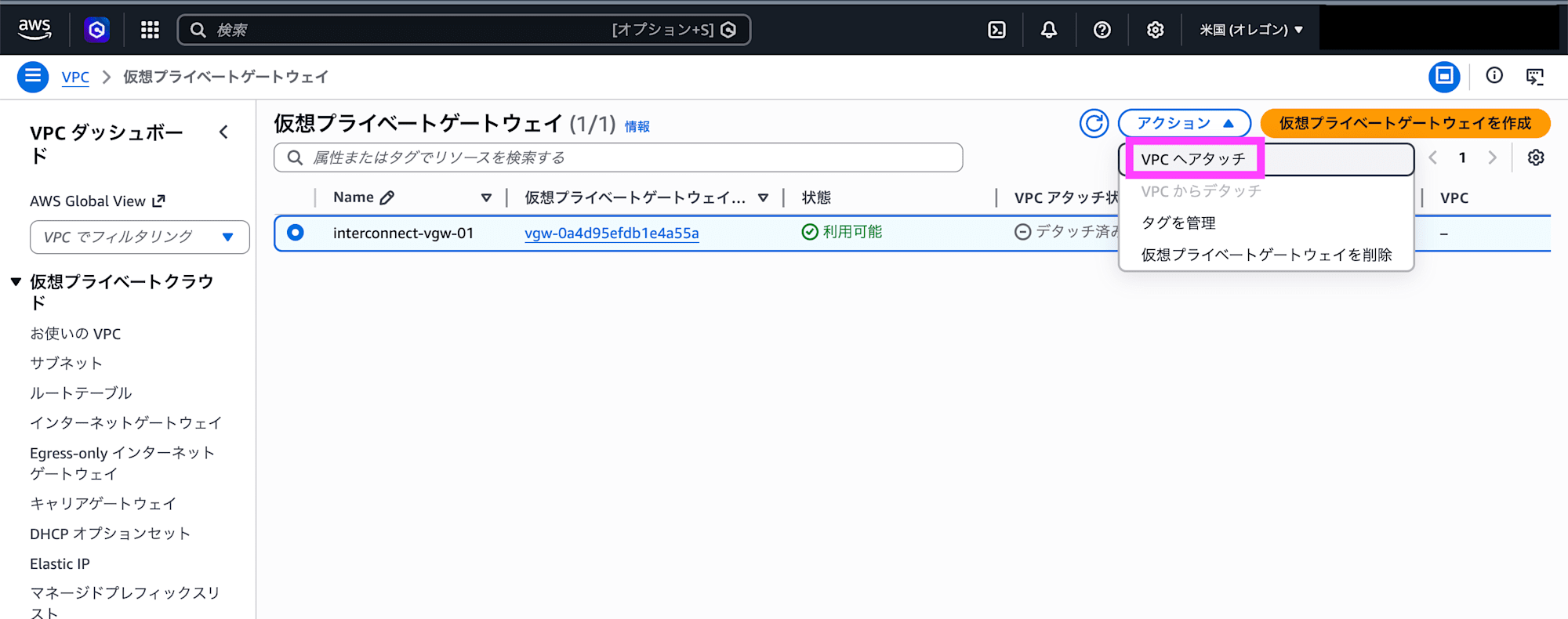
Select the created virtual private gateway and click Attach to VPC.
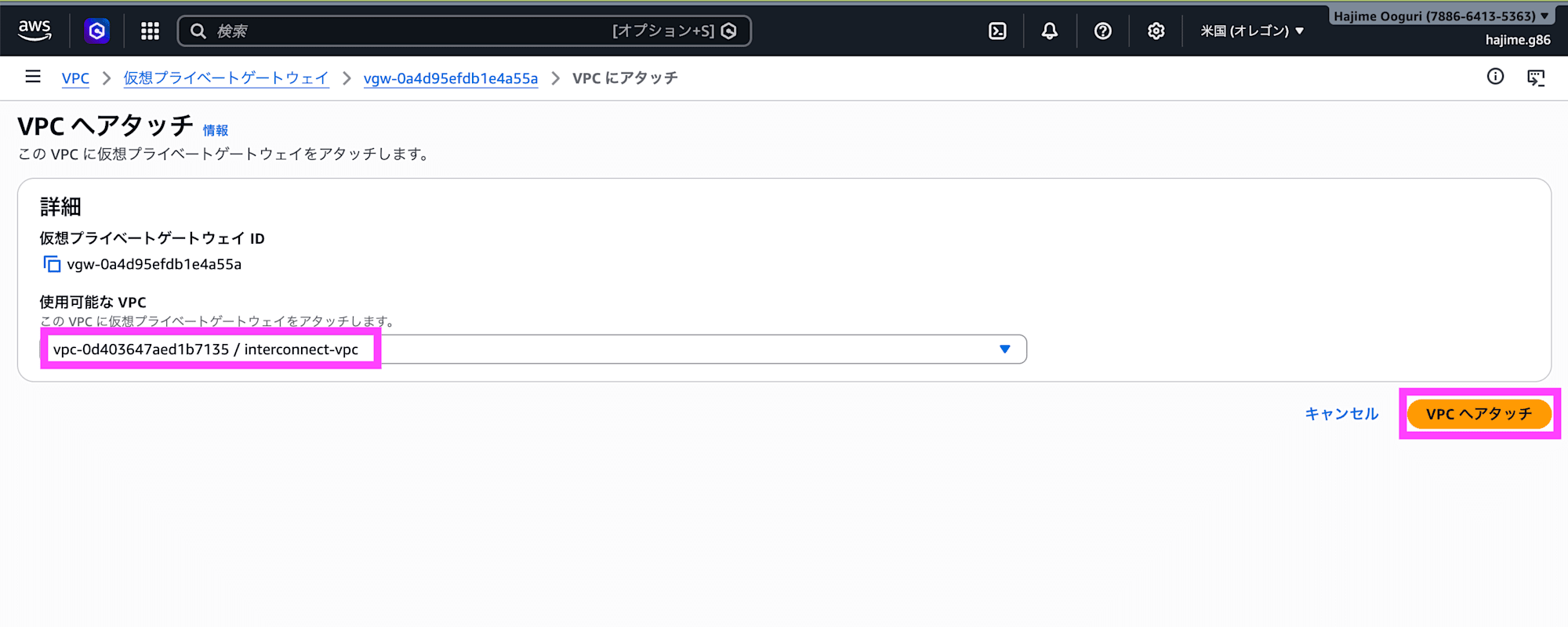
Select the VPC and click Attach to VPC.
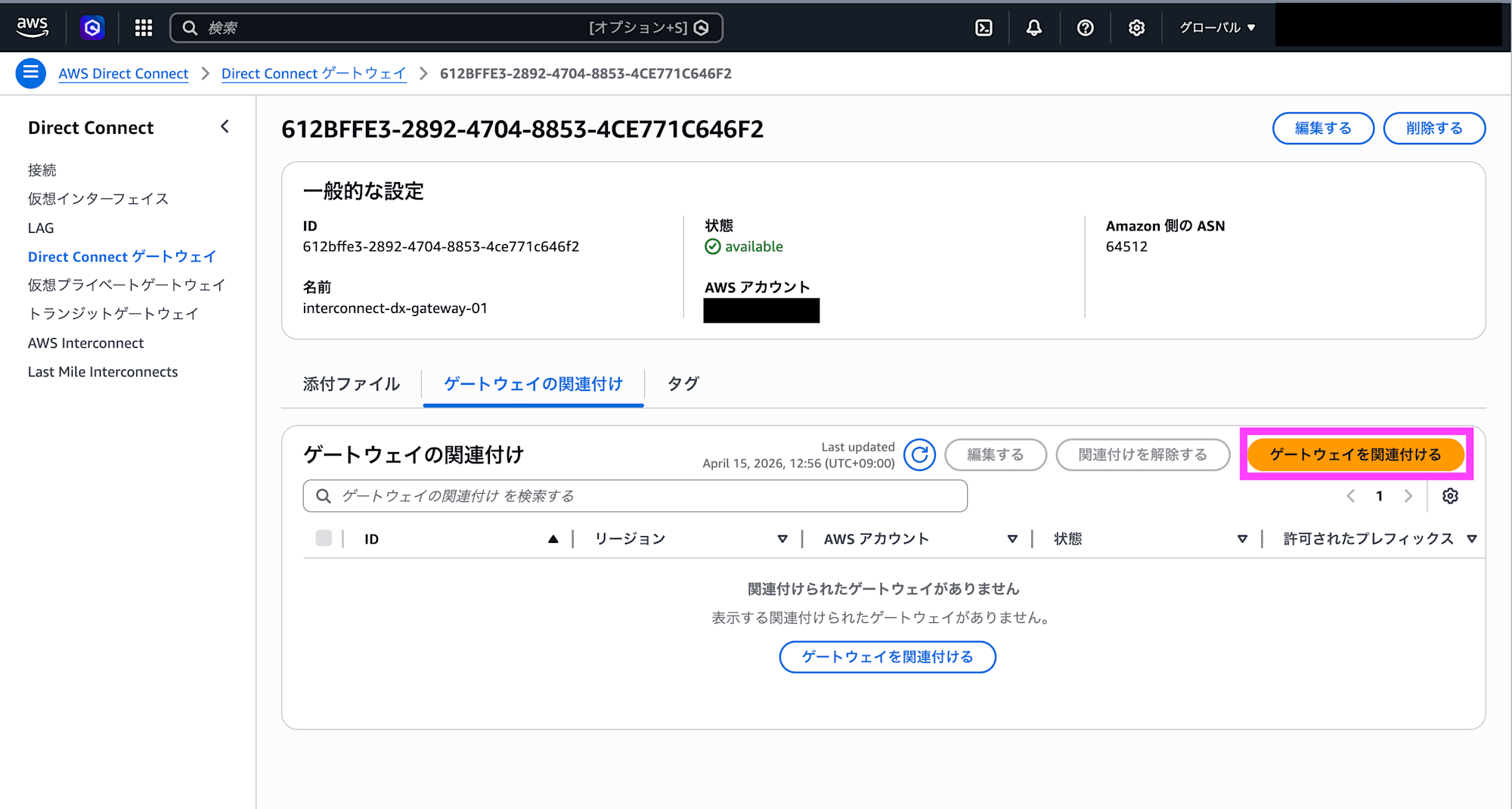
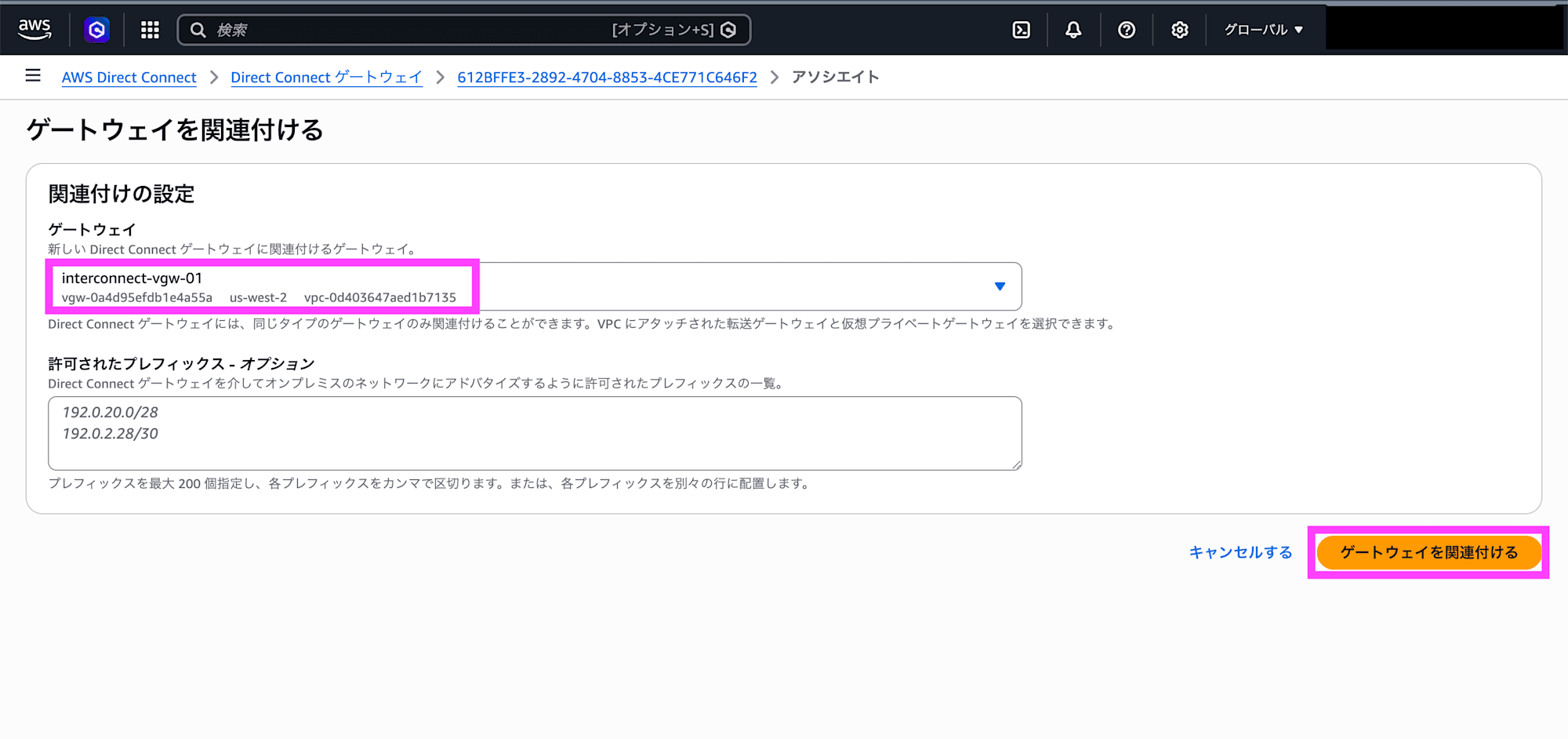
Select the created Direct Connect gateway and click Associate gateway.
Select the created virtual private gateway and click Associate gateway.
Google Cloud Preparation
If the Network Connectivity API is not enabled, enable it.
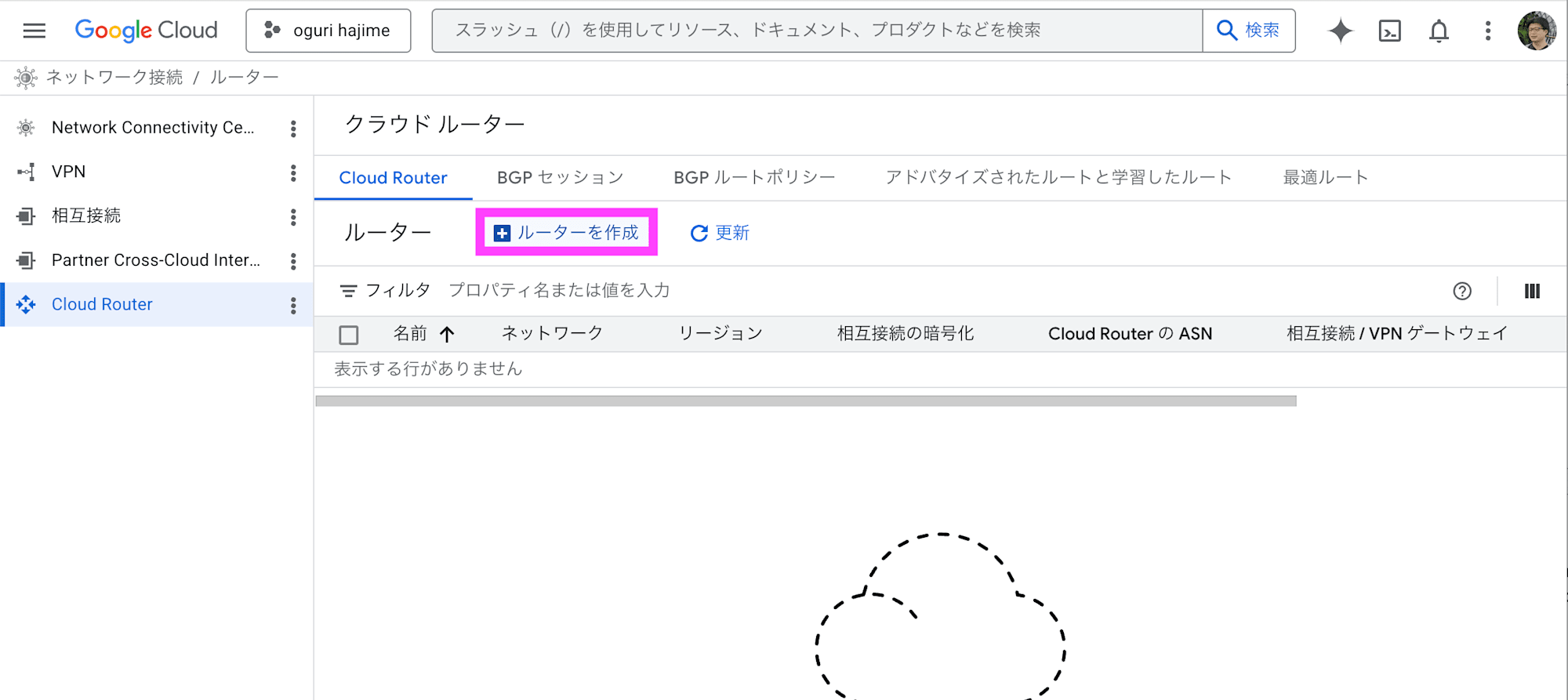
In the Cloud Router console, click Create router.
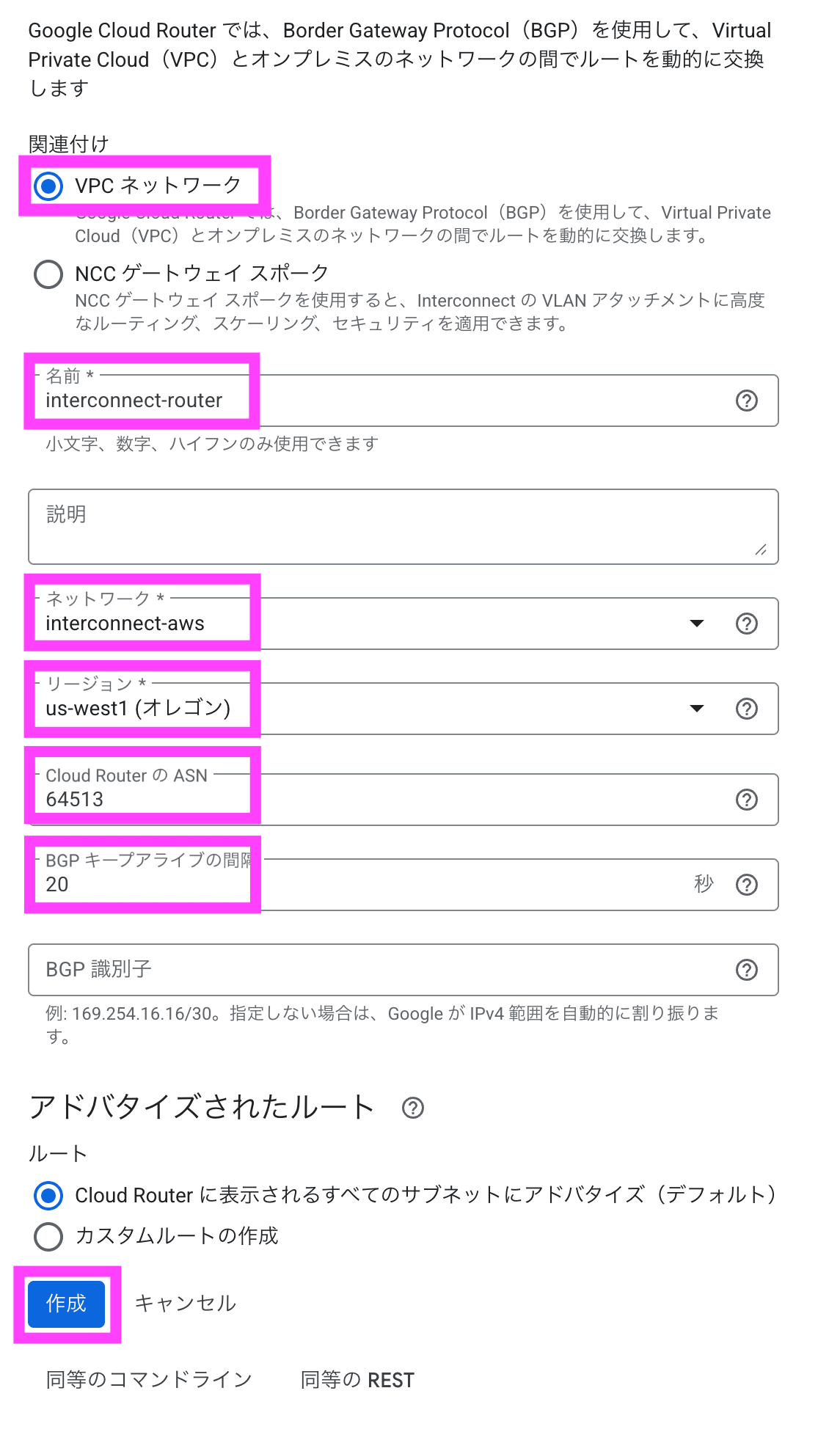
Under association, select VPC network, enter a name, select the VPC under network, and select Oregon under region. Enter the ASN and BGP keepalive interval, then click Create.
Creating the Interconnect - multicloud
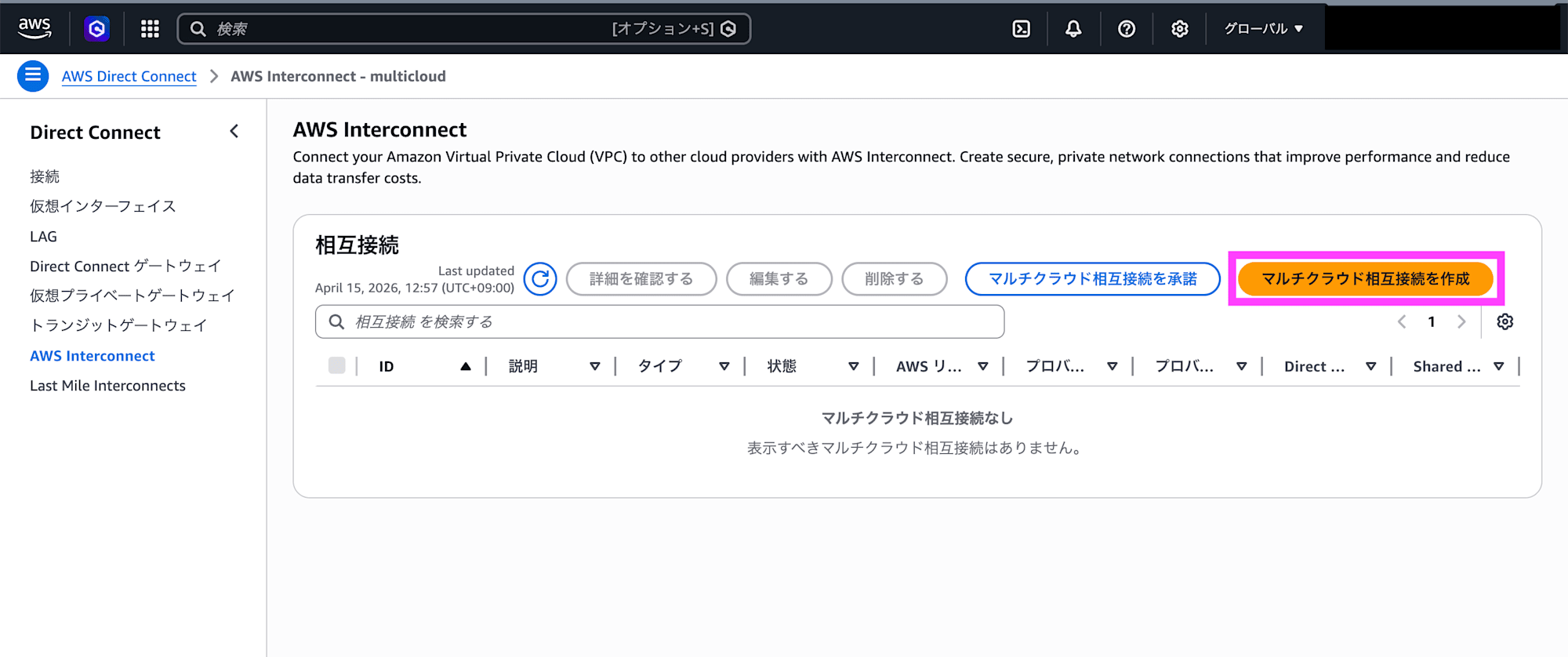
In the AWS Interconnect console, click Create multicloud interconnect.
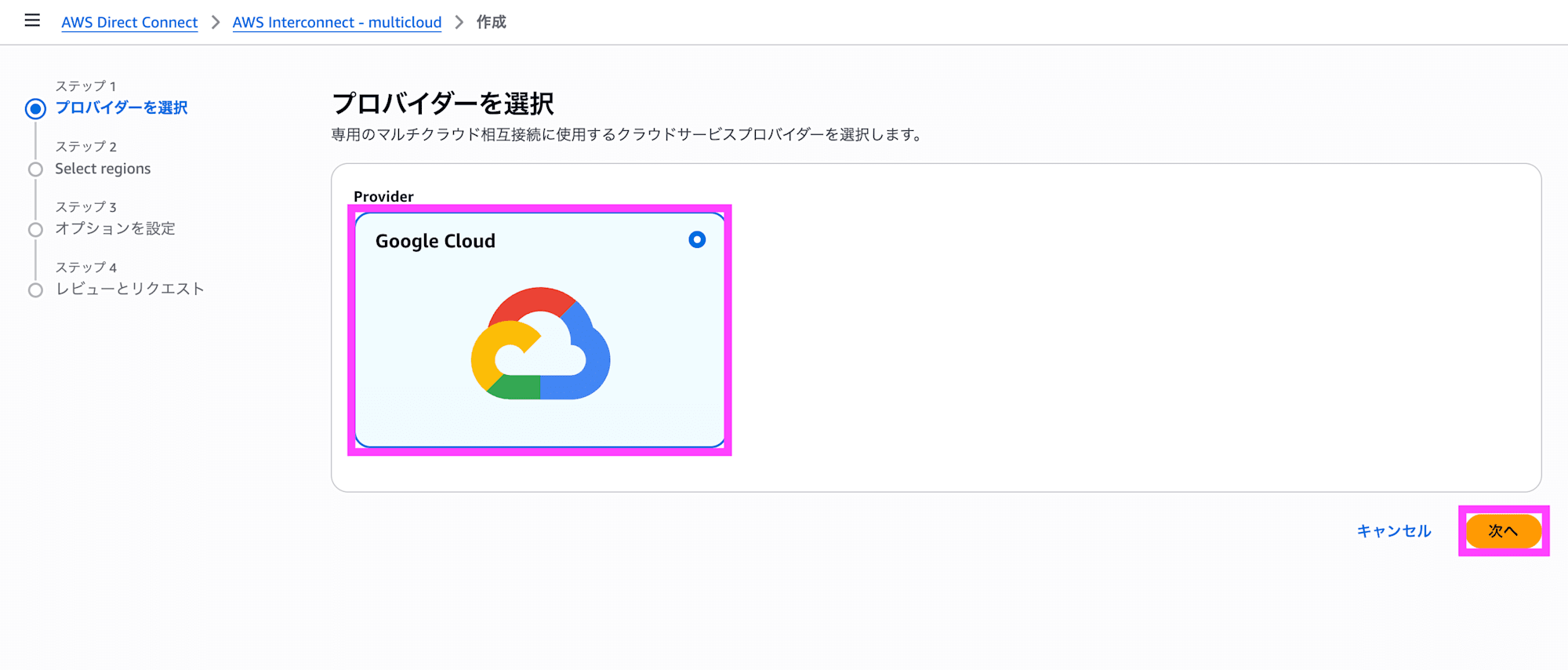
Select Google Cloud as the provider and click Next.
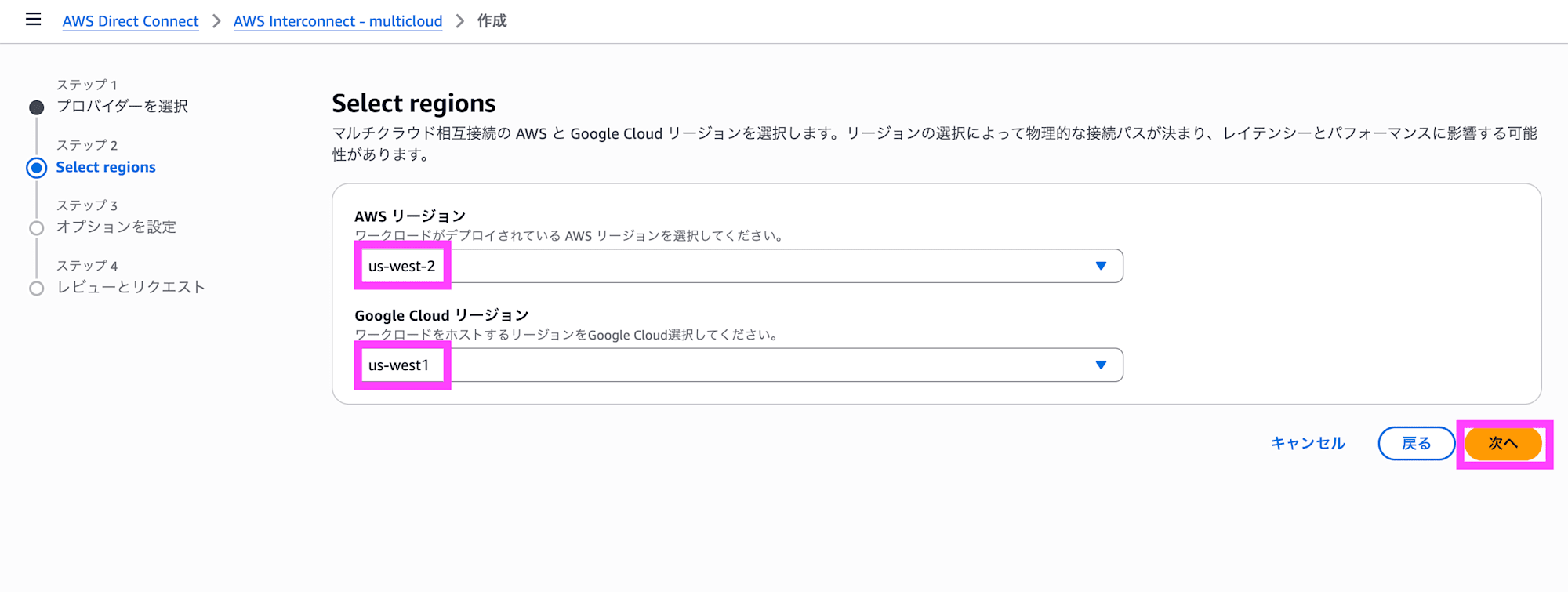
Select Oregon for both the AWS region and the Google Cloud region, then click Next.
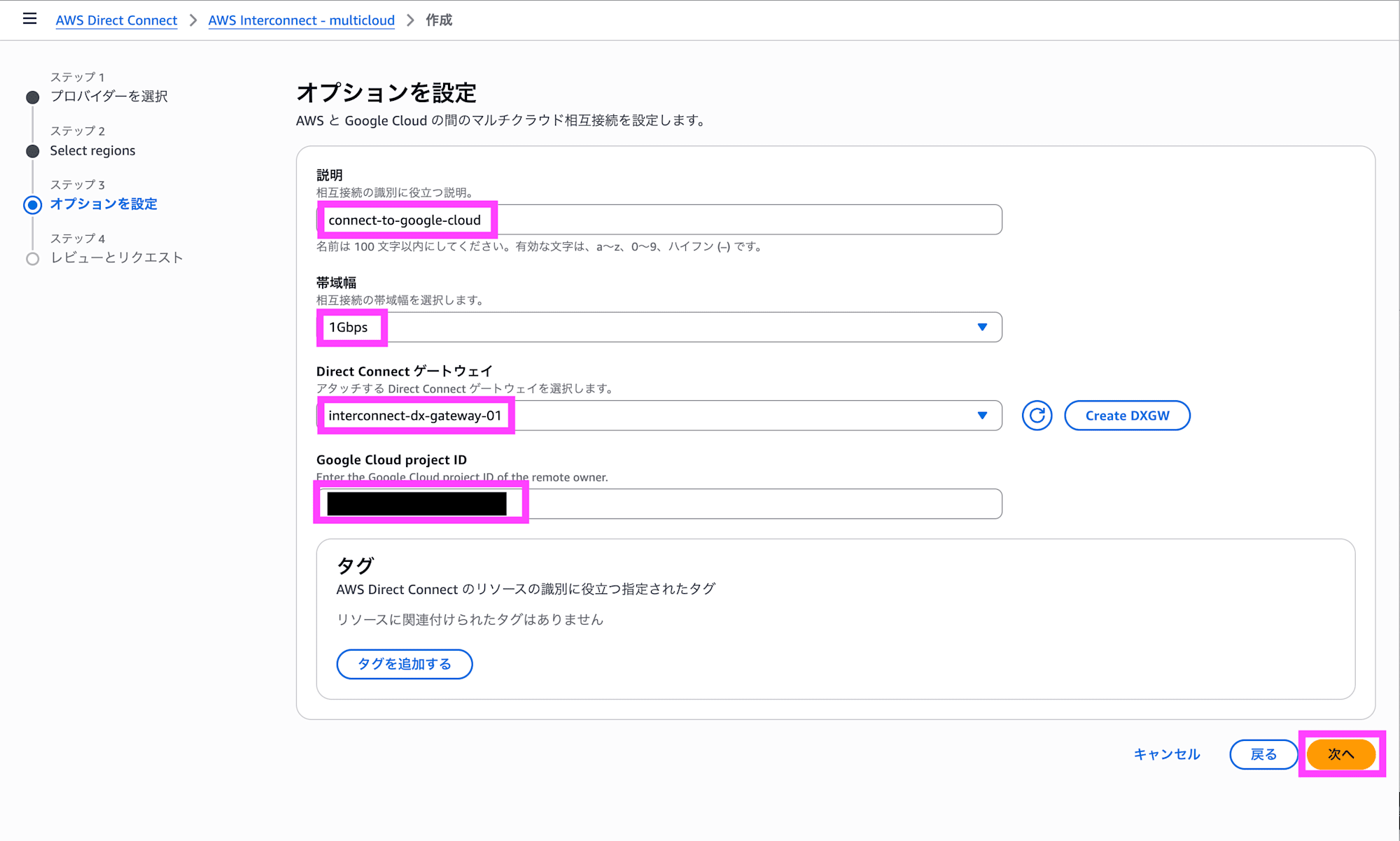
Enter a description, bandwidth, Direct Connect gateway, and Google Cloud Project ID, then click Next.
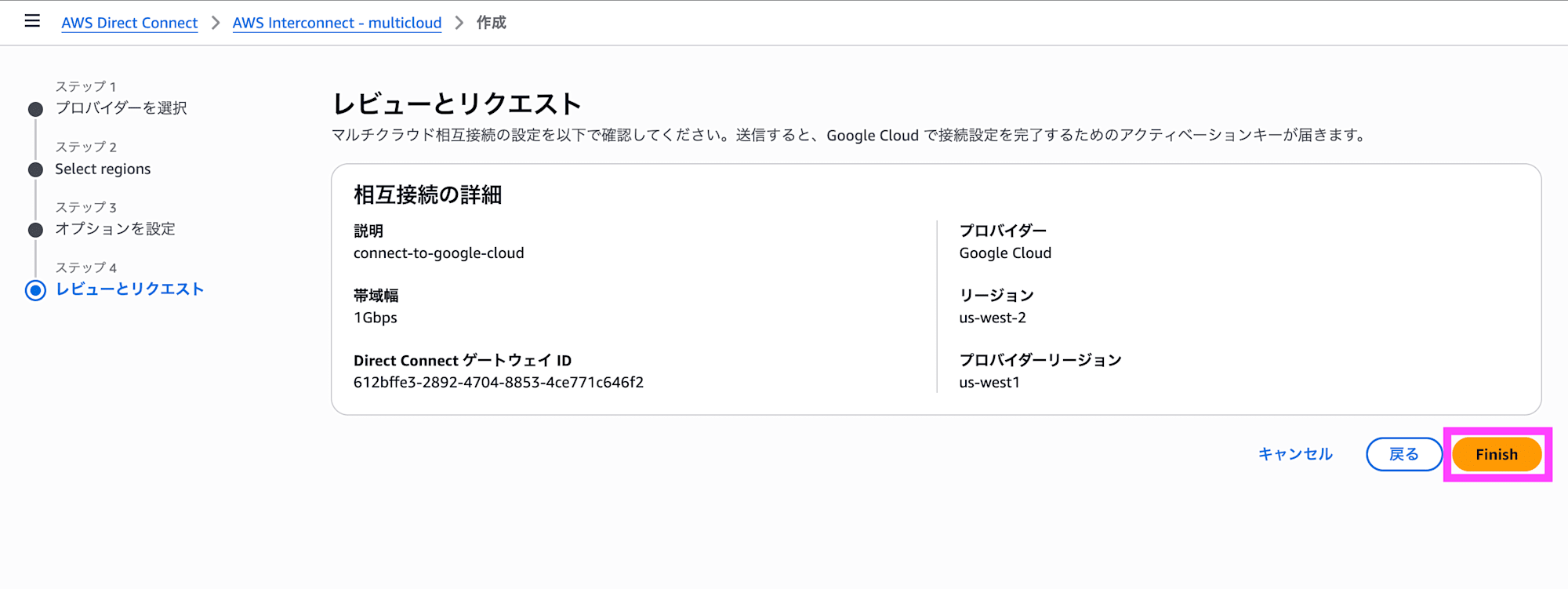
Confirm the configuration is correct and click Finish.
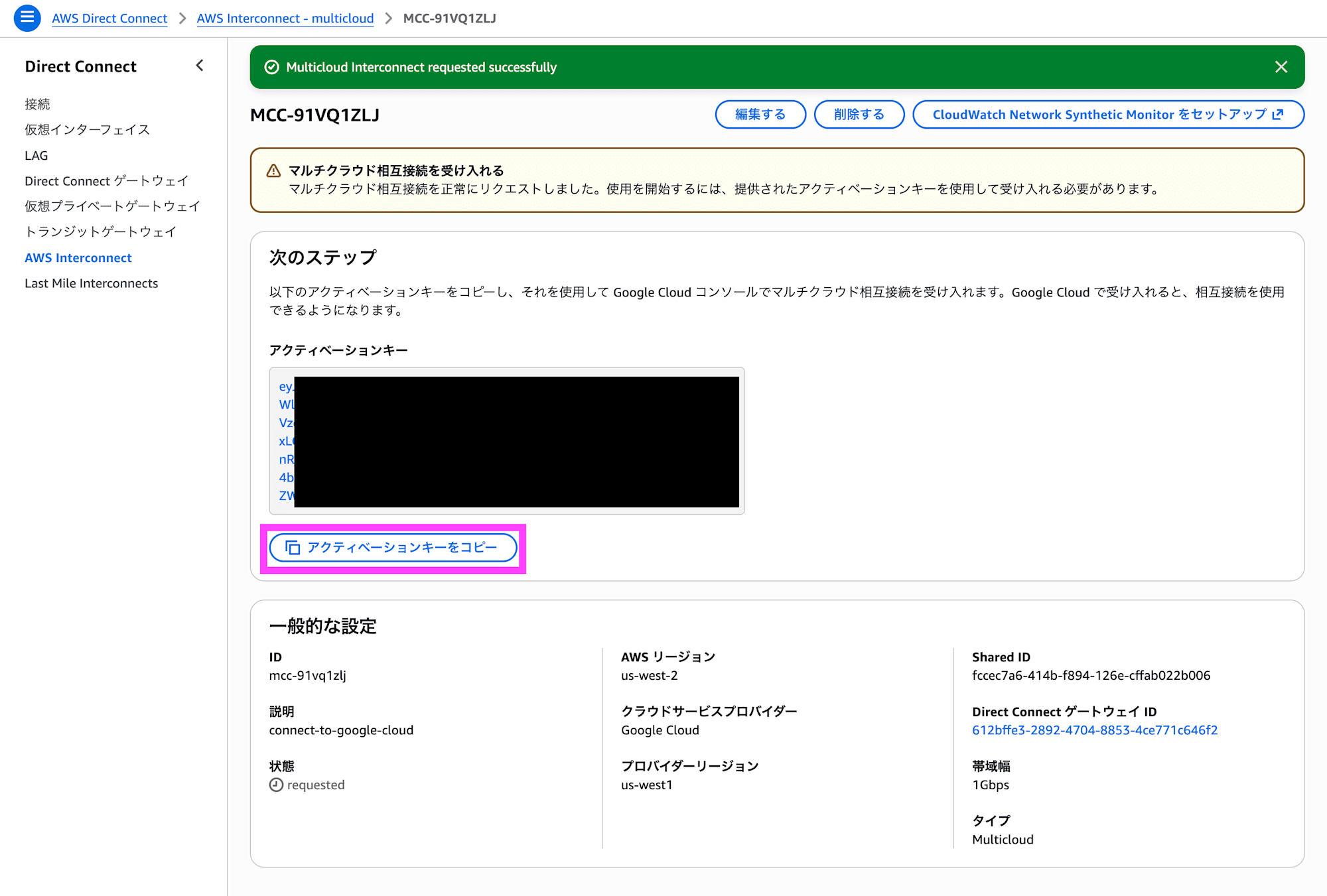
Click Copy activation key to copy the activation key.
Creating the Partner Cross-Cloud Interconnect Transport
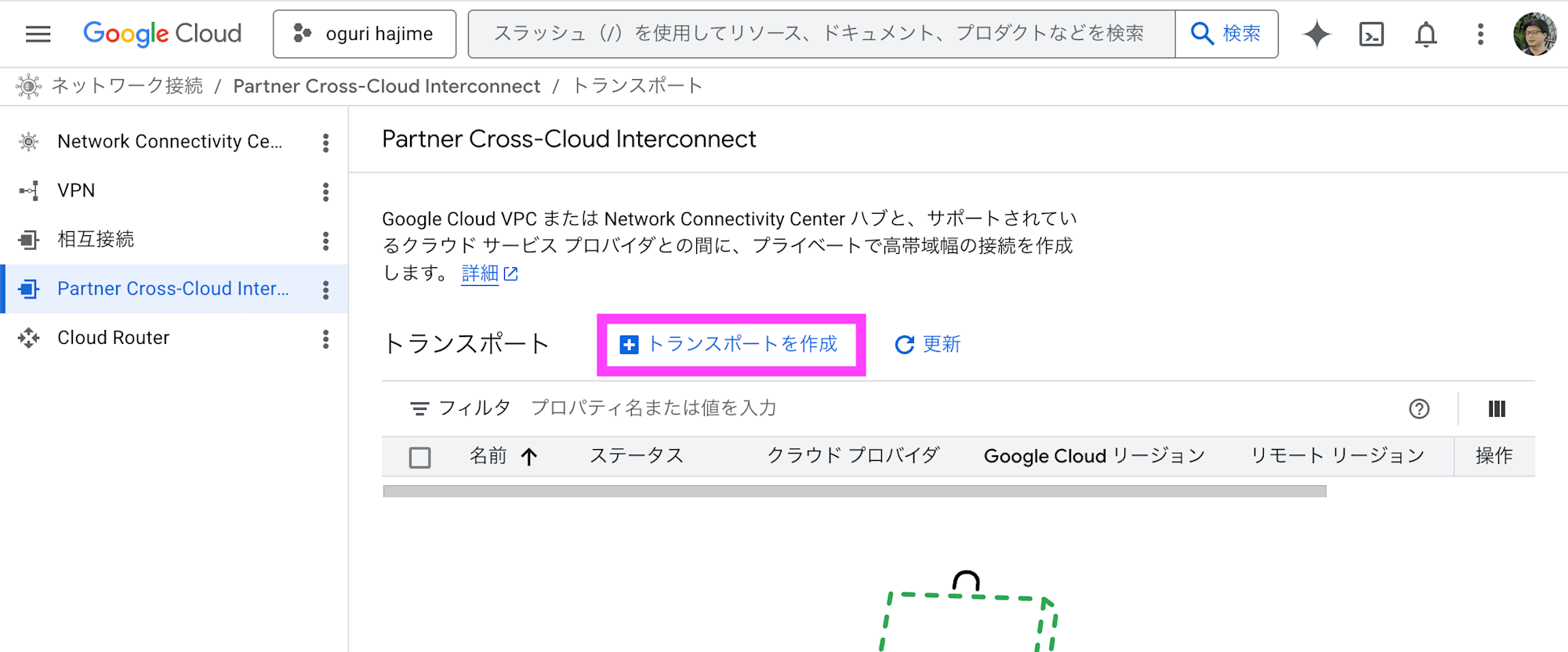
In the Google Cloud Partner Cross-Cloud Interconnect console, click Create transport.
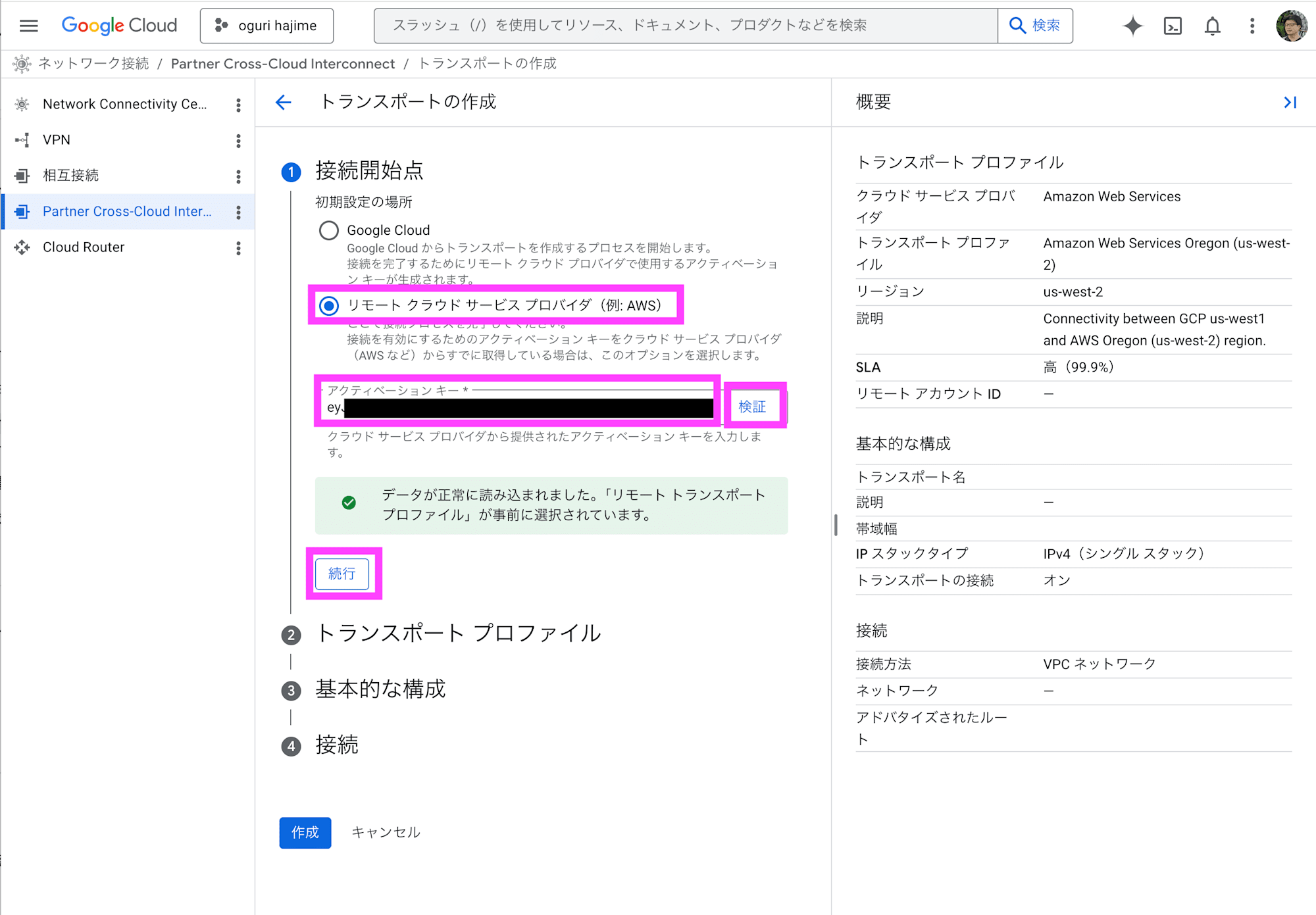
Under initial setup location, select Remote cloud service provider. Enter the activation key you copied and click Validate. Click Continue.
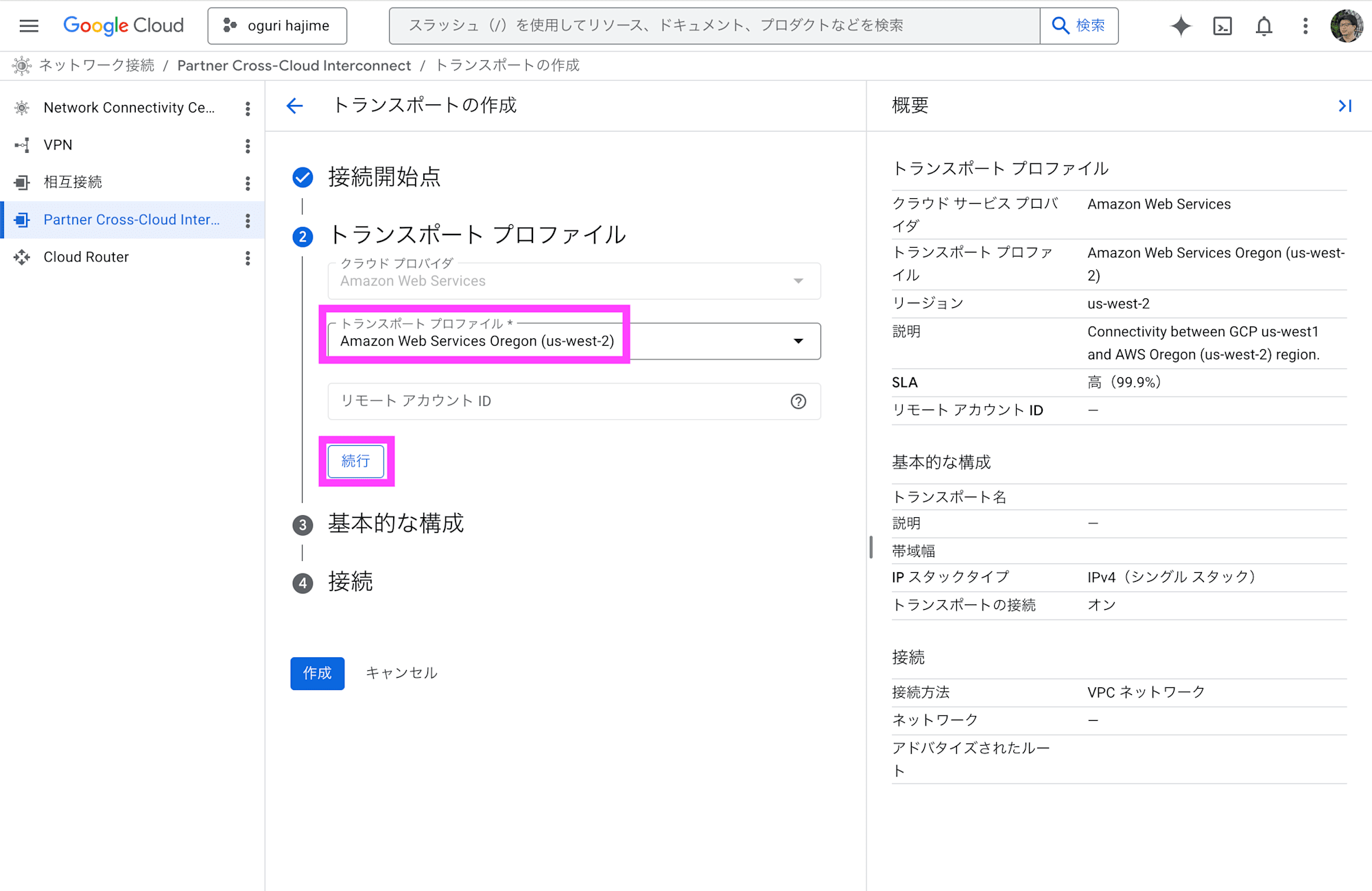
Under transport profile, select Amazon Web Services Oregon (us-west-2) and click Continue.
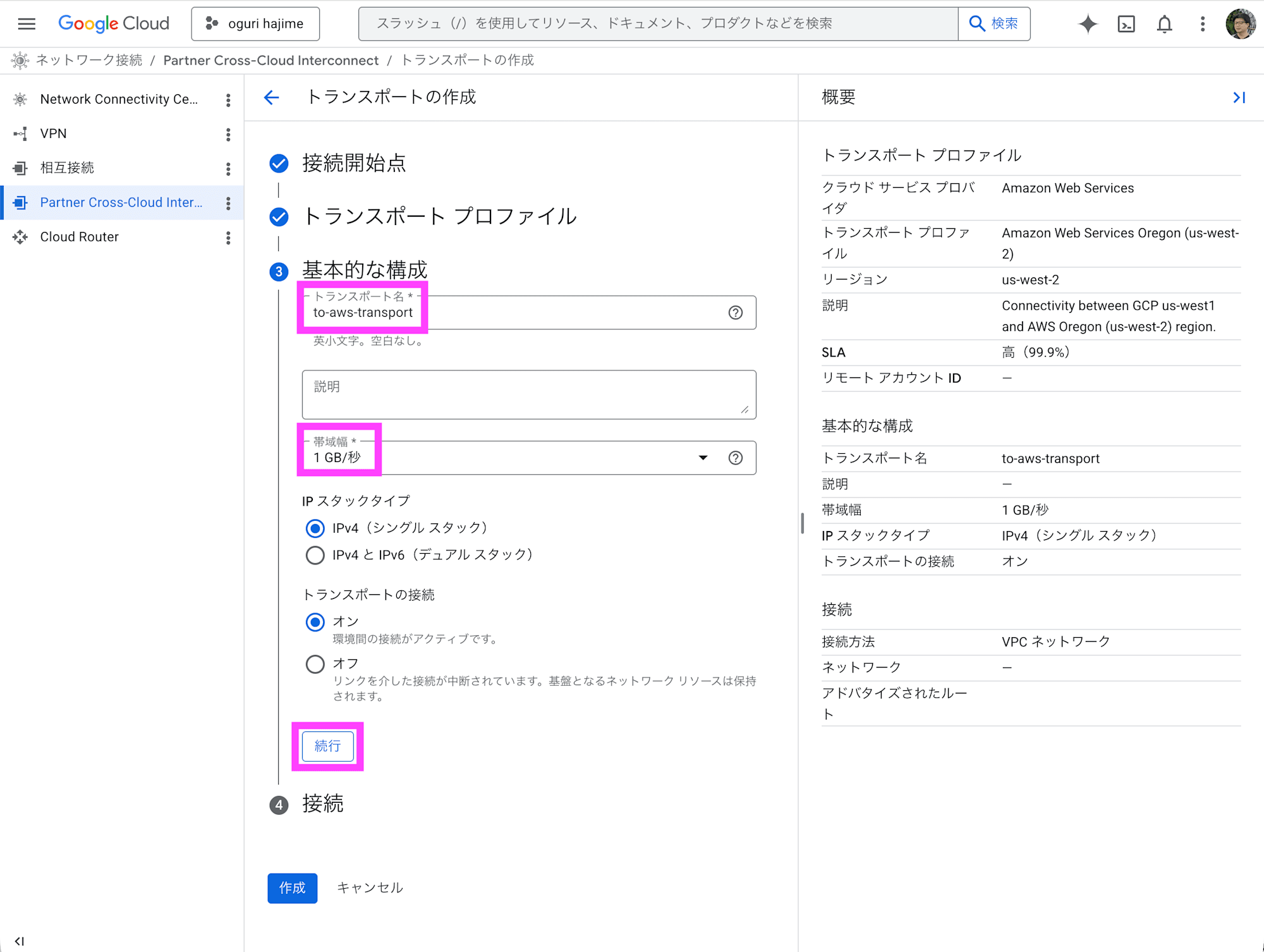
Enter a transport name, specify the bandwidth, and click Continue. Note that the bandwidth is displayed as 1 GB/s, but this appears to be an error for 1 Gbps.
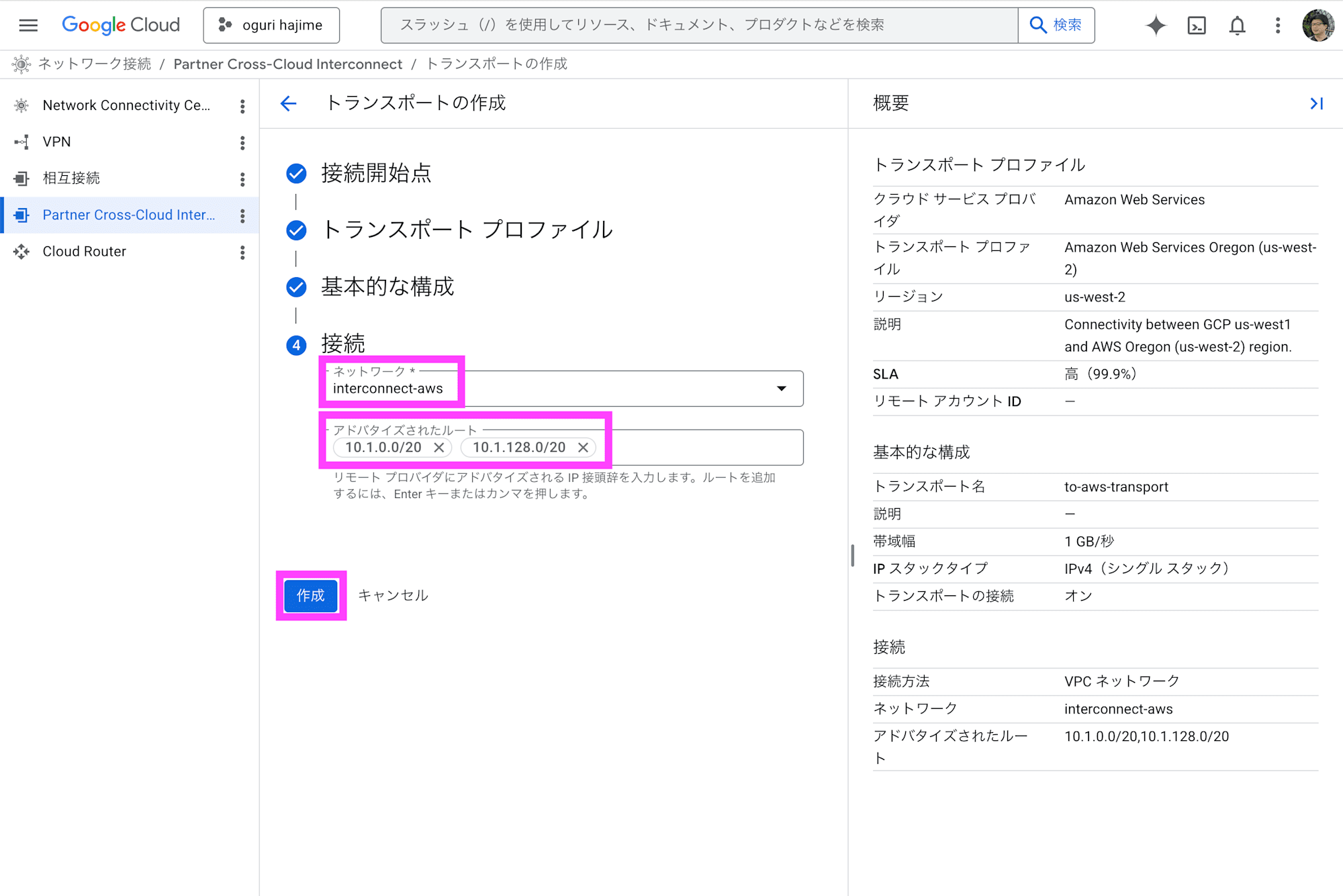
Select the VPC under network, enter the subnet CIDR under advertised routes, and click Create.
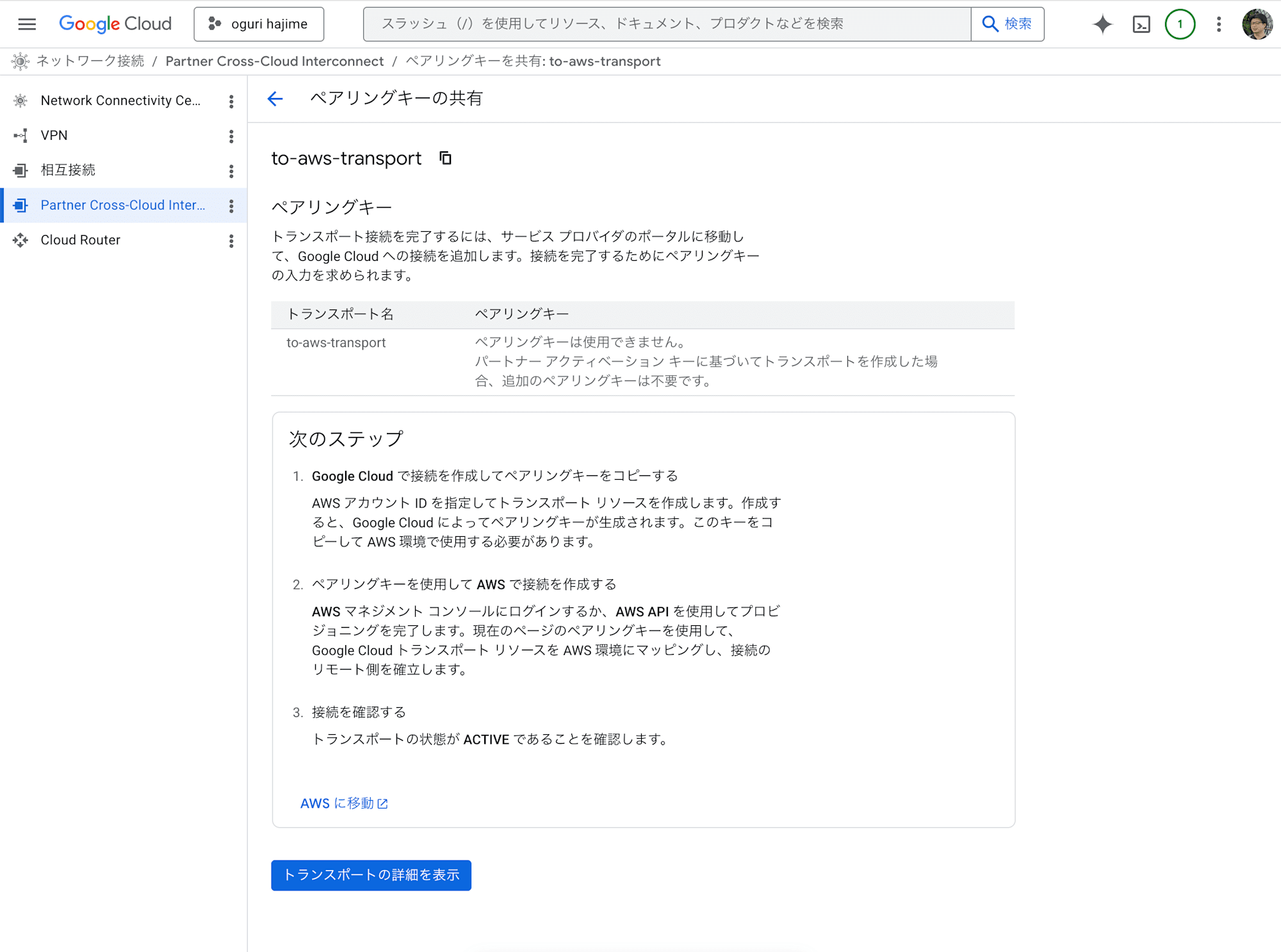
After waiting a few minutes, the transport will be created.
Peering Configuration
Here, the configuration is performed using the gcloud command in Cloud Shell.
Retrieve the network name. Change to-aws-transport as needed. Check the contents of peeringNetwork.
$ gcloud network-connectivity transports describe to-aws-transport --region us-west1
advertisedRoutes:
- 10.1.0.0/20
- 10.1.128.0/20
bandwidth: BPS_1G
createTime: '2026-04-15T04:24:14.235013205Z'
name: projects/project-name/locations/us-west1/transports/to-aws-transport
network: projects/project-name/global/networks/interconnect-aws
peeringNetwork: projects/123456789012345678901/global/networks/transport-1234567890123456-vpc
providedActivationKey: 12345678901234567890123456789012345678901234567890123456789012345678901234567890123456789012345678901234567890123456789012345678901234567890123456789012345678901234567890123456789012345678901234567890123456789012345678901234567890123456789012345678901234567890123456789012345678901234567890123456789012345678901234567890123456789012345678901234567890123456789012345678901234567890123456789012345678901234567=
remoteProfile: projects/project-name/locations/us-west1/remoteTransportProfiles/aws-us-west-2
stackType: IPV4_ONLY
state: ACTIVE
updateTime: '2026-04-15T04:36:19.599387613Z'
Run the gcloud compute networks peerings create command to establish VPC network peering. A warning about MTU mismatch appears, but for the purpose of connection validation we will proceed without concern. For production use, make sure to align the MTU between AWS and Google Cloud.
$ gcloud compute networks peerings create "to-aws-transport" \
    --network="interconnect-aws" \
    --peer-network="projects/123456789012345678901/global/networks/transport-1234567890123456-vpc" \
    --stack-type=IPV4_ONLY \
    --import-custom-routes \
    --export-custom-routes
Updated [https://www.googleapis.com/compute/v1/projects/project-name/global/networks/interconnect-aws].
WARNING: Some requests generated warnings:
 - Network MTU 1460B does not match the peer's MTU 8896B

・
・
・
Routing Configuration
In the AWS console, edit the routes for the target route table.
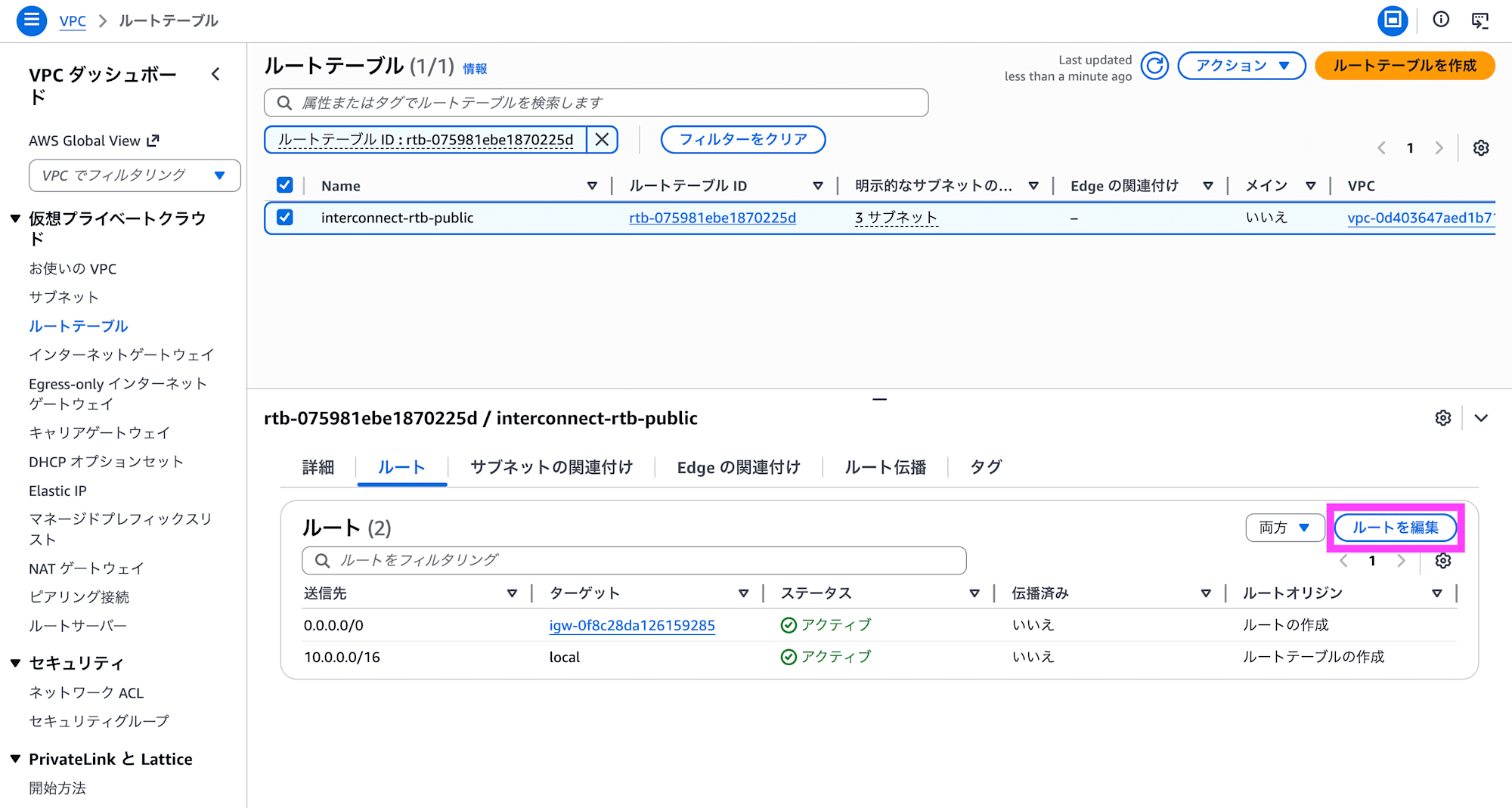
Configure routing toward the Google Cloud subnet CIDR to point to the virtual private gateway.
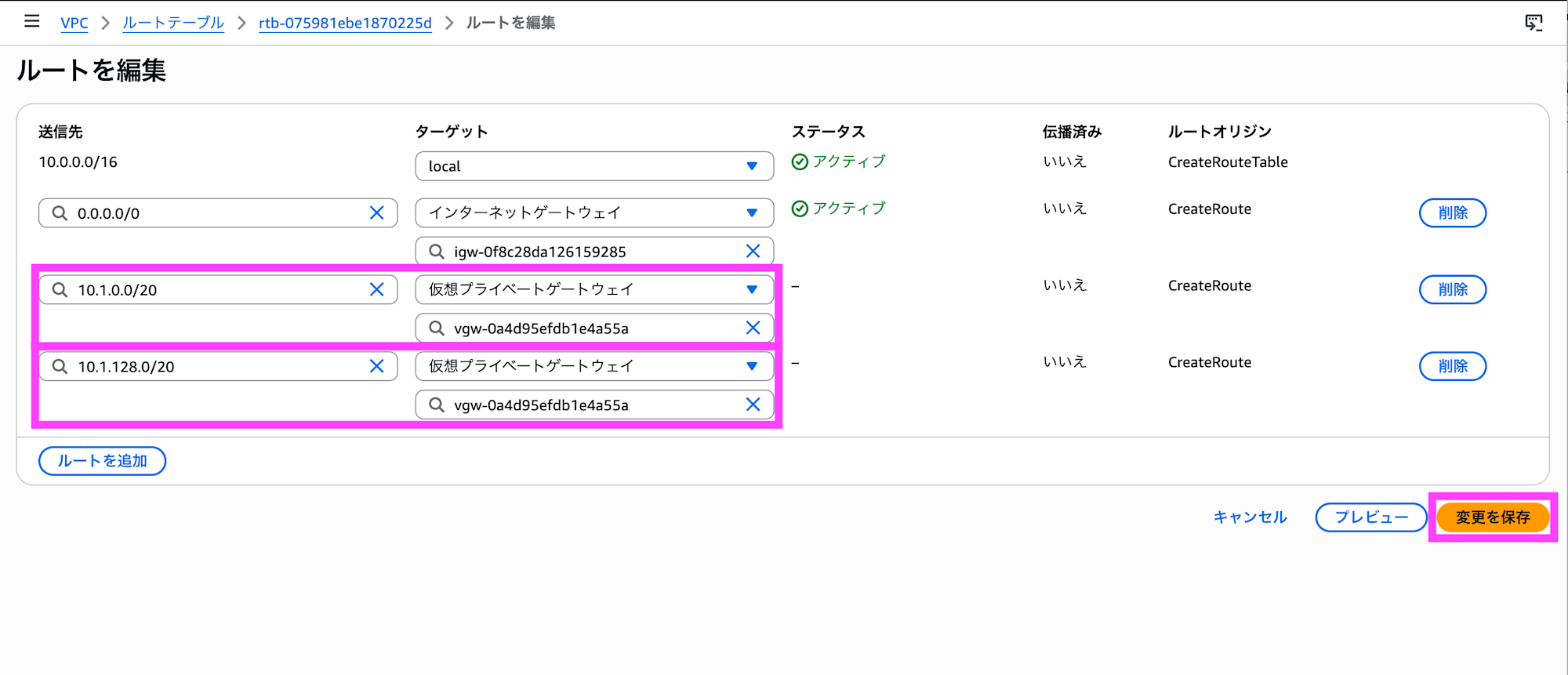
To propagate routing information to the Google Cloud side, click Edit route propagation under the Route propagation tab.
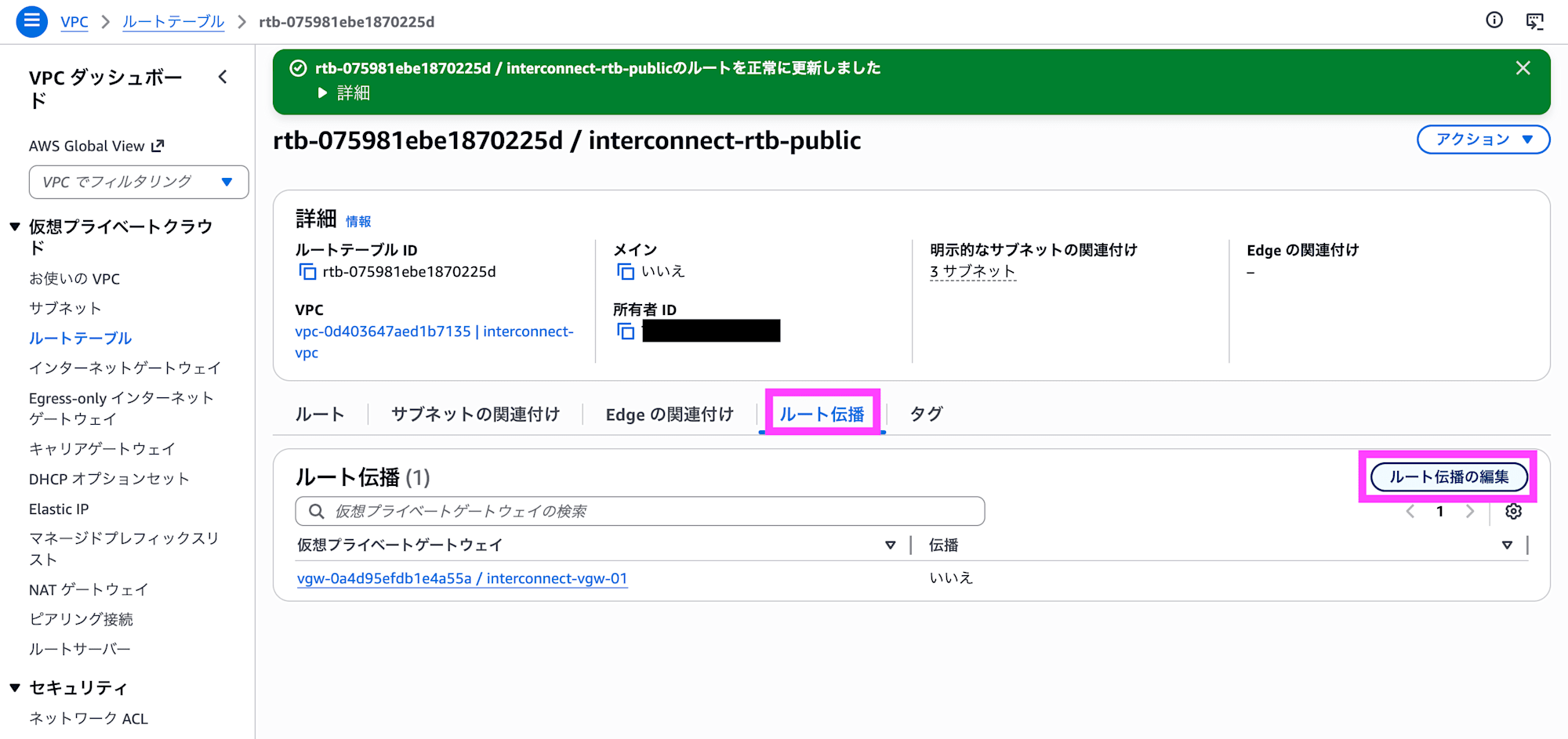
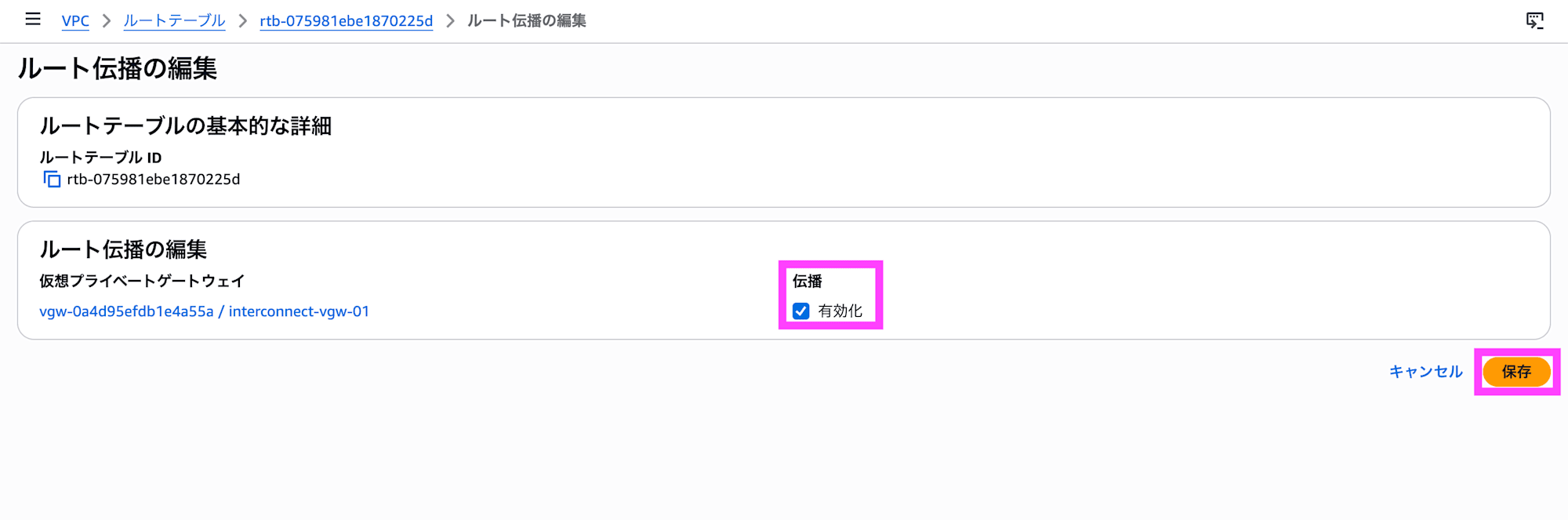
Set propagation to Enable and click Save. Routing information will now be propagated to the Google Cloud side as well, enabling connectivity.
Connection Verification
Start virtual machines on both AWS and Google Cloud, launch web servers, and allow 80/TCP and ICMP in the security group/firewall settings.
Connecting from the AWS Side
Run commands on EC2 to verify connectivity.
Running on Amazon Linux 2023.
$ uname -a
Linux ip-10-0-163-224.us-west-2.compute.internal 6.1.166-197.305.amzn2023.x86_64 #1 SMP PREEMPT_DYNAMIC Mon Mar 23 09:53:26 UTC 2026 x86_64 x86_64 x86_64 GNU/Linux
The IP addresses are as follows.
$ ip a
1: lo: <LOOPBACK,UP,LOWER_UP> mtu 65536 qdisc noqueue state UNKNOWN group default qlen 1000
    link/loopback 00:00:00:00:00:00 brd 00:00:00:00:00:00
    inet 127.0.0.1/8 scope host lo
       valid_lft forever preferred_lft forever
    inet6 ::1/128 scope host noprefixroute
       valid_lft forever preferred_lft forever
2: ens5: <BROADCAST,MULTICAST,UP,LOWER_UP> mtu 9001 qdisc mq state UP group default qlen 1000
    link/ether 0a:48:d9:3b:ba:33 brd ff:ff:ff:ff:ff:ff
    altname enp0s5
    altname eni-00cca6a6ee63812ab
    altname device-number-0.0
    inet 10.0.163.224/20 metric 512 brd 10.0.175.255 scope global dynamic ens5
       valid_lft 2024sec preferred_lft 2024sec
    inet6 fe80::848:d9ff:fe3b:ba33/64 scope link proto kernel_ll
       valid_lft forever preferred_lft forever
Let's try pinging. It appears to be about 10ms from the AWS Oregon region to the Google Cloud Oregon region.
$ ping -c 10 10.1.0.2
PING 10.1.0.2 (10.1.0.2) 56(84) bytes of data.
64 bytes from 10.1.0.2: icmp_seq=1 ttl=62 time=11.1 ms
64 bytes from 10.1.0.2: icmp_seq=2 ttl=62 time=10.1 ms
64 bytes from 10.1.0.2: icmp_seq=3 ttl=62 time=10.1 ms
64 bytes from 10.1.0.2: icmp_seq=4 ttl=62 time=10.1 ms
64 bytes from 10.1.0.2: icmp_seq=5 ttl=62 time=10.2 ms
64 bytes from 10.1.0.2: icmp_seq=6 ttl=62 time=10.0 ms
64 bytes from 10.1.0.2: icmp_seq=7 ttl=62 time=10.1 ms
64 bytes from 10.1.0.2: icmp_seq=8 ttl=62 time=10.1 ms
64 bytes from 10.1.0.2: icmp_seq=9 ttl=62 time=10.1 ms
64 bytes from 10.1.0.2: icmp_seq=10 ttl=62 time=10.1 ms

--- 10.1.0.2 ping statistics ---
10 packets transmitted, 10 received, 0% packet loss, time 9011ms
rtt min/avg/max/mdev = 10.038/10.191/11.130/0.314 ms
Let's try a TCP traceroute. 5 hops.
$ sudo traceroute -T -p 80 10.1.0.2
traceroute to 10.1.0.2 (10.1.0.2), 30 hops max, 60 byte packets
 1  169.254.249.41 (169.254.249.41)  0.395 ms 169.254.249.45 (169.254.249.45)  0.491 ms  0.321 ms
 2  169.254.161.50 (169.254.161.50)  7.971 ms 169.254.80.58 (169.254.80.58)  6.287 ms 169.254.51.98 (169.254.51.98)  5.713 ms
 3  142.250.232.45 (142.250.232.45)  7.936 ms * *
 4  * * 142.250.232.46 (142.250.232.46)  7.974 ms
 5  * * ip-10-1-0-2.us-west-2.compute.internal (10.1.0.2)  11.105 ms
Verifying the Connection from the Google Cloud Side
Run commands on Compute Engine to verify the connection.
Running on Debian GNU/Linux 12.
$ uname -a
Linux interconnect 6.1.0-44-cloud-amd64 #1 SMP PREEMPT_DYNAMIC Debian 6.1.164-1 (2026-03-09) x86_64 GNU/Linux
The IP address is as follows.
$ ip a
1: lo: <LOOPBACK,UP,LOWER_UP> mtu 65536 qdisc noqueue state UNKNOWN group default qlen 1000
    link/loopback 00:00:00:00:00:00 brd 00:00:00:00:00:00
    inet 127.0.0.1/8 scope host lo
       valid_lft forever preferred_lft forever
    inet6 ::1/128 scope host noprefixroute
       valid_lft forever preferred_lft forever
2: ens4: <BROADCAST,MULTICAST,UP,LOWER_UP> mtu 1460 qdisc mq state UP group default qlen 1000
    link/ether 42:01:0a:01:00:02 brd ff:ff:ff:ff:ff:ff
    altname enp0s4
    inet 10.1.0.2/32 metric 100 scope global dynamic ens4
       valid_lft 83166sec preferred_lft 83166sec
    inet6 fe80::4001:aff:fe01:2/64 scope link
       valid_lft forever preferred_lft forever
Let's try a ping. It appears to take about 10ms from the Google Cloud Oregon region to the AWS Oregon region.
$ ping -c 10 10.0.163.224
PING 10.0.163.224 (10.0.163.224) 56(84) bytes of data.
64 bytes from 10.0.163.224: icmp_seq=1 ttl=124 time=11.2 ms
64 bytes from 10.0.163.224: icmp_seq=2 ttl=124 time=10.1 ms
64 bytes from 10.0.163.224: icmp_seq=3 ttl=124 time=10.2 ms
64 bytes from 10.0.163.224: icmp_seq=4 ttl=124 time=10.0 ms
64 bytes from 10.0.163.224: icmp_seq=5 ttl=124 time=10.1 ms
64 bytes from 10.0.163.224: icmp_seq=6 ttl=124 time=10.1 ms
64 bytes from 10.0.163.224: icmp_seq=7 ttl=124 time=10.3 ms
64 bytes from 10.0.163.224: icmp_seq=8 ttl=124 time=10.1 ms
64 bytes from 10.0.163.224: icmp_seq=9 ttl=124 time=10.1 ms
64 bytes from 10.0.163.224: icmp_seq=10 ttl=124 time=10.0 ms

--- 10.0.163.224 ping statistics ---
10 packets transmitted, 10 received, 0% packet loss, time 9012ms
rtt min/avg/max/mdev = 10.032/10.217/11.183/0.330 ms
Let's try a TCP traceroute. It's 3 hops.
$ sudo traceroute -T -p 80 10.0.163.224
traceroute to 10.0.163.224 (10.0.163.224), 30 hops max, 60 byte packets
 1  142.250.232.46 (142.250.232.46)  4.240 ms 142.251.78.214 (142.251.78.214)  6.754 ms 142.250.232.45 (142.250.232.45)  4.191 ms
 2  169.254.235.90 (169.254.235.90)  8.225 ms 169.254.80.58 (169.254.80.58)  4.217 ms  4.199 ms
 3  10.0.163.224 (10.0.163.224)  9.586 ms  10.685 ms  15.121 ms
Closing Thoughts
About five months after the announcement at AWS re:Invent 2025, private connectivity between AWS and Google Cloud has become available as a generally available service. During the preview, bandwidth was limited to 1 Gbps and pricing information was unclear, making it difficult to go beyond proof-of-concept validation. With GA, bandwidth has expanded to up to 100 Gbps and pricing has been clearly defined, making it possible to incorporate this into full-scale multi-cloud architecture designs.
The 500 Mbps free tier starting in May is an incredibly welcome benefit that makes it easy to try out multi-cloud connectivity. It's a great opportunity to gain hands-on experience connecting AWS and Google Cloud directly, so if you're interested, I highly encourage you to give it a try after May.
On the pricing side, however, particular attention should be paid to the tier determination logic when combining with Cloud WAN. Since the highest tier across the entire Core Network topology is applied—not just the local AWS region—you should carefully review your Cloud Network Edge placement in advance to avoid unexpected costs. That said, since there are no charges based on the volume of data sent, it seems very easy to use for workloads that involve transferring large amounts of data.
Personally, as a service that extends AWS Direct Connect, I would love to see it eventually support on-premises connectivity by leveraging the existing quadruple-redundant infrastructure as-is. I'm also hopeful that this network connectivity service integration will serve as a stepping stone to accelerating collaboration between AWS and Google Cloud across other services going forward.
And as I've been saying since the preview — please bring it to Japanese regions soon!!!!
