
Hand off terminal sessions on /app in Codex CLI to the desktop app

This page has been translated by machine translation. View original
Hello! I'm Yuji Nishimura from the Operations team!
When using OpenAI's Codex CLI in the terminal, there are moments mid-task where I want to view the current session in the desktop app. This comes up when I want to display multiple threads side by side, view the worktree or review screen, or switch to GUI features.
/app is a command for handing off a Codex session that was progressing in the terminal directly to the Codex desktop app.
In this article, I'll organize what /app looks like as confirmed in Codex CLI 0.141.0 on my machine, and clarify the difference from the similarly named codex app subcommand.
What is /app in the TUI?
/app is a slash command used inside an interactive Codex session (TUI). Typing / in the TUI opens a list of command suggestions, where /app appears.

In my environment, the description displayed was "continue this session in Codex Desktop." In other words, rather than simply launching the desktop app, it is an entry point for continuing the current TUI session on the Codex Desktop side.
After starting investigation or fixes in the terminal, I felt the main value is being able to switch over while maintaining the current flow when you later want to use the desktop app's thread list, worktree integration, review screen, computer use, and so on.
Difference from codex app
The names are similar, so it's easy to get confused, but the TUI's /app and the shell command codex app serve different purposes.
| Command | Where it runs | Main purpose |
|---|---|---|
/app |
Inside a Codex TUI session | Continue the current TUI session in Codex Desktop |
codex app [PATH] |
Regular shell | Open a specified workspace in Codex Desktop |
codex app [PATH] is a command for opening a workspace in the desktop app. /app, on the other hand, is a command for passing an already in-progress TUI session to Desktop.
For example, if you want to work in the GUI from the start, codex app . should do the job. Conversely, if you've been having a conversation or running commands in the terminal and then think "I want to continue this in Desktop," that's where /app fits.
Environment tested
- macOS (Apple Silicon)
- Codex CLI 0.141.0
- Codex desktop app installed (version 26.616.51431)
In this environment, I confirmed that /app appears among the TUI slash command suggestions.
Also, in the source openai/codex PR #25638, /app is described as a feature for opening the current CLI thread in Codex Desktop on macOS and native Windows. On WSL or regular Linux, the Desktop side has difficulty safely referencing the same local state, so the policy is not to show it in the command suggestions.
Side note: also trying codex app
Understanding /app becomes clearer when you know how it differs from codex app.
The main part of codex app --help is as follows.
$ codex app --help
Launch the Codex desktop app (opens the app installer if missing)

Usage: codex app [OPTIONS] [PATH]

Arguments:
  [PATH]  Workspace path to open in Codex Desktop [default: .]

Options:
      --download-url <DOWNLOAD_URL_OVERRIDE>
          Override the app installer download URL (advanced)
There are two main things to look at.
PATH: The path of the workspace to open in the desktop app. If omitted, the current directory is used.--download-url: An advanced option to override the installer download URL. Unlikely to be used in normal usage.
I prepared a temporary project for verification and ran the command with that path specified.
codex app /tmp/blog-verify-codex-app
The result was as follows.
Opening Codex Desktop at /Applications/Codex.app...
Opening workspace /private/tmp/blog-verify-codex-app...
The command returned immediately with exit code 0 without blocking the terminal. The specified path was opened as a workspace on the desktop app side.
Here is the actual screen of the app that opened. At the bottom of the screen, the specified blog-verify-codex-app is displayed as a workspace along with the branch master.
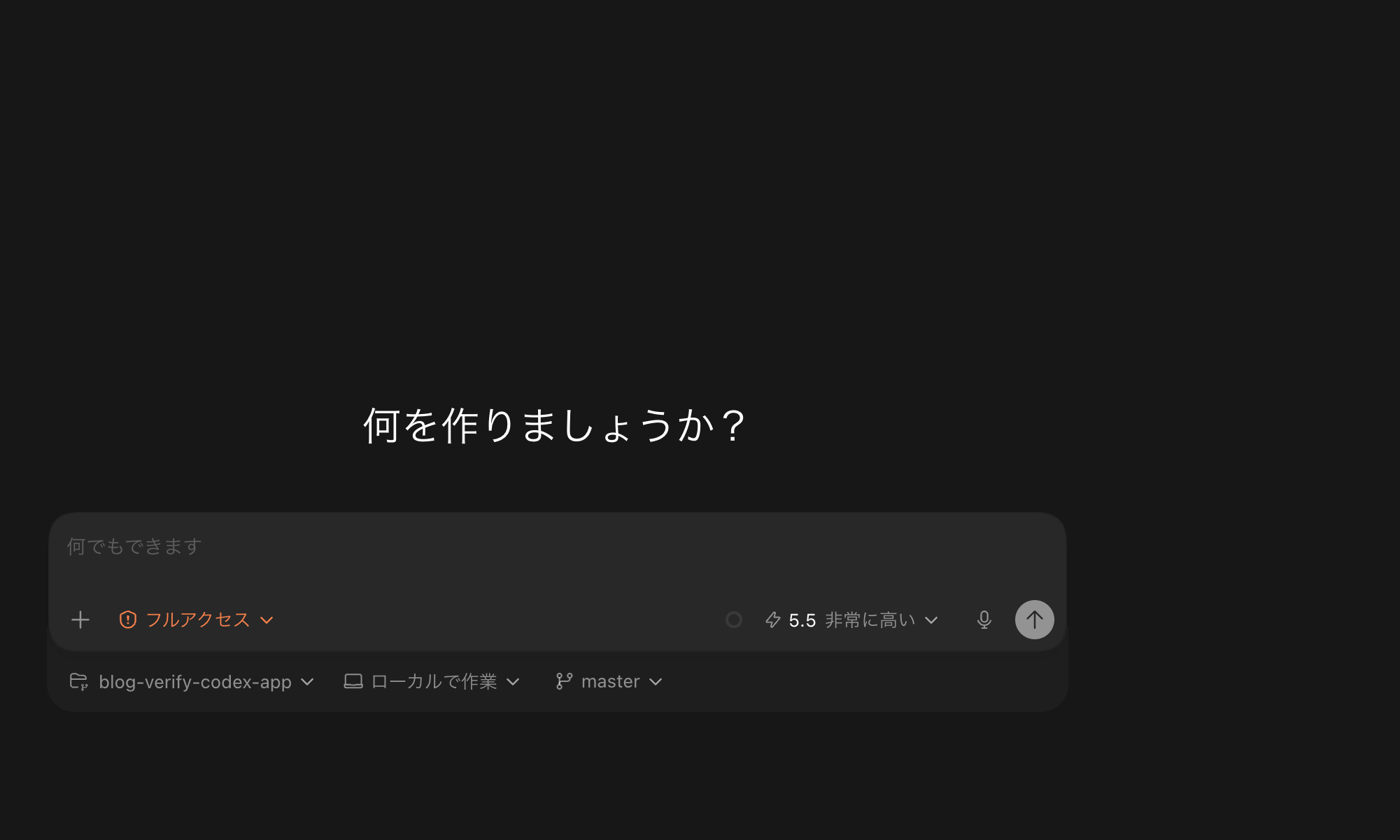
Since codex app is a command for "opening a workspace in Desktop," /app remains the main player when you want to carry over the current TUI session.
Summary
- The TUI's
/appis a slash command for continuing the current Codex session in Codex Desktop. codex app [PATH]is a shell command for opening a specified workspace in Desktop.- When you start working in the terminal and later want to use Desktop's thread management or GUI features,
/appis the right fit. - On Codex CLI 0.141.0 on my machine,
/appappeared among the TUI suggestions.
Rather than committing entirely to either the CLI or Desktop, it seems best to use them depending on the stage of work. Remembering the flow of quickly starting in the terminal and then handing off to Desktop with /app when needed will make things easier to handle.
I hope this is helpful to someone.
Reference links:

