![[Presentation Slides] Looking Back on AI Utilization by One AWS Engineer #devio2026](https://devio2024-media.developers.io/image/upload/f_auto,q_auto,w_3840/v1790671304/user-gen-eyecatch/qz4llll24griootpi317.png)
[Presentation Slides] Looking Back on AI Utilization by One AWS Engineer #devio2026

This page has been translated by machine translation. View original
Presented at DevelopersIO 2026 Osaka held on 2026/09/28 under the title " Looking Back on AI Usage as an AWS Engineer ".
Thank you to everyone who attended!
I will share the slides and content from the presentation on this blog.
Slides
The following is an introduction to the slide content.
Intro
What I Want to Convey in This Session
Over the past 1–2 years, the way we use generative AI has changed significantly.
- The tools we use have been replaced in short cycles
- Our working styles and mindset have changed accordingly
I will look back on the changes experienced by one AWS engineer while introducing the AI tools I have actually used.
Main Tools Introduced
- Various AI tools
- simonw/llm, etc.
- Claude Code (and useful tools used with it)
- AWS MCP Server
- DuckDB Skills, etc.
Before the Claude Code Era
How things were used around the first half of 2025
How Things Were Used Around the First Half of 2025
| Tool | Where Used | Purpose |
|---|---|---|
| AI-Starter | Browser | AI chat |
| simonw/llm | Terminal | One-off queries |
| Claude Code | Terminal | Experimentation only |
AI-Starter: Generative AI Chat Environment
AI-Starter: Main Uses
- Writing shell scripts and simple Lambda functions
- Summarizing Terraform and CDK diffs, etc.
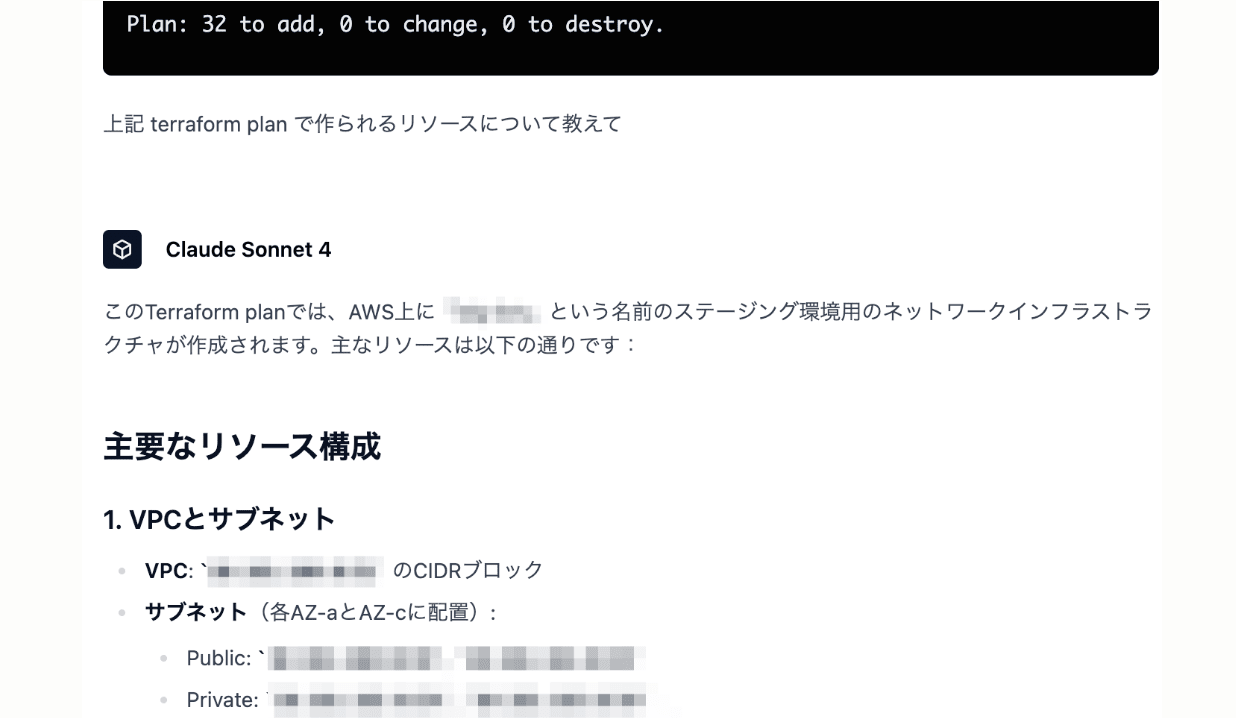
simonw/llm: Running LLMs from the Command Line
- Supports various models such as OpenAI and Bedrock
- Can pass standard input via pipe
- Rich extensions including plugins and templates
simonw/llm: Introductory Blog Post
simonw/llm: Main Uses
- Summarizing and explaining CloudFormation and Terraform code
- Summarizing and explaining AWS CLI command output/help, etc.
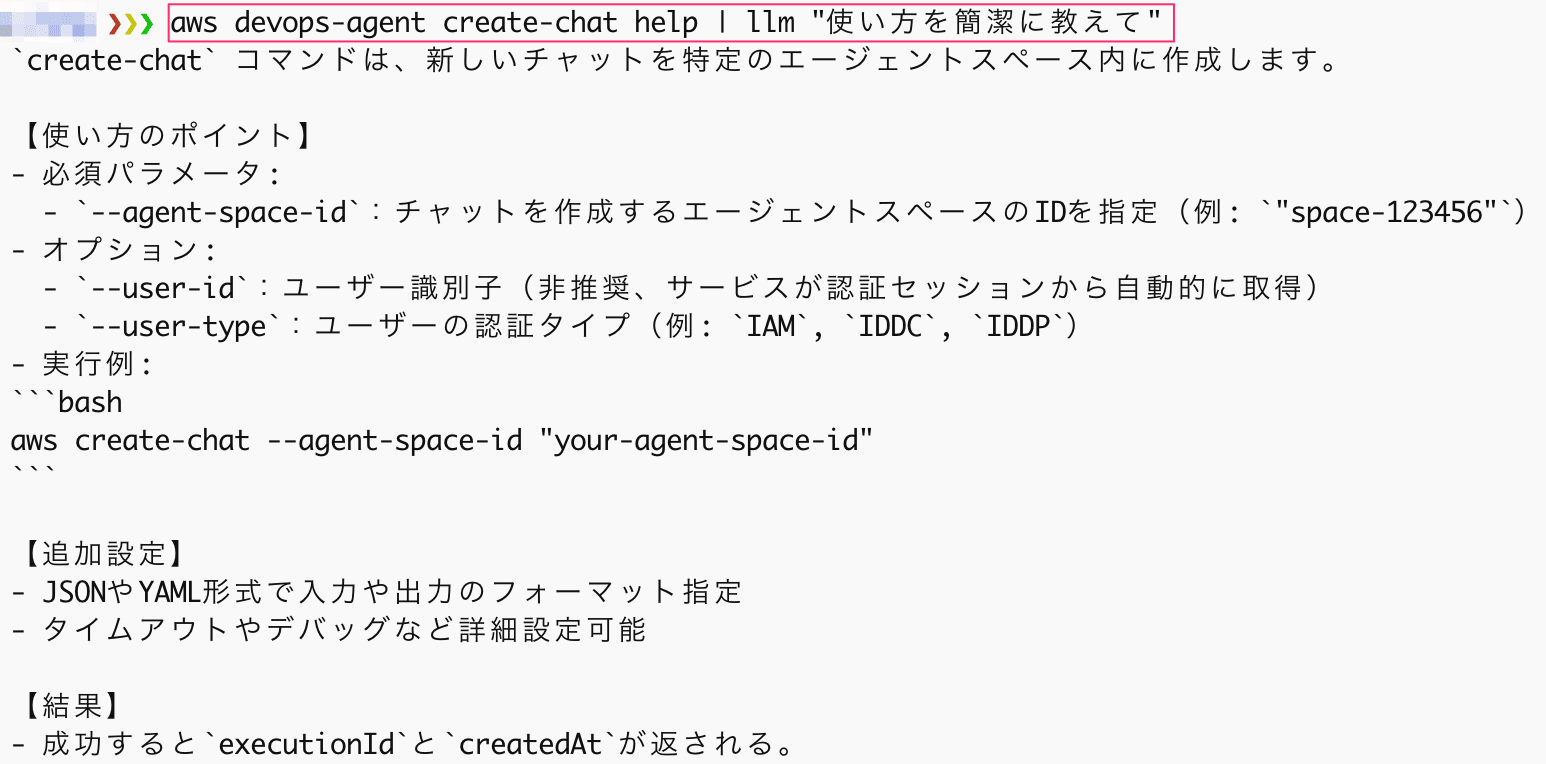
As for Claude Code…
- At the time (around 2025/03) it was still in preview
- I was trying to use it by calling Claude 3.7 Sonnet from Bedrock
- Since it was pay-as-you-go, I couldn't use it casually
However, once it became GA and Claude Code became available through Pro and Max (subscription plans), my usage accelerated rapidly.
The Claude Code Era
From the second half of 2025 to the present
How an AWS Engineer Uses Claude Code
| Use Case | Main Tools |
|---|---|
| Technical research / Resource investigation | AWS MCP Server |
| Analyzing logs and costs | Skills (DuckDB Skills) |
| Writing IaC (Terraform) | Various |
What Is AWS MCP Server?
It is a managed MCP server provided by AWS and is part of Agent Toolkit for AWS.
- Can perform documentation searches and retrieve service information
- With IAM authentication, scripts that call APIs in a sandbox environment can also be executed
Note: Difference Between AWS MCP Server and awslabs/mcp
awslabs/mcp is a collection of MCP servers published as OSS by AWS. Agent Toolkit for AWS is the successor to awslabs/mcp.
AWS MCP Server: Main Uses
- Looking up AWS specifications and new features from the latest documentation
- Checking the status and configuration of resources in AWS environments
What Is DuckDB Skills?
- DuckDB is a database system specialized for online analytical processing (OLAP)
- DuckDB Skills is a collection of DuckDB skills for Claude Code released by the official team
- Enables analysis and aggregation by querying CSV, Parquet, and JSON with natural language
Excerpt of Available Skills
| Skill Name | One-line Summary |
|---|---|
| read-file | Automatically detects CSV/JSON/Parquet etc. by extension and loads them for schema inspection |
| query | Executes SQL/natural language queries against attached DBs or files |
| read-memories | Searches past Claude Code session logs to surface decisions and TODOs |
| duckdb-docs | Full-text searches the DuckDB/DuckLake official documentation and blog |
Writing IaC (Terraform)
- My gut feeling is that since Opus 4.6, even in a bare state it mostly produces what you expect
- If using it as a team, setting up the surrounding environment is also convenient
- Formatter/linter: terraform fmt, tflint
- Security scanning: trivy
- Incorporating these into pre-commit or CI
- Tools I'm interested in but haven't been able to use much
- terraform-mcp-server : Can reference the latest information from the Terraform Registry
- Terraform Skills : HashiCorp's official Terraform Skills
Helpful Blog Post
Toward the Closing
Summary of Tool Transitions
| Tool | First Half of 2025 | Second Half of 2025 | ~ Present |
|---|---|---|---|
| AI-Starter | High | Medium | Low |
| simonw/llm | High | Medium | - |
| Claude Code | Low | High | Essential |
Sidebar: Tools We Use as a Team #1
- Gemini (Notebook, etc.)
- Compile sources into a Notebook and use it for catch-up and retrospectives. Also easy to share with the team
- Search and explain data on Google Drive
- Slack AI
- Casually query internal information before asking someone
Sidebar: Tools We Use as a Team #2
- Kiro
- An AI agent tool made by AWS, available as both an IDE and CLI
- Can integrate with IAM Identity Center, allowing license management to be completed entirely within AWS
- As CCoE, we are rolling out a Kiro usage platform to user departments
- AWS DevOps Agent
- A managed AI operations agent provided by AWS
- Makes querying AWS resources easy
- Can automatically run alert investigations, reducing the burden of initial triage
- Requires little advance preparation or prerequisites, making it easy to recommend for adoption
Closing
I looked back on the transitions among the AI tools I have used.
AI tools keep getting more convenient, and I feel the need to change my own thinking and approach as well.
- Be more aware of and involved in higher-level layers
- Squeeze out what I'm thinking from inside my head and hand it over to AI
It seems that verbalization and communication will become even more important going forward.
