I tried executing a mitigation plan using resource change operations (agent actions) in DevOps Agent

This page has been translated by machine translation. View original
Hello. This is Takayama.
I've been following the IAM permission updates for DevOps Agent, and all of them have been enhancements to read permissions.
- DevOps Agent permission guardrails now support the ReadOnlyAccess policy | DevelopersIO
- Investigating the DevOps Agent IAM permission updates as of July 2026 | DevelopersIO
- Investigating the DevOps Agent IAM permission updates as of June 2026 | DevelopersIO
That same DevOps Agent finally gained write permissions with the update dated August 25, 2026.
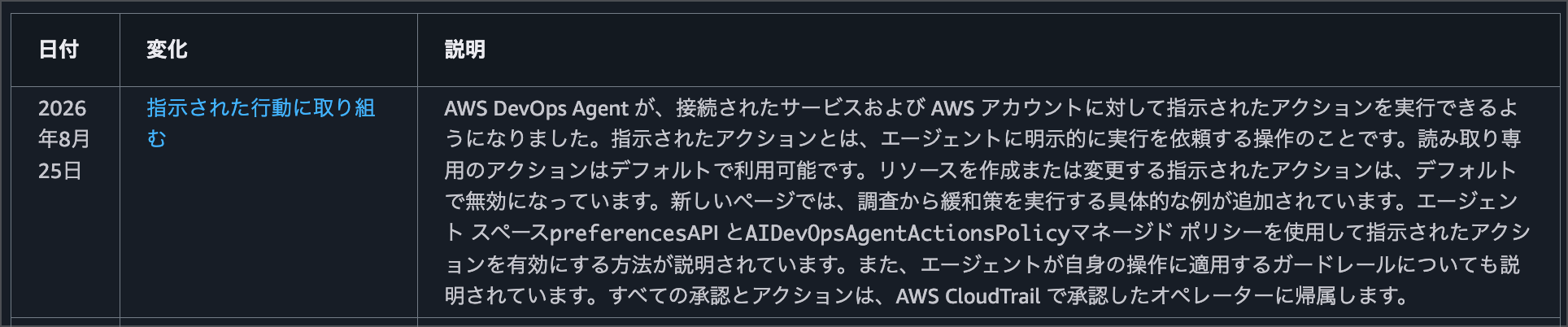
The documentation is here.
Blog posts have also been published internally about enabling agent actions and trying them out.
In this blog post, I'd like to try executing a mitigation plan generated during incident response using agent actions.
Summary First
- Enabling it requires 2 steps: registering an action role and enabling agent actions
- The role's permissions are a ceiling, and at execution time it operates with a session policy scoped to only the approved operations
- All write operations require operator approval each time they are executed
- Operations outside the list of supported actions are not executed (in testing,
authorize_security_group_ingresswas unsupported and blocked) - In the NAT Gateway route fix scenario, I was able to confirm the complete flow from the approval process (approval request via the
use_awstool → Approve → execution) through to completion of the mitigation plan
Trying It Out
Granting an Action Role
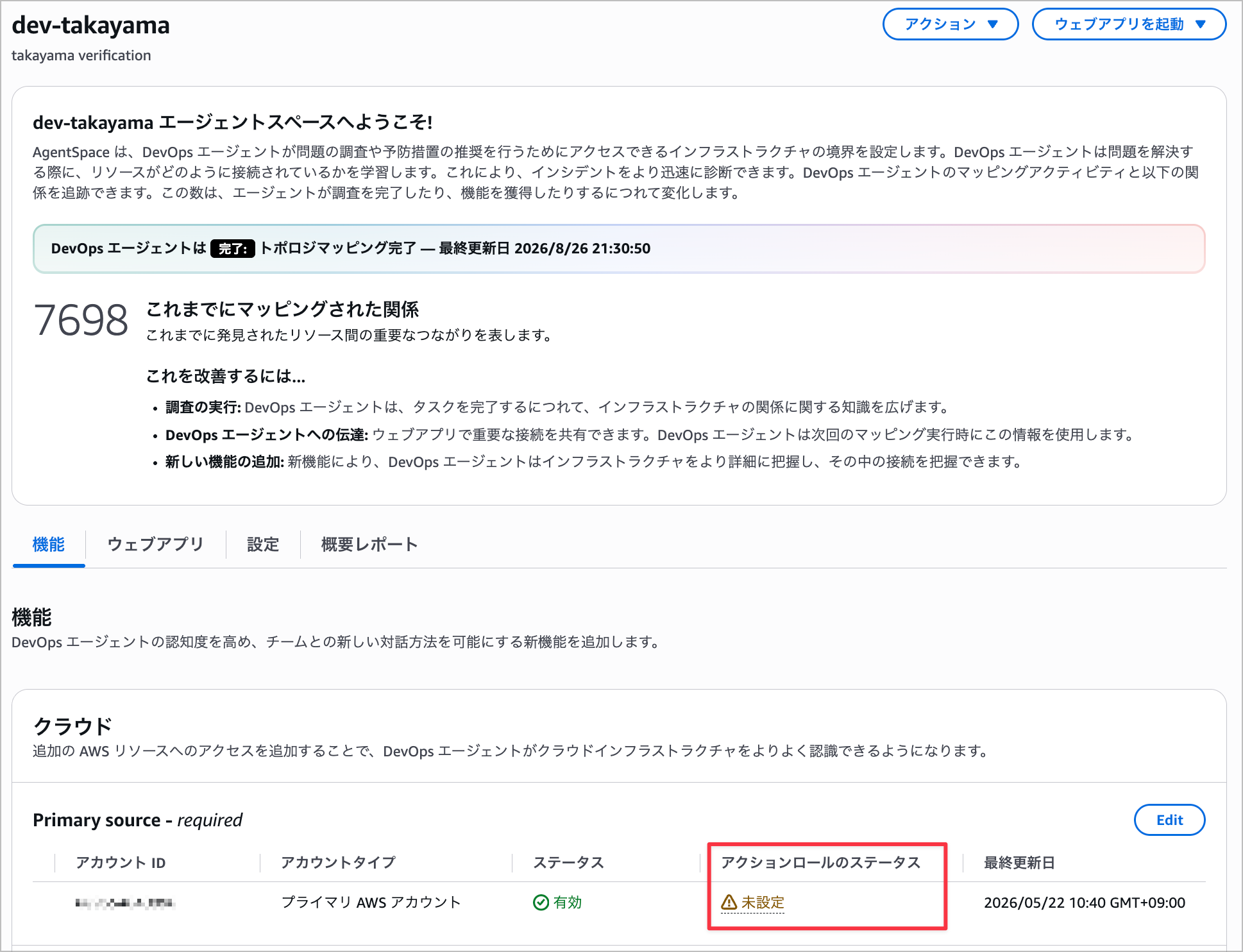
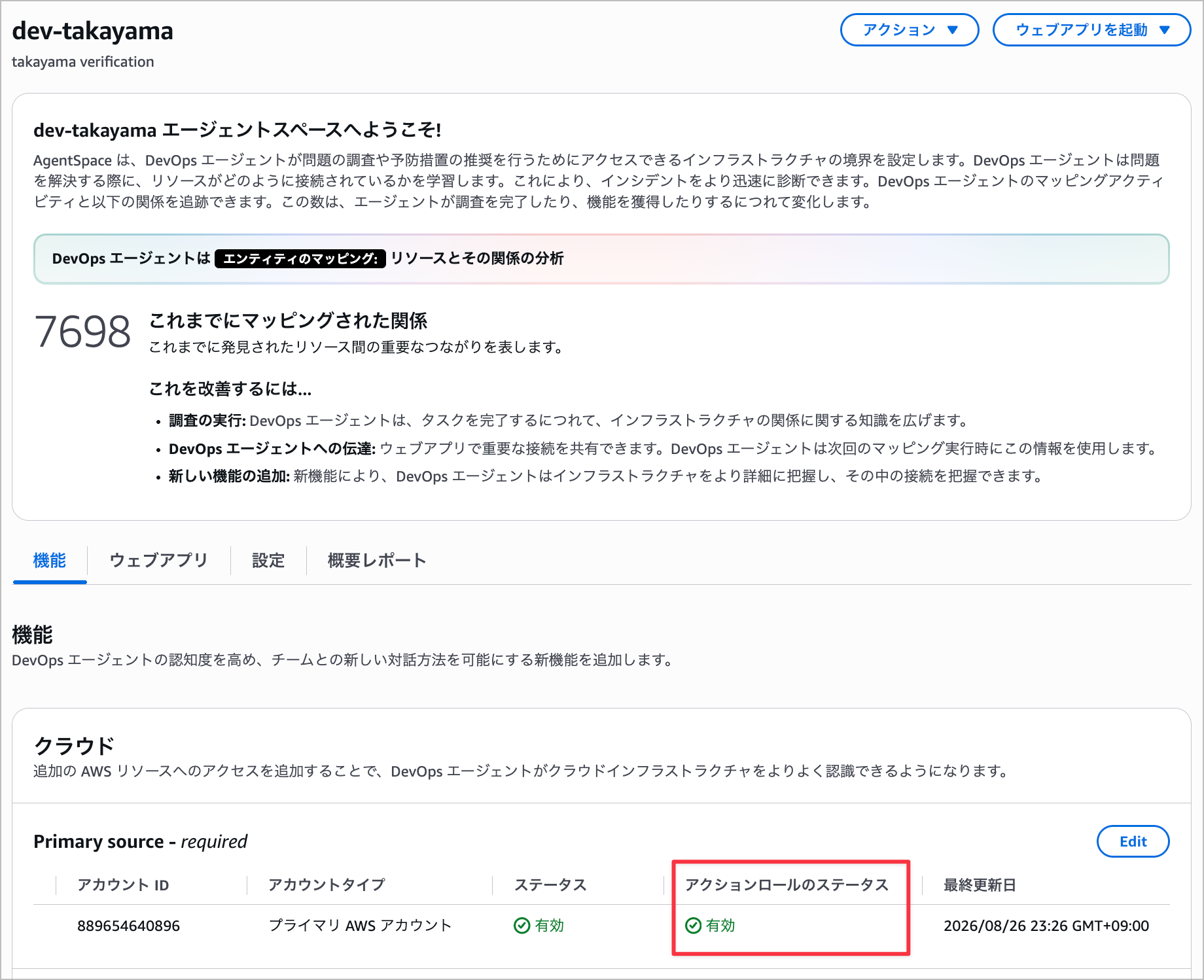
When you open the DevOps Agent console, a new item called "Action role status" has been added.
By default, it is unconfigured.
Opening the edit screen with the Edit button reveals a new configuration item called "DevOps agent action role."
This time, I'll specify the DevOps Agent action role that is created on the DevOps Agent side.
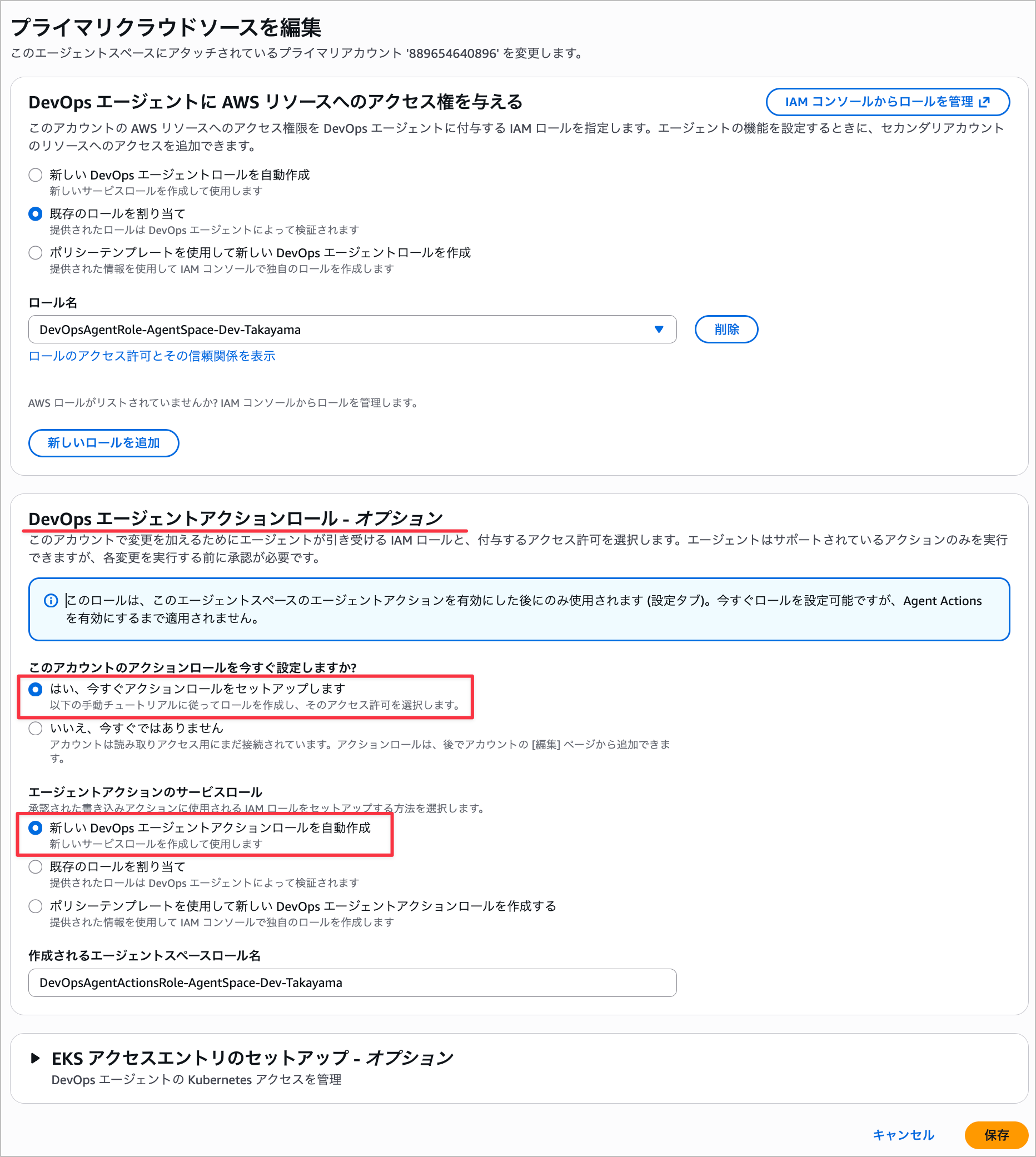
Once creation is complete, the status becomes "Active."
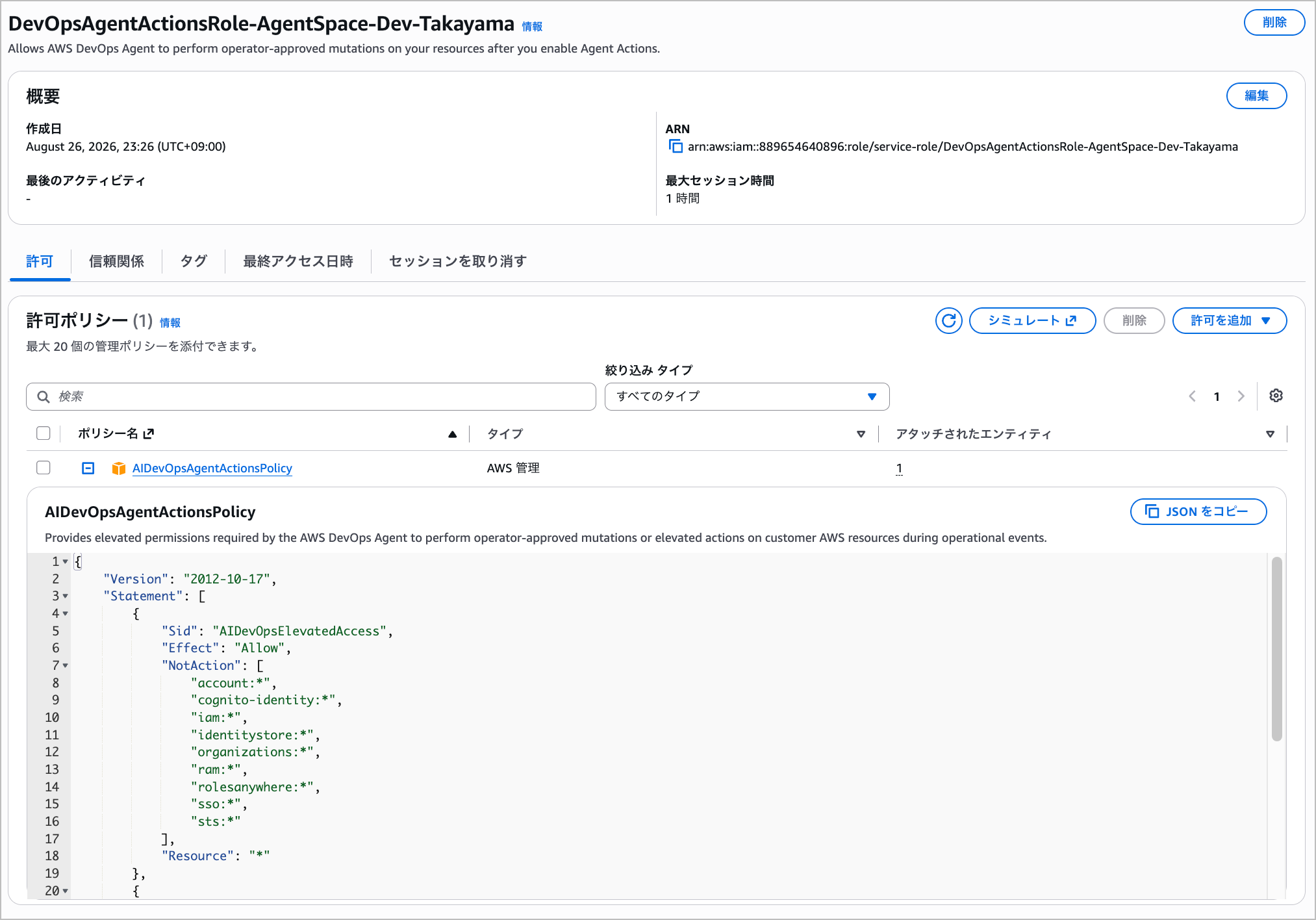
Checking the created role, you can see a policy called AIDevOpsAgentActionsPolicy has been attached.
{
    "Version": "2012-10-17",
    "Statement": [
        {
            "Sid": "AIDevOpsElevatedAccess",
            "Effect": "Allow",
            "NotAction": [
                "account:*",
                "cognito-identity:*",
                "iam:*",
                "identitystore:*",
                "organizations:*",
                "ram:*",
                "rolesanywhere:*",
                "sso:*",
                "sts:*"
            ],
            "Resource": "*"
        },
        {
            "Sid": "AIDevOpsElevatedCarveBacks",
            "Effect": "Allow",
            "Action": [
                "account:GetAccountInformation",
                "account:GetGovCloudAccountInformation",
                "account:GetPrimaryEmail",
                "account:ListRegions",
                "iam:ListRoles",
                "organizations:DescribeEffectivePolicy",
                "organizations:DescribeOrganization",
                "sts:DecodeAuthorizationMessage"
            ],
            "Resource": "*"
        }
    ]
}
It simply excludes identity and credential management services via NotAction, while all other actions and resources are permitted.
Compared to the previous approach of carefully controlling read permissions with guardrails, this feels like a rather broad grant of permissions.
However, this does not mean the agent always operates with these permissions. The documentation describes the permissions of this role as a "ceiling."
The role's permission policy is customer-managed. Scope it to the actions you want the agent to be able to take. The role defines the ceiling of what the agent can ever do in your account. It is not a standing grant. Every directed action additionally requires operator approval at execution time, and the agent's session is further scoped to the specific approved operation.
At actual execution time, temporary credentials are issued with a session policy scoped to only the approved operations and resources.
A session policy is a temporary policy passed at AssumeRole time, and it is evaluated in AND with the role's own permission policy.
Only what both allow becomes the effective permissions, so no matter how broad the role's permissions are, any operation not permitted by the session policy cannot be executed.
If you approve a security group rule change, that session can only execute that operation.
Furthermore, the agent cannot compose a session policy from just anything.
There is a list of supported actions managed by AWS, and actions not on that list will not be included in the session policy.
The elevated role's permission policy defines the ceiling of what AWS DevOps Agent can ever do in your account through directed actions. The agent never operates at this ceiling. Every directed action requires operator approval. The credentials issued for an approved action carry a session policy. The session policy scopes them down to the specific operation and resources that the operator approved. The agent composes the session policy only from a curated list of supported AWS IAM actions that AWS DevOps Agent maintains. An action outside that list can never be part of a session policy.
You can check the session policy from the AWS console.

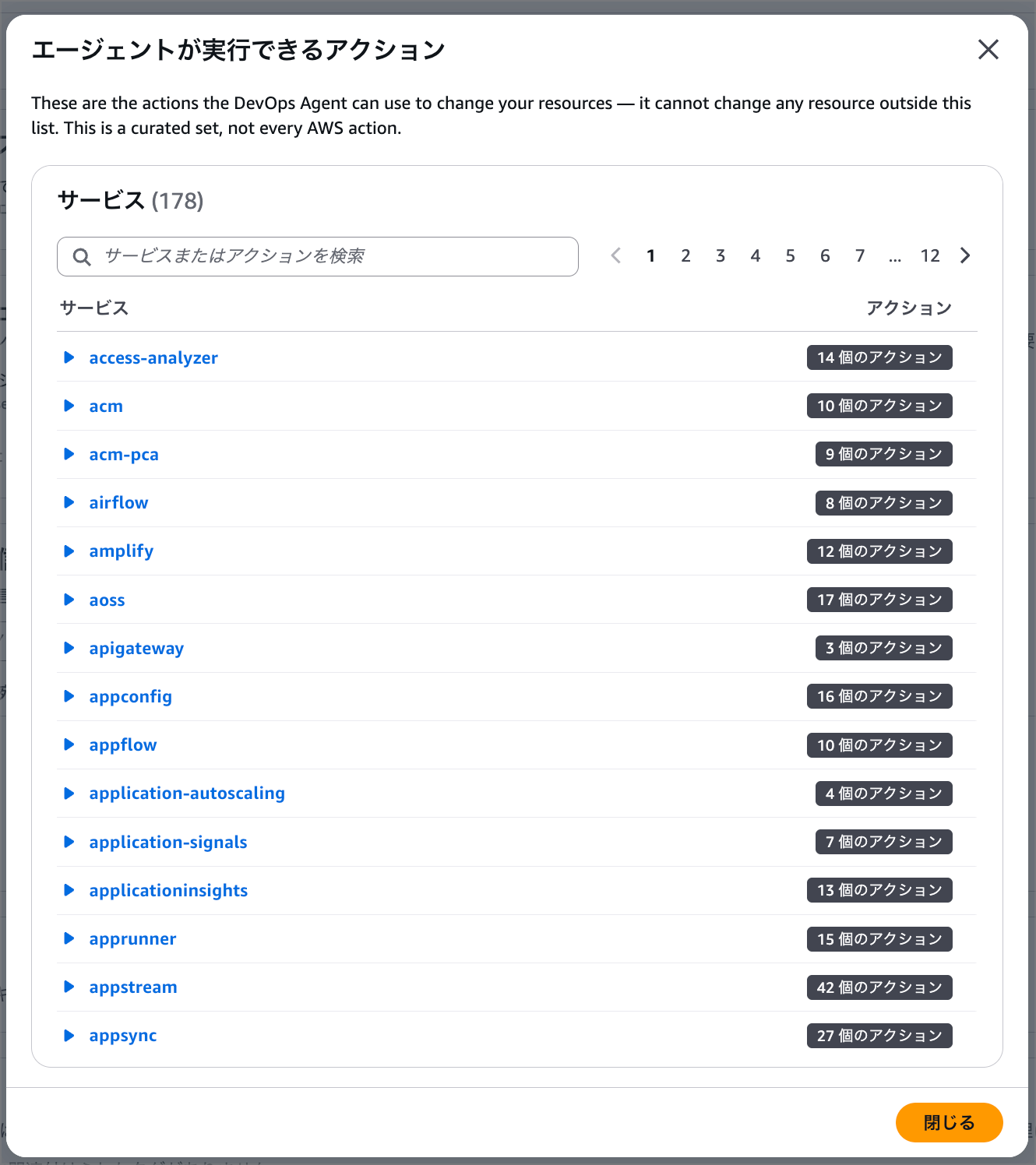
If you want to narrow down permissions, you would write your own customer-managed policy rather than using a managed policy.
In that case, operations not permitted by the role will fail at execution time even if approved.
Note that while the ceiling of AIDevOpsAgentActionsPolicy includes delete-type actions, the agent's own guardrails will deny the following operations.
Even if the role's policy permits them and the operator approves them, they will not be executed.
| Denied Operation | Example | Reason |
|---|---|---|
| Resource deletion | Deleting instances, buckets, tables, functions, stacks | Deletion should be performed by the operator themselves using their own credentials |
| Modifying permissions boundaries | 4 actions including iam:PutRolePermissionsBoundary, iam:DeleteRolePermissionsBoundary |
Boundaries are controls that constrain the agent, so the agent itself should not be allowed to modify them |
Operations involving iam:PassRole |
Launching EC2 with an instance profile, creating Lambda with an execution role | Passing a role could indirectly expand the scope of execution via a service |
Independent of the permissions you grant, the agent enforces its own guardrails on the AWS SDK operations it invokes as directed actions. These guardrails apply even when the elevated role's policy allows the operation. Operator approval does not override them.
When instructed to perform these operations, the agent will reportedly decline execution, explain the reason, and where possible, provide guidance on how to handle it manually.
Enabling Agent Actions
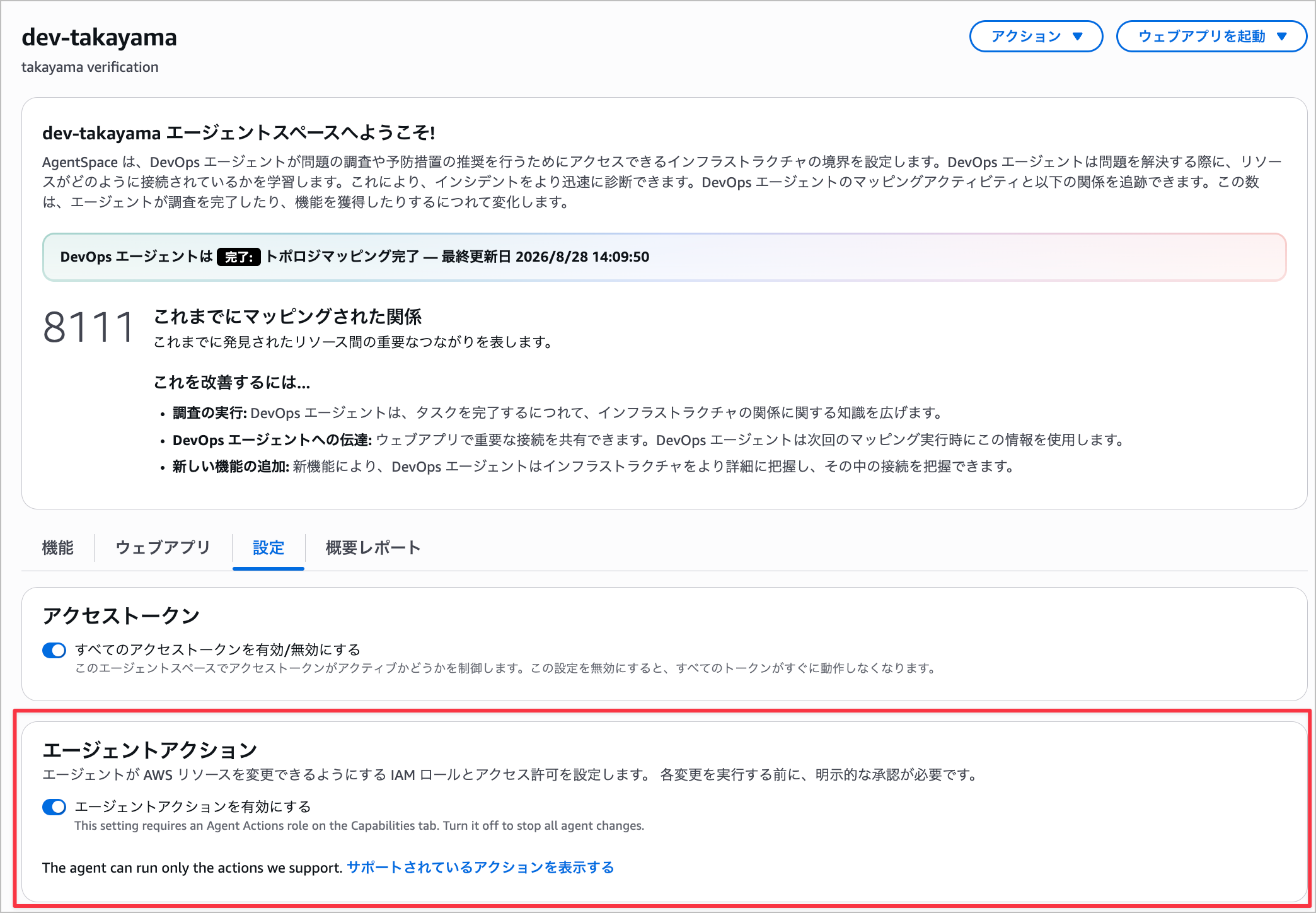
Next, enable agent actions from the "Settings" tab.
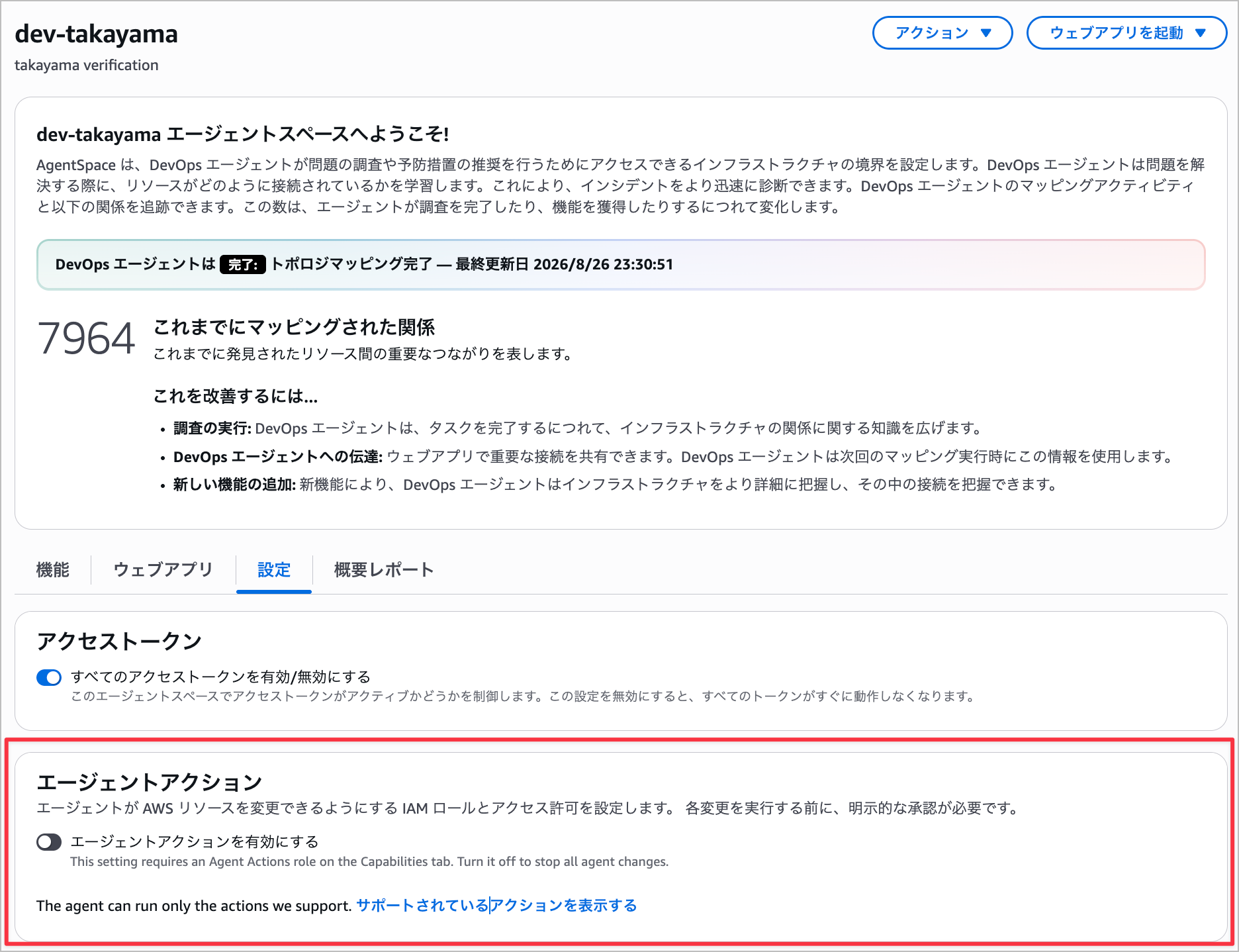
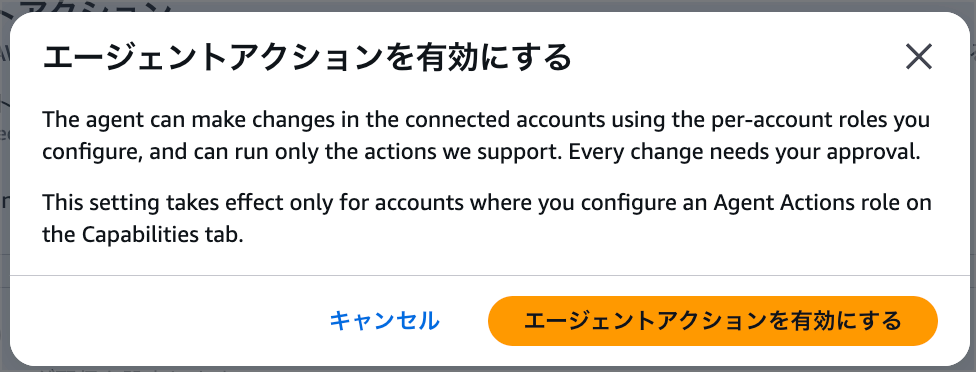
Review the following content, and if you have no concerns, select "Enable agent actions."
The agent can make changes in the connected accounts using the per-account roles you configure, and can run only the actions we support. Every change needs your approval.This setting takes effect only for accounts where you configure an Agent Actions role on the Capabilities tab.
When the agent actions toggle is turned on, enabling is complete.
In the next section, I'll try executing a mitigation plan using agent actions.
Executing a Mitigation Plan with Agent Actions
I'll use the following demo scenario for verification.
Following the demo scenario, I'll delete the inbound rule of the RDS security group to cause connection failures.
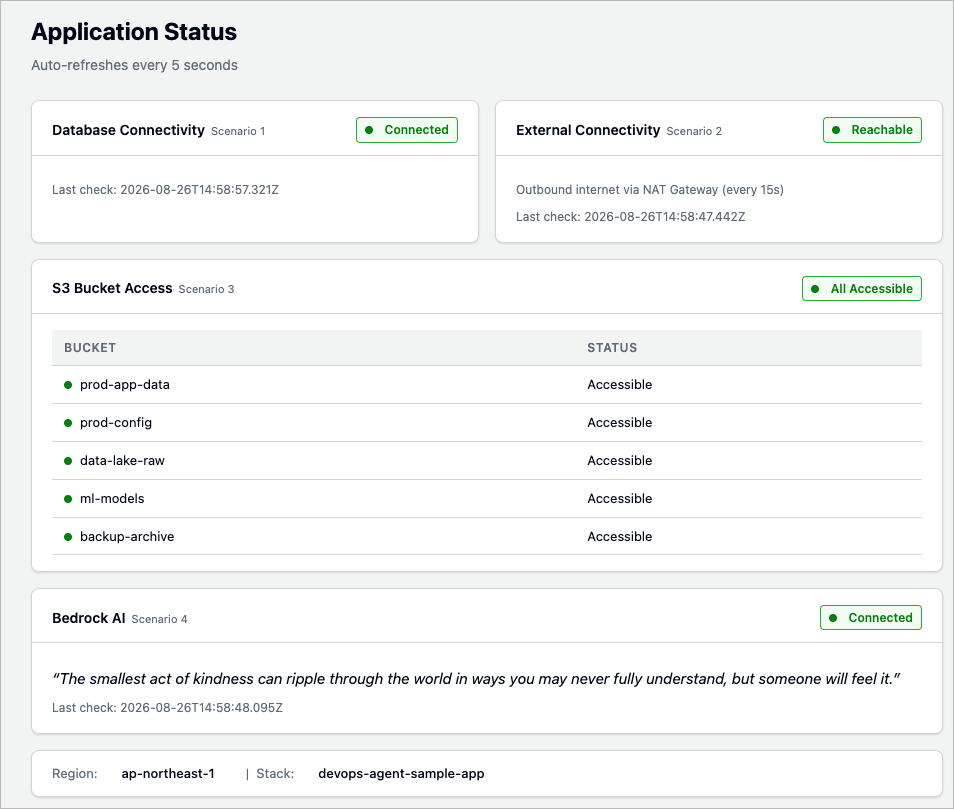
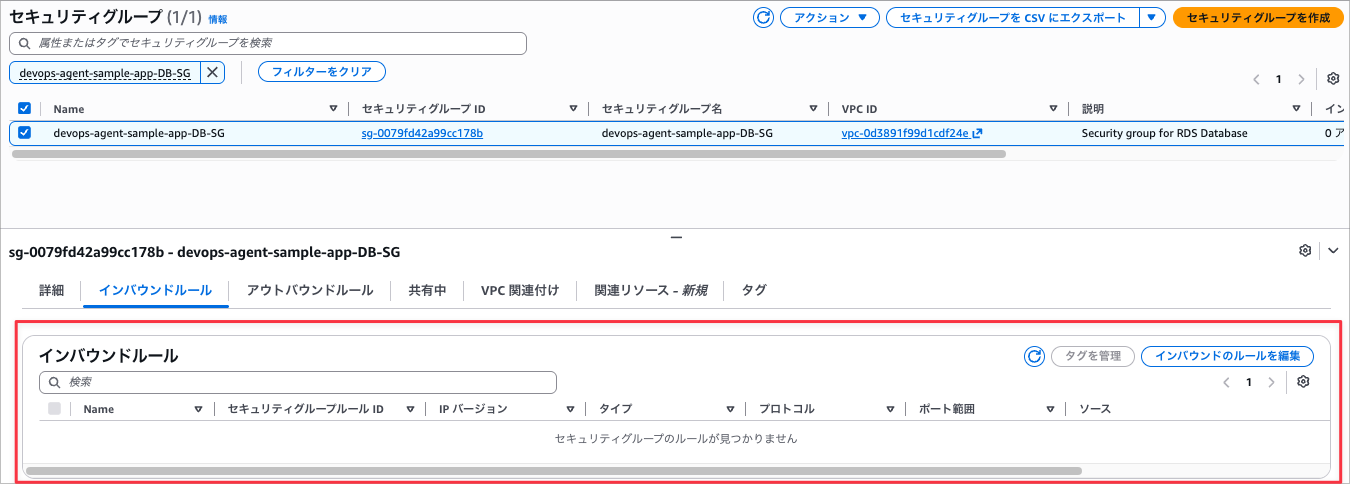
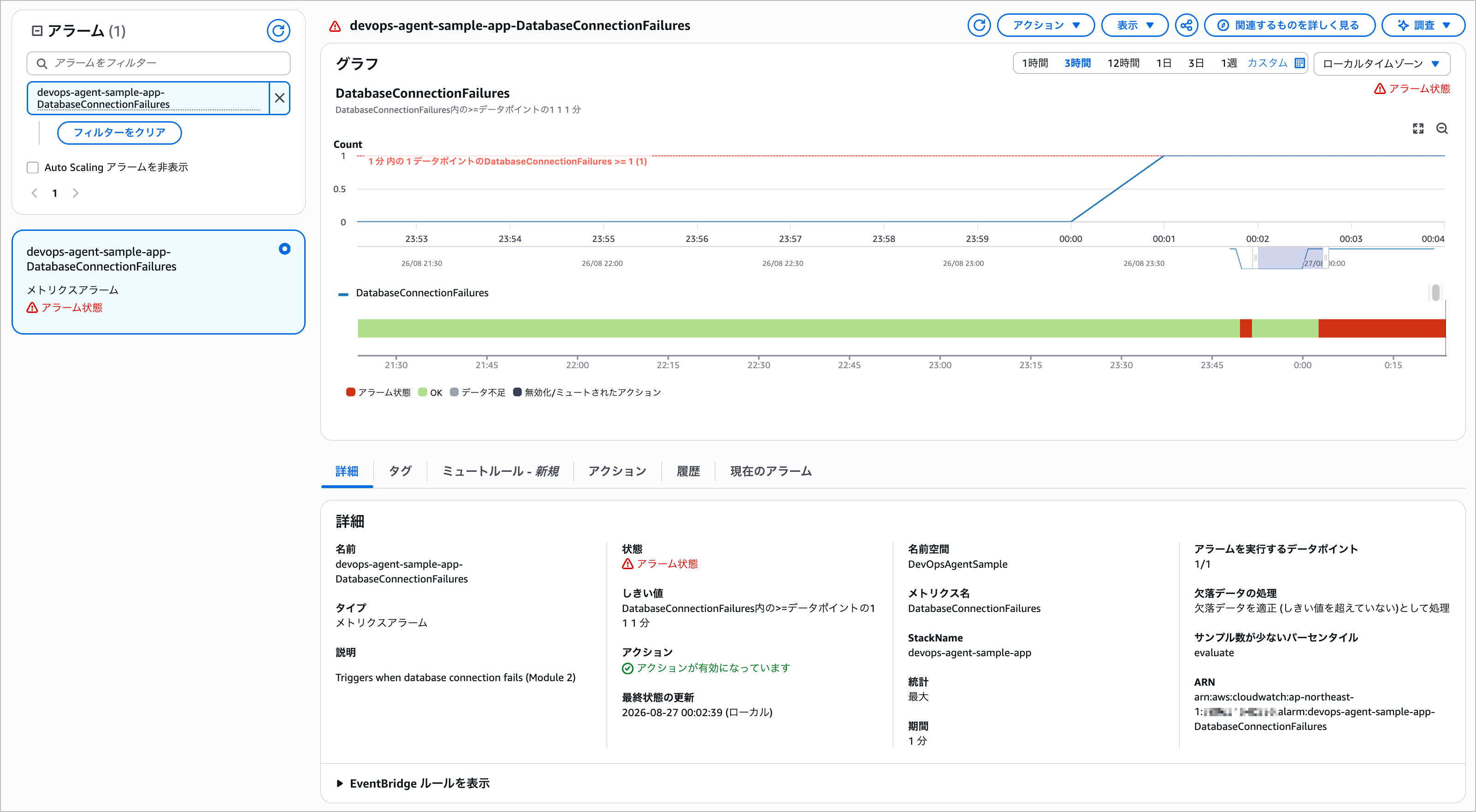
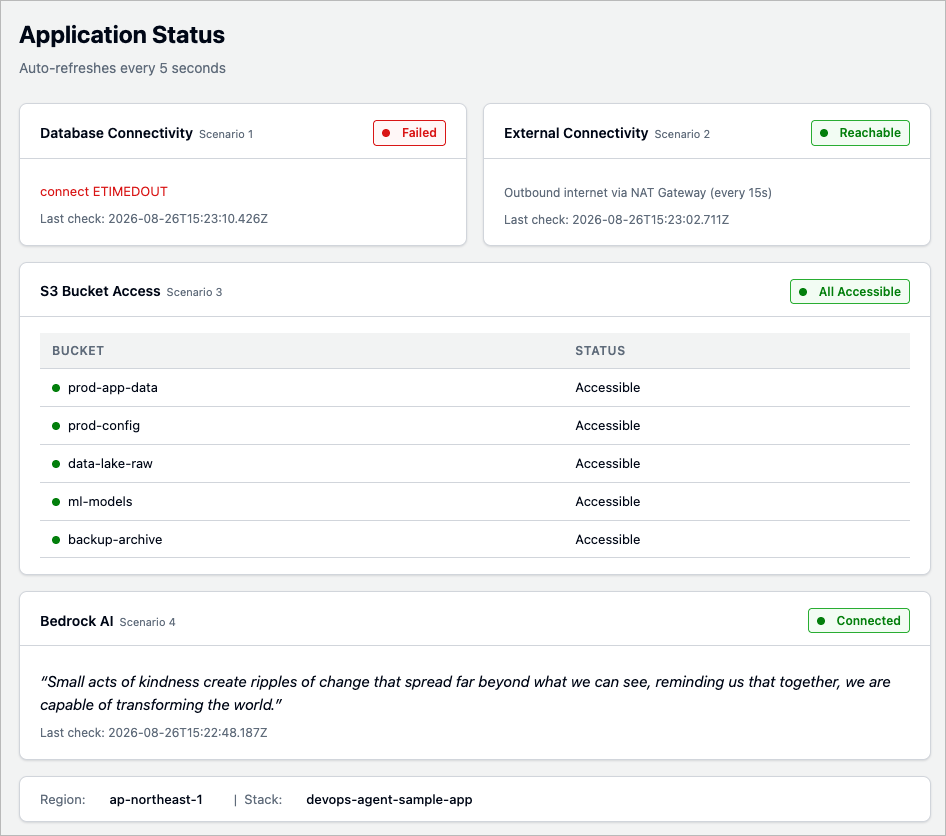
When the investigation is complete, the following result is generated.
The content includes a mitigation plan.
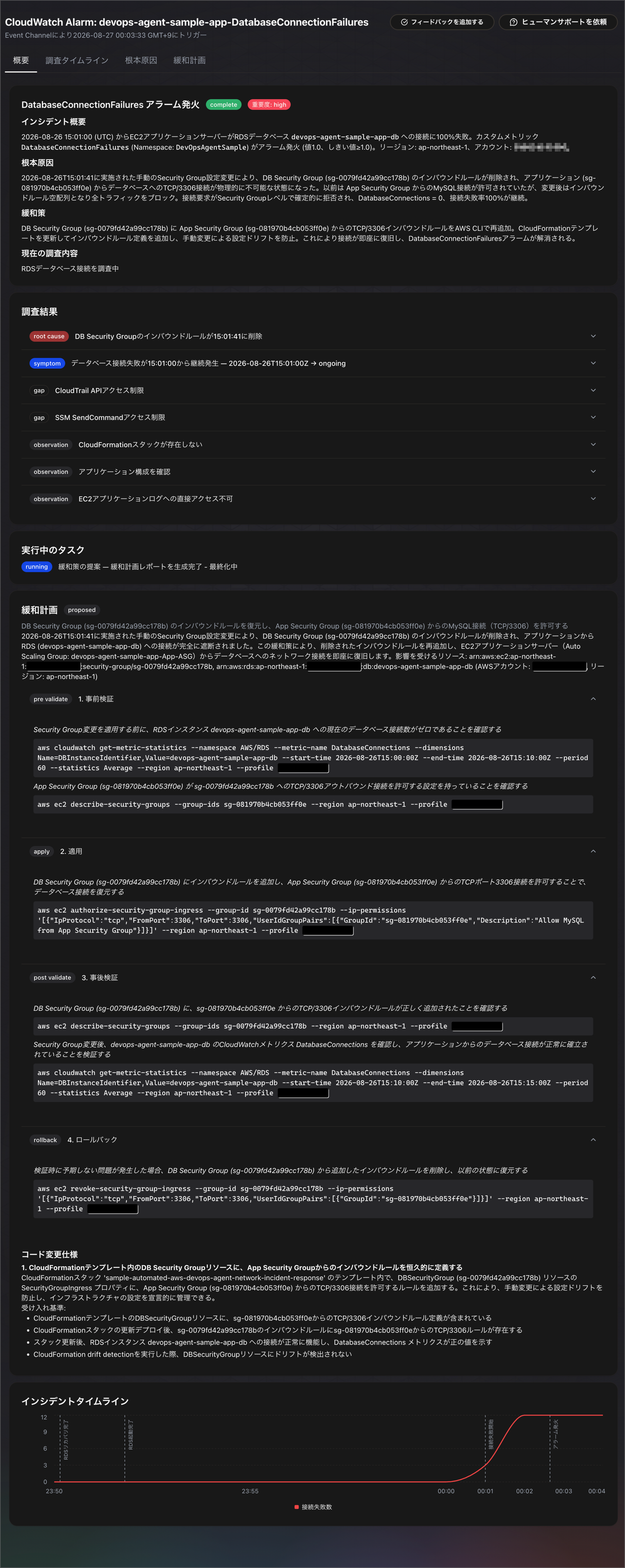
Now, let me ask the chat to execute this mitigation plan.
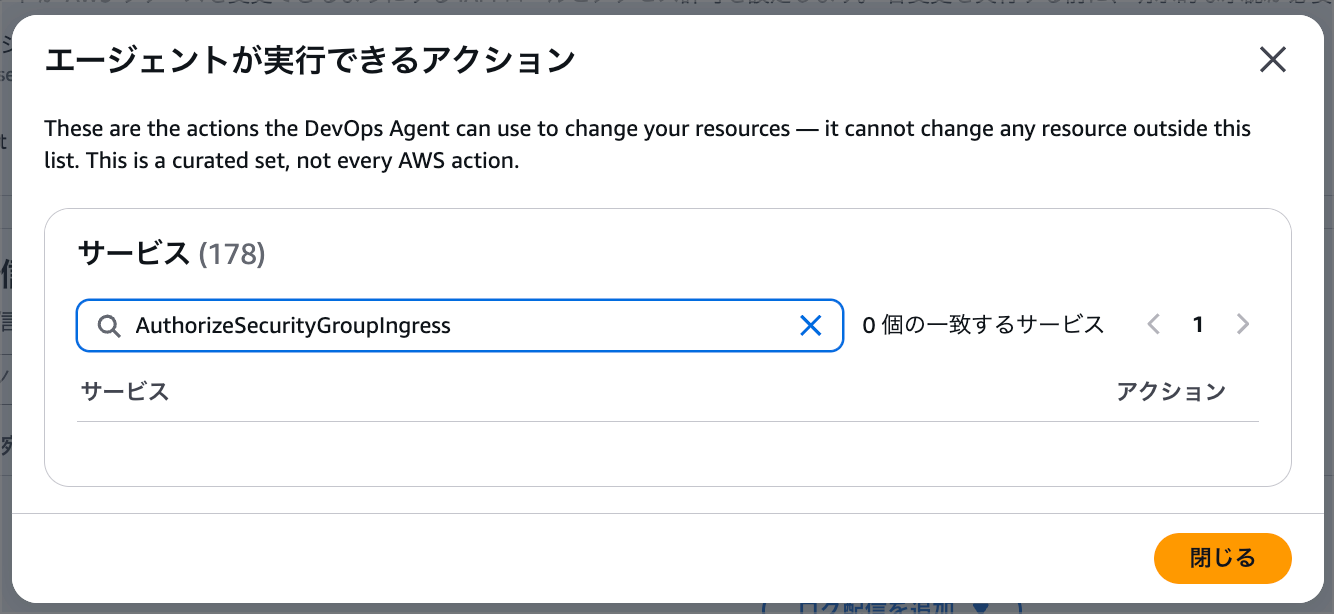
However, the authorize_security_group_ingress action included in this mitigation plan was blocked because it is not supported by agent actions.
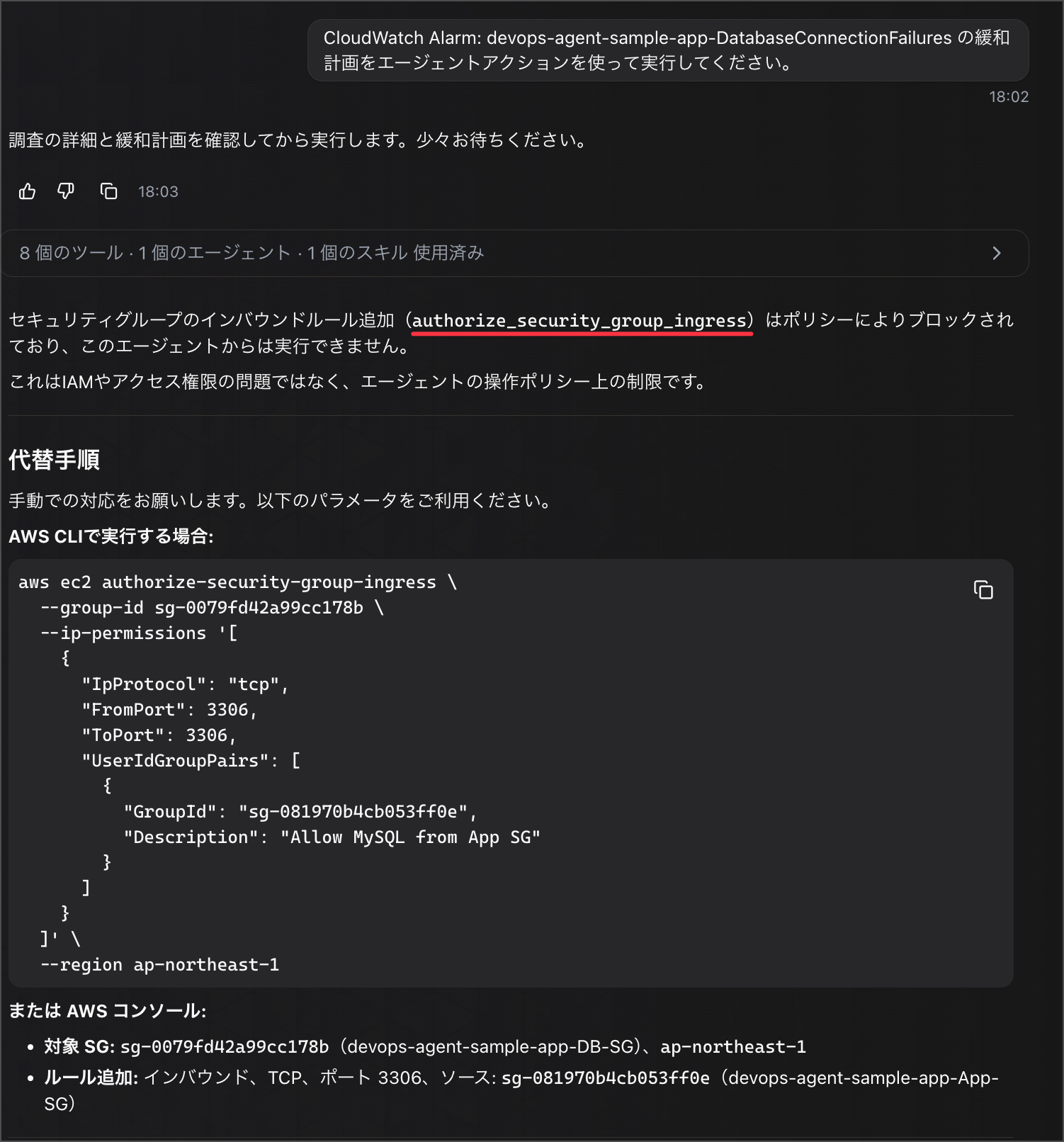
The authorize_security_group_ingress action is permitted by the "AIDevOpsAgentActionsPolicy" mentioned above, but it appears it is not supported by the agent session policy in practice.
Indeed, checking the targets of the session policy, it doesn't seem to be included.
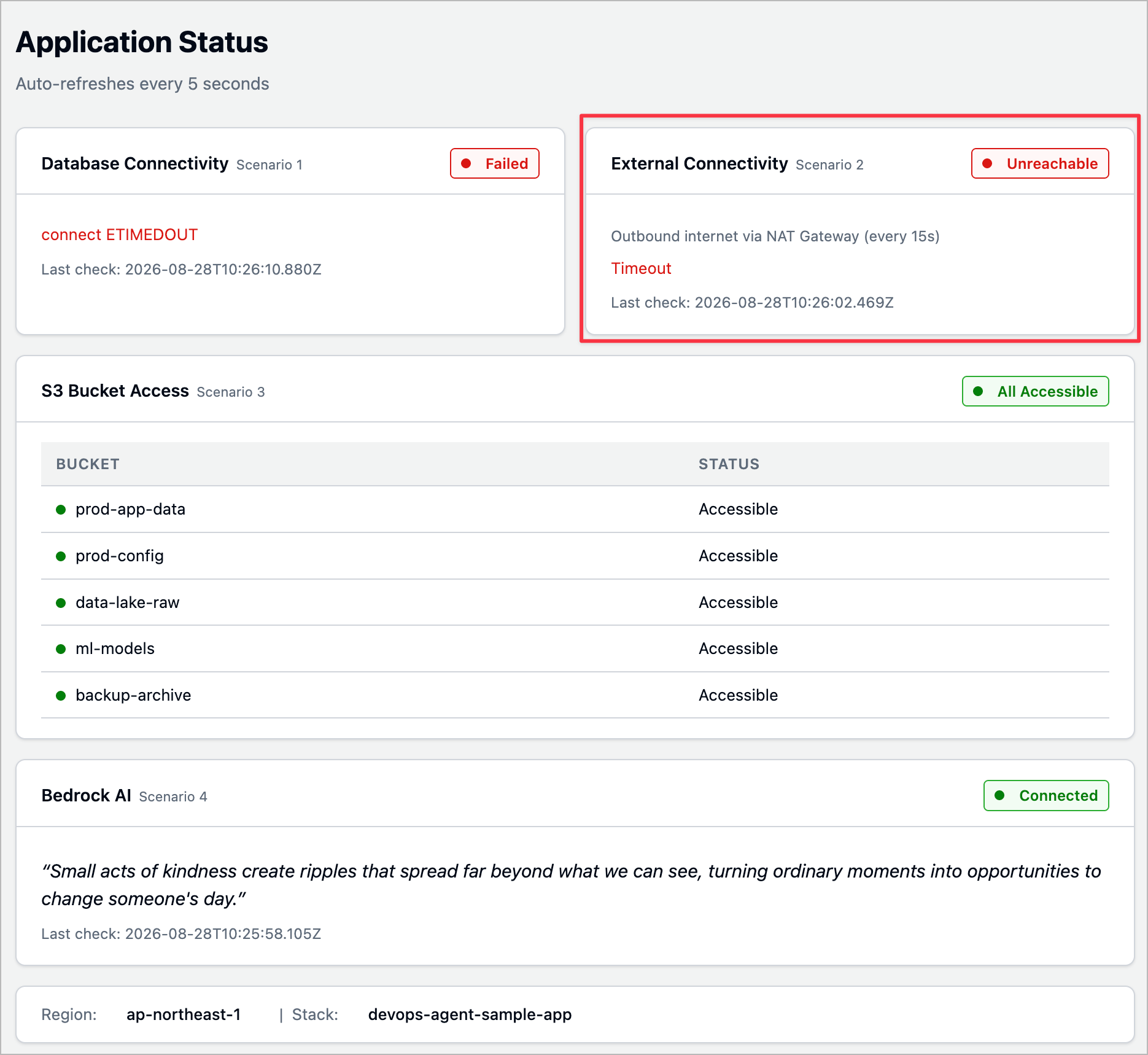
So, let me run the other scenario: the NAT Gateway connectivity error.

When the investigation is complete here as well, the following result is generated.
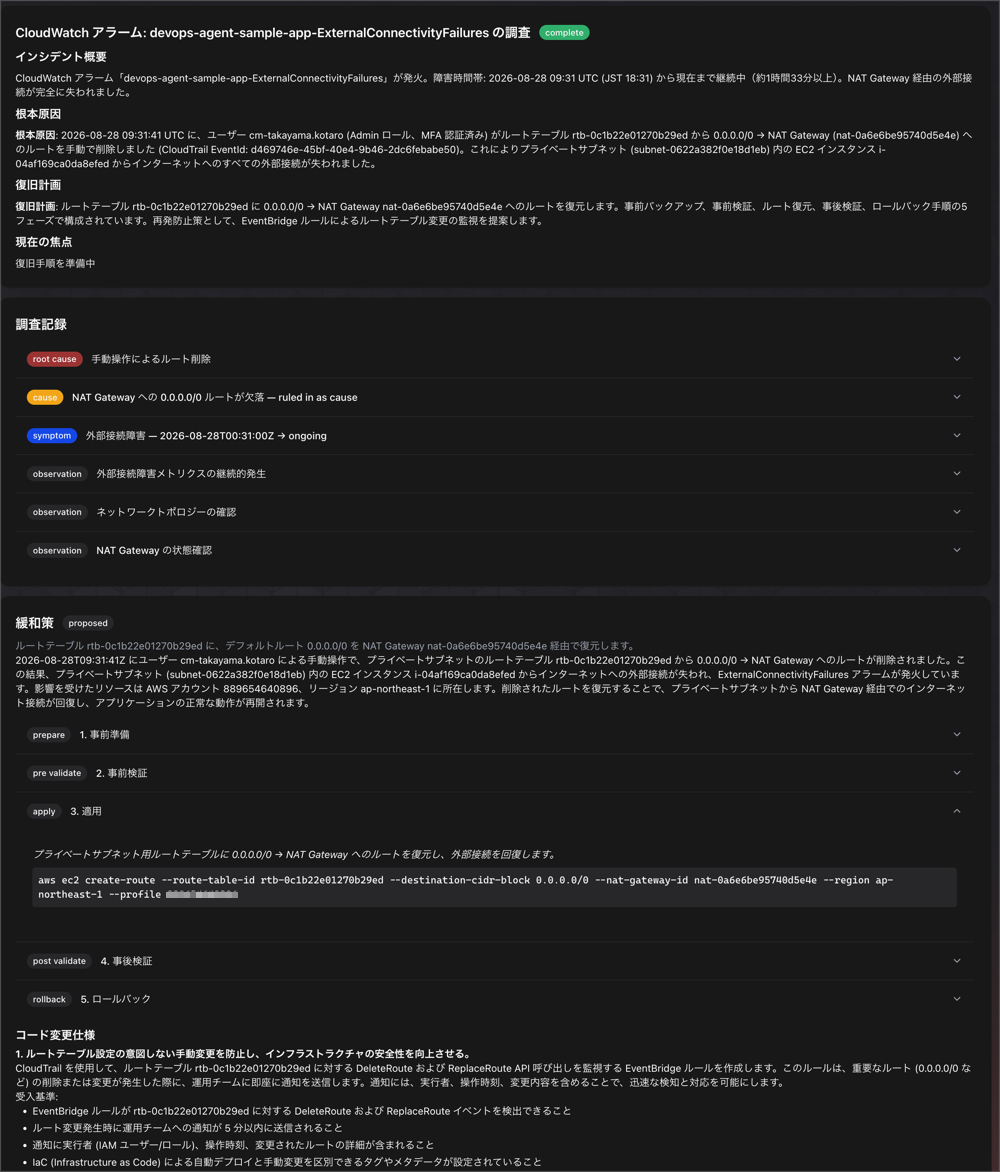
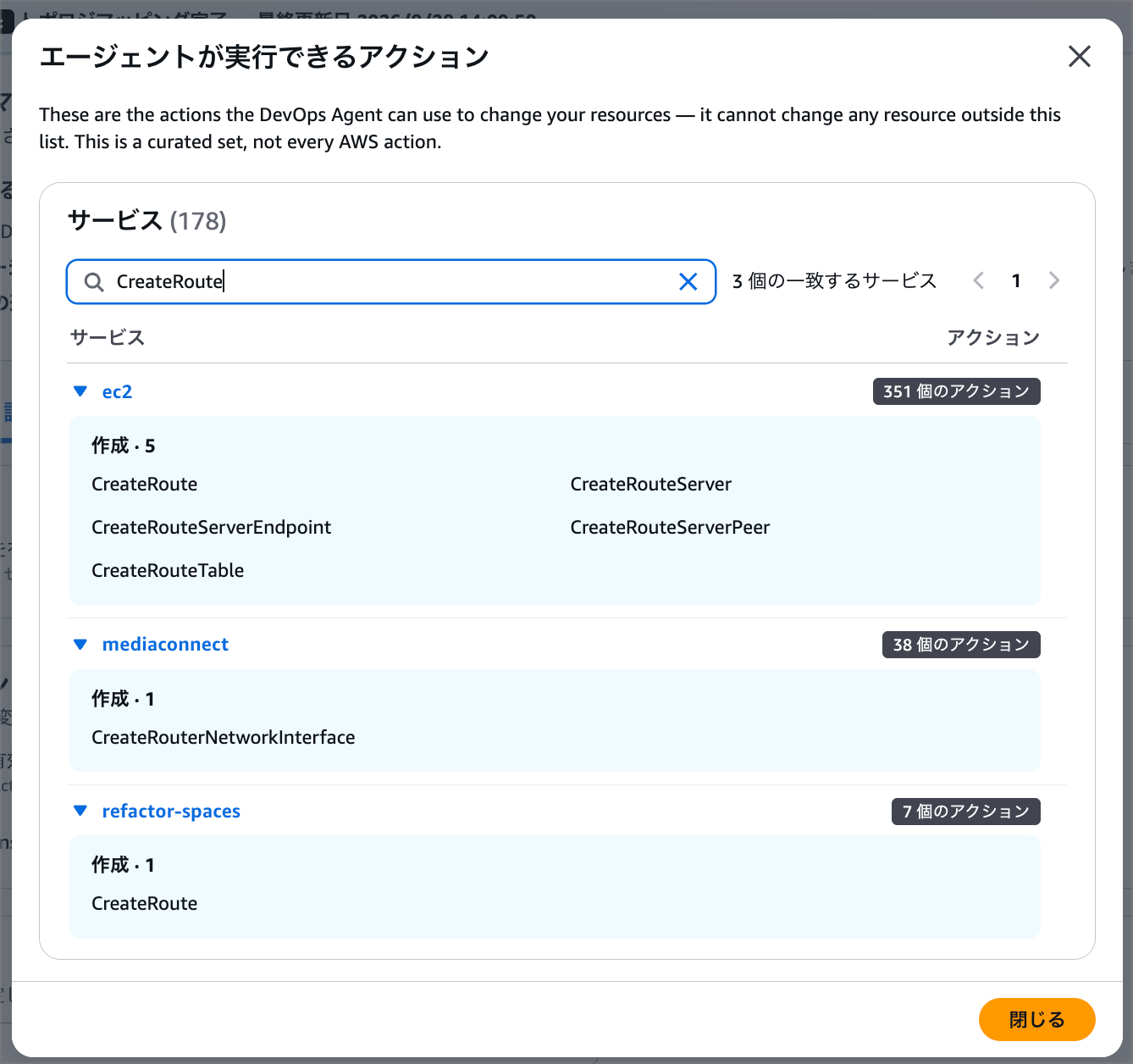
This time, the CreateRoute action is included in the execution content, and you can confirm that it is included in the agent session policy.
Now, let me instruct the agent to execute the mitigation plan based on this content.
When instructed, a flow begins where the use_aws tool is used to request approval from the user.
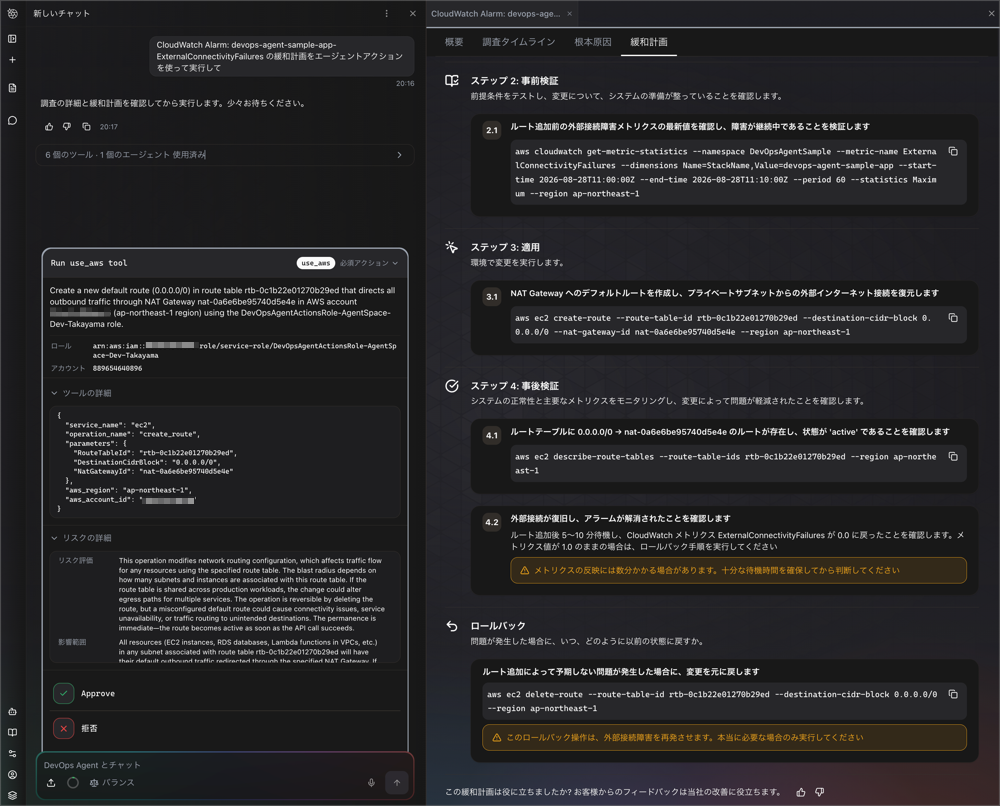
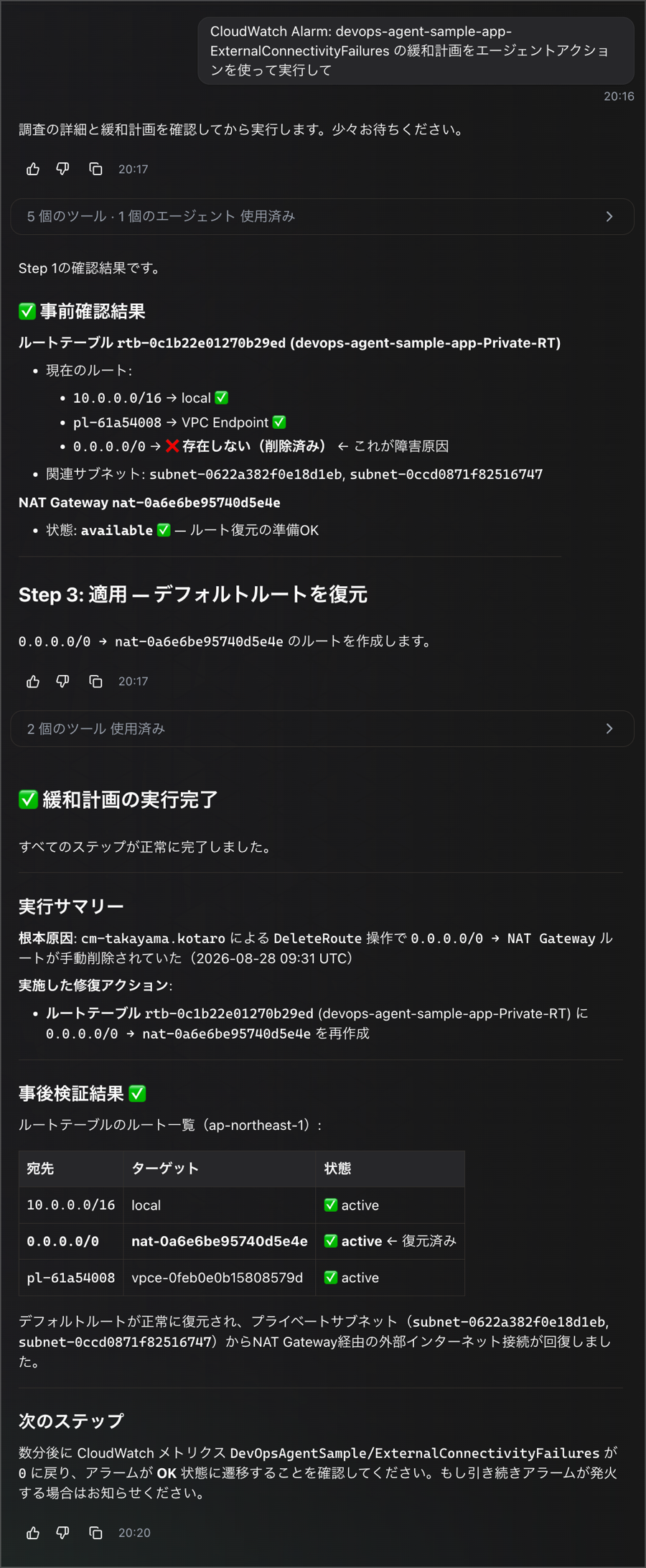
Pressing the Approve button executes the mitigation plan, and it completed successfully.
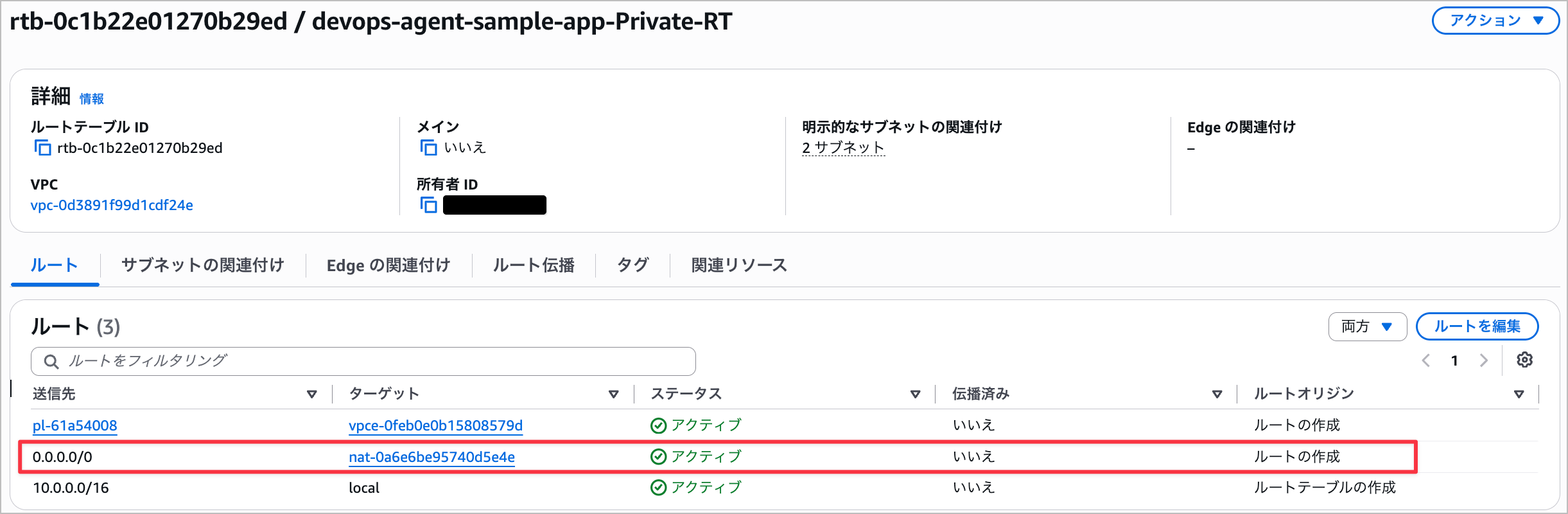
You can also confirm in the console that the route has actually been added.
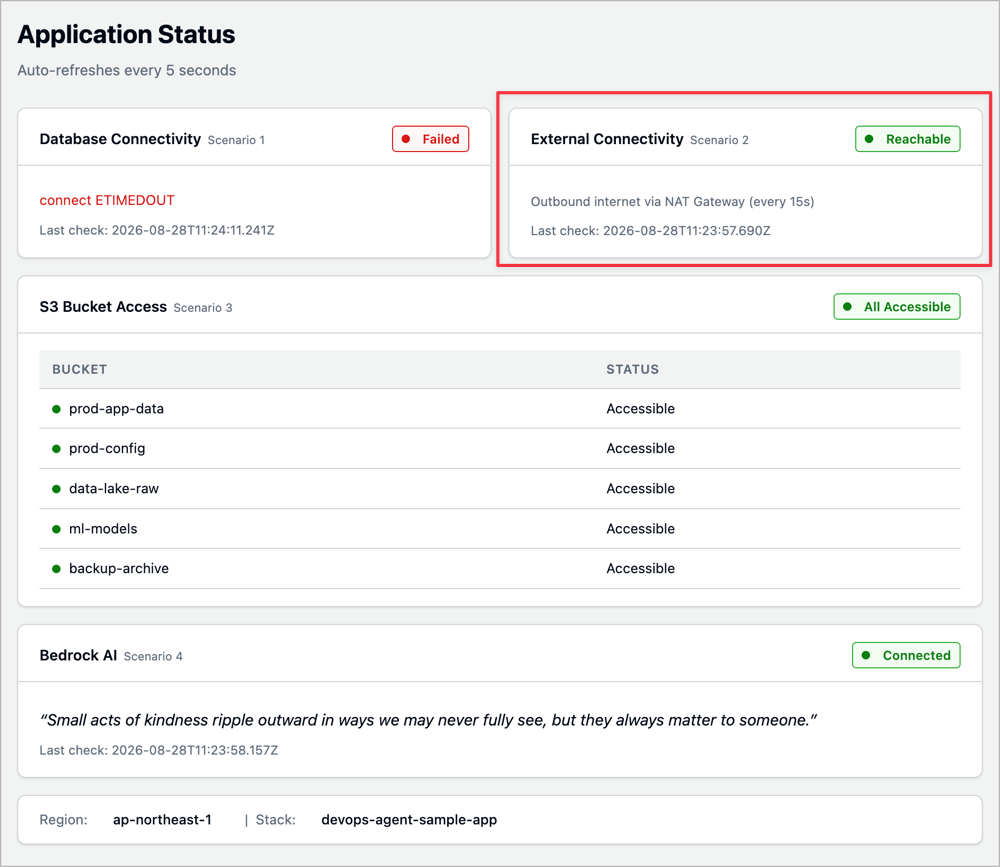
You can also confirm that the Application Status has been successfully restored.
Closing
This time, I enabled Directed Actions (agent actions) for DevOps Agent and tried having the agent execute a mitigation plan from a demo scenario.
In the security group scenario, authorize_security_group_ingress was blocked as it was outside the supported actions, but in the NAT Gateway route fix scenario, I was able to confirm the entire flow from the approval request via the use_aws tool, through Approve, and all the way to execution completion.
No matter how broad the role's permissions are, they are only a ceiling, and the design ensures that execution is scoped down by the session policy and operator approval. With support now added for write operations in addition to read permissions, there are likely to be more situations where DevOps Agent can handle everything end-to-end from investigation through to remediation.
That's all from Takayama (@nyan_kotaroo).