![[2026 Edition] A Story About Failing to Sync IDs to Entra ID (Password Hash Sync) Using AWS Managed Microsoft AD and Entra Connect Sync v2](https://images.ctfassets.net/ct0aopd36mqt/wp-thumbnail-4c76bbdf9d31ea69baca535bce476c36/6a4c372e63788f6173c877a01b935ce7/eyecatch_microsoft_entra_id?w=3840&fm=webp)
[2026 Edition] A Story About Failing to Sync IDs to Entra ID (Password Hash Sync) Using AWS Managed Microsoft AD and Entra Connect Sync v2

This page has been translated by machine translation. View original
It's Shibata.
About 4 years ago, I wrote an article about failing to use password hash synchronization with AWS Managed Microsoft AD and Entra Connect Sync v2 (then called Azure AD Connect).
I decided to check whether the failure from back then has been improved after 4 years, or whether it still fails (unsupported).
Conclusion
Let me start with the conclusion.
As of today, in a standard AWS Managed Microsoft AD environment (Standard Edition and Enterprise Edition), it is still not possible to grant the necessary permissions for password hash synchronization to the sync user, and since there is no alternative on the Entra Connect Sync side either, it still fails.
The result is the same as 4 years ago, and the situation remains unchanged as unsupported by AWS.
In a Hybrid Edition environment, there is a possibility that the permissions issue could be resolved, but this has not been verified in this article.
Attempting to Fail
From here, I will explain specifically what the situation looked like.
Verification Environment
The procedure reuses the environment from a recent article.
I uninstalled Entra Connect Sync and related software, deleted all synced Entra ID users, waited a sufficient amount of time, and then reinstalled.
The version of Entra Connect Sync is Ver.2.6.84.
I resumed the installation of Entra Connect Sync and carried out the initial setup wizard as follows.
Permission Settings for the Sync User
According to Microsoft's documentation, to perform password hash synchronization, the sync user requires the following permissions:
-
Replicating Directory Changes - required for basic read-only access
-
Replicating Directory Changes All
-
Microsoft Entra Connect: Configure AD DS connector account permissions
From PowerShell, this can be configured with the Set-ADSyncPasswordHashSyncPermissions command.
Import-Module "C:\Program Files\Microsoft Azure Active Directory Connect\AdSyncConfig\AdSyncConfig.psm1"

# Password hash sync permission settings
$params = @{
    ADConnectorAccountName   = 'EntraConnectSvc';
    ADConnectorAccountDomain = 'shibata.local';
    Confirm                  = $false
}
Set-ADSyncPasswordHashSyncPermissions @params
Last time, this Set-ADSyncPasswordHashSyncPermissions command failed, and unfortunately it failed again this time as well.
I ran it with the admin user of AWS Managed Microsoft AD and it didn't work, so there are no further options.
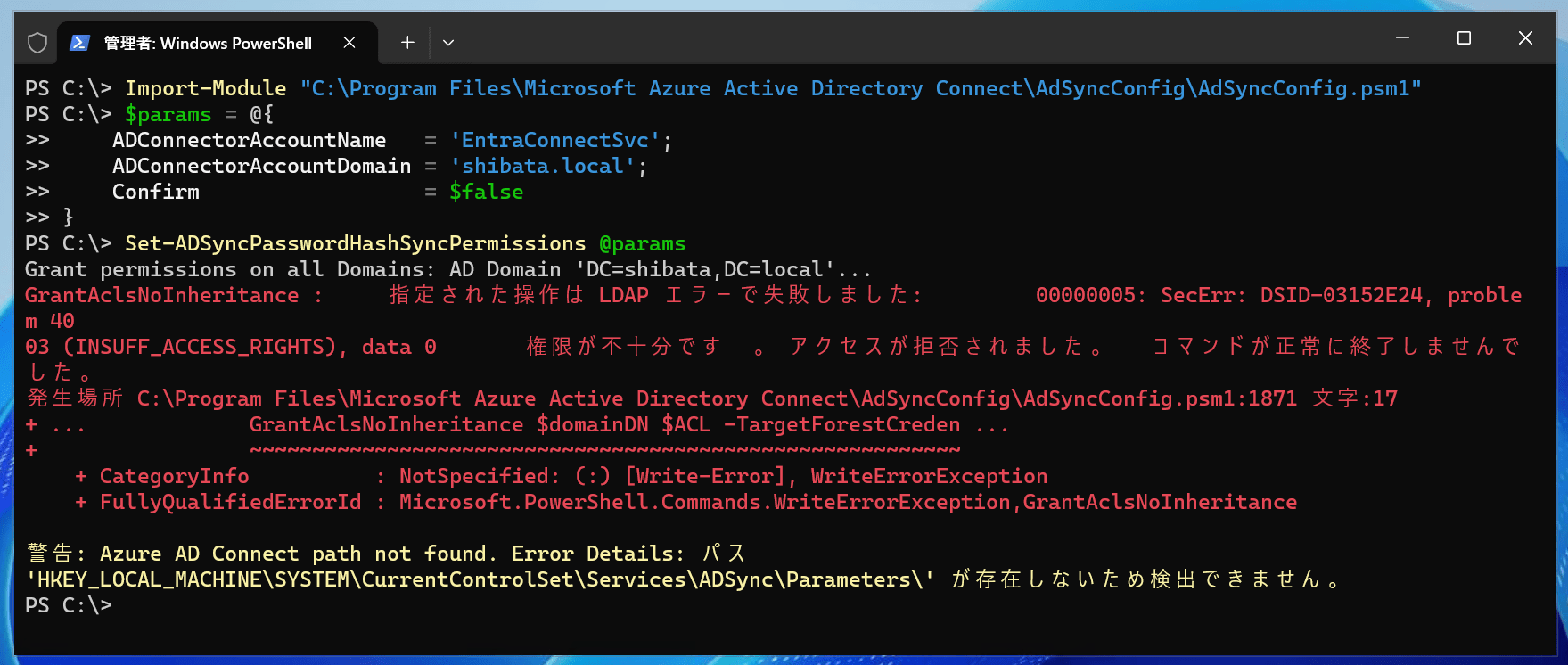
GrantAclsNoInheritance : The specified operation failed with an LDAP error: 00000005: SecErr: DSID-03152E24, problem 4003 (INSUFF_ACCESS_RIGHTS), data 0 Insufficient permissions. Access is denied. The command did not complete successfully.
Trying to Complete the Entra Connect Sync Installation with the admin User Anyway
As a last resort, I try completing the Entra Connect Sync installation using admin, which has the highest privileges, as the sync user.
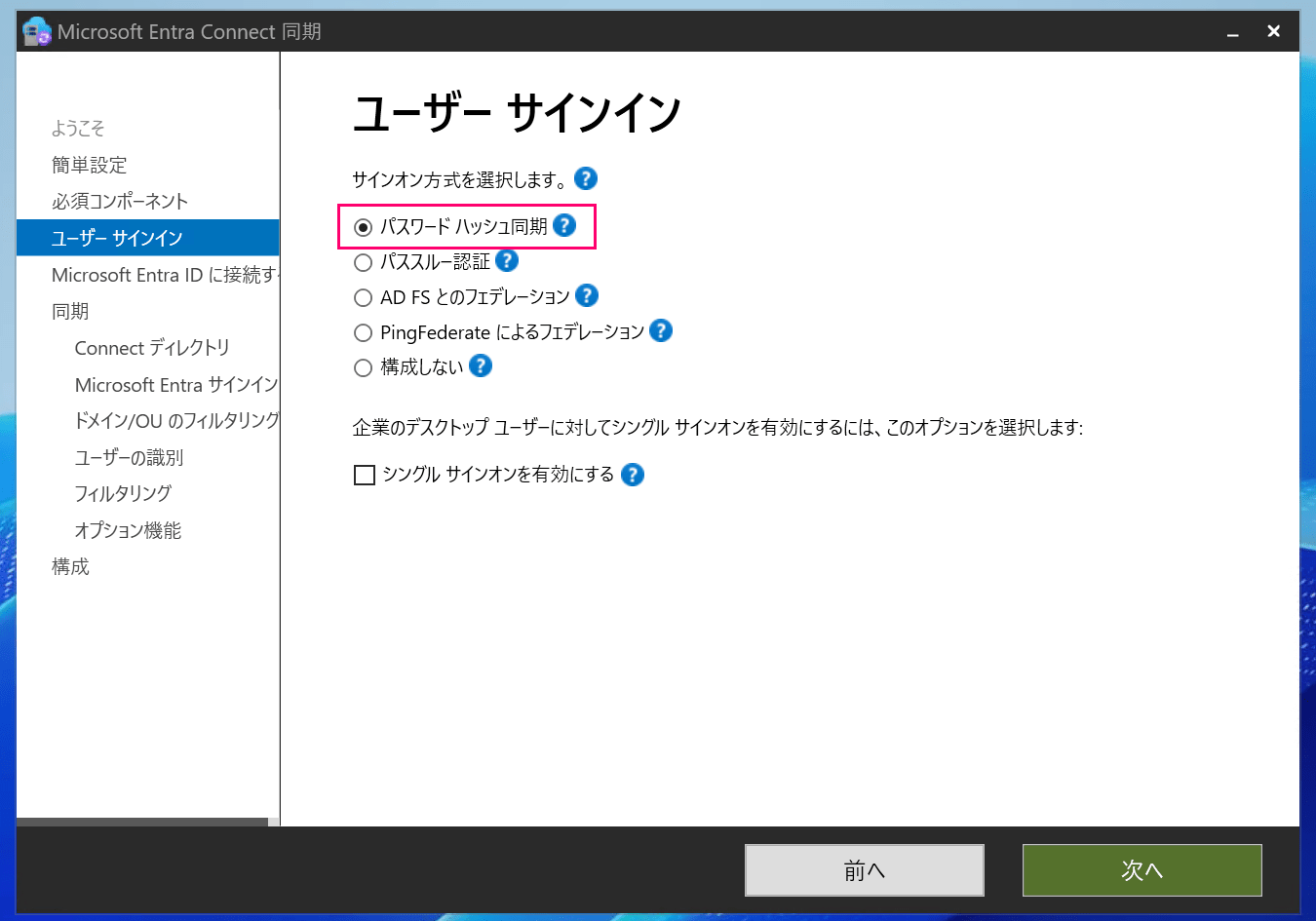
I proceed through the Entra Connect Sync initial setup wizard and specify "Password Hash Synchronization" as the sign-in method.
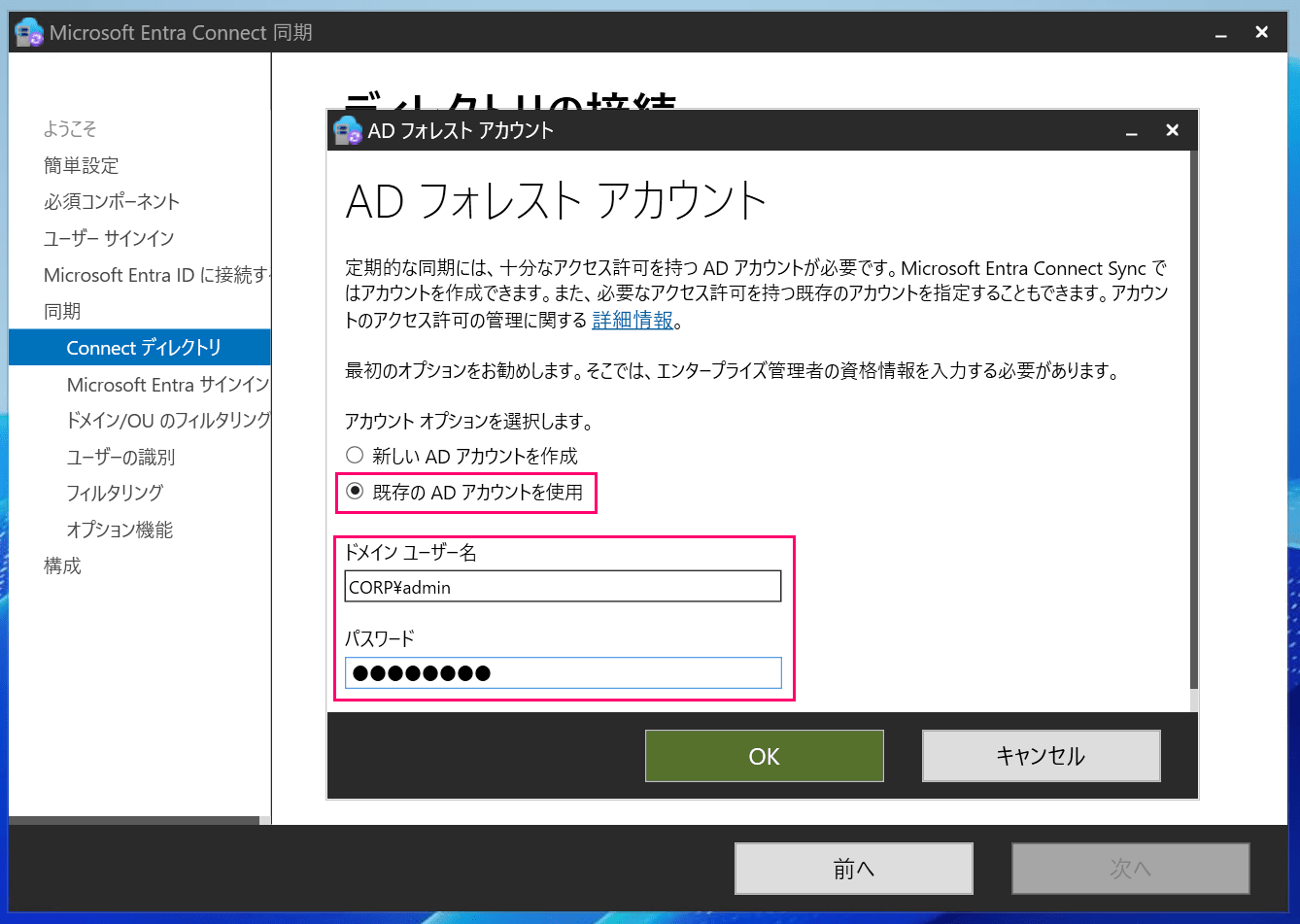
Then specify the admin user for the AD forest account.
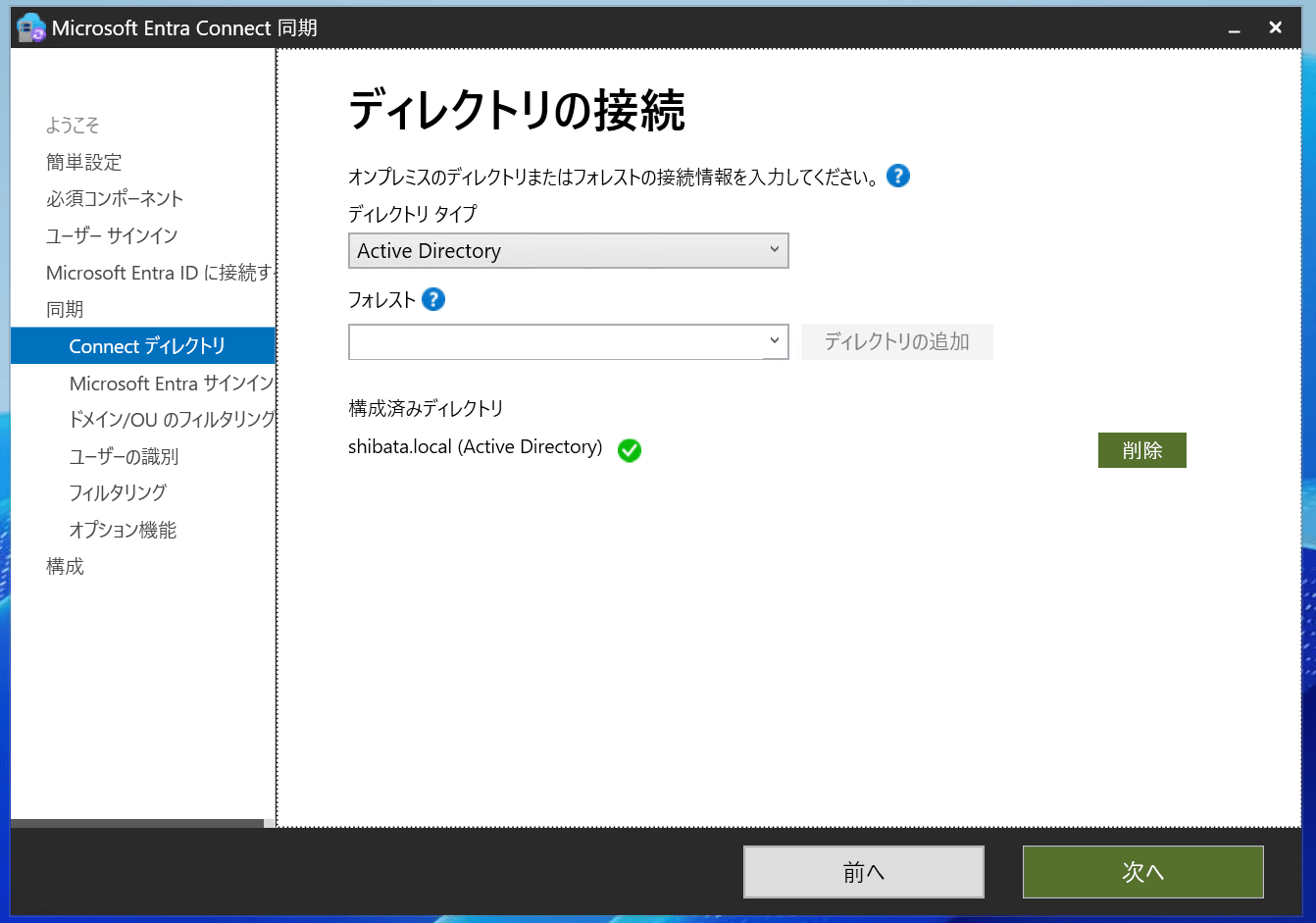
I configured the remaining settings appropriately and completed the configuration.
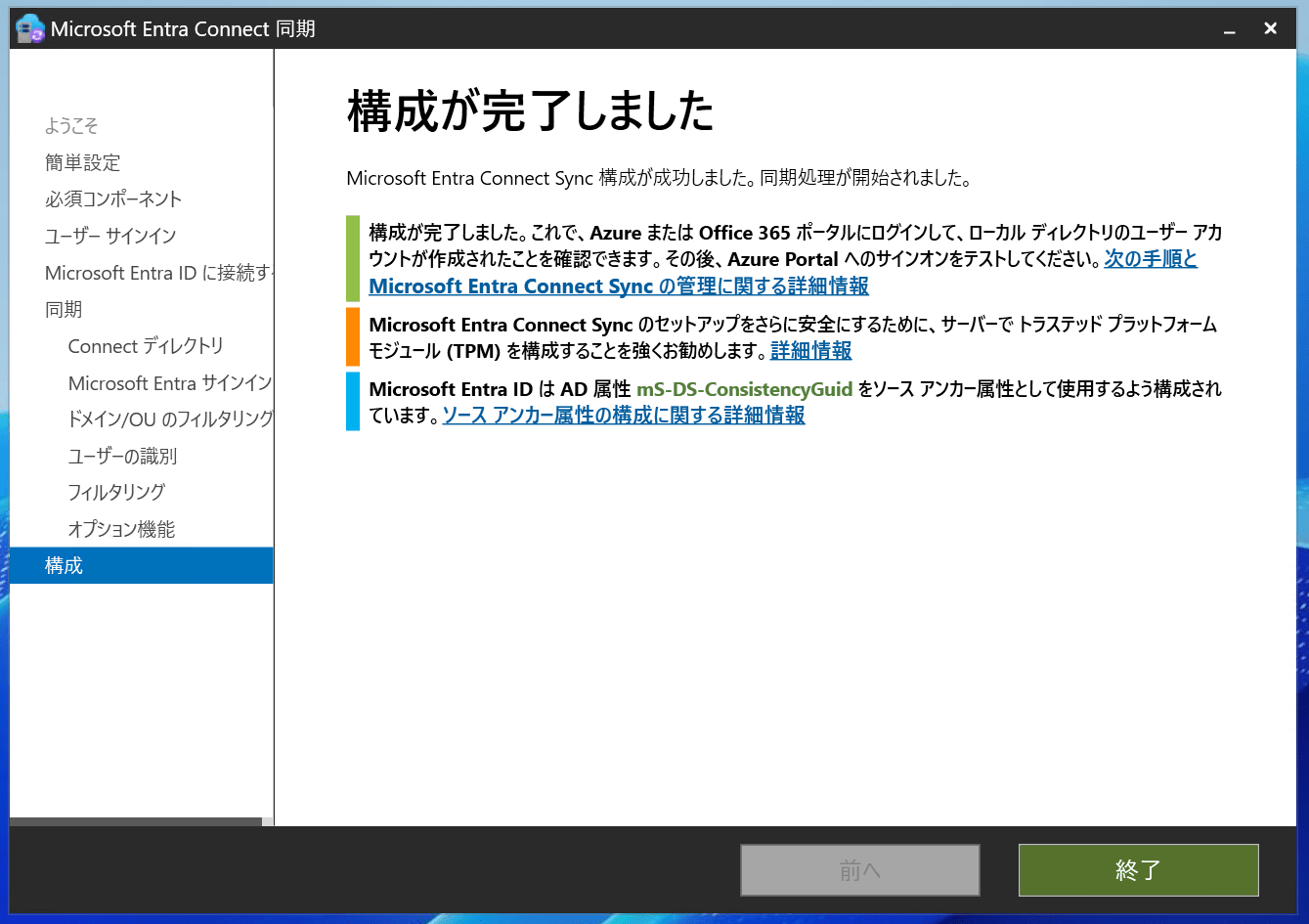
The subsequent state of Entra ID and the sync status were the same as last time: "the password hash sync feature is enabled, but the actual synchronization is failing."
# Requires administrator privileges

# The password hash sync feature itself is enabled
PS C:\> Get-ADSyncAADCompanyFeature -AADUserName "Entra ID administrator"

PasswordHashSync           : True
ForcePasswordChangeOnLogOn : False
UserWriteback              : False
DeviceWriteback            : False
UnifiedGroupWriteback      : False
GroupWritebackV2           : False

# The sync command also appears to succeed at first glance
PS C:\> Start-ADSyncSyncCycle -PolicyType Delta

 Result
 ------
Success

# Password hash sync is not completing successfully: PasswordSyncLastCycleStatus = Failed
PS C:\> Get-ADSyncPartitionPasswordSyncState

ConnectorId                                   : b891884f-051e-4a83-95af-2544101c9083
DN                                            : default
PasswordSyncLastSuccessfulCycleStartTimestamp : 0001/01/01 0:00:00
PasswordSyncLastSuccessfulCycleEndTimestamp   : 0001/01/01 0:00:00
PasswordSyncLastCycleStartTimestamp           : 0001/01/01 0:00:00
PasswordSyncLastCycleEndTimestamp             : 0001/01/01 0:00:00
PasswordSyncLastCycleStatus                   : None

ConnectorId                                   : f18c02f5-9691-4744-81e0-d696168ac8dd
DN                                            : DC=shibata,DC=local
PasswordSyncLastSuccessfulCycleStartTimestamp : 0001/01/01 0:00:00
PasswordSyncLastSuccessfulCycleEndTimestamp   : 0001/01/01 0:00:00
PasswordSyncLastCycleStartTimestamp           : 2026/08/15 14:46:43
PasswordSyncLastCycleEndTimestamp             : 2026/08/15 14:46:43
PasswordSyncLastCycleStatus                   : Failed
The result of launching the "MICROSOFT ENTRA CONNECT Troubleshooting Tool" from the Entra Connect Sync tasks was also the same as last time.
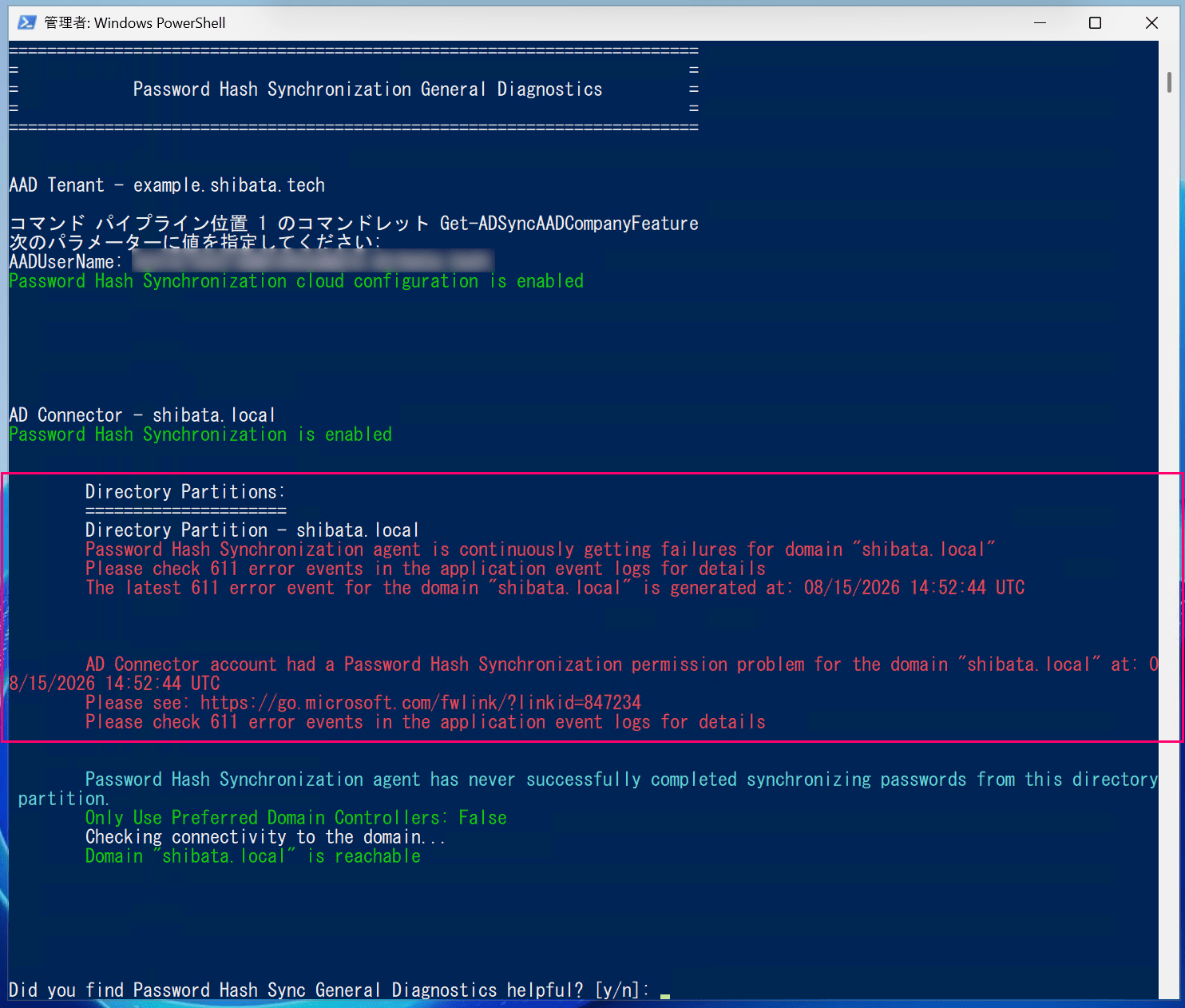
The situation is exactly the same as last time.
Therefore, there is no need to even inquire about AWS's support status.
Side Note: Hybrid Edition Might Enable Password Hash Synchronization?
The environment I tested this time is the standard Standard Edition, but if it is a Hybrid Edition where the user has domain administrator privileges, it might be possible to resolve the permissions issue.
However, since Hybrid Edition is intended for extending existing Active Directory environments and also involves additional AWS constraints and environment checks (assessments), there is the possibility of encountering:
- Issues specific to the existing Active Directory environment
- Issues arising from AWS-side constraints
Since Hybrid Edition itself has limited use cases and is not something to be introduced casually, I will not verify it in this article.
(It seems like there would be many issues dependent on the existing Active Directory environment, and setting up a verification environment would be very tedious...)
If you absolutely need password hash synchronization, it might be worth testing it out.
Closing
That's all.
Unfortunately, the situation has not changed from 4 years ago, and password hash synchronization could not be used.
When using Entra Connect Sync with AWS Managed Microsoft AD, please choose pass-through authentication.
