
A Japanese SME in Germany Tried Implementing Personio — Part 2: Attendance and Leave Management

This page has been translated by machine translation. View original
This is Ito, reporting from Berlin.
With Classmethod Europe, our German entity, reaching 16 employees, we switched our attendance and HR system to Personio this year. In this series, we share the knowledge gained from that implementation, introducing each feature as a "hands-on" report.
In the first installment, we covered the background of the switch and the integration with DATEV (payroll tool), which is arguably the most critical component for our German entity. The ability to centrally manage attendance, HR, and payroll data, and sync with our accounting firm in just a few clicks from a single screen, was a major deciding factor in making the switch.
In this second installment, we look at the attendance and time off management features that all employees use on a daily basis, including comparisons with German labor law and our previous attendance system, Timetac.
Attendance Management
Attendance in Personio is entered either through the Attendance screen or via the widget on the top page. You can also enable a live input feature with start/stop buttons as an add-on.
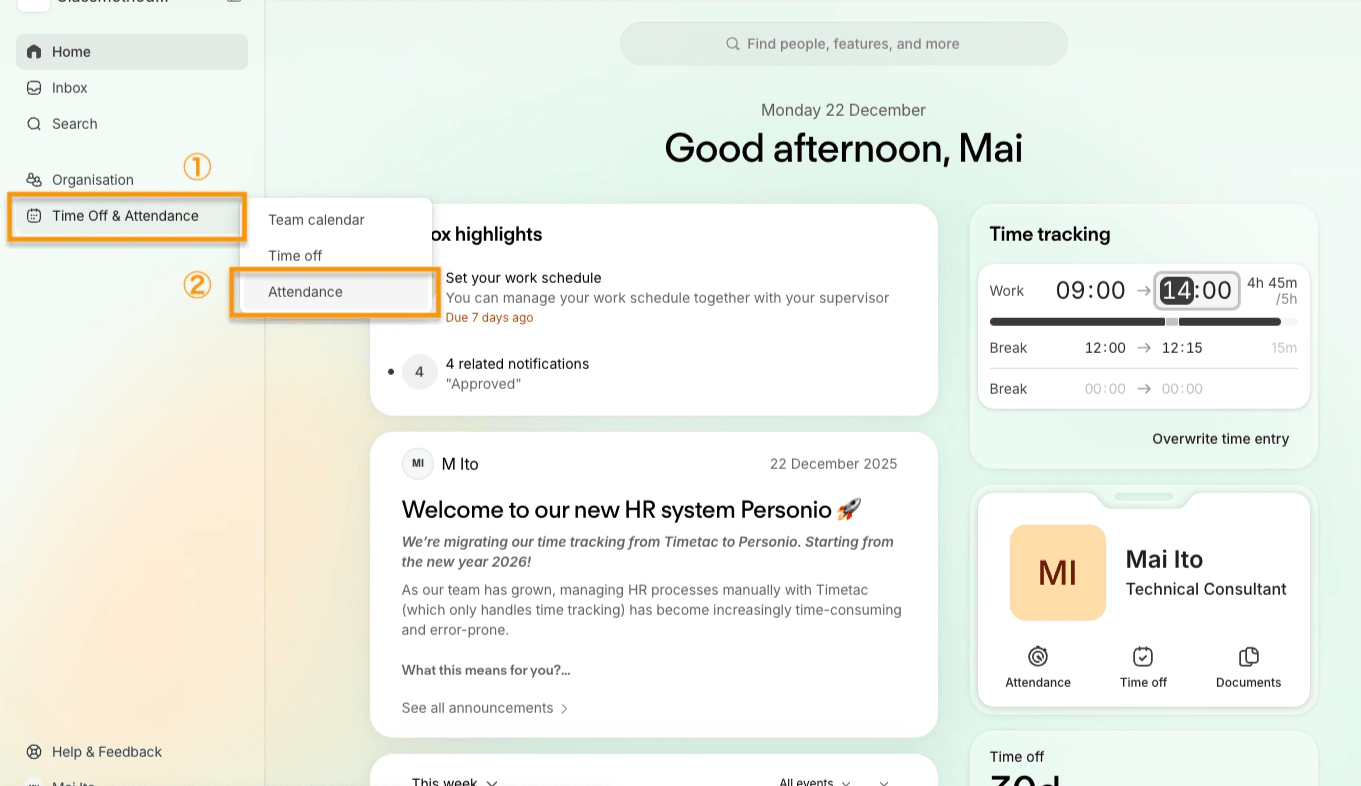
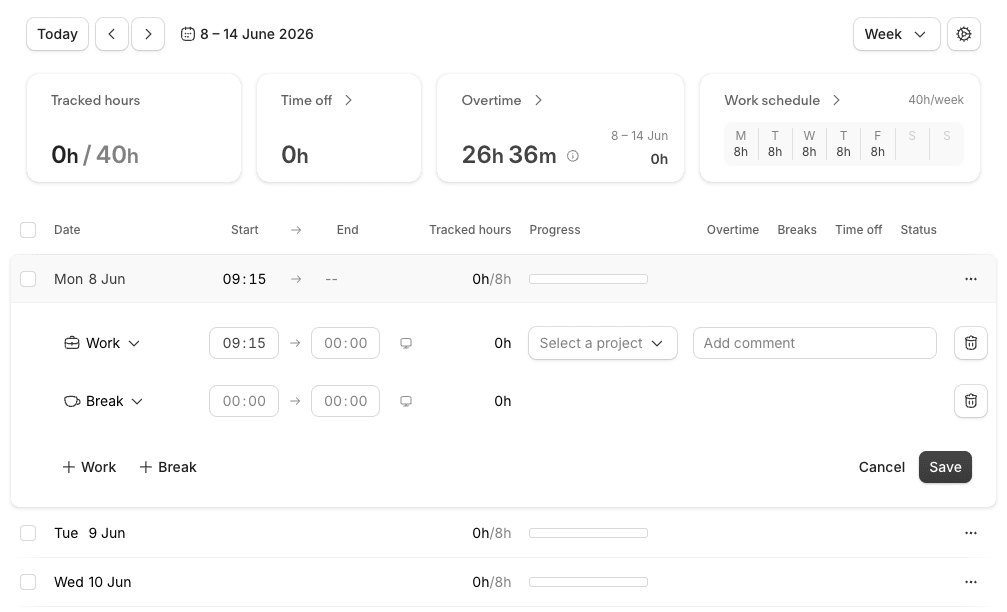
The Attendance screen is visually intuitive, and you can configure it to warn users before they submit entries that violate work rules, such as break requirements or maximum daily working hours. It is also convenient to be able to check your current overtime hours on the same screen.
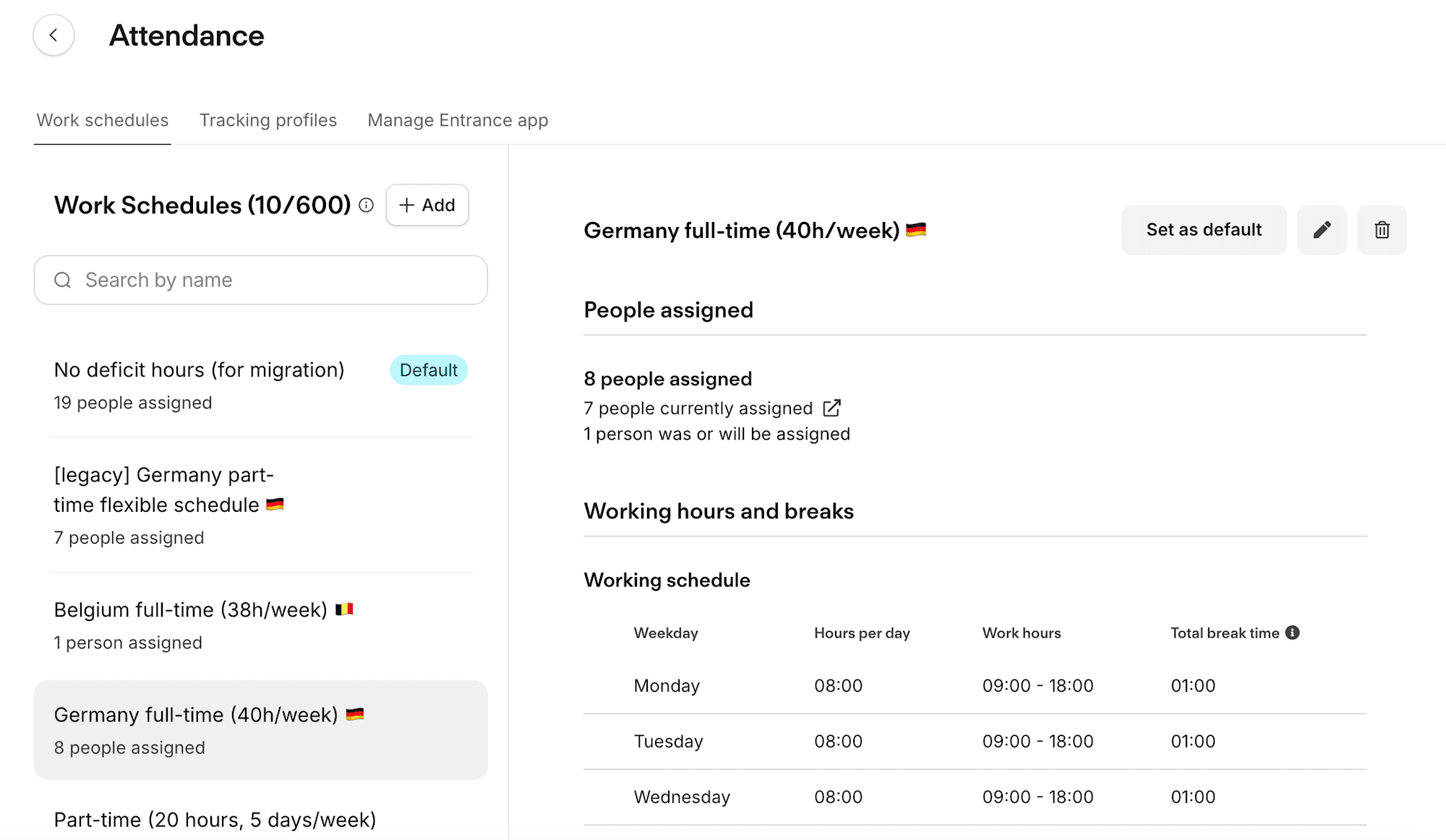
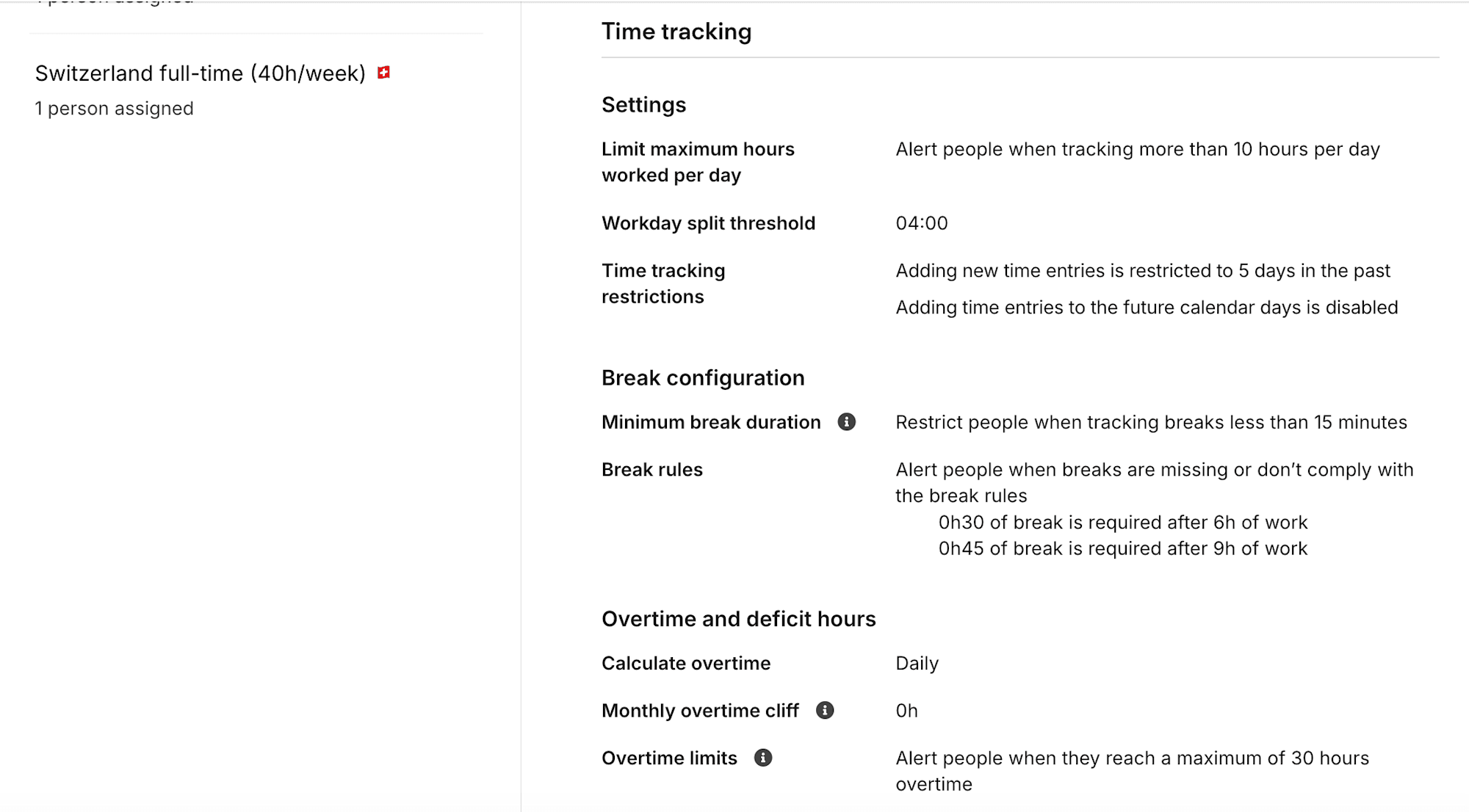
A Work schedule is created and applied to each user. You can configure not only working hours but also individual break and overtime policies, allowing flexible application based on each country's labor rules and contract terms.
Public holidays based on country and state of residence can also be configured, just as in Timetac. You select a predefined or custom holiday calendar and assign it to employees via their Workplace.
Time Off Management
Personio's time off management is displayed in a calendar format on the Time Off screen. Entry is straightforward, and you can flexibly create time off types with day limits beyond just paid leave, with remaining balances clearly visible.
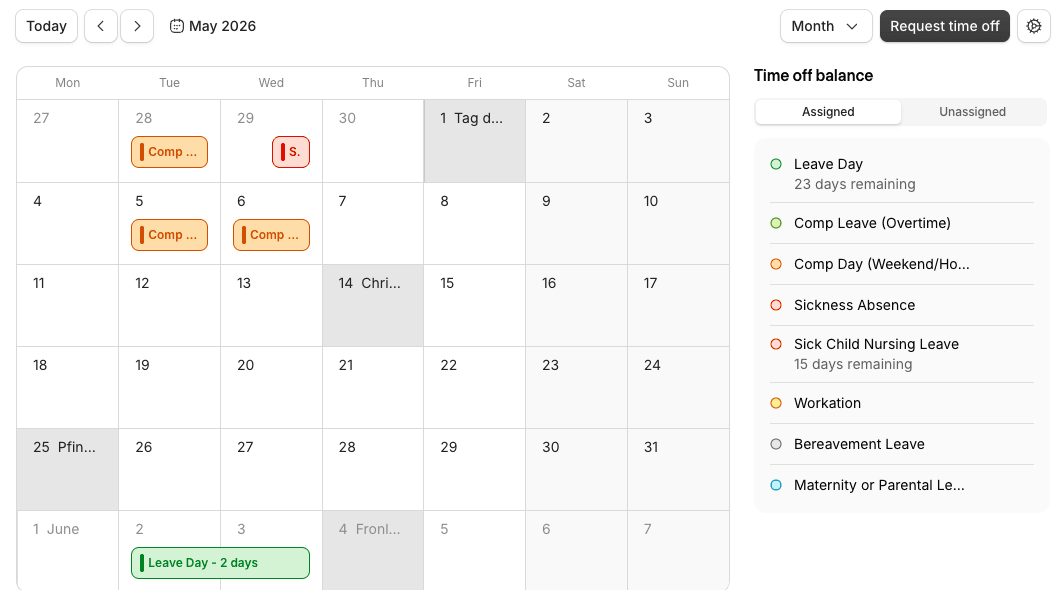
However, there are some UI limitations in Personio for the following use cases:
- Entering a half-day ⇒ Half-days and full days are not immediately distinguishable on the Attendance screen
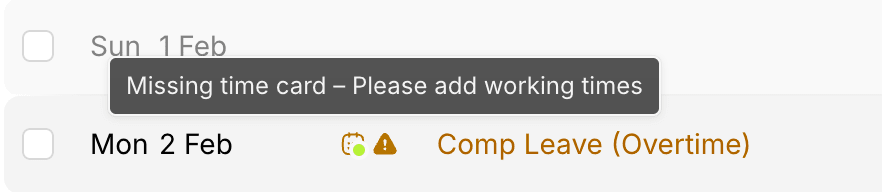
- Entering a compensatory day off using overtime hours ⇒ A "missing attendance entry" warning continues to appear on the Attendance screen (the warning can be dismissed by explicitly entering 0 hours of attendance)
These were integrated in Timetac, but in Personio, attendance tracking and time off requests appear to be designed as independent features.
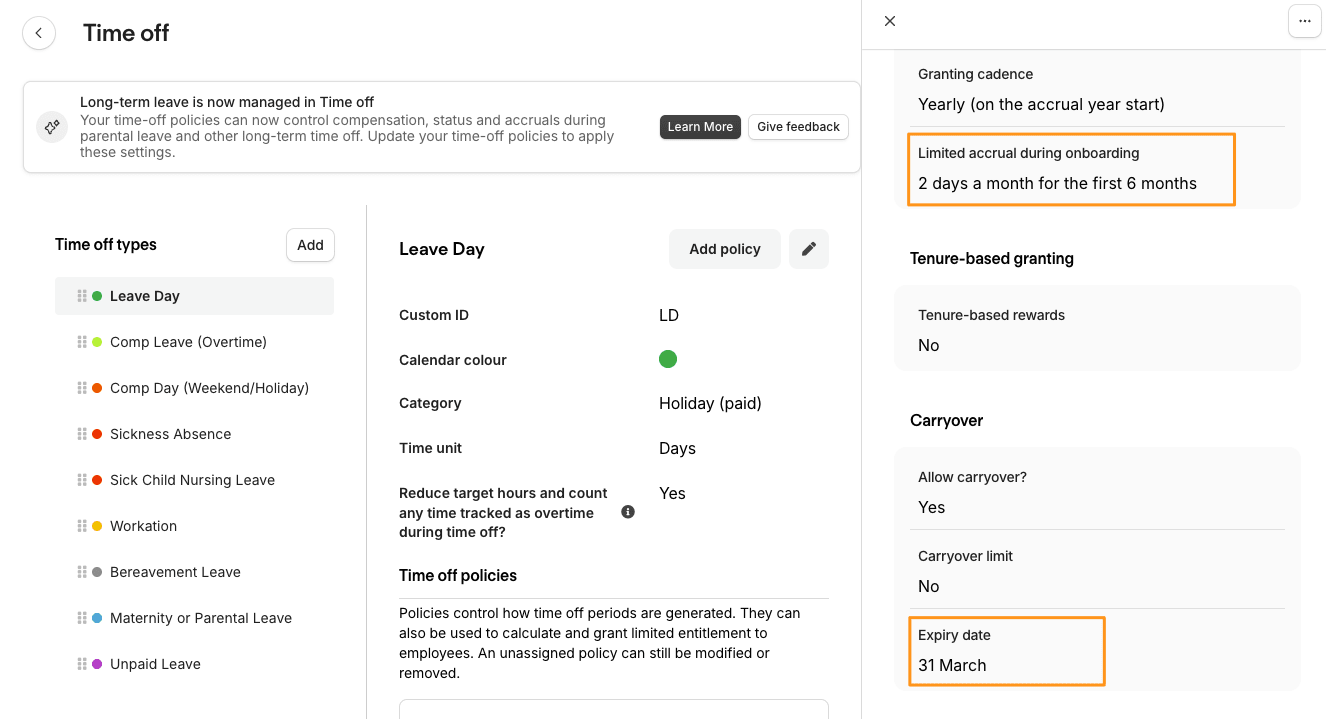
One feature that genuinely impressed us after we started using it in practice is the automatic pro-rated daily/monthly accrual and automatic expiration of paid leave — this is truly a lifesaver for administrators.
Timetac could also automatically grant a configured number of days, but Personio goes further with:
- Pro-rated daily/monthly accrual for new employees based on their start date
- Monthly paid leave accrual for new employees during their probationary period
- 3-month carry-over of paid leave with automatic expiration
All of this is applied fully automatically.
Of course, multiple policies can be created, allowing application based on contract type or the labor rules of each employee's country of residence.
These tasks had previously been handled manually, so the workload was dramatically reduced, and problems with manual calculation errors and missed tasks were resolved all at once.
Approval Workflows and Attendance "Lock-off"
A critical aspect of attendance management is how you ensure the accuracy of records. How to prevent data entry errors, violations of ArbZG (Working Hours Act) rules, and falsification after finalization is something that cannot be overlooked from an audit perspective.
Timetac and Personio differ somewhat in their design philosophy on this point.
Approval Workflows
Approval workflows can be applied to specific attendance records and time off requests.
In Timetac, the flow was "an authorized approver accesses the request list screen to approve," whereas in Personio, requests are delivered to the approver.
Timetac (Pull model: approver goes to view the list)
Personio (Push model: requests are delivered to the approver)
In Personio, since approvers no longer need to go and check, fewer requests slip through the cracks.
Detailed approval features will be covered in the third installment.
Attendance "Lock-off" and Locking
How finalized attendance is closed out differs significantly between the two systems.
- Timetac:
- No warnings at the time of entry; rule violations are presented in attendance reports.
- Employees and managers can each close any period they choose, and closed attendance is locked from editing.
- Re-editing requires removing the close.
- Even before closing, changes to past attendance entries beyond a configured number of days require an approval request.

- Personio:
- Rule violations can be flagged to the employee at the time of entry, and violations can also be configured to require approval or trigger notifications.
- There is no concept of locking attendance; administrators and managers with edit permissions can directly edit any past period at any time.
- Conversely, if an employee needs to correct an entry after the configured number of days has passed, they must request it outside the system.
- Note that any time off added after the payroll report has been approved is highlighted as "changed data" in the next payroll report — rather than a lock, this is a design that ensures accountability through post-hoc visibility.
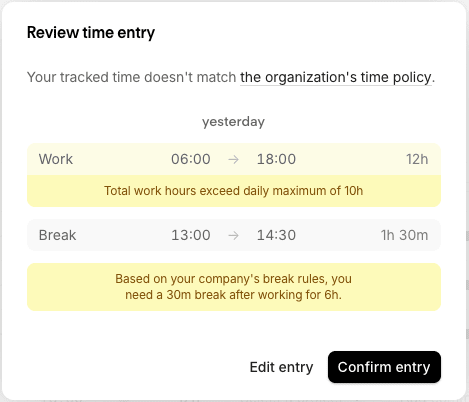
Personio excels in its ability to efficiently ensure legal compliance through pre-entry warnings and requiring approval for violations.
On the other hand, Timetac was more convenient for its "lock-off" mechanism that prevents past records from being changed carelessly. In Timetac, records cannot be edited unless explicitly unlocked, and changes after the deadline require approval — whereas in Personio, past records can be edited directly depending on permissions.
💡 However, Personio offers granular permission settings, making it possible to compensate through careful permission design — defining who can edit whose past data — combined with operational lock-off procedures.
As mentioned in the first installment, at our company, team leaders conduct a monthly attendance review and are assigned only the permissions necessary for their team members.
Time Off Approval and Sick Leave Submission (eAU Support)
For time off approvals, approvers and routing can be differentiated by type and conditions. What has been particularly helpful in practice is document submission for sick leave requests.
- File attachment: Documents such as a certificate of incapacity for work (Arbeitsunfähigkeitsbescheinigung) can be attached directly within the system and managed in the same place as attendance and HR data.
- eAU support: If the DATEV integration introduced in the first installment is configured, electronic certificates (eAU) as used in Germany can also be submitted. Since the sick leave certificate issued electronically by healthcare providers via health insurance can be handled digitally, this reduces the need to exchange paper certificates. This is an advantage specific to German operations.
Since these also need to be submitted to DATEV for payroll processing, having system integration through Personio allows seamless handling even as the number of employees grows.
Team Calendar
This is extremely easy to read and convenient for team members to check each other's absences. Timetac had a similar feature, but what is excellent about Personio is the ability to granularly specify permissions — down to who can see which time off types for whom.
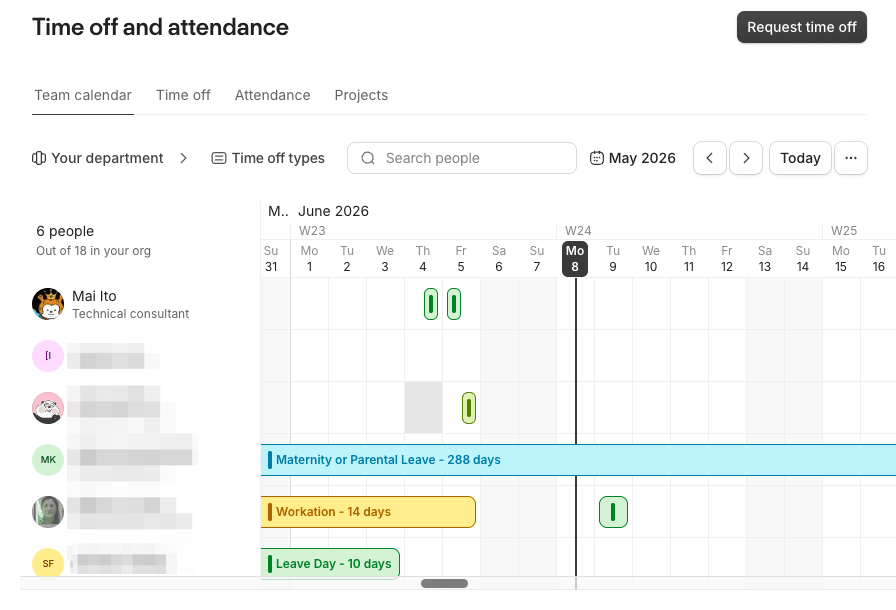
A Remote work time off type can also be created, and we make use of it at our company.
Our company is primarily home-based, and employees are also permitted to work from a city other than their usual work location. In such cases, employees would report via Slack, but previously there was no way for team members to easily keep track of each other's situations. By setting up this time off type, employees can enter their attendance as normal without it counting as time off, while having it reflected in the team calendar as "Workation."
Since it is also reflected in Slack statuses as described below, sharing with the team is seamless.
Time Off Integrations (Outlook / Slack)
By integrating with Office 365 through Marketplace integrations, entered time off is automatically synced to Outlook Calendar as "Out of office."
There is no longer any need to enter time off separately in both the calendar and Slack.
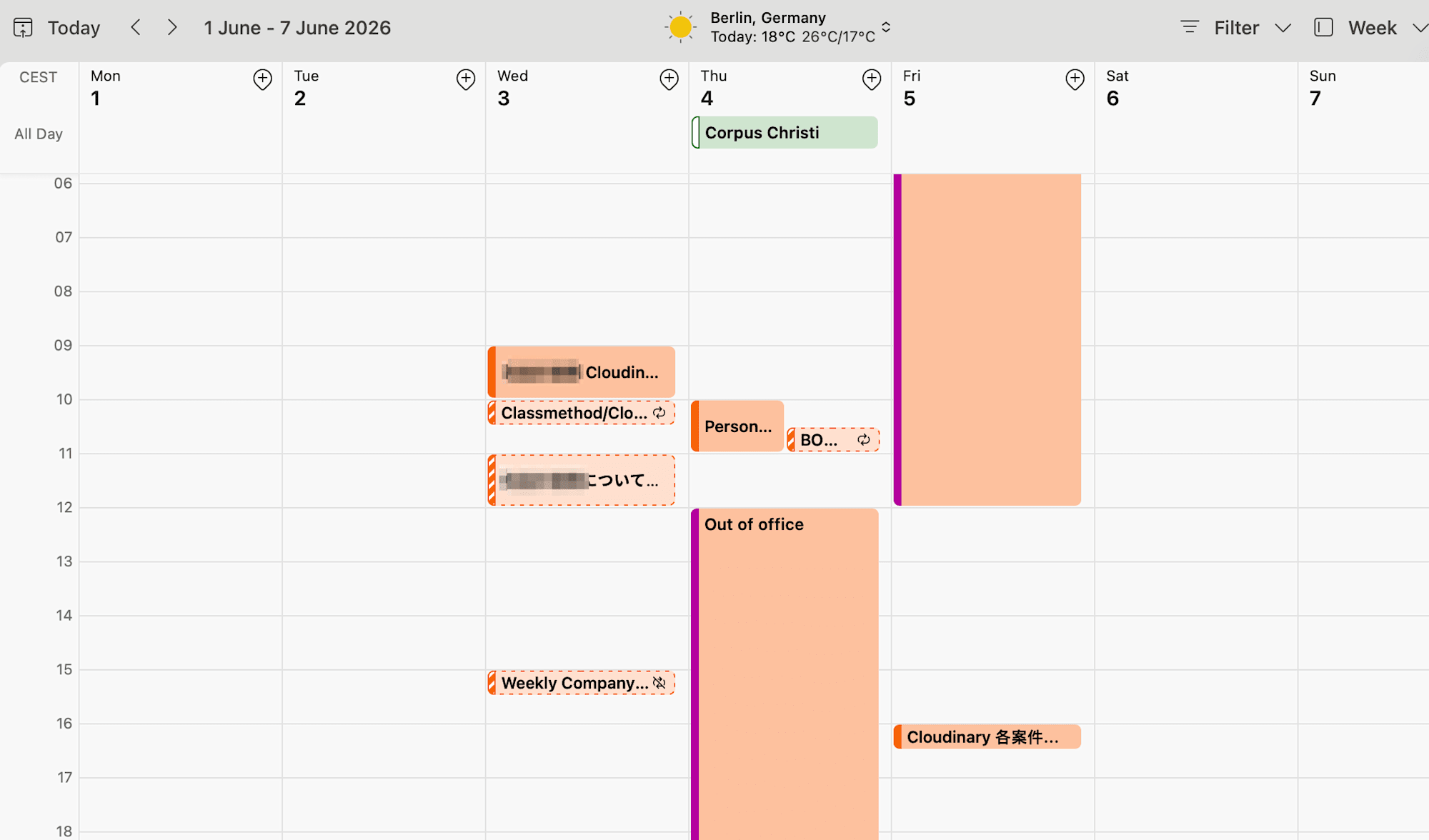
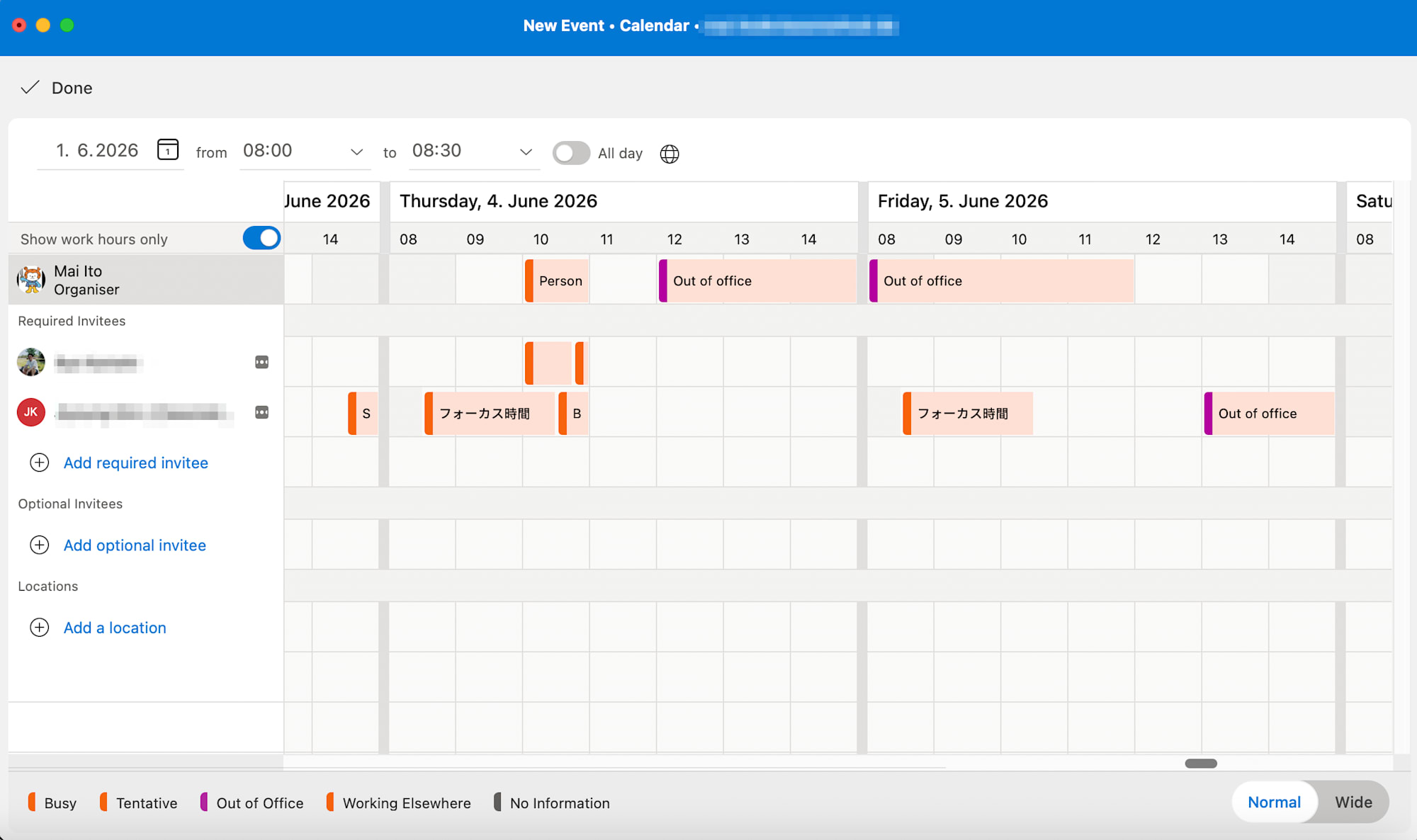
When sending meeting invitations, you only need to check the Schedule Assistant — no need to check Personio or Slack separately — which has made internal scheduling significantly easier.
With the Slack integration, statuses can be automatically updated based on time off. Depending on the time off type, the following are synced: 🌴 paid leave / 🤒 sick leave / ❌ other / 🏡 remote work. (Status text is fixed by Personio.)
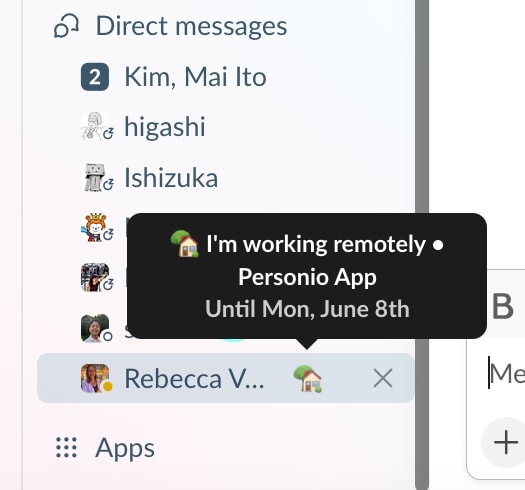
Unfortunately, there is a limitation that this integration does not work for Slack Admin users. However, for Slack / Outlook users, setting up this integration will cause the Out of office entries automatically added to the calendar by Personio to also be reflected in Slack statuses.
With the Slack integration, it is also possible to send daily notifications to a specific channel about employee time off and anniversaries.
Summary
In terms of attendance and time off, switching to Personio has brought significant improvements in "pre-entry rule warnings," "flexible approval flows," and "team sharing and external integration for time off."
On the other hand, to be honest, there are areas where Timetac was superior, such as the lock-off mechanism (ease of preventing past changes) and the handling of half-days and compensatory leave.
Which system you prefer will depend on what your organization prioritizes in its operations, but for us, Personio's shortcomings can be addressed through operational practices, and the benefit of a dramatic reduction in minor manual tasks outweighs them.
When you also factor in features such as data management, automated processing, and document management, the improvement to HR operations brought about by Personio is immeasurable.
In the next installment (Part 3), we will take a deeper look at these approval flows, automated notifications, and document management.
Classmethod Europe supports back-office operations and system selection for European bases, drawing on our own hands-on operational experience. Please feel free to get in touch.