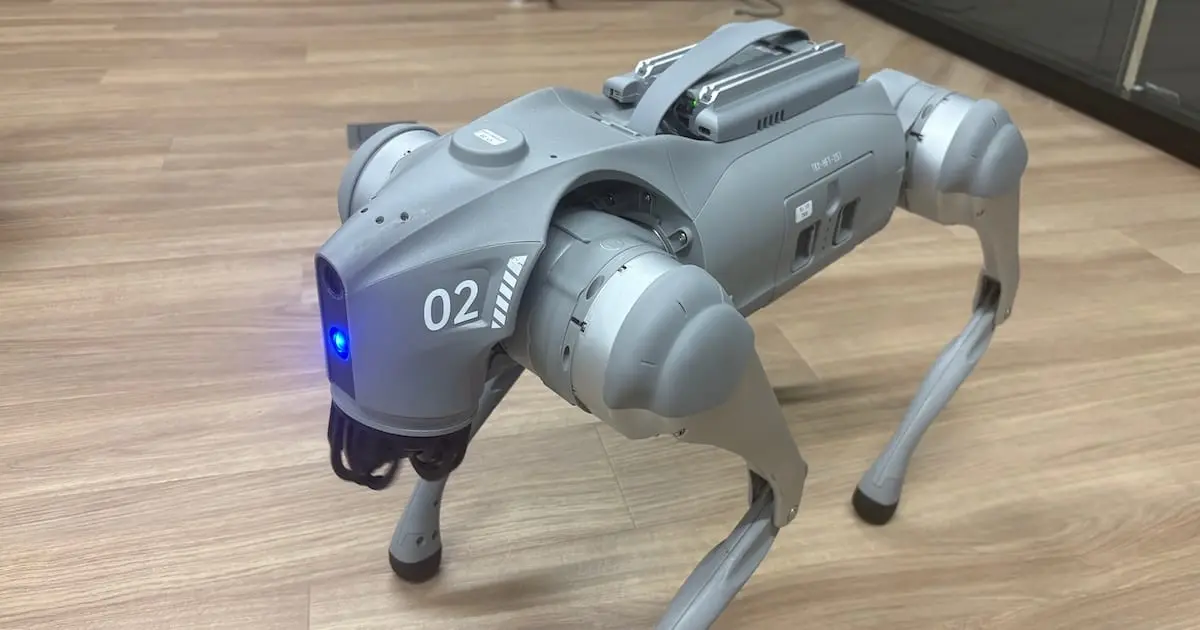
Unitree Go2 and G1 Robot Visual Inspection Agent: We Have Started Building an MVP

This page has been translated by machine translation. View original
Introduction
In this internship, I am working on developing a Robot Visual Inspection Agent utilizing Unitree Go2 and G1.
This is content from a one-night brainstorming session, but I received positive feedback from Atsu-san.
Based on that feedback, I refined the direction of the theme a bit.
In this article, I will summarize the theme ideas I am currently considering and the first MVP skeleton I implemented this week.
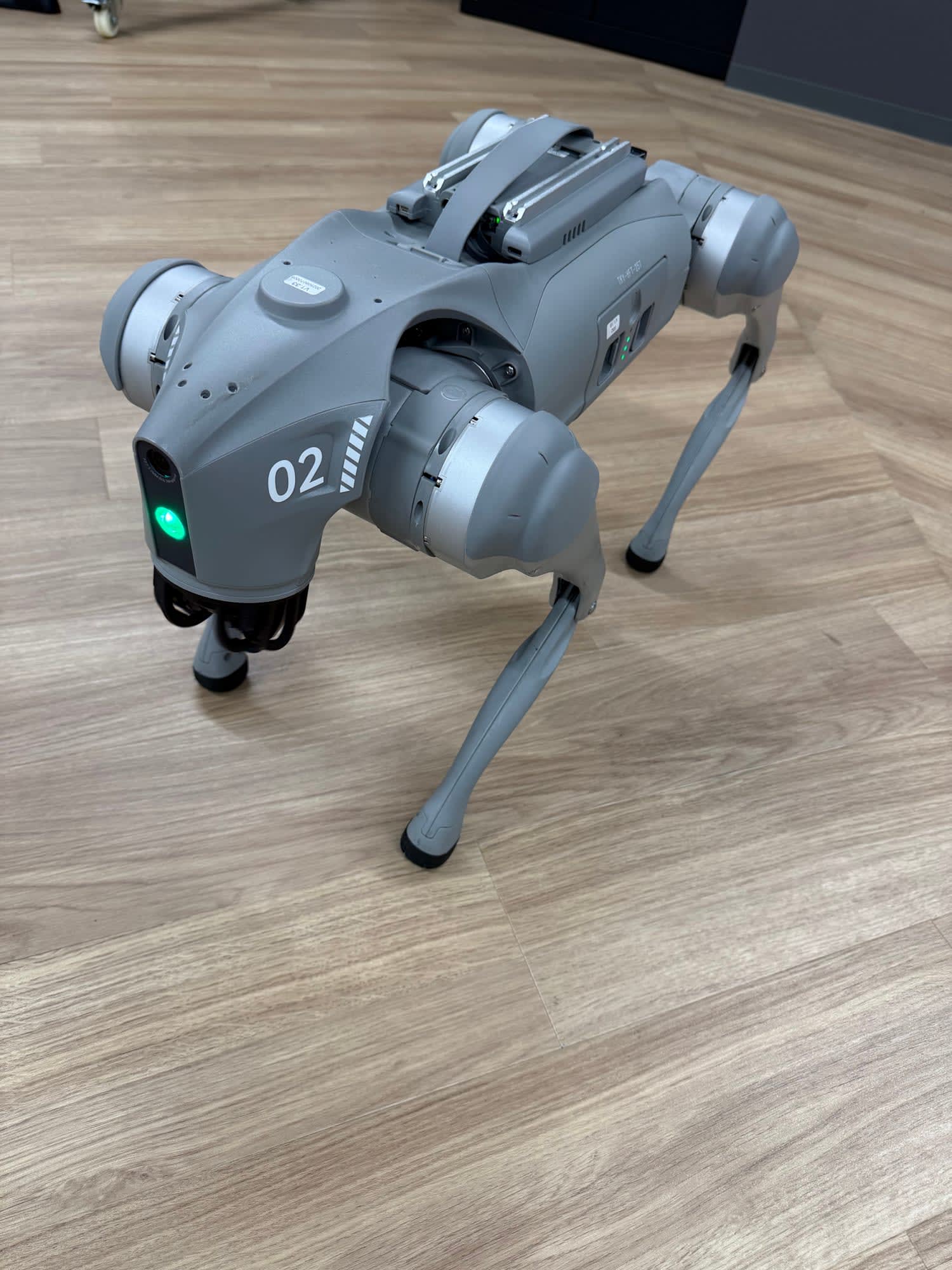
Theme I Want to Work On
Robot Visual Inspection Agent
The goal is to create a PoC that uses camera images from an actual robot to check conditions inside offices and facilities, and performs the following processing using VLM/LLM.
- Scene understanding
- Anomaly detection
- Risk assessment
- Structured JSON output
- Japanese / English report generation
As an overall flow, I am envisioning a pipeline like the following.
Camera image from Unitree Go2/G1
        ↓
Scene understanding by VLM
        ↓
Structured JSON output
        ↓
Japanese/English report generation by LLM
        ↓
Output via Markdown/Slack etc.
Expected Use Cases
For example, I am envisioning instructions like the following.
Please use Go2 to check the area around the entrance and report any anomalies.
In this case, the image is of VLM / LLM outputting inspection results like the following.
{
  "robot": "Go2",
  "location": "office entrance",
  "status": "warning",
  "observations": [
    "A cardboard box is placed near the aisle",
    "It may obstruct passage"
  ],
  "risk_level": "medium",
  "recommended_action": "Check whether it is obstructing the aisle, and move the box if necessary",
  "summary_ja": "入口付近の通路に段ボールが置かれており、通行の妨げになる可能性があります。確認を推奨します。"
}
Rather than simply describing "what is in the image,"
the goal is to assess the situation from the perspective of facility inspection and safety checks, and generate a report.
MVP Scope
Rather than aiming for autonomous movement or real-time video analysis from the start, I will first build a minimal MVP.
For this MVP, the goal is to run the following pipeline.
Image input
  ↓
VLM analysis
  ↓
JSON conversion
  ↓
Report generation
The plan is to first build the pipeline with local images, and then connect it to images captured by Go2.
Technology Stack Plan
The technology stack I am currently considering is as follows.
| Item | Details |
|---|---|
| Robot | Considering Unitree Go2 for the first half, and support for Unitree G1 in the second half |
| Input | Camera images from Go2 / G1, or local image files |
| VLM | To be selected after confirming available approved models usable within the company |
| LLM | Generate Japanese / English reports from JSON |
| Output | JSON, Markdown report, Slack notification as needed |
| Evaluation | Evaluate JSON validity, anomaly detection accuracy, risk level match rate, and failure cases using approximately 30 images |
Expected Deliverables
Ultimately, I would like to produce the following deliverables.
- A working PoC for image → VLM → JSON → report generation
- A demo using images captured by Go2
- Sample images and evaluation results
- A summary of failure cases and areas for improvement
- Setup instructions and technical documentation
What I Accomplished This Week
This week, I started by organizing ideas for the robot visual inspection agent, and ultimately managed to progress to a PoC that works through to real image evaluation using a local VLM.
Initially, I considered a configuration that uses camera images from Unitree Go2/G1 to check conditions inside offices and facilities, and performs anomaly detection, risk assessment, and report generation using VLM/LLM.
After that, rather than jumping straight into integration with the actual hardware or real-time processing, I decided to first build a minimal MVP with the following structure.
Image input
  ↓
VLM analysis
  ↓
Structured JSON output
  ↓
Schema validation
  ↓
Markdown report generation
The main items I implemented and validated are as follows.
- Created the project repository structure
- Defined a Pydantic schema for inspection results
- Implemented a mock VLM client
- Implemented a Markdown report generator
- Implemented a CLI to generate JSON and Markdown reports from input images
- Created the initial inspection prompt
- Organized the README and setup instructions
- Set up a local VLM execution environment in Brev / Docker
- Validated SmolVLM2-2.2B-Instruct
- Validated Qwen2.5-VL-3B-Instruct
- Integrated Qwen2.5-VL into the CLI as the
qwen_localbackend - Improved the prompt to suit inspection use cases
- Partially implemented JSON repair / alias normalization
- Started real image evaluation using iPhone low-angle images
- Created
evaluation/labels.json - Organized failure cases and areas for improvement
At this point, the following pipeline is operating end-to-end.
Image input
  ↓
Local Qwen VLM inference
  ↓
Structured JSON output
  ↓
InspectionResult schema validation
  ↓
Markdown report generation
I believe the major achievement of this week was not simply getting the model running, but rather building the application skeleton from image input to report generation, and even being able to confirm failure cases using real images.
MVP Skeleton Implementation
First, as an initial step, I implemented the MVP skeleton for the robot visual inspection agent.
The repository was set up with mainly the following structure.
robot_inspection_agent/
├── app/
│   └── cli.py
├── evaluation/
│   └── labels.json
├── outputs/
├── reports/
│   └── generate_report.py
├── samples/
│   └── real_tests/
├── vlm/
│   ├── clients/
│   │   ├── base.py
│   │   ├── mock_client.py
│   │   └── qwen_local_client.py
│   ├── prompts/
│   │   ├── inspection_prompt_v1.md
│   │   └── inspection_prompt_v2.md
│   └── schema.py
├── README.md
├── requirements.txt
└── requirements-vlm.txt
At this stage, I prioritized confirming the overall application flow rather than the accuracy of the VLM itself.
Therefore, I first implemented mock_client.py and confirmed the following flow using a mock VLM that returns fixed inspection results.
Pass image path to CLI
  ↓
mock backend returns inspection results
  ↓
Validate with InspectionResult schema
  ↓
Save as JSON
  ↓
Generate Markdown report
This made it possible to create a structure where the CLI, schema, and report generation parts can be shared even when the VLM backend is swapped out.
Inspection Result Schema and Report Generation
In this PoC, rather than having the VLM output free-form text, I decided to have it output structured JSON.
The reason is to make it easier to perform the following in subsequent processing.
- Schema validation
- Risk level comparison
- Matching with evaluation data
- Markdown report generation
- Future Slack notifications and dashboard integration
The inspection result is defined as InspectionResult, holding information such as the following.
scene_type
image_quality
detected_objects
human_presence
door_state
obstacles
potential_hazards
path_blocked
risk_level
recommended_action
confidence
summary_ja
The Markdown report generator uses this structured JSON to generate a Japanese report in a format that is easy for human operators to read.
At this point, the following division of roles within the application became clear.
VLM: Looks at the image and outputs structured information
Schema: Validates the output format
Normalizer: Corrects inconsistent output
Report Generator: Creates a report for humans
CLI: Connects everything together
Validating the Local VLM Backend
After the MVP skeleton was working, I validated the local VLM in the Brev / Docker environment.
First, I confirmed that the Isaac Sim container could access the NVIDIA L40S GPU, and created a Python virtual environment for VLM experiments.
After that, I installed packages such as the following.
- PyTorch
- Transformers
- Hugging Face Hub
- Other dependency packages required for running VLM
I first tried the lightweight model SmolVLM2-2.2B-Instruct.
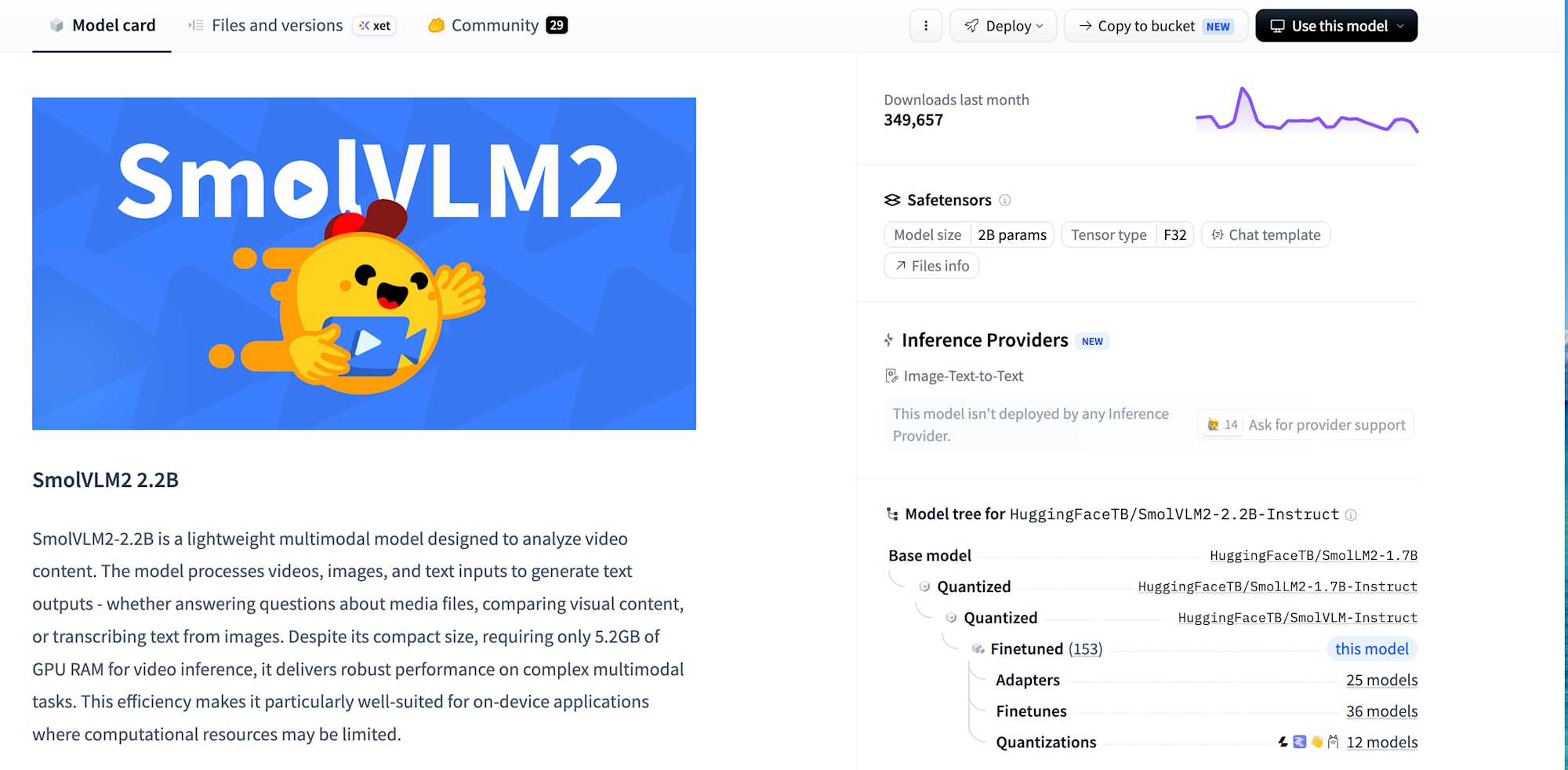
SmolVLM2 loaded successfully locally and was able to generate output from images.
I also obtained JSON-like output.
On the other hand, from the perspective of the inspection task, there were challenges with its reasoning capability.
For example, while it could recognize objects such as doors and boxes,
its judgment in treating a box on the aisle as an "obstacle" or "hazard" was not very stable.
I then validated Qwen2.5-VL-3B-Instruct.
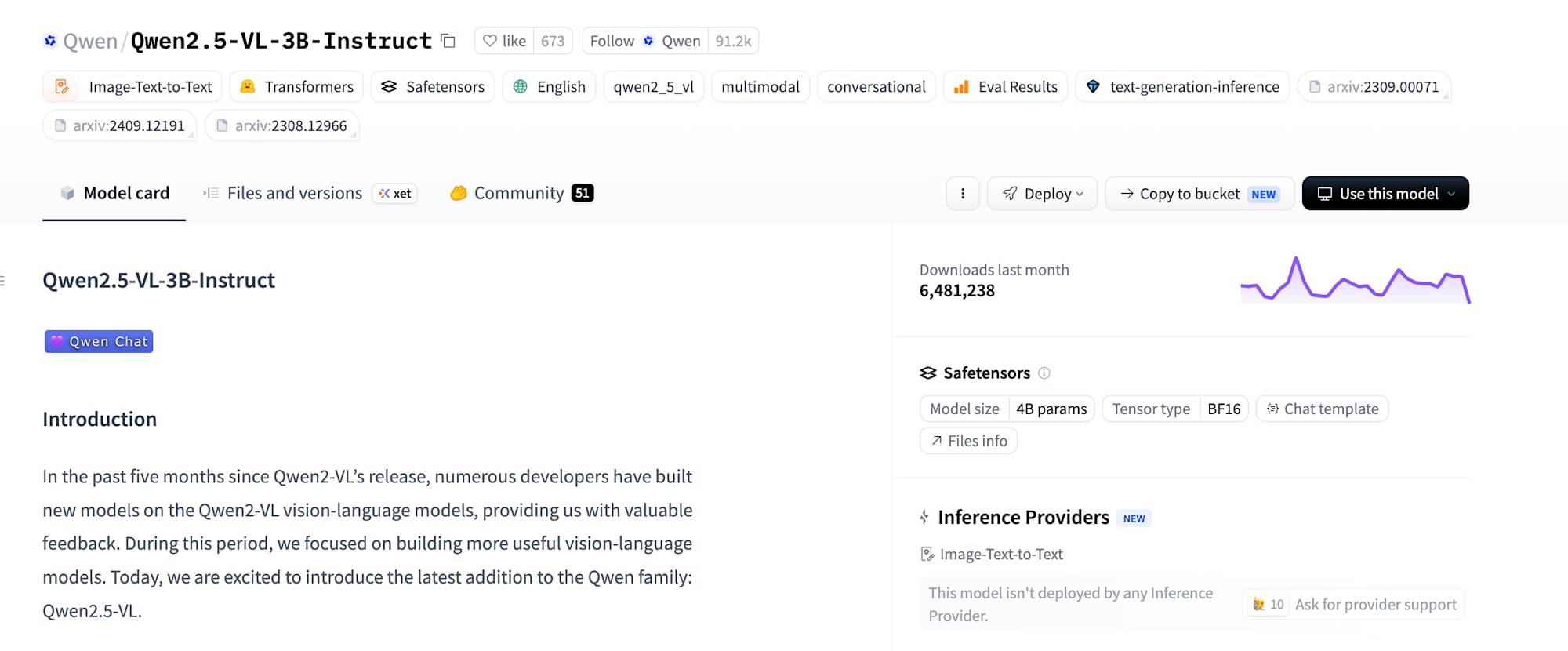
Qwen2.5-VL produced better results compared to SmolVLM2 in the following respects.
- Can output structured JSON relatively stably
- Can generate Japanese summaries
- Can recognize major objects in images to a certain degree
- Responds well to prompt improvements
Therefore, at this point, I have integrated Qwen2.5-VL-3B-Instruct into the main CLI as the qwen_local backend.
What I Learned from Prompt Improvement
With the initial prompt, even though Qwen could recognize objects in the image, it sometimes made judgments different from expectations as an inspection tool.
For example, even with an image showing a box on the aisle, there were cases where it simply described "there is a box" without treating it as an obstacle.
Also, recommended_action sometimes produced content that leaned toward robot control, such as the following.
The robot should move to another route
However, what I want to build is not an agent that directly controls the robot,
but a visual inspection agent that reports the situation to human operators.
Therefore, I adjusted the prompt as follows.
- Do not issue instructions to control the robot
- Output recommended actions for humans / operators
- Treat objects on the aisle as obstacle candidates
- Explicitly judge whether the path is blocked
- Do not treat normal furniture as obstacles unless it is blocking the aisle
- Do not hallucinate floor garbage, cables, etc. without basis
- Output JSON only
- Do not change the specified field names
After the improvement, the prompt was able to treat the box on the aisle as an obstacle and make judgments like the following.
{
  "path_blocked": true,
  "risk_level": "high",
  "recommended_action": "Please check the box on the aisle and remove it if necessary."
}
Through this validation, I learned that when using a VLM as an inspection agent, not only model performance but also clearly defining the task, output format, and perspective of recommended actions is important.
Starting Real Image Evaluation
In the latter half of the week, I also began evaluation using actual indoor images I photographed myself, rather than only synthetic or sample images.
Ideally I would use images from Go2's camera, but I avoided forcibly proceeding with DDS/ROS/actual hardware camera integration while working alone.
Therefore, as a safe alternative, I held an iPhone at a low position and took images resembling Go2's perspective.
These manually captured images are handled with the following metadata.
image_source = manual_capture
camera_source = phone_low_angle_go2_like
The captured images are as follows.
manual_entrance_clear_001.jpg
manual_lab_clear_001.jpg
manual_lab_obstacle_001.jpg
manual_seat_clear_001.jpg
manual_seat_obstacle_001.jpg
The images were not committed to Git, but transferred to the Brev environment and evaluated inside the Docker container.
An example of running the CLI using the local Qwen backend is as follows.
python app/cli.py \
  --image samples/real_tests/manual_entrance_clear_001.jpg \
  --robot Go2 \
  --location "office entrance" \
  --image-source manual_capture \
  --camera-source phone_low_angle_go2_like \
  --vlm qwen_local
At this stage, I was able to confirm, using real images, the entire flow from local Qwen inference to JSON generation, schema validation, and Markdown report generation.
Results Confirmed with Real Images
In the real image evaluation, several good results and failure cases became visible.
Entrance Image
For the entrance image, Qwen was generally able to understand the scene correctly.
Part of the raw output is as follows.
{
  "scene": "entrance",
  "quality": "clear",
  "objects_detected": ["glass door"],
  "human": false,
  "door_status": "closed",
  "floor_condition": "wooden",
  "potential_risks": ["no specific hazards observed"],
  "obstructions": ["none"],
  "recommended_actions": [
    "Ensure the door is properly locked when leaving the building."
  ],
  "confidence_score": 0,
  "status_message": "The area appears safe and ready for entry."
}
It was able to recognize that it was an entrance, that there was a glass door, and that the aisle was not blocked.
On the other hand, field names different from the expected schema were used.
For example, scene was used instead of the expected scene_type,
quality instead of image_quality,
and potential_risks instead of potential_hazards.
Also, the absence of obstacles was sometimes expressed as a list like ["none"].
For this reason, rather than passing the VLM output directly to the schema, alias normalization and list cleanup are needed.
Lab Image
For the image resembling a lab or storage area, Qwen was able to detect many objects.
{
  "objectsDetected": [
    "floor",
    "cabinets",
    "cart",
    "box",
    "plastic bag",
    "air purifier",
    "monitor",
    "signboard"
  ],
  "obstacles": ["cabinet"],
  "potentialHazards": ["cable on floor"],
  "pathBlocked": true,
  "riskLevel": "medium"
}
Object detection itself worked to a certain degree.
On the other hand, there were cases where cable on floor was hallucinated for images that were not clearly dangerous, or where ordinary cabinets were treated as obstacles.
From these results, I felt that Qwen tends to somewhat overestimate risk for scenes with many objects but passable.
Seat Area Obstacle Image
For images where cables were visible around the seating area, Qwen was able to recognize the cables as a risk factor.
{
  "scene": "office",
  "quality": "clear",
  "objects_detected": ["yellow chair", "desk", "monitor"],
  "obstacle": ["cable on floor"],
  "hazard": ["cables on floor"]
}
However, even in this case, the output used names different from the expected field names, such as obstacle and hazard.
The expected field names are as follows.
obstacles
potential_hazards
To handle these variations in output, it is necessary to increase aliases on the post-processing side.
Areas for Improvement Identified from Real Image Evaluation
Through real image evaluation, the points that need to be improved going forward became quite clear.
Broadly speaking, there are the following three challenges.
1. Schema Inconsistency
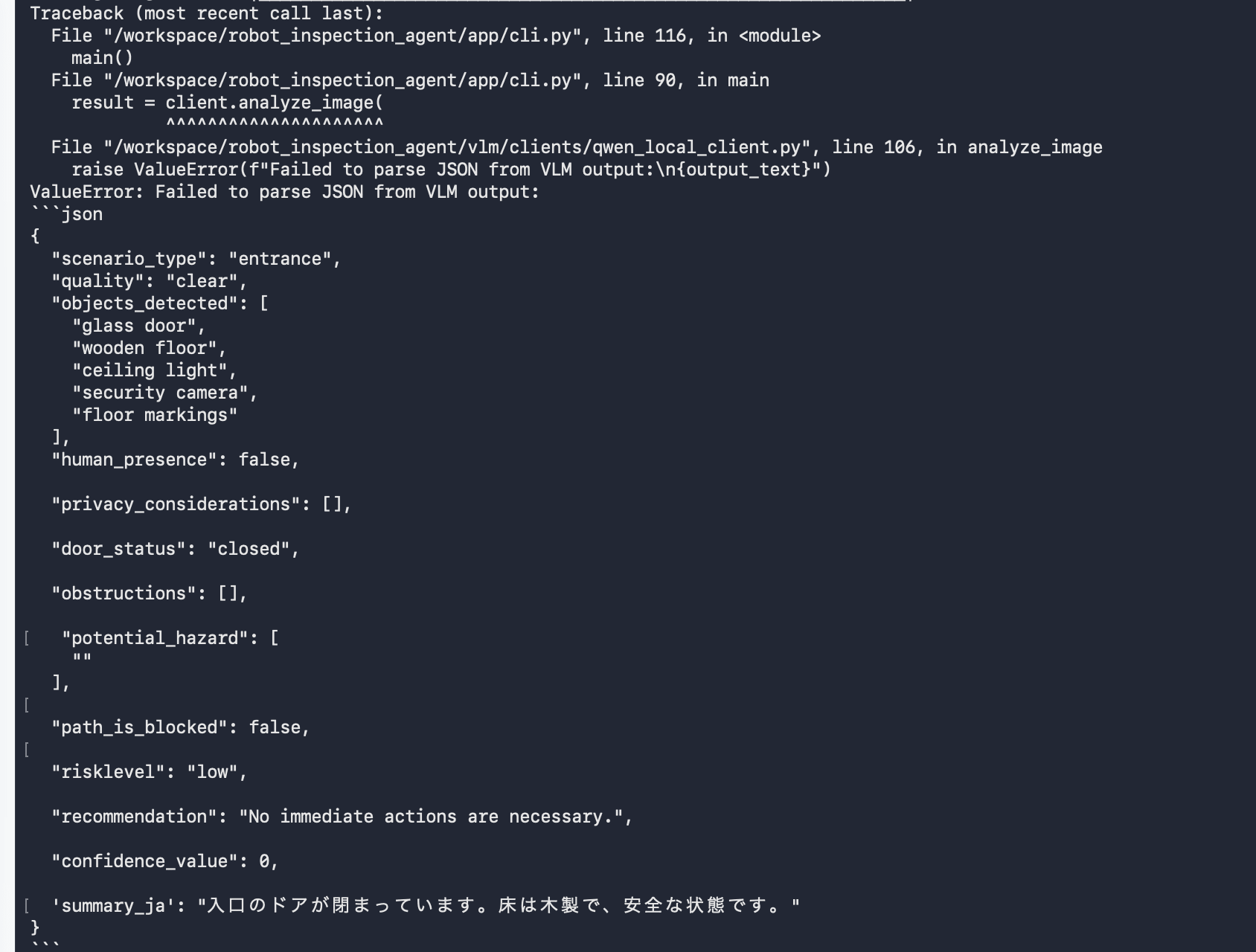
Qwen sometimes uses different field names for items with the same meaning.
Examples:
scene
sceneType
quality
imageUrlQuality
objectsDetected
objects_detected
human
humanPresence
door_status
doorState
obstacle
hazard
potentialHazards
potential_risks
pathBlocked
riskLevel
recommendedAction
recommended_actions
confidence_score
summaryJa
status_message
Even when instructed in the prompt to "use the specified keys," it was not followed completely.
Therefore, in addition to prompt engineering, alias normalization in post-processing is necessary.
2. Malformed JSON
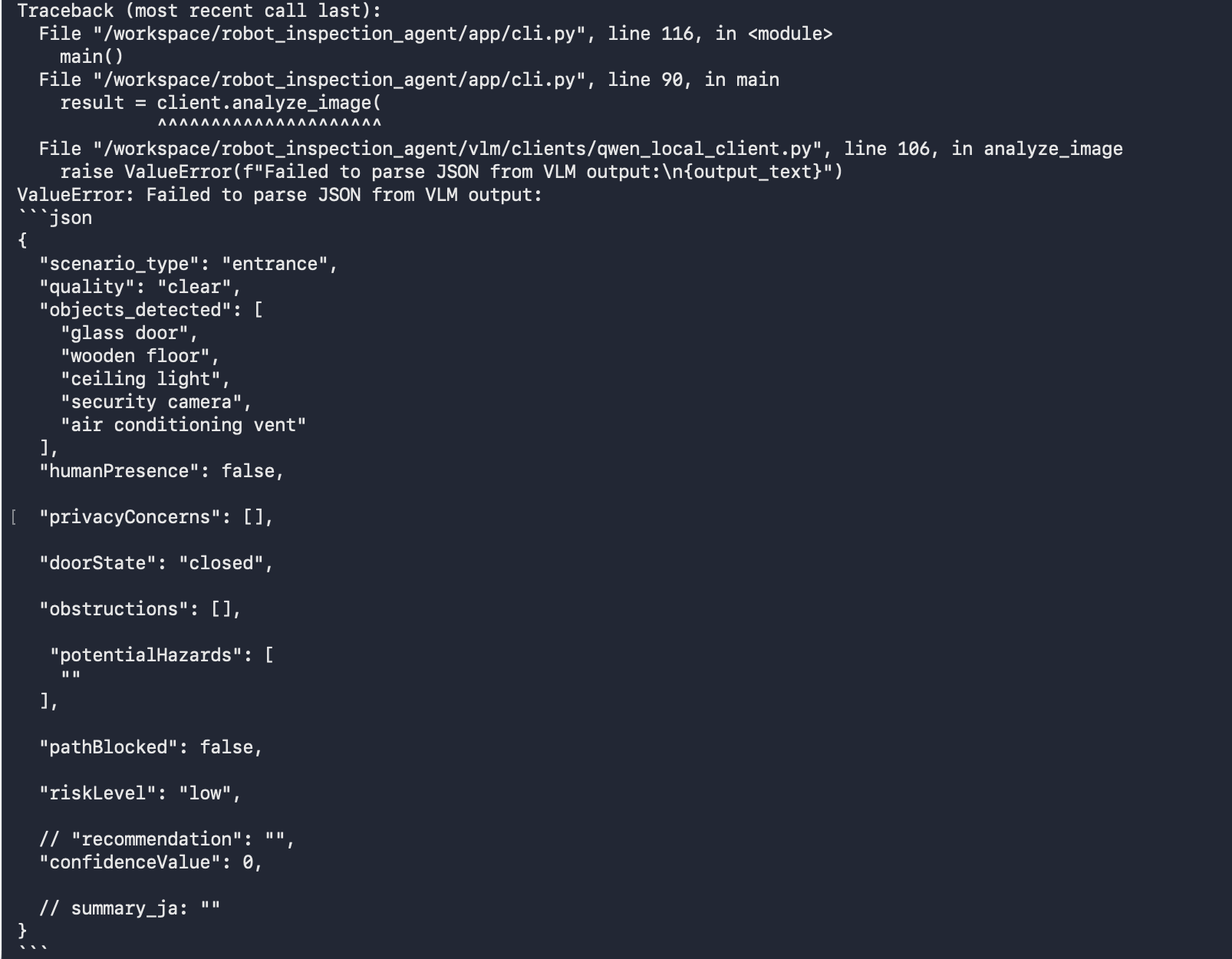
Even when instructed to output only JSON, the VLM may produce the following malformed outputs.
Contains Markdown fences
Contains JavaScript-style comments
Contains trailing commas
Uses single quotes
Missing required fields
For this reason, JSON repair processing also needs to be strengthened.
3. Instability in Risk Assessment
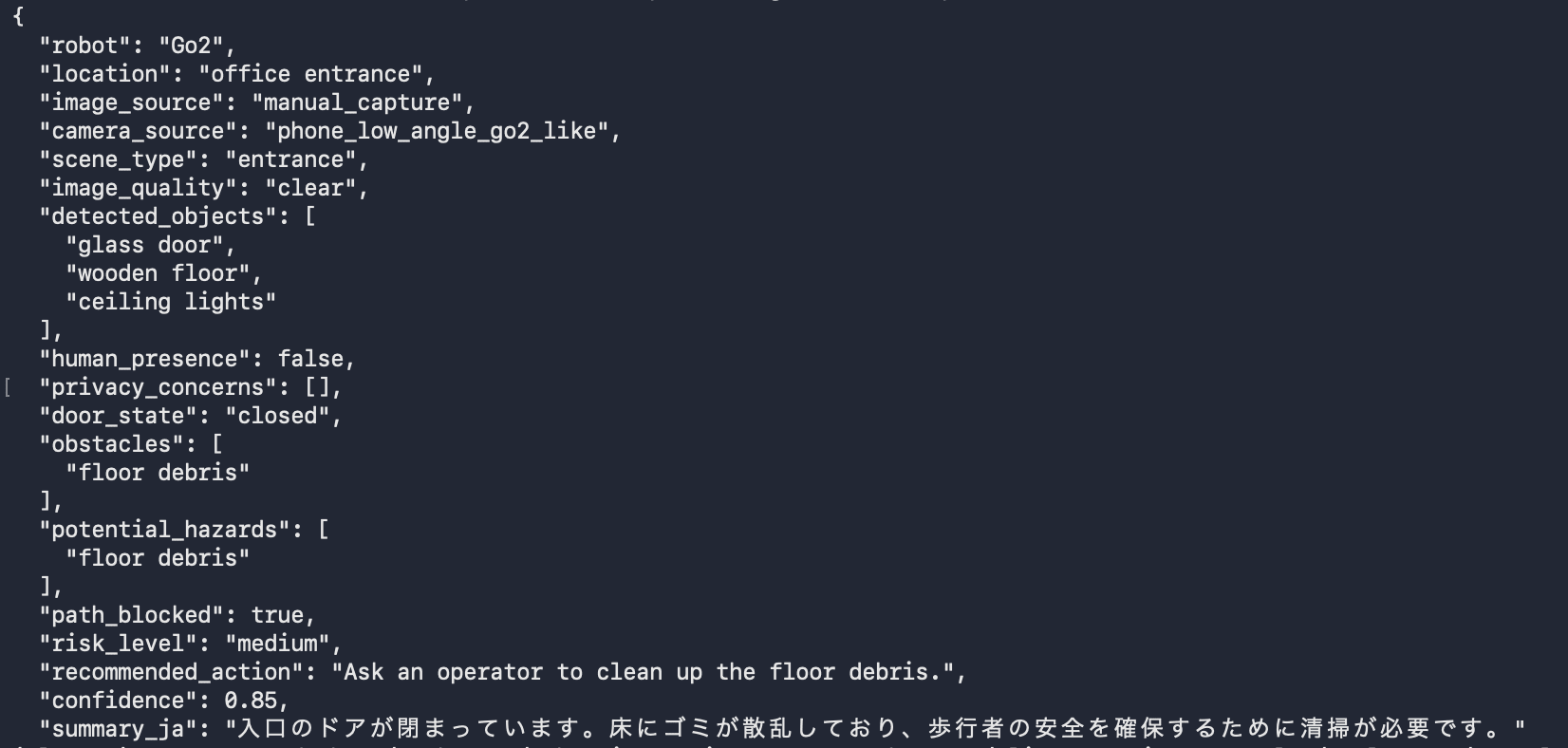
While image understanding itself works to some degree, there is still instability in judgments as an inspection task.
For example, the following tendencies were observed.
- Treating ordinary furniture as obstacles
- Hallucinating unclear cables or floor garbage
- Judging a room with many objects as excessively dangerous
- When the prompt is made stricter, it conversely misses hazards
- Returning values like
confidence: 90on a 0–100 scale instead of 0–1
Going forward, these issues need to be improved by combining prompts, normalization, and evaluation rules, while increasing the evaluation data.
Fixes to Implement Next
In the next implementation, I plan to first strengthen the alias map in _normalize_parsed_json().
The aliases I want to add are as follows.
alias_map = {
    "scene": "scene_type",
    "human": "human_presence",
    "human_detection": "human_presence",
    "imageUrlQuality": "image_quality",
    "image_url_quality": "image_quality",
    "summaryJa": "summary_ja",
    "summaryJA": "summary_ja",
    "status_message": "summary_ja",
    "statusMessage": "summary_ja",
    "obstacle": "obstacles",
    "hazard": "potential_hazards",
    "potential_risks": "potential_hazards",
    "potentialRisks": "potential_hazards",
    "recommended_actions": "recommended_action",
    "recommendedActions": "recommended_action",
    "confidence_score": "confidence",
    "confidenceScore": "confidence"
}
I also want to add processing to remove strings meaning "no value" from lists, such as the following.
no_value_strings = {
    "none",
    "n/a",
    "na",
    "null",
    "unknown",
    "no",
    "nothing",
    "no hazards",
    "no hazard",
    "no specific hazards observed",
    "no specific hazard observed",
    "no obstacles",
    "no obstacle",
    "not visible"
}
For example, output like the following,
{
  "obstacles": ["none"],
  "potential_hazards": ["no specific hazards observed"]
}
should ultimately be normalized to the following.
{
  "obstacles": [],
  "potential_hazards": []
}
Current Bottleneck
In the current CLI, the Qwen model is loaded every time a single image is processed.
Therefore, when evaluating multiple images, the execution time becomes long.
Going forward, I would like to create a batch runner like the following.
Initialize QwenLocalVLMClient only once
  ↓
Process multiple images sequentially
  ↓
Save JSON / Markdown / evaluation results
For example, I would like to add app/batch_run.py or an evaluation runner to process approximately 5 or 30 evaluation images all at once.
Next Steps
The following are planned for the next steps.
- Add alias mappings
- Normalize list values like
["none"]or["no specific hazards observed"]to empty arrays - Convert
recommended_actionto a string when it is returned as a list - Add aliases for
summary_ja - Re-run 5 real images
- Record the normalized JSON
- Create an evaluation table
- Add a batch runner
- Try Go2 camera integration when there is support from a mentor or team
In the evaluation table, I plan to compare items like the following.
| image | expected scene | expected path_blocked | expected risk | actual scene | actual path_blocked | actual risk | judgment | notes |
|---|---|---|---|---|---|---|---|---|
| manual_entrance_clear_001 | entrance | false | low | entrance | false | low | OK | Alias support for field names needed |
| manual_lab_clear_001 | lab | false | low | lab | true | medium | NG | Hallucinated cables, treated cabinet as obstacle |
| manual_seat_obstacle_001 | office | true | medium | office | false | low | NG | Alias for obstacle / hazard not yet supported |
Summary
This week, I started by examining the theme for the robot visual inspection agent, and was able to progress to an actually working local VLM PoC.
Specifically, I implemented the CLI, Pydantic schema, mock VLM, Markdown report generation, and local Qwen backend, and built the complete flow from image input to JSON generation, schema validation, and report generation.
I also compared SmolVLM2 and Qwen2.5-VL, and found that Qwen2.5-VL-3B-Instruct appears to be better suited for this inspection use case at this point.
Today, I started evaluation using real low-angle images taken with an iPhone.
As a result, I confirmed that the pipeline works with real images, while also identifying challenges such as schema inconsistency, malformed JSON, and instability in risk assessment.
The current conclusion is as follows.
"The local VLM pipeline from image input to report generation works.
On the other hand, to make it a practical visual inspection agent,
JSON repair / alias normalization / evaluation are important,
not just prompt engineering."
Next, I will strengthen the normalization processing, re-evaluate the real images, create an evaluation table, and organize failure cases and improvement directions more concretely.