![[Security Hub Remediation Steps] [CloudFormation.4] CloudFormation stacks should have an associated service role](https://images.ctfassets.net/ct0aopd36mqt/wp-refcat-img-cea52bc8a6ec5cad9021b38df4a08b9e/24c76ee7c1ae7aa7f9676a59c77f8702/aws-security-hub?w=3840&fm=webp)
[Security Hub Remediation Steps] [CloudFormation.4] CloudFormation stacks should have an associated service role

This page has been translated by machine translation. View original
Hello! This is Sliman.
Everyone, are you running security checks on your AWS environment?
In this article, I will introduce the remediation steps for an item that falls under the security posture scoring of AWS environments by AWS Security Hub.
Target Control of This Article
[CloudFormation.4] CloudFormation stacks should have associated service roles
[CloudFormation.4] CloudFormation stacks should have associated service roles
Prerequisites
This article is intended for those who are using the "AWS Foundational Security Best Practices standard" in AWS Security Hub.
For details about AWS Security Hub, please see these blogs.
Explanation of the Target Control
This control checks whether an IAM service role is associated with a CloudFormation stack. If no service role is set for the stack, it is evaluated as FAILED.
A service role is an IAM role that CloudFormation uses when making API calls to AWS resources.
By setting a service role, you can separate the permissions CloudFormation can use from the permissions of the user operating the stack, achieving the principle of least privilege.
If no service role is set, CloudFormation operates AWS resources with the permissions of the user operating the stack. In environments where users have more permissions than they originally need, there is a risk of unintended privilege escalation.
To reduce this risk, it is desirable to make remediation mandatory for both production and non-production environments.
Remediation Steps
How to Check the Control
- Open the AWS Security Hub console
- Select "Findings" from the left menu
- Specify
CloudFormation.4forCompliance Security Control IDin the filter, and check the findings whose compliance status isFAILED
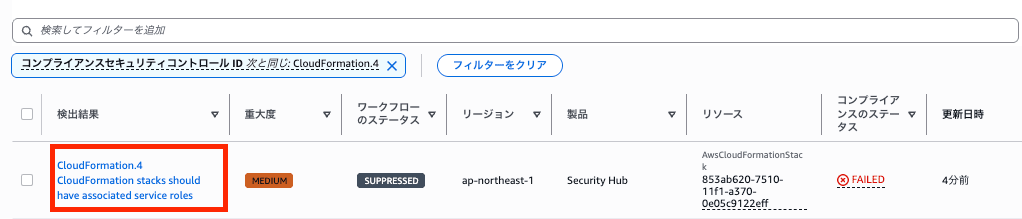
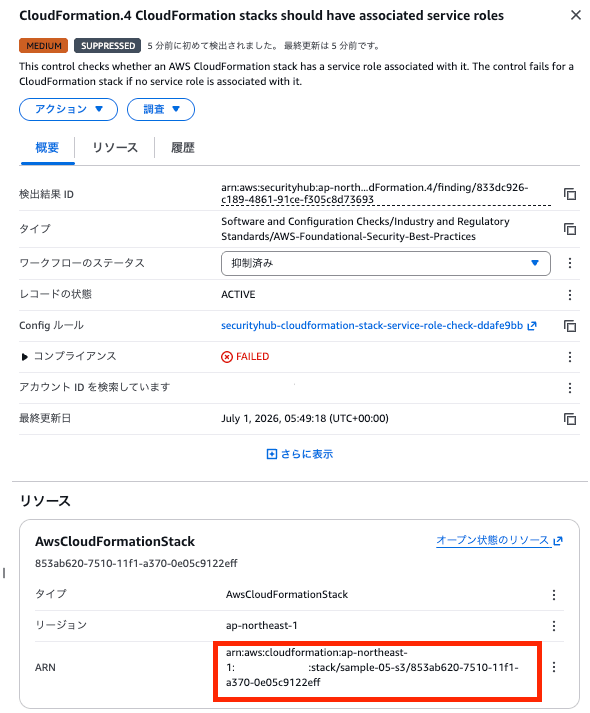
- Check the detected resources (stack names) and identify the stacks that require remediation
Confirm with Stakeholders
Before performing remediation, please confirm the following points with stakeholders.
- Whether the service role to be created includes all the necessary permissions for the AWS resources used in the target stack's template
- Whether it is acceptable that a service role cannot be removed once it is associated with a stack
- Whether there is no problem with all users who have permission to operate the stack operating AWS resources through this service role
Remediation Steps
Remediation is performed in two stages: "① Create a service role" and "② Associate it with the stack".
① Create a Service Role
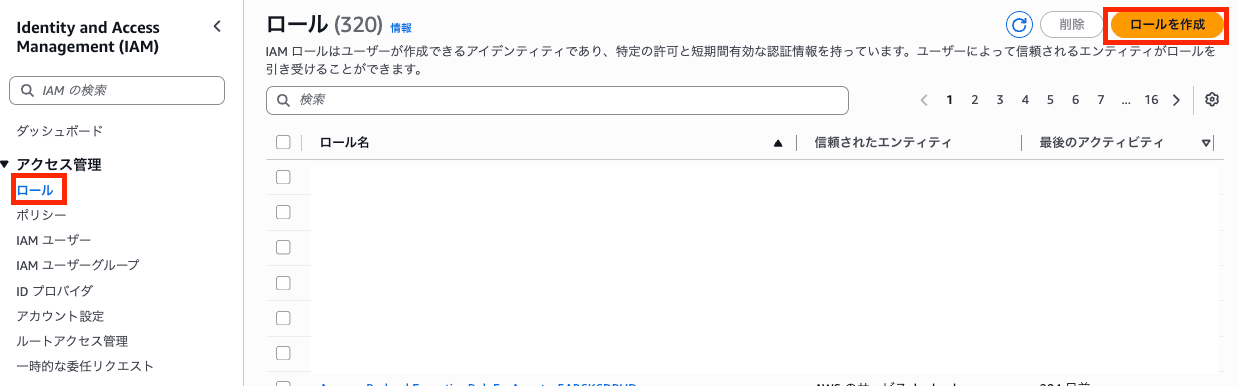
- Open the IAM console, select "Roles" from the left menu, and click "Create role"
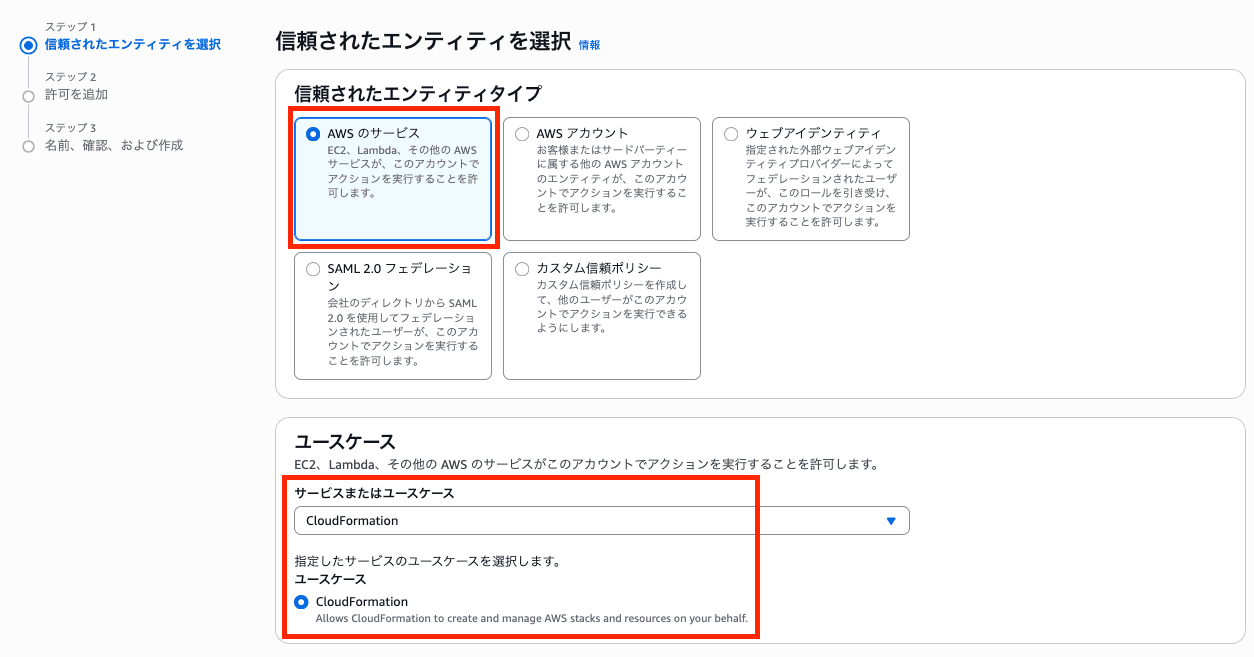
- Select "AWS service", select "CloudFormation" as the use case, and click "Next"
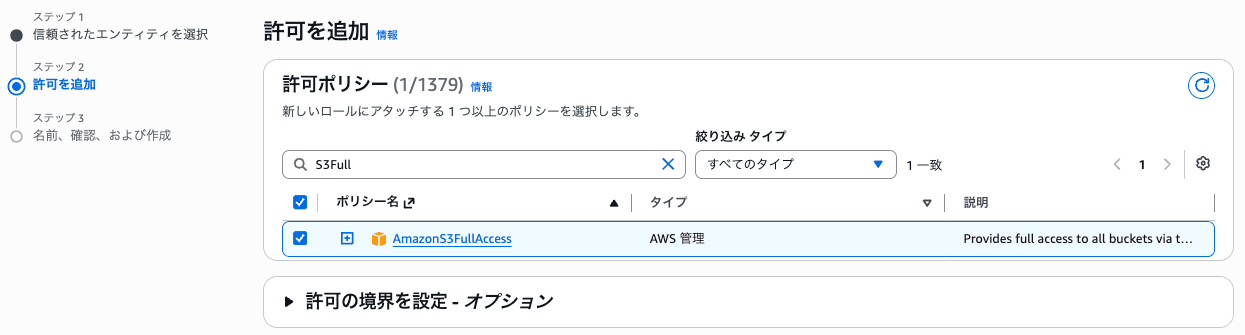
- On the permissions policy screen, attach a policy that grants permissions to the AWS resources used in the target stack's template, and click "Next"
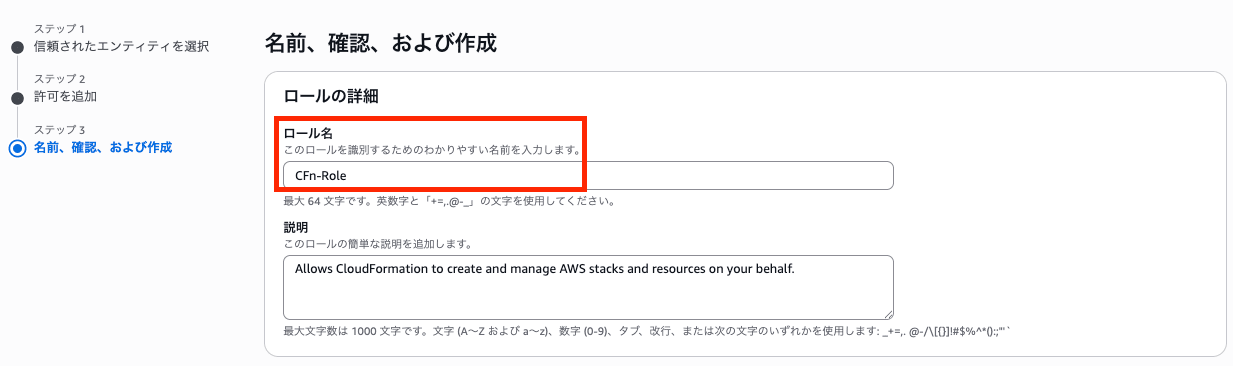
- Enter a role name and click "Create role"
② Associate the Service Role with the Stack
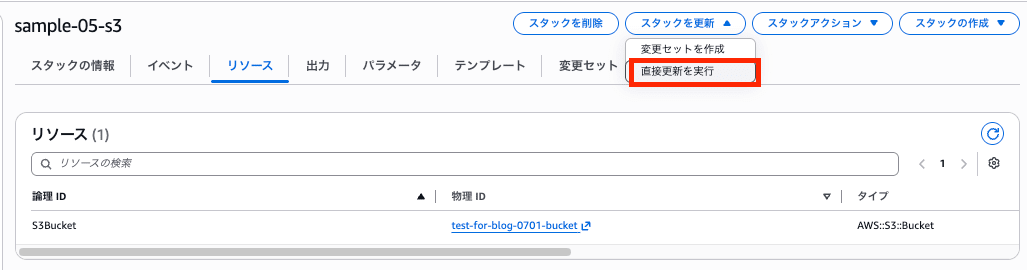
- Open the CloudFormation console, select the target stack, and click the "Perform direct update" button
-
Select "Use existing template", leave the parameter settings screen as is, and click "Next"
-
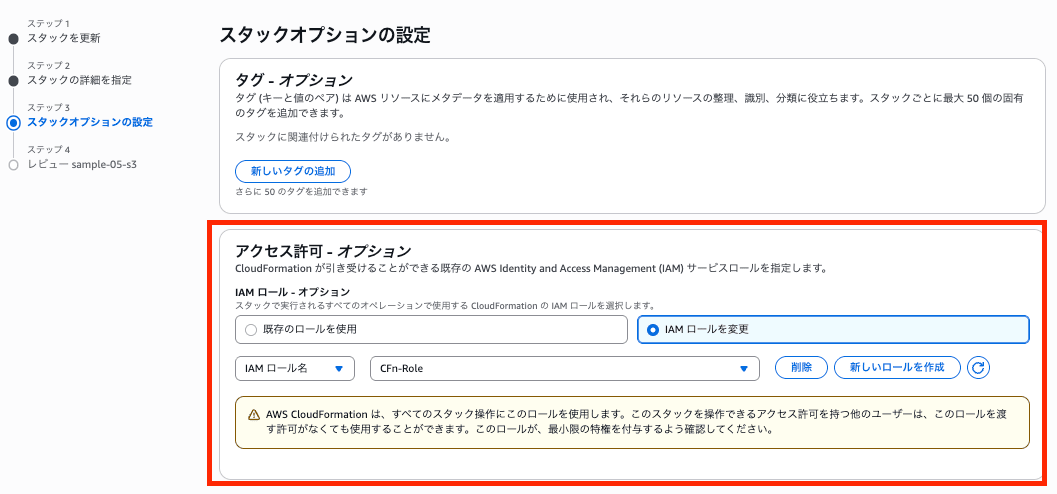
In the "Permissions" section of the "Configure stack options" screen, enter the role created in step ① under "IAM role" and click "Next"
- Review the changes and click "Submit"
Verifying the Remediation
This control is evaluated when the stack's service role setting is changed, so the result switches to PASSED relatively quickly after setting the service role.
However, it may take several minutes to several tens of minutes for the change to be reflected.
First, check from the overview of the target stack that the IAM role is set.
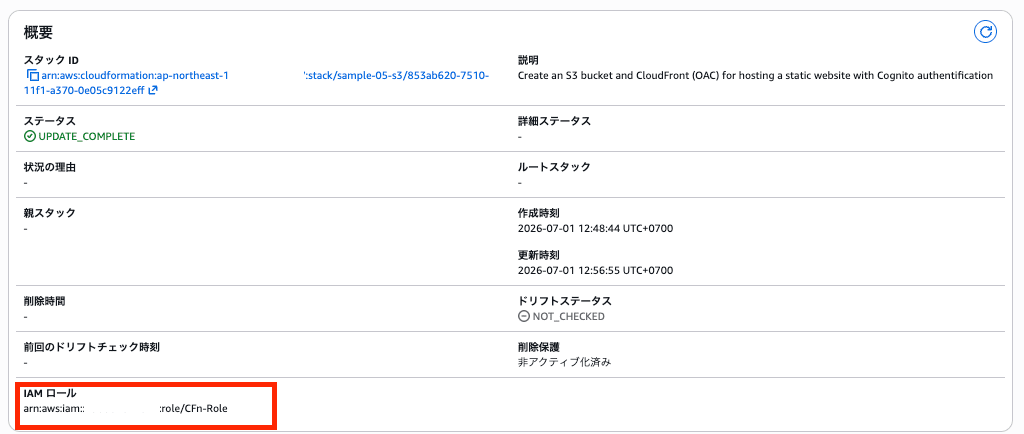
Then, after remediation, confirm that the finding in Security Hub becomes "PASSED".

In Closing
This time, I introduced the remediation steps for an item that falls under the security posture scoring of AWS environments by AWS Security Hub.
Let's fix the controls and power up the security of your AWS environment!
Thank you for reading to the end! I hope this helps someone.
That was Sliman!
