![[Security Hub Remediation Procedure] [SES.3] SES configuration sets must require TLS to send emails](https://images.ctfassets.net/ct0aopd36mqt/wp-refcat-img-cea52bc8a6ec5cad9021b38df4a08b9e/24c76ee7c1ae7aa7f9676a59c77f8702/aws-security-hub?w=3840&fm=webp)
[Security Hub Remediation Procedure] [SES.3] SES configuration sets must require TLS to send emails

This page has been translated by machine translation. View original
Hello! This is Sulaiman.
Everyone, are you performing security checks on your AWS environment?
In this article, I will introduce remediation steps for items related to security status scoring of AWS environments using AWS Security Hub.
Target Controls in This Article
[SES.3] SES configuration sets should have TLS enabled for sending emails
[SES.3] SES configuration sets should have TLS enabled for sending emails
Prerequisites
This article is intended for those who are using the "AWS Foundational Security Best Practices standard" in AWS Security Hub.
For more details about AWS Security Hub, please refer to these blog posts.
Description of the Target Control
This control checks whether the TLS policy for Amazon SES configuration sets is set to REQUIRED.
This control passes when the TLS policy for a configuration set is set to REQUIRED.
Amazon SES uses Opportunistic TLS by default.
With this setting, if the receiving mail server cannot establish a TLS connection, the email will be sent in plain text.
By setting the TLS policy to REQUIRED, sending emails to destinations that cannot establish a TLS connection is blocked, preventing eavesdropping and man-in-the-middle attacks during transmission.
Email content may contain personal or confidential information, and encrypting communications in transit is an essential measure.
Note that if the TLS policy is set to REQUIRED, emails will not be sent to receiving servers that cannot establish a TLS connection.
Please verify the compatibility of your recipients in advance.
Remediation Steps
How to Check the Control
- Open the AWS Security Hub console
- Select "Findings" from the left menu
- In the filter, specify
SES.3forCompliance security control IDand check findings with a compliance status ofFAILED
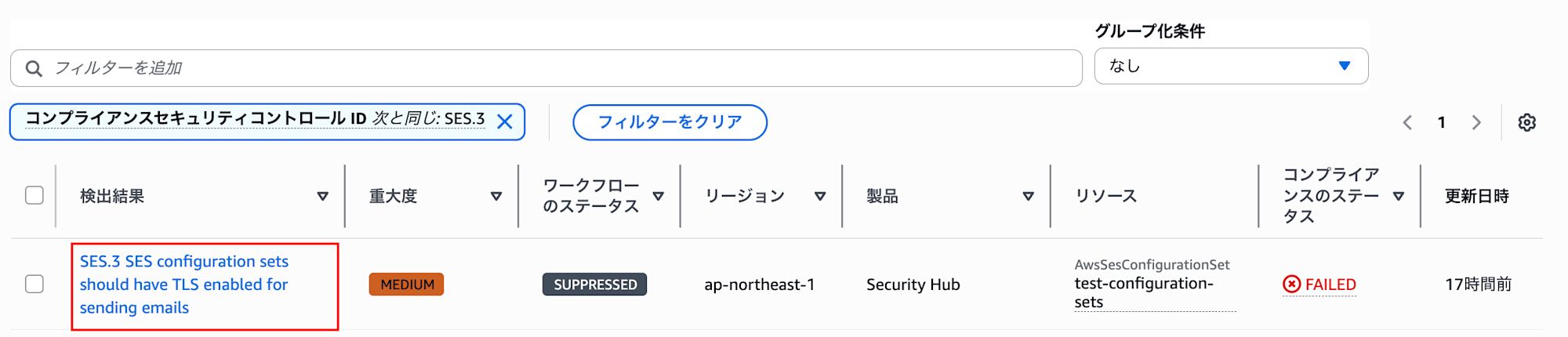
- Check the detected resources (configuration set names) and identify the configuration sets that need to be addressed
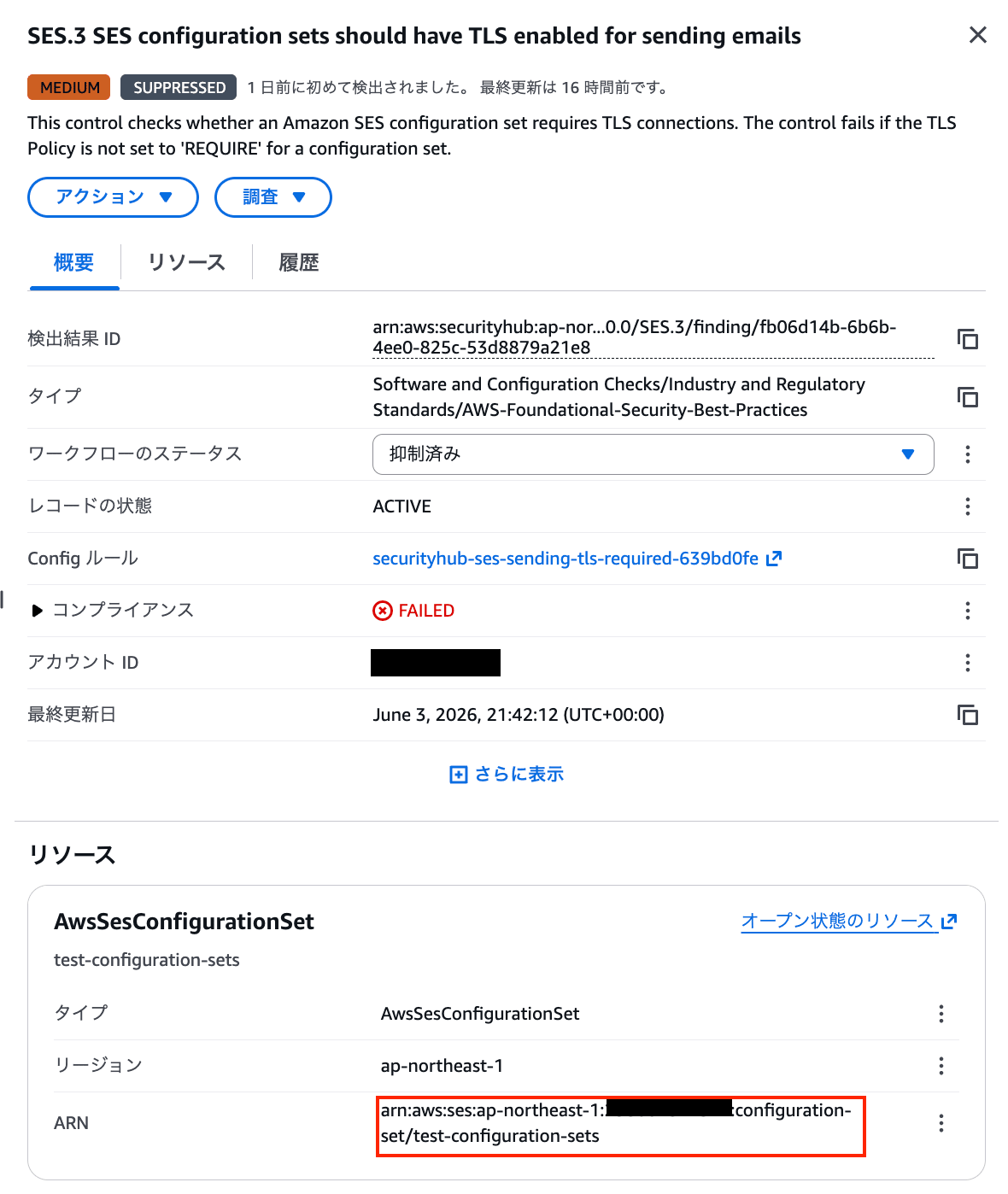
Confirm with Stakeholders
Before performing remediation, please confirm the following points with stakeholders.
- Setting the TLS policy to
REQUIREDwill block email sending to receiving servers that do not support TLS, so verify that there is no impact on recipients - Share the changes with those responsible for systems and applications involved in email sending
- If necessary, schedule a maintenance window to make the changes
Remediation Steps
- Open the Amazon SES console
- Select "Configuration" → "Configuration Sets" from the left menu
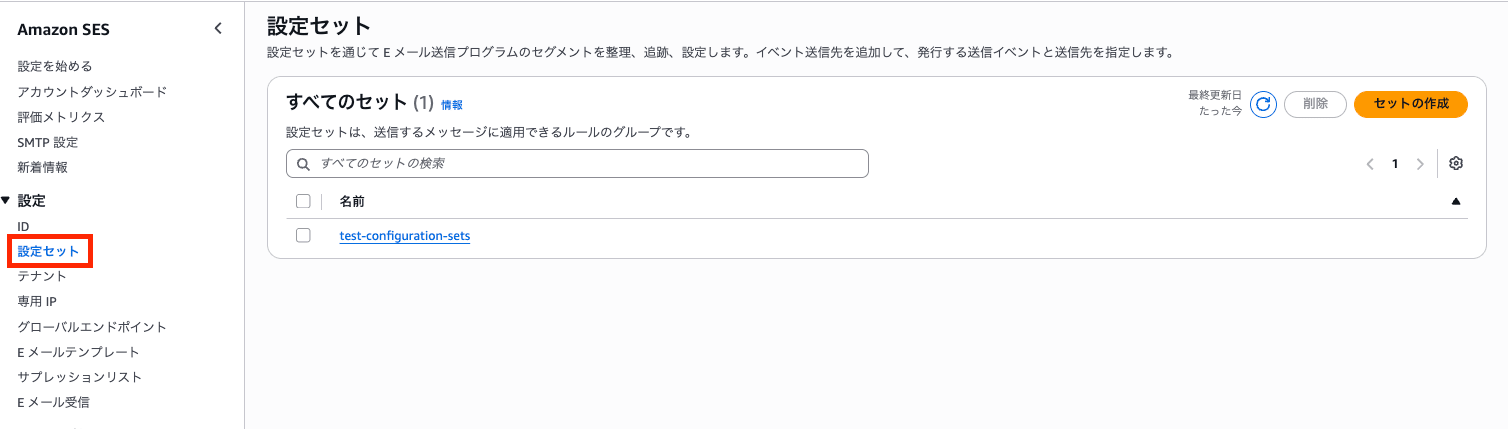
- Click on the target configuration set name
- Select the "General details" tab under "Overview"
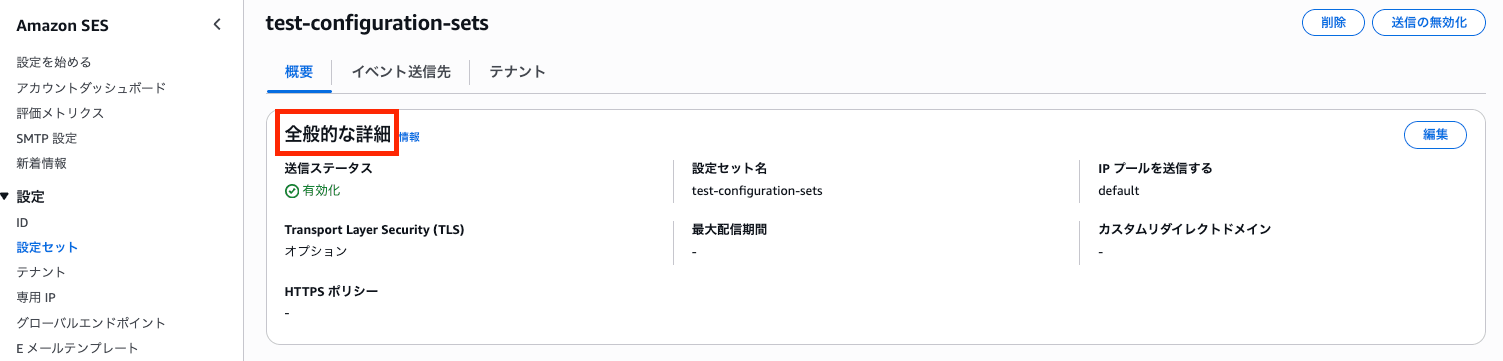
- Click the "Edit" button in the "General details" section and change "TLS Policy" to "Required"
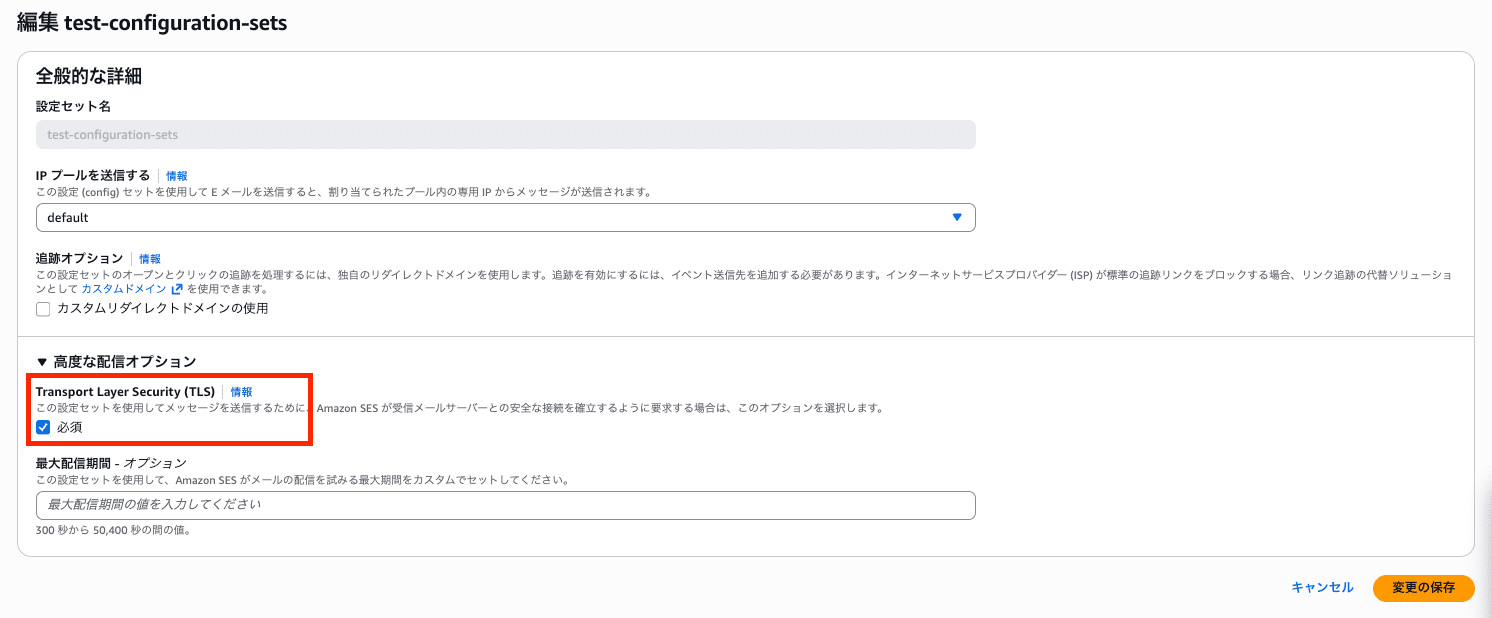
- Click "Save changes"
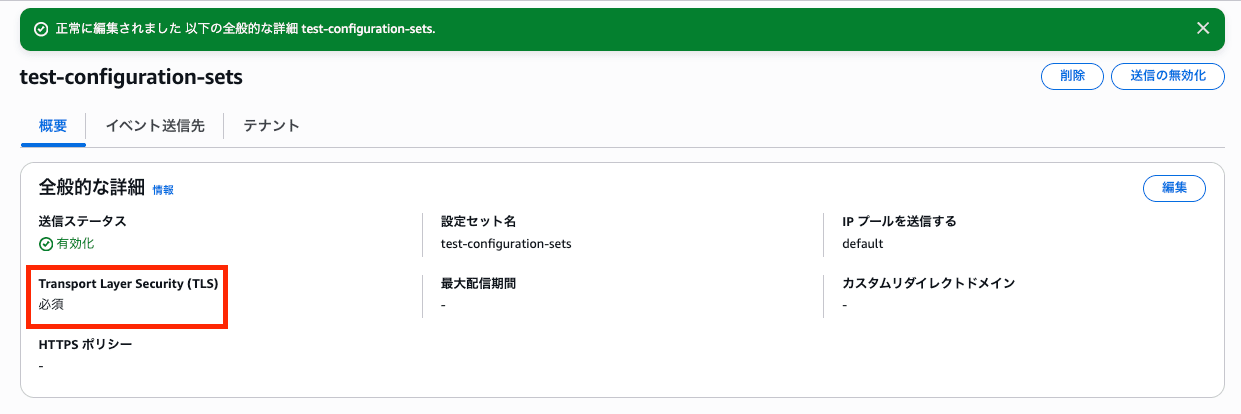
Remediation Verification
Since this control is evaluated when configuration set settings are changed, the result will switch to PASSED relatively quickly after changing the TLS policy to Required.
However, it may take a few minutes to several tens of minutes before the change is reflected.
First, run get-configuration-set for sesv2 using the AWS CLI to verify that TlsPolicy is REQUIRE.
aws sesv2 get-configuration-set \
  --configuration-set-name <YOUR_CONFIGURATION_SET_NAME> \
  --query 'DeliveryOptions' \
  --output json
Example output:
{
    "TlsPolicy": "REQUIRE"
}
After that, confirm that the finding in Security Hub shows "PASSED" following remediation.

Conclusion
In this article, I introduced the remediation steps for items related to security status scoring of AWS environments using AWS Security Hub.
Let's fix the controls and power up the security of your AWS environment!
Thank you for reading to the end! I hope this was helpful to someone.
That's all from Sulaiman!
