I tried the new Claude Code feature, the locally self-contained vulnerability scanner "Claude Security Plugin"

This page has been translated by machine translation. View original
Hello. I'm Ikeda from the Operations Support Team of the fannaly Business Division.
I learned that there are two tools called "Claude Security" (or more precisely, one was recently added). One is a managed service exclusively for Enterprise plans (claude.ai/security), which I had known about for a while but was unable to use since we're on the Team plan.
The other is the Claude Code plugin version, released on July 22, 2026 (note: as of the time this article was published, it is in beta). Since it has the same name as the managed service, I initially assumed it was just the same thing being offered as a plugin, but upon investigation I found it to be a separate product (in this article, for convenience, I will distinguish between the first as the managed service and the second as the plugin).
The plugin version is available on all paid plans: Pro, Team, Max, and Enterprise. I actually installed and used it, so I'll introduce it here.
Prerequisites
The requirements listed in the documentation are as follows.
- Claude Code v2.1.154 or later, on a paid plan (Pro users need to enable Dynamic workflows from
/config) python3must be on PATH (3.9.6 or later). The plugin's processing is handled entirely with the standard library, so no additional installation is required- Linux / macOS / Windows
- Git (required for diff scanning and patch generation. Full scans work without version control)
Side Note
When I first saw the system requirements, I assumed it was a feature "implemented at the same time as the release of v2.1.154." v2.1.154 was released on 2026/05/28, and its highlights were the addition of Opus 4.8 and "Dynamic Workflows" (a foundational feature for bundling and running a large number of subagents; Ishikawa-san's article covers it in detail), with no mention of the Claude Security plugin.
The plugin turned out to be a separate thing added on top of this foundation about two months later, on 7/22. I was reminded that the version in the prerequisites is just the minimum bar for "it will work on this version or later," and not the birthday of the feature itself.
Installing It
Install it from the official marketplace within a Claude Code session.
/plugin install claude-security@claude-plugins-official
If the marketplace is not found, run this first and then try again.
/plugin marketplace add anthropics/claude-plugins-official
After installation, you need to run /reload-plugins to apply it to the current session.
/reload-plugins
This enables the plugin and makes the /claude-security command available.
Trying It Out
I happened to have a personal project where development had just reached a stopping point, so I decided to run it there. I'll include plenty of screenshots.
From Launch to Just After the Scan Begins
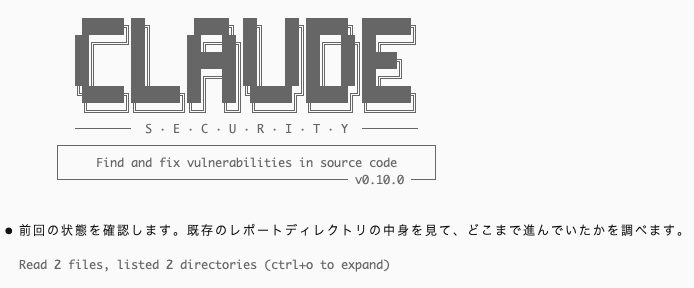
Launch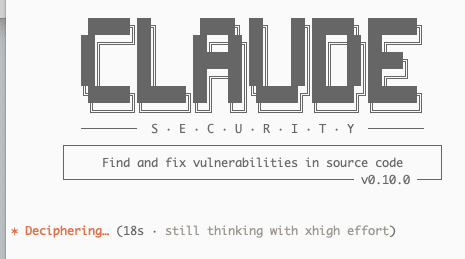
Selecting what to execute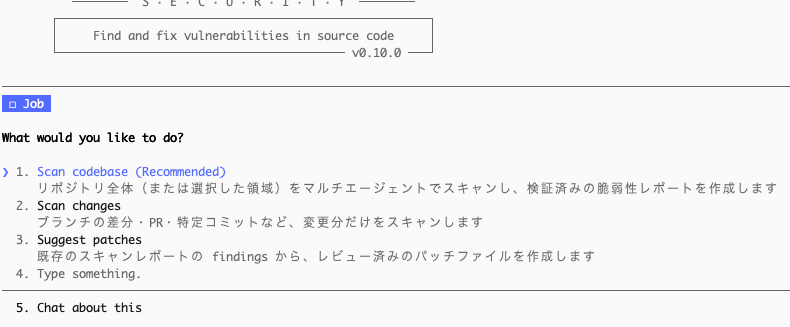
Configuring the scan scope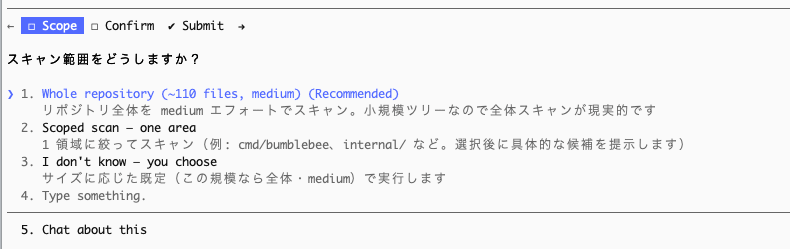
Confirming whether to proceed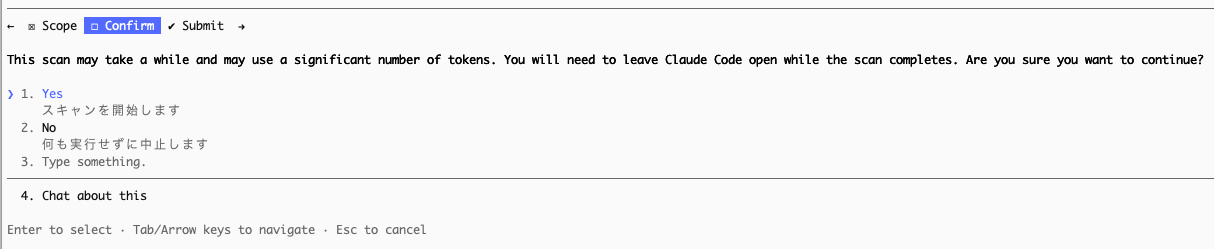
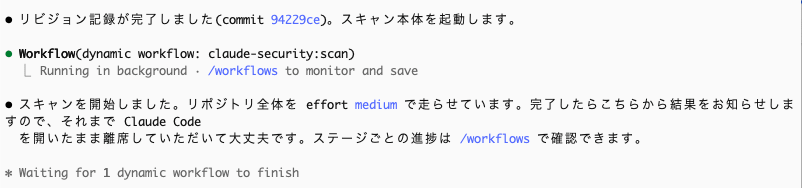
It started!
You can check the overall progress with /workflows
My Impression of Token Consumption (on the Team Plan Premium Tier)
About 30 minutes in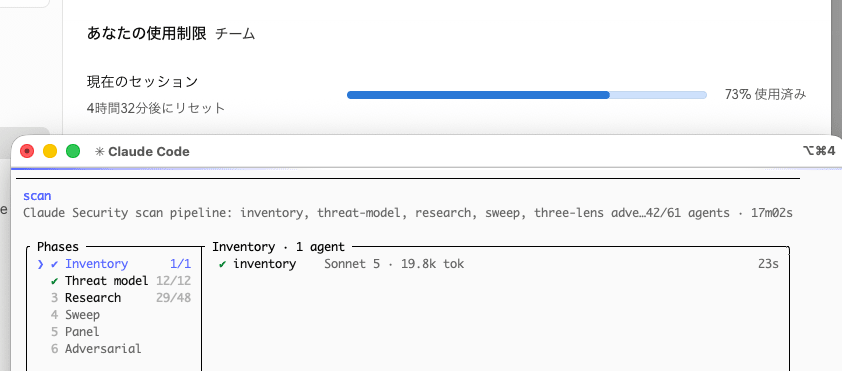
Well, of course...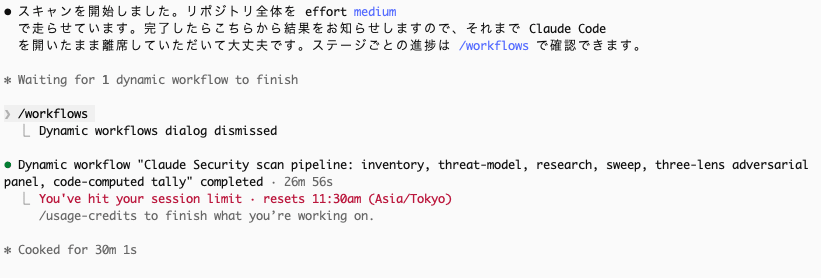
100% in about 40 minutes
Resuming After the Limit Was Lifted
Resuming after /clear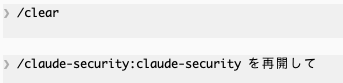
The second time, I hit the limit in just about 15 minutes.
The 3rd Attempt
While mostly watching the pace of token consumption, I noticed I could see what each agent was doing via /workflows. I started with 39% of the 5-hour limit already used, but this time too I hit the limit in about 15 minutes.
You can see what each agent is doing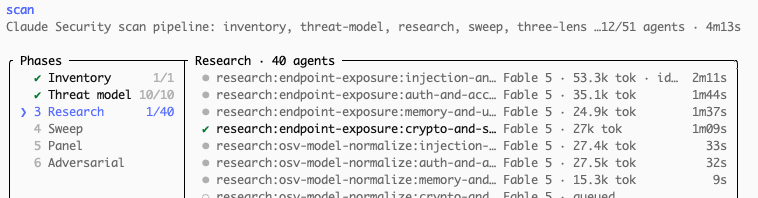
It's Fable 5 everywhere...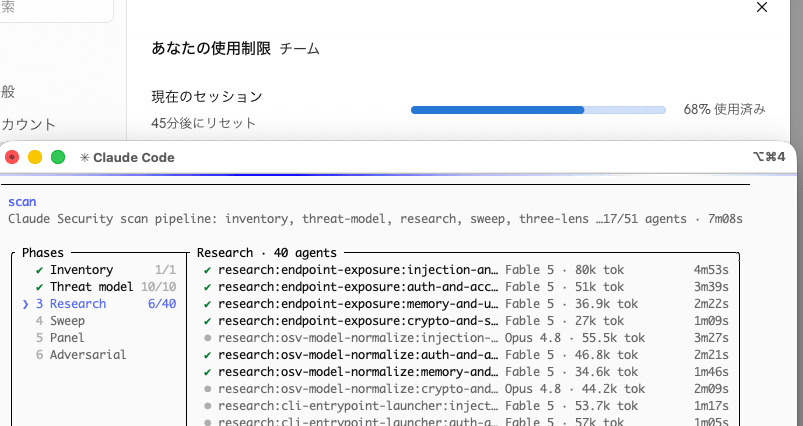
The 4th Attempt
After the 5-hour session limit was lifted, I asked—without running /clear—how to resume from where it had been interrupted, and apparently the condition was that it had to be within the same session all the way until the scan was complete. I realized that in my previous attempts, I had run /clear out of habit, which had caused the information gathered in the previous sessions to become unavailable (I thought that made sense, but I had wasted 2 sessions, 10 hours...).
So, on my 4th attempt, I was finally able to properly resume from where I had left off.
The speed at which tokens were being consumed was still intense...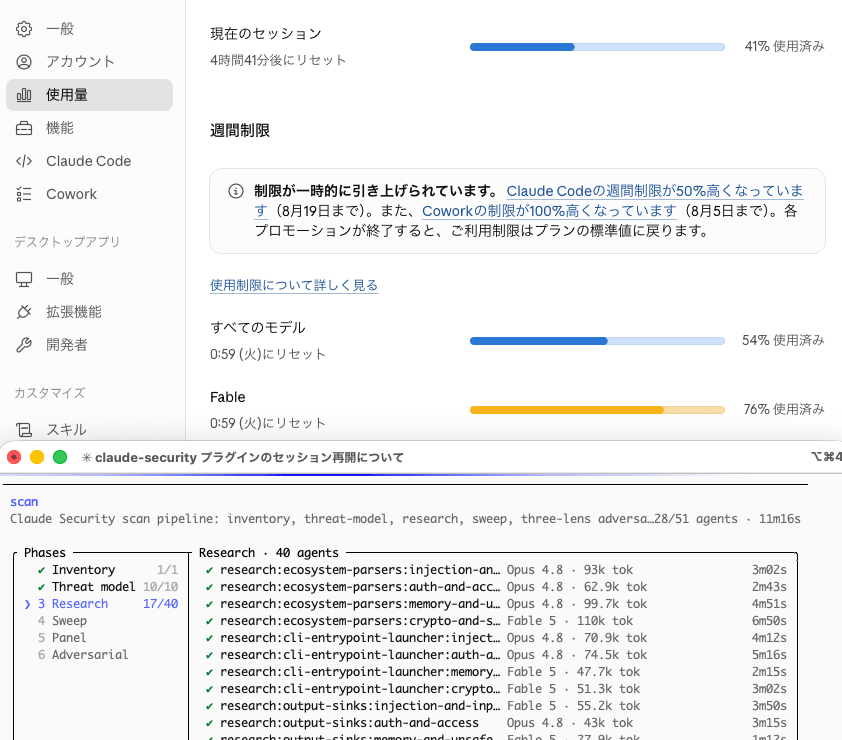
So close, just one more turn needed...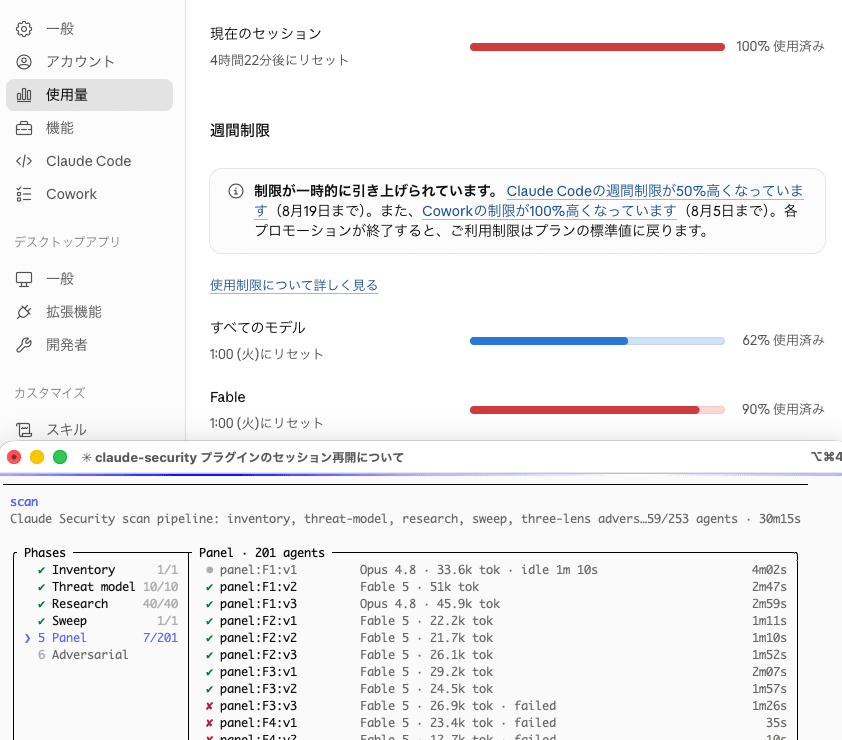
The 5th Attempt
Unfortunately this time I hit Fable 5's usage limit and was interrupted...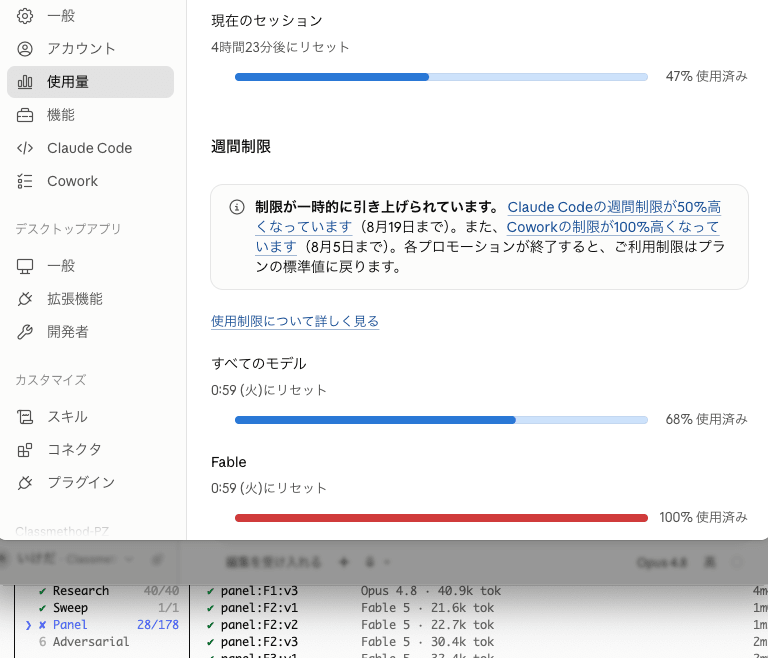
I had forgotten that I had Fable 5 selected as the model right before using this plugin, so I ended up hitting Fable's weekly usage limit.
Feeling like I'd been quite careless, I switched to Opus 4.8 and resumed.
Resuming with Opus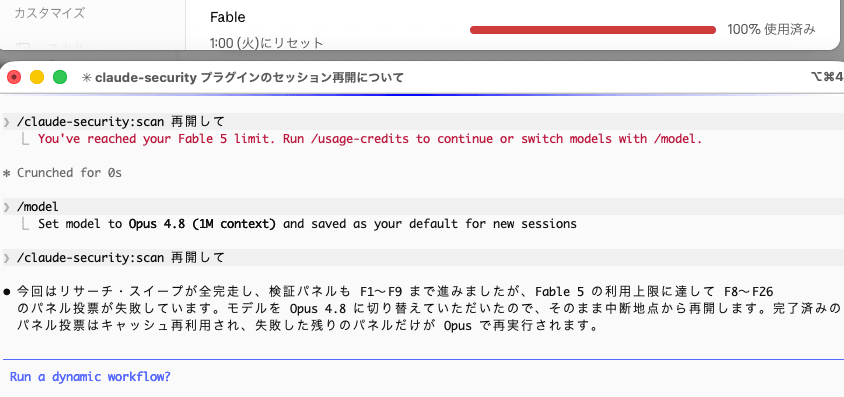
I was able to successfully complete everything through the final report output.
Finally done!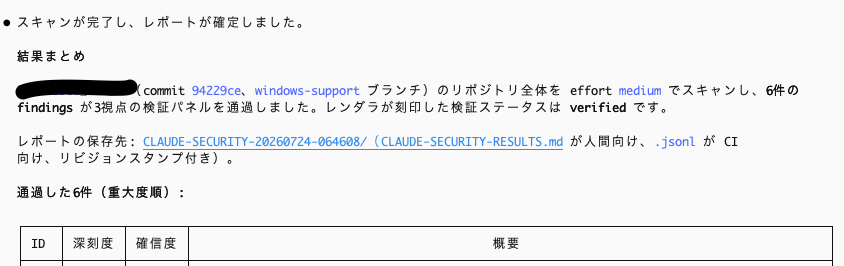
I realized only after completing it that the project I had scanned this time—whose purpose was to verify whether a certain OSS tool could be run on a Windows machine—wasn't really well-suited for a security scan. Since the tokens were already spent (too late now), I decided to stop at the report output.

Since I was at it anyway, I decided to scan a GAS web application project that I had started building a while back but left unfinished due to execution speed issues.
It thinks ahead and proceeds on its own without being told
As expected, this one also hit the session limit and was interrupted once...


Oh no...
It just barely made it to the finish.
However, after that I had something else I absolutely needed Claude to help with, and as a result I successfully hit the weekly limit for every single model...
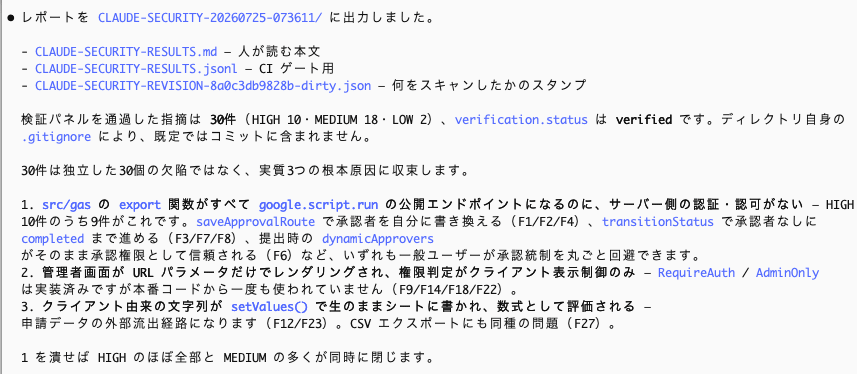
Impressions from Using It
I was also amazed the first time I used the Claude Code plugin tsumiki, but I was struck again by how beautifully the orchestration works—having a large number of autonomous agents working in the background. The token consumption was substantial, though (I really regret the series of careless mistakes I made...).
It will depend on the scale of the target, but I think it will be something to use at key moments, such as before a production release or after making major changes.
Unfortunately, the projects I used this time only had a main branch, so I couldn't use it, but as stated in the official documentation, there is an option to check only the diff when a branch has commits that the base branch doesn't—so I think that would be relatively safe to use (primarily in terms of token consumption).
In addition, for large repositories, it seems you can also select the target scope.
For large repositories, scan one area at a time rather than the entire tree.
When you select a scope such as the API layer or authentication code provided by the plugin,
the execution size is automatically adjusted to match the selected scope.
https://code.claude.com/docs/en/claude-security#scope-large-repositories
At this point I can't do anything until the weekly limit resets (07/28 AM 01:00), so I haven't been able to do follow-up work like having it suggest patches from the report, but I plan to add an update later.
Analysis
Why a tool like this is needed now
According to a research note compiled by the Cloud Security Alliance based on analysis data from Apiiro, while AI-assisted development has increased commit productivity by 3–4x, the monthly number of security detections has increased 10x (from under 1,000 per month to over 10,000).
Anthropic itself has announced that it found over 500 vulnerabilities in production OSS code that had "slipped past years of expert review."
The fact that security issues are growing at a pace that exceeds productivity gains suggests that, as the barrier to creating code and tools with generative AI has lowered, a large volume of code and tools with embedded vulnerabilities is being created—or that releases are happening without adequate review that can keep up with the speed of production.
In this kind of environment, I feel that Anthropic is supporting us as users through the provision of this plugin, out of a desire for us to create safer code and tools, and I am truly grateful for that.
Whether it's a personal tool or an internal tool for a team, as long as we're building something, I intend to approach daily work with ongoing maintenance and a mindset of maintaining and improving security.
Bonus
In writing this article, I used Gemini's DeepResearch to investigate and summarize the differences between the two Claude Security tools. I thought it would be worth sharing here.
Differences from the Managed Service
Organizing the differences between the managed service and the plugin version, including their timelines, looks like this
- Based on DeepResearch findings + partially corrected through manual verification (the managed service is introduced in detail in the article written by quiver).
Managed Service (claude.ai/security) |
Plugin (what this article introduces) | |
|---|---|---|
| Background | Announced as "Claude Code Security" in a Limited research preview on 2026/02/20, then renamed to "Claude Security" and launched as Public Beta on 2026/04/30 | Newly released on 2026/07/22 |
| Where it runs | A persistent scanner hosted by Anthropic. Continuous monitoring via GitHub integration | On-demand execution within your local Claude Code session |
| Available plans | Enterprise only | All paid plans on Claude Code v2.1.154 or later (Pro/Team/Max/Enterprise). Pro users need to enable Dynamic workflows from /config |
| Target repositories | GitHub repositories that have been linked | Anything local works, including GitLab/Bitbucket or even without version control |
| Network requirements | Assumes external access to the scan target | Fully local. Works on closed networks and on-premises |
| Cost | Direct token cost only | Consumes tokens within plan usage allowance |
The documentation clearly states that "the plugin fills the gaps where the managed service can't reach (GitLab/Bitbucket, closed networks, etc.)," suggesting it's positioned not as a superior replacement but as a separate layer with a different role.
References
- Security scanning - Claude Code Docs
- Claude Security is now in public beta | Claude by Anthropic
- Making frontier cybersecurity capabilities available to defenders | Anthropic
- Anthropic Releases Claude Security Plugin for Claude Code in Beta: A Multi-Agent Vulnerability Scanner That Runs in Your Terminal - MarkTechPost
- Vibe Coding's Security Debt: The AI-Generated CVE Surge - Cloud Security Alliance
- Claude Code用Claude Securityプラグインがベータ版として利用可能に - gihyo.jp
- Claude Code v2.1.154 の主要アップデート - Opus 4.8 is here! - DevelopersIO (written by Satoru Ishikawa)
- Claude Securityで脆弱性のスキャン→検知→修正まで一気通貫にやってみた - DevelopersIO (written by quiver)
Completely Off-Topic
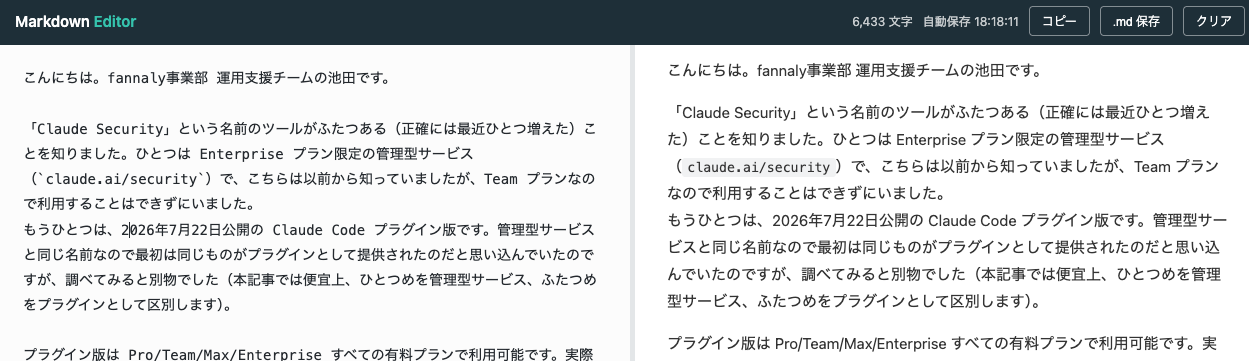
While writing the draft for this article, I suddenly thought it would be convenient and productive to have a Markdown editor with a preview feature, so I asked Fable 5 to "make me a lightweight browser-based Markdown editor like esa." Within a few minutes, it came back with "I made one that works as a single HTML file."
Here it is.
Without even being asked, it came with a save feature included.