I tried prototyping a 2-person browser metaverse with Vercel and Supabase Realtime

This page has been translated by machine translation. View original
Introduction
Among the experiences lumped together under the term "metaverse," I wondered how far avatar position synchronization and voice calls with spatial audio could be realized using only SaaS and static hosting. Starting from that question, I built a 2-person PoC combining Next.js, Three.js, Supabase Realtime, WebRTC, and the Web Audio API.
To state the conclusion upfront, it worked more normally than I expected. While moving an avatar in one browser, the same avatar's movements were reflected almost instantly in another browser, and the voice from the microphone came through without interruption. The volume change based on distance from the other person and left-right panning also worked without any issues in terms of feel. I was genuinely surprised that a combination of SaaS alone could accomplish this much.
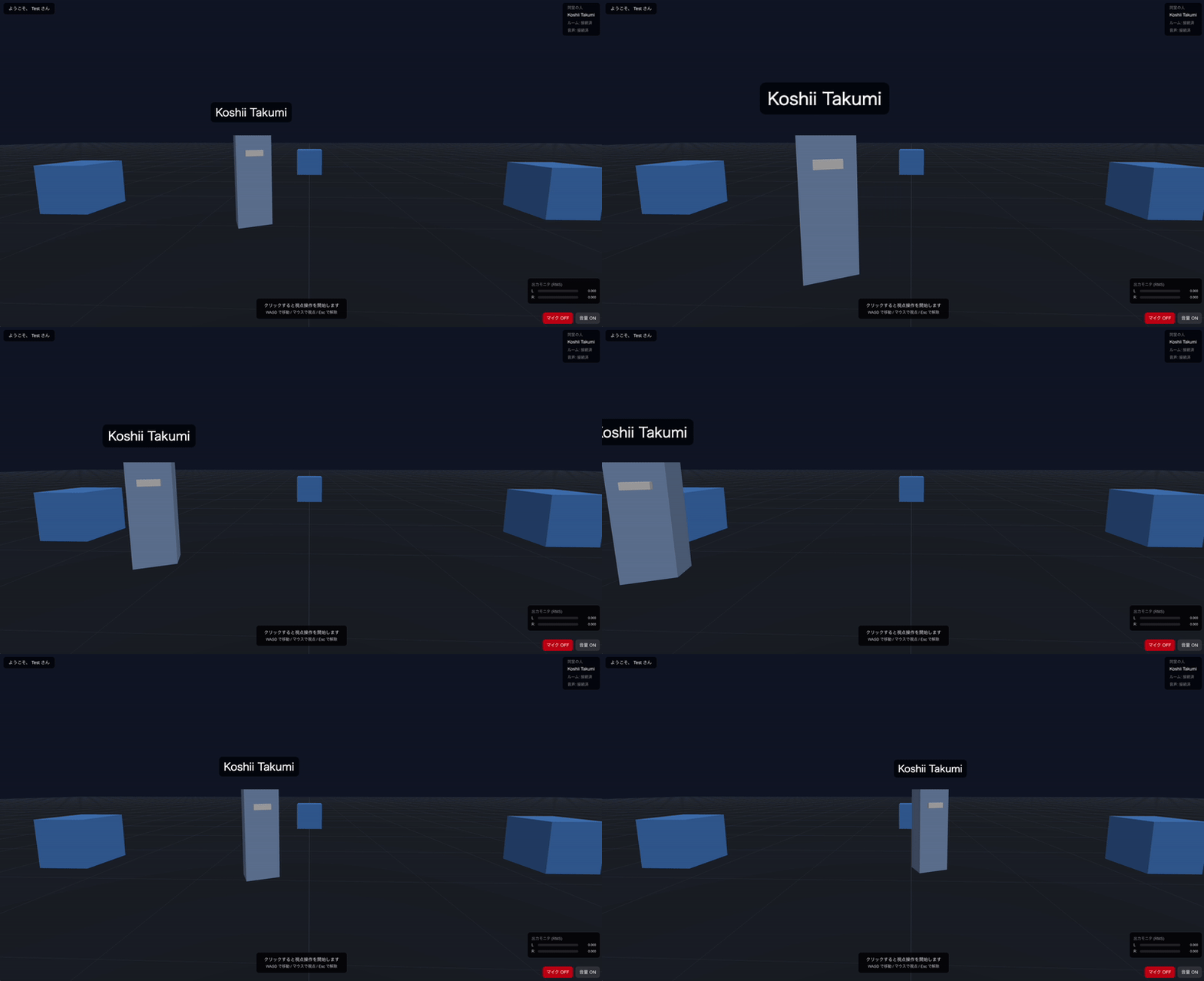
This article summarizes what I built, my impressions from running it, and the sticking points I encountered. The evaluation is primarily based on subjective, feel-based assessment.
What is Vercel
Vercel is an application delivery platform provided by the developers of Next.js. It allows you to deploy static assets and server functions through Git integration, delivered via a globally distributed CDN and edge network.
What is Supabase Realtime
Supabase Realtime is a real-time synchronization infrastructure provided by Supabase, which bills itself as an open-source Firebase alternative. It handles three features over WebSocket: broadcast (fanout of arbitrary payloads), presence (sharing of join/leave events), and postgres-changes (notifications of table changes), with an SDK available for browsers.
Target Audience
- People who have experience with Next.js or React and are interested in how to create real-time co-presence experiences using a combination of SaaS
- People who know the basics of Supabase but have no hands-on experience with Realtime's broadcast and presence features
- People who have tried building basic scenes with Three.js and are looking for examples of combining it with WebRTC and the Web Audio API
Test Environment
- macOS
- Chrome browser
- Node.js 24.x
- Next.js 16.2.6
References
What I Built
Open two browsers, enter a display name in each, and join a room.
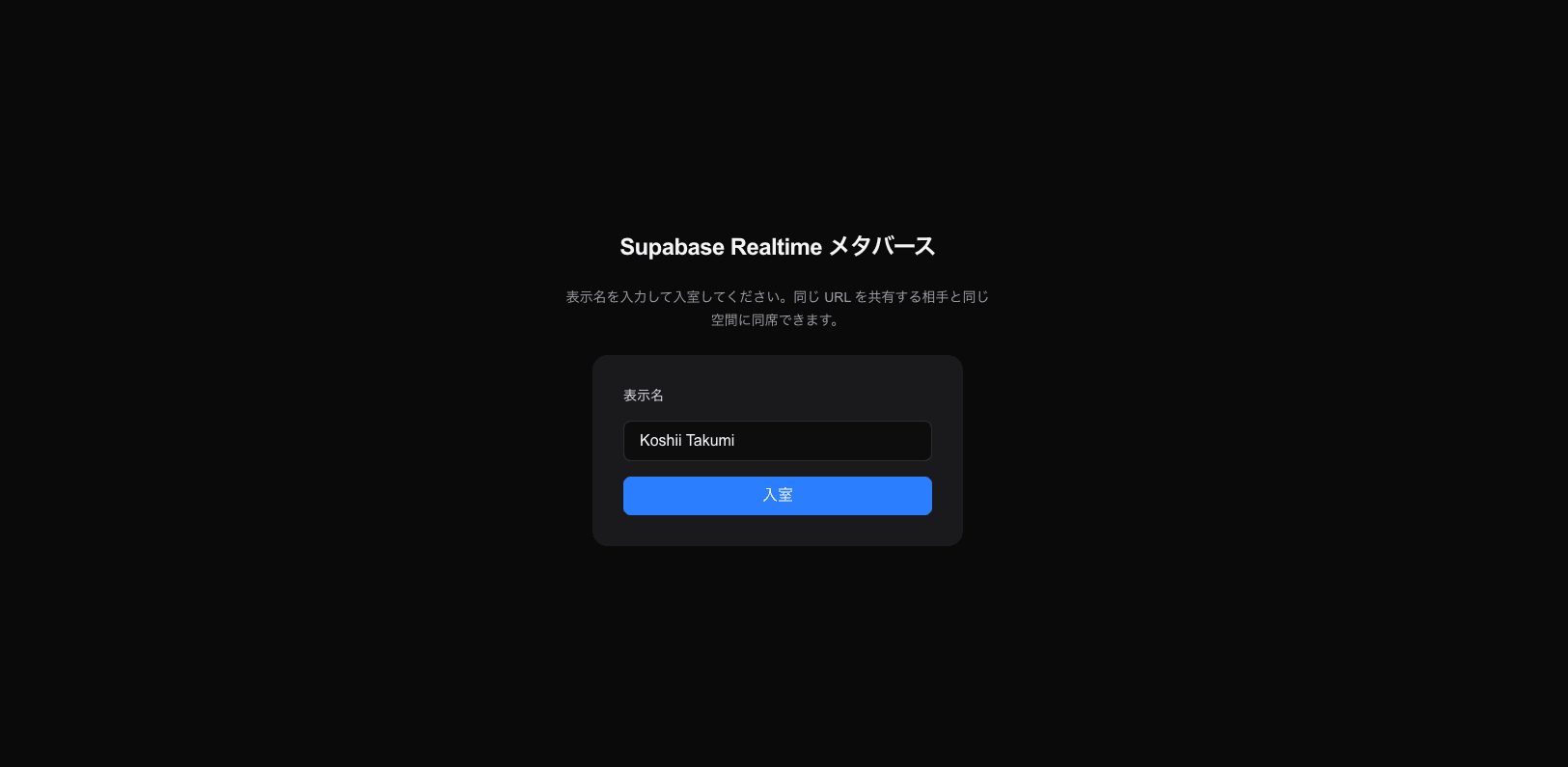
Each other's avatars appear in the same 3D space. Avatars are colored rectangular solids with display names floating above them. Movement is with WASD, view rotation with the mouse, in a first-person perspective.
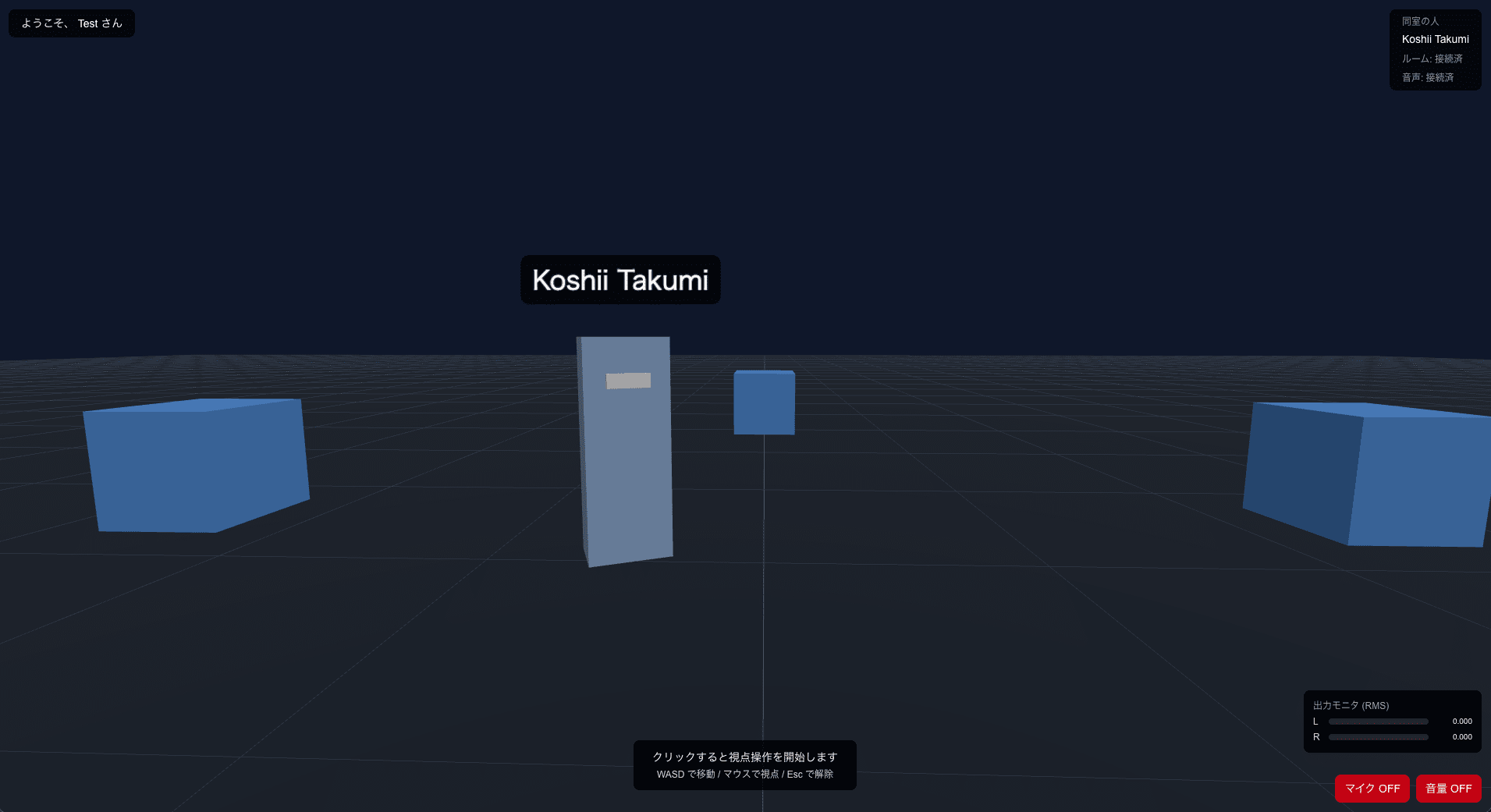
Upon entering the room, a P2P voice call is established via WebRTC, and the other person's voice can be heard with spatial audio corresponding to distance and direction. If the other avatar is standing to the left on the screen, their voice comes from the left; if they move around behind you, their voice comes from behind. Listening with headphones makes the positional cues clearer.
How It Works
The architecture is as shown in the following diagram.
Static assets are delivered from Vercel, and position synchronization and audio connection signaling are handled by a Supabase Realtime channel. The audio itself is exchanged directly between the two browsers via WebRTC.
The client receives static assets from Vercel, and upon joining a room, subscribes to a Supabase Realtime channel. Avatar position and view angle are distributed via broadcast, and join/leave events are shared via presence. The SDP and ICE candidate exchange needed to establish the audio connection also uses broadcast on the same channel. The audio itself flows directly between browsers via the established RTCPeerConnection. The received audio is passed through the Web Audio API's PannerNode, which applies distance attenuation and left-right panning based on the relative positions of the avatars.
Implementation
Here I will cover three main points.
Handling Dropped Position Sync Messages
The official documentation states that broadcast does not guarantee delivery. During prototyping, I encountered cases where, when two users joined almost simultaneously, the other person's avatar would not appear on screen. This was a situation where the side that completed subscribe later had missed the other's initial broadcast.
As a countermeasure, I implemented a reset of the last broadcast record (lastSent) whenever a presence join event is received. On the next frame after the reset, the position and view angle are forcibly re-broadcast. This allows the latest position to be re-sent on subsequent frames, at least for dropped initial broadcasts immediately after joining. Within the scope of this verification, the symptom of the other person's avatar not appearing no longer reproduced.
Note that a sequence number is included in avatar position messages. The receiving side ignores messages from the same user with an older sequence number, preventing position rollback due to out-of-order delivery.
Supabase Realtime channel subscription
export async function joinRoom(options: JoinRoomOptions): Promise<RoomConnection> {
  const supabase = createClient(options.url, options.anonKey, {
    realtime: { params: { eventsPerSecond: 30 } },
  });
  const channel = supabase.channel(`room-${options.roomId}`, {
    config: {
      broadcast: { self: false },
      presence: { key: options.userId },
    },
  });
  channel.on('broadcast', { event: 'position' }, ({ payload }) => {
    const parsed = parsePositionMessage(payload);
    if (parsed) options.onMessage(parsed);
  });
  channel.on('presence', { event: 'join' }, ({ key }) => {
    if (typeof key !== 'string' || key === options.userId) return;
    options.onPeerJoin?.(key);
  });
  // ... leave and signaling handlers, SUBSCRIBED check for subscribe omitted
}
Position message receive processing
export function applyPositionMessage(
  state: RemoteAvatars,
  message: PositionMessage,
  selfUserId: string,
  receivedAt: number,
): RemoteAvatars {
  if (message.userId === selfUserId) return state;
  const existing = state.get(message.userId);
  if (existing && message.sequence <= existing.lastSequence) return state;
  const updated = new Map(state);
  updated.set(message.userId, {
    userId: message.userId,
    name: message.name,
    position: { ...message.position },
    yaw: message.yaw,
    pitch: message.pitch,
    lastSequence: message.sequence,
    lastTimestamp: message.timestamp,
    receivedAt,
  });
  return updated;
}
Writing WebRTC Signaling as a State Machine
The WebRTC connection establishment process is a fairly complex procedure where SDP exchange and ICE candidate exchange proceed in parallel. If the order or state is wrong, it won't connect.
When I tried to write this as straightforward code, the number of conditional branches increased and the overview became unclear, so I implemented it as a state machine with five connection states: idle, offering, answering, connected, and disconnected. It's a simple structure where entering an event (peer join/leave, offer received, answer received, ICE received, connection established, connection failed) determines the next state and actions.
The decision of who is the offerer and who is the answerer was made by a simple rule: compare both userId strings and make the lexicographically smaller one the offerer. This is a tiebreaker to avoid both parties simultaneously sending offers when two users join at nearly the same time.
Signaling state machine transition function
export type WebRTCState =
  | 'idle' | 'offering' | 'answering' | 'connected' | 'disconnected';

export function shouldBeOfferer(myUserId: string, peerUserId: string): boolean {
  return myUserId < peerUserId;
}

export function transition(
  state: WebRTCState,
  event: SignalingEvent,
  ctx: SignalingContext,
): Decision {
  if (event.type === 'peer-leave' || event.type === 'connection-failed') {
    if (state === 'idle' || state === 'disconnected') return { state, actions: [] };
    return { state: 'disconnected', actions: [{ type: 'close-peer' }] };
  }
  if (event.type === 'connection-established') {
    if (state === 'offering' || state === 'answering') {
      return { state: 'connected', actions: [] };
    }
    return { state, actions: [] };
  }
  // ... transitions for ice-received, peer-join, offer-received, answer-received omitted
}
Passing Received Audio Through PannerNode for Spatial Audio
There was also some trial and error in passing received audio through spatial audio. When I simply created a MediaStreamAudioSourceNode from the WebRTC MediaStream and connected it via a PannerNode to AudioContext.destination, I encountered a phenomenon where no sound came out.
In the end, I got it working by setting up a separate <audio> element with display: none for each peer, assigning the same MediaStream to its srcObject, and playing it back with autoplay while keeping it muted. Without this, it seemed that the internal playback pipeline was not started, and no sound would come through the PannerNode.
I adopted inverse for the distance attenuation model and equalpower for the panning model.
The PannerNode parameter updates themselves are straightforward: within the animation loop, the listener's position and orientation are written from my own camera, and the panner's position is written from the other avatar's world coordinates, both using setValueAtTime.
Computing the listener's forward/up vectors
export function computeListenerForward(yaw: number, pitch: number): Vector3 {
  const sy = Math.sin(yaw);
  const cy = Math.cos(yaw);
  const sp = Math.sin(pitch);
  const cp = Math.cos(pitch);
  return { x: -sy * cp, y: sp, z: -cy * cp };
}

export function computeListenerUp(yaw: number, pitch: number): Vector3 {
  const sy = Math.sin(yaw);
  const cy = Math.cos(yaw);
  const sp = Math.sin(pitch);
  const cp = Math.cos(pitch);
  return { x: sy * sp, y: cp, z: cy * sp };
}
Impressions After Running It
I deployed it to Vercel in production, opened two browsers, joined from both, and tried it out. In conclusion, it worked at a level that felt quite normal once I actually touched it.
Latency
Avatar movements were reflected almost instantly. When I moved forward, the other browser's view showed it moving forward right away, and when I rotated my view, the avatar on the other browser turned to face me accordingly. Even the lag of a few frames was barely noticeable in terms of feel.
Audio and Spatial Sound
The WebRTC P2P audio was delivered clearly without interruption. When the other avatar was in front of me, the sound came from the center; when they stood to the right, their voice came from the right. The volume change based on distance also felt natural — it got quieter as they moved away and louder as they approached — and this expected behavior worked with just the browser's built-in capabilities. The 3D feel is more apparent with headphones, but the left-right separation was perceptible even through speakers.
Rendering
In the scene with only Three.js primitive shapes I tested, the rendering load was light, and there was no stuttering within the scope of the short-duration operation check.
Overall Impression
When I heard "metaverse in the browser," I had braced myself for a much richer setup — a dedicated signaling server, relay server, embedded game engine, and so on — but it ended up working surprisingly normally with just SaaS and web standards. The combination of Supabase Realtime handling real-time synchronization, P2P for audio, and the browser-native Web Audio API for spatial audio produces something with a sufficient sense of practicality.
Sticking Points
While it worked nicely overall, there were several sticking points from prototyping to publication that I'd like to note down in hopes they help others avoid the same pitfalls.
A Trailing Newline Had Snuck Into a Vercel Environment Variable
Immediately after deploying to Vercel in production, I encountered a symptom where entering the lobby in the browser, typing a display name, and joining would not bring up the microphone permission dialog. It worked fine locally, but only failed in production.
Opening the browser's DevTools and checking the console, the Supabase Realtime WebSocket connection was disconnecting with a transport failure. Further inspection of the WebSocket URL in the network tab showed apikey=<redacted>%0A&eventsPerSecond=... — a %0A appended to the end of the apikey value. This is the URL encoding of LF (line feed/newline).
The cause was forgetting to strip the trailing newline when piping a value through the shell while registering environment variables in Vercel. When you pass a value obtained via a shell command directly to the standard input of vercel env add, the trailing newline is also registered as part of the value. The Realtime server rejects this trailing newline and returns a 401, which results in the channel not being established, and since processing never reaches getUserMedia for the audio connection, the microphone permission dialog also never appears — a chain reaction.
The fix is simple: just strip the trailing newline with tr -d '\n' before registering it as an environment variable. This is a typical pitfall when piping secrets through the shell, so it's also safe practice to ensure no trailing newline is included in the value when copy-pasting in the Vercel dashboard.
No Sound Came Out from Just Piping MediaStream Through PannerNode
As touched on in the implementation section, I initially didn't understand why, in Chromium, passing a WebRTC MediaStream into a Web Audio API chain would produce no sound. Three.js scene updates and panner parameter writes were functioning normally, and no errors appeared in the logs.
From the behavior of sound starting to come out when I set up a <audio muted autoplay> alongside each peer and piped the same stream to srcObject, I inferred that a trigger is needed to start the audio track's playback pipeline inside the browser. It seems that with just MediaStreamAudioSourceNode, the playback pipeline doesn't start and no sound comes through the panner either. If you're struggling with the same symptom, try setting up a companion muted <audio> element.
Things to Keep in Mind for Production Use
Even though it worked normally within the PoC scope, there are things that still need separate consideration before bringing it into production.
-
Stability in long-duration sessions
In the PoC, I only verified operation over short periods. Whether the Realtime channel remains stable without dropping over sessions exceeding 30 minutes, and whether frame time for avatar rendering degrades, needs to be measured separately. -
Scaling beyond 2 people
The PoC was built with 2 people in mind. Extending to 3 or more people causes the number of WebRTC P2P connections to grow quadratically, so a configuration using an SFU (such asLiveKitormediasoup) as an intermediary, and estimating the pricing plan needed to handle the increasedbroadcastvolume, will be necessary. -
NAT traversal
Since no TURN server was implemented, there remain cases where WebRTC P2P will fail across corporate NAT or mobile carrier NAT. For production use, a TURN server (coturnself-hosted, or a TURN as a Service solution) needs to be incorporated into the routing, and the connection success rate needs to be measured empirically. -
Mobile and cross-browser coverage
I only tested on Chromium-based PC browsers. iOS Safari has different AudioContext autoplay restrictions and WebRTC behavior compared to PC. It's practical to decide on the supported targets and verify operation across a matrix. -
Security
This verification used simple isolation by separating rooms with query parameters. Since anyone who knows the URL can enter, production use requires designing login with Supabase Auth, and separately providing authorization for room entry, validation of values sent from clients, and rate limiting.
Summary
I prototyped a setup where two people share a metaverse experience in the browser, using a combination of Vercel + Supabase Realtime + WebRTC + Three.js + Web Audio API. When you actually try it, it works surprisingly normally with just a combination of SaaS and web standards. Avatar movements are reflected almost instantly, audio comes through clearly, and position-based spatial audio works cleanly.
On the other hand, bringing it into production requires separate consideration from the perspectives of long-duration sessions, scaling, NAT traversal, mobile support, and security.
When it comes to building real-time co-presence experiences in the browser, the tendency is to think in terms of using a dedicated infrastructure or a full set of paid SaaS. However, it seems that static hosting, Supabase Realtime, and web standards in combination are enough to prototype to this level. I hope this is useful for anyone looking to try a similar topic.