
I tried out the new features of Amazon Location Service Places, such as "multilingual addresses" and "travel mode optimization"

This page has been translated by machine translation. View original
Introduction
On July 10, 2026, several new features were added to Amazon Location Service's Places API.
Here is a summary comparing the main features added in this update with the previous version.
| Feature | Old (before update) | New (after update) |
|---|---|---|
| Multilingual translation | Switch to 1 language only with --language |
Batch retrieval of multilingual variations per address component with --address-translations |
| Address name display control | Returns only normalized names | Can select Matched / Administrative with --address-names-mode |
| Travel mode | None | Specify Car / Scooter / Truck with --travel-mode to optimize results |
| Drive-through attribute | None | DriveThrough included in response PlaceAttributes |
| Address parsing additional info | ParsedQuery only |
Parsing.AdditionalInfo added (not returned in this verification) |
The support status of new parameters and response attributes verified in this article is as follows.
| API | AddressTranslations | AddressNamesMode | TravelMode | DriveThrough (response) |
|---|---|---|---|---|
| Geocode | ✓ | ✓ | — | — |
| GetPlace | — | ✓ | — | ✓ |
| Suggest | — | — | ✓ | ✓ |
| SearchText | — | — | ✓ | ✓ |
| SearchNearby | — | — | — | ✓ |
※ "✓" for TravelMode indicates that the parameter can be specified. The effect on results varies by API and search conditions. AddressNamesMode is also available with ReverseGeocode.
Verification Environment
- AWS CLI v2 (
aws geo-placessubcommand) - Region: ap-northeast-1 (Tokyo)
- Authentication: IAM (
geo-places:*permissions) - IntendedUse: SingleUse (specify
Storageif you need to persist results)
AddressTranslations — Multilingual Address Translation
With --address-translations, you can retrieve multilingual variations of specified address components in a single request. The components that can be specified are District, Locality, Region, and SubRegion (all can be specified simultaneously).
Let's geocode the address of Hibiya Fort Tower (1-1-1 Nishishinbashi, Minato-ku, Tokyo) and retrieve translations for Locality (city/ward/town) and Region (prefecture).
aws geo-places geocode \
  --query-text "東京都港区西新橋1-1-1 日比谷フォートタワー" \
  --language ja \
  --address-translations Locality Region \
  --region ap-northeast-1 \
  --no-cli-pager \
  --output json
The Translations field in the response returns multilingual variations for each component.
Here are the main excerpts from the Locality (Minato-ku) translations.
| Language Code | Value | Type | Notes |
|---|---|---|---|
| ja | 港区 | BaseName | Official name |
| ja | 港 | Synonym | Abbreviated name |
| ja-Hira | みなとく | Exonym | Hiragana |
| ja-Kana | ミナトク | Exonym | Katakana |
| ja-Latn | Minatoku | BaseName | Romanization (Transliterated: true) |
| en | Minato-ku | Exonym | English notation |
| en | Minato City | Exonym | English (city notation) |
| ko | 미나토구 | Exonym | Korean |
| zh | 港区 | Exonym | Chinese (zh locale) |
| zh-Hant | 港區 | Exonym | Traditional Chinese |
The Region (Tokyo) translations are returned in the same format.
| Language Code | Value | Type |
|---|---|---|
| ja | 東京都 | BaseName |
| ja | 東京 | Synonym |
| ja-Hira | とうきょうと | Exonym |
| ja-Kana | トウキョウト | Exonym |
| ja-Latn | Toukyouto | BaseName |
| en | Tokyo | Exonym |
| en | Tokyo Prefecture | Exonym |
| de | Präfektur Tokio | Exonym |
| ko | 도쿄도 | Exonym |
| zh | 东京都 | Exonym |
Full response (Translations section)
{
  "Translations": {
    "Locality": [
      {
        "Names": [
          {"Value": "港区", "Language": "ja", "Type": "BaseName", "Primary": true},
          {"Value": "港", "Language": "ja", "Type": "Synonym"},
          {"Value": "みなとく", "Language": "ja-Hira", "Type": "Exonym"},
          {"Value": "みなと", "Language": "ja-Hira", "Type": "Exonym"},
          {"Value": "ミナトク", "Language": "ja-Kana", "Type": "Exonym"},
          {"Value": "ミナト", "Language": "ja-Kana", "Type": "Exonym"},
          {"Value": "Minatoku", "Language": "ja-Latn", "Type": "BaseName", "Primary": true, "Transliterated": true},
          {"Value": "Minato", "Language": "ja-Latn", "Type": "Synonym", "Transliterated": true},
          {"Value": "Minato-ku", "Language": "en", "Type": "Exonym"},
          {"Value": "Minato City", "Language": "en", "Type": "Exonym"},
          {"Value": "Minato Ward", "Language": "en", "Type": "Exonym"},
          {"Value": "Minato", "Language": "en", "Type": "Exonym"},
          {"Value": "미나토구", "Language": "ko", "Type": "Exonym"},
          {"Value": "미나토", "Language": "ko", "Type": "Exonym"},
          {"Value": "港区", "Language": "zh", "Type": "Exonym"},
          {"Value": "港", "Language": "zh", "Type": "Exonym"},
          {"Value": "港區", "Language": "zh-Hant", "Type": "Exonym"},
          {"Value": "港", "Language": "zh-Hant", "Type": "Exonym"}
        ],
        "Preference": "Primary"
      }
    ],
    "Region": [
      {
        "Names": [
          {"Value": "東京都", "Language": "ja", "Type": "BaseName", "Primary": true},
          {"Value": "東京", "Language": "ja", "Type": "Synonym"},
          {"Value": "とうきょうと", "Language": "ja-Hira", "Type": "Exonym"},
          {"Value": "とうきょう", "Language": "ja-Hira", "Type": "Exonym"},
          {"Value": "トウキョウト", "Language": "ja-Kana", "Type": "Exonym"},
          {"Value": "トウキョウ", "Language": "ja-Kana", "Type": "Exonym"},
          {"Value": "Toukyouto", "Language": "ja-Latn", "Type": "BaseName", "Primary": true, "Transliterated": true},
          {"Value": "Toukyou", "Language": "ja-Latn", "Type": "Synonym", "Transliterated": true},
          {"Value": "Präfektur Tokio", "Language": "de", "Type": "Exonym"},
          {"Value": "Tokio", "Language": "de", "Type": "Exonym"},
          {"Value": "Tokyo", "Language": "en", "Type": "Exonym"},
          {"Value": "Tokyo Prefecture", "Language": "en", "Type": "Exonym"},
          {"Value": "도쿄도", "Language": "ko", "Type": "Exonym"},
          {"Value": "도쿄", "Language": "ko", "Type": "Exonym"},
          {"Value": "东京都", "Language": "zh", "Type": "Exonym"},
          {"Value": "东京", "Language": "zh", "Type": "Exonym"}
        ],
        "Preference": "Primary"
      }
    ]
  }
}
The main attributes confirmed in this response are as follows.
- Type:
BaseName(standard name),Synonym(alternative name),Exonym(exonym: name in another language/script).AbbreviationandShortenedmay also be returned in some cases. - Transliterated: When
true, indicates conversion via transliteration. - Primary: The entry with
trueis the preferred notation in that language.
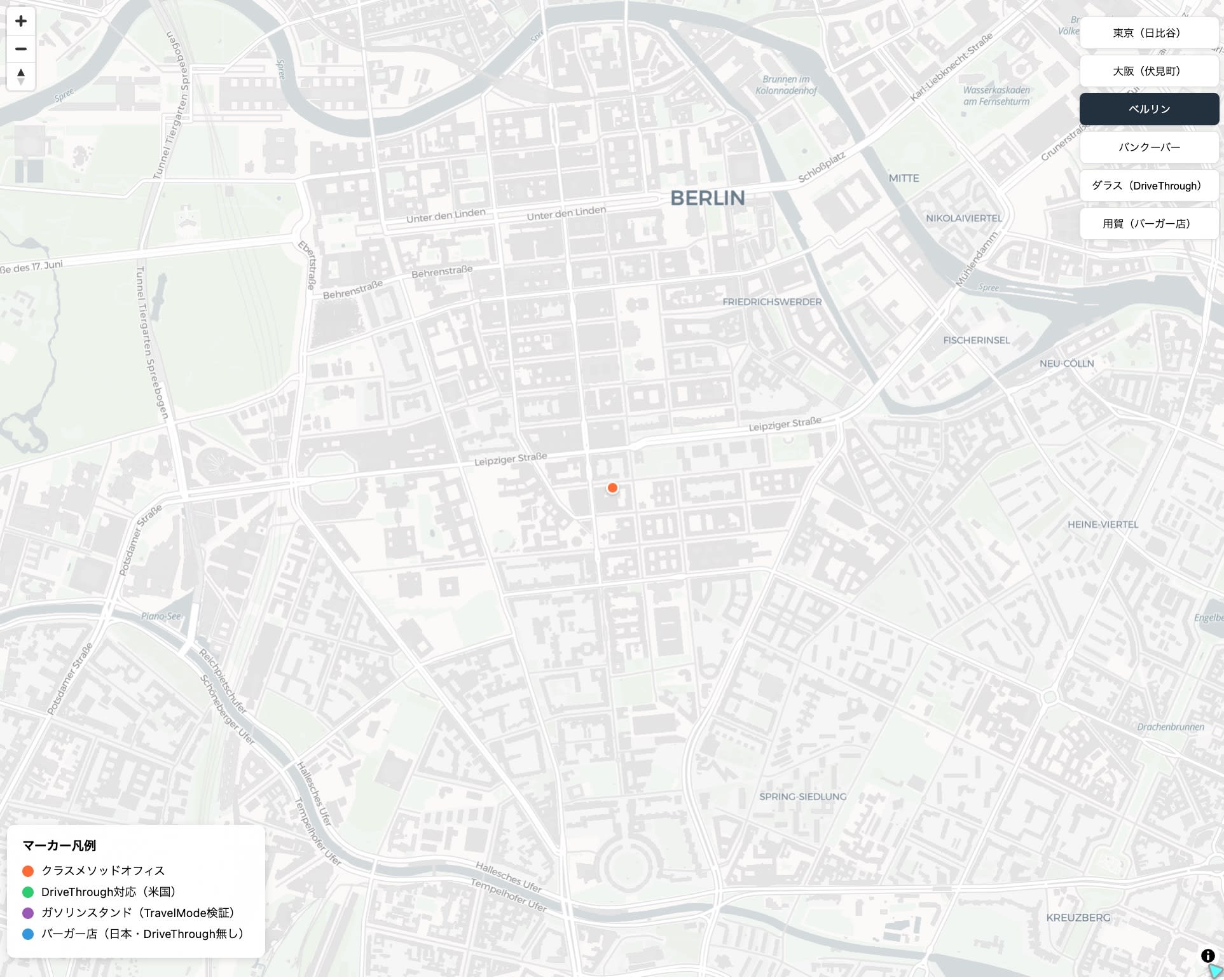
I also tested with a Berlin address. Translations for Region (Berlin) were returned in German, English, French, Chinese, Japanese (ベルリン), Arabic, and other languages.
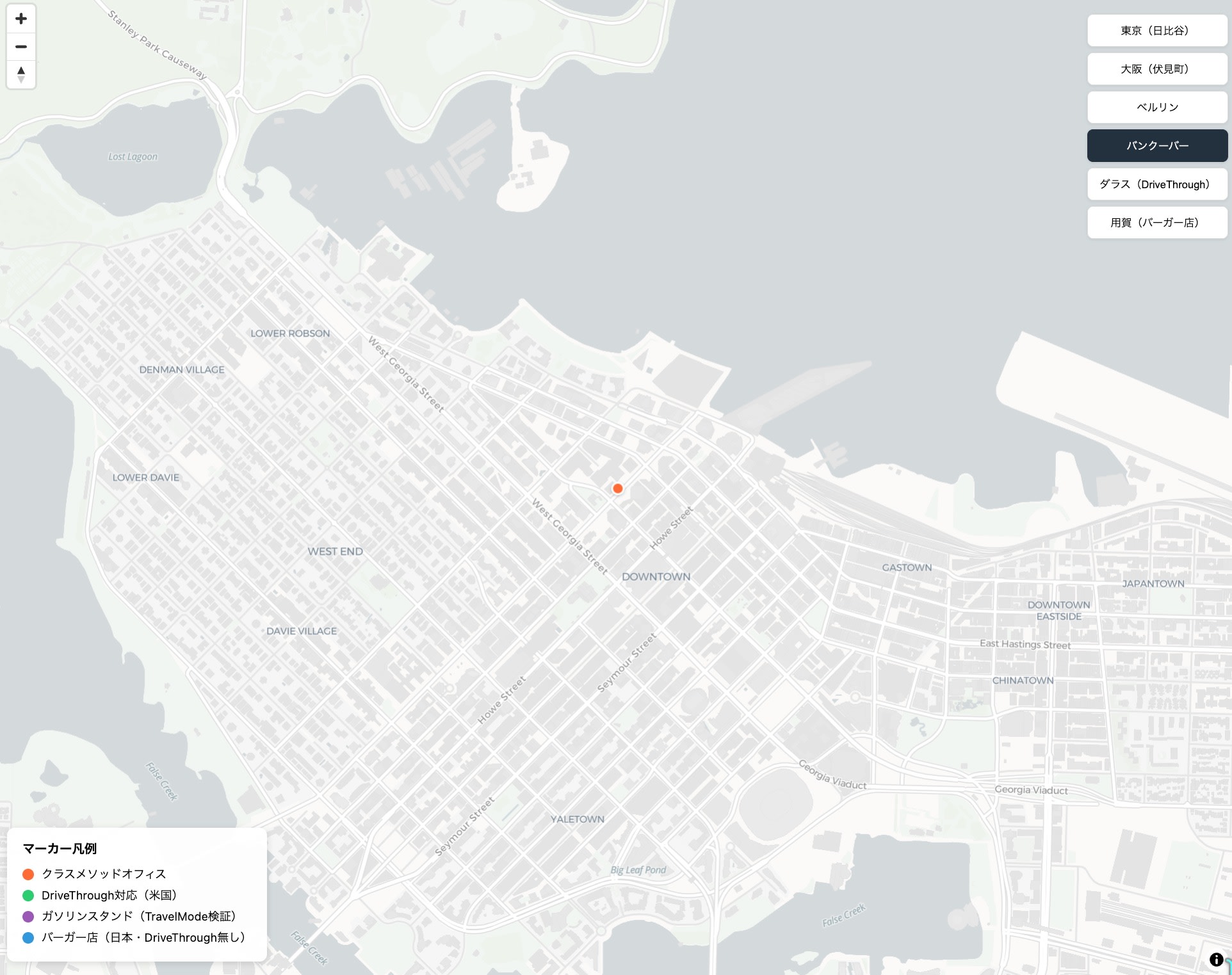
The same behavior was observed with a Vancouver address. For Region (British Columbia), French (Colombie-Britannique), Spanish (Columbia Británica), Chinese (不列颠哥伦比亚省), and other translations were returned.
AddressNamesMode — Address Name Display Control
The --address-names-mode parameter has been added to the Geocode API and GetPlace API. With the Geocode API, you can control whether address component names (such as Locality) are returned as normalized names, names matching the input, or official administrative names. It is also available with the GetPlace API, but the valid values in the API reference are currently limited to Administrative only.
Let's verify the difference using Brooklyn in New York City. Brooklyn is administratively part of New York City (as a borough), but addresses are commonly written as "Brooklyn, NY."
We'll intentionally input an address in the Park Slope neighborhood of Brooklyn as "New York, NY" to verify whether Matched mode returns the place name that matches the input text.
aws geo-places geocode \
  --query-text "350 5th Av, New York, NY" \
  --language en \
  --address-names-mode Matched \
  --region ap-northeast-1 \
  --no-cli-pager \
  --output json
Results when switching --address-names-mode between omitted (Default) / Matched / Administrative. The PlaceId and coordinates [-73.98423, 40.67199] are the same across all modes; only Locality and Title change.
| Mode | Locality | Title | Use Case |
|---|---|---|---|
| Default (omitted) | Brooklyn | 350 5th Ave, Brooklyn, NY 11215-2813, United States | Normalized place name. Suitable for general address notation |
| Matched | New York | 350 5th Ave, New York, NY 11215-2813, United States | Notation matching user input. Useful for highlighting search results |
| Administrative | New York | 350 5th Ave, New York, NY 11215-2813, United States | Higher administrative division name. Suitable for matching with administrative data |
TravelMode — Result Optimization by Travel Mode
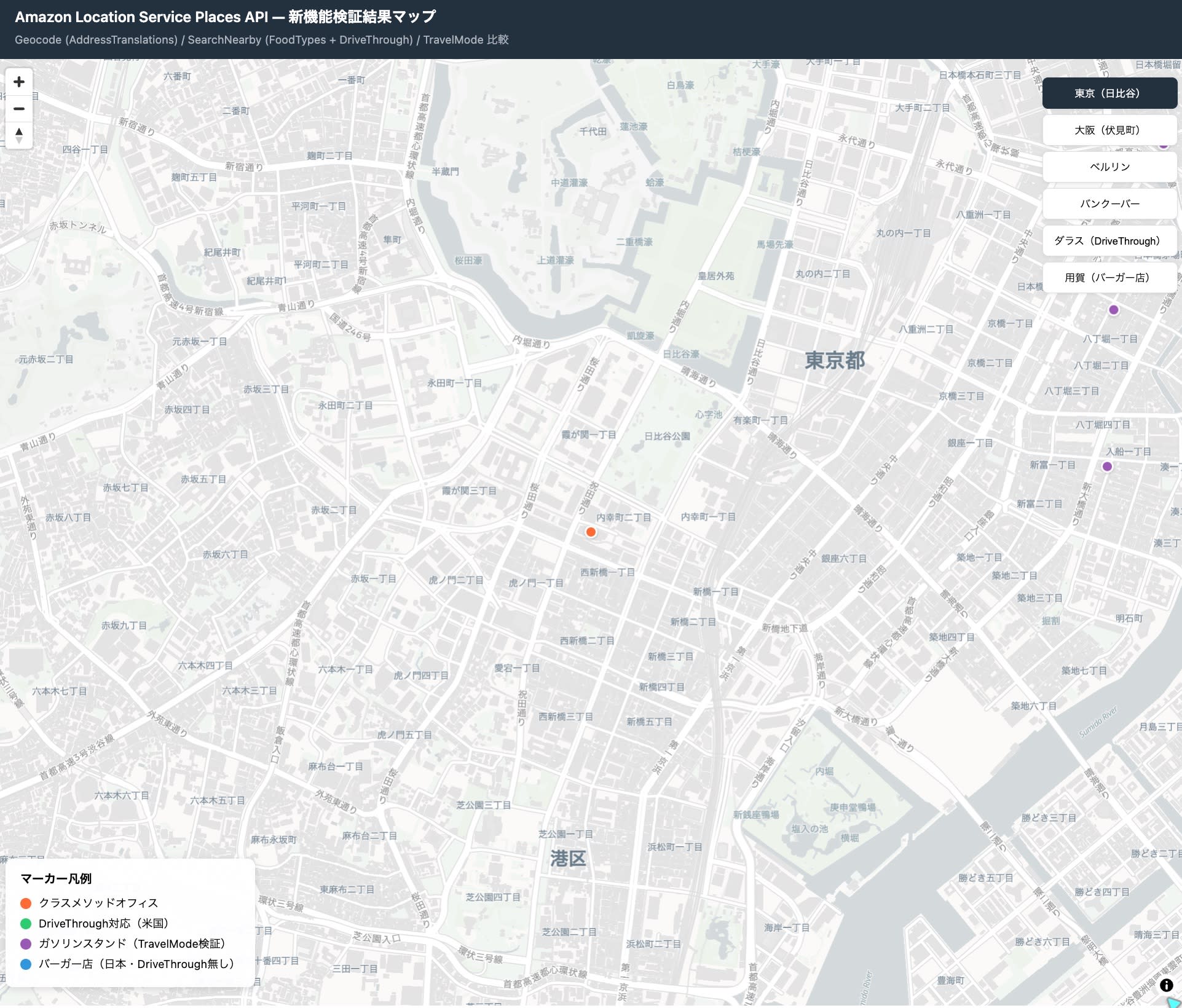
By specifying --travel-mode, the relevance of search results is adjusted taking the mode of transportation into account. Let's search for "gas station" near Tokyo Station to verify the effect.
Here is an example command with --travel-mode Car.
aws geo-places suggest \
  --query-text "ガソリンスタンド" \
  --bias-position "[139.7671,35.6812]" \
  --travel-mode Car \
  --language ja \
  --region ap-northeast-1 \
  --no-cli-pager \
  --output json
Let's compare this with the result when --travel-mode is omitted.
The Suggest API returns not only POIs (store names) but also category suggestions (QueryType=Category). Since the top result is the category suggestion "ガソリンスタンド (gas station)" regardless of TravelMode, we compare the POI results from 2nd place onwards.
| Rank | Without TravelMode | TravelMode=Car |
|---|---|---|
| 2 | ENEOS Dr.Drive Honshakucho SS | ENEOS Dr.Drive Honshakucho SS |
| 3 | ENEOS Dr.Drive Kayabacho SS | ENEOS Dr.Drive Kayabacho SS |
| 4 | ENEOS Dr.Drive Irifune Sakuragawa SS | apollostation Self Nihonbashi SS |
| 5 | apollostation Self Nihonbashi SS | apollostation Self Hongo SS |
When Car is specified, Irifune Sakuragawa SS (Irifune, Chuo-ku), which ranked 4th without TravelMode, dropped out of the top 5, and apollostation Hongo SS (Hongo, Bunkyo-ku) moved up instead. It is believed that the relevance adjustment by TravelMode is affecting the result order.
DriveThrough Attribute and FoodTypes/Categories Filter
DriveThrough Attribute
Let's verify whether DriveThrough is included in the PlaceAttributes of the response, both in the US and Japan.
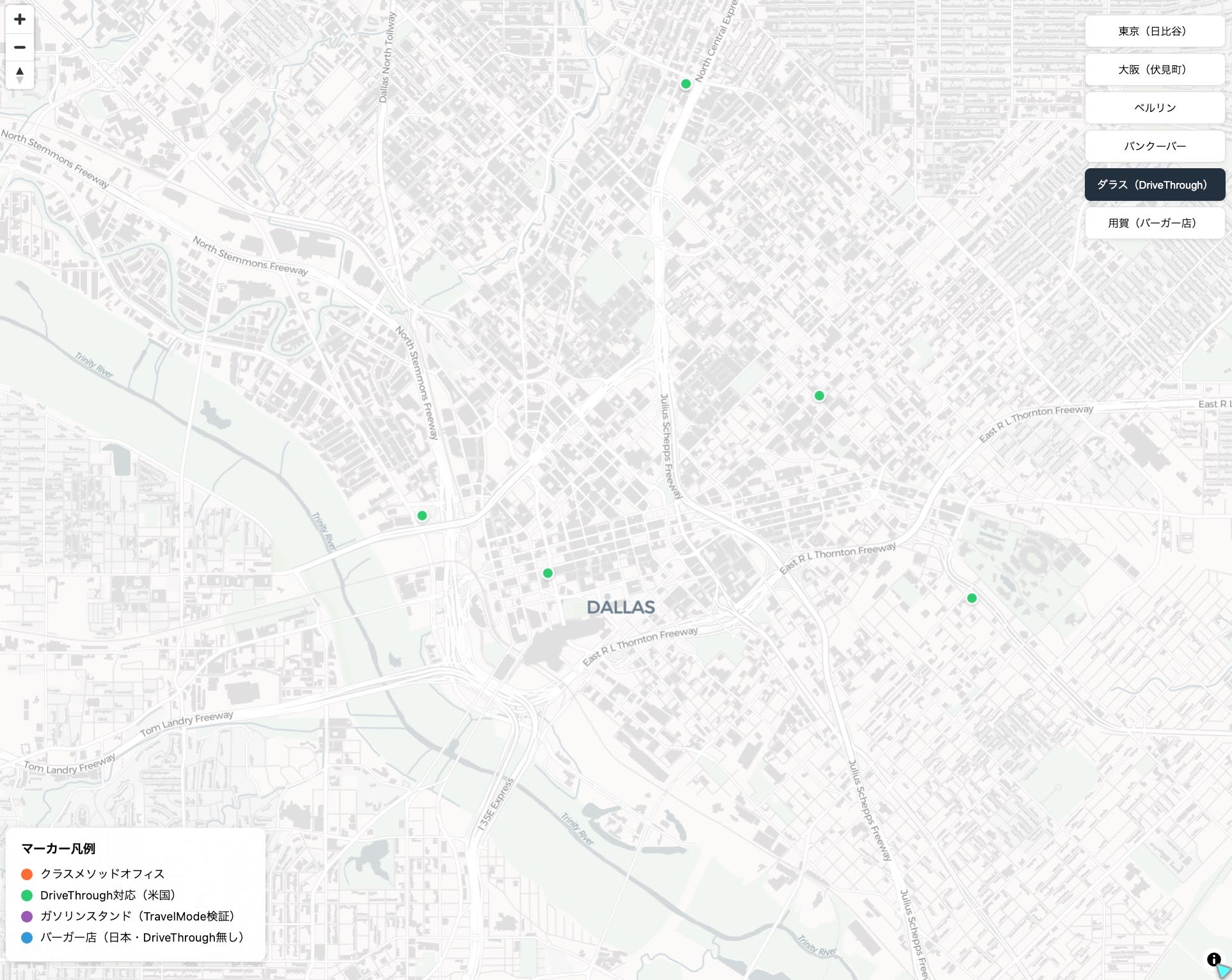
Let's search for McDonald's in Dallas, Texas, USA.
aws geo-places search-text \
  --query-text "McDonald's" \
  --bias-position "[-96.797,32.7767]" \
  --language en \
  --max-results 5 \
  --region ap-northeast-1 \
  --no-cli-pager \
  --output json
{
  "Title": "McDonald's",
  "Address": {
    "Label": "McDonald's, 1000 Commerce St, Dallas, TX 75202-3716, United States"
  },
  "Categories": [{"Id": "fast_food", "LocalizedName": "Fast Food"}],
  "FoodTypes": [
    {"Id": "fast_food", "LocalizedName": "Fast Food"},
    {"Id": "burgers", "LocalizedName": "Burgers"}
  ],
  "PlaceAttributes": ["DriveThrough"]
}
PlaceAttributes: ["DriveThrough"] is returned.
On the other hand, when searching for McDonald's in Japan, DriveThrough was not confirmed in PlaceAttributes even for results that include drive-through locations (such as the Yoga Inter store).
aws geo-places search-text \
  --query-text "マクドナルド" \
  --bias-position "[139.7671,35.6812]" \
  --language ja \
  --max-results 5 \
  --region ap-northeast-1 \
  --no-cli-pager \
  --output json
In this verification, the DriveThrough attribute was confirmed in US search results. However, in Japan, DriveThrough was not confirmed in PlaceAttributes even in searches that included drive-through-capable locations.
FoodTypes/Categories Filter — Rich Category Data Available in Japan Too
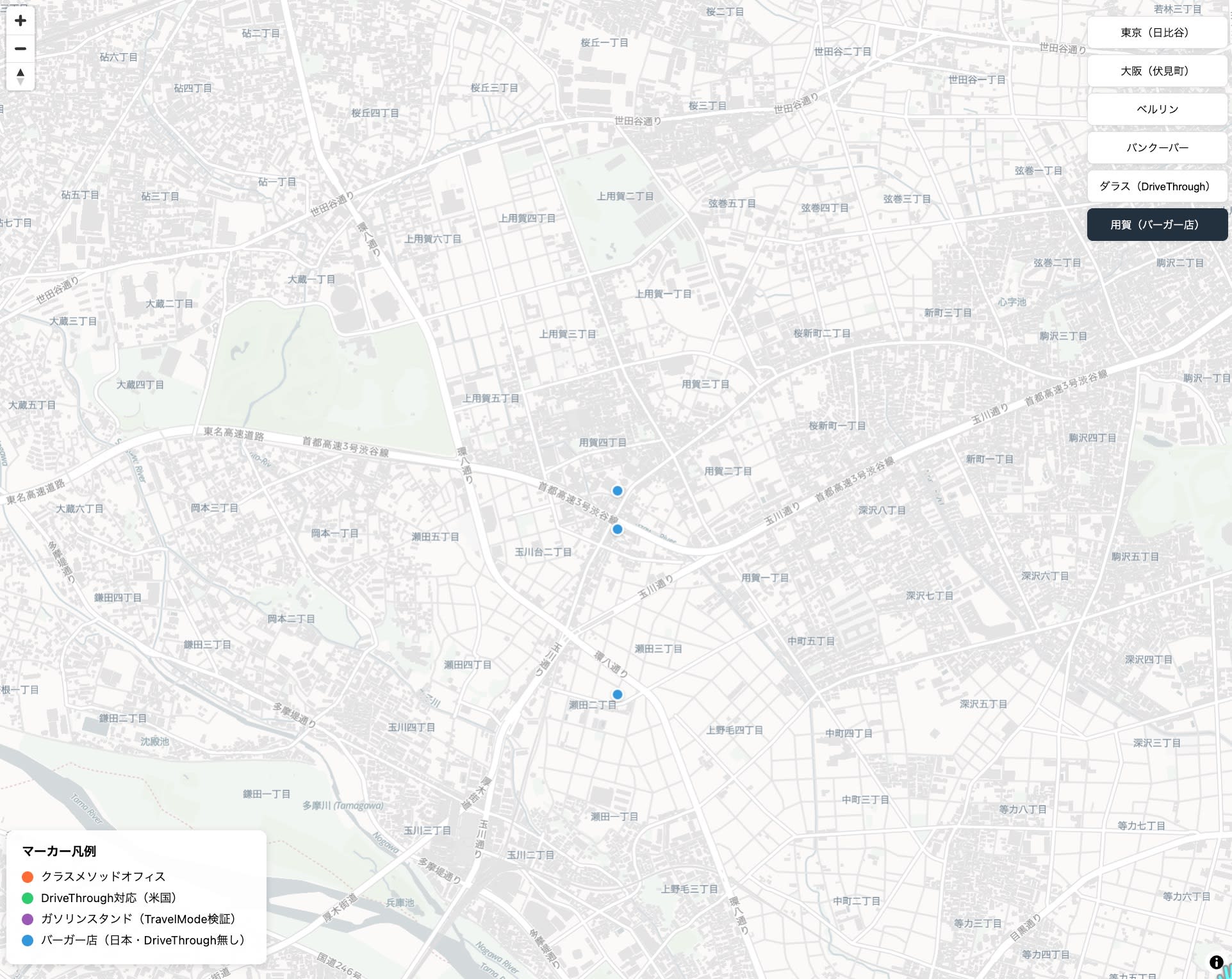
While the DriveThrough attribute was not confirmed in Japan in this verification, the FoodTypes filter did work for locations in Japan. Let's search for burger restaurants near Yoga Station using the FoodTypes filter.
aws geo-places search-nearby \
  --query-position "[139.6333,35.6264]" \
  --max-results 10 \
  --filter '{"IncludeFoodTypes": ["burgers"]}' \
  --language ja \
  --region ap-northeast-1 \
  --no-cli-pager \
  --output json
Freshness Burger, Mos Burger, McDonald's Yoga Inter store, Shake Shack, and others were returned.
A search near Nakano Station specifying japanese-ramen returns results such as "Dotonbori Kamanza Nakano Sunmall" and "Hidakaya Nakano."
aws geo-places search-nearby \
  --query-position "[139.6659,35.7074]" \
  --max-results 10 \
  --filter '{"IncludeFoodTypes": ["japanese-ramen"]}' \
  --language ja \
  --region ap-northeast-1 \
  --no-cli-pager \
  --output json
Even within the scope of this verification, detailed subcategories for Japanese cuisine were available.
japanese-ramen(Ramen)japanese-sushi(Sushi)japanese-sushi_train(Conveyor Belt Sushi)japanese-izakaya(Izakaya)japanese-yakiniku(Yakiniku / BBQ)japanese-yakitori/chicken(Yakitori)japanese-tonkatsu(Tonkatsu)japanese-udon/other_noodles(Udon / Other Noodles)japanese-rice_bowl(Rice Bowls / Donburi)japanese-curry(Curry)
Notes on Specifying Filters
Values passed to filters must be specified as FoodTypes IDs. Specifying by LocalizedName (Japanese name) will result in a ValidationException. Available FoodTypes IDs can be found in the FoodType list in the API reference.
# ❌ Japanese name → ValidationException
--filter '{"IncludeFoodTypes": ["ラーメン"]}'

# ✓ FoodTypes ID specification
--filter '{"IncludeFoodTypes": ["japanese-ramen"]}'
On the other hand, when --language ja is specified, the LocalizedName in the response is returned in Japanese (e.g., "日本食-ラーメン", "バーガー"). This is an asymmetric specification where filter input uses FoodTypes IDs while the display name in the response uses the specified language.
Category Distribution by Area
By specifying --query-radius 3000 (3km) to expand the SearchNearby search range, you can observe differences in category distribution by area.
| Area | Distinctive Categories | FoodTypes Trends |
|---|---|---|
| Nakano Station (commercial district) | karaoke, internet_cafe, gambling-lottery-betting | japanese-izakaya, japanese-sushi_train, korean, thai, indian |
| Yoga Station (residential area) | police_box, post_office, dry_cleaning_and_laundry, coaching_institute | burgers, fast_food, japanese-tonkatsu |
In this verification, the area around Nakano Station showed high dining diversity with izakaya, conveyor belt sushi, and international cuisine, while the area around Yoga Station was notable for everyday infrastructure categories such as police boxes, post offices, and dry cleaners.
Summary
New features added to the Amazon Location Service Places API were verified using the AWS CLI.
With AddressTranslations, we confirmed that multilingual notations in Japanese, English, Korean, Chinese, German, and other languages can be retrieved per address component in a single request. With AddressNamesMode, using the Brooklyn address as an example, we confirmed that the notation of Locality and Title changes depending on the difference between Default / Matched / Administrative.
TravelMode can be used to adjust the relevance of search results taking mode of transportation into account in Suggest and SearchText. In this verification, ranking differences were confirmed with the Suggest API in a gas station search near Tokyo Station.
The DriveThrough attribute was confirmed in US search results but was not confirmed in Japanese search results. On the other hand, the FoodTypes filter and Categories responses worked for locations in Japan, and multiple Japanese cuisine subcategories were confirmed.
This was an update that allows for more flexible handling of search and display aspects of the Places API, including multilingual address display, address name display control, travel mode-aware search, and restaurant category search.
Reference Links
