![[Security Hub CSPM Remediation Procedure]
[RDS.43] RDS DB proxy connections must require TLS encryption](https://images.ctfassets.net/ct0aopd36mqt/wp-refcat-img-cea52bc8a6ec5cad9021b38df4a08b9e/24c76ee7c1ae7aa7f9676a59c77f8702/aws-security-hub?w=3840&fm=webp)
[Security Hub CSPM Remediation Procedure] [RDS.43] RDS DB proxy connections must require TLS encryption

This page has been translated by machine translation. View original
Hello, I'm watabo from Classmethod Operations.
In this article, I'll introduce how to address the Security Hub CSPM control [RDS.43] RDS DB proxies should require TLS encryption for connections.
Prerequisites
This article is intended for those using the "AWS Foundational Security Best Practices standard" in AWS Security Hub CSPM.
For more details about Security Hub CSPM, please refer to the following articles.
Control Overview
This control checks whether RDS Proxy is configured to require TLS for all connections between the proxy and backend RDS DB instances. By enabling "Require Transport Layer Security," this control will show PASSED.
RDS Proxy is a proxy service placed between client applications and backend RDS DB instances.
TLS can be applied to each connection segment: from the client to RDS Proxy, and from RDS Proxy to the RDS DB instance.
This control targets the communication between the proxy and the RDS DB instance.
More details about RDS Proxy can be found here.
How to Remediate
Before performing remediation, make sure you understand the applications and services using RDS Proxy. During the configuration change, the proxy will be in a modifying state for approximately one minute, and existing connections may experience a brief interruption. It is recommended to make changes during periods of low traffic.
Configuration via Management Console
- Open the RDS console
- Select "Proxies" from the left navigation pane
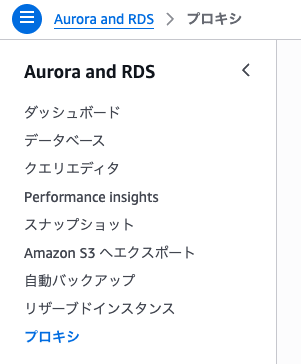
- Select the target RDS Proxy
- Click "Actions" → "Modify" in the upper right corner
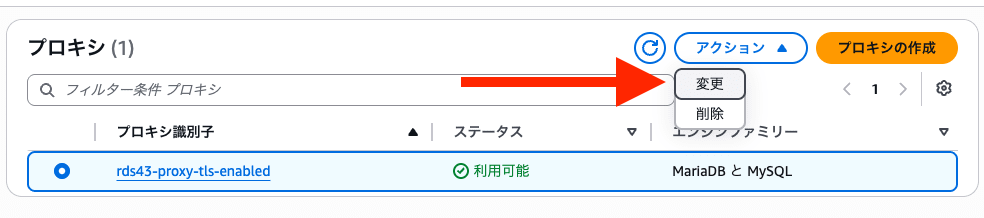
- In the "Connection security" section, check the "Require Transport Layer Security" checkbox
- Click the "Modify" button at the bottom of the screen
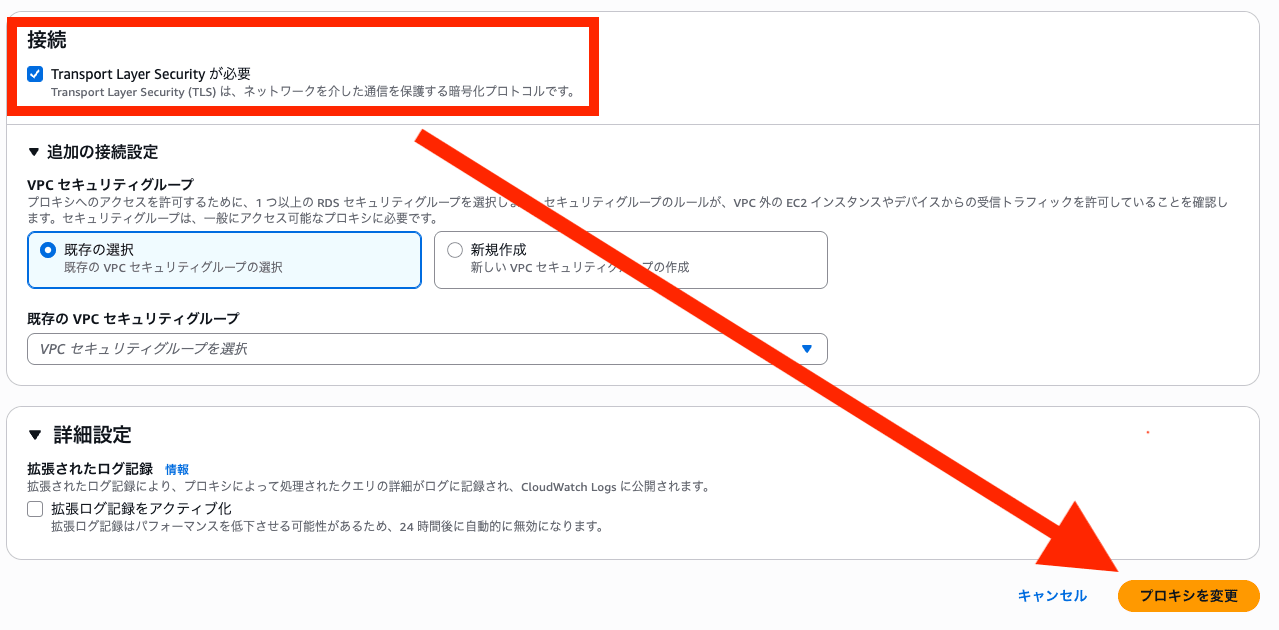
Once the proxy status returns from modifying to available, the configuration change is complete.
Configuration via AWS CLI
Instead of using the console, you can make the same change using the AWS CLI.
aws rds modify-db-proxy \
  --db-proxy-name <proxy-name> \
  --require-tls \
  --region <region>
Verifying Reflection in Security Hub
After remediation, check the RDS.43 findings from "Findings" in the Security Hub console.
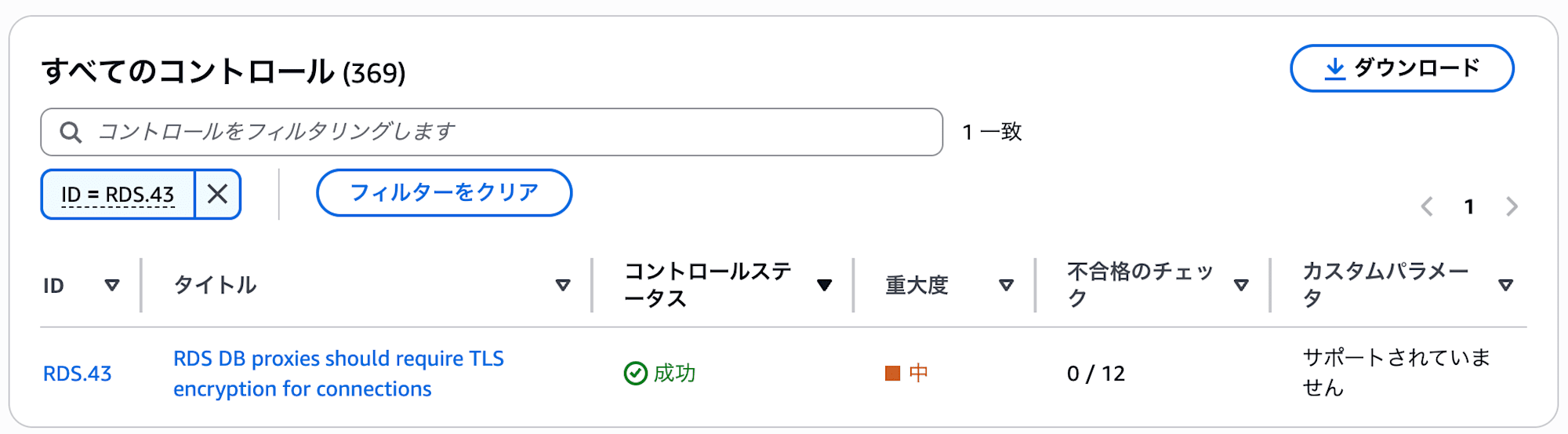
※ Since RDS.43 has a schedule type of "Periodic," changes will not be reflected immediately after the configuration change. It may take up to approximately 24 hours to be reflected.
About Encryption of Communication Between RDS Proxy and DB Instances
This item is disabled by default.
The following outlines the merits and demerits from the perspective of enabling the setting.
Benefits of Enabling
By enabling this, communication between the Proxy and the RDS DB instance is encrypted, eliminating the risk of eavesdropping within the VPC.
Additionally, as noted in the official documentation, even if the DB instance version is old, clients can connect using TLS 1.3 by going through the Proxy.
Amazon RDS Proxy adds an additional security layer between client applications and the underlying RDS DB instances. For example, even if the underlying DB instance supports an older version of TLS, you can connect to RDS Proxy using TLS 1.3. With RDS Proxy, you can enforce strong authentication requirements for your database applications.
Drawbacks of Not Enabling
If not enabled, communication between the Proxy and the RDS DB instance may flow in plaintext.
Even within the same VPC, in multi-tenant environments or shared subnet configurations, packet capture from other workloads is theoretically possible.
The assumption that the network within a VPC is trustworthy is increasingly being challenged, and the risk of internal communications being captured from a compromised EC2 instance or container is a realistic threat.
Closing
RDS.43 is a simple control that can be addressed solely by changing the proxy-side configuration.
The notion that "the network within a VPC is trustworthy" has persisted as a convention since the early days of cloud computing, but this control is thought to have been created based on the zero-trust mindset.
I hope this entry is helpful to someone.
