
Tried to address the phenomenon where Assigned to in Interactions becomes (Empty) with ServiceNow Voice with Amazon Connect

This page has been translated by machine translation. View original
Introduction
While checking Interactions in ServiceNow Voice with Amazon Connect, I noticed that the Assigned to field was displaying as (Empty).
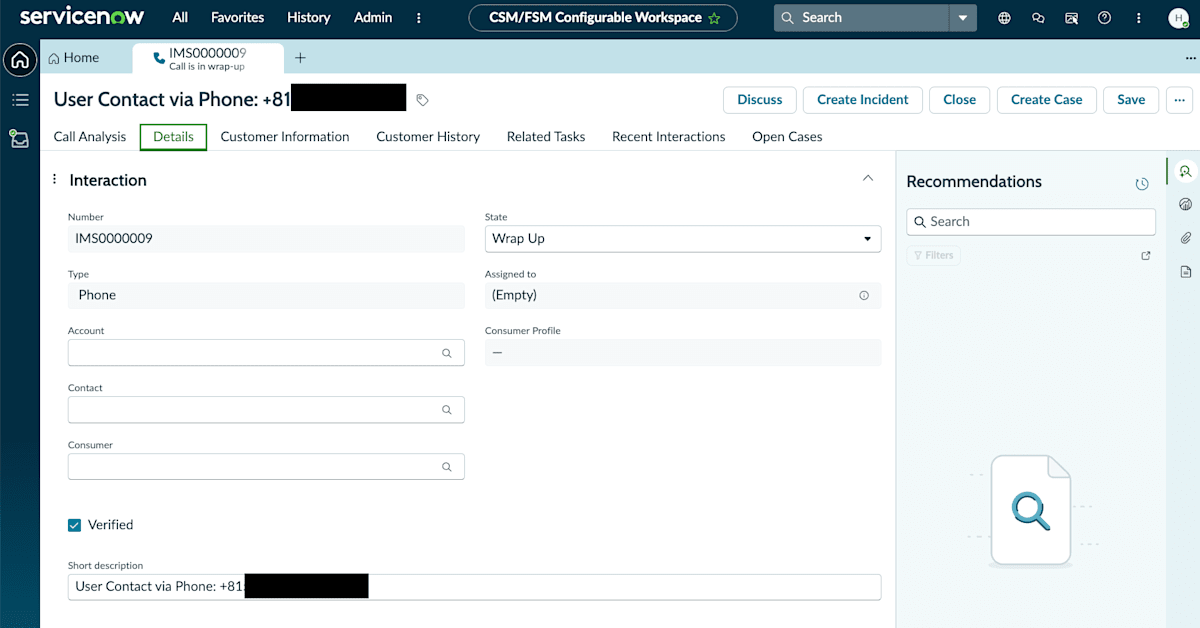
Example of Assigned to showing (Empty) in an Interaction record
Even after reviewing the public documentation, I could not confirm under what conditions this display occurs.
After investigating the cause, I found that the First name and Last name of the corresponding user record had not been set, so I am summarizing what I found.
Prerequisites
The verification environment for this time is as follows.
The basic setup of ServiceNow Voice with Amazon Connect introduced in the article below (integration between Amazon Connect instance and ServiceNow, configuration of call recording and transcription) has already been completed.
- ServiceNow instance (PDI)
- Target user's User ID:
hirai - Active: true (the user itself is in an active state)
Fields that reference records from other tables, like Assigned to, are called Reference fields. This issue is related to how users are handled in these Reference fields.
Resolution
To check the user record referenced by Assigned to, I navigated to the Users page from the Filter Navigator.
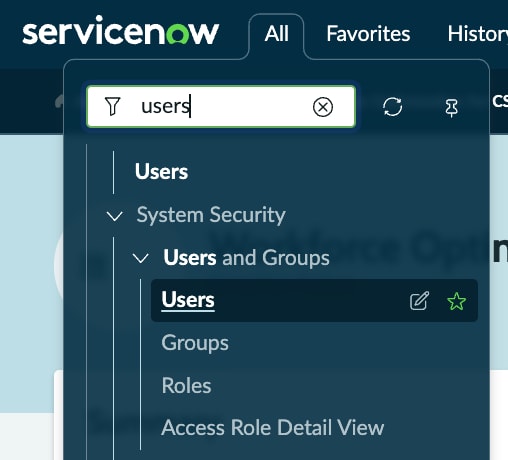
Navigating to the Users page from the Filter Navigator
When I opened the target user's record from the list, the User ID hirai still existed, but both First name and Last name were blank.
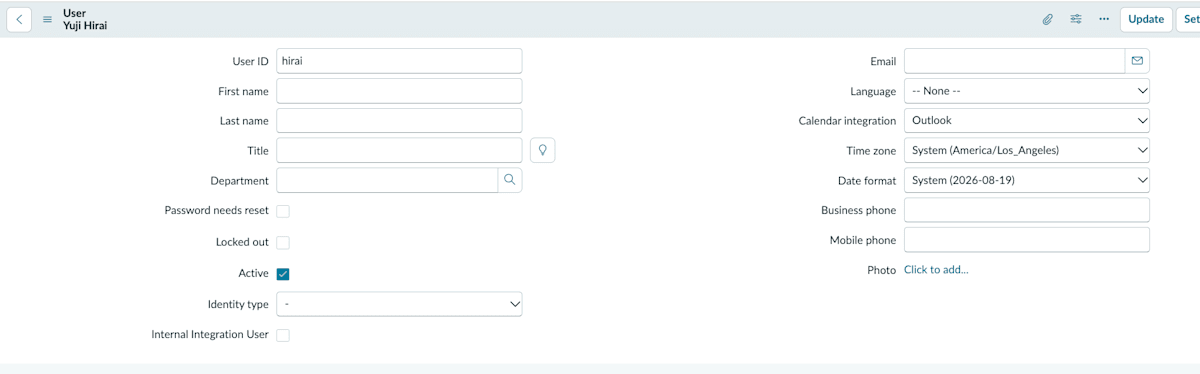
The user record opened, showing First name and Last name as blank
In ServiceNow's sys_user table, the Name is constructed based on First name and Last name. This Name is believed to be used as the display and search target in list views and Reference fields. When both First name and Last name are blank as in this case, the Name also remains empty, which is likely why the Assigned to field appeared as (Empty).
Note that I was unable to confirm in the public documentation exactly which fields are used for display and search internally, so this is speculation based on what I was able to verify this time.
Since I identified the likely cause, I entered the First name and Last name and clicked Update.
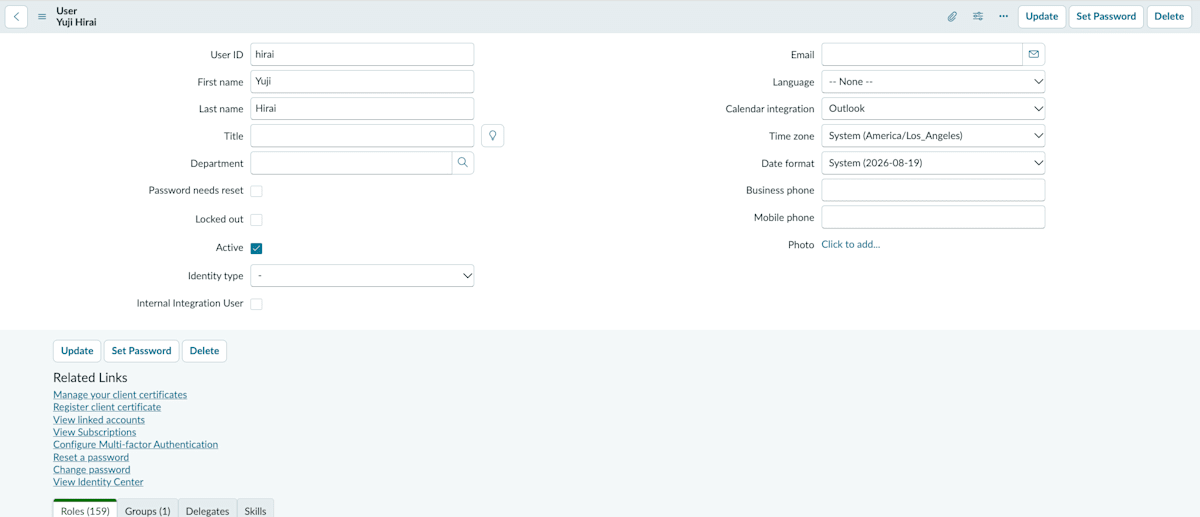
State after entering Yuji for First name and Hirai for Last name
Verification of Results
After setting the First name and Last name, I opened another Interaction record assigned to the same user, and the Assigned to display had changed to Yuji Hirai.
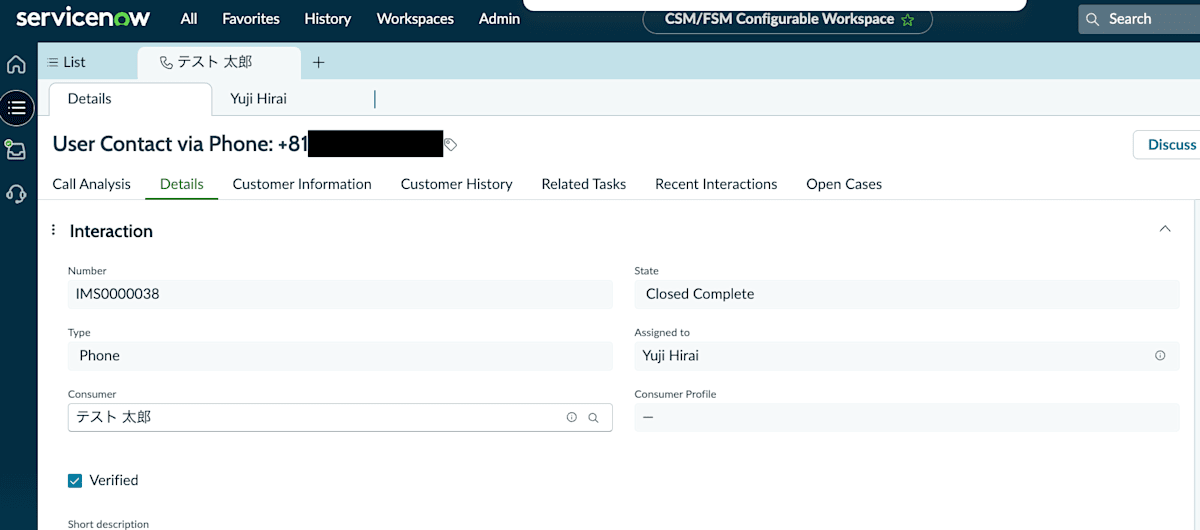
An existing Interaction record showing Assigned to as Yuji Hirai
The reference target of Assigned to itself (which user is assigned) had not changed; only the display name had switched. It is highly likely that the (Empty) display at the beginning also had a specific user assigned, but appeared as (Empty) because that user's Name was an empty string.
Supplement: How to Open a User Record Directly from a Reference Field
This time I searched for the target user from the Users page, but clicking the ⓘ icon displayed in a Reference field like Assigned to will show a preview and an Open record link.
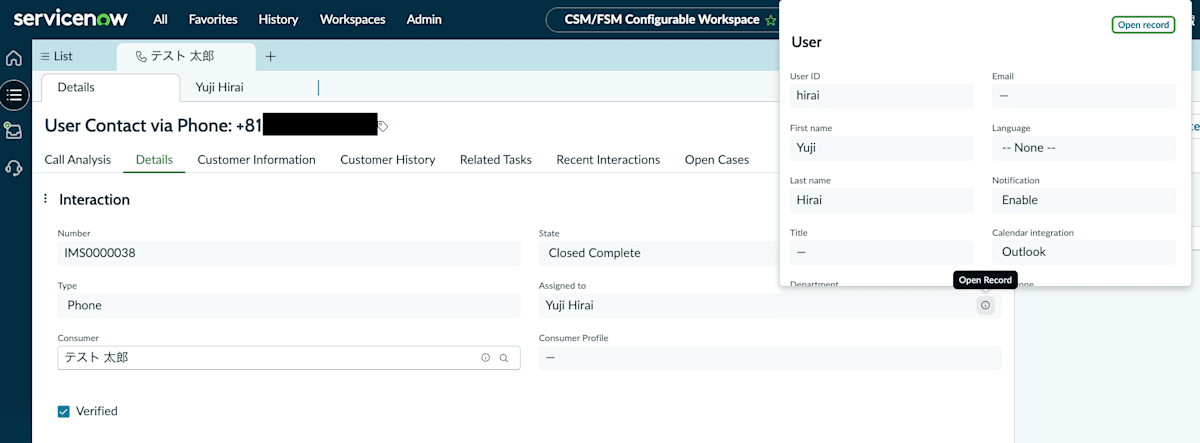
Preview opened from the ⓘ icon in Assigned to. Open record is in the upper right
Clicking Open record opens the user record in a separate tab, where you can directly edit the First name and Last name.
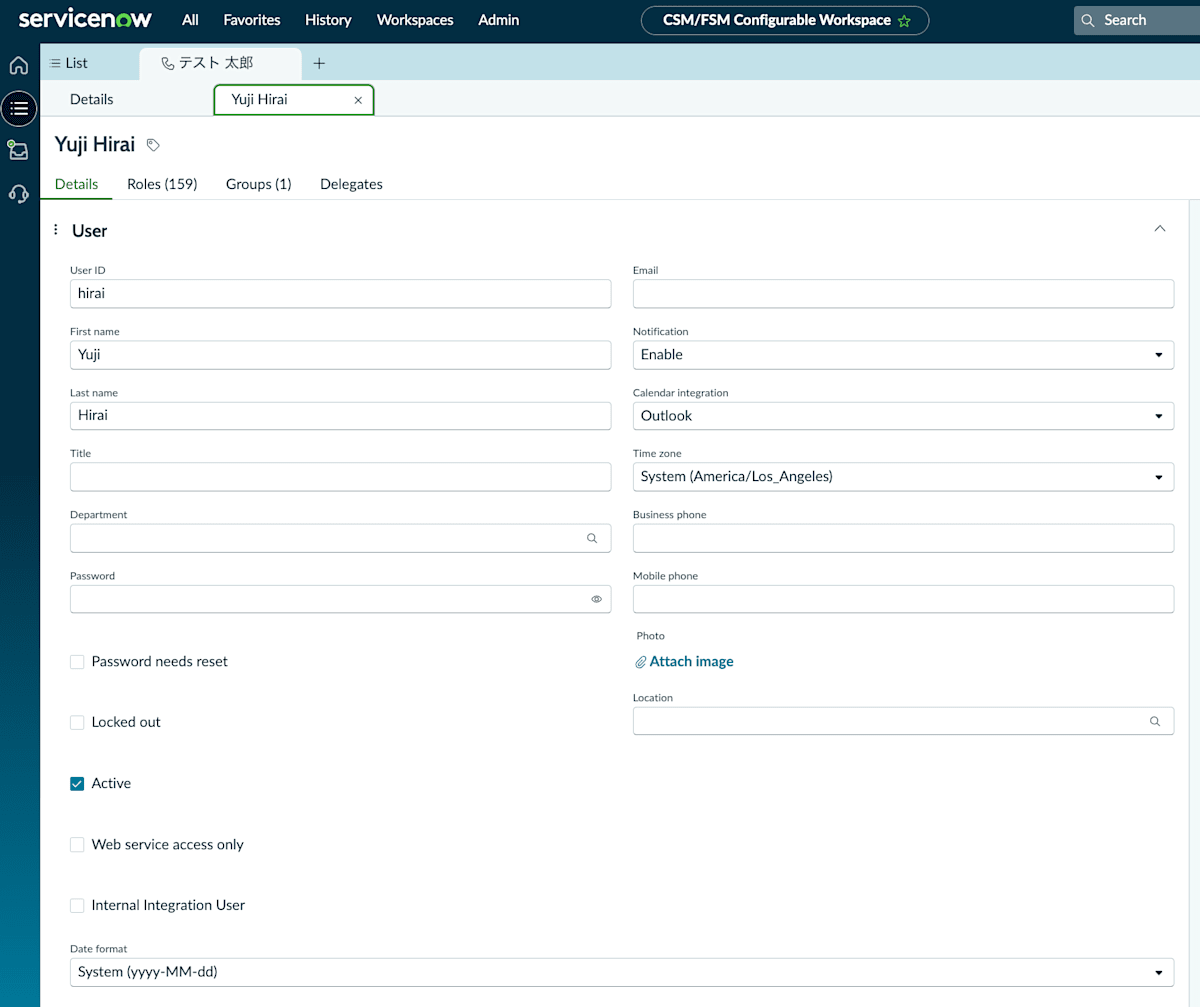
The user record editing screen opened from Open record
Without having to navigate to the Users page, you can reach the user record directly from the Reference field on the screen you are currently viewing, so if you simply want to fix a display name as in this case, this method requires fewer steps.
Summary
When Assigned to shows (Empty), it is worth checking not only whether the reference target is Null, but also whether the First name and Last name of the referenced user are set.
Setting these two fields was immediately reflected not only in new searches but also in the display of existing records.
Cases where only the User ID is set and First name/Last name remain blank can occur, such as when users are created via API integration or scripts, so when the Assigned to display looks wrong, it is worth suspecting the name-related settings.
