I tried to see if Consumer information can be automatically linked from caller phone numbers using ServiceNow Voice with Amazon Connect

This page has been translated by machine translation. View original
Introduction
Previously, I built the standard integration of ServiceNow Voice with Amazon Connect from scratch in a PDI environment and confirmed the entire flow from incoming calls to automatic Interaction creation and the linking of recordings and transcripts.
This time, as a follow-up, I verified whether incoming caller ID numbers can be automatically matched with Consumer (individual customer) information on the ServiceNow CSM (Customer Service Management) side.
Prerequisites
The verification environment for this article uses the same PDI (Personal Developer Instance) and Amazon Connect instance as the previous article. Since the application installation and each step of the Setup Guide are based on the content of the previous article, they are omitted here.
What is an Interaction
In ServiceNow CSM (Customer Service Management), an Interaction is a record that represents the customer touchpoint itself occurring in real time, such as phone calls or chats. It is easy to understand if you think of it as essentially the same concept as a Contact in Amazon Connect (a single call or chat exchange).
Records with numbers like IMS0000001 that appear in this article are all Interactions.
Preparation
To match a Consumer from a caller ID number, you need to create a Consumer record to be matched in advance. Additionally, the service account used to call ServiceNow from Amazon Connect also required additional roles to be granted.
Creating a Consumer Record
Open Customer > Consumers from the left menu of the CSM Configurable Workspace, and click New in the upper right.
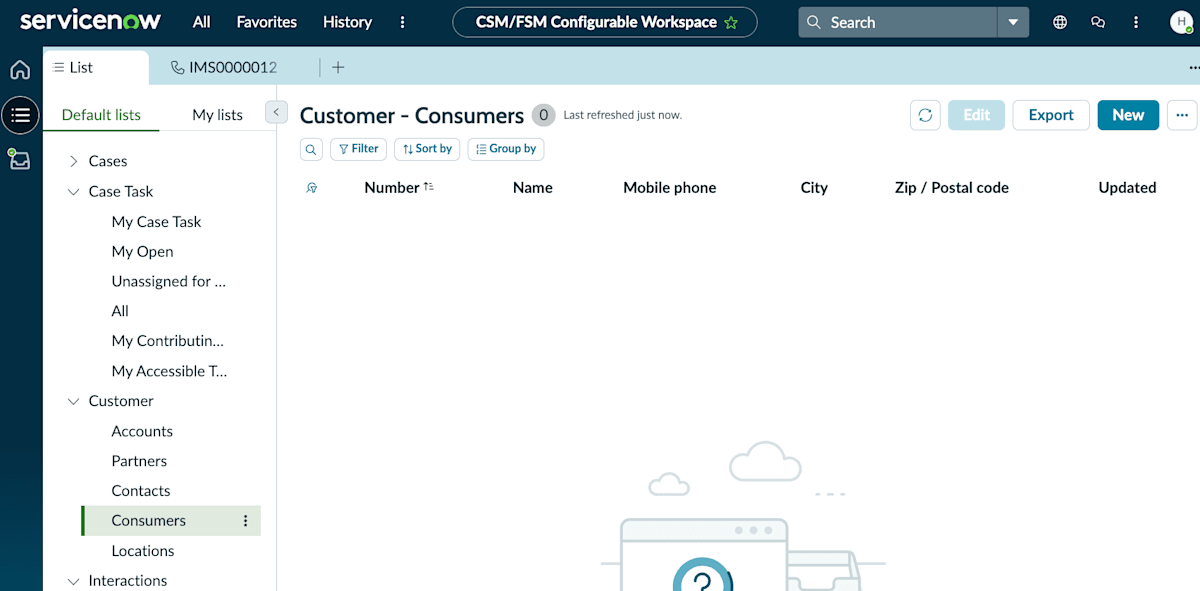
The Customer - Consumers list screen. The New button is in the upper right
Enter the following in the form.
- First name / Last name: Any value (in this article, I used Test / Taro)
- Mobile phone: The phone number to use for incoming call testing (e.g., +8150xxxxxxxx)
After entering the information, save it with Submit (or Save).
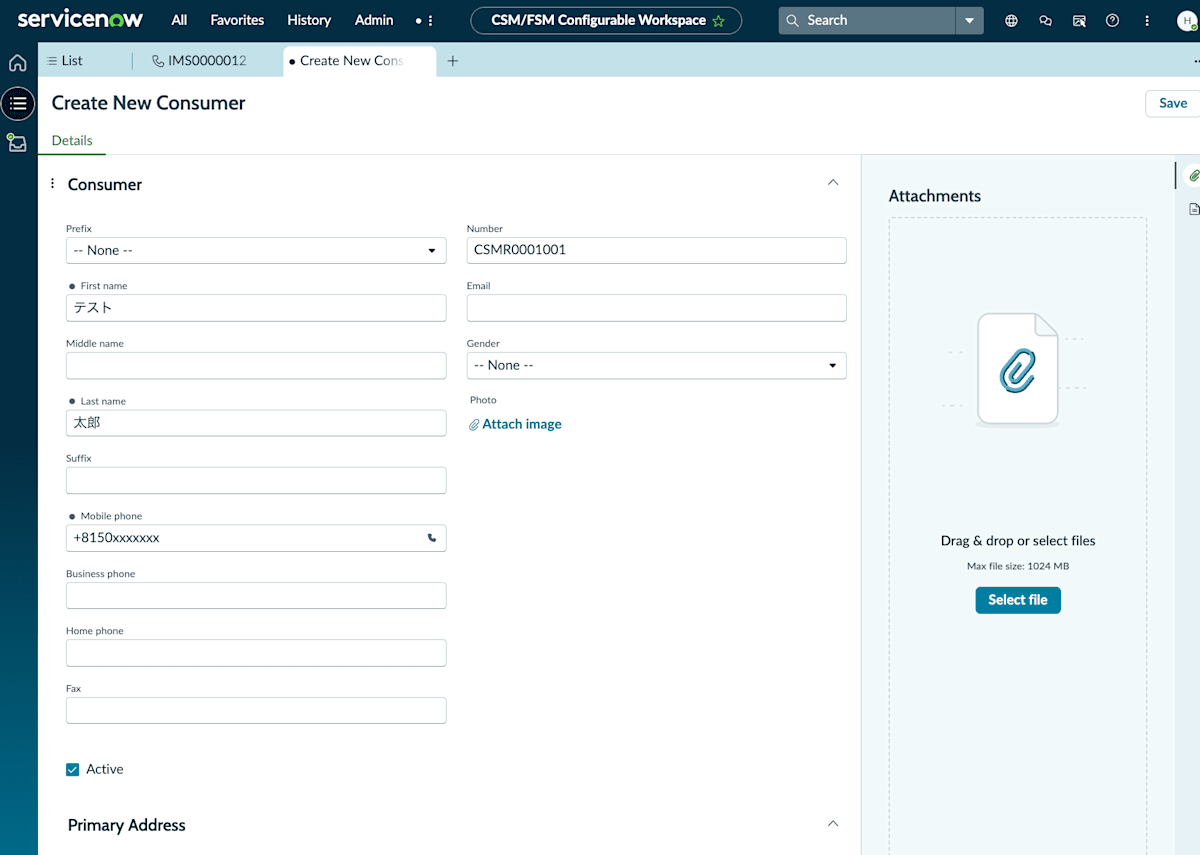
The new Consumer creation form. A phone number for incoming call testing is entered in the Mobile phone field
Adding Roles to the Service Account
In the previous article, we had granted 3 roles — sn_cti_core.service, flow_operator, and sn_customerservice_agent — to the service account (svc_connect_voice) used to call ServiceNow from Amazon Connect.
This time, when verifying the linking of caller ID numbers with Consumers, it turned out that the sn_customerservice.customer_data_viewer role needed to be added in addition to these 3 roles.
According to the official documentation, this role provides read access to Account, Consumer, and Household data and their related lists.
In ServiceNow CSM, the permission to handle Interactions and Cases (sn_customerservice_agent) and the permission to view personal customer data such as Accounts and Consumers are separate. Within the scope of this verification, the process of searching for a Consumer from a caller ID number did not work correctly with sn_customerservice_agent alone, and the Consumer linking became confirmable after adding sn_customerservice.customer_data_viewer.
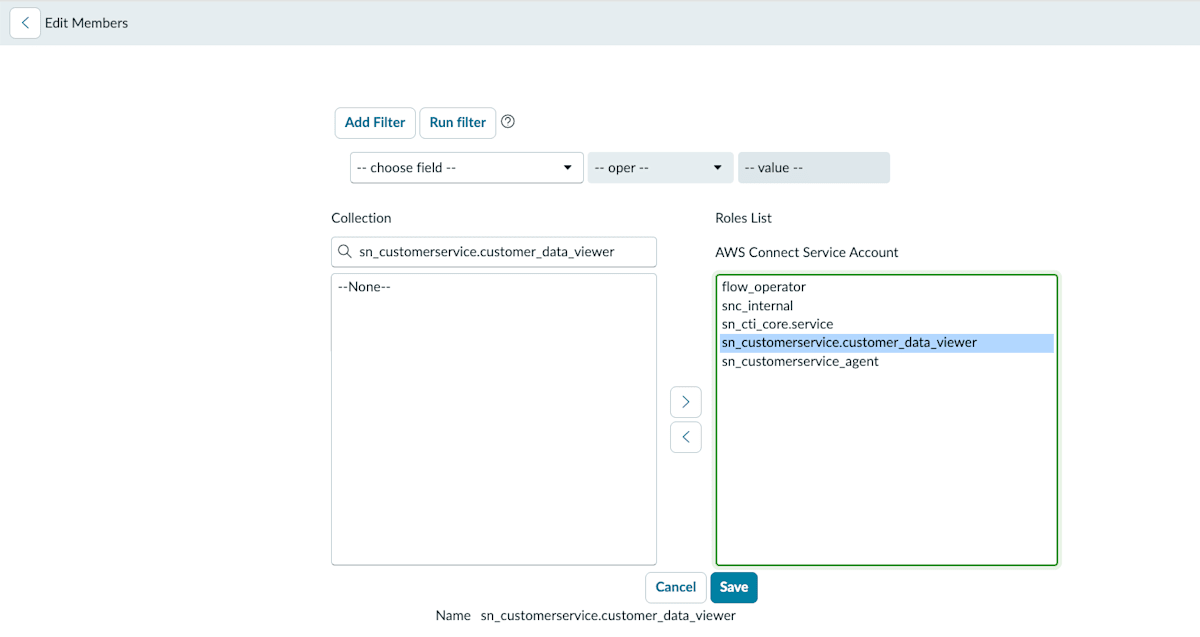
The Roles list for svc_connect_voice. Shown with sn_customerservice.customer_data_viewer added
Verification
After completing the Consumer record creation and role addition, I performed an incoming call test from the registered phone number.
No Popup Appears During an Incoming Call
During an incoming call, no customer information other than the caller ID number was displayed on the softphone (OpenFrame) side.
Consumer is Linked After the Call Completes
Once the call was completed, the Consumer was automatically linked to the Interaction.
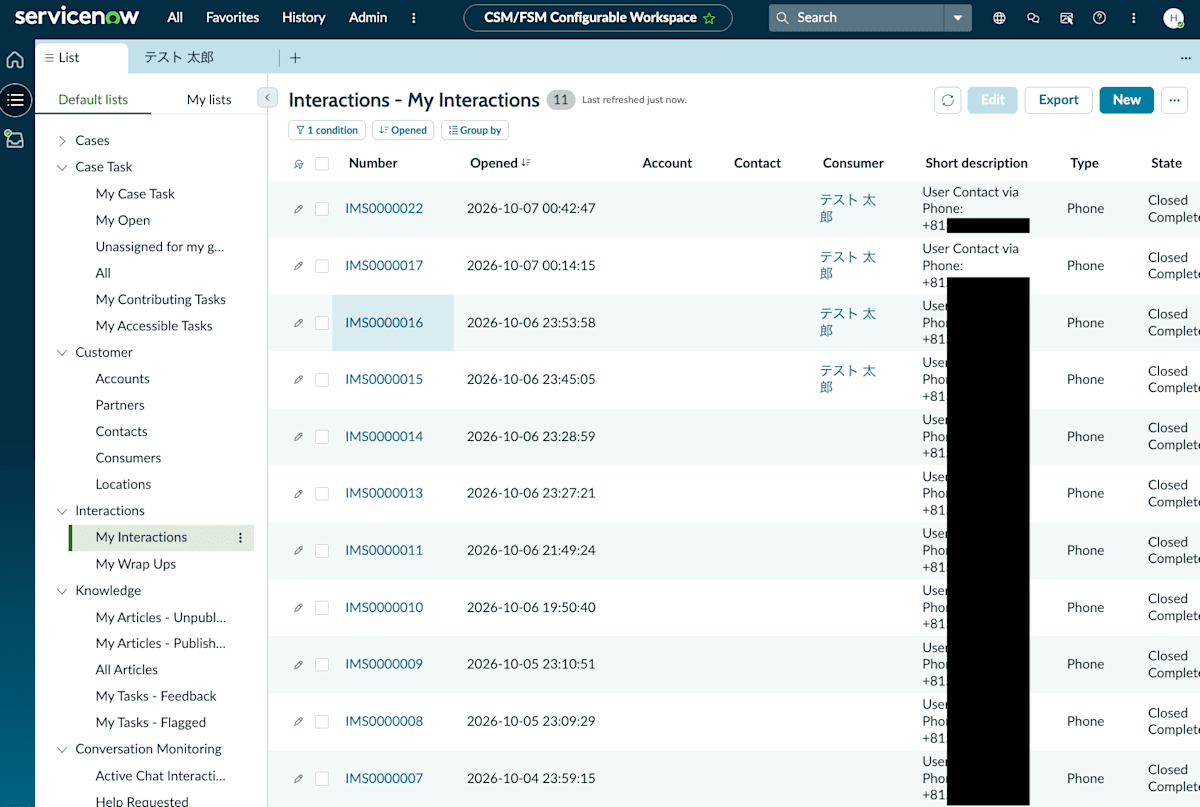
The created Consumer is displayed in the Consumer column of the Interaction list
Clicking on a Number (e.g., IMS0000022) navigated to the detail screen of that Interaction. "Test Taro" is also displayed in the Consumer field on the Details tab.
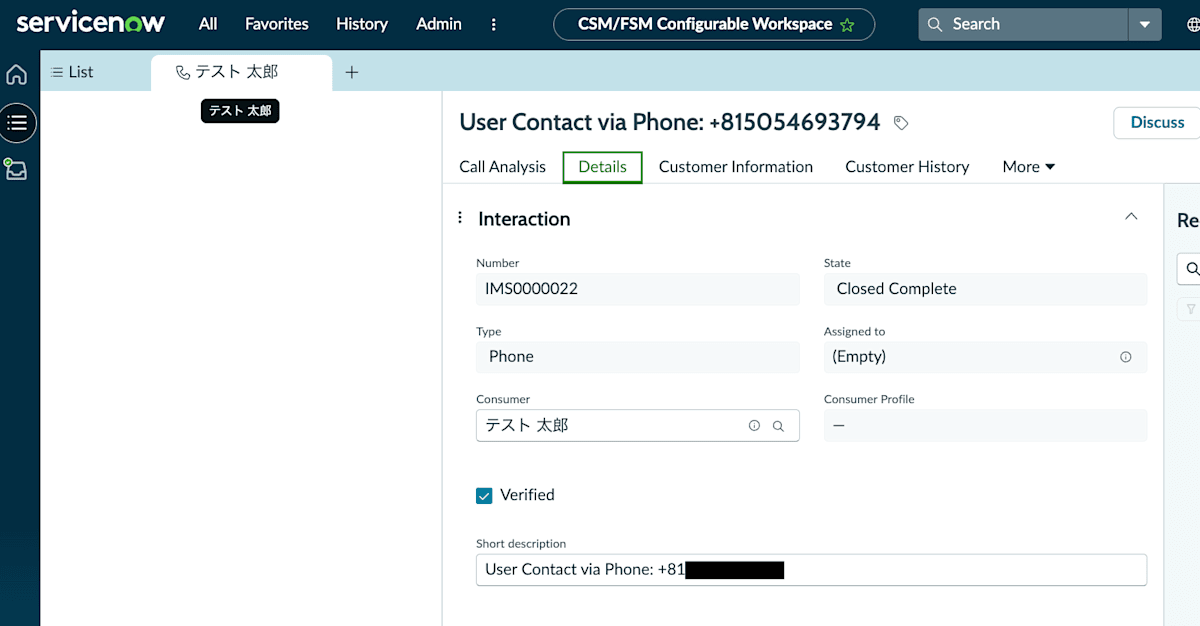
The Details tab of the Interaction. The linked Consumer is displayed in the Consumer field
The Linking Can Also Be Confirmed from the Consumer Screen
Clicking on the target user from the Consumer list allowed me to confirm the linked information from the Consumer's record screen as well.
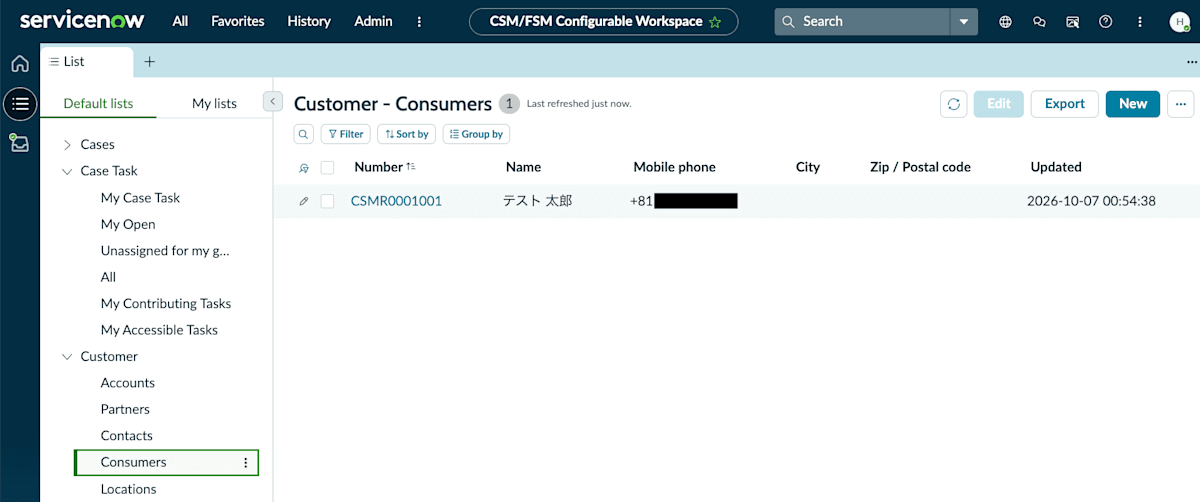
The Customer - Consumers list screen. Click on the target Consumer
On the Customer Information tab of the Consumer record screen, I was able to confirm a dashboard-style screen with widgets such as High-priority cases and Recent chat interactions in addition to contact information.
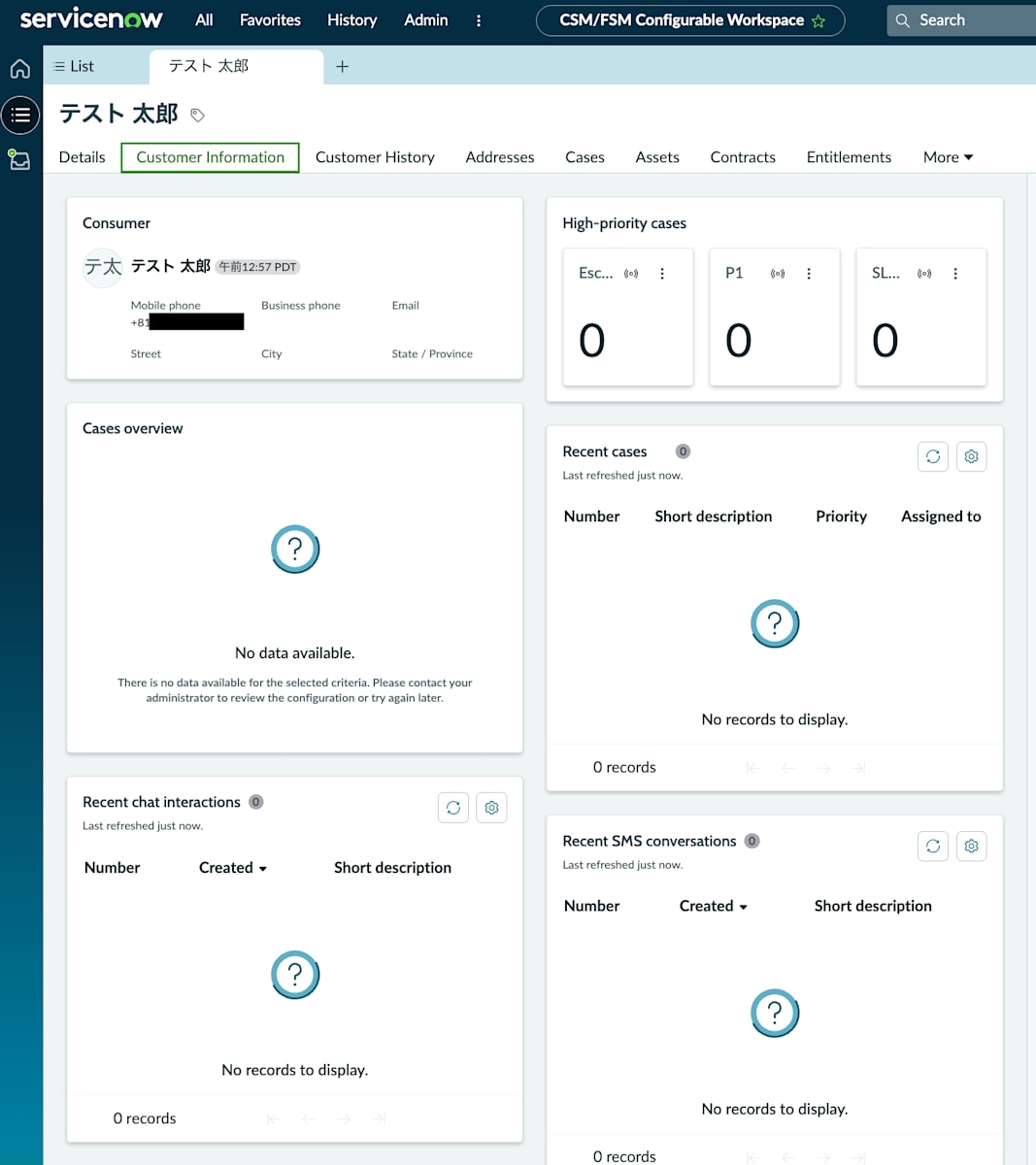
The Customer Information tab of the Consumer record
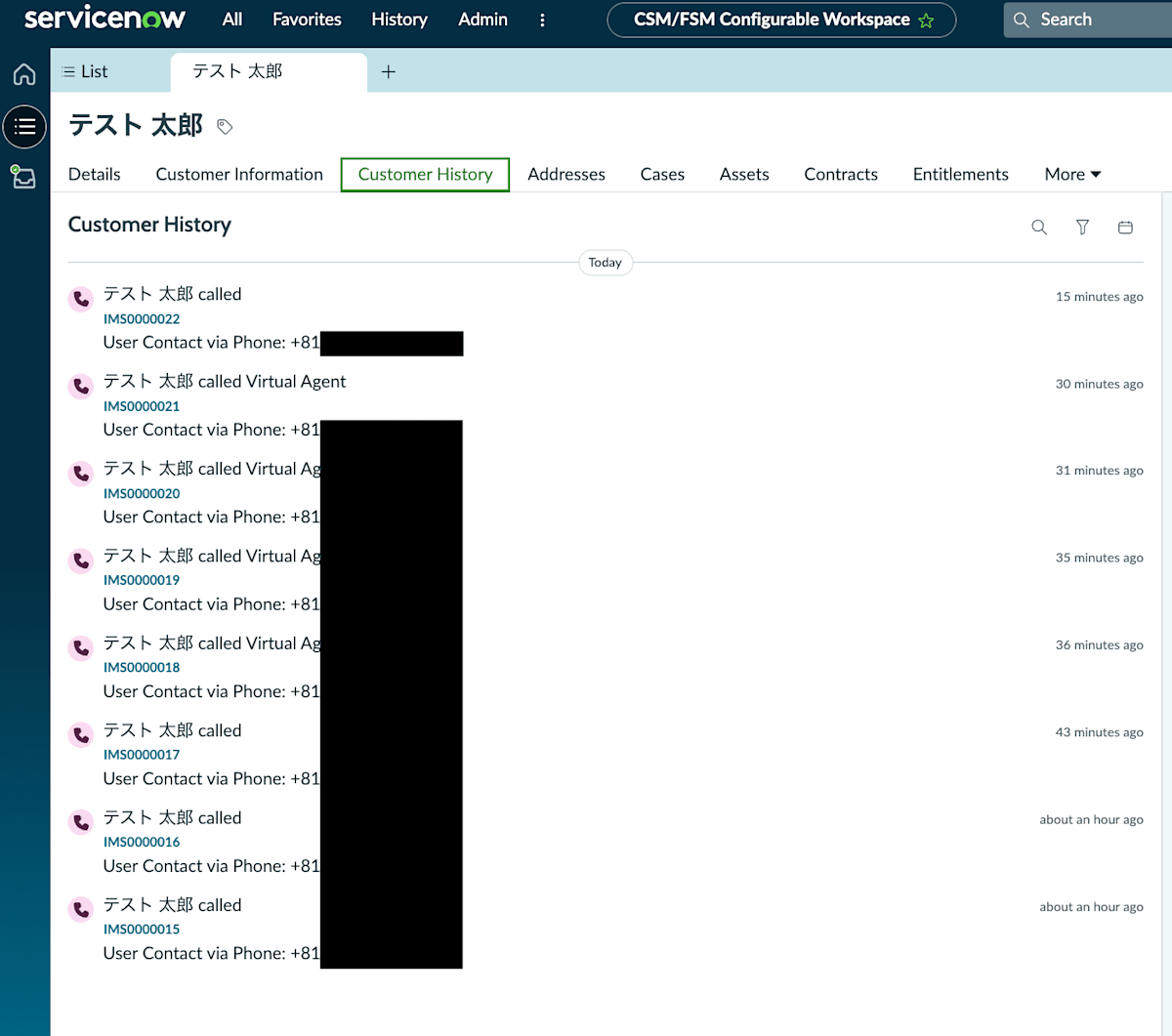
On the Customer History tab, I was able to confirm the call activity linked to this Consumer in a timeline format.
The Customer History tab of the Consumer record
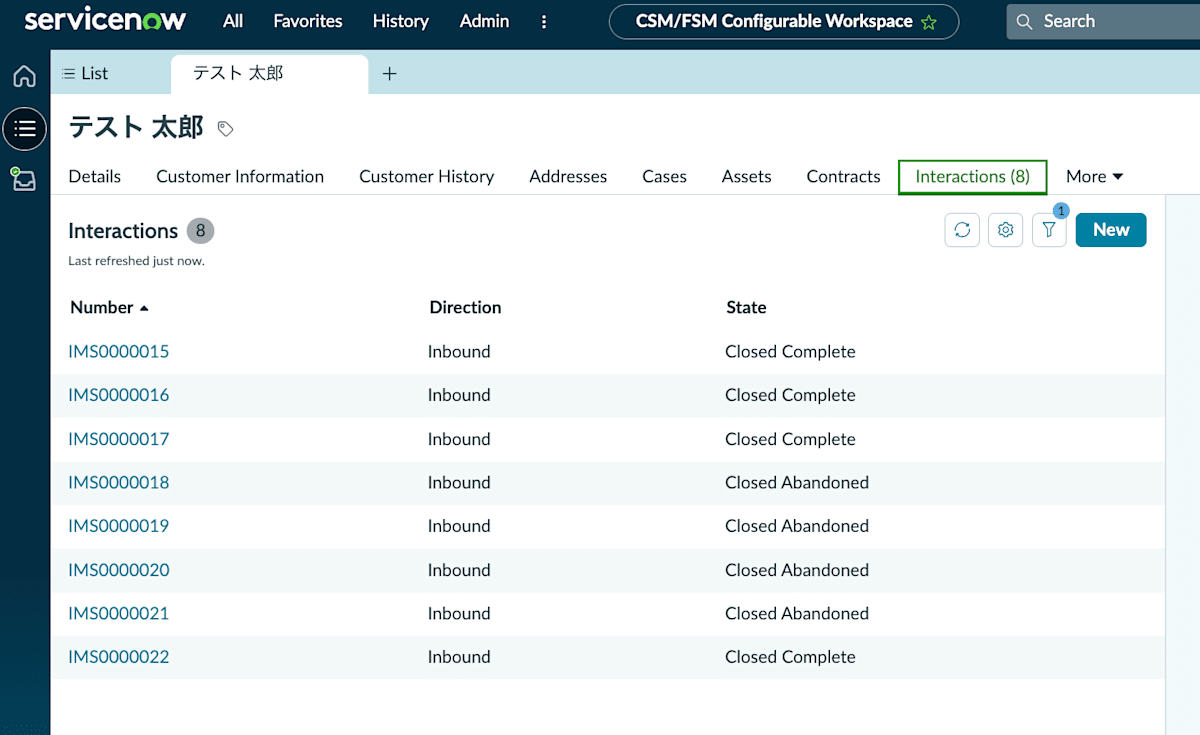
On the Interactions tab, I was able to confirm a list of past Interactions linked to this Consumer.
The Interactions tab of the Consumer record
When the Same Phone Number is Registered to Multiple Consumers
I created another Consumer with the same phone number as "Test Taro" and performed an incoming call test.
In this verification, the Interaction was linked to "Test Taro," who was created first, and was not linked to the Consumer created afterward.
Summary
I was able to confirm that the standard integration of ServiceNow Voice with Amazon Connect can automatically link call Interactions with ServiceNow CSM Consumers based on caller ID numbers. After linking, the call history can be confirmed not only from the Interaction detail screen but also from the Consumer screen.
On the other hand, in this verification, the behavior of displaying customer information as a popup during an incoming call was not confirmed, and the Consumer linking was only confirmed after the call was completed. If displaying customer information at the time of an incoming call is required, it would be worth considering whether additional configuration or implementation is needed, taking into account the difference from the behavior confirmed this time.
