![[レポート]Amazon S3の各機能を使ったポイントインタイムリカバリの実現 (STG309-R) #AWSreInvent](https://images.ctfassets.net/ct0aopd36mqt/4pUQzSdez78aERI3ud3HNg/fe4c41ee45eccea110362c7c14f1edec/reinvent2025_devio_report_w1200h630.png?w=3840&fm=webp)
[レポート]Amazon S3の各機能を使ったポイントインタイムリカバリの実現 (STG309-R) #AWSreInvent

ワークショップの概要
Build an S3 time machine: Implementing advanced point-in-time recovery [REPEAT] (STG309-R)
Build a robust point-in-time recovery (PITR) solution to protect your Amazon S3 data from ransomware and account takeover attacks. This hands-on workshop guides you through implementing your own S3 time machine using managed services including S3 Metadata, S3 Tables, cross-account replication, and S3 Batch Operations. Learn to restore objects to any historical point, leveraging near real-time recovery point objective (RPO) and cross-account recovery capabilities. This solution enables full data recovery even if the source account is completely compromised. Gain practical experience in building a resilient backup system that surpasses standard S3 versioning.
S3 タイムマシンの構築:高度なポイントインタイムリカバリの実装 [繰り返し] (STG309-R)
ランサムウェアやアカウント乗っ取り攻撃から Amazon S3 データを保護する、堅牢なポイントインタイムリカバリ (PITR) ソリューションを構築します。このハンズオンワークショップでは、S3 メタデータ、S3 テーブル、クロスアカウントレプリケーション、S3 バッチオペレーションなどのマネージドサービスを使用して、独自の S3 タイムマシンを実装する方法を習得します。ほぼリアルタイムの目標復旧ポイント (RPO) とクロスアカウントリカバリ機能を活用して、オブジェクトを任意の履歴ポイントに復元する方法を習得します。このソリューションは、ソースアカウントが完全に侵害された場合でも、完全なデータ復旧を可能にします。標準的な S3 バージョニングを超える、復元力の高いバックアップシステムの構築に関する実践的な経験を積むことができます。
学べること
このセッションでは以下の技術スタックについてハンズオン形式で学ぶことができました。
S3の運用に興味がある方にはおすすめのセッションです。
- Amazon S3 レプリケーション
- Amazon S3 Batch Operations
- Amazon S3 バージョニング
- Amazon S3 Object Metadata
- Amazon Athena
- Kiro CLI
- Kiro CLI Model context protocol (MCP)
ワークショップのシナリオ
このワークショップでは、S3のレプリケーション設定およびリストアによる復旧を行います。
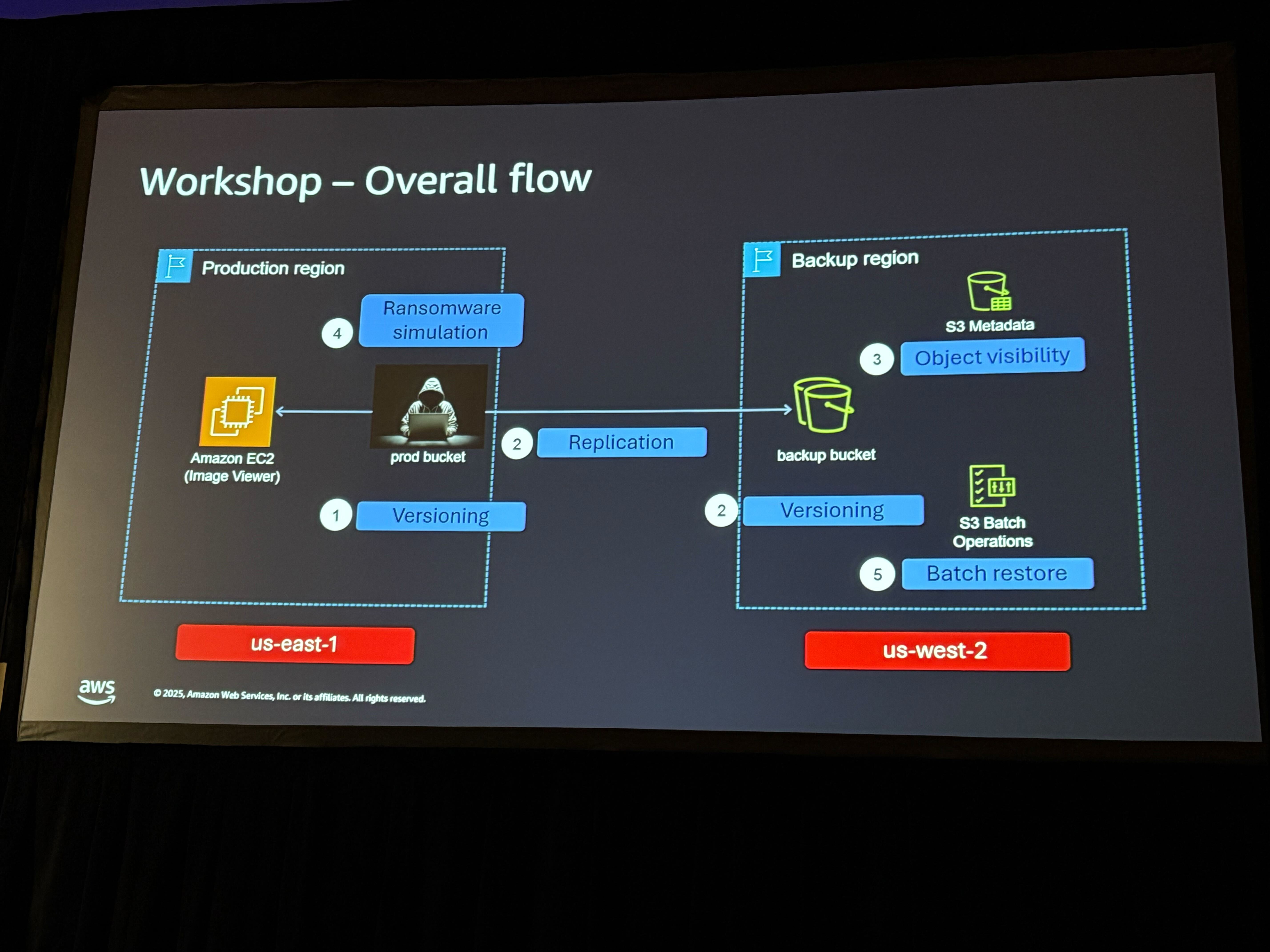
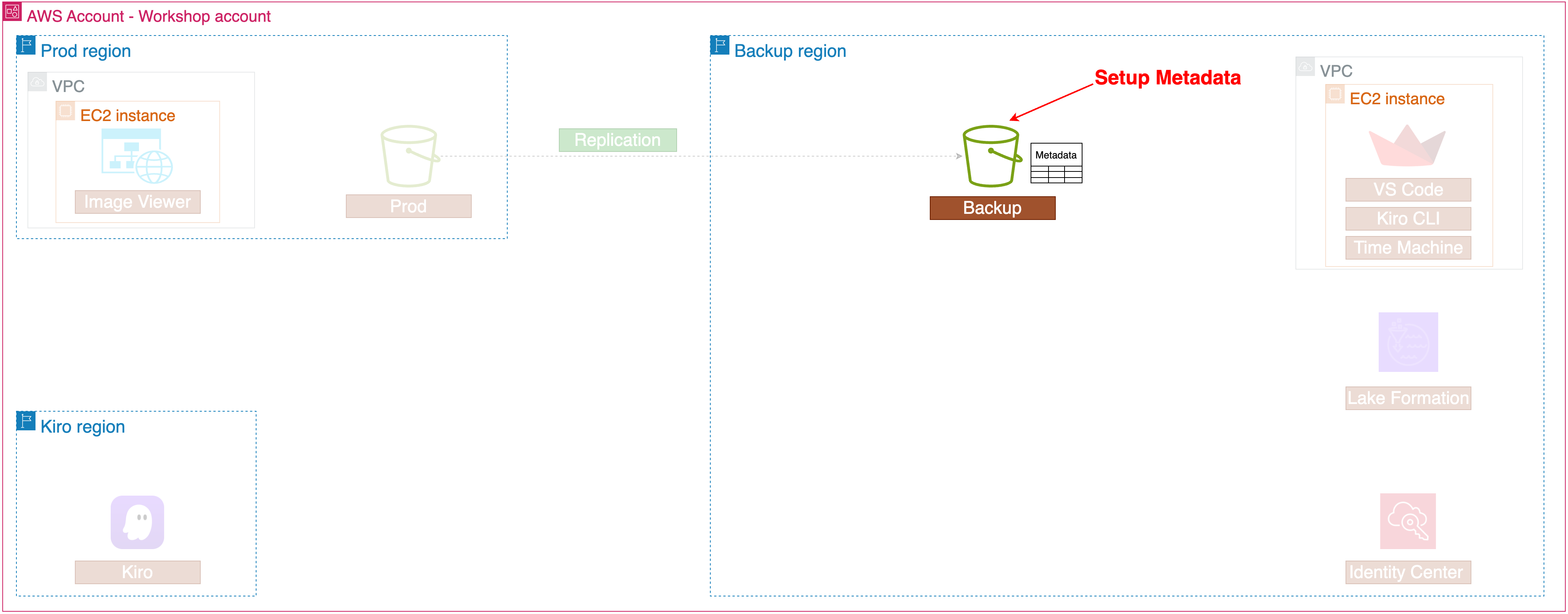
1. S3のレプリケーション
本番用のS3バケットには以下のように画像ファイルがいくつか保管されています。
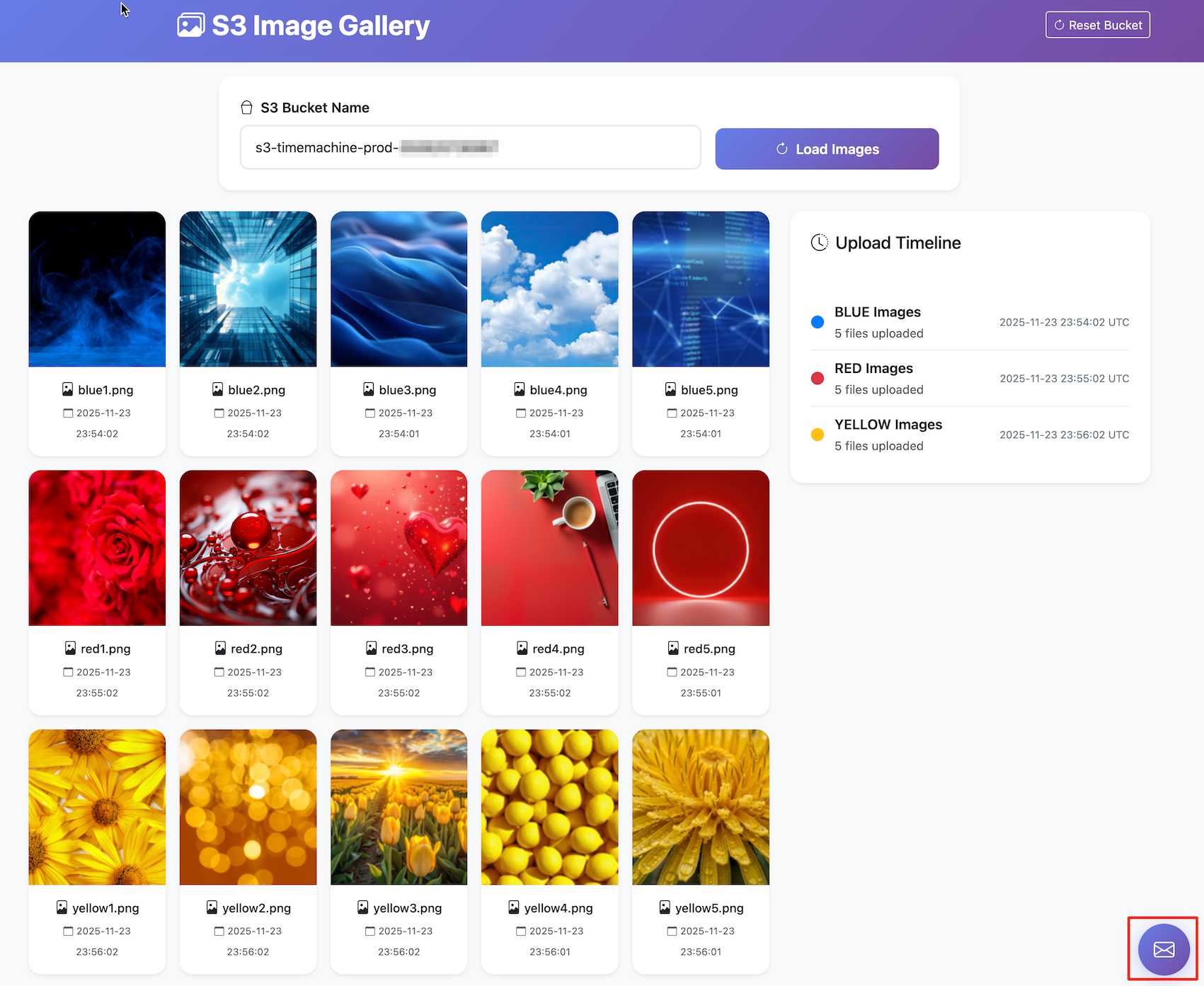
これらの画像ファイルを他のリージョンにレプリケーションします。
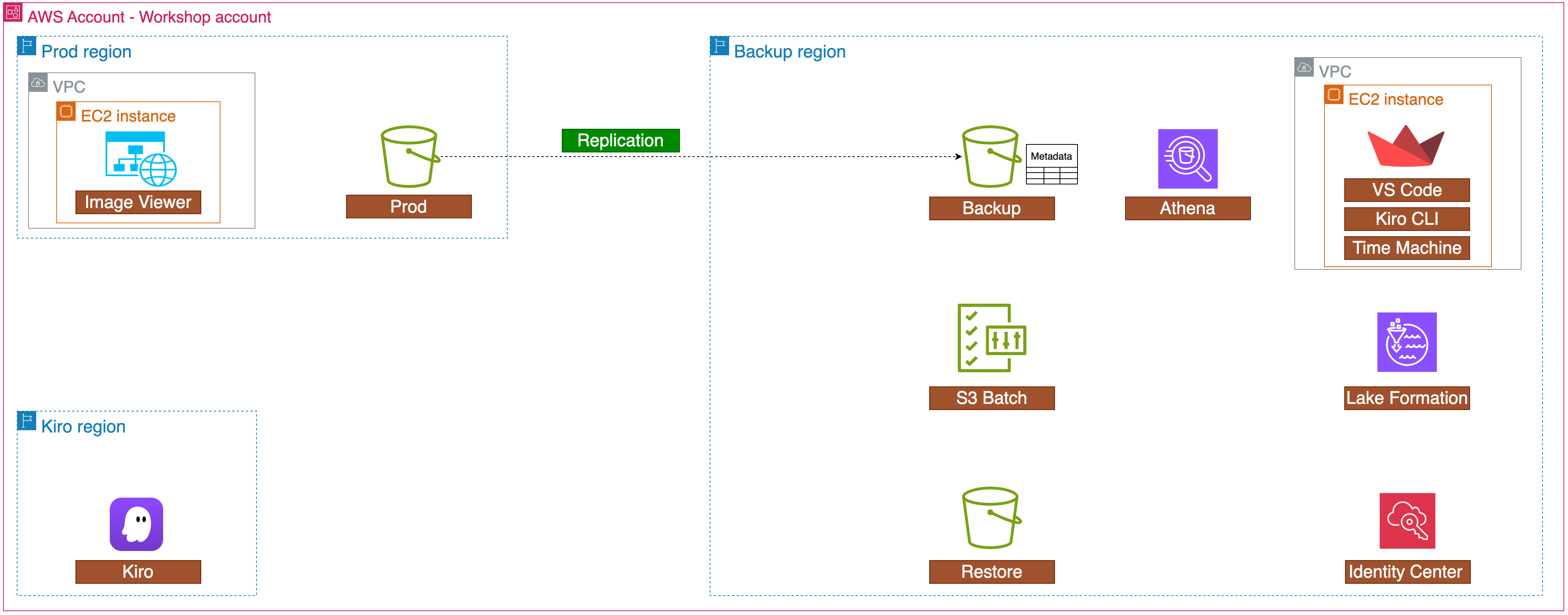
続いて、レプリケーション先のS3バケットにメタデータのセットアップを行います。
2. メタデータのクエリ
先ほど設定したメタデータに対して、クエリをかけます。
まずはシンプルにAthenaを使います。
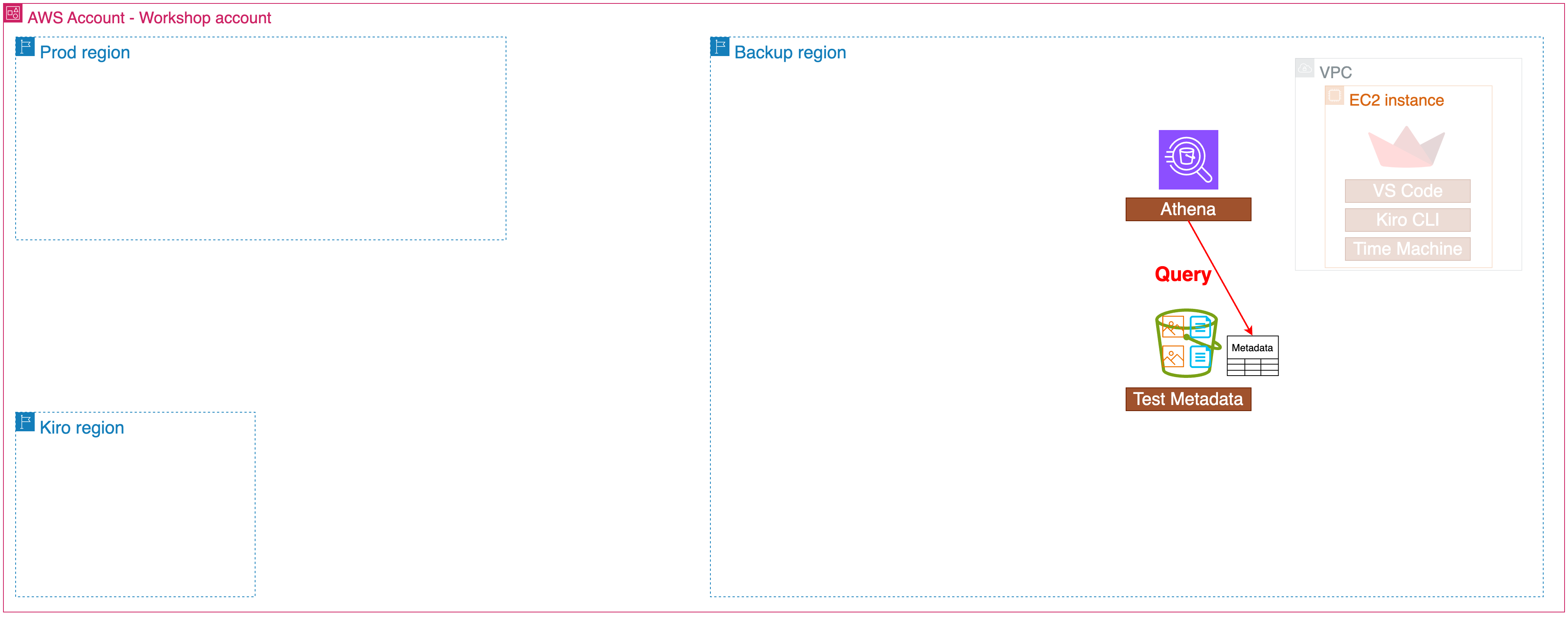
Athenaを使うとこで以下のような複雑なクエリを実行できますが、SQLの専門知識が必要になります。
WITH total_stats AS (
  SELECT COUNT(*) as total_objects FROM inventory
)
SELECT
  storage_class,
  COUNT(*) as object_count,
  SUM(size) as total_bytes,
  ROUND(AVG(CAST(size AS DOUBLE)), 2) as avg_size,
  MIN(size) as min_size,
  MAX(size) as max_size,
  ROUND(SUM(size) / 1024.0 / 1024.0, 2) as total_mb,
  ROUND(AVG(CAST(size AS DOUBLE)) / 1024.0, 2) as avg_kb,
  ROUND(100.0 * COUNT(*) / (SELECT total_objects FROM total_stats), 2) as percentage_of_objects
FROM inventory
WHERE size >= 0
GROUP BY storage_class
ORDER BY total_bytes DESC;
続いてKiro CLIを使って自然言語でのクエリを実行します。
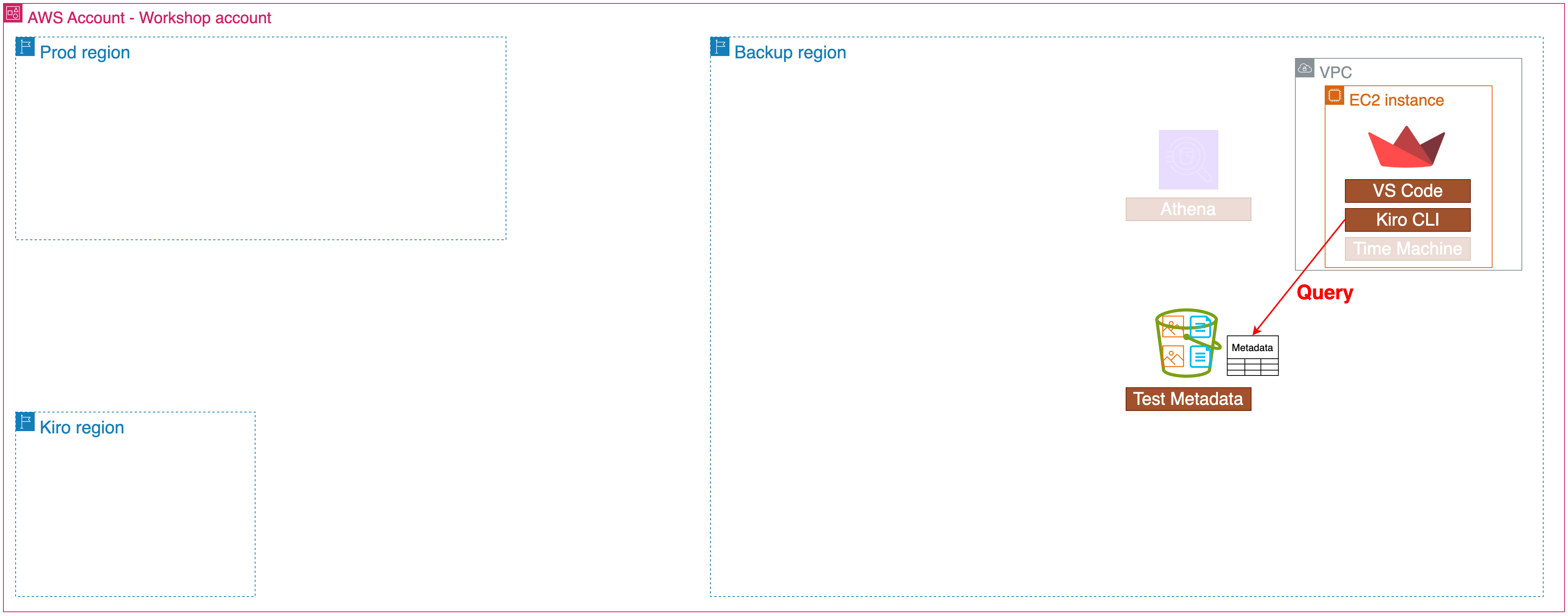
以下の流れでKiro CLIにMCPを設定し、精度の高い回答をさせます。
$ cat > ~/.kiro/settings/mcp.json <<EOF
{
"mcpServers": {
   "awslabs.s3-tables-mcp-server": {
      "command": "uvx",
      "args": ["awslabs.s3-tables-mcp-server@latest"]
      }
   }
}
EOF
/context add /workshop/amazonq/s3-tables.md
/context add /workshop/amazonq/s3-metadata.md
先ほどAthenaで実行した複雑なクエリも、Kiroを使えば以下のような自然言語で実現できます。
Analyze inventory table by storage class showing object count, total bytes, average/min/max sizes, total capacity in MB, average size in KB, and percentage of total objects, ordered by total bytes descending.
回答
| Storage Class | Object Count | Total Bytes | Avg Size (bytes) | Min Size (bytes) | Max Size (bytes) | Total MB | Avg Size KB | % of Total |
|---------------|--------------|-------------|------------------|------------------|------------------|----------|-------------|------------|
| INTELLIGENT_TIERING | 18,889 | 3,009,765,711 | 159,339.60 | 10,249 | 307,183 | 2,870.34 | 155.61 | 45.26% |
| STANDARD | 22,841 | 2,977,604,281 | 130,362.26 | 0 | 307,197 | 2,839.66 | 127.31 | 54.74% |
3. ランサムウェアによる被害
続いて用意された攻撃によって、ランサムウェアの被害を受けます。
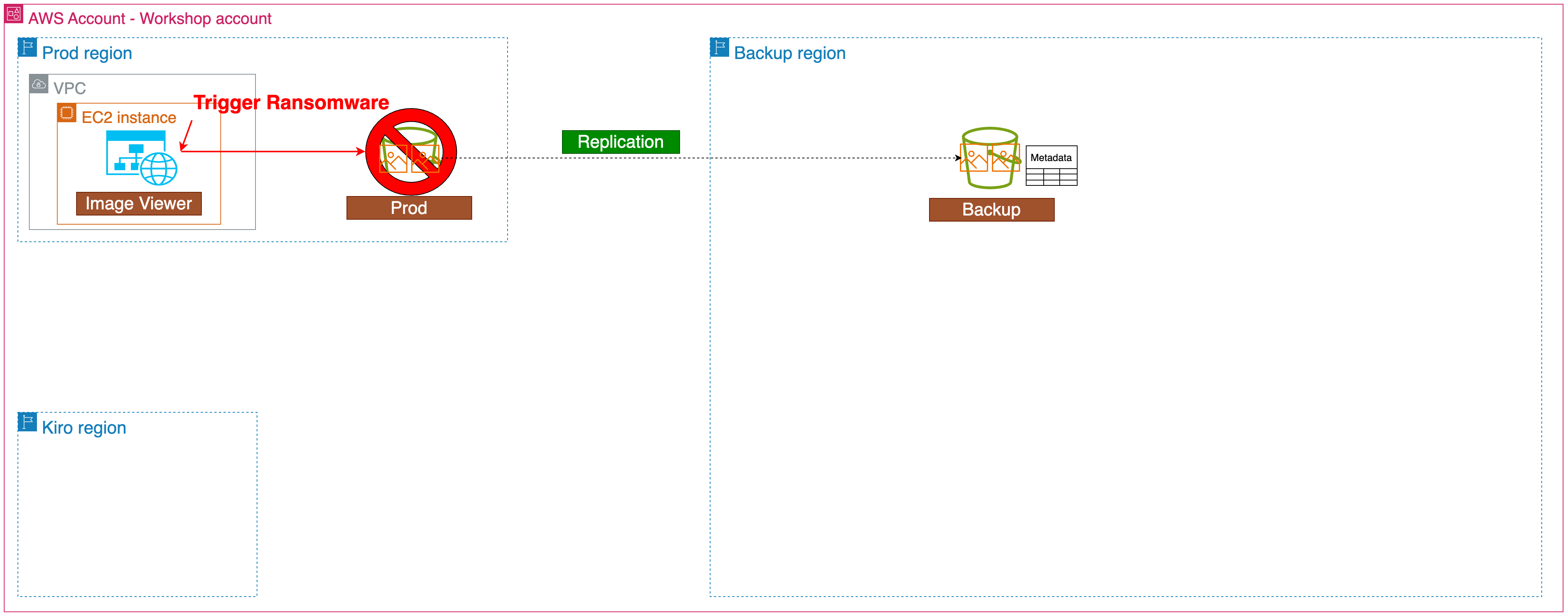
以下の偽装されたリンクをクリックします。
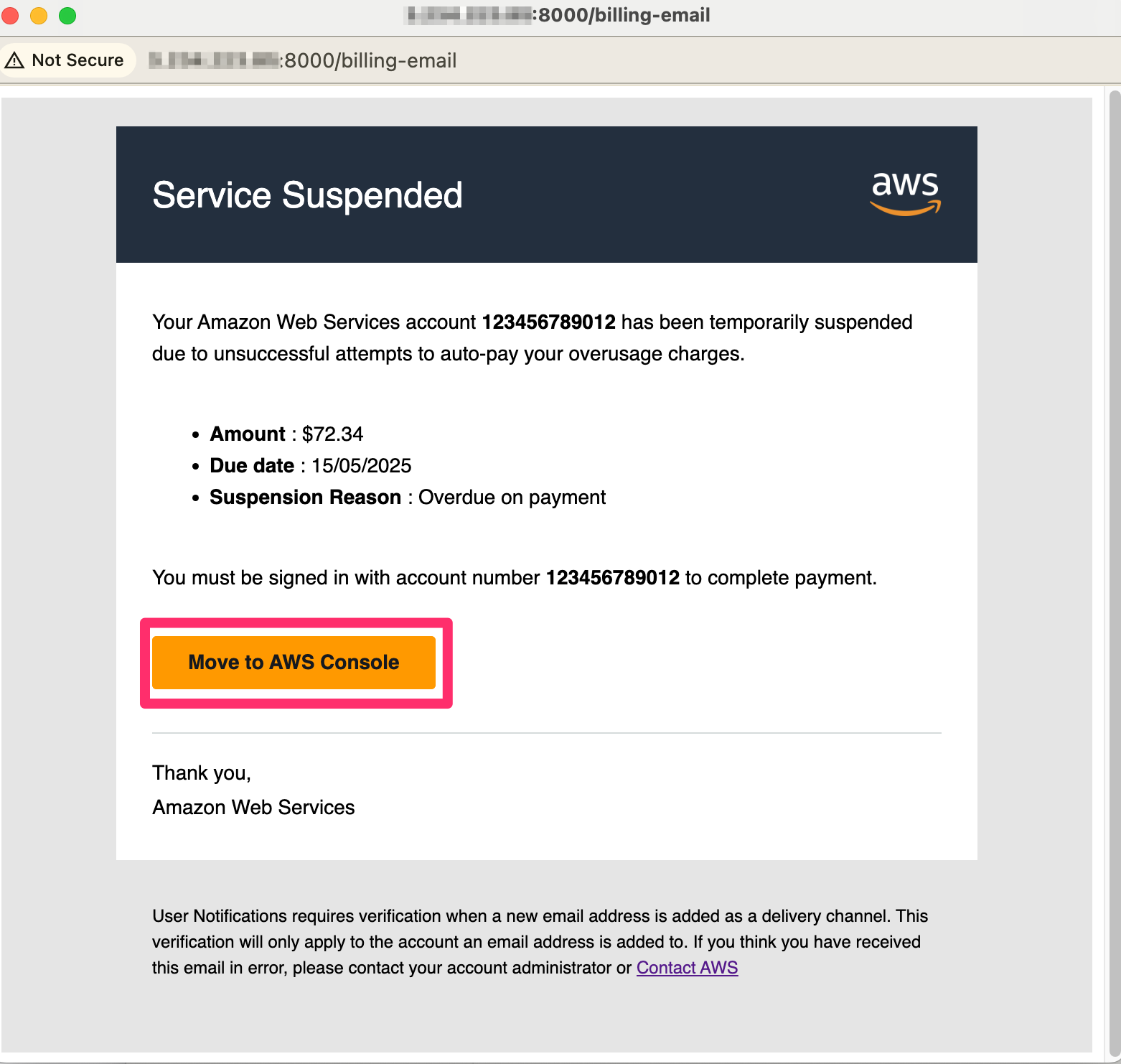
すると本番環境のS3バケットが被害を受け、暗号化されます。
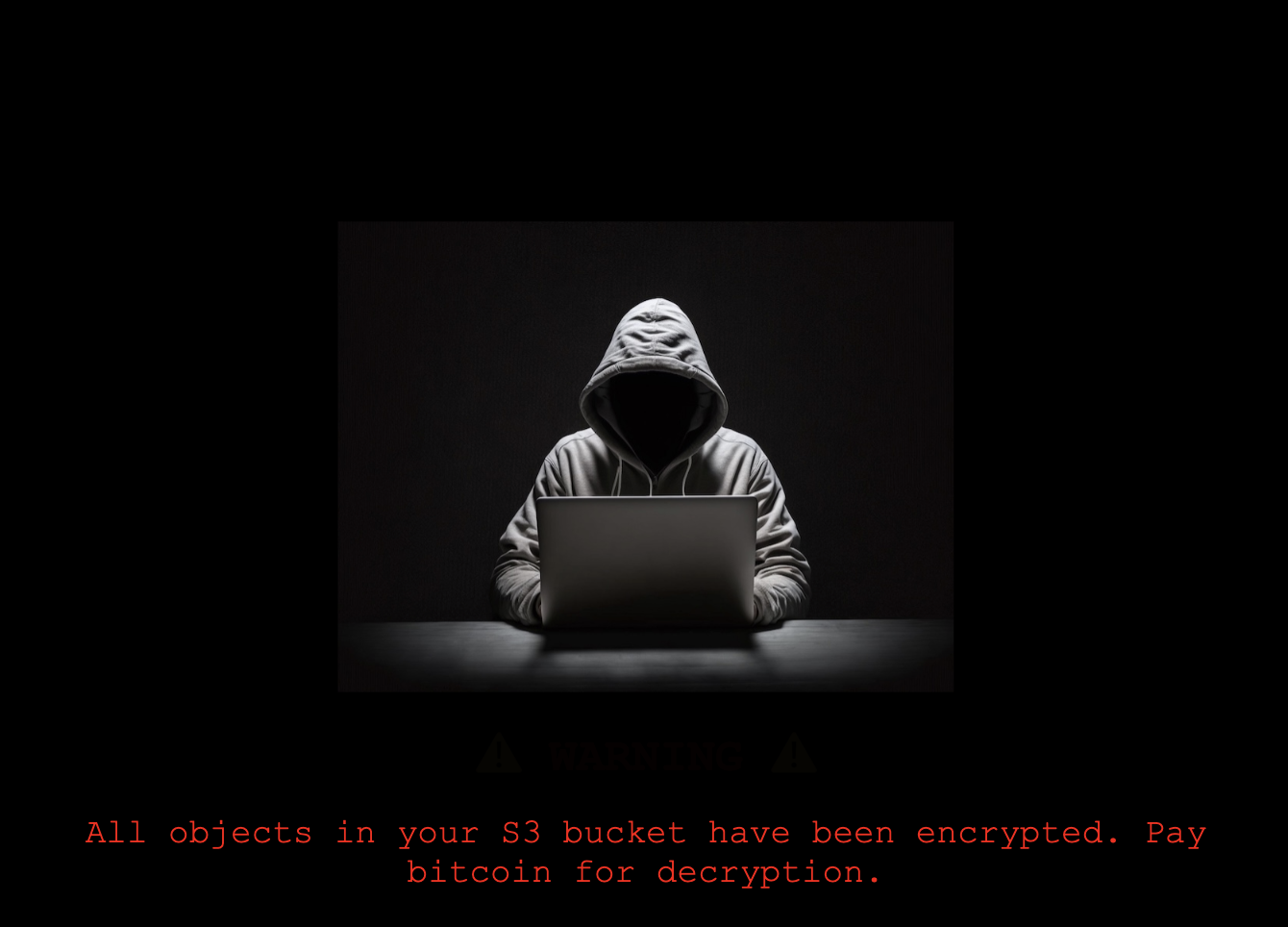
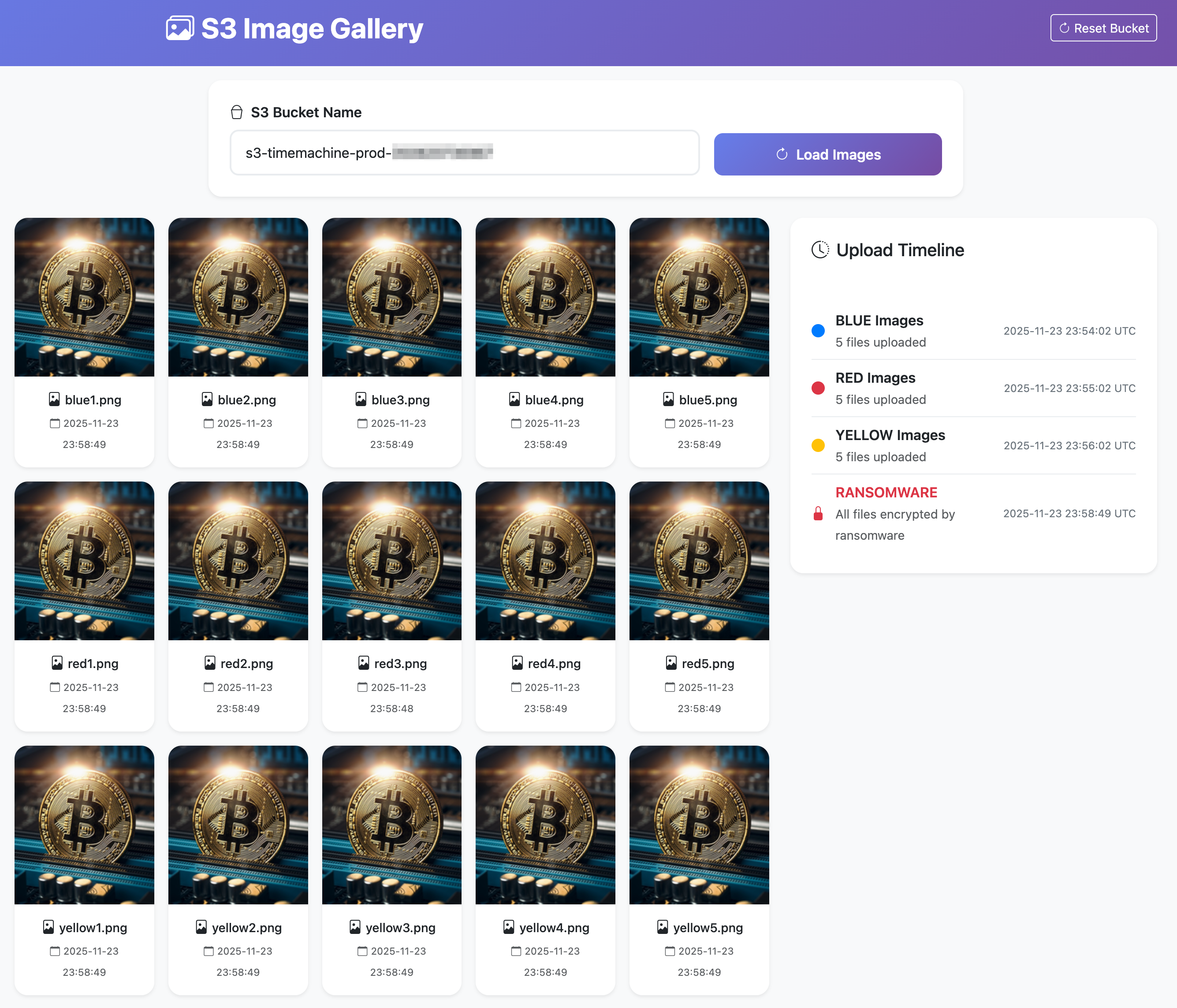
4. S3バッチ操作によるリカバリ
Athenaでのクエリによって、レプリケーションされていたS3バケットのメタデータをクエリして、csvファイルに保存します。
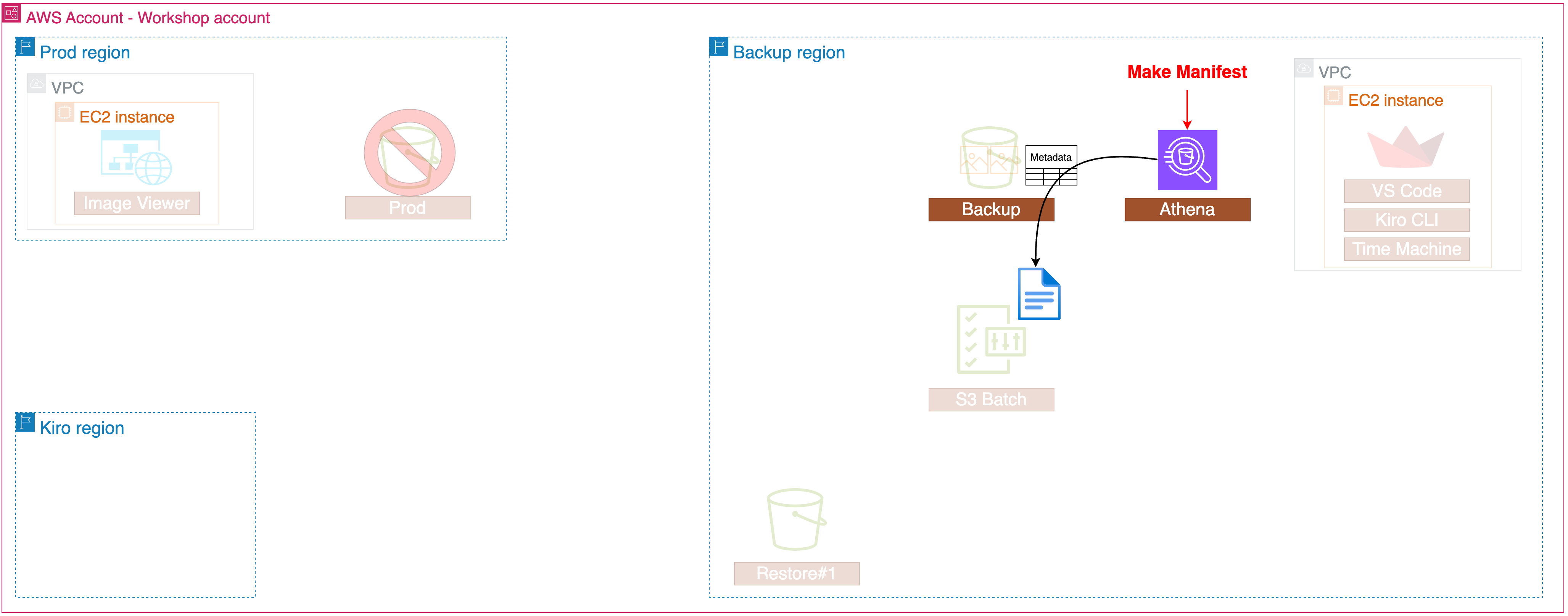
以下のクエリで時間を指定して、S3のメタデータを取得します。
WITH inventory_time_cte AS (
    SELECT COALESCE(inventory_time_from_property, inventory_time_default) AS inventory_time
    FROM (
        SELECT *
        FROM (VALUES (TIMESTAMP '2024-12-01 00:00')) AS T(inventory_time_default)
        LEFT JOIN (
            SELECT from_unixtime(CAST(value AS BIGINT) / 1000.0) AS inventory_time_from_property
            FROM "journal$properties"
            WHERE key = 'aws.s3metadata.oldest-uncoalesced-record-timestamp'
            LIMIT 1
        ) ON TRUE
    )
),
working_set AS (
    -- Extract only the list of objects created before a specific point in time from the Live inventory table
    SELECT
        bucket,
        key,
        sequence_number,
        version_id,
        is_delete_marker,
        last_modified_date,
        FALSE AS _is_perm_delete
    FROM inventory i
    WHERE i.last_modified_date <= TIMESTAMP 'CHANGE'

    UNION ALL

    -- Extract change history information from the Journal table
    SELECT
        bucket,
        key,
        sequence_number,
        version_id,
        is_delete_marker,
        COALESCE(last_modified_date, record_timestamp) AS last_modified_date,
        (record_type = 'DELETE' AND NOT COALESCE(is_delete_marker, FALSE)) AS _is_perm_delete
    FROM journal j
    CROSS JOIN inventory_time_cte t
    WHERE j.last_modified_date > (t.inventory_time - interval '15' minute)
        AND j.last_modified_date <= TIMESTAMP 'CHANGE'
),

-- Sort by last_modified_date / sequence_number for each object Key, then extract only the most recent record
-- If the latest record is a Delete operation (Permanent delete or delete marker), consider the object as non-existent at that point in time and exclude it from the list.

current_objects AS (
    SELECT *
    FROM (
        SELECT *,
            ROW_NUMBER() OVER (
                PARTITION BY key
                ORDER BY last_modified_date DESC, sequence_number DESC
            ) AS latest_rn
        FROM working_set
    )
    WHERE latest_rn = 1
        AND is_delete_marker = false
)
    SELECT
        bucket,
        key,
        version_id
    FROM current_objects
    ORDER BY key
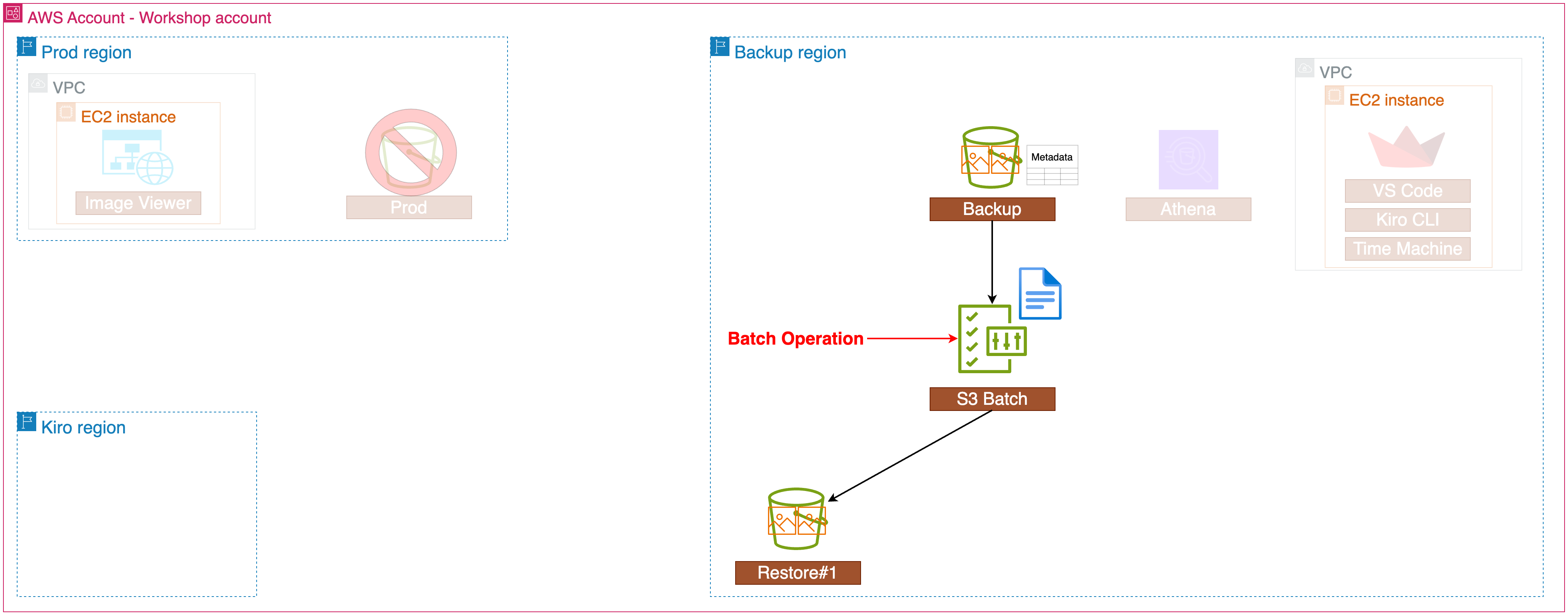
取得したメタデータを元に、S3バッチ操作の Copy によって、ポイントインタイムリカバリを実現します。
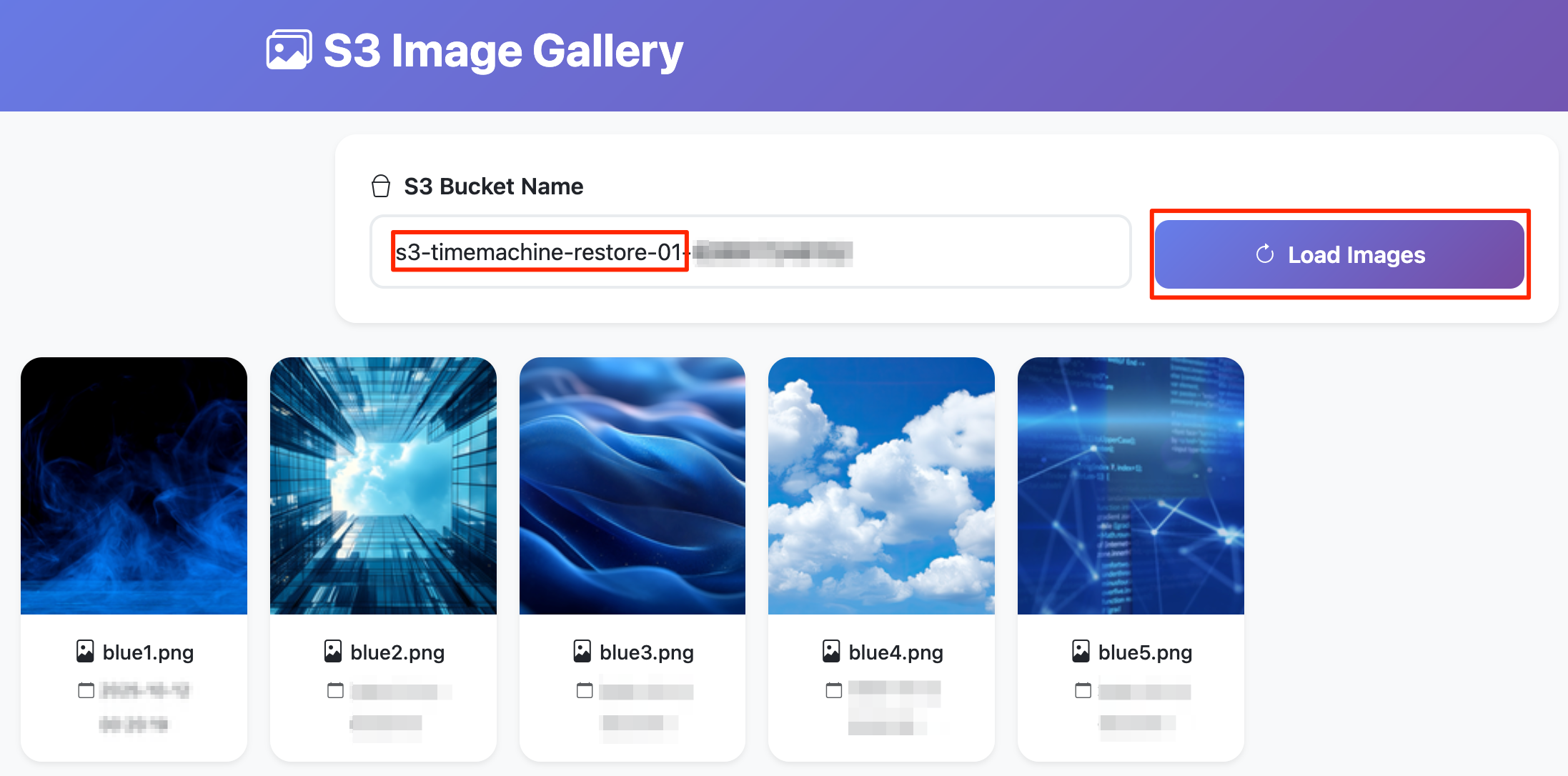
リストア先のS3バケットにて、被害を受ける前のオブジェクトが保管されていることを確認します。
続いて、Kiro CLIを用いて、自然言語でのポイントインタイムリカバリを行います。
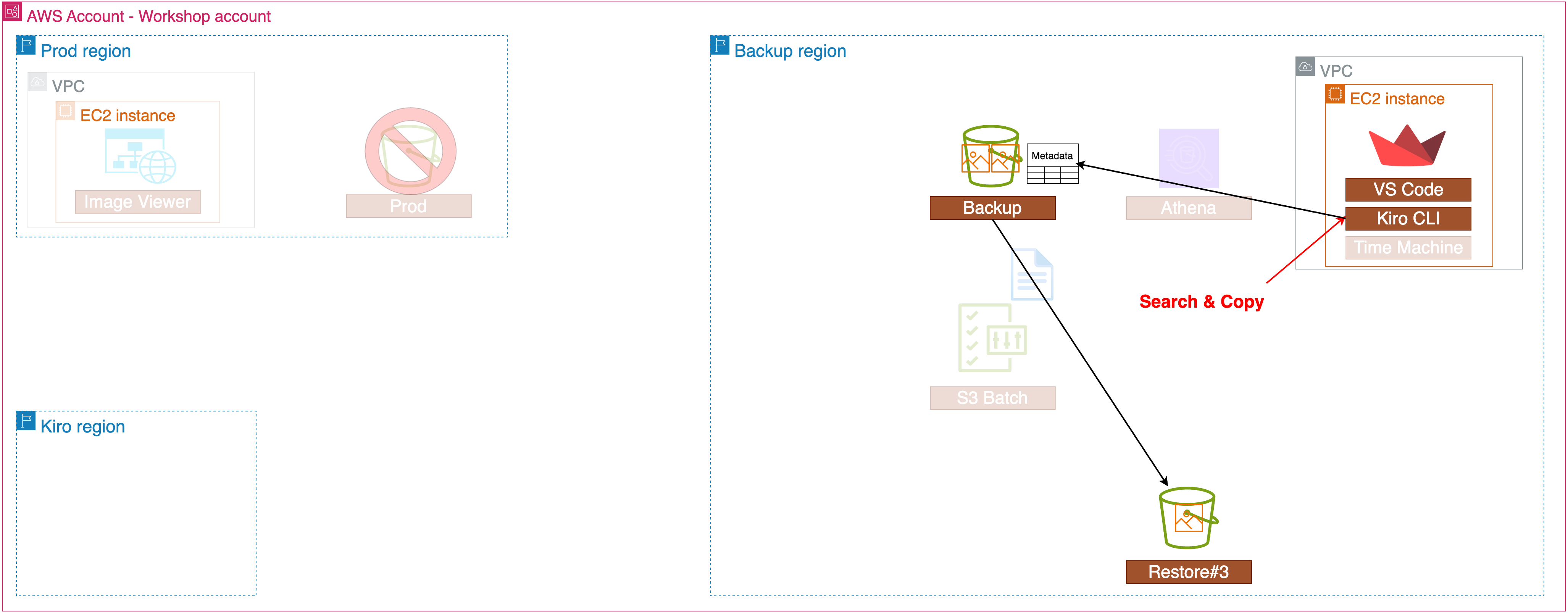
以下のような自然言語で指示し、特定のバケットのリカバリを実現します。
s3-timemachine-backupで始まるバケットのメタデータ情報を確認する
Check if metadata is configured for general purpose buckets that start with 's3-timemachine-backup', and if so, tell me which tables there are.
スキーマ情報を確認する
What schema information is available for journal table?
「yellow3.png」オブジェクトの作成履歴を一覧表示する
List the creation history of the 'yellow3.png' object
リカバリバケットにコピー
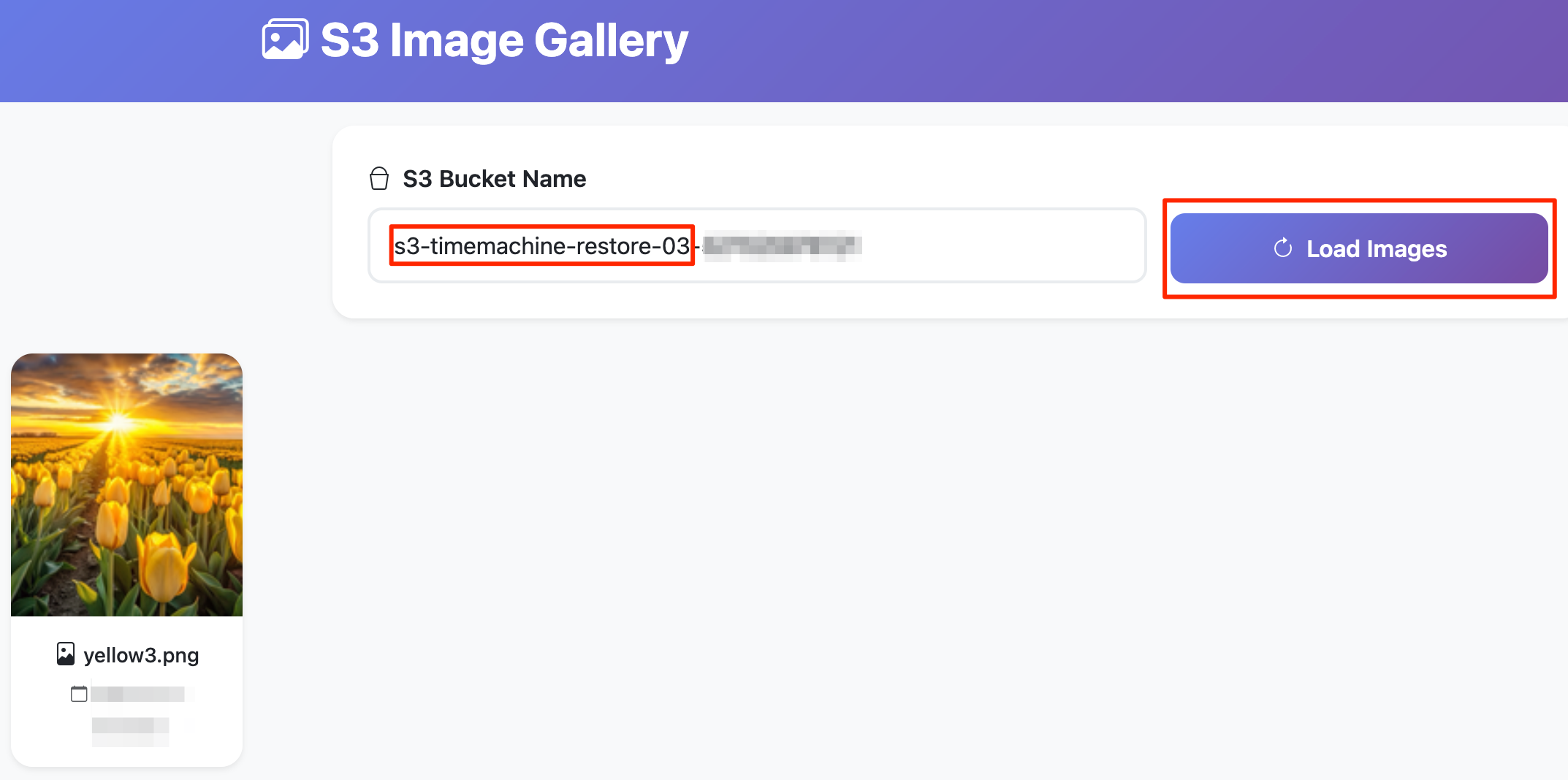
Find the oldest version of 'yellow3.png' and copy it to the bucket starting with 's3-timemachine-restore-03'
実際に特定のバケットがリストアされることを確認して、このワークショップは完了です。
感想
本ワークショップを受講したのは、AWS re:Invent 2025 期間中にS3バッチ操作の機能改善のアップデートが発表されたことがきっかけです。
これまでの業務でS3に保管されたオブジェクトの運用をあまりしてこなかったため、S3バッチ操作のユースケースや今回のアップデートのインパクトがわかりませんでした。本ワークショップでは普段S3を使わない私でも「バッチ操作便利だな」「Kiro + MCPすごいな」と感じるレベルまでは理解できる難易度でした。
同じワークショップが複数回開催されているようなので、興味がある方は足を運んでみてください。