AWS User Notifications の Terraform モジュールを作ってみた

歴史シミュレーションゲーム好きのくろすけです!
今回は、AWS User Notifications のカスタム通知設定を Terraform で扱いやすくするために作成した Terraform モジュールについてまとめます。
CloudWatch アラーム、サービスイベント、AWS Health をメール通知したい場面はよくあると思います。
そこで今回は、通知設定の中で再利用しやすい部分だけを切り出して Terraform モジュール化してみました。
概要
今回作成した Terraform モジュールは、AWS User Notifications のカスタム通知設定を作るためのものです。
このモジュールでは、主に以下を扱います。
- 通知設定本体
- イベントルール
- メール連絡先
- チャネル関連付け
一方で、あえてモジュールのスコープ外にしたものもあります。
- Notification Hub
- AWS Health managed notifications
Notification Hub はアカウント単位の設定であり、1つの通知設定モジュールのスコープとしては広すぎるためです。
また、AWS Health managed notifications はカテゴリ単位の通知には便利ですが、今回実現したかった「サービス名やイベント条件を絞った通知」には aws.health の EventBridge ソースを使う方が柔軟でした。
やってみた
1. 前提
このモジュールは、AWS User Notifications のカスタム通知設定を作成するためのものです。
そのため、利用前にいくつか前提があります。
- 事前に Notification Hub を設定しておく必要があります。
- 今回のモジュールでは AWS Health managed notifications は対象にしていません。
- Health イベントを扱う際には対象をフィルタして通知したかったため、
aws.healthの EventBridge イベントを使う前提にしています。
- Health イベントを扱う際には対象をフィルタして通知したかったため、
- 後述の動作確認のように CloudWatch アラーム連携を試す場合は、通知モジュール単体では完結しません。
- 通知元となる CloudWatch アラームの作成が別途必要です。
2. モジュールの紹介
実際に作成したモジュールは、主に下記ファイルになります。
- 1回の module 呼び出しで 1つの notification configuration を作成する構成です。
- 複数の email contact と event rule を
for_eachで柔軟に作成できます。 event_patternは HCL object で受けて、module 側でjsonencode()する設計にしています。
main.tf
resource "aws_notifications_notification_configuration" "this" {
  name                 = var.name
  description          = var.description
  aggregation_duration = var.aggregation_duration
  tags                 = var.tags
}

resource "aws_notificationscontacts_email_contact" "this" {
  for_each = var.email_contacts

  name          = each.value.name
  email_address = each.value.email_address
  tags          = var.tags
}

resource "aws_notifications_event_rule" "this" {
  for_each = var.event_rules

  source                         = each.value.source
  event_type                     = each.value.event_type
  event_pattern                  = each.value.event_pattern == null ? null : jsonencode(each.value.event_pattern)
  regions                        = var.regions
  notification_configuration_arn = aws_notifications_notification_configuration.this.arn
}

resource "aws_notifications_channel_association" "this" {
  for_each = aws_notificationscontacts_email_contact.this

  arn                            = each.value.arn
  notification_configuration_arn = aws_notifications_notification_configuration.this.arn
}
variables.tf
variable "name" {
  description = "Notification configuration name."
  type        = string

  validation {
    condition     = length(var.name) >= 1 && length(var.name) <= 64
    error_message = "name must be between 1 and 64 characters."
  }
}

variable "description" {
  description = "Notification configuration description."
  type        = string

  validation {
    condition     = length(var.description) <= 256
    error_message = "description must be 256 characters or fewer."
  }
}

variable "aggregation_duration" {
  description = "Aggregation preference. Valid values are NONE, SHORT, and LONG."
  type        = string
  default     = "NONE"

  validation {
    condition     = contains(["NONE", "SHORT", "LONG"], var.aggregation_duration)
    error_message = "aggregation_duration must be one of NONE, SHORT, or LONG."
  }
}

variable "regions" {
  description = "Regions where source events are monitored. This is not the notification hub region setting."
  type        = set(string)

  validation {
    condition     = length(var.regions) > 0
    error_message = "regions must contain at least one monitored event region."
  }
}

variable "email_contacts" {
  description = "Email contacts to create and associate with the notification configuration."
  type = map(object({
    name          = string
    email_address = string
  }))

  validation {
    condition     = length(var.email_contacts) > 0
    error_message = "email_contacts must contain at least one email contact."
  }
}

variable "event_rules" {
  description = "Event rules associated with the notification configuration."
  type = map(object({
    source        = string
    event_type    = string
    event_pattern = optional(any, null)
  }))

  validation {
    condition     = length(var.event_rules) > 0
    error_message = "event_rules must contain at least one event rule."
  }

  validation {
    condition = alltrue([
      for rule in values(var.event_rules) :
      startswith(rule.source, "aws.") && length(rule.event_type) > 0
    ])
    error_message = "Each event rule must use an AWS event source such as aws.health and a non-empty event_type."
  }
}

variable "tags" {
  description = "Tags applied to supported resources."
  type        = map(string)
  default     = {}
}
outputs.tf
output "notification_configuration_arn" {
  description = "ARN of the notification configuration."
  value       = aws_notifications_notification_configuration.this.arn
}

output "email_contact_arns" {
  description = "ARNs of the email contacts created by this module."
  value = {
    for key, contact in aws_notificationscontacts_email_contact.this :
    key => contact.arn
  }
}

output "event_rule_arns" {
  description = "ARNs of the event rules created by this module."
  value = {
    for key, rule in aws_notifications_event_rule.this :
    key => rule.arn
  }
}
3. 動作確認
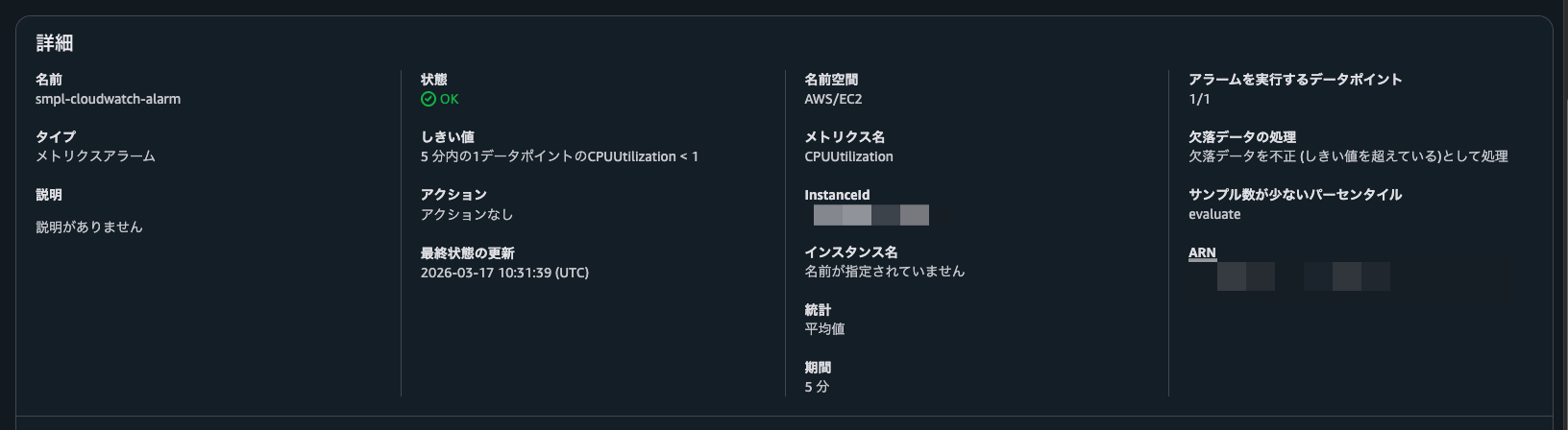
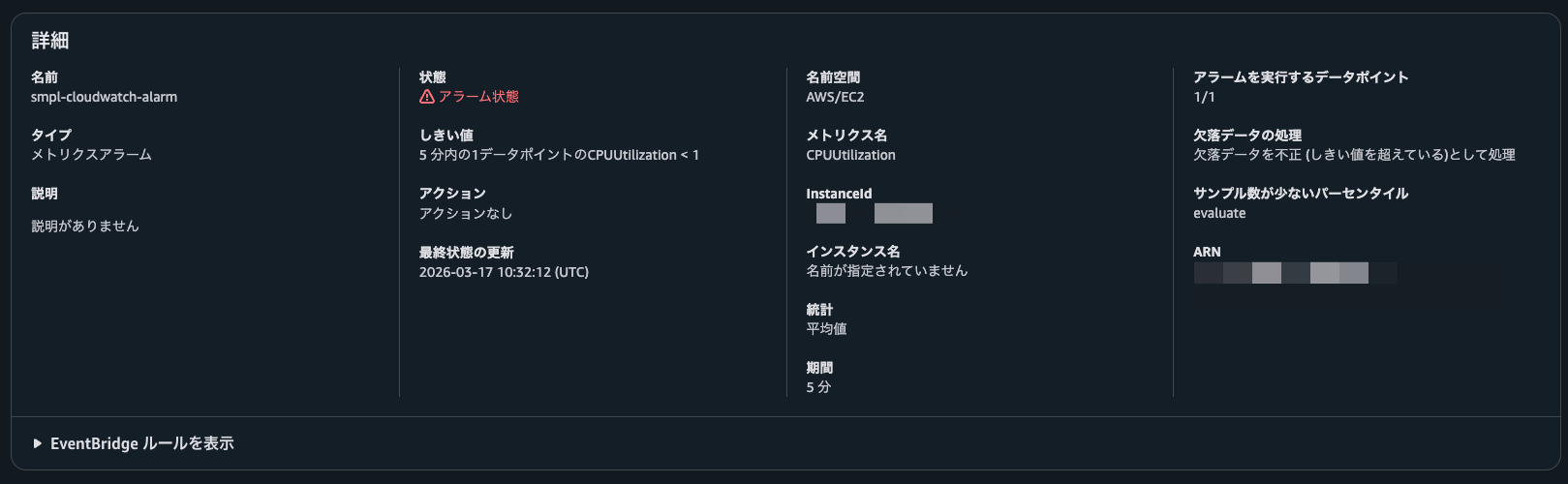
CloudWatch アラームを使用して、動作確認をしてみました。
CloudWatch アラームの作成はモジュールに含まれていないため、別途マネジメントコンソールから作成しています。
今回は簡単な動作確認ですので、もう使用されていないEC2のメトリクスを対象に、データ欠損でアラームが発生するように設定しました。
リソースは下記のテンプレートで作成しました。
main.tf
terraform {
  required_version = ">= 1.3.0"

  required_providers {
    aws = {
      source  = "hashicorp/aws"
      version = ">= 6.26.0"
    }
  }
}

provider "aws" {
  region = "ap-northeast-1"
}

module "notice" {
  source = "../../"

  name                 = "smpl-user-notif-cloudwatch-alarm"
  description          = "CloudWatch alarm sample notification"
  aggregation_duration = "NONE"
  regions              = ["ap-northeast-1"]

  email_contacts = {
    myself = {
      name          = "myself"
      email_address = "${Eメールアドレス}"
    }
  }

  event_rules = {
    cloudwatch_alarm = {
      source     = "aws.cloudwatch"
      event_type = "CloudWatch Alarm State Change"
      event_pattern = {
        detail = {
          state = {
            value = ["ALARM"]
          }
        }
      }
    }
  }
}
少し待つと、アラーム状態となり通知が確認できました。
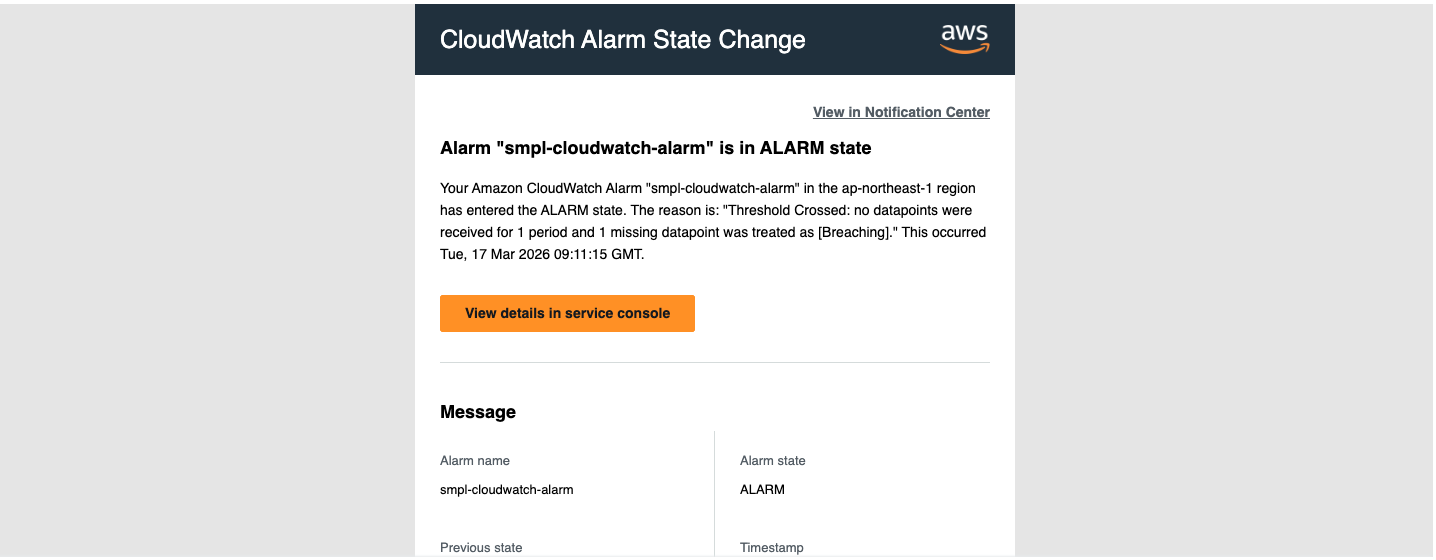
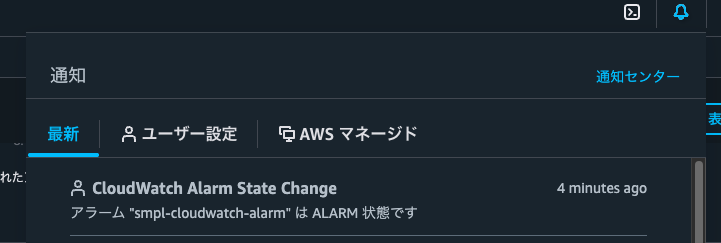
コンソールのヘッダー部分の通知欄にも通知できていることが確認できました。
あとがき
システムの監視を行う際には、通知までワンセットのケースがほとんどだと思います。
Amazon SNS を使った通知方法もありますが、ユーザーに通知するだけでよければ AWS User Notifications の方がよりシンプルで良いかもしれません。
今後はこのモジュールを通知機能の構築に活用できればと考えています!
ゆくゆくは Amazon SNS での通知にも対応させてたい思いです。
以上、くろすけでした!