[アップデート] AWS CloudFormation でも ELB for Envoy を作成できるようになりました

いわさです。
先日、ELB for Envoy が登場しましたね。既存の Envoy の設定をそのまま ELB に持ち込めるので気になっている方も多いのではないでしょうか。
そして今回、CloudFormation でも ELB for Envoy に対応しました。
多分次のアナウンスで追加されたリソースの一つでしょうかね。
今回こちらを確認してみたので紹介します。
実際に確認してみる
ドキュメント履歴によると、このアップデートで新しく追加されたリソースは AWS::ElasticLoadBalancingProxy::Proxy と AWS::ElasticLoadBalancingProxy::CertificateAssociation の 2 つです。
今回は Envoy の設定で転送する動きを確かめたかったので、Proxy だけを作りました。 CertificateAssociation は、ACM の証明書を Proxy に関連付けるリソースです。証明書を Proxy に付けたいときに使います。
今回は東京リージョンのデフォルト VPC に、ELB for Envoy の Proxy と、テスト用のバックエンドを 1 つのスタックで作ってみました。
AWS::ElasticLoadBalancingProxy::Proxyが Envoy のリソースになりまして、Subnets には、2 つ以上のサブネットを異なる AZ で指定する必要があります。
早速ですが作成したテンプレートが以下です。
AWSTemplateFormatVersion: "2010-09-09"
Description: hoge-elbenvoy verification stack. ELB for Envoy proxy in front of one test EC2 backend.

Parameters:
  VpcId:
    Type: AWS::EC2::VPC::Id
    Description: VPC for the proxy and the backend (default VPC in ap-northeast-1).
  SubnetIds:
    Type: List<AWS::EC2::Subnet::Id>
    Description: At least two subnets in different Availability Zones of VpcId.
  ClientCidr:
    Type: String
    Description: CIDR allowed to reach the proxy on port 80, for example your public IP with /32.
    AllowedPattern: '^([0-9]{1,3}\.){3}[0-9]{1,3}/([0-9]|[1-2][0-9]|3[0-2])$'
  BackendAmiId:
    Type: AWS::SSM::Parameter::Value<AWS::EC2::Image::Id>
    Default: /aws/service/ami-amazon-linux-latest/al2023-ami-kernel-default-x86_64
    Description: Amazon Linux 2023 AMI from SSM Parameter Store.

Resources:
  ProxyRole:
    Type: AWS::IAM::Role
    Properties:
      AssumeRolePolicyDocument:
        Version: "2012-10-17"
        Statement:
          - Effect: Allow
            Principal:
              Service: elasticloadbalancing.amazonaws.com
            Action: sts:AssumeRole
      Policies:
        - PolicyName: hoge-elbenvoy-proxy-logs
          PolicyDocument:
            Version: "2012-10-17"
            Statement:
              - Effect: Allow
                Action:
                  - logs:CreateLogGroup
                  - logs:CreateLogStream
                  - logs:PutLogEvents
                Resource:
                  - !Sub arn:${AWS::Partition}:logs:${AWS::Region}:${AWS::AccountId}:log-group:/aws/elb-proxy/*
                  - !Sub arn:${AWS::Partition}:logs:${AWS::Region}:${AWS::AccountId}:log-group:/aws/elb-proxy/*:log-stream:*

  ProxySecurityGroup:
    Type: AWS::EC2::SecurityGroup
    Properties:
      GroupName: hoge-elbenvoy-proxy-sg
      GroupDescription: Ingress to the ELB for Envoy proxy on port 80 from ClientCidr
      VpcId: !Ref VpcId
      SecurityGroupIngress:
        - IpProtocol: tcp
          FromPort: 80
          ToPort: 80
          CidrIp: !Ref ClientCidr
      Tags:
        - Key: Name
          Value: hoge-elbenvoy-proxy-sg

  BackendSecurityGroup:
    Type: AWS::EC2::SecurityGroup
    Properties:
      GroupName: hoge-elbenvoy-backend-sg
      GroupDescription: Ingress to the test backend on port 8080 from the proxy security group only
      VpcId: !Ref VpcId
      SecurityGroupIngress:
        - IpProtocol: tcp
          FromPort: 8080
          ToPort: 8080
          SourceSecurityGroupId: !Ref ProxySecurityGroup
      Tags:
        - Key: Name
          Value: hoge-elbenvoy-backend-sg

  Backend:
    Type: AWS::EC2::Instance
    Properties:
      ImageId: !Ref BackendAmiId
      InstanceType: t3.micro
      SubnetId: !Select [0, !Ref SubnetIds]
      SecurityGroupIds:
        - !Ref BackendSecurityGroup
      Tags:
        - Key: Name
          Value: hoge-elbenvoy-backend
      UserData:
        Fn::Base64: |
          #!/bin/bash
          mkdir -p /srv
          echo "hello from hoge-elbenvoy backend" > /srv/index.html
          cd /srv && nohup python3 -m http.server 8080 --bind 0.0.0.0 > /var/log/backend.log 2>&1 &

  Proxy:
    Type: AWS::ElasticLoadBalancingProxy::Proxy
    Properties:
      Name: hoge-elbenvoy-proxy
      Type: envoy
      ProxyVersion: "1.40"
      RoleArn: !GetAtt ProxyRole.Arn
      IpAddressingConfiguration:
        Ipv4Addressability: internet-facing
        Ipv6Addressability: "off"
      Subnets: !Ref SubnetIds
      SecurityGroups:
        - !Ref ProxySecurityGroup
      ConfigurationFile:
        ConfigurationBytes:
          Fn::Base64: !Sub
            - |
              admin:
                address:
                  socket_address:
                    address: 127.0.0.1
                    port_value: 9901
              static_resources:
                listeners:
                - name: listener_0
                  address:
                    socket_address:
                      address: 0.0.0.0
                      port_value: 80
                  filter_chains:
                  - filters:
                    - name: envoy.filters.network.http_connection_manager
                      typed_config:
                        "@type": type.googleapis.com/envoy.extensions.filters.network.http_connection_manager.v3.HttpConnectionManager
                        stat_prefix: ingress_http
                        route_config:
                          name: local_route
                          virtual_hosts:
                          - name: backend
                            domains: ["*"]
                            routes:
                            - match:
                                prefix: "/"
                              route:
                                cluster: hoge_backend
                        http_filters:
                        - name: envoy.filters.http.router
                          typed_config:
                            "@type": type.googleapis.com/envoy.extensions.filters.http.router.v3.Router
                clusters:
                - name: hoge_backend
                  connect_timeout: 5s
                  type: STATIC
                  load_assignment:
                    cluster_name: hoge_backend
                    endpoints:
                    - lb_endpoints:
                      - endpoint:
                          address:
                            socket_address:
                              address: ${BackendPrivateIp}
                              port_value: 8080
            - BackendPrivateIp: !GetAtt Backend.PrivateIp

Outputs:
  ProxyArn:
    Value: !GetAtt Proxy.Arn
  BackendPrivateIp:
    Value: !GetAtt Backend.PrivateIp
テンプレートの主な設定は、次のとおりです。
ProxyRole: Envoy のログを CloudWatch Logs に発行する IAM ロールの ARN を指定します。信頼ポリシーはelasticloadbalancing.amazonaws.comで。ConfigurationFile: Envoy の設定でここがメインですね。Fn::Base64でエンコードして埋め込みました。ProxyVersion: Envoy のバージョンです。major.minor 形式(例: 1.40)で指定します。
上記テンプレートで無事スタック作成完了です。
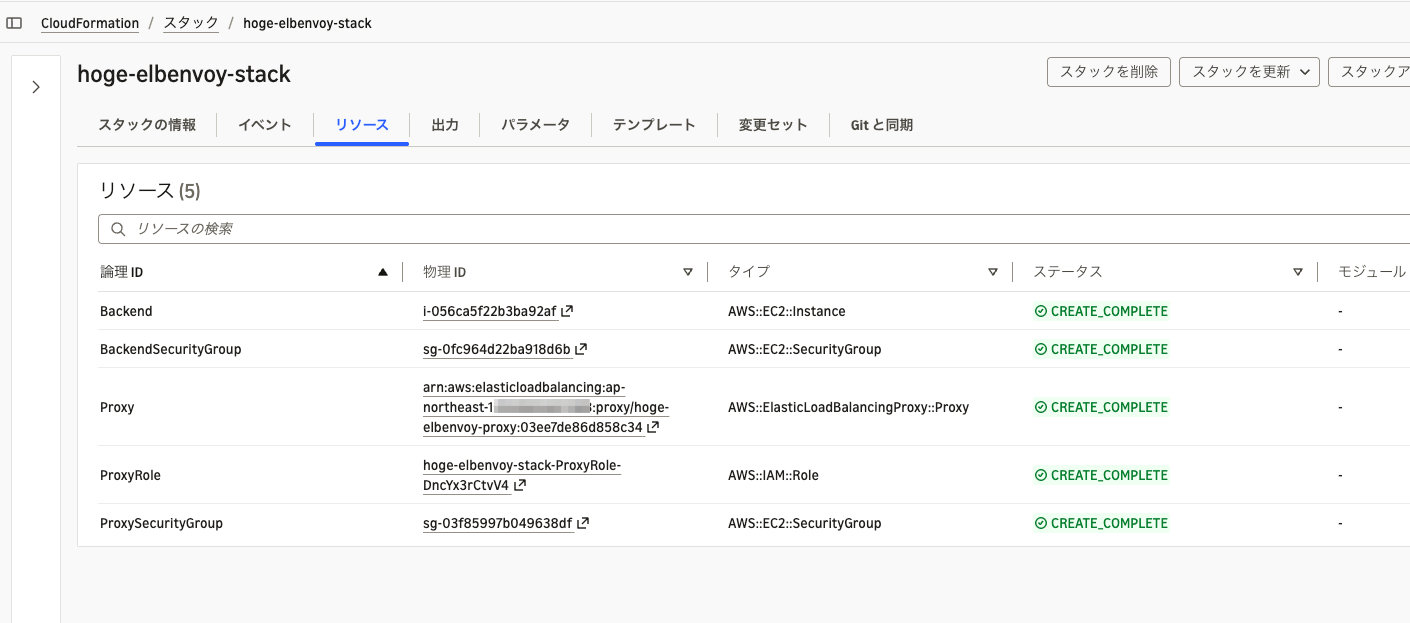
ELB の Envoy タブを確認してみるとリソースが Active になってますね。
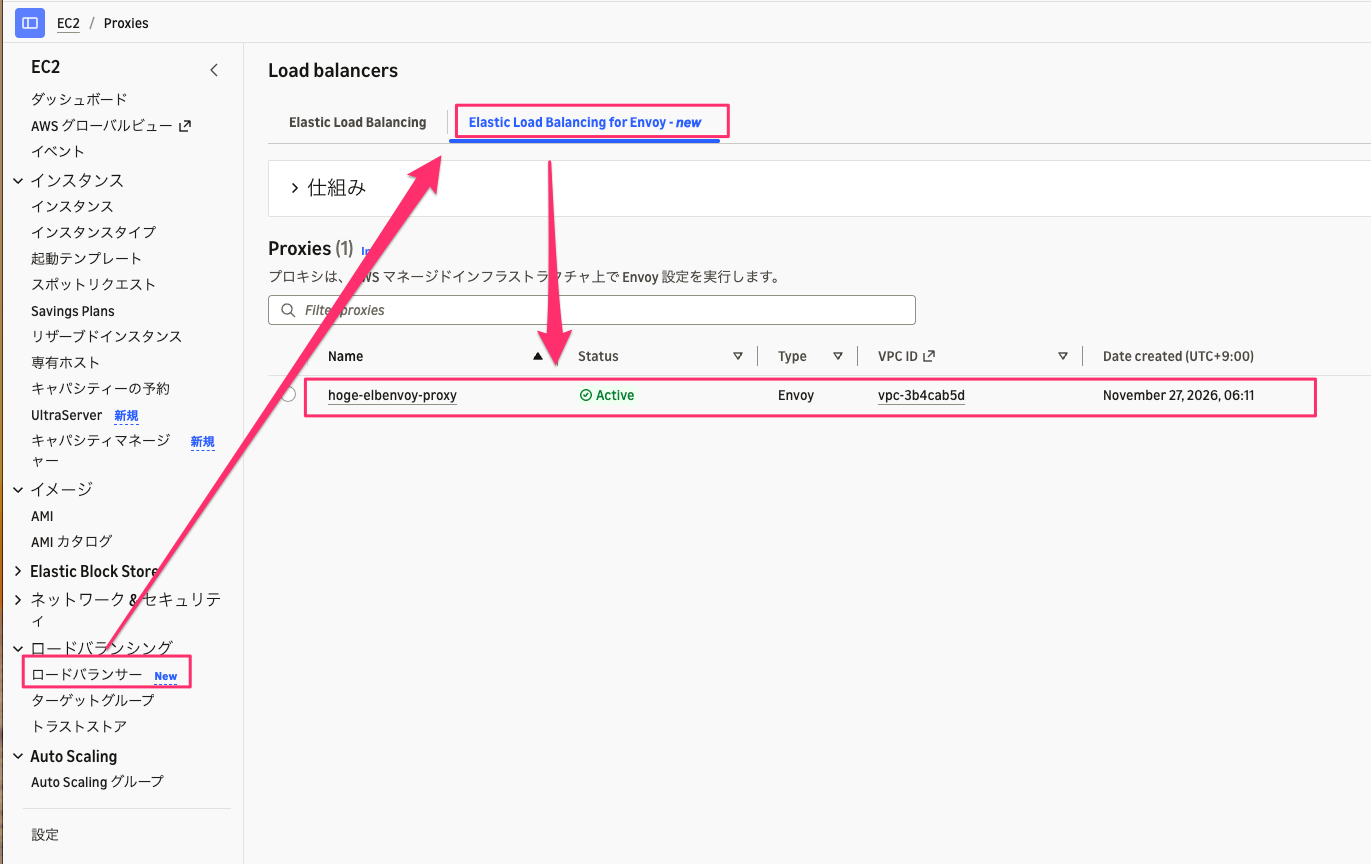
新しく追加されたelb-proxyで情報確認してみます。
aws elb-proxy get-proxy で、ドメイン名と状態を確認してみました。
$ aws elb-proxy get-proxy --region ap-northeast-1 --proxy-identifier <proxy-arn> --output json
{
    "name": "hoge-elbenvoy-proxy",
    "type": "envoy",
    "proxyVersion": "1.40",
    "dnsName": "hoge-elbenvoy-proxy-xxxxxxxx.elb-proxy.ap-northeast-1.on.aws",
    "networkConfiguration": {
        "ipConfiguration": {
            "ipAddressingConfiguration": {
                "ipv4Addressability": "internet-facing",
                "ipv6Addressability": "off"
            }
        },
        "vpcConfiguration": {
            "availabilityZones": [
                { "zoneName": "ap-northeast-1c" },
                { "zoneName": "ap-northeast-1a" }
            ]
        }
    },
    "status": {
        "code": "active",
        "reasons": []
    }
}
まぁ CloudFormation で作成したとおりですが、Proxy の詳細画面は、こちら。
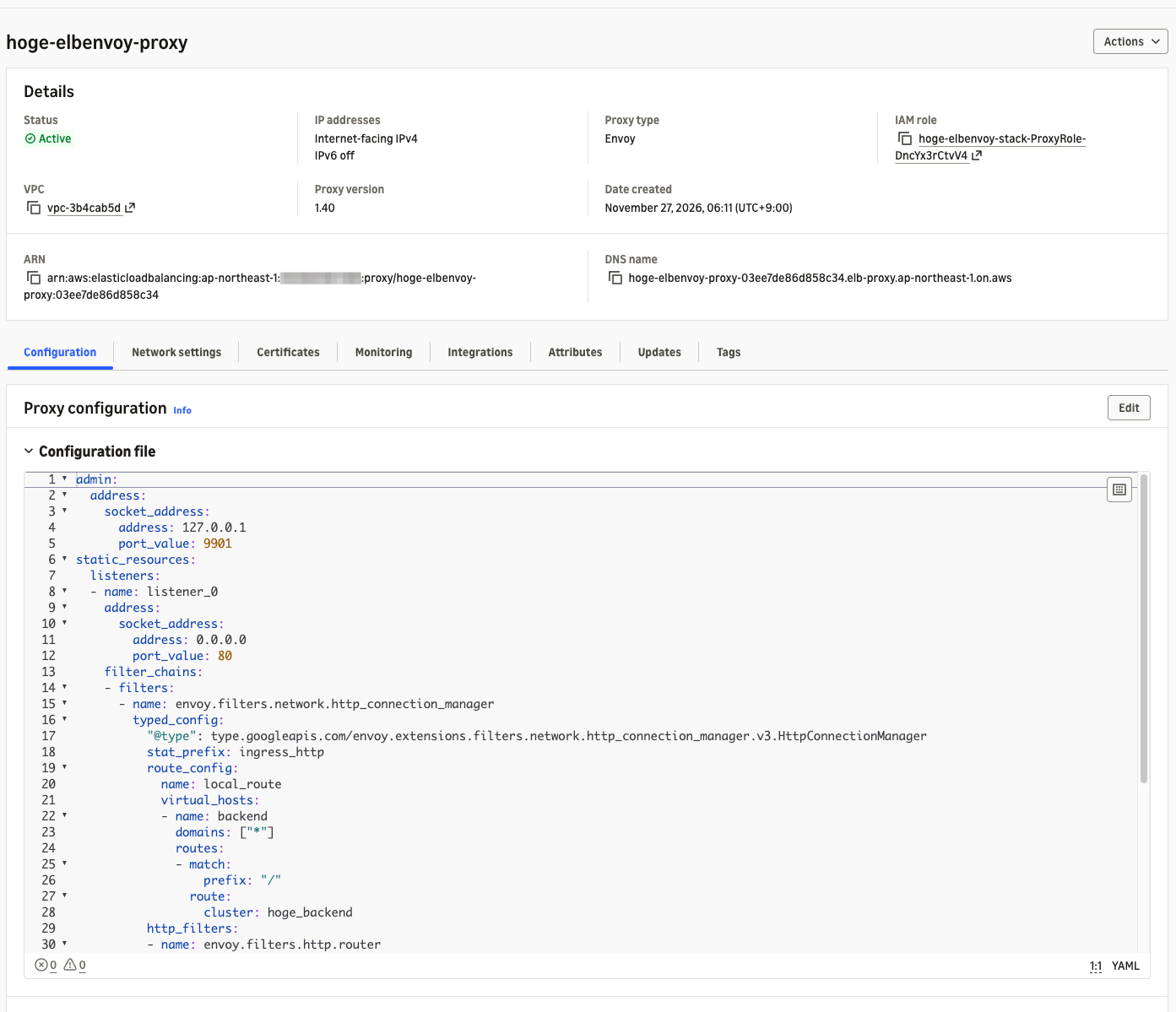
一応 HTTP リクエストも送ってみました。
$ curl -sS -i --max-time 20 http://hoge-elbenvoy-proxy-xxxxxxxx.elb-proxy.ap-northeast-1.on.aws/
HTTP/1.1 200 OK
server: envoy
content-type: text/html

hello from hoge-elbenvoy backend
さいごに
本日は AWS CloudFormation でも ELB for Envoy を作成できるようになったので試してみました。
Envoy を既に使っているかたで ELB for Envoy 良さそうだなと思った方はついでに CloudFormation 対応もしたのでぜひ使ってみてください。