![[アップデート] AWS Elastic Beanstalk の AI 分析機能が Windows Server プラットフォームでも利用できるようになりました](https://images.ctfassets.net/ct0aopd36mqt/wp-thumbnail-2a940a5c003faa8b46bee141357d4855/6f3d6855be0706e2bd41c5033f53469f/aws-elastic-beanstalk?w=3840&fm=webp)
[アップデート] AWS Elastic Beanstalk の AI 分析機能が Windows Server プラットフォームでも利用できるようになりました

いわさです。
以前、Elastic Beanstalk に AI を使った環境のトラブルシューティング機能「AI 分析」が追加された際にこちらの記事で紹介しています。
この機能はこれまで Amazon Linux 2 および AL2023 ベースのプラットフォームでのみ利用可能で .NET アプリケーションなど Windows ワークロードを Elastic Beanstalk で運用しているケースでは AI 分析が使えない状態でした。
今回のアップデートで、AI 分析機能が Windows Server プラットフォームでも利用できるようになりました。
公式ドキュメントによると、2026年4月22日以降にリリースされた Windows Server プラットフォームバージョンで利用可能とのことです。
For Windows Server platforms, AI analysis is available on platform versions released on or after April 22, 2026.
今回こちらを確認してみたので紹介します。
Windows Server 環境で AI 分析を使ってみる
では早速 Windows Server 環境で AI 分析を試してみましょう。
AI 分析の基本的な使い方や前提条件(インスタンスプロファイルの権限設定、Anthropic ユースケースフォームの送信など)は前回の記事を参照してください。
今回は .NET on Windows Server プラットフォームで環境を作成しました。
プラットフォームバージョンは 2026年4月22日以降にリリースされたものを使用しています。
AI 分析は環境のヘルスが Warning、Degraded、Severe のいずれかの場合に利用できます。
今回は意図的にヘルスを悪化させるため、デプロイに失敗するアプリケーションを用意してデプロイしてみました。
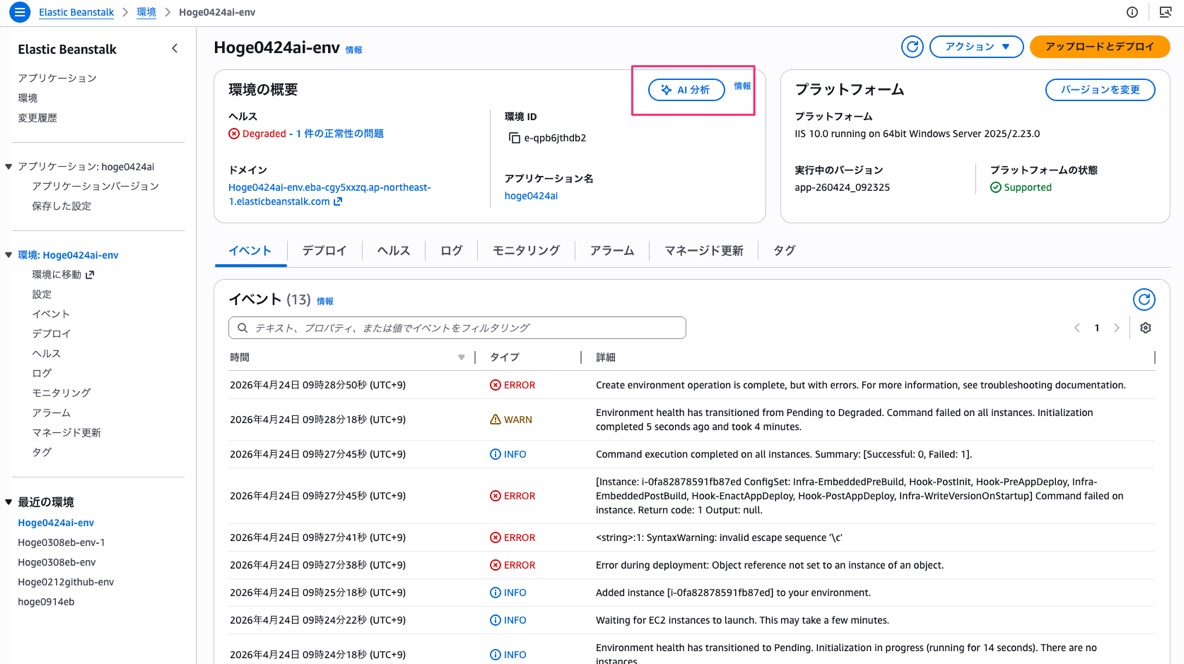
デプロイ後、イベントタブを確認すると Error during deployment: Object reference not set to an instance of an object. というエラーが出ており、環境のヘルスが Degraded に変わりました。
そして前回の Linux 環境での記事と同様に、ヘルスが悪化すると環境概要ページに「AI 分析」ボタンが表示されていることが確認できます。
クリックしてみましょう。
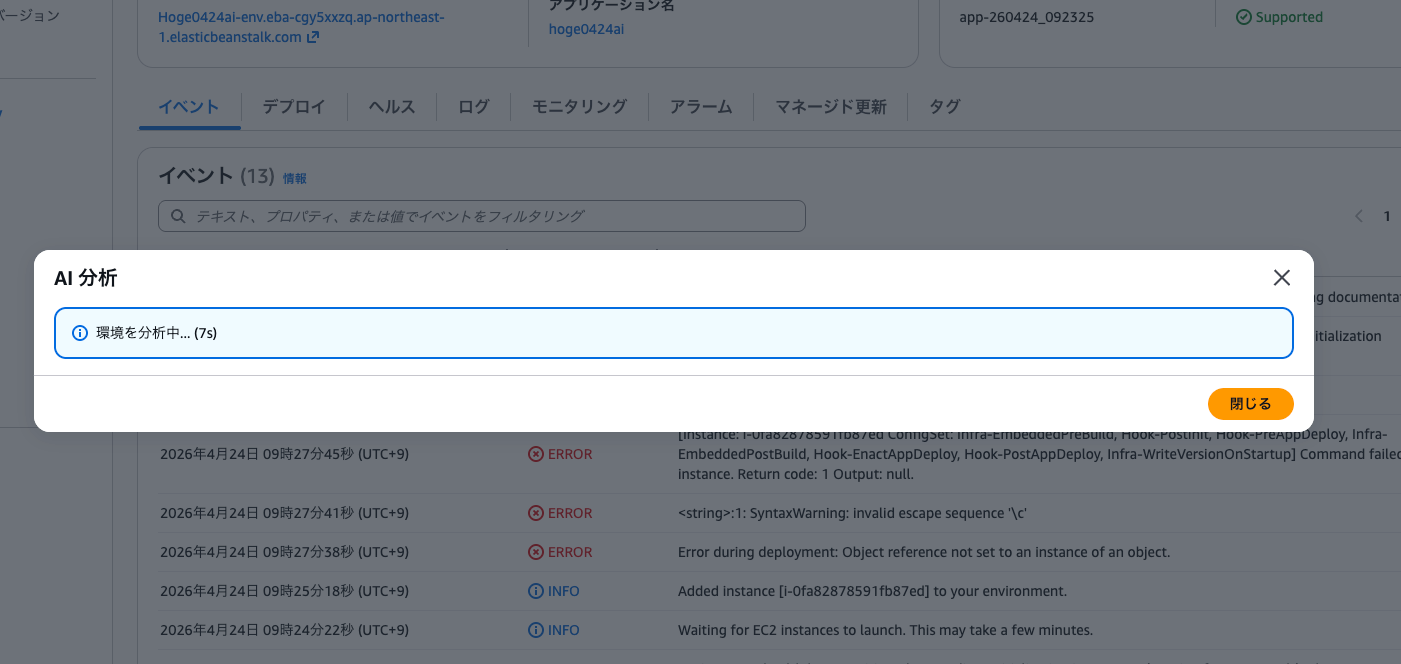
分析中のダイアログが表示され、数十秒ほどで分析結果が返ってきました。
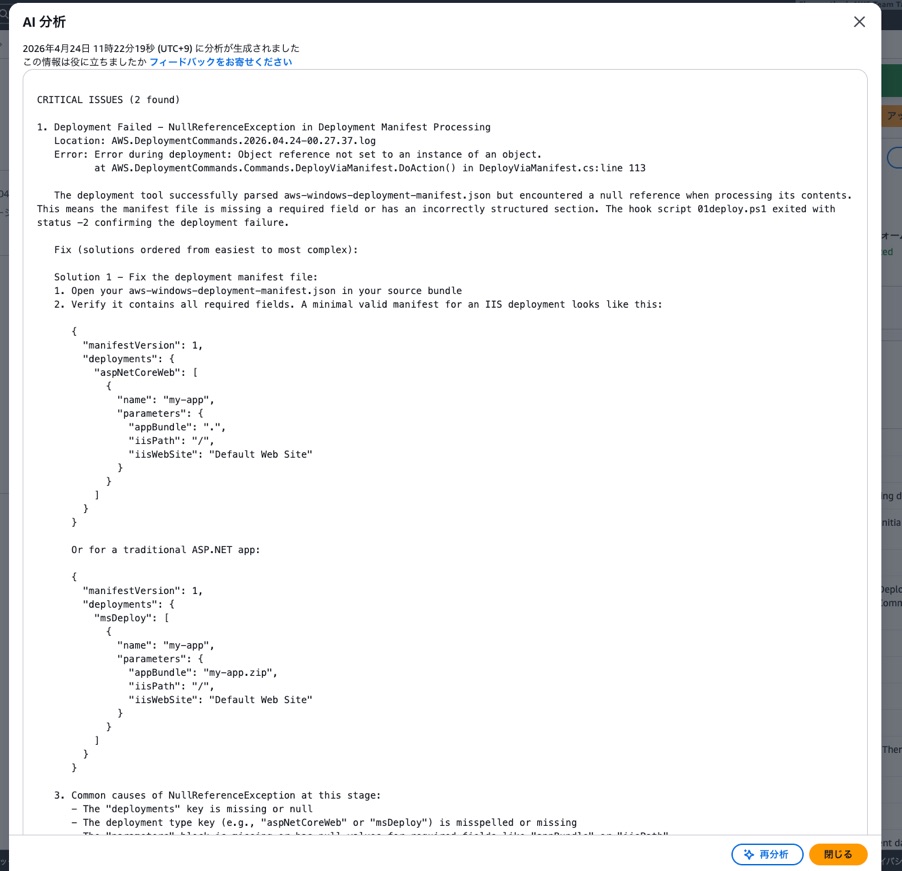
分析結果を見てみると、2つの問題が特定されています。
CRITICAL ISSUES (2 found)

1. Deployment Failed - NullReferenceException in Deployment Manifest Processing
   Location: AWS.DeploymentCommands.2026.04.24-00.27.37.log
   Error: Error during deployment: Object reference not set to an instance of an object.
          at AWS.DeploymentCommands.Commands.DeployViaManifest.DoAction() in DeployViaManifest.cs:line 113

   The deployment tool successfully parsed aws-windows-deployment-manifest.json but encountered
   a null reference when processing its contents. This means the manifest file is missing a
   required field or has an incorrectly structured section. The hook script 01deploy.ps1 exited
   with status -2 confirming the deployment failure.

   Fix (solutions ordered from easiest to most complex):

   Solution 1 - Fix the deployment manifest file:
   1. Open your aws-windows-deployment-manifest.json in your source bundle
   2. Verify it contains all required fields. A minimal valid manifest for an IIS deployment
      looks like this:
      ...(マニフェストのサンプルが提示される)

   Solution 2 - Deploy without a manifest (simple single-app deployment):
   3. If your application is a simple ASP.NET or ASP.NET Core app, you can remove the
      aws-windows-deployment-manifest.json file entirely
   ...

2. IIS Returning HTTP 403 (Access Denied) to All Requests
   Location: u_ex26042402_x.log
   Error: All requests to the root path (/) are returning HTTP 403.14 (Directory listing denied)

   This is a direct consequence of Issue 1. Because the deployment failed, no application was
   installed into IIS.
AI の分析結果によると今回はデプロイマニフェスト(aws-windows-deployment-manifest.json)の構造に問題があり、デプロイ自体が失敗していたようです。
AI 分析では原因の特定だけでなく、修正方法が難易度順に3つ提示されていますね。
2つ目の問題(IIS の 403 エラー)についても、1つ目のデプロイ失敗の結果であることが正しく分析されています。
前回の Linux 環境での検証と同様に、分析結果は英語で出力されていました。
さいごに
本日は AWS Elastic Beanstalk の AI 分析機能が Windows Server プラットフォームでも利用できるようになったので確認してみました。
2026年2月の初回リリースから約2ヶ月で Windows Server にも対応した形ですね。
今回はデプロイマニフェストの問題でデプロイが失敗するケースを試してみましたが、Windows 環境固有のログ(IIS のログやデプロイコマンドのログ)もちゃんと分析対象に含まれていて、原因の特定と修正手順の提示がしっかり行われていました。
.NET アプリケーションを Elastic Beanstalk で運用しているケースでも、ヘルスの問題発生時にボタンひとつで分析できるようになったのは良いですね。
日本後対応してくれるとさらに嬉しいのですが。