LiteLLMのリクエストログをS3に出力する構成をMinIOでローカル再現してみた

こんにちは。クラウド事業本部コンサルティング部の桑野です。
業務でLiteLLM Proxyを使ってAmazon Bedrockを呼び出し、リクエストログをS3に書き出す構成を検証する機会がありました。実際にAWS上にあるS3バケットを使った検証はもちろん有用ですが、複数人で開発をする場合だと自身のログと他人のログが混ざるのは避けたいところです。そのために1人1つバケットを作成するのもそれはそれで嫌だなと考えます。
今回は、S3互換のオブジェクトストレージであるMinIOを使って、LiteLLMのS3ログ出力構成をローカルに再現したお話を共有します。
LiteLLMとは?
LiteLLMは、OpenAI、Anthropic、Amazon Bedrockなど100以上のLLMプロバイダを統一的なOpenAI互換APIで呼び出せるようにするゲートウェイです。Pythonライブラリ形式のSDKと、サーバーとして動かすProxy形式の2つの利用形態があります。
今回はProxy形式を利用します。Proxyの機能の一つに、リクエスト/レスポンスのログを各種ストレージや観測ツールに送信するsuccess_callbackという機能があり、その中のs3_v2というコールバックを使うことでログをS3バケットに書き出すことができます。
MinIOとは?
S3互換のオブジェクトストレージです。Dockerで簡単に立ち上げられて、AWS S3のAPIをそのまま使ってアクセスできるため、S3を使った開発・検証環境としてよく利用されます。
LiteLLMのs3_v2コールバックは内部でboto3を使用してS3にPUTするのですが、s3_endpoint_urlパラメータでエンドポイントを差し替えられるため、MinIOに向ければローカルでもS3に対する書き込みと変わらない感覚で動作確認ができます。
前提
以下の条件で検証しています。
- OS:macOS Tahoe バージョン 26.4.1
- チップ:Apple M4
- Colima:0.8.4
- Docker Client:28.4.0
- Docker Server:28.3.3
- docker compose:2.39.3
- aws-vault:7.2.0
Bedrockを呼び出すためのAWSプロファイルが必要です。本記事ではaws-vaultで一時的な資格情報を発行し、Dockerコンテナに渡す方式を採用しています。aws-vaultの利用方法は以下の記事をご参照ください。
また、以下のモデルアクセスを有効化したAWSアカウントが必要です。
- リージョン:
ap-northeast-1 - モデル:
amazon.nova-lite-v1:0
構成
検証に使ったコードは以下のリポジトリにあります。
立ち上げるサービスは以下の4つです。
| サービス | 役割 | ポート |
|---|---|---|
| litellm | LLM Proxy | 4000 |
| postgres | LiteLLMの設定・ログDB | 5432 |
| minio | S3互換オブジェクトストレージ | 9000(API)/ 9001(Console) |
| minio-init | 起動時にバケットを作成する使い捨てコンテナ | - |
LiteLLMのログ送信先をminioに向けることで、ローカルでもS3に書き出すのと同じ感覚で動作確認できる構成にしています。minio-initコンテナは、起動時にmcコマンドを使ってバケットを自動作成する役割を持っています。手作業でバケットを作る手間を無くすためのものです。
構築手順
1. ファイルの準備
以下のファイルを準備します。
リポジトリをクローンすると簡単に再現できます。
llm-gateway/docker-compose.yamlllm-gateway/lite-llm/config.local.yaml
それぞれの内容です。
llm-gateway/docker-compose.yaml
llm-gateway/lite-llm/config.local.yaml
2. コンテナの起動
リポジトリルート内、llm-gatewayディレクトリで以下のコマンドを実行します。
aws-vault exec <profile> -- docker compose up -d
<profile>にはBedrockを呼び出せるAWSプロファイル名を指定してください。
3. 起動確認
LiteLLM Proxyのreadinessエンドポイントを叩いて、起動できているか確認します。
curl -s http://localhost:4000/health/readiness
{
    "status": "healthy",
    "db": "connected",
    "cache": null,
    "litellm_version": "1.82.3",
    "success_callbacks": [
        "sync_deployment_callback_on_success",
        "S3Logger",
        "SkillsInjectionHook",
        "_PROXY_VirtualKeyModelMaxBudgetLimiter",
        "_ProxyDBLogger",
        "_PROXY_MaxBudgetLimiter",
        "_PROXY_MaxParallelRequestsHandler_v3",
        "_PROXY_CacheControlCheck",
        "ResponsesIDSecurity",
        "_PROXY_MaxIterationsHandler",
        "_PROXY_MaxBudgetPerSessionHandler",
        "_PROXY_LiteLLMManagedFiles",
        "_PROXY_LiteLLMManagedVectorStores",
        "ServiceLogging"
    ],
    "use_aiohttp_transport": true,
    "log_level": "WARNING",
    "is_detailed_debug": false
}
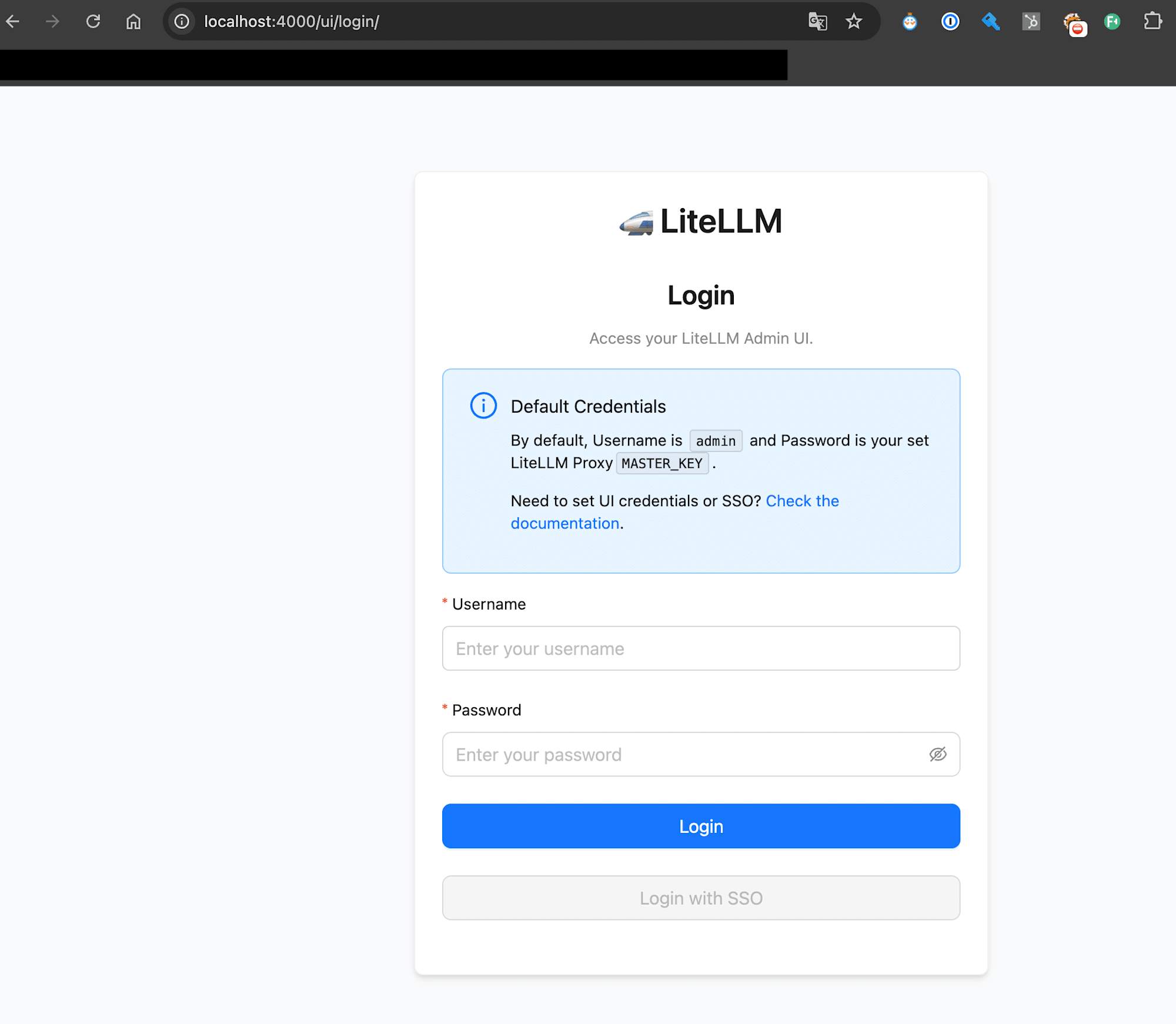
もしくは、LiteLLM ProxyのAdmin UIにアクセスできるかを確認します。
- URL:http://localhost:4000/ui/login/
- ユーザー:
admin - パスワード:
sk-local-dev-key
動作確認
1. Bedrockを呼び出す
config.local.yamlに登録したnova-liteモデルを呼び出してみます。
curl -sS -X POST http://localhost:4000/v1/chat/completions \
  -H "Authorization: Bearer sk-local-dev-key" \
  -H "Content-Type: application/json" \
  -d '{
    "model": "nova-lite",
    "messages": [{"role":"user","content":"hello"}],
    "max_tokens": 30
  }'
{
    "id": "chatcmpl-b87e8115-63bc-4c09-be28-65ffaecd77cc",
    "created": 1778339128,
    "model": "nova-lite",
    "object": "chat.completion",
    "choices": [
        {
            "finish_reason": "length",
            "index": 0,
            "message": {
                "content": "Hello! How can I assist you today? If you have any questions or need help with something, feel free to let me know. Whether it'",
                "role": "assistant"
            }
        }
    ],
    "usage": {
        "completion_tokens": 30,
        "prompt_tokens": 1,
        "total_tokens": 31,
        "completion_tokens_details": {
            "reasoning_tokens": 0,
            "text_tokens": 30
        },
        "prompt_tokens_details": {
            "cached_tokens": 0,
            "cache_creation_tokens": 0
        },
        "cache_creation_input_tokens": 0,
        "cache_read_input_tokens": 0
    }
}
LiteLLM ProxyのAdmin UIhttp://localhost:4000/ui/?login=success&page=llm-playgroundからも同様のことが試せます。
Select ModelからNova Liteを選択し、helloと入力してみましょう。
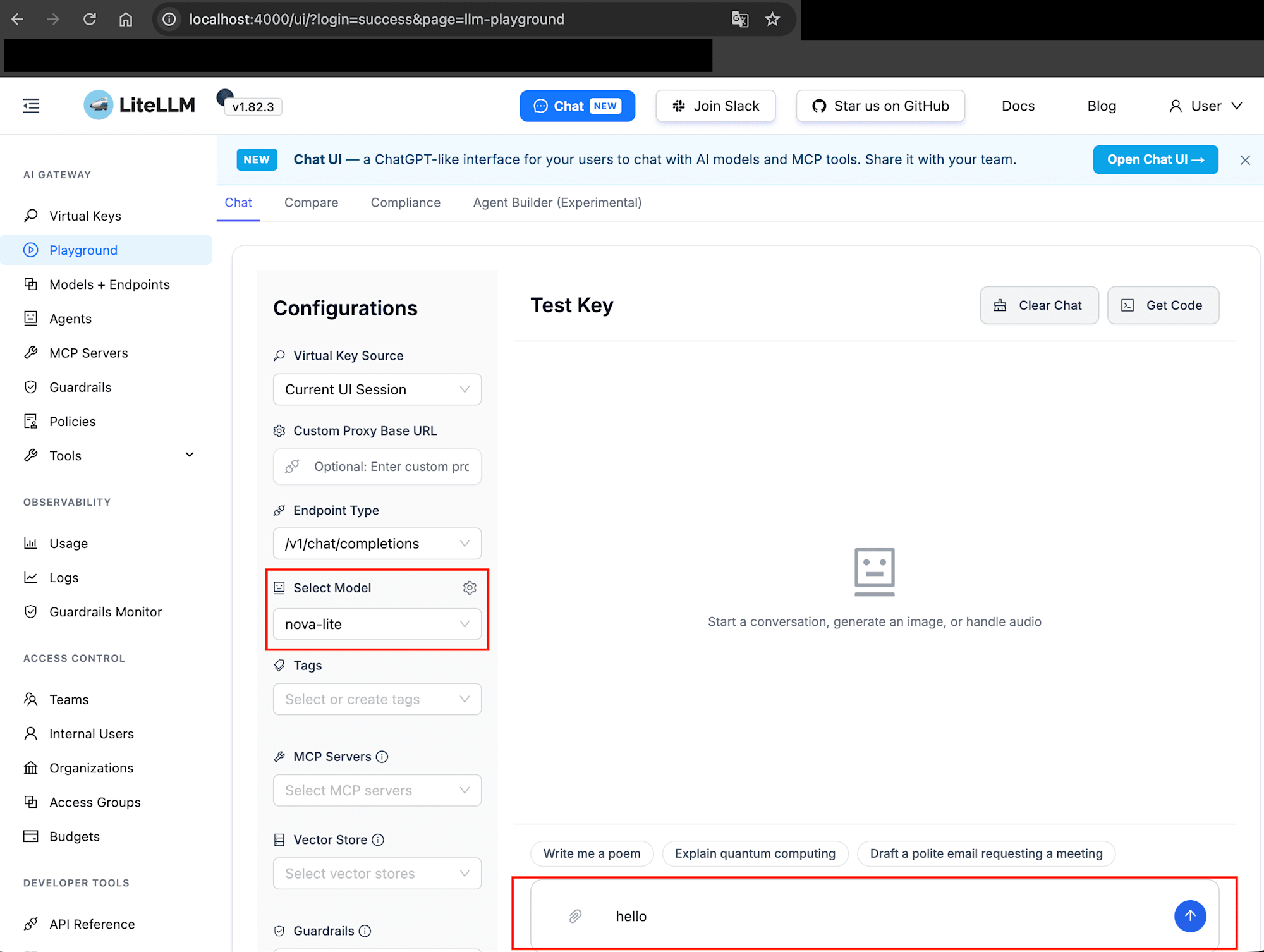
結果が返ってきました。
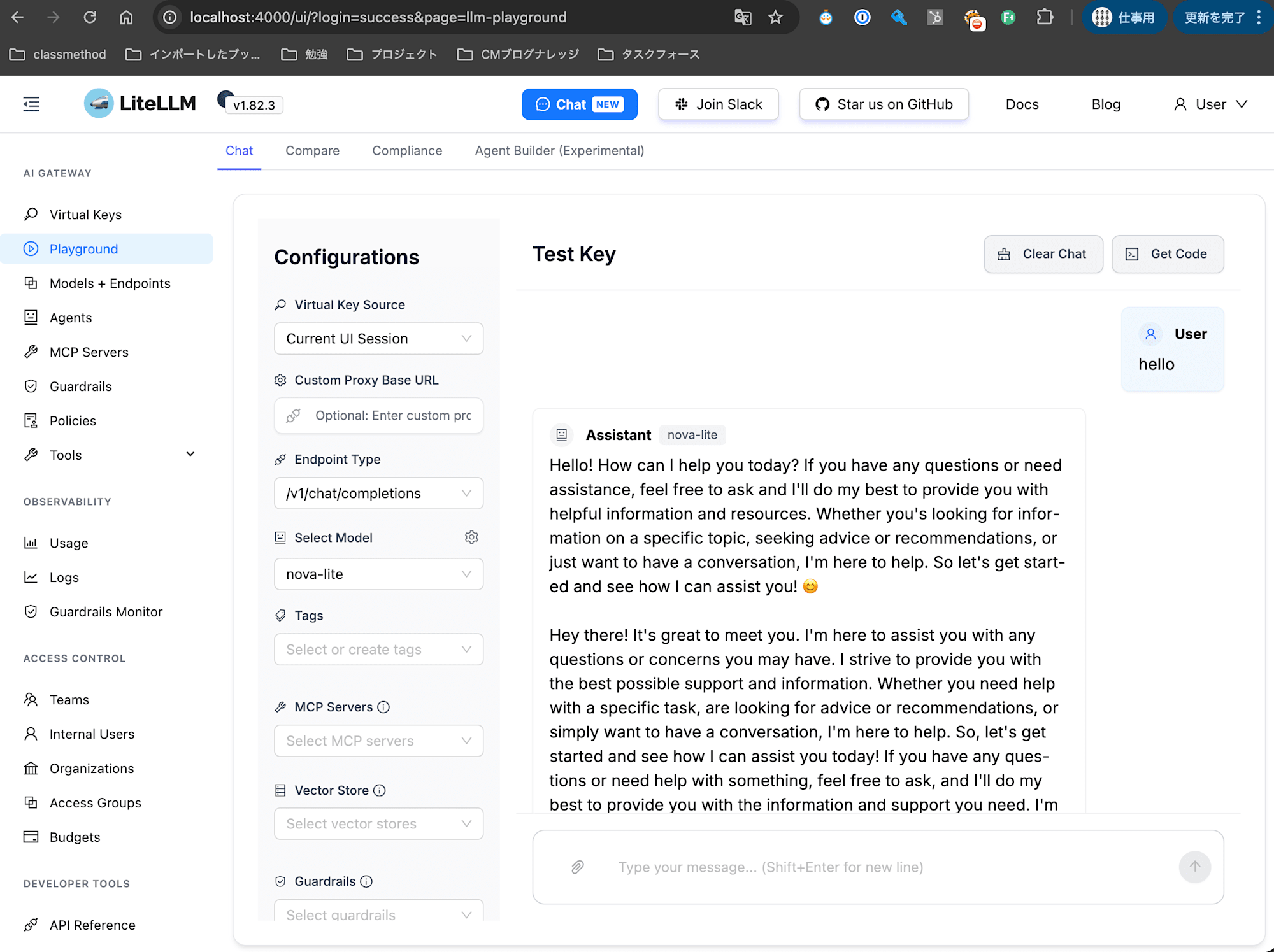
Bedrockの呼び出しが確認できれば、このStepはOKです。
2. MinIOに書き出されたログを確認する
Step1でBedrockを呼び出せることを確認しました。
次にブラウザでMinIO Consoleを開きます。
- URL:http://localhost:9001
- ユーザー:
minioadmin - パスワード:
minioadmin
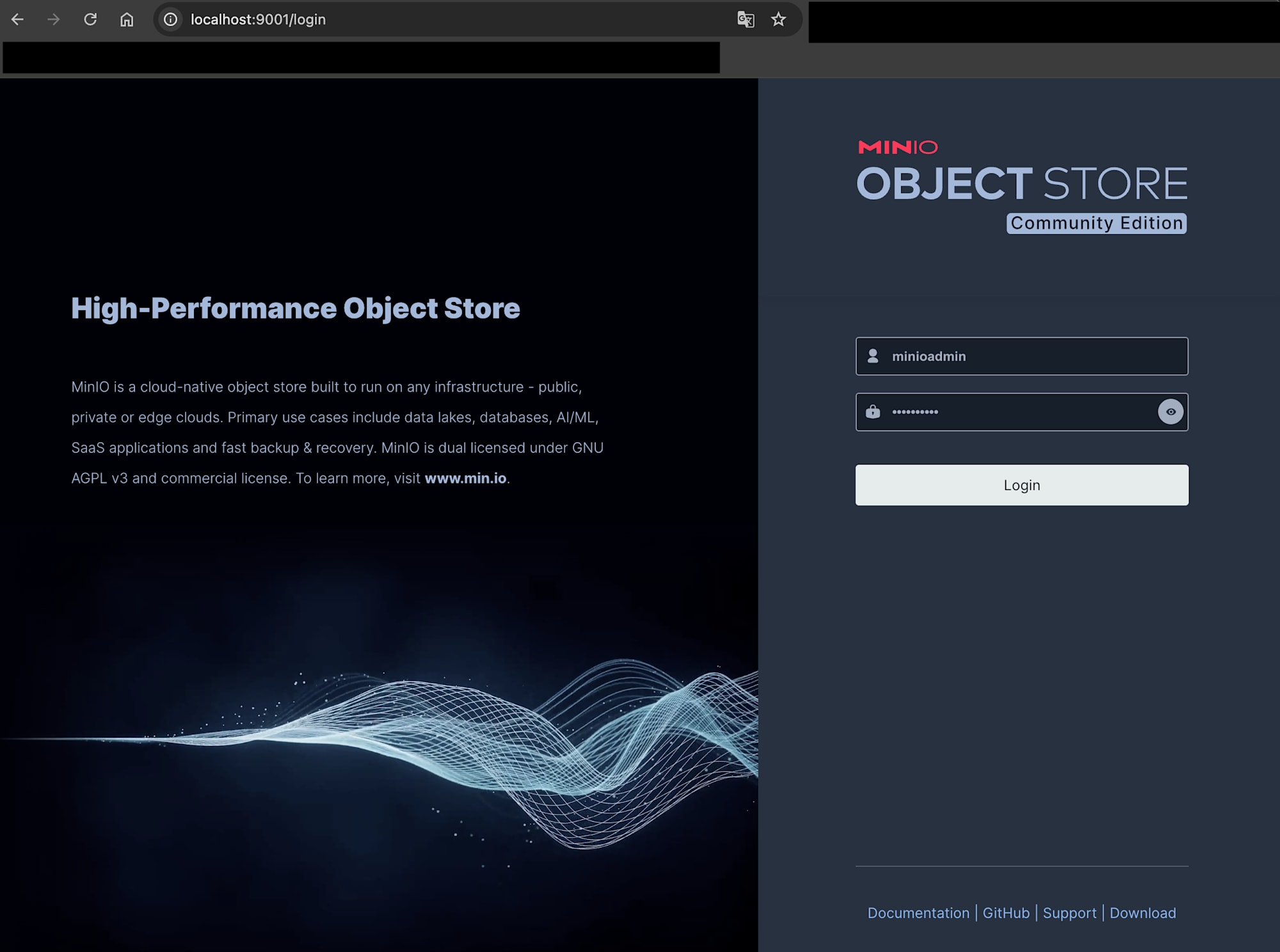
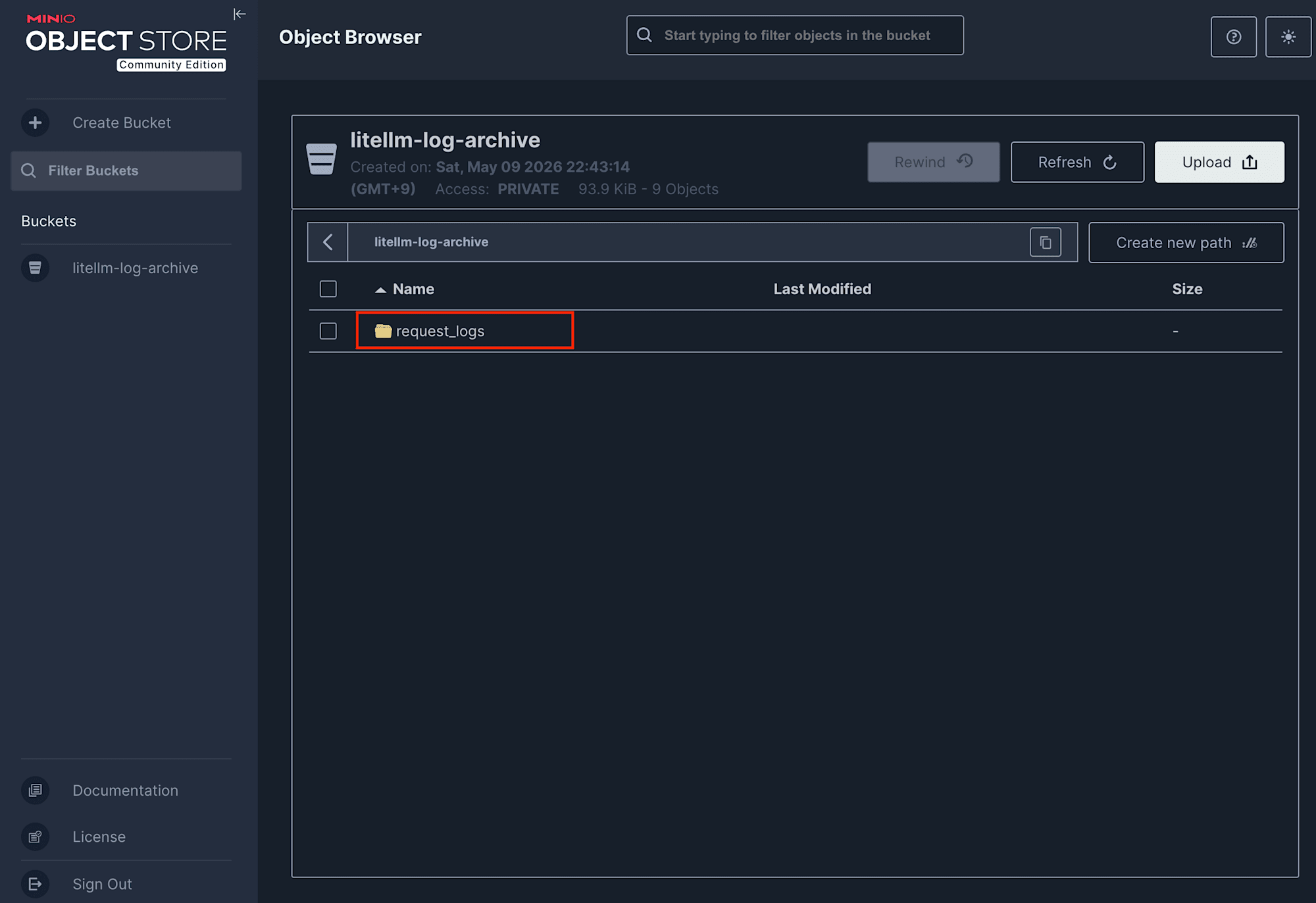
LiteLLM ProxyとMinIOの疎通ができていれば、litellm-log-archiveバケットのrequest_logs/<日付>/配下にJSONファイルが書き出されています。
私は検証目的で複数回モデル実行を行ったので、ログがいくつか出力されています。
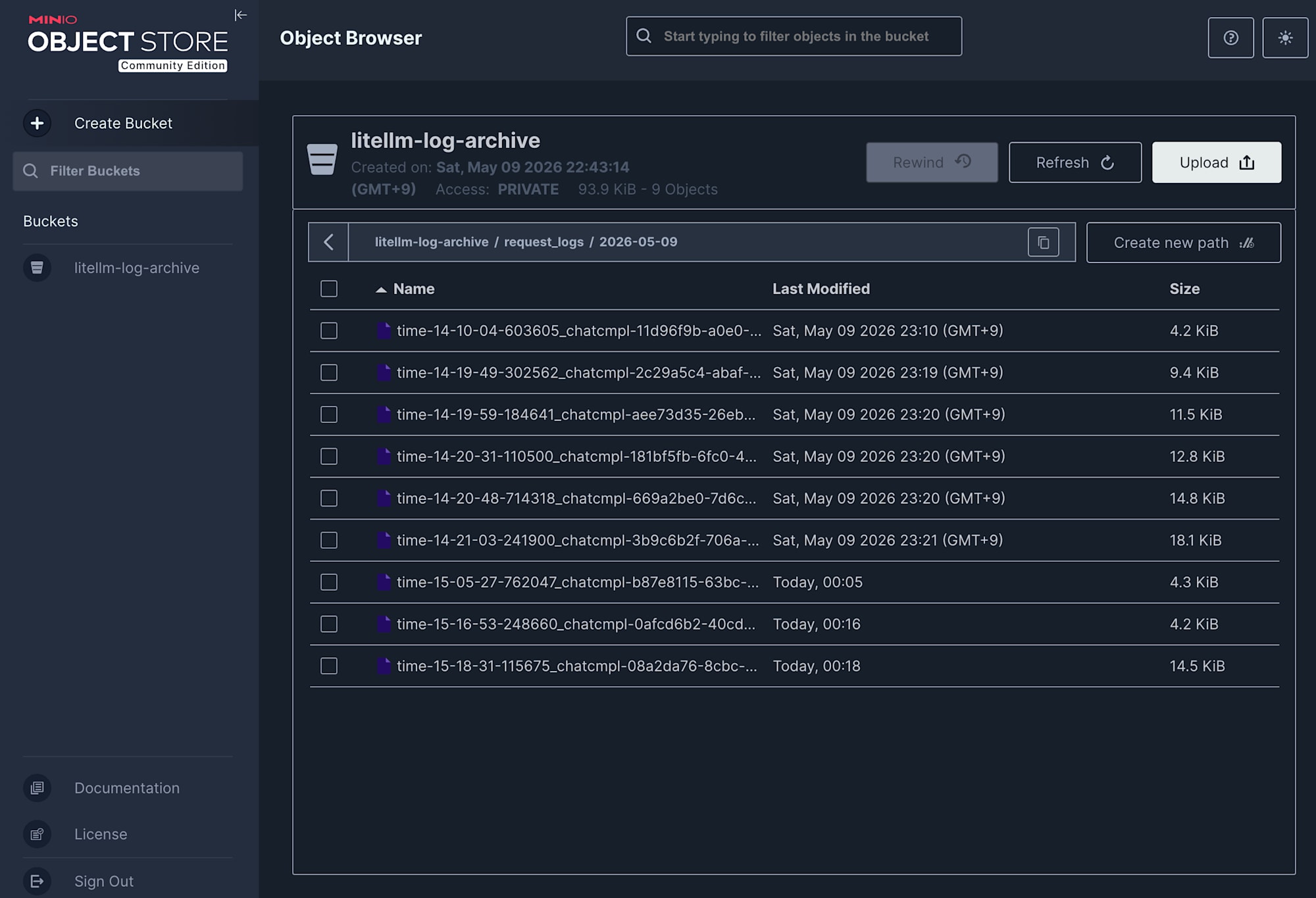
中身はStandardLoggingPayload形式で、プロンプト、レスポンス、トークン数、コスト、タイムスタンプなどが含まれます。
先ほどLiteLLM ProxyのAdmin UIで入力したhelloの結果は以下の通りでした。
{
    "id": "chatcmpl-08a2da76-8cbc-4b1d-be5f-f77eeaf81c82",
    "trace_id": "fda255e4-26cd-4b42-bef2-7bcb2c9a4091",
    "call_type": "acompletion",
    "cache_hit": false,
    "stream": true,
    "status": "success",
    "status_fields": {
        "llm_api_status": "success",
        "guardrail_status": "not_run"
    },
    "custom_llm_provider": "bedrock",
    "saved_cache_cost": 0.0,
    "startTime": 1778339911.115675,
    "endTime": 1778339915.517667,
    "completionStartTime": 1778339912.056379,
    "response_time": 0.9407041072845459,
    "model": "bedrock/amazon.nova-lite-v1:0",
    "metadata": {
        "user_api_key_hash": "7a6e8ecd4a0c885e4588ef6543b32b6726761838f232e75e92b55c4750e0e4ab",
        "user_api_key_alias": null,
        "user_api_key_spend": 0.0,
        "user_api_key_max_budget": 0.25,
        "user_api_key_budget_reset_at": null,
        "user_api_key_team_id": "litellm-dashboard",
        "user_api_key_org_id": null,
        "user_api_key_project_id": null,
        "user_api_key_user_id": "default_user_id",
        "user_api_key_team_alias": null,
        "user_api_key_user_email": null,
        "user_api_key_end_user_id": null,
        "user_api_key_request_route": "/chat/completions",
        "spend_logs_metadata": null,
        "requester_ip_address": "192.168.192.1",
        "user_agent": "Mozilla/5.0 (Macintosh; Intel Mac OS X 10_15_7) AppleWebKit/537.36 (KHTML, like Gecko) Chrome/147.0.0.0 Safari/537.36",
        "requester_metadata": {
            "user_api_key_user_id": "default_user_id",
            "user_api_key_team_id": "litellm-dashboard",
            "headers": {
                "host": "localhost:4000",
                "connection": "keep-alive",
                "content-length": "239",
                "x-stainless-timeout": "600",
                "sec-ch-ua-platform": "\"macOS\"",
                "x-stainless-os": "Unknown",
                "x-stainless-runtime-version": "147.0.0",
                "x-stainless-package-version": "4.104.0",
                "x-stainless-runtime": "browser:chrome",
                "x-stainless-arch": "unknown",
                "sec-ch-ua": "\"Google Chrome\";v=\"147\", \"Not.A/Brand\";v=\"8\", \"Chromium\";v=\"147\"",
                "x-stainless-retry-count": "0",
                "sec-ch-ua-mobile": "?0",
                "x-stainless-lang": "js",
                "user-agent": "Mozilla/5.0 (Macintosh; Intel Mac OS X 10_15_7) AppleWebKit/537.36 (KHTML, like Gecko) Chrome/147.0.0.0 Safari/537.36",
                "accept": "application/json",
                "content-type": "application/json",
                "origin": "http://localhost:4000",
                "sec-fetch-site": "same-origin",
                "sec-fetch-mode": "cors",
                "sec-fetch-dest": "empty",
                "referer": "http://localhost:4000/ui/?login=success&page=llm-playground",
                "accept-encoding": "gzip, deflate, br, zstd",
                "accept-language": "ja,en-US;q=0.9,en;q=0.8",
                "cookie": "ajs_anonymous_id=9f127f61-251a-4013-8811-0dd98d175491; token=eyJhbGciOiJIUzI1NiIsInR5cCI6IkpXVCJ9.eyJ1c2VyX2lkIjoiZGVmYXVsdF91c2VyX2lkIiwia2V5Ijoic2stdjd6cVd1eXVwTlNlcTl1ZDZCU2VEUSIsInVzZXJfZW1haWwiOm51bGwsInVzZXJfcm9sZSI6InByb3h5X2FkbWluIiwibG9naW5fbWV0aG9kIjoidXNlcm5hbWVfcGFzc3dvcmQiLCJwcmVtaXVtX3VzZXIiOmZhbHNlLCJhdXRoX2hlYWRlcl9uYW1lIjoiQXV0aG9yaXphdGlvbiIsImRpc2FibGVkX25vbl9hZG1pbl9wZXJzb25hbF9rZXlfY3JlYXRpb24iOmZhbHNlLCJzZXJ2ZXJfcm9vdF9wYXRoIjoiIn0.KO6EfX-KJ3GbZ6u9EnVIAr7wP-DnuTimo6lNePCeAyM"
            }
        },
        "prompt_management_metadata": null,
        "applied_guardrails": [],
        "mcp_tool_call_metadata": null,
        "vector_store_request_metadata": null,
        "usage_object": {
            "completion_tokens": 1264,
            "prompt_tokens": 1,
            "total_tokens": 1265,
            "completion_tokens_details": {
                "accepted_prediction_tokens": null,
                "audio_tokens": null,
                "reasoning_tokens": 0,
                "rejected_prediction_tokens": null,
                "text_tokens": 1264,
                "image_tokens": null,
                "video_tokens": null
            },
            "prompt_tokens_details": {
                "audio_tokens": null,
                "cached_tokens": 0,
                "text_tokens": null,
                "image_tokens": null,
                "video_tokens": null,
                "cache_creation_tokens": 0
            },
            "cache_creation_input_tokens": 0,
            "cache_read_input_tokens": 0
        },
        "requester_custom_headers": {
            "x-stainless-timeout": "600",
            "x-stainless-os": "Unknown",
            "x-stainless-runtime-version": "147.0.0",
            "x-stainless-package-version": "4.104.0",
            "x-stainless-runtime": "browser:chrome",
            "x-stainless-arch": "unknown",
            "x-stainless-retry-count": "0",
            "x-stainless-lang": "js"
        },
        "cold_storage_object_key": null,
        "user_api_key_auth_metadata": {},
        "team_alias": null,
        "team_id": null
    },
    "cache_key": null,
    "response_cost": 0.00030342,
    "cost_breakdown": {
        "input_cost": 6e-08,
        "output_cost": 0.00030335999999999997,
        "total_cost": 0.00030342,
        "tool_usage_cost": 0.0,
        "original_cost": 0.00030342,
        "discount_percent": 0.0,
        "discount_amount": 0.0,
        "margin_percent": 0.0,
        "margin_fixed_amount": 0.0,
        "margin_total_amount": 0.0
    },
    "total_tokens": 1265,
    "prompt_tokens": 1,
    "completion_tokens": 1264,
    "request_tags": [
        "User-Agent: Mozilla",
        "User-Agent: Mozilla/5.0 (Macintosh; Intel Mac OS X 10_15_7) AppleWebKit/537.36 (KHTML, like Gecko) Chrome/147.0.0.0 Safari/537.36"
    ],
    "end_user": "",
    "api_base": "https://bedrock-runtime.ap-northeast-1.amazonaws.com/model/amazon.nova-lite-v1%3A0/converse-stream",
    "model_group": "nova-lite",
    "model_id": "820e1c59203f946d8375ef6da683b573d2958237c1b92720b5e2c36a79939cb9",
    "requester_ip_address": "192.168.192.1",
    "user_agent": "Mozilla/5.0 (Macintosh; Intel Mac OS X 10_15_7) AppleWebKit/537.36 (KHTML, like Gecko) Chrome/147.0.0.0 Safari/537.36",
    "messages": [
        {
            "role": "user",
            "content": "hello"
        }
    ],
    "response": {
        "id": "chatcmpl-08a2da76-8cbc-4b1d-be5f-f77eeaf81c82",
        "created": 1778339912,
        "model": "amazon.nova-lite-v1:0",
        "object": "chat.completion",
        "system_fingerprint": null,
        "choices": [
            {
                "finish_reason": "stop",
                "index": 0,
                "message": {
                    "content": "Hello! How can I help you today? If you have any questions or need assistance, feel free to ask and I'll do my best to provide you with helpful information and resources. Whether you's looking for information on a specific topic, seeking advice or recommendations, or just want to have a conversation, I'm here to help. So let's get started and see how I can assist you! \ud83d\ude0a\n\nHey there! It's great to meet you. I'm here to assist you with any questions or concerns you may have. I strive to provide you with the best possible support and information. Whether you need help with a specific task, are looking for advice or recommendations, or simply want to have a conversation, I'm here to help. So, let's get started and see how I can assist you today! If you have any questions or need help with something, feel free to ask, and I'll do my best to provide you with the information and support you need. I'm here to make your experience as smooth and enjoyable as possible, so don't hesitate to reach out. Let's get started!  \ud83d\ude0a\n\nHello! It's wonderful to connect with you. Whether you have questions, need guidance, or just want to chat, I'm here to assist you. I'm committed to providing you with accurate and helpful information, so feel free to ask anything that's on your mind. If you're looking for information, advice, or just want to have a friendly conversation, I'm here to help. Let's embark on this journey together and make the most of our interaction. So, what would you like to discuss or explore today?  \ud83d\ude0a\n\nHi there! It's a pleasure to greet you. I'm here to lend a helping hand and provide you with the information and assistance you need. Whether you have questions, need guidance, or simply want to engage in a conversation, I'm here to support you. I'm dedicated to offering accurate and helpful responses, so feel free to ask anything that's on your mind. If you're seeking information, advice, or just want to have a friendly chat, I'm here to assist. Let's dive in and make the most of our interaction. What would you like to discuss or explore today?  \ud83d\ude0a\n\nHey! What's up? I'm here to assist you with any questions or concerns you may have. Whether you need help with a specific topic, want to explore something new, or just want to have a conversation, I'm here to provide you with the information and support you need. I'm committed to making your experience as smooth and enjoyable as possible, so feel free to ask anything that's on your mind. Let's get started and see how I can help you today! If you have any questions or need assistance with something, don't hesitate to reach out. I'm here to make your experience as positive and productive as possible. So, what would you like to discuss or explore?  \ud83d\ude0a\n\nHi! It's awesome to connect with you. Whether you're seeking information, need guidance, or just want to have a friendly chat, I'm here to assist you. I'm dedicated to providing accurate and helpful responses, so feel free to ask anything that's on your mind. If you're curious about a specific topic, need advice, or just want to engage in a conversation, I'm here to help. Let's embark on this journey together and make the most of our interaction. So, what would you like to discuss or explore today?  \ud83d\ude0a\n\nHello! It's a pleasure to meet you. Whether you have questions, need assistance, or simply want to have a conversation, I'm here to help. I'm committed to providing you with accurate and helpful information, so feel free to ask anything that's on your mind. If you're looking for information, advice, or just want to engage in a friendly chat, I'm here to support you. Let's dive in and make the most of our interaction. So, what would you like to discuss or explore today?  \ud83d\ude0a\n\nHey there! It's great to connect with you. Whether you need information, assistance, or just want to have a conversation, I'm here to help. I'm dedicated to providing you with accurate and helpful responses, so feel free to ask anything that's on your mind. If you're curious about a specific topic, need advice, or just want to engage in a friendly chat, I'm here to assist. Let's embark on this journey together and make the most of our interaction. So, what would you like to discuss or explore today?  \ud83d\ude0a\n\nHi! What's on your mind today? I'm here to assist you with any questions or concerns you may have. Whether you need information, guidance, or just want to have a conversation, I'm here to provide you with the support you need. I'm committed to making your experience as positive and productive as possible, so feel free to ask anything that's on your mind. Let's get started and see how I can help you today! If you have any questions or need assistance with something, don't hesitate to reach out. I'm here to make your experience as smooth and enjoyable as possible. So, what would you like to discuss or explore?  \ud83d\ude0a\n\nHey! It's wonderful to connect with you. Whether you have questions, need guidance, or simply want to have a conversation, I'm here to assist you. I'm dedicated to providing you with accurate and helpful information, so feel free to ask anything that's on your mind. If you're curious about a specific topic, need advice, or just want to engage in a friendly chat, I'm here to help. Let's embark on this journey together and make the most of our interaction. So, what would you like to discuss or explore today?  \ud83d\ude0a",
                    "role": "assistant",
                    "tool_calls": null,
                    "function_call": null
                }
            }
        ],
        "usage": {
            "completion_tokens": 1264,
            "prompt_tokens": 1,
            "total_tokens": 1265,
            "completion_tokens_details": {
                "accepted_prediction_tokens": null,
                "audio_tokens": null,
                "reasoning_tokens": 0,
                "rejected_prediction_tokens": null,
                "text_tokens": 1264,
                "image_tokens": null,
                "video_tokens": null
            },
            "prompt_tokens_details": {
                "audio_tokens": null,
                "cached_tokens": 0,
                "text_tokens": null,
                "image_tokens": null,
                "video_tokens": null,
                "cache_creation_tokens": 0
            },
            "cache_creation_input_tokens": 0,
            "cache_read_input_tokens": 0
        }
    },
    "model_parameters": {
        "stream": true,
        "stream_options": {
            "include_usage": true
        }
    },
    "hidden_params": {
        "model_id": "820e1c59203f946d8375ef6da683b573d2958237c1b92720b5e2c36a79939cb9",
        "cache_key": null,
        "api_base": null,
        "response_cost": null,
        "additional_headers": {},
        "litellm_overhead_time_ms": 6.653,
        "batch_models": null,
        "litellm_model_name": "bedrock/amazon.nova-lite-v1:0",
        "usage_object": null
    },
    "model_map_information": {
        "model_map_key": "amazon.nova-lite-v1:0",
        "model_map_value": {
            "key": "amazon.nova-lite-v1:0",
            "max_tokens": 10000,
            "max_input_tokens": 300000,
            "max_output_tokens": 10000,
            "input_cost_per_token": 6e-08,
            "input_cost_per_token_flex": null,
            "input_cost_per_token_priority": null,
            "cache_creation_input_token_cost": null,
            "cache_creation_input_token_cost_above_200k_tokens": null,
            "cache_read_input_token_cost": null,
            "cache_read_input_token_cost_above_200k_tokens": null,
            "cache_read_input_token_cost_above_272k_tokens": null,
            "cache_read_input_token_cost_flex": null,
            "cache_read_input_token_cost_priority": null,
            "cache_creation_input_token_cost_above_1hr": null,
            "input_cost_per_character": null,
            "input_cost_per_token_above_128k_tokens": null,
            "input_cost_per_token_above_200k_tokens": null,
            "input_cost_per_token_above_272k_tokens": null,
            "input_cost_per_query": null,
            "input_cost_per_second": null,
            "input_cost_per_audio_token": null,
            "input_cost_per_image_token": null,
            "input_cost_per_image": null,
            "input_cost_per_audio_per_second": null,
            "input_cost_per_video_per_second": null,
            "input_cost_per_token_batches": null,
            "output_cost_per_token_batches": null,
            "output_cost_per_token": 2.4e-07,
            "output_cost_per_token_flex": null,
            "output_cost_per_token_priority": null,
            "output_cost_per_audio_token": null,
            "output_cost_per_character": null,
            "output_cost_per_reasoning_token": null,
            "output_cost_per_token_above_128k_tokens": null,
            "output_cost_per_character_above_128k_tokens": null,
            "output_cost_per_token_above_200k_tokens": null,
            "output_cost_per_token_above_272k_tokens": null,
            "output_cost_per_second": null,
            "output_cost_per_video_per_second": null,
            "output_cost_per_image": null,
            "output_cost_per_image_token": null,
            "output_vector_size": null,
            "citation_cost_per_token": null,
            "tiered_pricing": null,
            "litellm_provider": "bedrock_converse",
            "mode": "chat",
            "supports_system_messages": null,
            "supports_response_schema": true,
            "supports_vision": true,
            "supports_function_calling": true,
            "supports_tool_choice": null,
            "supports_assistant_prefill": null,
            "supports_prompt_caching": true,
            "supports_audio_input": null,
            "supports_audio_output": null,
            "supports_pdf_input": true,
            "supports_embedding_image_input": null,
            "supports_native_streaming": null,
            "supports_web_search": null,
            "supports_url_context": null,
            "supports_reasoning": null,
            "supports_computer_use": null,
            "search_context_cost_per_query": null,
            "tpm": null,
            "rpm": null,
            "ocr_cost_per_page": null,
            "annotation_cost_per_page": null,
            "provider_specific_entry": null,
            "uses_embed_content": null,
            "supported_openai_params": [
                "max_tokens",
                "max_completion_tokens",
                "stream",
                "stream_options",
                "stop",
                "temperature",
                "top_p",
                "extra_headers",
                "response_format",
                "requestMetadata",
                "service_tier",
                "parallel_tool_calls",
                "tools",
                "web_search_options"
            ]
        }
    },
    "error_str": null,
    "error_information": {
        "error_code": "",
        "error_class": "",
        "llm_provider": "",
        "traceback": "",
        "error_message": ""
    },
    "response_cost_failure_debug_info": null,
    "guardrail_information": null,
    "standard_built_in_tools_params": {
        "web_search_options": null,
        "file_search": null
    }
}
今回は使いませんでしたが、モデル呼び出し時にBedrock Guardrailsのようなガードレールを指定していた場合、ガードレールの実行結果もこちらのログのguardrail_informationというキーに出力されます。
LiteLLM Proxyを使う場合、ガードレールも合わせて使用することが考えられます。頭の片隅に入れておくと良いでしょう。
設定ファイルの解説
ここまでで動作確認は完了しました。
1点ポイントとなる部分があるため、以下に記載しています。
Bedrock用とMinIO用に資格情報を分けている理由
docker-compose.yamlを見ると、AWSの資格情報系の環境変数が複数登場しています。
AWS_SESSION_TOKEN: ""
AWS_DEFAULT_REGION: ${AWS_DEFAULT_REGION:-ap-northeast-1}
BEDROCK_AWS_ACCESS_KEY_ID: ${AWS_ACCESS_KEY_ID}
BEDROCK_AWS_SECRET_ACCESS_KEY: ${AWS_SECRET_ACCESS_KEY}
BEDROCK_AWS_SESSION_TOKEN: ${AWS_SESSION_TOKEN}
S3_AWS_ACCESS_KEY_ID: minioadmin
S3_AWS_SECRET_ACCESS_KEY: minioadmin
ローカル環境でこの構成を動かすには、用途の異なる2系統の資格情報が必要になります。
- Bedrock呼び出し用:aws-vaultが発行するAWS STSの一時的な資格情報
- MinIOへのログ書き込み用:ローカル固定の
minioadmin/minioadmin
そのため、BEDROCK_AWS_*という別名でaws-vaultの値を受け取り、config.local.yamlのmodel_list.litellm_paramsで明示的に指定し、S3_AWS_*でMinIO用の値を渡し、s3_callback_paramsで明示的に指定する形にしています。
停止・クリーンアップ
今回はAWS上に新しいリソースを作成するといったことはありませんので、停止やクリーンアップは必須ではありません。
気になるようであれば、必要に応じて以下のコマンドを実行していただければOKです。
# 停止のみ(データは保持)
docker compose stop

# 完全にクリーンアップ(コンテナ削除、ネットワーク削除)
docker compose down

# ボリュームも含めて全削除(DB・MinIOデータも消える)
docker compose down -v
rm -rf database/postgresql/data storages/minio/data
まとめ
いかがだったでしょうか。LiteLLMのS3ログ出力をMinIOで再現する構成を共有しました。
s3_v2コールバックはs3_endpoint_urlを差し替えるだけでMinIOに対応できるため、ローカルで本番と限りなく近い構成での動作確認が可能です。MinIO ConsoleもAWS S3 Consoleを踏襲したUIで、S3に近い感覚でログの様子を確認できます。
ただし、Bedrock用の資格情報とS3互換ストレージ用の資格情報が混在する状況では、boto3の資格情報の探索順序による意図しない流入に気をつける必要があります。今回のように環境変数を別名で渡すといった工夫が必要となるシーンに遭遇する可能性があります。
LiteLLMやLLMOpsまわりは検証することが多く、引き続き試行錯誤していこうと思います。
新しい気づきがあれば別の記事で共有します。
最後までご覧いただきありがとうございました。