OpenTacoのバックエンドレスモードを試してみる

OpenTacoのバックエンドレスモード
バックエンドレスモードと通常の違いは、オーケストレーターバックエンドの有無です。
OpenTacoは以下の2つのコンポーネントで構成されます。
- CI内で実行されるCLI
- CIジョブをトリガーするオーケストレーターバックエンド(GitHub Appまたはセルフホスト)
バックエンドレスモードは上記の「2.」が存在しないモードです。
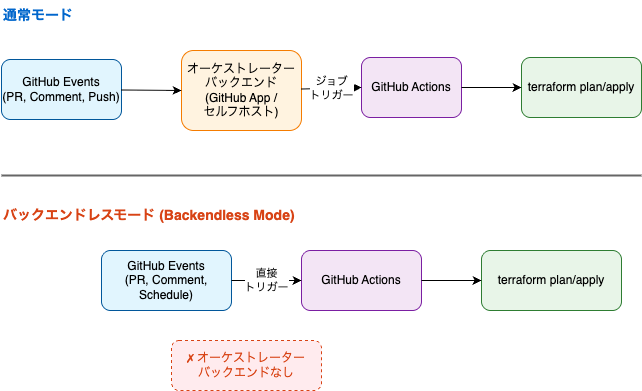
GitHub Appのインストールができない・セルフホスト用のリソースを用意できない環境でOpenTacoを使いたい場合に利用すると良いと思います。
オーケストレーターバックエンドの役割
オーケストレーターバックエンドの役割についても確認します。
オーケストレーターバックエンドは以下を行います。
- 必要な時だけ実行: 変更があった場合のみ必要なGitHub Actionsワークフローを実行
- 並行実行制御: 複数プロジェクトの同時実行とロック管理
- コマンド解析: PRコメントからDiggerコマンドを検出・実行
バックエンドレスモードではオーケストレーターを使いません。並行実行等に制限があります。
- No concurrency; all plans / applies need to run sequentially, which is slow
- Action starts on every push or comment, often just to detect that there are no changes. That’s expensive, especially in large repos.
- Clashing applies from other jobs will fail as they cannot be queued
- Buckets / tables for PR-level locks need to be configured manually in your cloud account
- Comments and status checks will be updated with a delay
バックエンドレスモードを試してみる
オーケストレーターのGitHub Appを一時的に停止します。
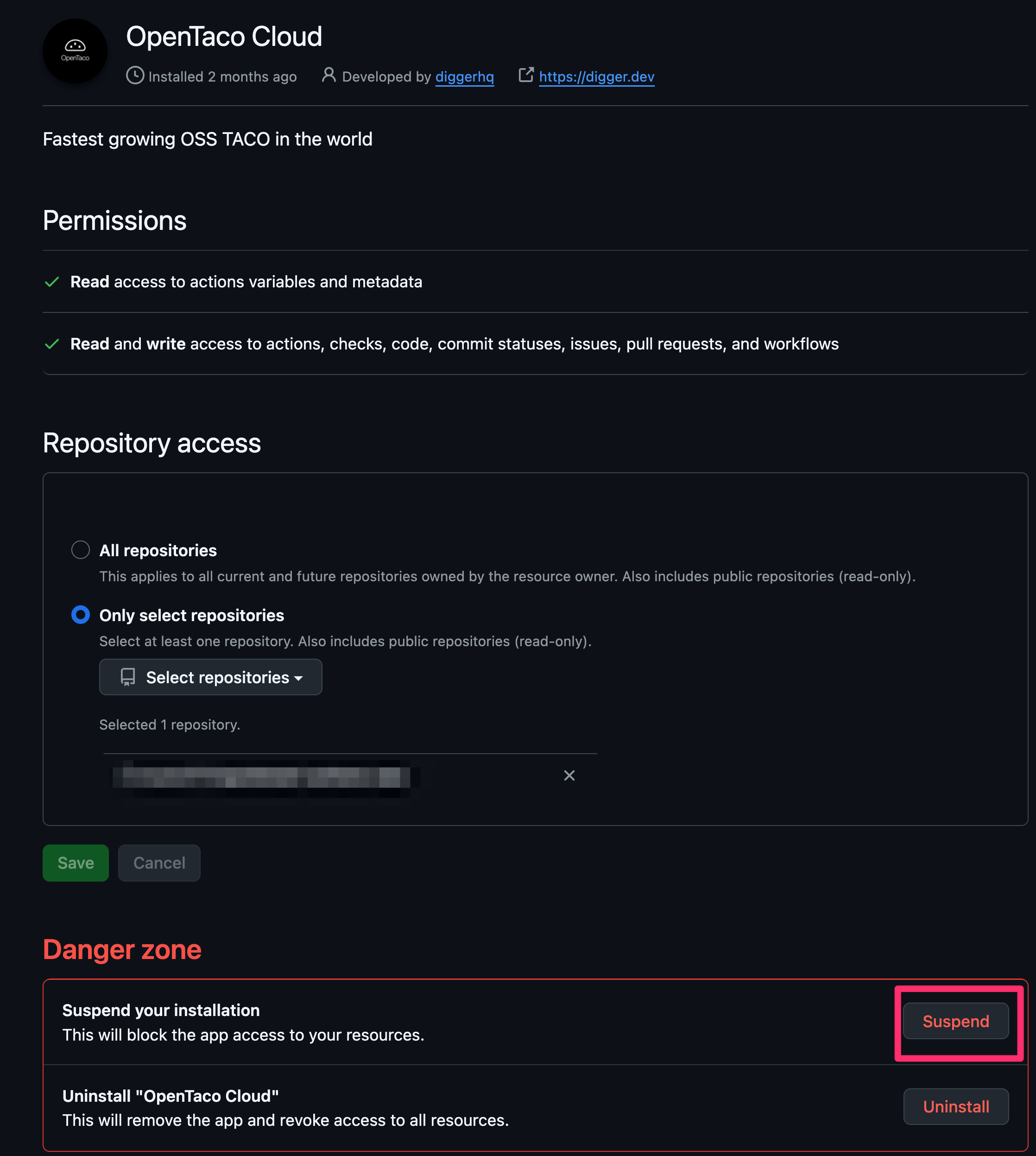
これでGitHub Pull RequestにコメントしてもPlan・Applyができない状態になりました。
バックエンドレスモードに変更してオーケストレーター無効化状態で動作するか確認します。
diggerhq/diggertのステップでwith.no-backend: trueに設定することで、バックエンドレスモードになります。(デフォルトはfalse)
OpenTaco用のGitHub Actionsワークフローファイルを修正し、GitHubにPushします。
主に以下の変更を行いました。
- GitHub ActionsのトリガーにPull Requestとコメントを追加
- バックエンドレスモードを有効化
name: Digger Workflow

on:
  pull_request:
    branches: [ "main" ]
    types: [ opened, synchronize ]
  issue_comment:
    types: [created]
  workflow_dispatch:

jobs:
  digger-job:
    runs-on: ubuntu-latest
    permissions:
      contents: write      # required to merge PRs
      actions: write       # required for plan persistence
      id-token: write      # required for workload-identity-federation
      pull-requests: write # required to post PR comments
      issues: read         # required to check if PR number is an issue or not
      statuses: write      # required to validate combined PR status

    steps:
      - uses: actions/checkout@v4
      - uses: diggerhq/digger@vLatest
        with:
          digger-filename: digger.yml
          setup-aws: true
          setup-terraform: true
          terraform-version: 1.14.3
          aws-role-to-assume: ${{ secrets.AWS_ROLE_ARN }}
          no-backend: true
        env:
          GITHUB_CONTEXT: ${{ toJson(github) }}
          GITHUB_TOKEN: ${{ secrets.GITHUB_TOKEN }}
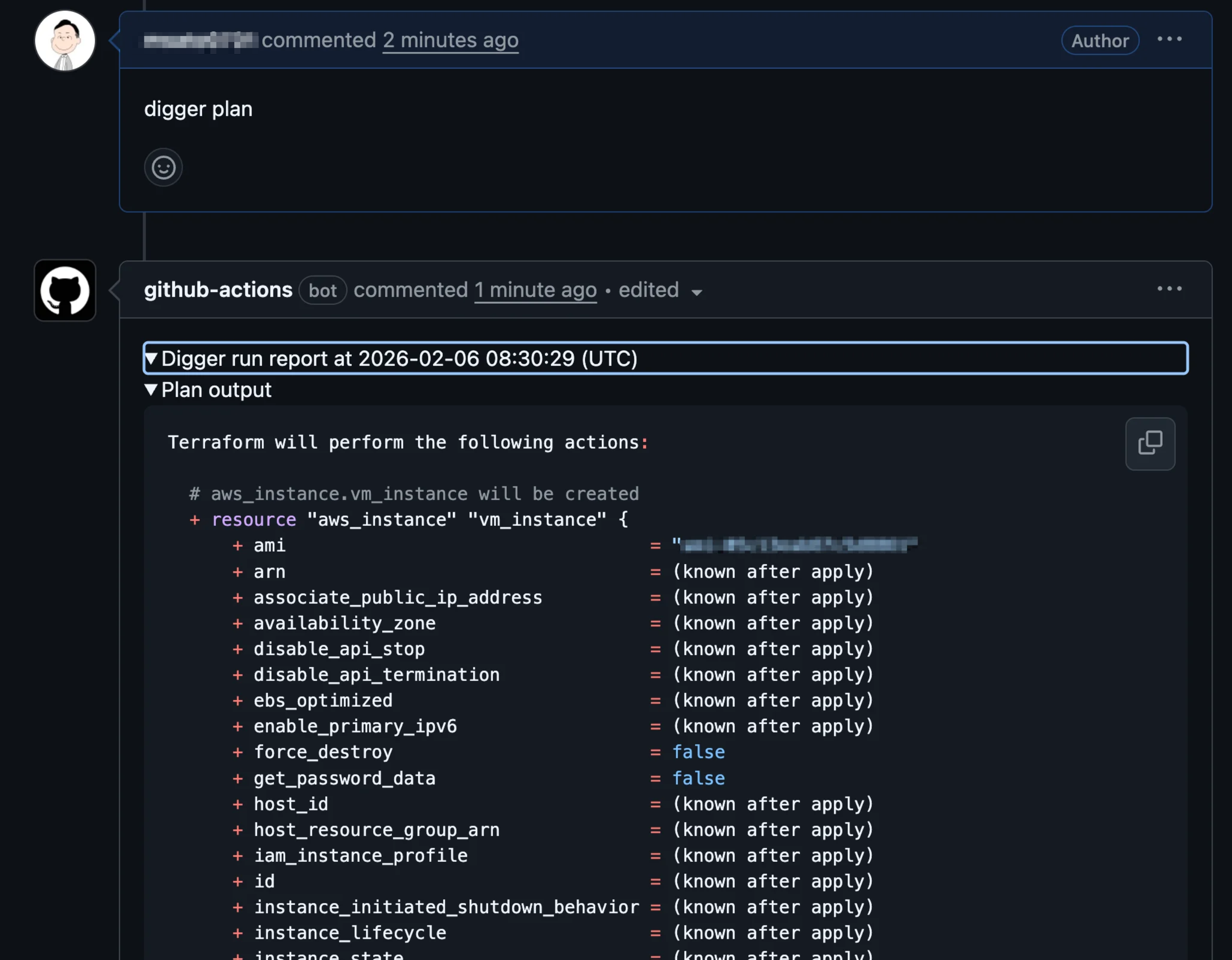
GitHubのPull Request上でコメントしたところ、Planが成功しました。
Pull Requestのコメント上でPlan結果も確認できました。
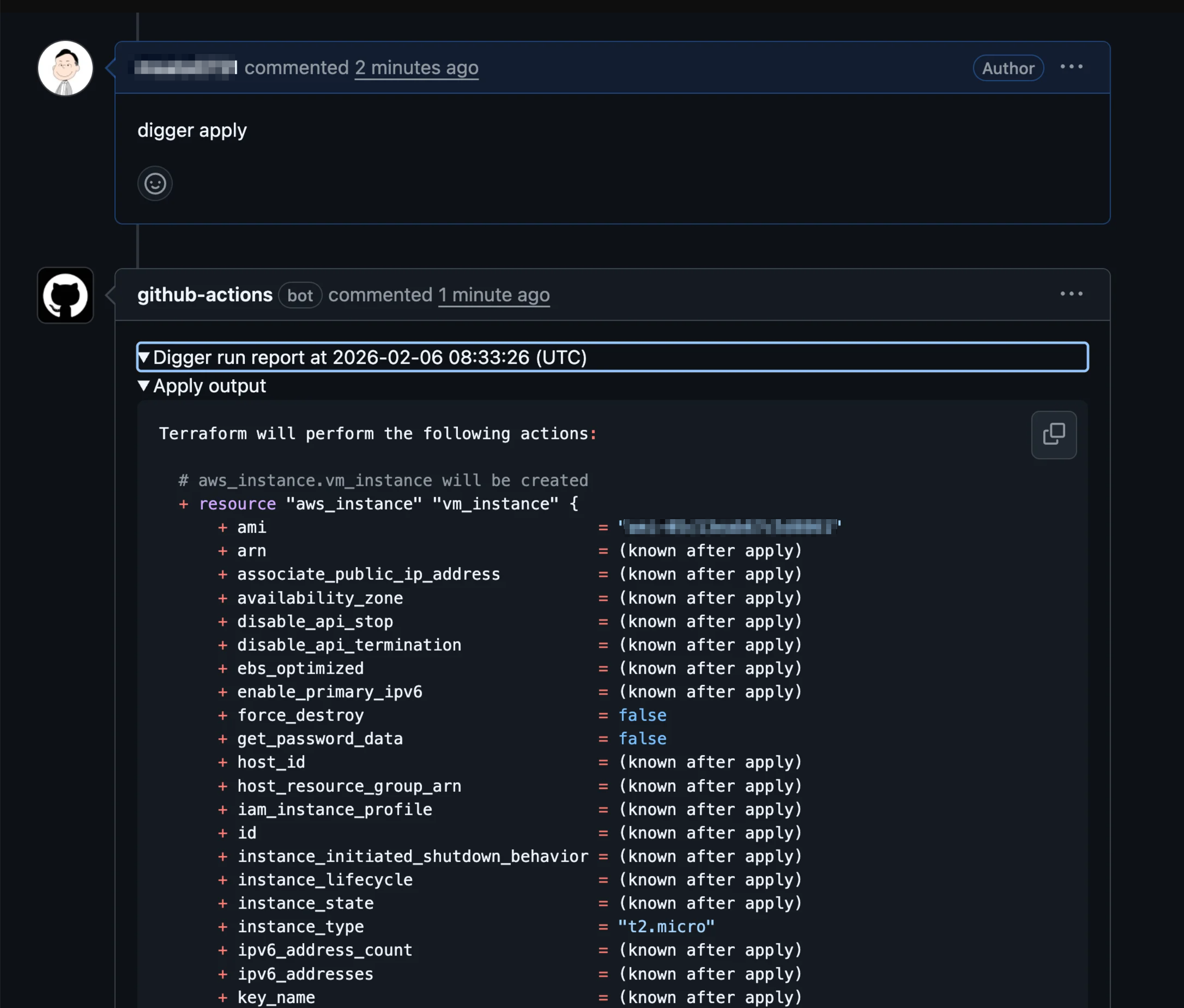
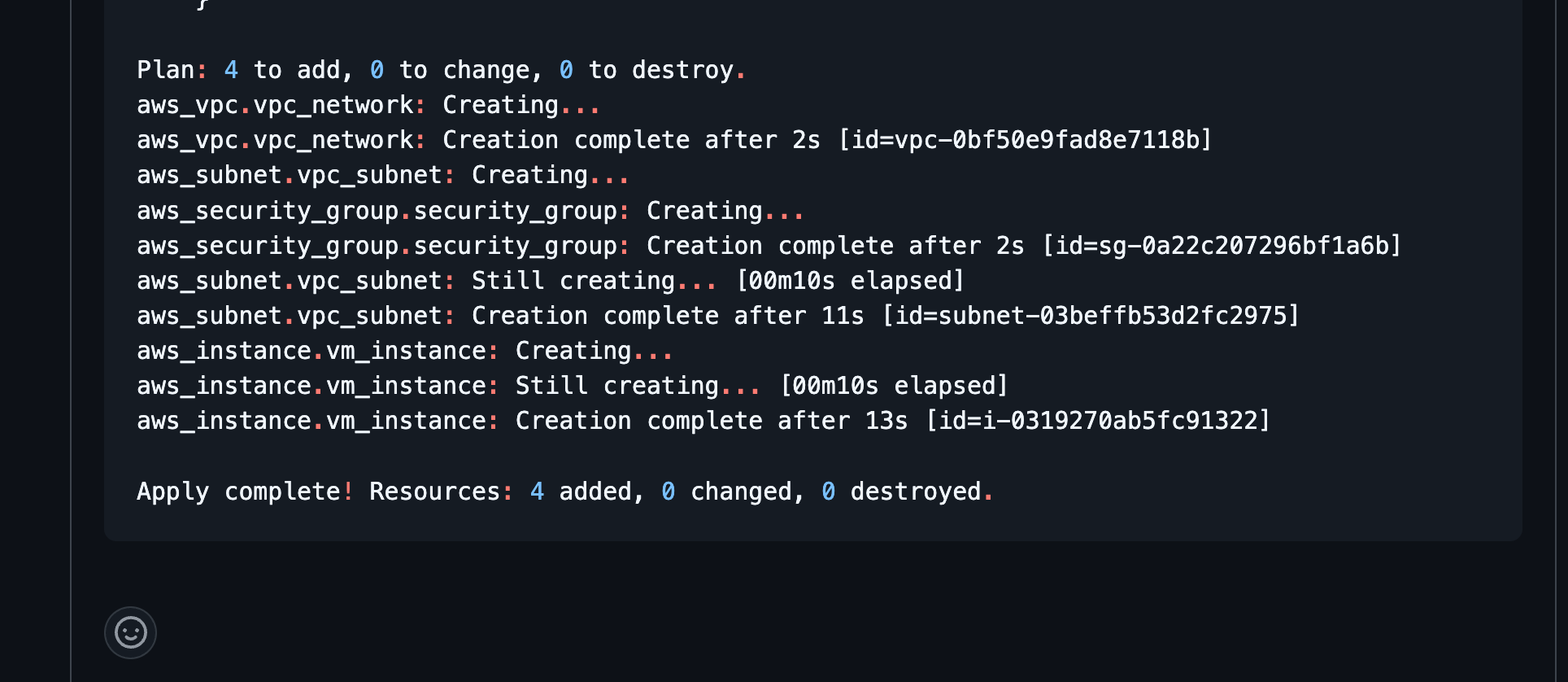
Applyも成功しました。
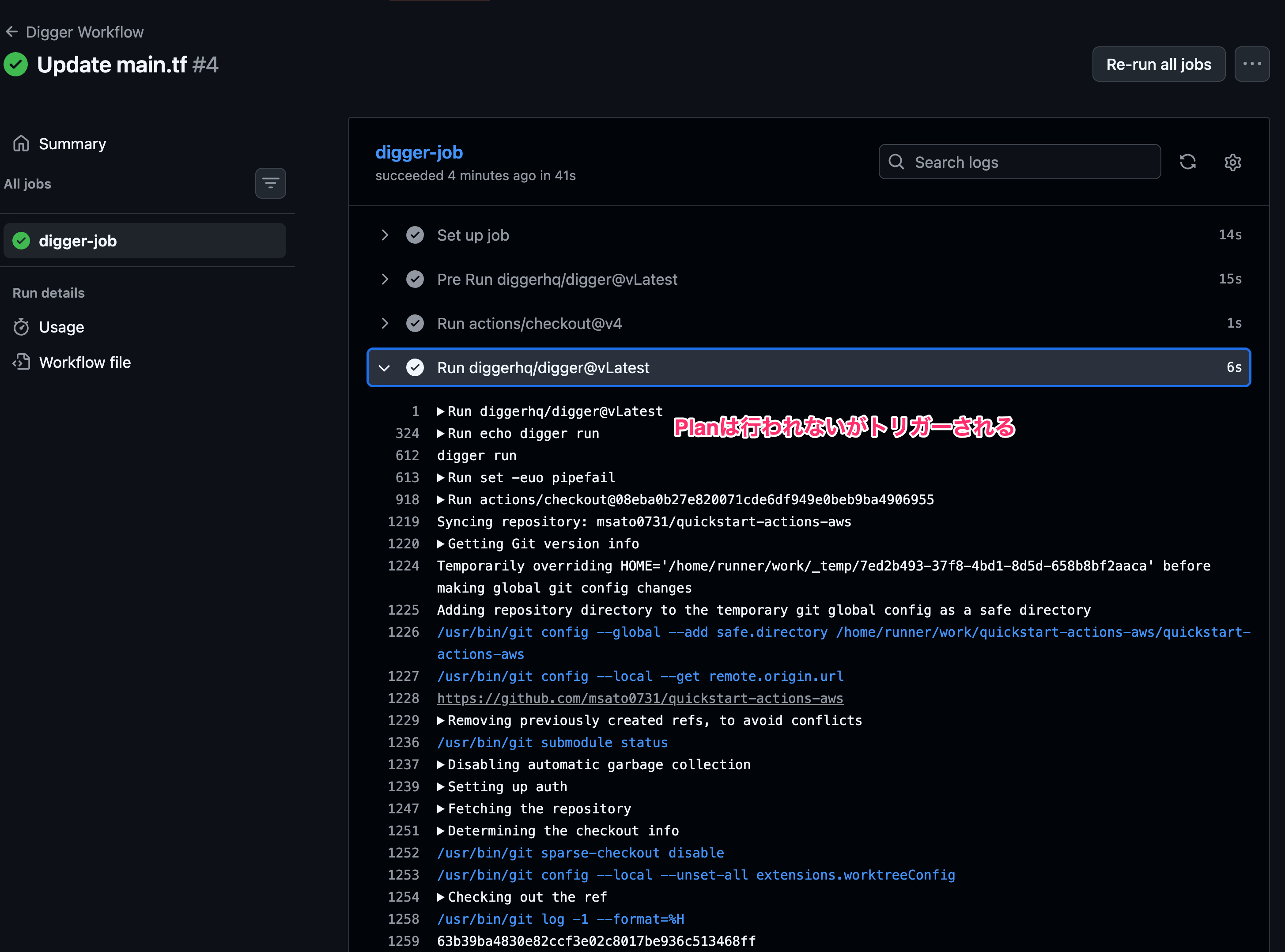
注意点: digger plan/apply以外のコメントでもGitHub Actionsがトリガーされる
issue_commentでは特定文字列のコメントだけをトリガーできません。
ワークフローをトリガーするイベント - GitHub ドキュメント
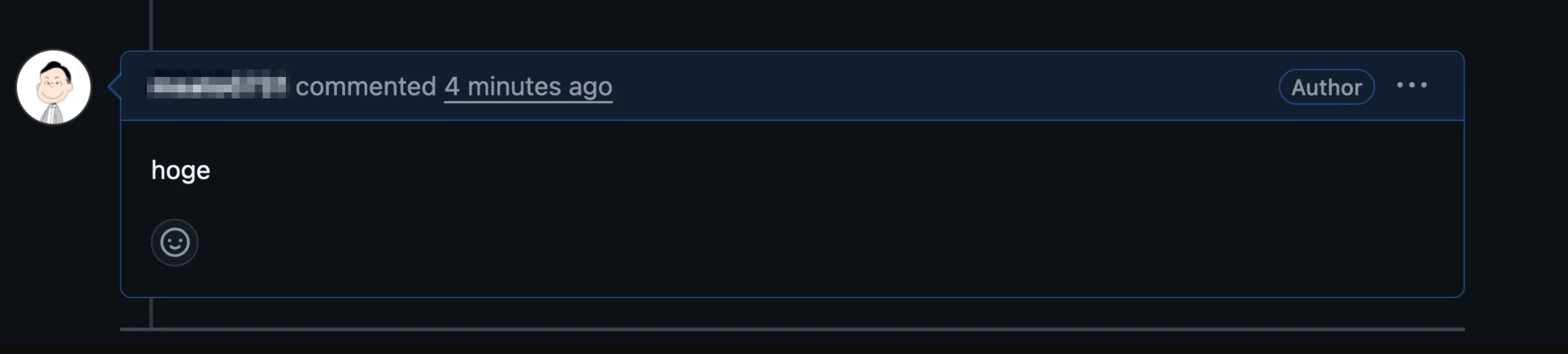
そのため、コメントのたびにGitHub Actionsがトリガーされます。
diggerアクションで文字列チェックが行われて、Planが実行されるわけではないですが、コメントのたびに30秒程度の実行が発生します。
おわりに
デプロイパイプラインの用途で使う場合は、通常モードを使うのが良いです。
オーケストレーターバックエンドが不要な分セットアップは簡単ですが制限はあります。
上述したPull Requestコメントの部分では毎回GitHub Actionsが実行されるため、本番環境での使用時にはissue_commentトリガーの代わりにworkflow_dispatchを検討するなど、運用方法の工夫が必要です。