Temporary elevated access management (TEAM) for AWS IAM Identity Center で最新バージョン以外をインストールしてみた

いわさです。
先日、Temporary elevated access management (TEAM) for AWS IAM Identity Center の特定の事象について再現性を検証するために、最新以外の古いバージョンをセットアップする機会がありました。
TEAM for IdC は GitHub でバージョン管理されており、デプロイスクリプトを使ってそのままリポジトリごと Amplify アプリケーションとしてデプロイする方式のソリューションのため、古いバージョンをデプロイすることができます。
デプロイにあたって少しだけ追加の手順が必要になるので、そのあたりの備忘録として残しておきたいと思います。
リポジトリから古いバージョンをクローンする
まずは古いバージョンを取得する必要があります。
TEAM for IdC リポジトリではタグでバージョン管理されています。
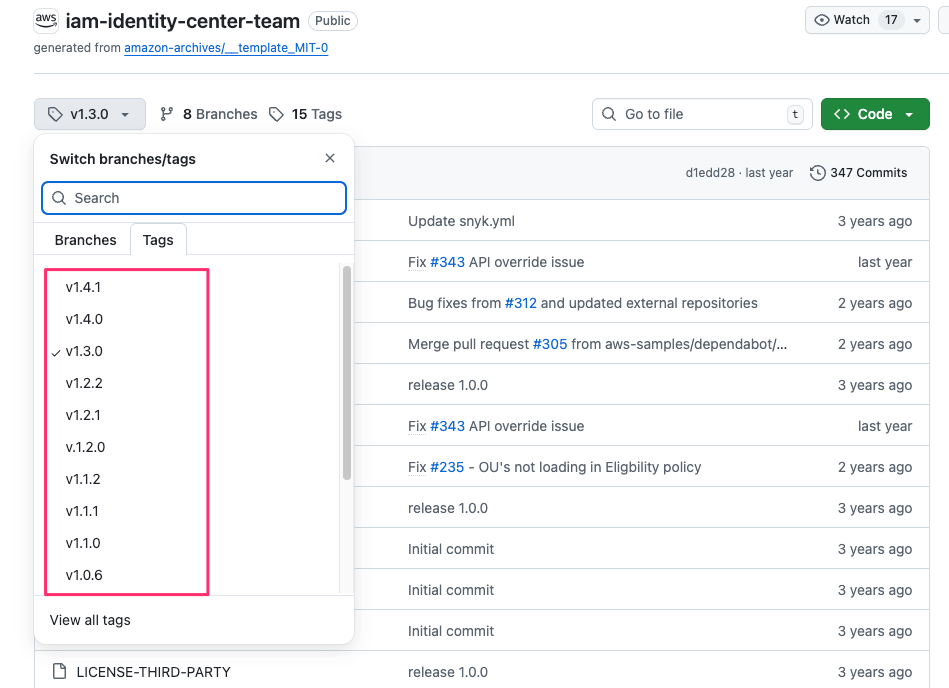
本日時点の最新バージョンは v1.4.1 ですが、v1.4.0 を取得してみましょう。
ローカルにクローンします。
% git clone https://github.com/aws-samples/iam-identity-center-team.git -b v1.4.0
Cloning into 'iam-identity-center-team'...
remote: Enumerating objects: 2991, done.
remote: Counting objects: 100% (1450/1450), done.
remote: Compressing objects: 100% (485/485), done.
remote: Total 2991 (delta 1226), reused 965 (delta 965), pack-reused 1541 (from 4)
Receiving objects: 100% (2991/2991), 3.32 MiB | 11.81 MiB/s, done.
Resolving deltas: 100% (1861/1861), done.
Note: switching to '08a33abb2310a19129696419374154f48f1e5a02'.

You are in 'detached HEAD' state. You can look around, make experimental
changes and commit them, and you can discard any commits you make in this
state without impacting any branches by switching back to a branch.

If you want to create a new branch to retain commits you create, you may
do so (now or later) by using -c with the switch command. Example:

  git switch -c <new-branch-name>

Or undo this operation with:

  git switch -

Turn off this advice by setting config variable advice.detachedHead to false
クローンしたモジュールを確認してみましょう。
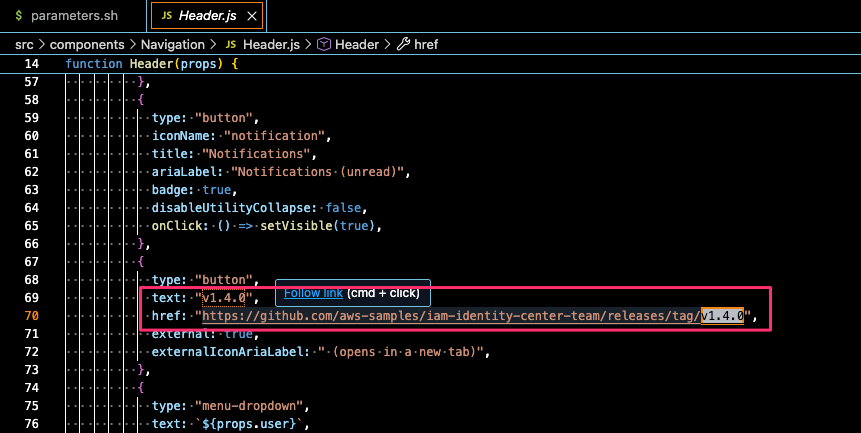
唯一Header.jsだけバージョンがハードコーディングされており、確認することができます。
デプロイしてみよう
あとはデプロイすれば良いのですが、ここで少し注意点があります。
TEAM for IdC のデプロイスクリプトの仕組みの関係でこのままdeploy.shを実行しても失敗します。
試してみましょう。
% ./deploy.sh
+ . ./parameters.sh
++ IDC_LOGIN_URL=https://d-906622902c.awsapps.com/start
++ REGION=us-east-1
++ TEAM_ACCOUNT=123456789012
++ ORG_MASTER_PROFILE=hogeadmin
++ TEAM_ACCOUNT_PROFILE=team
++ TEAM_ADMIN_GROUP=teamadmin
++ TEAM_AUDITOR_GROUP=teamauditor
++ TAGS='project=iam-identity-center-team environment=prod'
++ CLOUDTRAIL_AUDIT_LOGS=arn:aws:cloudtrail:us-east-1:123456789012:eventdatastore/3e2a8224-76f5-47ce-99c6-ec63d04cca70
+ '[' -z 123456789012 ']'
+ export AWS_PROFILE=team
+ AWS_PROFILE=team
+ cd ..
+ '[' -z '' ']'
+ aws codecommit create-repository --region us-east-1 --repository-name team-idc-app --repository-description 'Temporary Elevated Access Management (TEAM) Application'
{
    "repositoryMetadata": {
        "accountId": "123456789012",
        "repositoryId": "ac975d2a-04a1-46f0-a81b-8c6cc9730bad",
        "repositoryName": "team-idc-app",
        "repositoryDescription": "Temporary Elevated Access Management (TEAM) Application",
        "lastModifiedDate": "2026-01-06T05:16:44.334000+09:00",
        "creationDate": "2026-01-06T05:16:44.334000+09:00",
        "cloneUrlHttp": "https://git-codecommit.us-east-1.amazonaws.com/v1/repos/team-idc-app",
        "cloneUrlSsh": "ssh://git-codecommit.us-east-1.amazonaws.com/v1/repos/team-idc-app",
        "Arn": "arn:aws:codecommit:us-east-1:123456789012:team-idc-app",
        "kmsKeyId": "arn:aws:kms:us-east-1:123456789012:key/acf15a7f-b1fa-42f3-8739-72d5c83d34c8"
    }
}
+ git remote remove origin
+ git remote add origin codecommit::us-east-1://team-idc-app
+ git push origin main
error: src refspec main does not match any
error: failed to push some refs to 'codecommit::us-east-1://team-idc-app'
main リポジトリがないと言われていますね。
デプロイスクリプト[1]を確認してみると、次のようにmainブランチがハードコーディングされています。
:

. "./parameters.sh"

if [ -z "$TEAM_ACCOUNT" ]; then
  export AWS_PROFILE=$ORG_MASTER_PROFILE
else
  export AWS_PROFILE=$TEAM_ACCOUNT_PROFILE
fi

cd ..

if [ -z "$SECRET_NAME" ]; then
  aws codecommit create-repository --region $REGION --repository-name team-idc-app --repository-description "Temporary Elevated Access Management (TEAM) Application"
  git remote remove origin
  git remote add origin codecommit::$REGION://team-idc-app
  git push origin main

:
一方で現在のローカルブランチは以下のようになっています。
簡単な話ではあるのですが、タグからクローンしたのでローカルブランチが存在しない状態になっています。
% git branch
* (no branch)
ブランチを作成してデプロイしなおす
解決策としては今回の場合であればローカルブランチを作成するだけで OK です。
% git checkout -b main
Switched to a new branch 'main'
iwasa.takahito@MacBookPro deployment % git branch
* main
もしタグからクローンせずに、特定ブランチをデプロイしたい場合は先述のdeploy.shのgit push origin main部分のブランチ指定を修正してあげると良いでしょう。
あとはデプロイされる CloudFormation でも Amplify ブランチの指定がされていそうなので、こちらも修正してやる必要がありそうです。
:

Resources:
  TriggerAmplifyBuild:
    Type: Custom::TriggerAmplifyBuild
    Properties:
      ServiceToken: !GetAtt 'TriggerBuildLambda.Arn'
      appId: !GetAtt AmplifyApp.AppId
      branchName: main
      branch: !GetAtt AmplifyBranch.Arn

:

  AmplifyBranch:
    Type: AWS::Amplify::Branch
    Properties:
      BranchName: main
      AppId: !GetAtt AmplifyApp.AppId
      EnableAutoBuild: true
      EnvironmentVariables:
        - Name: SSO_LOGIN
          Value: !Ref Login
        - Name: TEAM_ACCOUNT
          Value: !Ref teamAccount
        - Name: CLOUDTRAIL_AUDIT_LOGS
          Value: !If
            - IsEmptyCloudTrailAuditLogs
            - "read_write"
            - !Ref CloudTrailAuditLogs
        - Name: TEAM_ADMIN_GROUP
          Value: !Ref teamAdminGroup
        - Name: TEAM_AUDITOR_GROUP
          Value: !Ref teamAuditGroup
        - Name: TAGS
          Value: !Ref tags
        - Name: AMPLIFY_CUSTOM_DOMAIN
          Value: !Ref customAmplifyDomain
        - Name: _CUSTOM_IMAGE
          Value: amplify:al2023
      Tags:
        - Key: Branch
          Value: main

  :
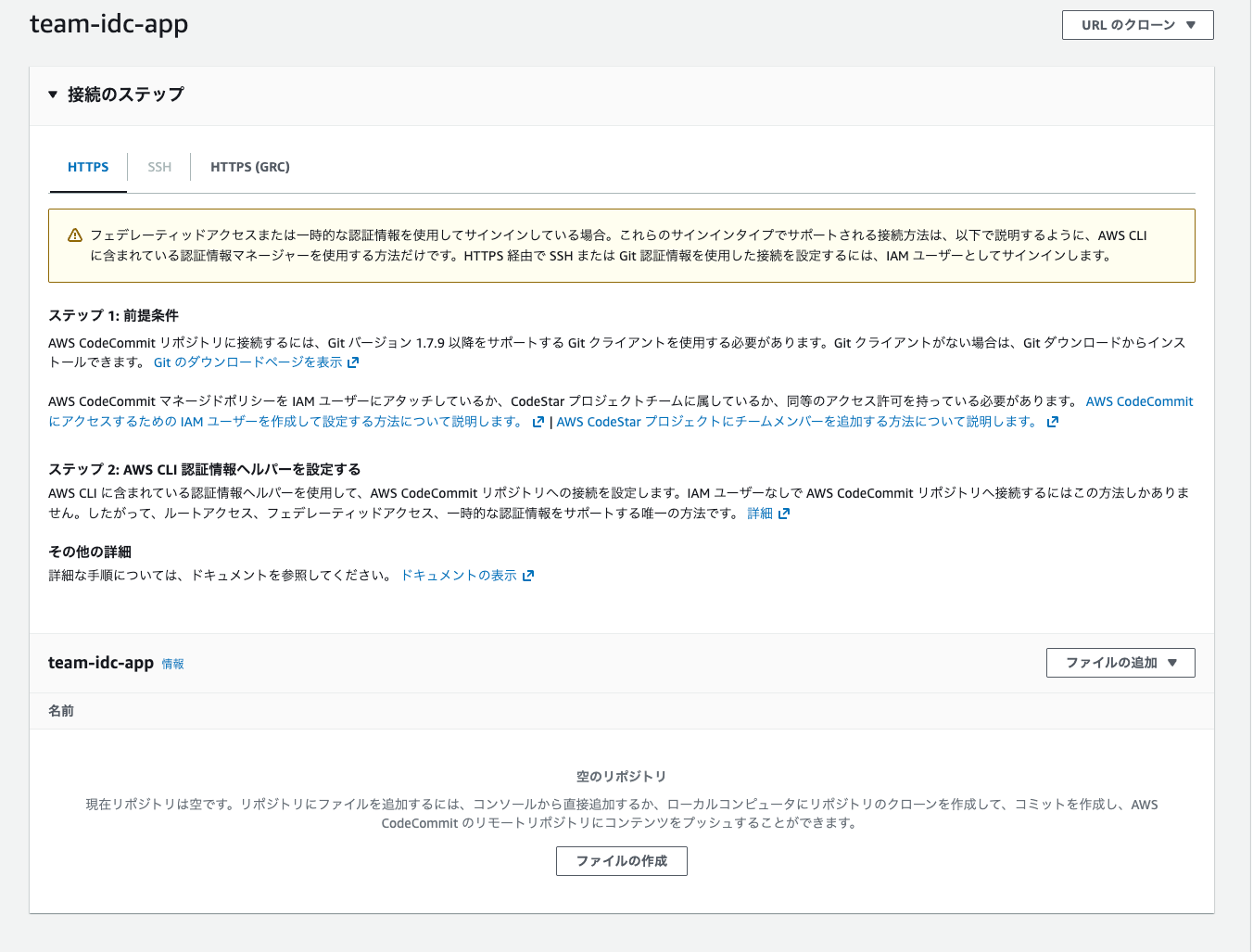
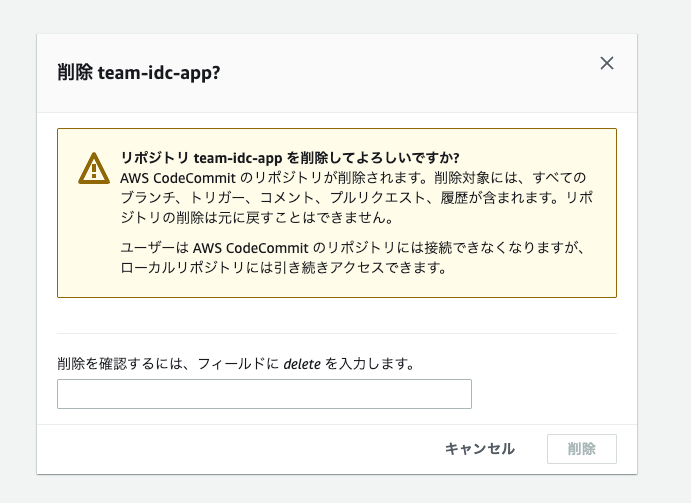
そして、先程の操作で CodeCommit リポジトリが次のように空で作成されていると思うので、再デプロイする前に手動で削除してやりましょう。
リポジトリを削除したあとに再度deploy.shを実行します。
% ./deploy.sh
+ . ./parameters.sh
++ IDC_LOGIN_URL=https://d-906622902c.awsapps.com/start
++ REGION=us-east-1
++ TEAM_ACCOUNT=123456789012
++ ORG_MASTER_PROFILE=hogeadmin
++ TEAM_ACCOUNT_PROFILE=team
++ TEAM_ADMIN_GROUP=teamadmin
++ TEAM_AUDITOR_GROUP=teamauditor
++ TAGS='project=iam-identity-center-team environment=prod'
++ CLOUDTRAIL_AUDIT_LOGS=arn:aws:cloudtrail:us-east-1:123456789012:eventdatastore/3e2a8224-76f5-47ce-99c6-ec63d04cca70
+ '[' -z 123456789012 ']'
+ export AWS_PROFILE=team
+ AWS_PROFILE=team
+ cd ..
+ '[' -z '' ']'
+ aws codecommit create-repository --region us-east-1 --repository-name team-idc-app --repository-description 'Temporary Elevated Access Management (TEAM) Application'
{
    "repositoryMetadata": {
        "accountId": "123456789012",
        "repositoryId": "dca1b8b1-e786-42d2-b722-61e3ddee0994",
        "repositoryName": "team-idc-app",
        "repositoryDescription": "Temporary Elevated Access Management (TEAM) Application",
        "lastModifiedDate": "2026-01-06T05:28:16.806000+09:00",
        "creationDate": "2026-01-06T05:28:16.806000+09:00",
        "cloneUrlHttp": "https://git-codecommit.us-east-1.amazonaws.com/v1/repos/team-idc-app",
        "cloneUrlSsh": "ssh://git-codecommit.us-east-1.amazonaws.com/v1/repos/team-idc-app",
        "Arn": "arn:aws:codecommit:us-east-1:123456789012:team-idc-app",
        "kmsKeyId": "arn:aws:kms:us-east-1:123456789012:key/acf15a7f-b1fa-42f3-8739-72d5c83d34c8"
    }
}
+ git remote remove origin
+ git remote add origin codecommit::us-east-1://team-idc-app
+ git push origin main
Enumerating objects: 2466, done.
Counting objects: 100% (2466/2466), done.
Delta compression using up to 10 threads
Compressing objects: 100% (899/899), done.
Writing objects: 100% (2466/2466), 2.74 MiB | 6.44 MiB/s, done.
Total 2466 (delta 1554), reused 2396 (delta 1524), pack-reused 0
remote: Validating objects: 100%
To codecommit::us-east-1://team-idc-app
 * [new branch]      main -> main
+ cd ./deployment
+ [[ ! -z project=iam-identity-center-team environment=prod ]]
+ [[ ! -z '' ]]
+ aws cloudformation deploy --region us-east-1 --template-file template.yml --stack-name TEAM-IDC-APP --parameter-overrides Login=https://d-906622902c.awsapps.com/start CloudTrailAuditLogs=arn:aws:cloudtrail:us-east-1:123456789012:eventdatastore/3e2a8224-76f5-47ce-99c6-ec63d04cca70 teamAdminGroup=teamadmin teamAuditGroup=teamauditor 'tags=project=iam-identity-center-team environment=prod' teamAccount=123456789012 --tags project=iam-identity-center-team environment=prod --no-fail-on-empty-changeset --capabilities CAPABILITY_NAMED_IAM

Waiting for changeset to be created..
Waiting for stack create/update to complete
Successfully created/updated stack - TEAM-IDC-APP
今度は成功しましたね。
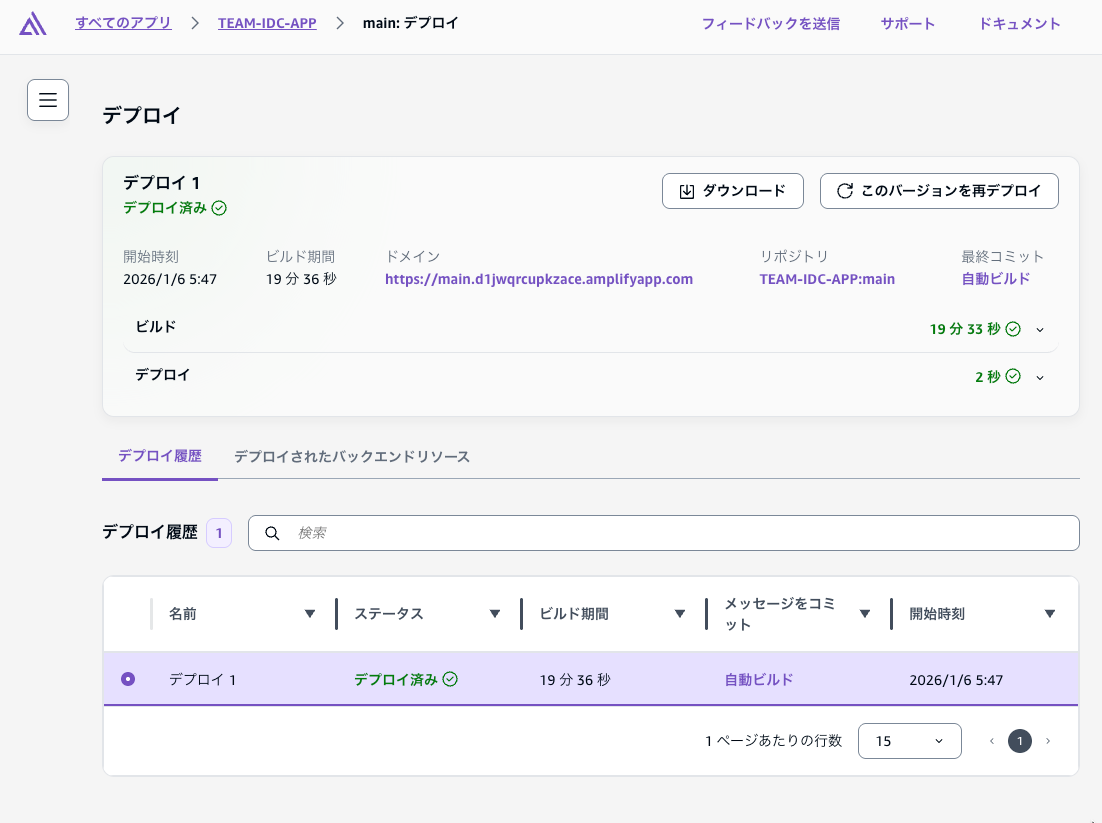
あとは油断せずに Amplify のビルド状況を観察してあげてください。v.1.3.0 でデプロイしたところ pip か何かのエラーで Amplify ビルドに失敗していました。
Amplify ビルドに成功後は IAM Identity Center のカスタムアプリケーションを手動作成し、Cognito と SAML 連携させます。
以下の手順を実行してください。
構成後にログインしてみると...
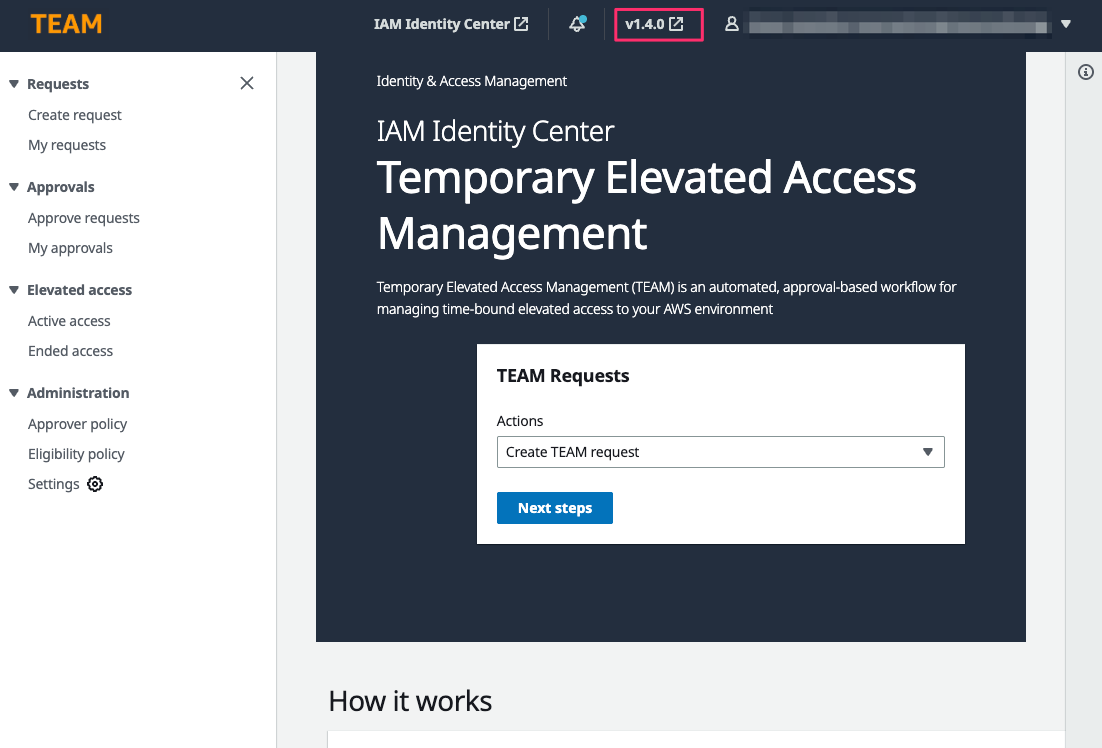
良いですね。無事 v1.4.0 の TEAM for IdC 環境を作成することが出来ました。
さいごに
本日は Temporary elevated access management (TEAM) for AWS IAM Identity Center で最新バージョン以外をインストールしてみました。
この対応を行うケースは多くないと思いますが、TEAM for IdC はたまにバグ修正されていまして、旧バージョンの不具合を再現させるために旧バージョンが欲しくなるときがあると思います。あとはバージョンアップのリハーサルする時とか。そういった時の参考にしてもらえると幸いです。