![[GA] Webブラウザ操作を自動化するAIエージェントが構築できる!Amazon Nova Act が一般提供開始されました #AWSreInvent](https://images.ctfassets.net/ct0aopd36mqt/33a7q65plkoztFWVfWxPWl/a718447bea0d93a2d461000926d65428/reinvent2025_devio_update_w1200h630.png?w=3840&fm=webp)
[GA] Webブラウザ操作を自動化するAIエージェントが構築できる!Amazon Nova Act が一般提供開始されました #AWSreInvent

あしざわです。
AWS re:Invent 2025に現地参加しています。
現地時間12/2にAmazon Nova Act が一般提供開始(GA)されました。
本記事ではサービスの概要と簡単に検証してみた様子を紹介します。
概要
Amazon Nova Actとは、Webブラウザ上でアクションを実行する信頼性の高いAIエージェントを構築・管理するためのサービスです。
ブラウザ上を繰り返し動作する UI ワークフローを確実に完了させ、API またはツール (PDF への書き込みなど) を実行し、必要に応じて人間にエスカレーションするHuman-in-the-loop を実装できます。
本サービスは2025年1月にリサーチプレビューが発表、2025年7月のリミテッドプレビューで展開されており、この度一般提供が開始されました。
リミテッドプレビュー時に投稿されたYouTube 動画を見るとイメージしやすかったです。是非ともご覧ください。
利用の流れ
https://nova.amazon.com/actから利用できるNova Act Playgroundを使うと、 Nova Actで作成できるUIワークフロー自動化エージェントの動作を体験できます。
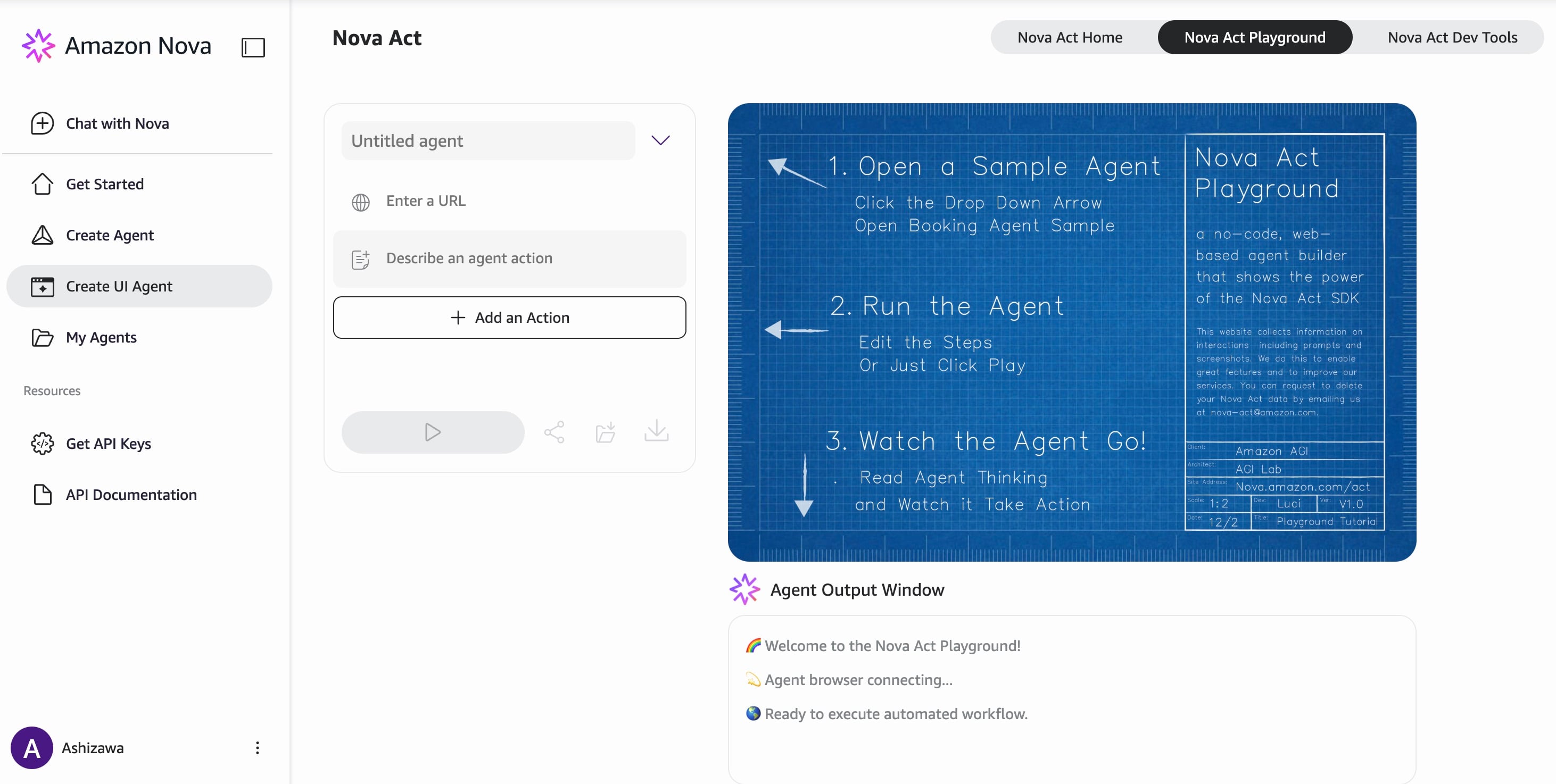
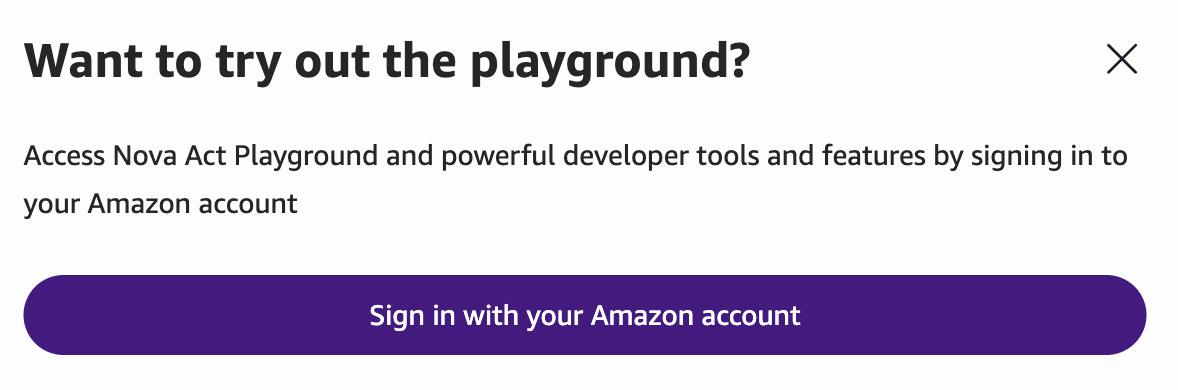
Playgroundの利用のためにはAmazon Novaサイトへのログインが必要で、ログインユーザーとして米国Amazon.comのアカウントが必須になります。日本のAmazon.co.jpではログインできなかったので注意です。
初めに以下の情報を入力します。
- Agent名
- 実行するサイトのURL
- エージェントのアクションの記述
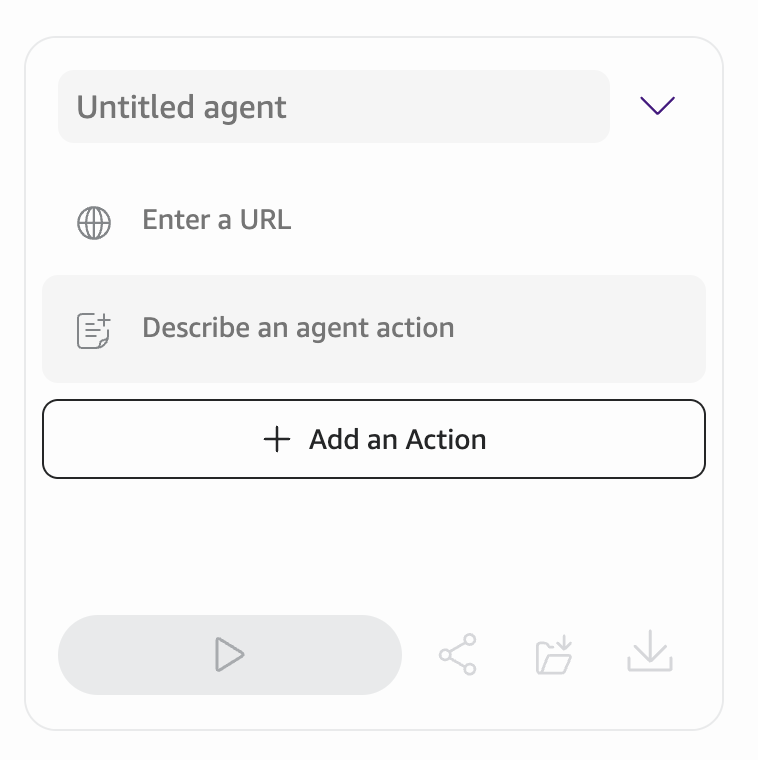
検証環境を持っていなかったので、今回は事前定義されたプリセットである「Hello World」を使いました。
- サイトURL:
https://nova.amazon.com/act/gym/next-dot/search - エージェントのアクション:Find flights from Boston to Wolf on Feb 22nd
架空の旅行予約ウェブサイトを使用して、フライトを探すアクションをエージェントに実行させるようです。
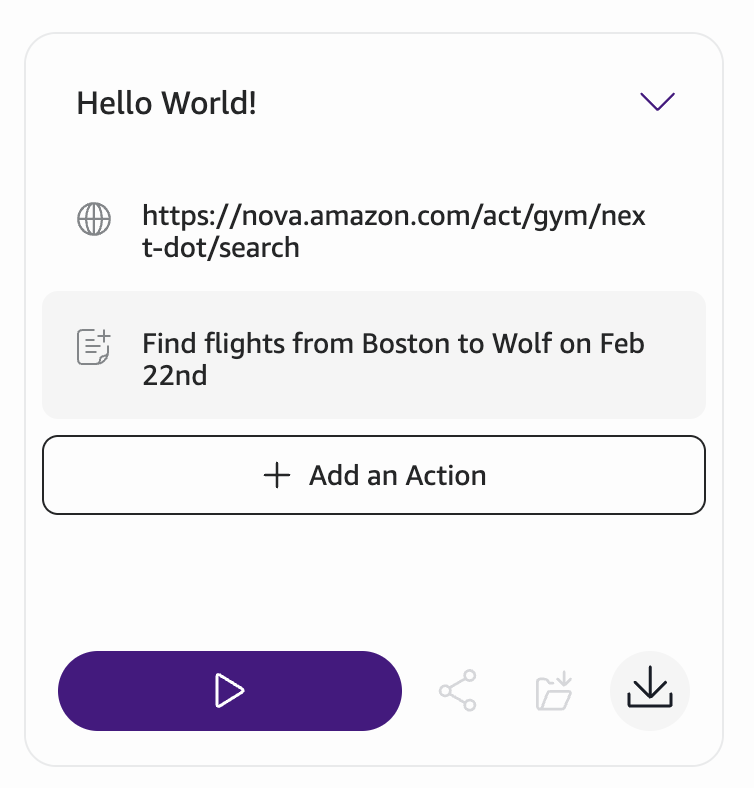
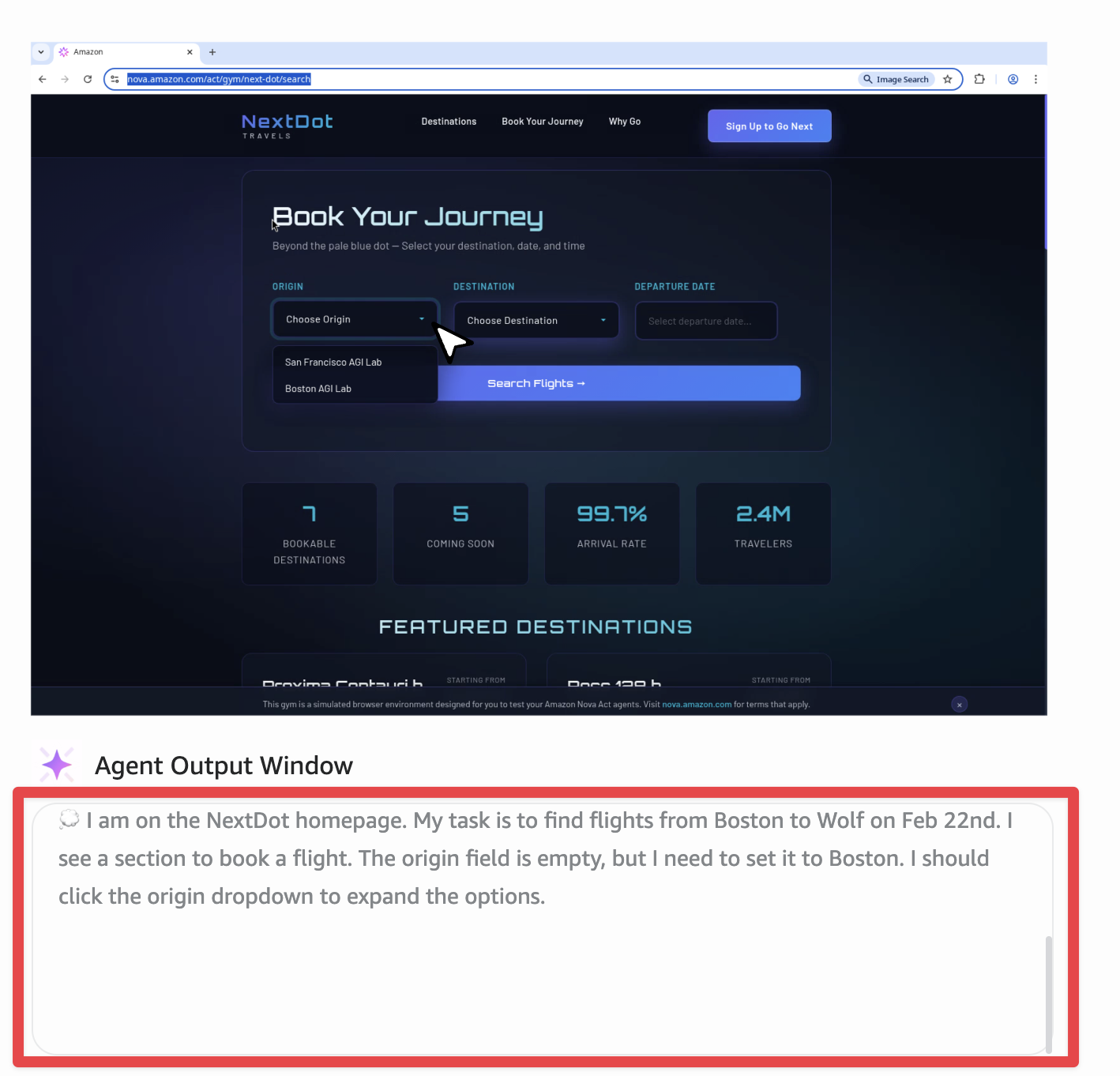
右矢印(Run Agent)をクリックするとエージェントが実行され、エージェントがブラウザを操作する様子が確認できます。
画面右でエージェントがブラウザを操作するライブビューが表示され、Agent Output Windowの中にエージェントへの指示が確認できました。
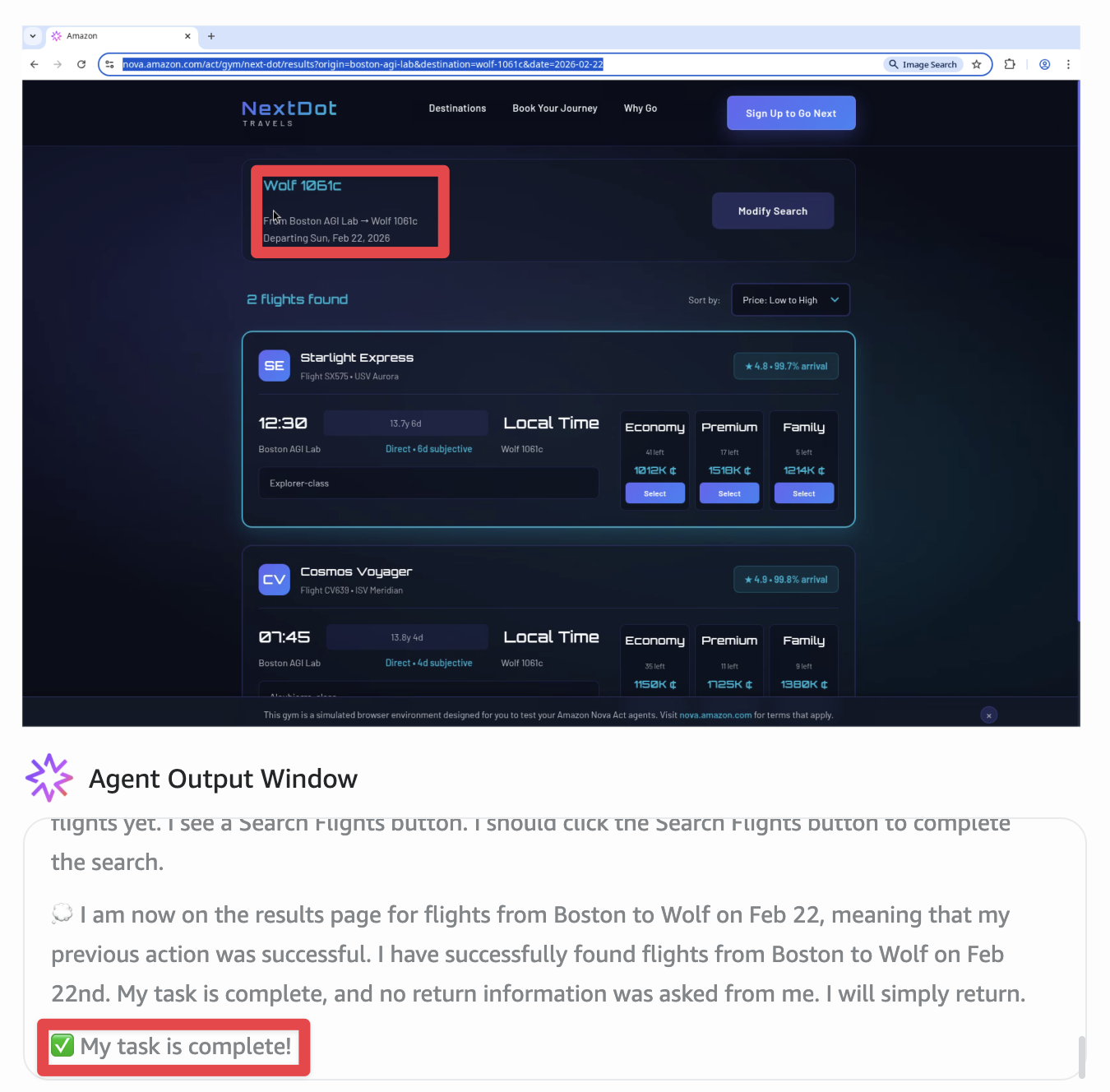
しばらく待つと、「My task is complete!」と表示され完了しました。
指示通り、2/22のボストンからWolf行きのフライトの予約が表示されていました。
エージェントのoutputの全文がこちらです。
エージェントが前のアクションが成功したかを確認しながら、次のステップへ進行していることがよくわかります。
🌈 Welcome to the Nova Act Playground!

💫 Agent browser connecting...

🌎 Ready to execute automated workflow.

🛝 Initializing agent with provided instructions...

🚀 Loading and analyzing target webpage...

💭 I am on the NextDot homepage. My task is to find flights from Boston to Wolf on Feb 22nd. I see a section to book a flight. The origin field is empty, but I need to set it to Boston. I should click the origin dropdown to expand the options.

💭 The origin dropdown is now expanded, meaning that my previous action was successful. I see the Boston AGI Lab option, but it is not selected. I should click the Boston AGI Lab option to select it as the origin.

💭 The origin is now set to Boston AGI Lab, so my last action was successful. I now need to set the destination to Wolf. I see the destination dropdown, but it is empty. I should click the destination dropdown to expand the options.

💭 The destination dropdown is now expanded, meaning that my previous action was successful. I see the Wolf 1061c option, but it is not selected. I should click the Wolf 1061c option to select it as the destination.

💭 The destination is now set to Wolf 1061c, so my last action was successful. I now need to set the departure date to Feb 22nd. I see the departure date field, but it is empty. I should click the departure date field to open the calendar.

💭 The calendar is now open, meaning that my previous action was successful. The calendar currently shows December 2025, but I need to set the date to February 22nd. I see a right arrow icon to navigate to the next month. I should click the right arrow icon to navigate to the next month in the calendar.

💭 The calendar now shows January 2026, meaning that my previous action was successful. I need to set the date to February 22nd, but the calendar is currently showing January. I should click the right arrow icon to navigate to the next month in the calendar.

💭 The calendar now shows February 2026, meaning that my previous action was successful. I now need to set the date to February 22nd. I see the 22 option in the calendar, but it is not selected. I should click the 22 option in the calendar to select it as the departure date.

💭 The departure date is now set to February 22, 2026, meaning that my previous action was successful. I have set the correct origin, destination, and date, but I have not searched for flights yet. I see a Search Flights button. I should click the Search Flights button to complete the search.

💭 I am now on the results page for flights from Boston to Wolf on Feb 22, meaning that my previous action was successful. I have successfully found flights from Boston to Wolf on Feb 22nd. My task is complete, and no return information was asked from me. I will simply return.

✅ My task is complete!
ダウンロードのボタンを押すと、Playgroudで実行されたPythonのコード(Hello_World!.py)がダウンロードできます。
Nova Act SDKを使って、とてもシンプルなコードで構成されているようです。
from nova_act import NovaAct

import os

# Browser args enables browser debugging on port 9222.

os.environ["NOVA_ACT_BROWSER_ARGS"] = "--remote-debugging-port=9222"

# Get your API key from https://nova.amazon.com/act

# Set API Key using Set API Key command (CMD/Ctrl+Shift+P) or set it below.

# os.environ["NOVA_ACT_API_KEY"] = "<YOUR_API_KEY>"

# Initialize Nova Act with your starting page.

nova = NovaAct(starting_page="https://nova.amazon.com/act/gym/next-dot/search", headless=True, tty=False)

# Running nova.start will launch a new browser instance.

# Only one nova.start() call is needed per Nova Act session.

nova.start()

# To learn about the difference between nova.act and nova.act_get visit

# https://github.com/aws/nova-act?tab=readme-ov-file#extracting-information-from-a-web-page

nova.act("Find flights from Boston to Wolf on Feb 22nd. ")

# Leaving nova.stop() commented keeps NovaAct session running.

# To stop a NovaAct instance uncomment nova.stop() - note this also shuts down the browser instantiated by NovaAct so subsequent nova.act() calls will fail.

# nova.stop()
おおよその動きはわかったので、検証は以上とします。
この後の流れ
以降は検証できていないため、AWS公式ブログの画像を元に紹介します。
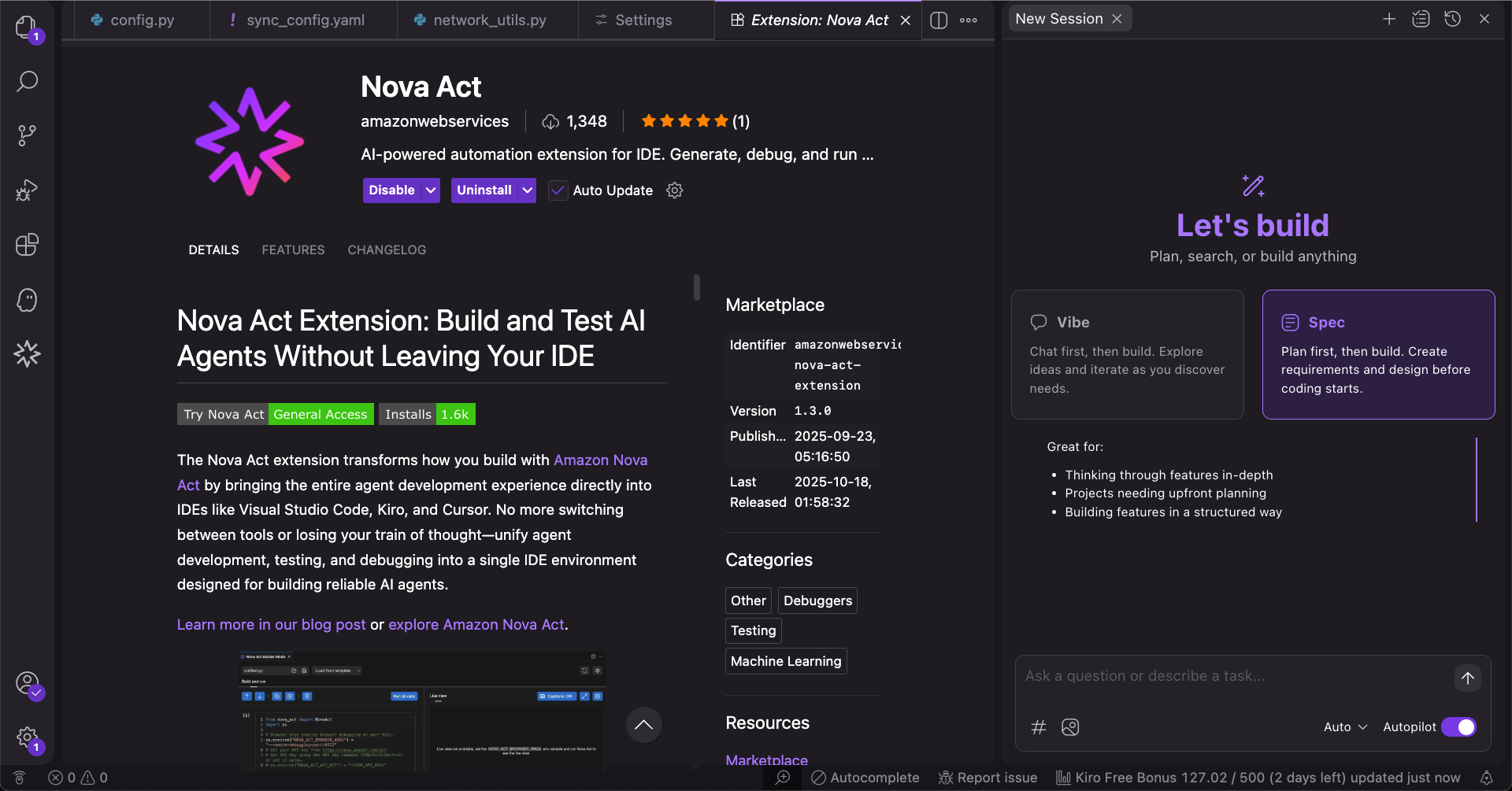
この後VS CodeやKiroなどサポートされているIDEにNova Act拡張機能を導入すると、IDE上でエクスポートしたコードの開発が続行できます。
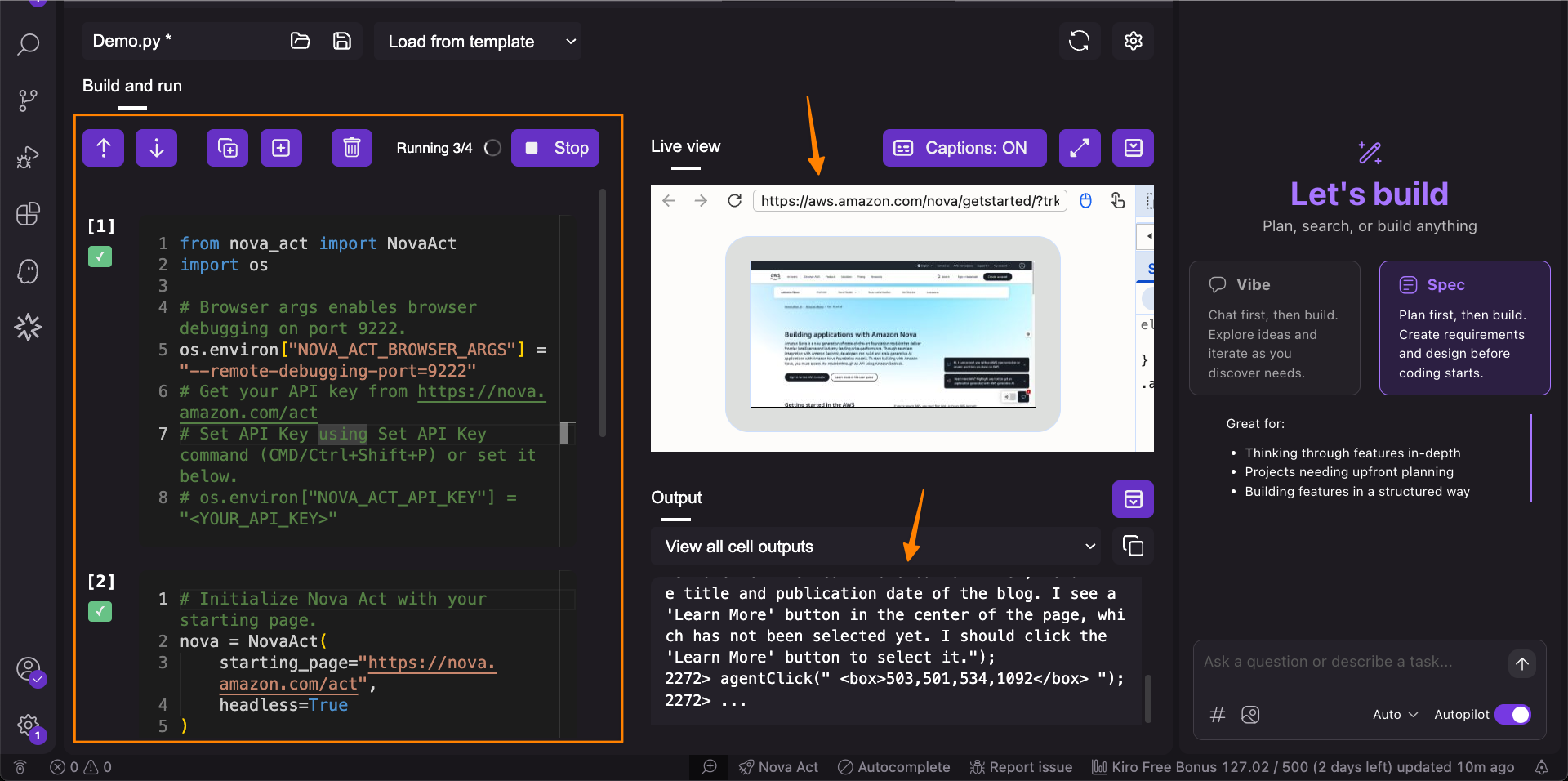
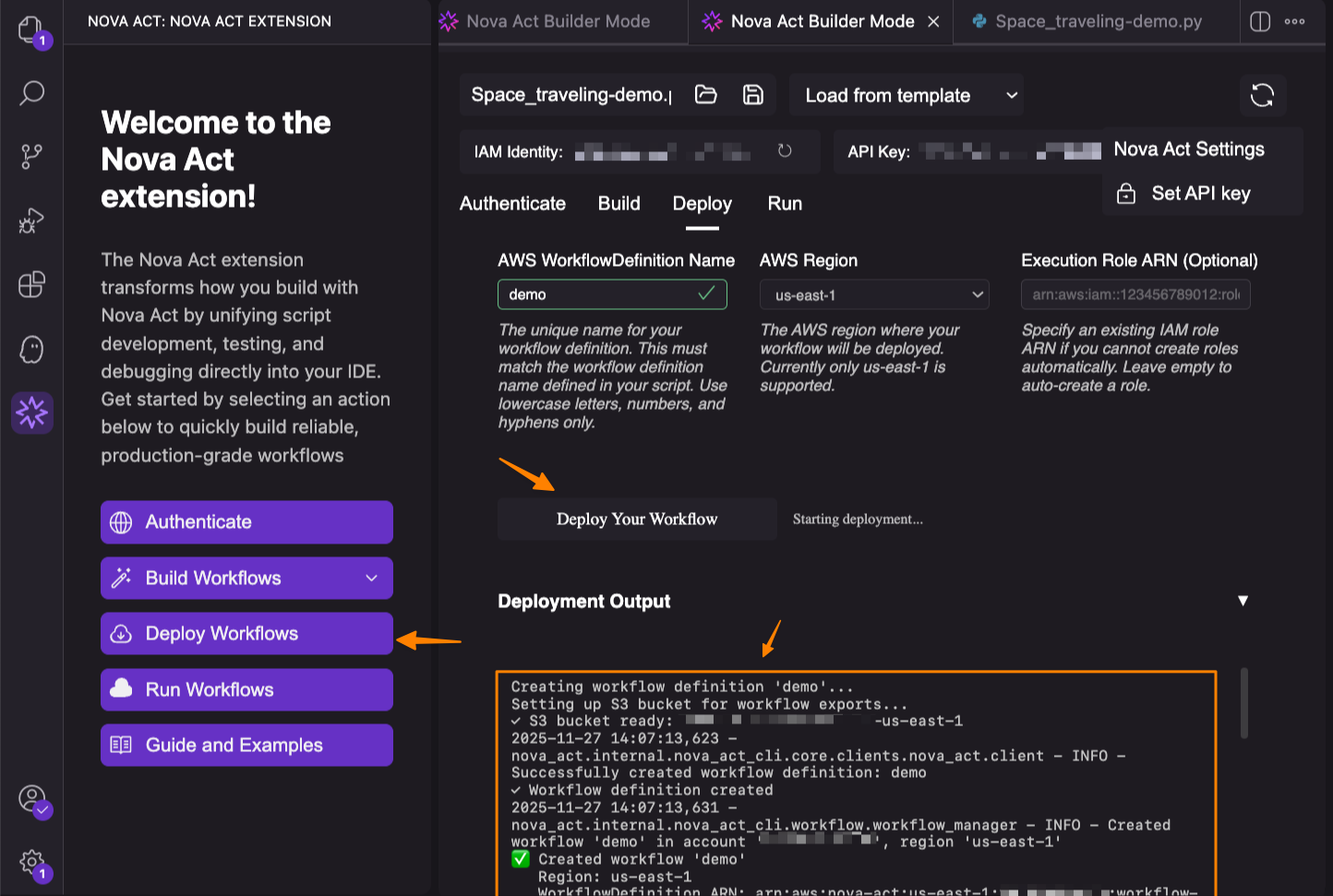
開発が完了したら、IDE上からAWS環境へデプロイできます。
拡張機能がワークフローをコンテナ化、ECRにプッシュし、必要なIAMロールやS3を作成、Bedrock AgentCore Runtimeにデプロイされるようです。
その他の情報
利用できるリージョン
現状サポートしているリージョンは、バージニア北部リージョンのみです。
東京リージョンに来るのを待ちましょう。
料金
気になる料金は以下の通りです。
- $4.75 (エージェント時間毎)
エージェント時間とはエージェントが作業している間の実際の経過時間です。複数のエージェントが並列実行されている時は、それぞれのエージェントで課金されます。
また、Human-in-the-loopを実装して人間の応答を待っている時間は除外されます。
最後に
本記事では、Webブラウザ上で動作するAIエージェントを構築できる「Amazon Nova Act」のGAと機能について紹介しました。
今後はStrands Agentsと連携したマルチエージェントワークフローの構築もできるようになると、AWS公式ブログで紹介されていました。
現状は東京リージョンでは利用できないため、本番運用は難しいかもしれないですが、興味がある方はバージニア北部リージョンで検証してみてはいかがでしょうか?
以上です。