![[アップデート] EKS Capabilities (機能) を利用できるようになったので、AWS マネージドな Argo CD を試してみた](https://images.ctfassets.net/ct0aopd36mqt/33a7q65plkoztFWVfWxPWl/a718447bea0d93a2d461000926d65428/reinvent2025_devio_update_w1200h630.png?w=3840&fm=webp)
[アップデート] EKS Capabilities (機能) を利用できるようになったので、AWS マネージドな Argo CD を試してみた

概要
EKS Capabilities は EKS 上での開発を加速するためのフルマネージドな機能セットです。
Amazon EKS Capabilities is a layered set of fully managed cluster features that help accelerate developer velocity and offload the complexity of building and scaling with Kubernetes.
https://docs.aws.amazon.com/eks/latest/userguide/capabilities.html
よりシンプルに言えば、下記ツールを EKS クラスターにインストールしなくても利用できる機能です。
※ 対象ツールは 2025 年 12 月 1 日時点のものなので今後増えると思います。
EKS アドオンは Kubernetes を動作させるためのネットワーク系コンポーネントや各種 CSI ドライバー、監視用リソースなどを扱っていますが、EKS Capabilities では Kubernetes 上で開発を進めるためのツールを扱うようです。
また、EKS アドオンとは違って EKS クラスター上に各種リソースをインストールする必要はありません。
EKS Auto Mode の Karpenter や AWS Load Balancer Controller と同じ扱いで、AWS 管理領域にインストールされたコンポーネントの「機能」のみを利用できます。
Whats New
AWS ブログ
やってみる
v1.34 の EKS クラスターを構築します。
Auto Mode でも非 Auto Mode でも対応しているようですが、今回は非 Auto Mode 構成で検証してみます。
All EKS Compute types are supported for use with EKS Capabilities.
https://docs.aws.amazon.com/eks/latest/userguide/capabilities.html#_how_eks_capabilities_work
EKS は Terraform で作成しました。
module "vpc" {
  source  = "terraform-aws-modules/vpc/aws"
  version = "~> 6.0.1"

  name = "eks-vpc"

  cidr = "10.0.0.0/16"

  azs             = ["ap-northeast-1a", "ap-northeast-1c", "ap-northeast-1d"]
  public_subnets  = ["10.0.0.0/24", "10.0.1.0/24", "10.0.2.0/24"]
  private_subnets = ["10.0.100.0/24", "10.0.101.0/24", "10.0.102.0/24"]

  enable_nat_gateway = true
  single_nat_gateway = true
  public_subnet_tags = {
    "kubernetes.io/role/elb" = 1
  }

  private_subnet_tags = {
    "kubernetes.io/role/internal-elb" = 1
  }

}

module "eks" {
  source  = "terraform-aws-modules/eks/aws"
  version = "~> 21.0.4"

  name               = local.cluster_name
  kubernetes_version = "1.34"

  addons = {
    coredns    = {}
    kube-proxy = {}
    vpc-cni = {
      before_compute = true
    }
    eks-pod-identity-agent = {}
  }

  endpoint_public_access  = true
  endpoint_private_access = true
  enable_irsa             = false

  authentication_mode = "API"

  vpc_id     = module.vpc.vpc_id
  subnet_ids = module.vpc.private_subnets

  enable_cluster_creator_admin_permissions = true

  eks_managed_node_groups = {
    default = {
      name = "default"

      ami_type       = "AL2023_x86_64_STANDARD"
      instance_types = ["t3.medium"]

      min_size     = 1
      max_size     = 3
      desired_size = 2

      metadata_options = {
        http_tokens                 = "required"
        http_put_response_hop_limit = 2
      }
    }
  }
}
EKS Capabilities をマネジメントコンソールから設定します。
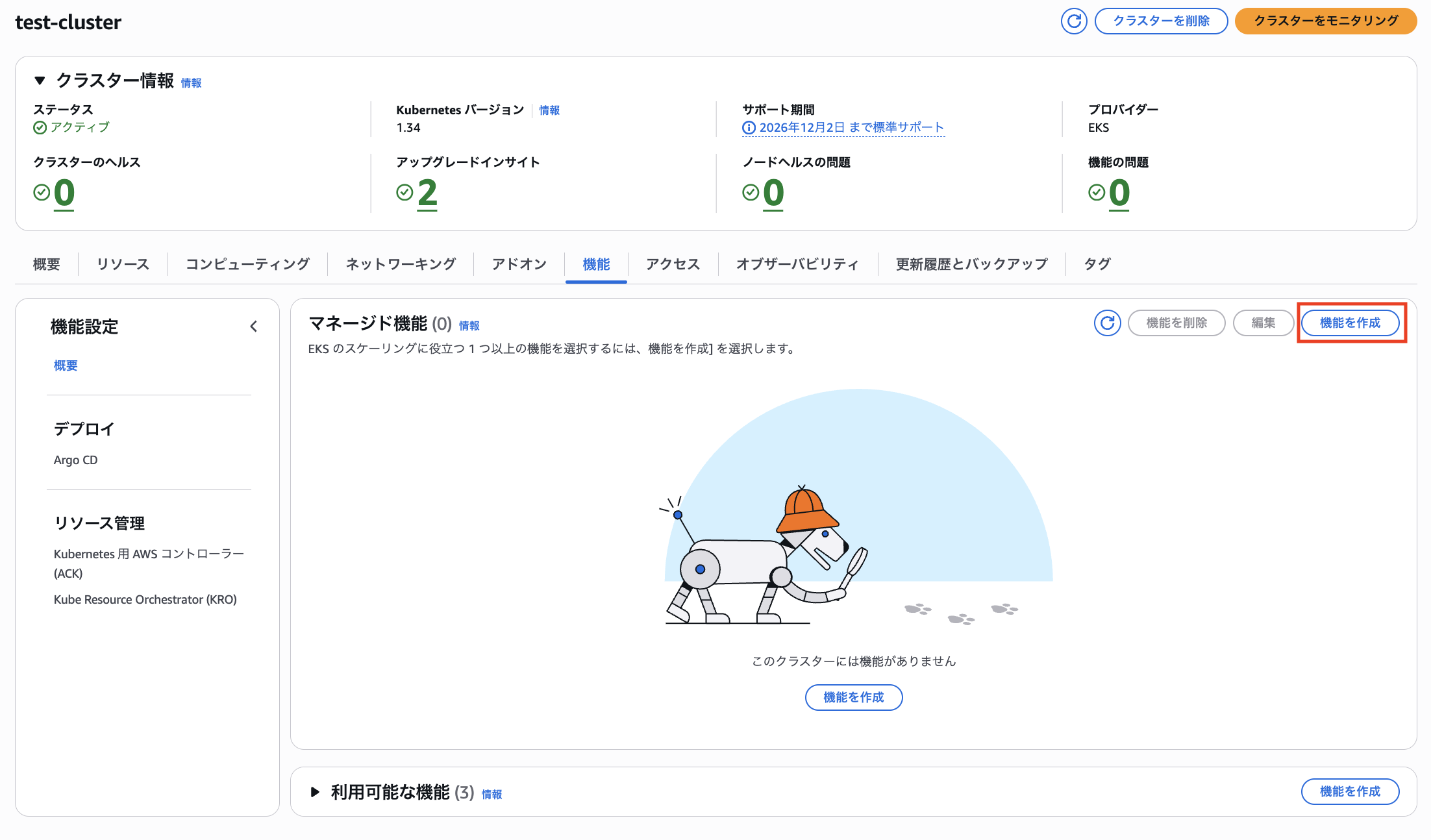
今回は Argo CD を利用します。
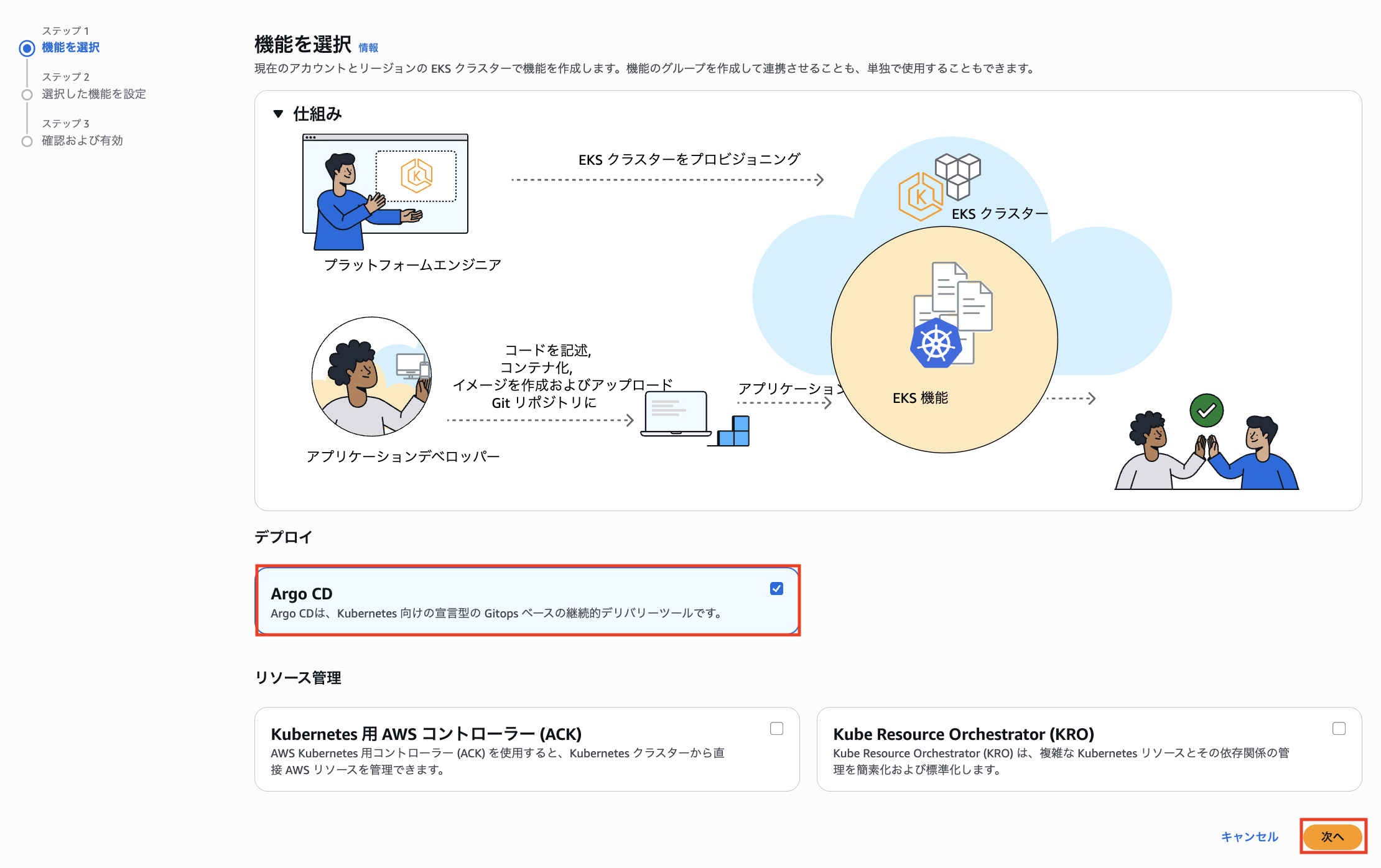
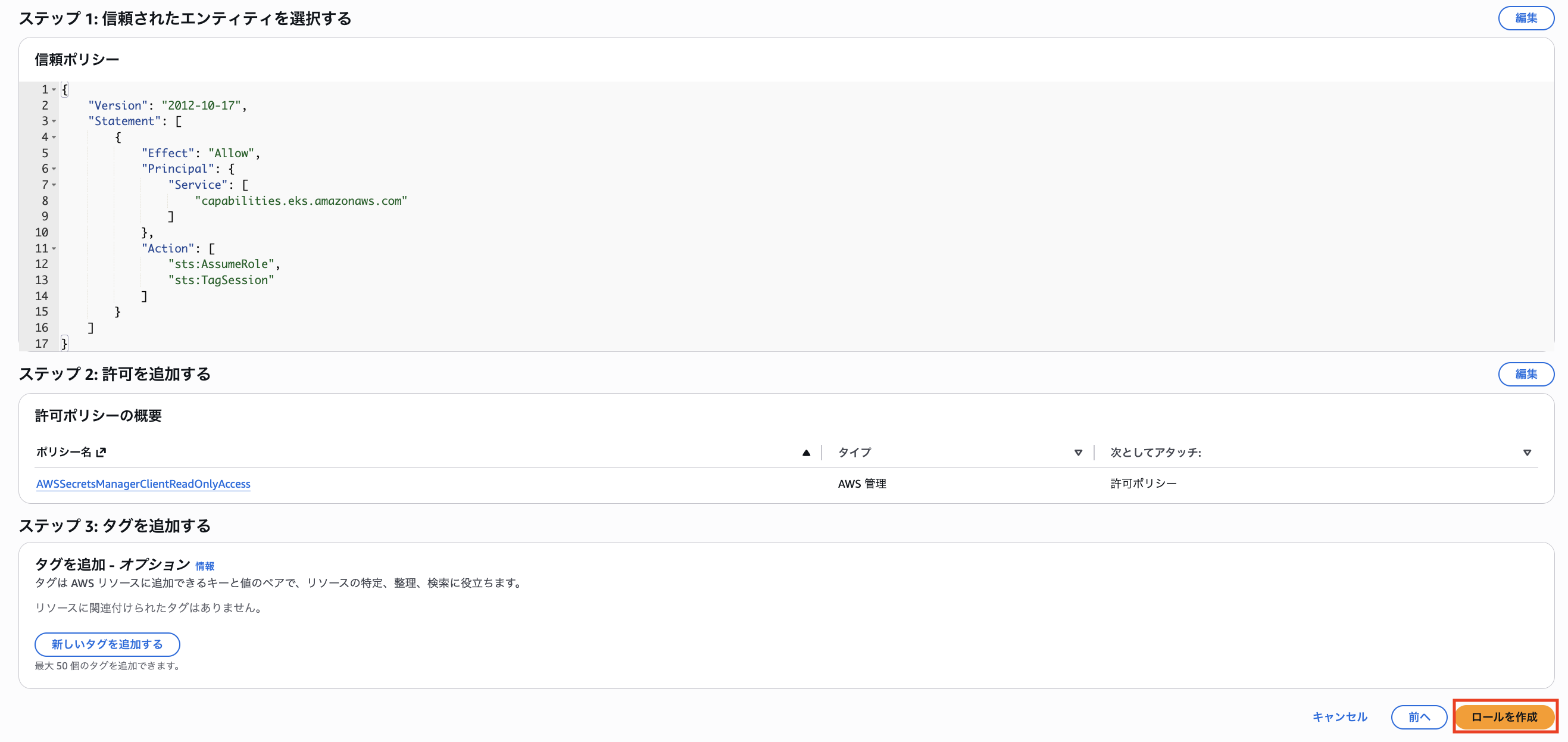
IAM ロールを作成します。
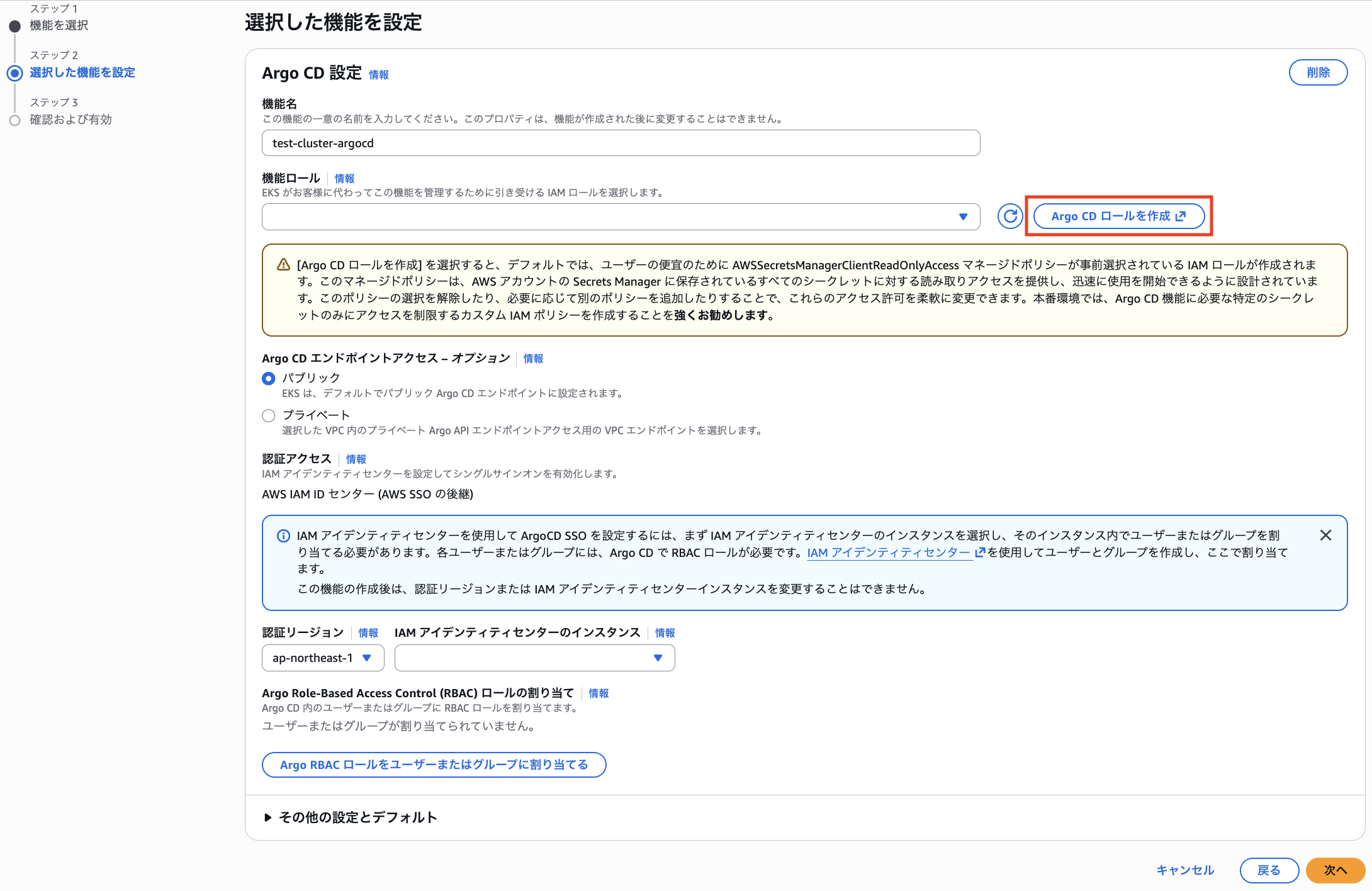
AWS マネージドポリシーの AWSSecretsManagerClientReadOnlyAccess ポリシーを利用します。
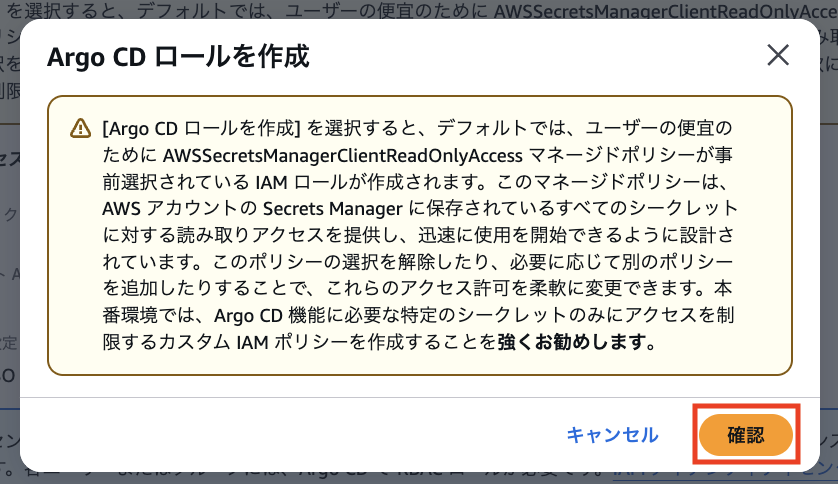
Argo CD でプライベートサブネットと接続する際に認証情報を Secret Manager で管理するので、その関連で Secret Manager の権限を利用するようです。
https://docs.aws.amazon.com/eks/latest/userguide/argocd-configure-repositories.
ユースケースとして「EKS Capabilities」を選択します。
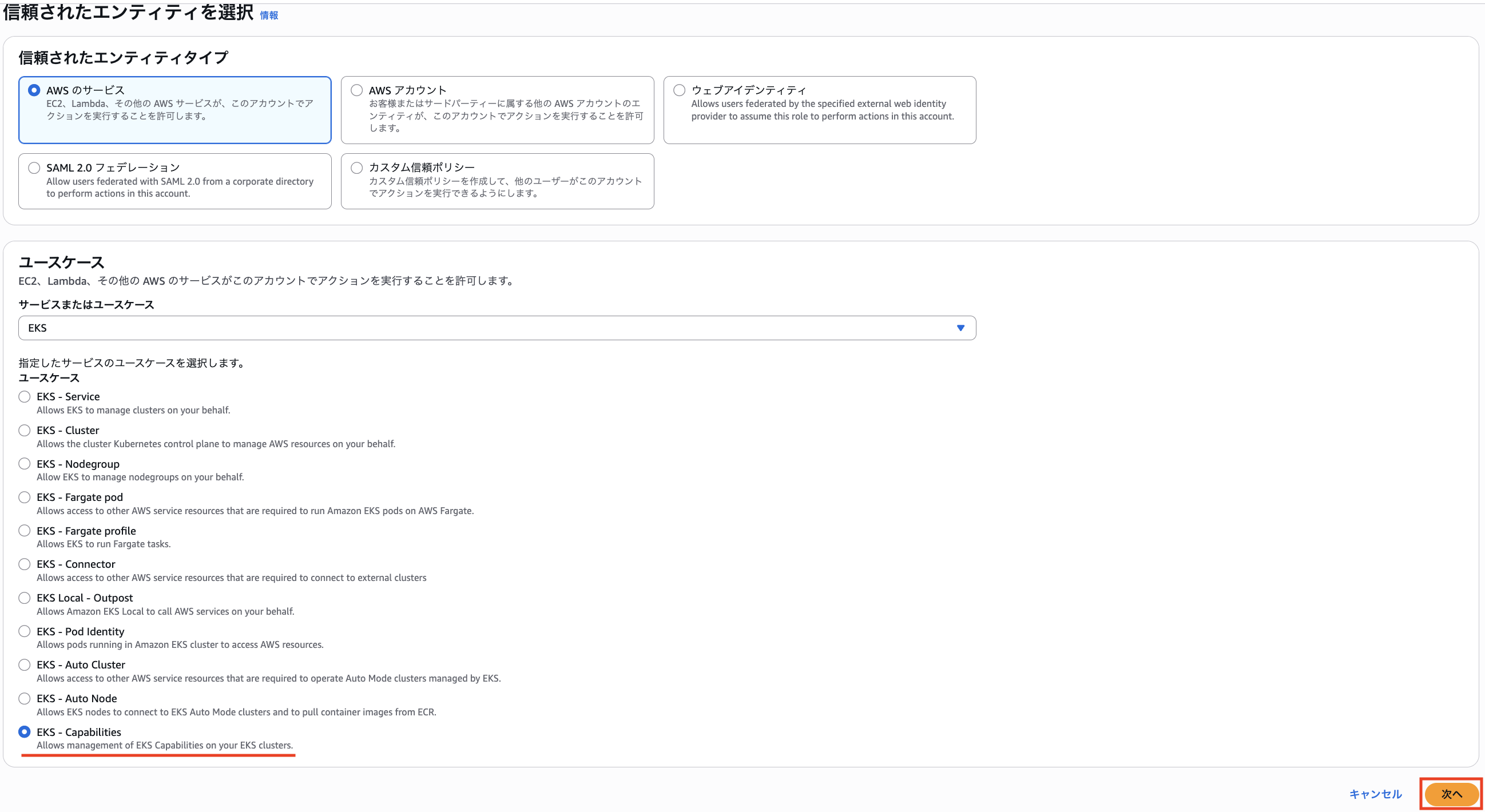
IAM ロールを作成します。
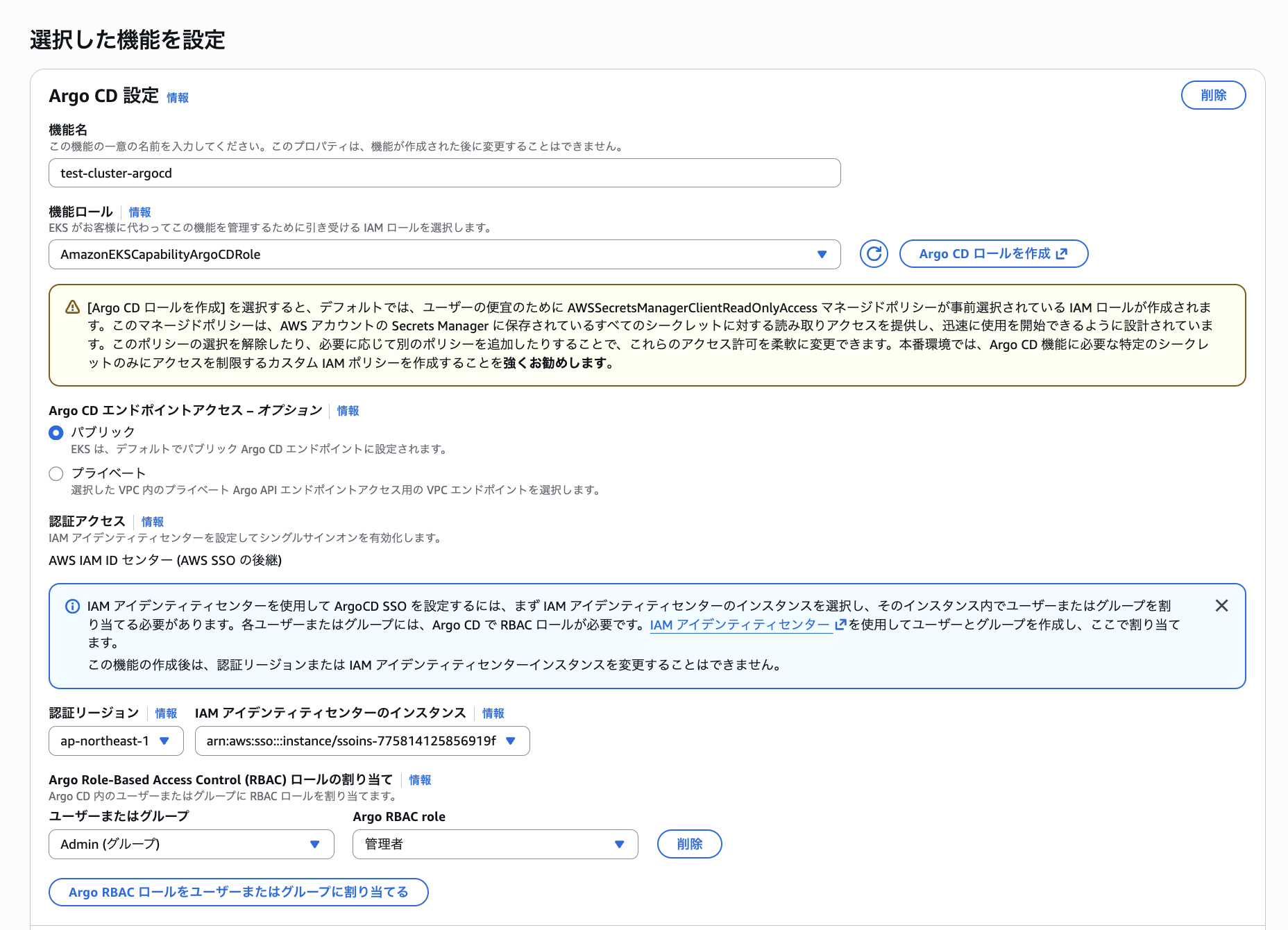
作成した IAM ロールを Capabilities ロールとして設定します。
また、Argo CD エンドポイントアクセスはパブリックアクセス可能とします。
プライベートにすることで VPC 内からの通信に制限することができますが、IAM Identity Center を認証に利用するため、パブリック構成を採用しても十分なセキュリティはあると考えられます(もちろんセキュリティ要件に依ってはプライベートを選択するケースもあるでしょう)。
IAM Identity Center 設定では、IAM Identity Center 側のグループに対して予め用意されている Argo CD の ADMIN 権限を割り当てます。
その他に EDITOR 権限や VIEWER 権限も用意されています。
また、EKS Capability の Argo CD は IAM Identity Center 必須であり、Argo CD 側でのローカルユーザー管理はサポートされていないようです。
AWS Identity Center configured - Required for Argo CD authentication (local users are not supported)
https://docs.aws.amazon.com/eks/latest/userguide/create-argocd-capability.html#_prerequisites
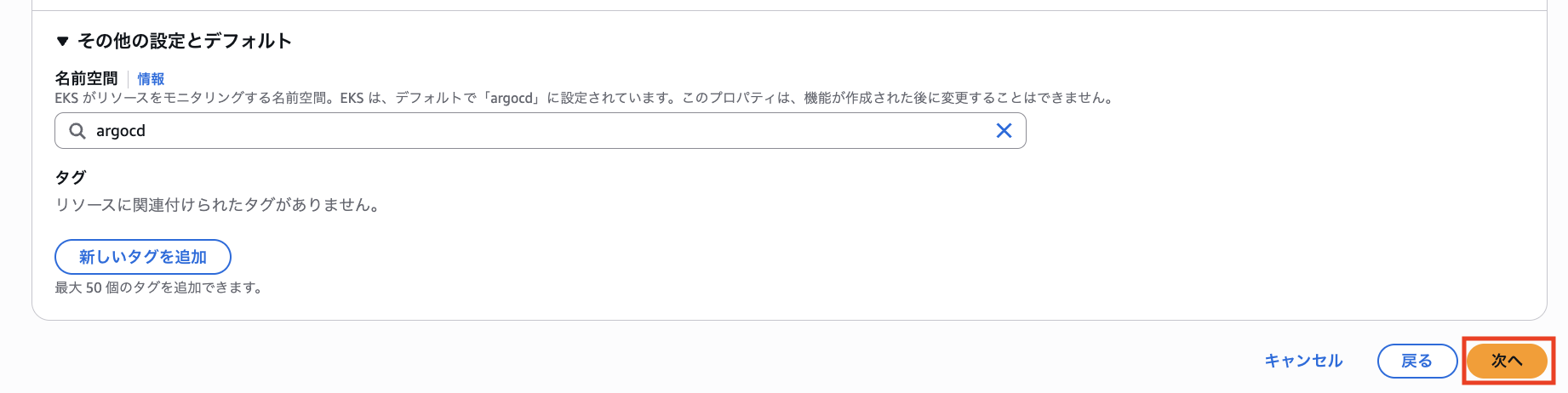
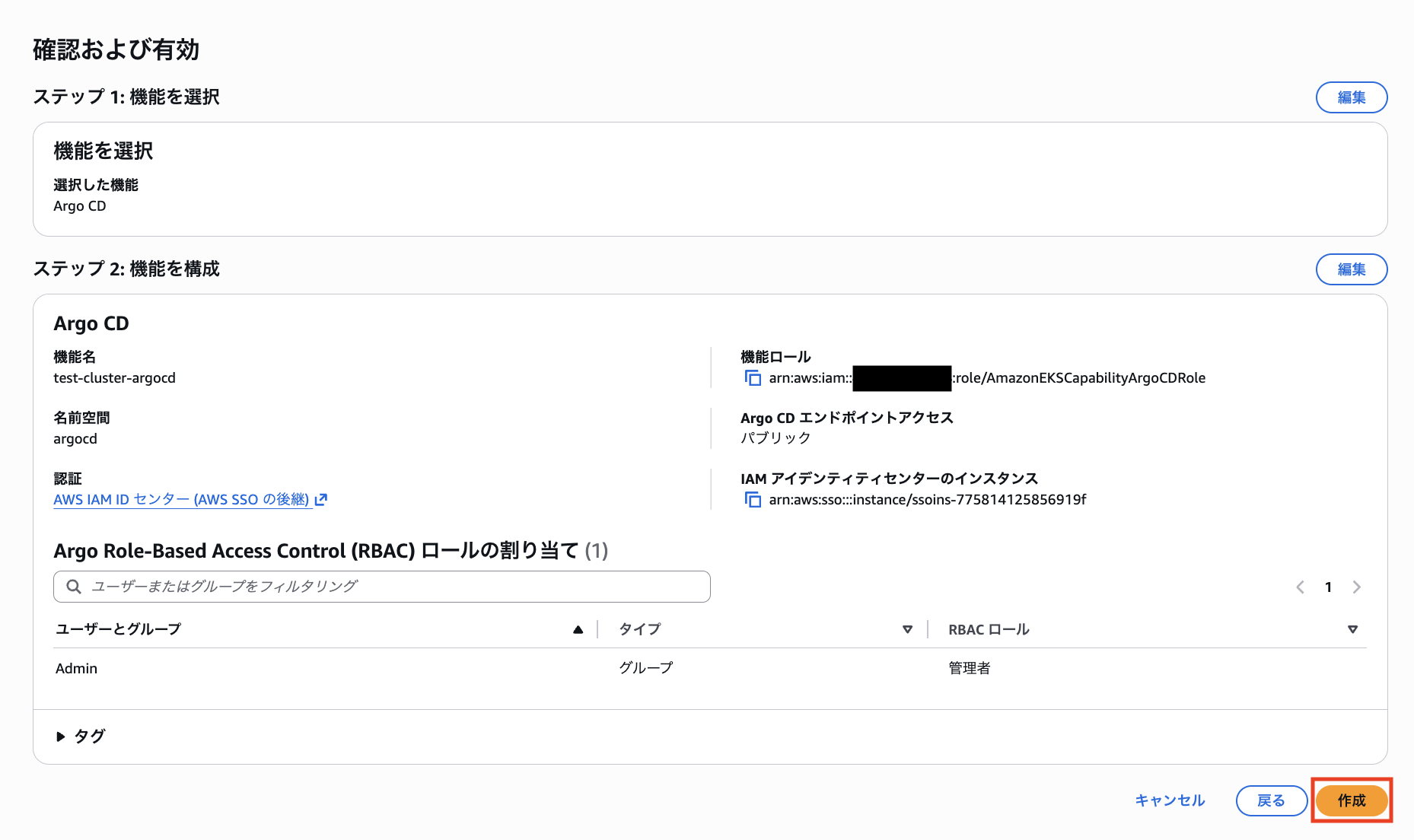
Argo CD の Applications を作成する名前空間を選択します。
この名前空間に専用リソースを構築することで、Argo CD は GitHub 等と同期を始めます。
「作成」をクリックします。
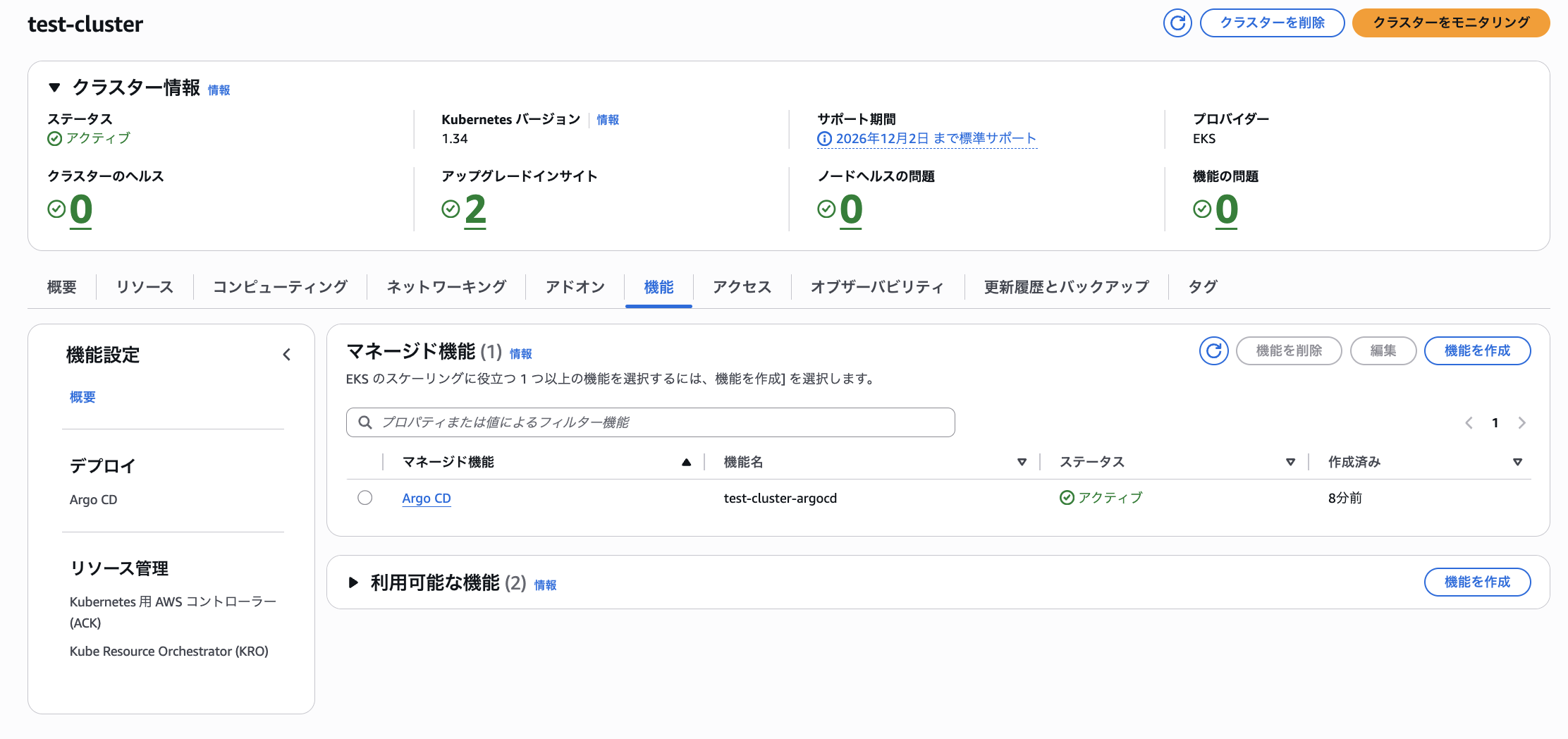
8 分程度でステータスが「アクティブ」になりました。
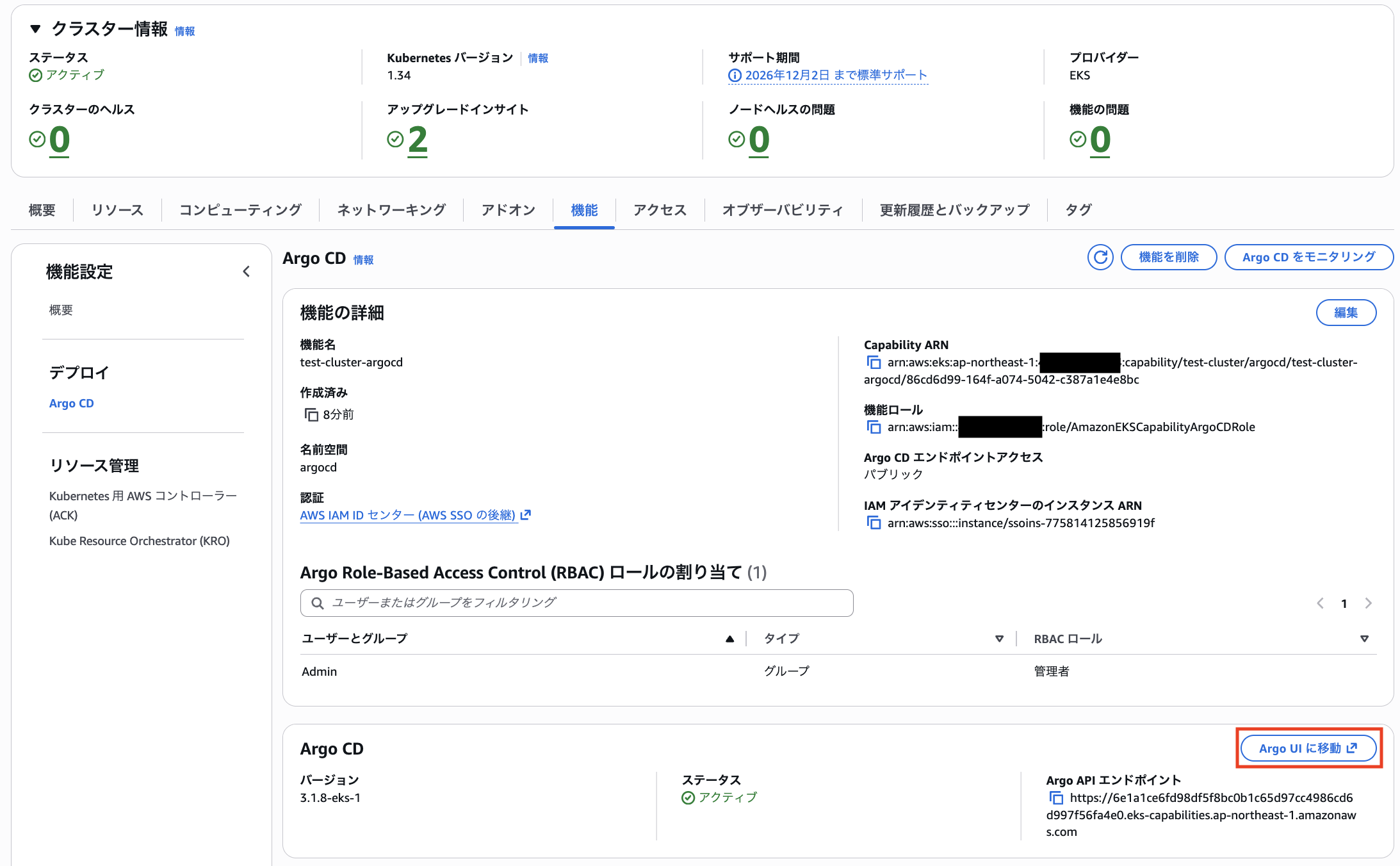
IAM Identity Center のアクセスポータルにログインした状態で「Argo UI に移動」をクリックします。
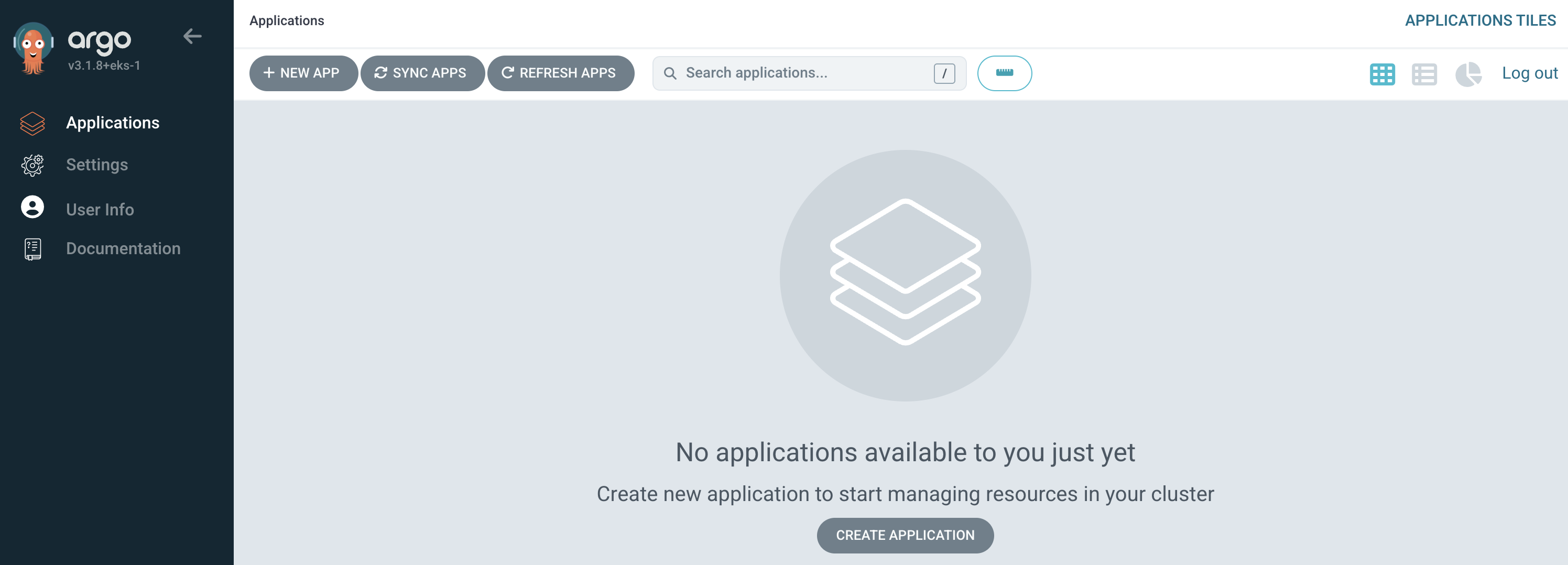
無事 Argo CD の UI を確認できました。
続いて Argo CD に EKS クラスターを登録します。
Argo CD CLI を利用する方法と Kubernetes Secret を作成する方法がありますが、今回は後者で行います。
apiVersion: v1
kind: Secret
metadata:
  name: test-cluster
  namespace: argocd
  labels:
    argocd.argoproj.io/secret-type: cluster
stringData:
  name: test-cluster
  server: arn:aws:eks:ap-northeast-1:xxxxxxxxxxxx:cluster/test-cluster
  project: default
続いて Application リソースを作成します。
今回は Getting started with Argo CD で紹介されているサンプルを、クラスター名のみ修正してそのまま利用します。
apiVersion: argoproj.io/v1alpha1
kind: Application
metadata:
  name: guestbook
  namespace: argocd
spec:
  project: default
  source:
    repoURL: https://github.com/argoproj/argocd-example-apps.git
    targetRevision: HEAD
    path: guestbook
  destination:
    name: test-cluster # 実際のクラスター名に修正
    namespace: guestbook
  syncPolicy:
    automated:
      prune: true
      selfHeal: true
    syncOptions:
      - CreateNamespace=true
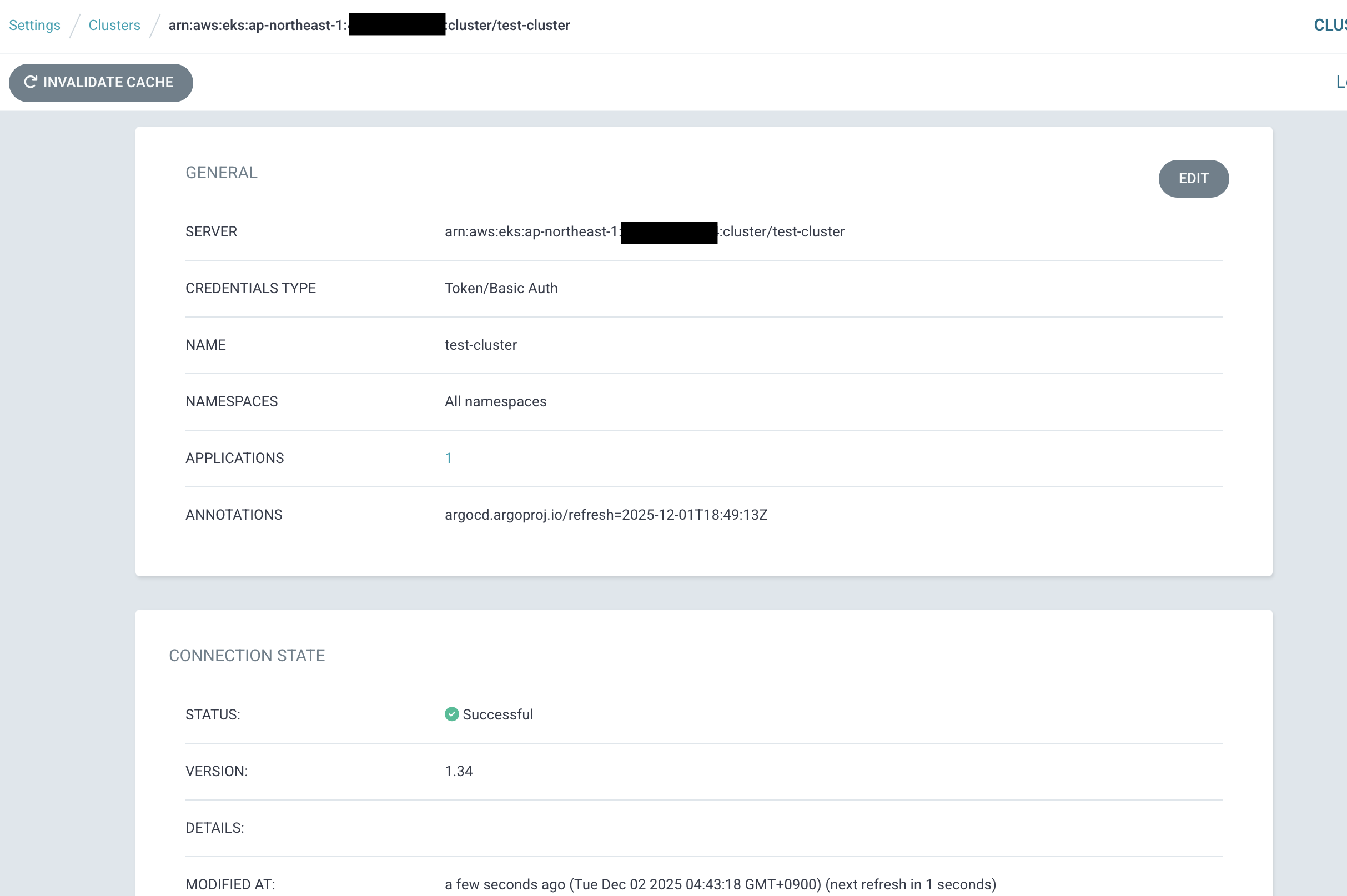
しばらく待つと EKS クラスターが Successful 状態になりました。
Application も Synced 状態になっています。
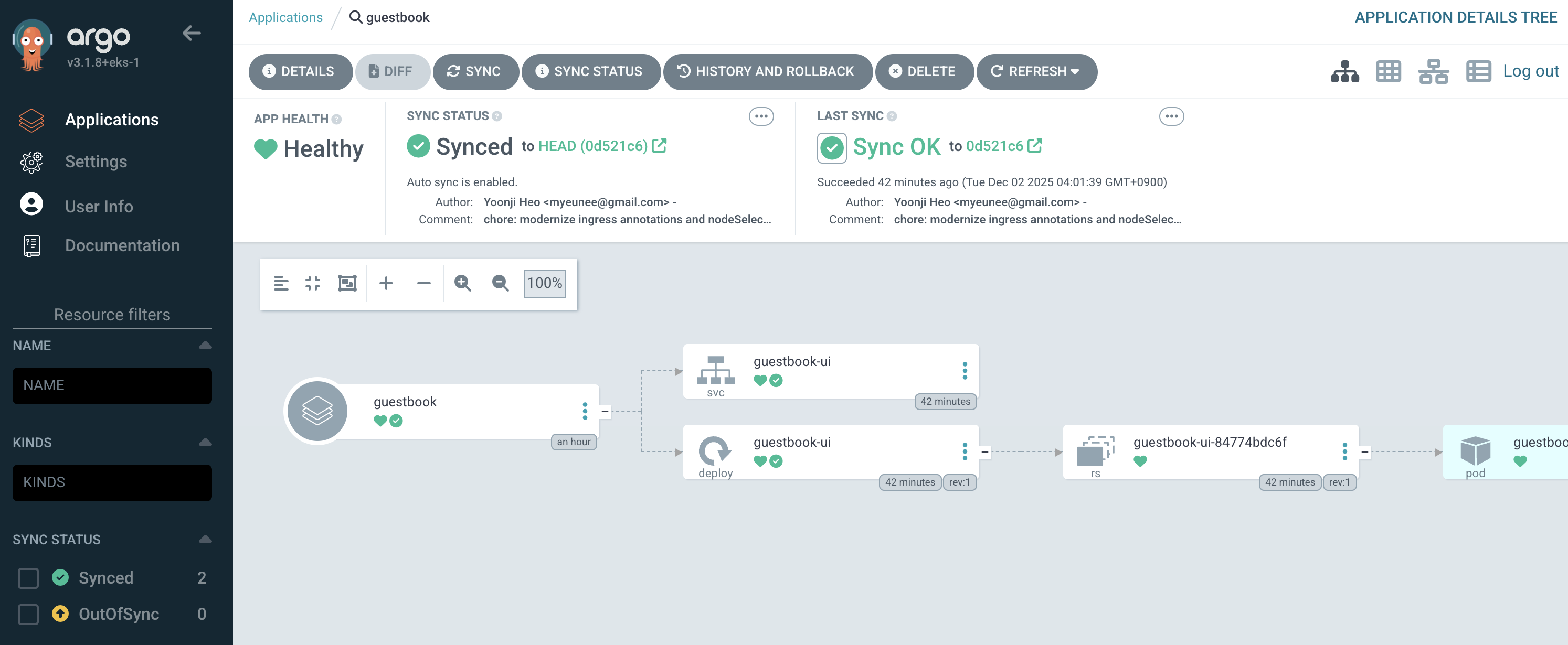
良い感じですね!
Argo CD から Kubernetes API server へのアクセスについて
ArgoCD への権限付与については、アクセスエントリを利用して自動で行われます。
When you create a capability with an IAM role, Amazon EKS automatically creates an access entry for that role on your cluster. This access entry grants the capability baseline Kubernetes permissions to function.
https://docs.aws.amazon.com/eks/latest/userguide/capabilities-security.html#_eks_access_entries
今回も下記のように権限が付与されました。
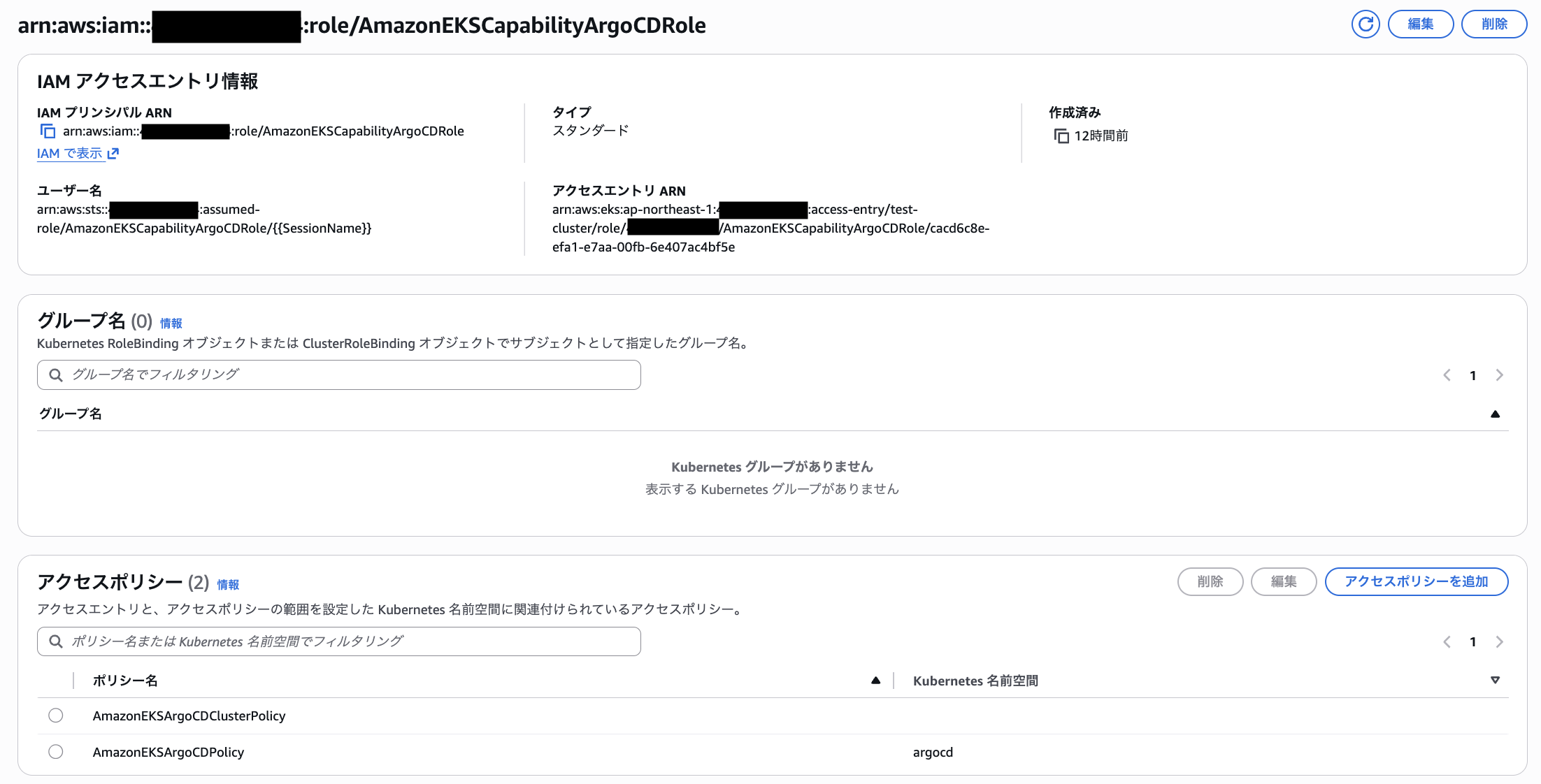
ただ、Argo CD の Applications 作成直後に replicationcontrollers の権限が無いと言われ、エラーになることがありました。
% kubectl get application -n argocd -o yaml
apiVersion: v1
items:
- apiVersion: argoproj.io/v1alpha1
  kind: Application
  metadata:
    annotations:
      kubectl.kubernetes.io/last-applied-configuration: |
        {"apiVersion":"argoproj.io/v1alpha1","kind":"Application","metadata":{"annotations":{},"name":"guestbook","namespace":"argocd"},"spec":{"destination":{"name":"test-cluster","namespace":"guestbook"},"project":"default","source":{"path":"guestbook","repoURL":"https://github.com/argoproj/argocd-example-apps.git","targetRevision":"HEAD"},"syncPolicy":{"automated":{"prune":false,"selfHeal":true},"syncOptions":["CreateNamespace=true"]}}}
    creationTimestamp: "2025-12-01T18:44:10Z"
    generation: 6
    name: guestbook
    namespace: argocd
    resourceVersion: "208705"
    uid: f9597f98-643a-45dc-9326-b0357aed23c7
  spec:
    destination:
      name: test-cluster
      namespace: guestbook
    project: default
    source:
      path: guestbook
      repoURL: https://github.com/argoproj/argocd-example-apps.git
      targetRevision: HEAD
    syncPolicy:
      automated:
        prune: false
        selfHeal: true
      syncOptions:
      - CreateNamespace=true
  status:
    conditions:
    - lastTransitionTime: "2025-12-01T18:44:10Z"
      message: 'Failed to load live state: failed to get cluster info for "arn:aws:eks:ap-northeast-1:xxxxxxxxxxxx:cluster/test-cluster":
        error synchronizing cache state : failed to sync cluster https://6E1A1CE6FD98DF5F8BC0B1C65D97CC49.ap-northeast-1.prod.ccs.eks.aws.dev:
        failed to load initial state of resource ReplicationController: failed to
        list resources: replicationcontrollers is forbidden: User "arn:aws:sts::xxxxxxxxxxxx:assumed-role/AmazonEKSCapabilityArgoCDRole/aws-go-sdk-1764614651315276716"
        cannot list resource "replicationcontrollers" in API group "" at the cluster
        scope'
      type: ComparisonError
    - lastTransitionTime: "2025-12-01T18:44:10Z"
      message: 'Failed to load target state: failed to get cluster version for cluster
        "arn:aws:eks:ap-northeast-1:xxxxxxxxxxxx:cluster/test-cluster": failed to
        get cluster info for "arn:aws:eks:ap-northeast-1:xxxxxxxxxxxx:cluster/test-cluster":
        error synchronizing cache state : failed to sync cluster https://6E1A1CE6FD98DF5F8BC0B1C65D97CC49.ap-northeast-1.prod.ccs.eks.aws.dev:
        failed to load initial state of resource ReplicationController: failed to
        list resources: replicationcontrollers is forbidden: User "arn:aws:sts::xxxxxxxxxxxx:assumed-role/AmazonEKSCapabilityArgoCDRole/aws-go-sdk-1764614651315276716"
        cannot list resource "replicationcontrollers" in API group "" at the cluster
        scope'
      type: ComparisonError
    - lastTransitionTime: "2025-12-01T18:44:10Z"
      message: 'error synchronizing cache state : failed to sync cluster https://6E1A1CE6FD98DF5F8BC0B1C65D97CC49.ap-northeast-1.prod.ccs.eks.aws.dev:
        failed to load initial state of resource ReplicationController: failed to
        list resources: replicationcontrollers is forbidden: User "arn:aws:sts::xxxxxxxxxxxx:assumed-role/AmazonEKSCapabilityArgoCDRole/aws-go-sdk-1764614651315276716"
        cannot list resource "replicationcontrollers" in API group "" at the cluster
        scope'
      type: UnknownError
    controllerNamespace: 5453cae0-18f4-41f0-bc56-619a79902187-argocd-86cd6d99-7f56fa4e
    health:
      lastTransitionTime: "2025-12-01T18:44:12Z"
      status: Healthy
    reconciledAt: "2025-12-01T18:44:10Z"
    resourceHealthSource: appTree
    sync:
      comparedTo:
        destination:
          name: test-cluster
          namespace: guestbook
        source:
          path: guestbook
          repoURL: https://github.com/argoproj/argocd-example-apps.git
          targetRevision: HEAD
      status: Unknown
kind: List
metadata:
  resourceVersion: ""
Authenticator ログには下記のように記録されており、アクセスエントリ経由で上手く権限を取得できていなかったようです。
level=warning msg="access denied" client="127.0.0.1:39580" error="sts getCallerIdentity failed: error from AWS (expected 200, got 403) on ap-northeast-1 endpoint. Body: {\"Error\":{\"Code\":\"InvalidClientTokenId\",\"Message\":\"The security token included in the request is invalid.\",\"Type\":\"Sender\"},\"RequestId\":\"005269ba-0975-4f0a-a209-e1e301f26b36\"}" method=POST path=/authenticate
今回は自然解消した上に発生条件も良くわからずでしたので、あまり深追いはできませんでした。
EKS Capabilities 自体が利用できるようになった直後なので今後より安定するとは思いますが、不安定な挙動があった際に Argo CD 側のログを確認できないとトラブルシューティングし辛いですね...
今後のアップデートで確認できるようになると嬉しいなと思いました。
EKS Capabilities の Argo CD を利用することでの制限について
EKS Capabilities では Argo CD の一部機能は利用できません。
Unsupported features: The following features are not available in the managed capability:
・Config Management Plugins (CMPs) for custom manifest generation
・Custom Lua scripts for resource health assessment (built-in health checks for standard resources are supported)
・The Notifications controller
・Argo CD Image Updater
・Custom SSO providers (only AWS Identity Center is supported)
・UI extensions and custom banners
・Direct access to argocd-cm, argocd-params, and other configuration ConfigMaps
これらの機能が必要な場合、EKS 上にセルフホストする必要があります。
特に Notification 機能を利用している場合は移行時に注意が必要です。
料金について
各機能ごとに料金が決まっており、機能有効化自体の料金と扱う Kubernetes リソース数に依る追加料金が存在します。
東京 (ap-northeast-1) で ArgoCD を利用した場合の料金は下記です。
| 項目 | 料金 | 備考 |
|---|---|---|
| Argo CD base charge | $0.037486 per Argo CD Capability hour | 27.4 USD/月程度 |
| Argo CD usage charge | $0.001853 per Argo CD Application hour | 1.35 USD/月程度 |
あまり大規模に使わないケースでは基本料金の割合が重くなりそうですね。
とはいえ ArgoCD の管理を AWS に委任できるのは魅力的ですし、ArgoCD を EKS クラスターにインストールする分のコンピューティング料金は不要になるので、その辺りを考慮すると妥当な料金に思いました。
最後に
Argo CD は EKS コミュニティアドオンの形で提供されるようになると勝手に想像していたので、新しい枠組みで登場したことにびっくりしました。
機能を有効化するだけで Argo CD の UI が払い出され、IAM Identity Center での認証もセットというのはかなり体験が良かったです。
アクセスエントリ、Pod Identity、コミュニティアドオン、Auto Mode、EKS Capabilities とここ数年で EKS の開発体験が飛躍的に向上した感覚があってとても嬉しいです。
とはいえ、抽象度が高いと何かあった際に切り分けし辛いデメリットもあるので、今後のログ出力サポート等にも期待したい所です。
ACK や kro については今回試せなかったので、また別途ブログに書きます!