
From FE Dev to Figma Trainer: A Beginner Journey

This article was written by Hoang Nguyen V. from Classmethod Danang.
As a Frontend Developer, Figma was never something unfamiliar to me. I used it every day to inspect designs, check spacing, and export assets. But to be honest, I had only been using Figma at a “just enough to get the job done” level — I had never truly explored the full potential of the tool.
That changed when Mr. Tien invited me to teach a Figma class for everyone at Classmethod Danang.
Starting from an Invitation
I accepted the opportunity not because I considered myself a “Figma expert,” but because I saw it as a chance to dive deeper into a tool I used daily without fully mastering. From the beginning, the goal was very clear: no one needed to become a UX/UI Designer, but everyone should at least feel confident using the tool independently.
The 4-Session Learning Journey
Session 1 — Getting Familiar with the Interface: “Figma Isn’t That Scary”
The first session focused on getting comfortable with the workspace:
- Overview of the Figma interface
- Working with shapes & basic styling (fill, stroke, effects, sizing)
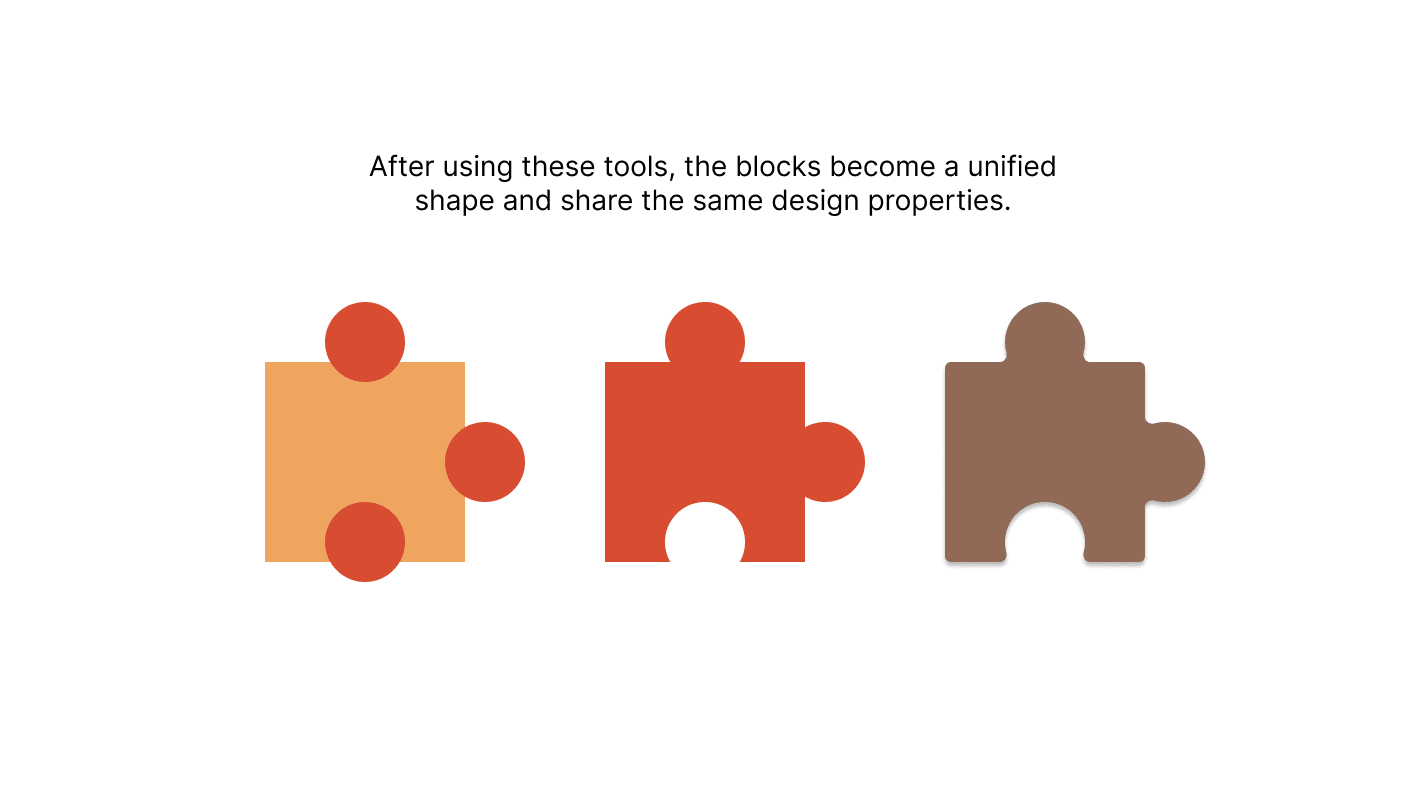
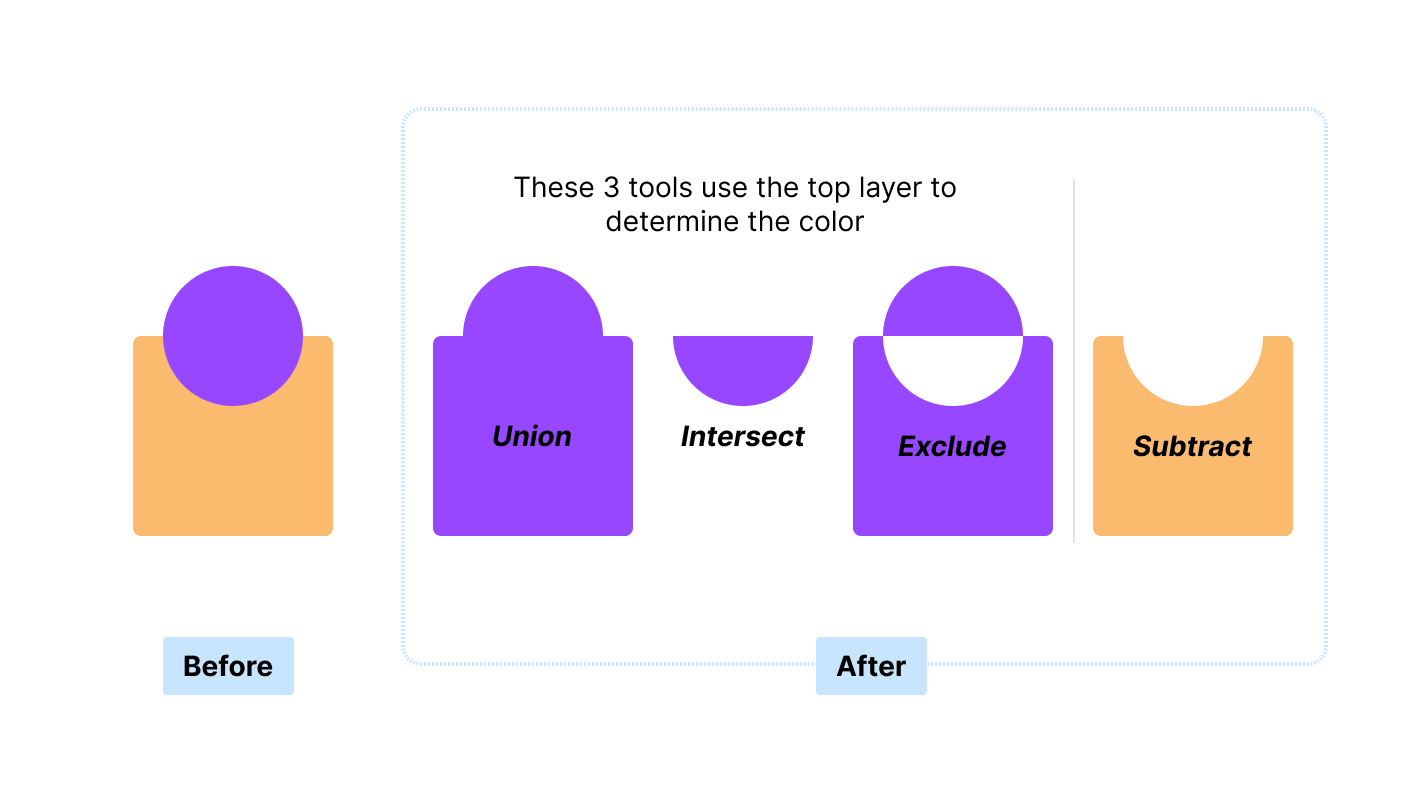
- Advanced operations: cutting and combining shapes
- Practice: recreating sample illustrations using learned techniques
Session 2 — Components: “Don’t Rebuild What Already Exists”
This was probably my favorite session to teach. Components are one of Figma’s most powerful features, and once everyone understood the concept, the way they viewed design files completely changed.
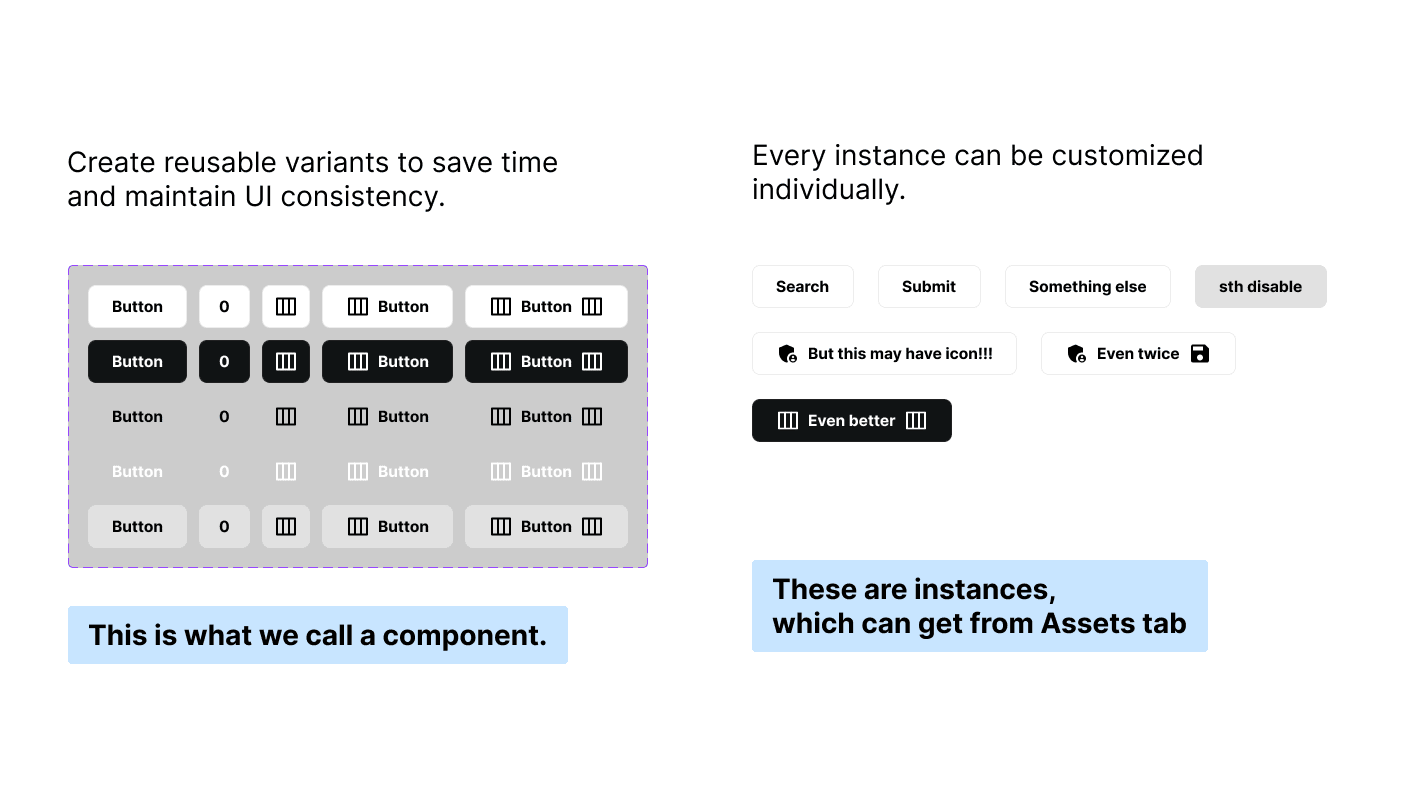
- What are Components and Assets?
- Introduction to Figma Community and plugins
- Creating components, understanding Variants and Naming Conventions
- Practice: building button components with multiple variations
Session 3 — Frame & Prototype: “When Designs Start to Move”
From static shapes, session 3 introduced a broader perspective — making designs responsive and interactive:
- Concepts of Frames, Layouts, and Responsiveness
- Grid Layout, Auto Layout, Constraints, and Item Ordering
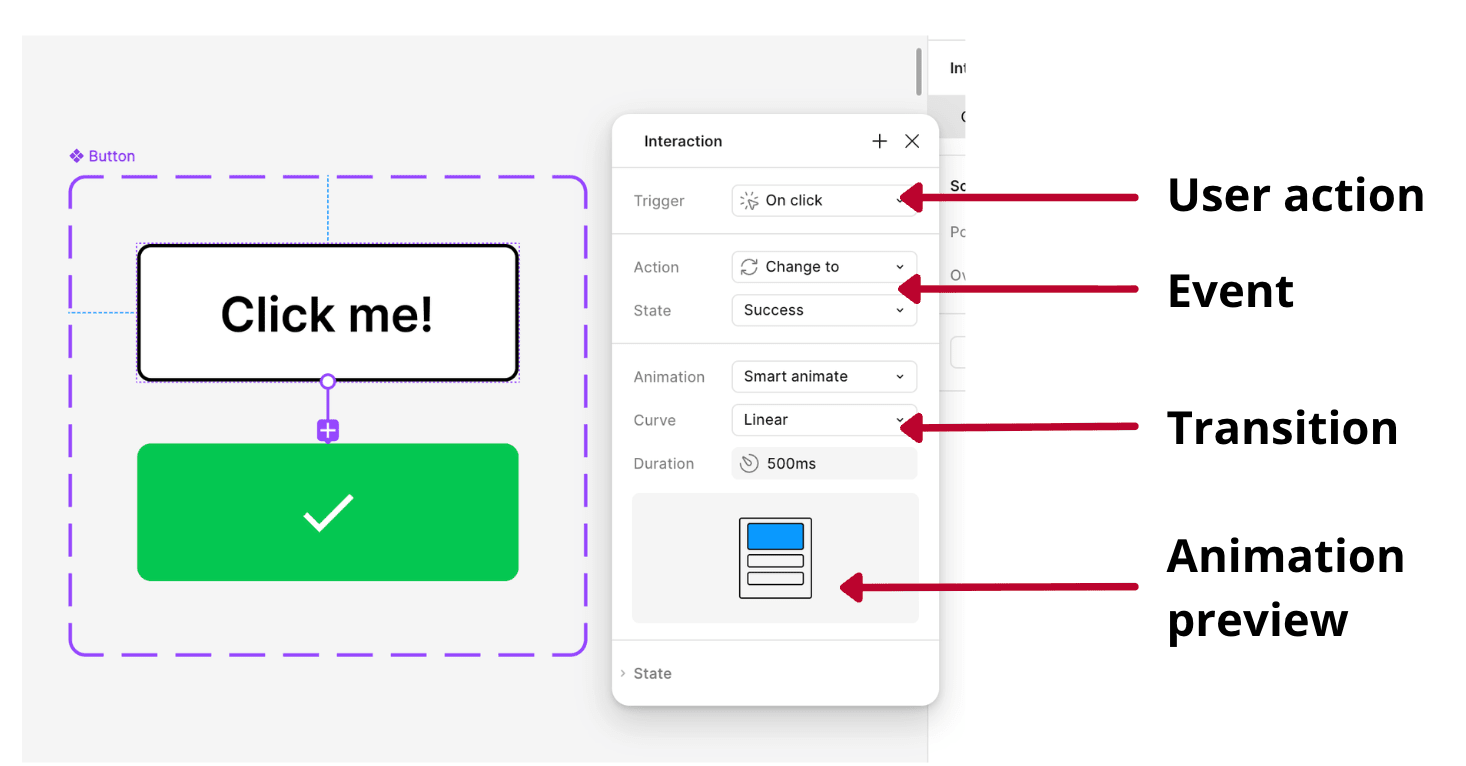
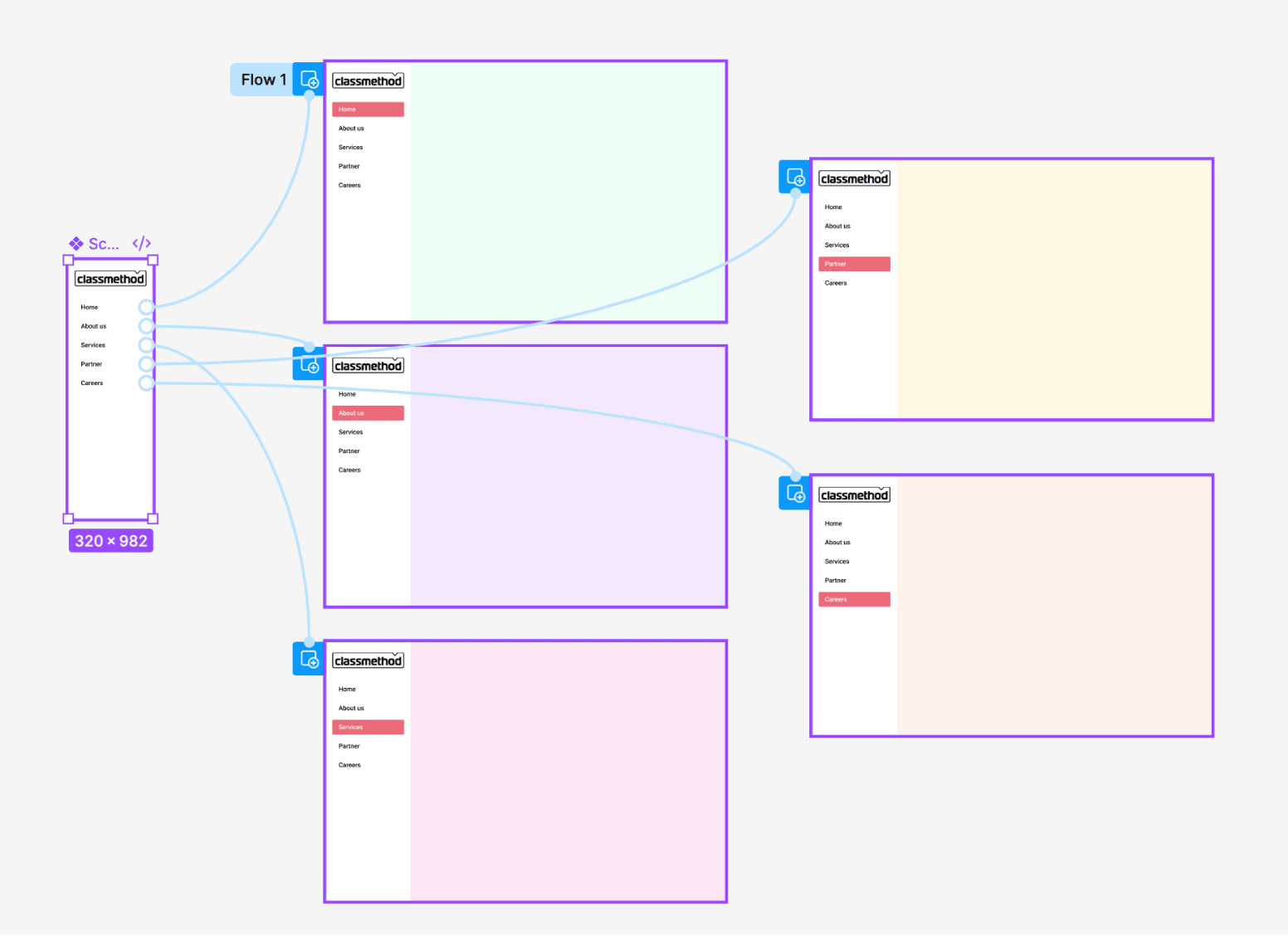
- Prototype basics: triggers and simple events
- Practice: creating responsive layouts and implementing button interactions (hover, clicked, loading)
Session 4 — Review & Practice
The final session did not introduce a new theory. Instead, it focused on revising and reinforcing everything learned throughout the course:
- Reviewing Frames, Components, and Prototypes
- Practicing component creation and prototype connections
- Q&A session for issues encountered after the first three classes
- Final comprehensive assignment to conclude the course
The Participants

Not everyone joined with excitement from the beginning, and that was completely normal. However, the entire team seriously made time for the course and completed all assignments diligently. I truly appreciated that.
Thank you to everyone at Classmethod Danang for accompanying me throughout all four sessions. A special thanks to Ms. Linh from the FE Team for her extremely well-prepared quizzes and assignments.
At the end of the course, all participants received certificates of completion — well deserved for the effort they put in.
Feedback from Participants
Ms. Linh (FE Team)
“I never realized Figma had so many features. Some things looked complicated at first, but after practicing them, they turned out to be much easier to understand than I expected.”
Loan (BE Team)
“The instructor was very attentive and always made learners feel comfortable. The lessons and exercises were carefully prepared, although the pace was sometimes a bit fast.”
One Final Thought
This course was simply a practical guide to using a tool. If you stop using it for a while and forget some operations, that is completely fine — spending a little time exploring again won’t take much effort.
What truly makes the difference is the amount of time you invest in using it. The same result can often be achieved in many different ways, and frequent users naturally discover more optimized approaches over time.