AWS Management Console Private Accessの閉域アクセスを検証し、DNS設定でPublic/Privateを使い分ける方法を確認してみた

はじめに
AWS Management Console Private Accessは、VPCエンドポイント(AWS PrivateLink)経由でAWSマネジメントコンソールにアクセスする機能です。2026年6月15日のアップデートでconsole-staticエンドポイントが追加され、インターネット接続なしでの完全閉域利用が東京リージョンでも利用可能になりました。
Console Private Accessの概要や設定手順については以下の記事が参考になります。
Private Accessを導入する際に気になるのが、閉域アクセスとインターネットアクセスを同一端末で使い分けられるのかという点です。Private Accessで非対応のサービス(Billing、CloudFront等)を使いたい場合や、一時的にPublic Accessに切り替えたい場合にどうすればよいのか。
本記事では、VPC内のEC2インスタンスを使ってPrivate AccessとPublic Accessの切り替えが技術的に可能かどうかを検証しました。結論から言うと、アクセス経路はDNS解決の結果のみで決まるため、端末のDNS設定を変更すれば切り替えは技術的に可能です。ただし、実際の企業ネットワークでは端末のDNS設定がMDM等で固定されているため、同一端末でのPrivate/Public切り替えは現実的に困難だと思われます。
検証環境の構成
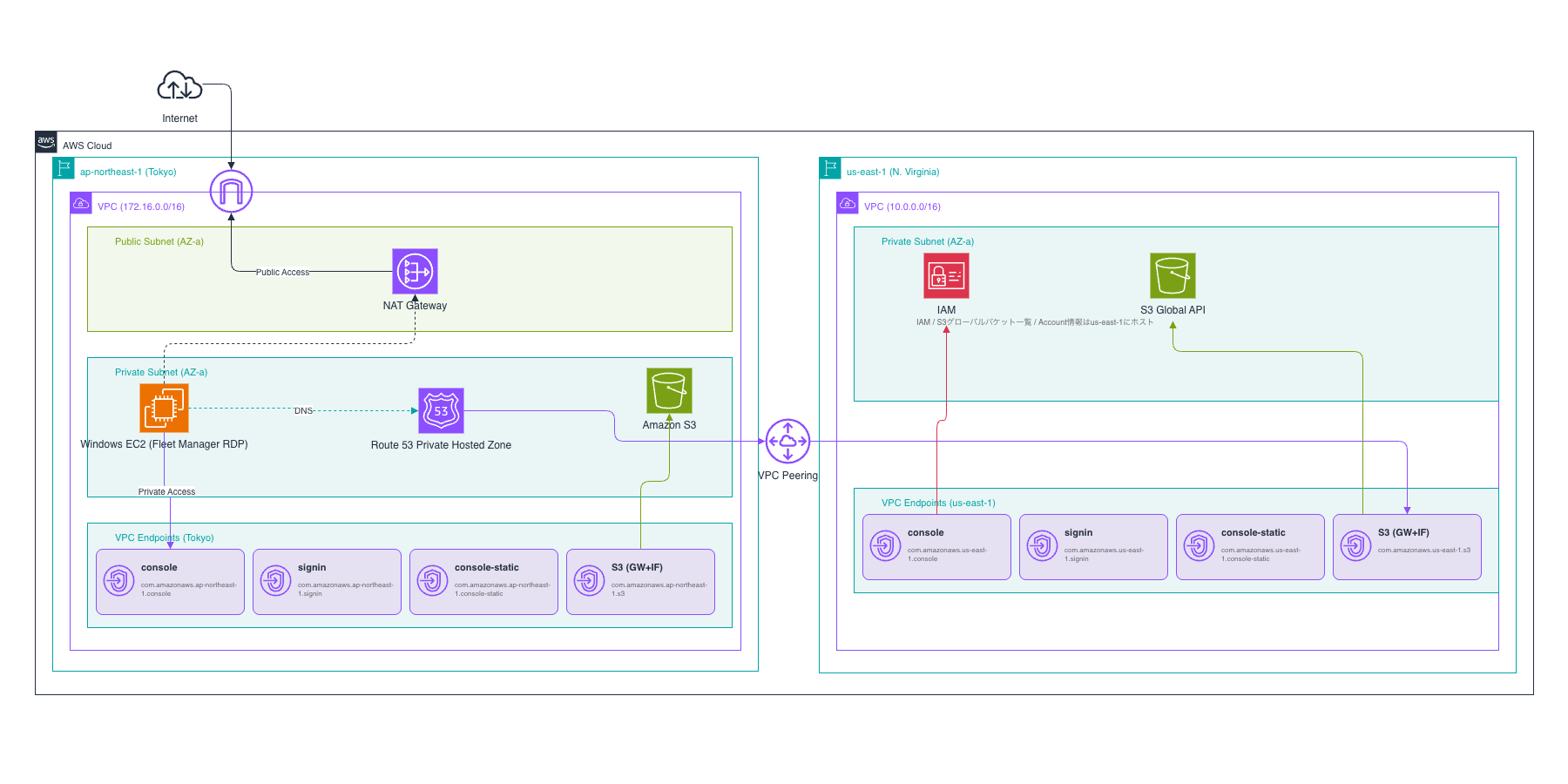
東京リージョン(ap-northeast-1)のプライベートサブネットにWindows EC2インスタンスを配置し、Fleet Manager経由でRDP接続しました。擬似的な閉域環境として、VPCエンドポイント(Private DNS有効)でPrivate Accessを実現しつつ、NAT Gateway経由のインターネットアクセス経路も用意しています。
東京リージョン(ap-northeast-1)
| リソース | 用途 |
|---|---|
| VPC(172.16.0.0/16) | 検証環境のメインVPC |
| プライベートサブネット × 2(AZ-a, AZ-c) | EC2配置、VPCエンドポイント配置 |
| パブリックサブネット × 1(AZ-a) | NAT Gateway配置 |
| Internet Gateway + NAT Gateway | Public Access検証用のインターネット経路 |
| Windows EC2(m5.large) | Fleet Manager RDPで接続してブラウザ検証 |
VPCエンドポイント: console, signin, console-static |
Console Private Access用(Private DNS有効) |
VPCエンドポイント: s3(Gateway + Interface) |
S3コンソール操作用。Interface EndpointのPrivate DNS有効化にはGateway Endpointの併設が必須 |
VPCエンドポイント: ssm, ssmmessages, ec2messages |
Fleet Manager RDP接続用 |
VPCエンドポイント: ec2, kms, monitoring, logs |
EC2コンソール操作、暗号化、CloudWatch連携用 |
| Route 53 Private Hosted Zone | s3.us-east-1.amazonaws.com等をus-east-1のVPCエンドポイントに解決 |
us-east-1(バージニア北部)
| リソース | 用途 |
|---|---|
| VPC(10.0.0.0/16) | us-east-1ホストサービスへのアクセス用 |
| プライベートサブネット × 2(AZ-a, AZ-c) | VPCエンドポイント配置 |
VPCエンドポイント: console, signin, console-static |
IAMコンソール等us-east-1ホストサービスのPrivate Access用 |
VPCエンドポイント: s3(Gateway + Interface) |
S3グローバルバケット一覧取得用 |
IAM、S3のグローバルバケット一覧、Account情報はus-east-1にホストされています。東京リージョンのみの利用であっても、これらのサービスコンソールを表示するにはus-east-1のVPCエンドポイントが必要です。
リージョン間接続
東京VPCとus-east-1 VPCをVPCピアリングで接続し、Route 53 Private Hosted Zoneでus-east-1のサービスドメインをus-east-1 VPCエンドポイントのプライベートIPに解決しています。
Terraformコード
検証環境のTerraformコードを以下に示します。
main.tf(クリックで展開)
terraform {
  required_version = ">= 1.0"
  required_providers {
    aws = {
      source  = "hashicorp/aws"
      version = "~> 6.51"
    }
  }
}

provider "aws" {
  region = "ap-northeast-1"
}

provider "aws" {
  alias  = "us_east_1"
  region = "us-east-1"
}

data "aws_caller_identity" "current" {}
data "aws_availability_zones" "available" { state = "available" }

locals {
  azs = slice(data.aws_availability_zones.available.names, 0, 2)
}

#########################
# 東京リージョン: VPC
#########################

resource "aws_vpc" "main" {
  cidr_block           = "172.16.0.0/16"
  enable_dns_support   = true
  enable_dns_hostnames = true
}

resource "aws_subnet" "private" {
  count             = 2
  vpc_id            = aws_vpc.main.id
  cidr_block        = cidrsubnet("172.16.0.0/16", 8, count.index + 1)
  availability_zone = local.azs[count.index]
}

resource "aws_subnet" "public" {
  vpc_id            = aws_vpc.main.id
  cidr_block        = cidrsubnet("172.16.0.0/16", 8, 100)
  availability_zone = local.azs[0]
}

#########################
# Internet Gateway + NAT Gateway
#########################

resource "aws_internet_gateway" "main" {
  vpc_id = aws_vpc.main.id
}

resource "aws_route_table" "public" {
  vpc_id = aws_vpc.main.id
}

resource "aws_route" "public_internet" {
  route_table_id         = aws_route_table.public.id
  destination_cidr_block = "0.0.0.0/0"
  gateway_id             = aws_internet_gateway.main.id
}

resource "aws_route_table_association" "public" {
  subnet_id      = aws_subnet.public.id
  route_table_id = aws_route_table.public.id
}

resource "aws_eip" "nat" {
  domain = "vpc"
}

resource "aws_nat_gateway" "main" {
  allocation_id = aws_eip.nat.id
  subnet_id     = aws_subnet.public.id
}

resource "aws_route_table" "private" {
  vpc_id = aws_vpc.main.id
}

resource "aws_route" "private_nat" {
  route_table_id         = aws_route_table.private.id
  destination_cidr_block = "0.0.0.0/0"
  nat_gateway_id         = aws_nat_gateway.main.id
}

resource "aws_route_table_association" "private" {
  count          = 2
  subnet_id      = aws_subnet.private[count.index].id
  route_table_id = aws_route_table.private.id
}

#########################
# Security Groups
#########################

resource "aws_security_group" "vpce" {
  name_prefix = "console-private-access-vpce-"
  description = "Allow TLS from VPC for VPC Endpoints"
  vpc_id      = aws_vpc.main.id

  ingress {
    from_port   = 443
    to_port     = 443
    protocol    = "tcp"
    cidr_blocks = ["172.16.0.0/16"]
  }

  egress {
    from_port   = 0
    to_port     = 0
    protocol    = "-1"
    cidr_blocks = ["0.0.0.0/0"]
  }
}

resource "aws_security_group" "ec2" {
  name_prefix = "console-private-access-ec2-"
  description = "EC2 instance SG"
  vpc_id      = aws_vpc.main.id

  ingress {
    description = "RDP from VPC"
    from_port   = 3389
    to_port     = 3389
    protocol    = "tcp"
    cidr_blocks = ["172.16.0.0/16"]
  }

  egress {
    from_port   = 0
    to_port     = 0
    protocol    = "-1"
    cidr_blocks = ["0.0.0.0/0"]
  }
}

#########################
# VPC Endpoints - Console Private Access
#########################

resource "aws_vpc_endpoint" "console" {
  vpc_id              = aws_vpc.main.id
  service_name        = "com.amazonaws.ap-northeast-1.console"
  vpc_endpoint_type   = "Interface"
  private_dns_enabled = true
  subnet_ids          = aws_subnet.private[*].id
  security_group_ids  = [aws_security_group.vpce.id]

  policy = jsonencode({
    Version = "2012-10-17"
    Statement = [{
      Effect    = "Allow"
      Principal = "*"
      Action    = "*"
      Resource  = "*"
    }]
  })
}

resource "aws_vpc_endpoint" "signin" {
  vpc_id              = aws_vpc.main.id
  service_name        = "com.amazonaws.ap-northeast-1.signin"
  vpc_endpoint_type   = "Interface"
  private_dns_enabled = true
  subnet_ids          = aws_subnet.private[*].id
  security_group_ids  = [aws_security_group.vpce.id]

  policy = jsonencode({
    Version = "2012-10-17"
    Statement = [{
      Effect    = "Allow"
      Principal = "*"
      Action    = "signin:*"
      Resource  = "*"
    }]
  })
}

resource "aws_vpc_endpoint" "console_static" {
  vpc_id              = aws_vpc.main.id
  service_name        = "com.amazonaws.ap-northeast-1.console-static"
  vpc_endpoint_type   = "Interface"
  private_dns_enabled = true
  subnet_ids          = aws_subnet.private[*].id
  security_group_ids  = [aws_security_group.vpce.id]
}

#########################
# VPC Endpoints - SSM (Fleet Manager RDP接続用)
#########################

resource "aws_vpc_endpoint" "ssm" {
  vpc_id              = aws_vpc.main.id
  service_name        = "com.amazonaws.ap-northeast-1.ssm"
  vpc_endpoint_type   = "Interface"
  private_dns_enabled = true
  subnet_ids          = aws_subnet.private[*].id
  security_group_ids  = [aws_security_group.vpce.id]
}

resource "aws_vpc_endpoint" "ssmmessages" {
  vpc_id              = aws_vpc.main.id
  service_name        = "com.amazonaws.ap-northeast-1.ssmmessages"
  vpc_endpoint_type   = "Interface"
  private_dns_enabled = true
  subnet_ids          = aws_subnet.private[*].id
  security_group_ids  = [aws_security_group.vpce.id]
}

resource "aws_vpc_endpoint" "ec2messages" {
  vpc_id              = aws_vpc.main.id
  service_name        = "com.amazonaws.ap-northeast-1.ec2messages"
  vpc_endpoint_type   = "Interface"
  private_dns_enabled = true
  subnet_ids          = aws_subnet.private[*].id
  security_group_ids  = [aws_security_group.vpce.id]
}

#########################
# VPC Endpoints - S3 (Gateway + Interface)
#########################

resource "aws_vpc_endpoint" "s3_gateway" {
  vpc_id            = aws_vpc.main.id
  service_name      = "com.amazonaws.ap-northeast-1.s3"
  vpc_endpoint_type = "Gateway"
  route_table_ids   = [aws_route_table.private.id]
}

resource "aws_vpc_endpoint" "s3_interface" {
  vpc_id              = aws_vpc.main.id
  service_name        = "com.amazonaws.ap-northeast-1.s3"
  vpc_endpoint_type   = "Interface"
  private_dns_enabled = true
  subnet_ids          = aws_subnet.private[*].id
  security_group_ids  = [aws_security_group.vpce.id]
  dns_options {
    private_dns_only_for_inbound_resolver_endpoint = true
  }
}

#########################
# VPC Endpoints - その他サービス
#########################

resource "aws_vpc_endpoint" "kms" {
  vpc_id              = aws_vpc.main.id
  service_name        = "com.amazonaws.ap-northeast-1.kms"
  vpc_endpoint_type   = "Interface"
  private_dns_enabled = true
  subnet_ids          = aws_subnet.private[*].id
  security_group_ids  = [aws_security_group.vpce.id]
}

resource "aws_vpc_endpoint" "ec2" {
  vpc_id              = aws_vpc.main.id
  service_name        = "com.amazonaws.ap-northeast-1.ec2"
  vpc_endpoint_type   = "Interface"
  private_dns_enabled = true
  subnet_ids          = aws_subnet.private[*].id
  security_group_ids  = [aws_security_group.vpce.id]
}

resource "aws_vpc_endpoint" "monitoring" {
  vpc_id              = aws_vpc.main.id
  service_name        = "com.amazonaws.ap-northeast-1.monitoring"
  vpc_endpoint_type   = "Interface"
  private_dns_enabled = true
  subnet_ids          = aws_subnet.private[*].id
  security_group_ids  = [aws_security_group.vpce.id]
}

resource "aws_vpc_endpoint" "logs" {
  vpc_id              = aws_vpc.main.id
  service_name        = "com.amazonaws.ap-northeast-1.logs"
  vpc_endpoint_type   = "Interface"
  private_dns_enabled = true
  subnet_ids          = aws_subnet.private[*].id
  security_group_ids  = [aws_security_group.vpce.id]
}

#########################
# EC2 Instance (Windows Server - Fleet Manager RDP)
#########################

data "aws_ssm_parameter" "windows_ami" {
  name = "/aws/service/ami-windows-latest/Windows_Server-2022-English-Full-Base"
}

resource "aws_iam_role" "ec2" {
  name = "console-private-access-ec2-role"

  assume_role_policy = jsonencode({
    Version = "2012-10-17"
    Statement = [{
      Effect    = "Allow"
      Principal = { Service = "ec2.amazonaws.com" }
      Action    = "sts:AssumeRole"
    }]
  })
}

resource "aws_iam_role_policy_attachment" "ssm" {
  role       = aws_iam_role.ec2.name
  policy_arn = "arn:aws:iam::aws:policy/AmazonSSMManagedInstanceCore"
}

resource "aws_iam_instance_profile" "ec2" {
  name = "console-private-access-ec2-profile"
  role = aws_iam_role.ec2.name
}

resource "aws_instance" "windows" {
  ami                    = data.aws_ssm_parameter.windows_ami.value
  instance_type          = "m5.large"
  subnet_id              = aws_subnet.private[0].id
  iam_instance_profile   = aws_iam_instance_profile.ec2.name
  vpc_security_group_ids = [aws_security_group.ec2.id]

  metadata_options {
    http_tokens = "required"
  }

  root_block_device {
    volume_size = 50
    encrypted   = true
  }
}

#########################
# us-east-1: VPC + VPCエンドポイント
#########################

data "aws_availability_zones" "us_east_1" {
  provider = aws.us_east_1
  state    = "available"
}

resource "aws_vpc" "us_east_1" {
  provider             = aws.us_east_1
  cidr_block           = "10.0.0.0/16"
  enable_dns_support   = true
  enable_dns_hostnames = true
}

resource "aws_subnet" "us_east_1_private" {
  count             = 2
  provider          = aws.us_east_1
  vpc_id            = aws_vpc.us_east_1.id
  cidr_block        = cidrsubnet("10.0.0.0/16", 8, count.index + 1)
  availability_zone = data.aws_availability_zones.us_east_1.names[count.index]
}

resource "aws_route_table" "us_east_1_private" {
  provider = aws.us_east_1
  vpc_id   = aws_vpc.us_east_1.id
}

resource "aws_route_table_association" "us_east_1_private" {
  count          = 2
  provider       = aws.us_east_1
  subnet_id      = aws_subnet.us_east_1_private[count.index].id
  route_table_id = aws_route_table.us_east_1_private.id
}

resource "aws_security_group" "us_east_1_vpce" {
  provider    = aws.us_east_1
  name_prefix = "console-private-access-us-east-1-vpce-"
  description = "Allow TLS from peered VPCs"
  vpc_id      = aws_vpc.us_east_1.id

  ingress {
    from_port   = 443
    to_port     = 443
    protocol    = "tcp"
    cidr_blocks = ["10.0.0.0/16", "172.16.0.0/16"]
  }

  egress {
    from_port   = 0
    to_port     = 0
    protocol    = "-1"
    cidr_blocks = ["0.0.0.0/0"]
  }
}

resource "aws_vpc_endpoint" "us_east_1_console" {
  provider            = aws.us_east_1
  vpc_id              = aws_vpc.us_east_1.id
  service_name        = "com.amazonaws.us-east-1.console"
  vpc_endpoint_type   = "Interface"
  private_dns_enabled = true
  subnet_ids          = aws_subnet.us_east_1_private[*].id
  security_group_ids  = [aws_security_group.us_east_1_vpce.id]
}

resource "aws_vpc_endpoint" "us_east_1_signin" {
  provider            = aws.us_east_1
  vpc_id              = aws_vpc.us_east_1.id
  service_name        = "com.amazonaws.us-east-1.signin"
  vpc_endpoint_type   = "Interface"
  private_dns_enabled = true
  subnet_ids          = aws_subnet.us_east_1_private[*].id
  security_group_ids  = [aws_security_group.us_east_1_vpce.id]
}

resource "aws_vpc_endpoint" "us_east_1_console_static" {
  provider            = aws.us_east_1
  vpc_id              = aws_vpc.us_east_1.id
  service_name        = "com.amazonaws.us-east-1.console-static"
  vpc_endpoint_type   = "Interface"
  private_dns_enabled = true
  subnet_ids          = aws_subnet.us_east_1_private[*].id
  security_group_ids  = [aws_security_group.us_east_1_vpce.id]
}

resource "aws_vpc_endpoint" "us_east_1_s3_gateway" {
  provider          = aws.us_east_1
  vpc_id            = aws_vpc.us_east_1.id
  service_name      = "com.amazonaws.us-east-1.s3"
  vpc_endpoint_type = "Gateway"
  route_table_ids   = [aws_route_table.us_east_1_private.id]
}

resource "aws_vpc_endpoint" "us_east_1_s3" {
  depends_on          = [aws_vpc_endpoint.us_east_1_s3_gateway]
  provider            = aws.us_east_1
  vpc_id              = aws_vpc.us_east_1.id
  service_name        = "com.amazonaws.us-east-1.s3"
  vpc_endpoint_type   = "Interface"
  private_dns_enabled = true
  subnet_ids          = aws_subnet.us_east_1_private[*].id
  security_group_ids  = [aws_security_group.us_east_1_vpce.id]
}

#########################
# VPCピアリング(東京 ↔ us-east-1)
#########################

resource "aws_vpc_peering_connection" "tokyo_to_us_east_1" {
  vpc_id      = aws_vpc.main.id
  peer_vpc_id = aws_vpc.us_east_1.id
  peer_region = "us-east-1"
  auto_accept = false
}

resource "aws_vpc_peering_connection_accepter" "us_east_1" {
  provider                  = aws.us_east_1
  vpc_peering_connection_id = aws_vpc_peering_connection.tokyo_to_us_east_1.id
  auto_accept               = true
}

resource "aws_route" "tokyo_to_us_east_1" {
  route_table_id            = aws_route_table.private.id
  destination_cidr_block    = "10.0.0.0/16"
  vpc_peering_connection_id = aws_vpc_peering_connection.tokyo_to_us_east_1.id
  depends_on                = [aws_vpc_peering_connection_accepter.us_east_1]
}

resource "aws_route" "us_east_1_to_tokyo" {
  provider                  = aws.us_east_1
  route_table_id            = aws_route_table.us_east_1_private.id
  destination_cidr_block    = "172.16.0.0/16"
  vpc_peering_connection_id = aws_vpc_peering_connection.tokyo_to_us_east_1.id
  depends_on                = [aws_vpc_peering_connection_accepter.us_east_1]
}

#########################
# Route 53 Private Hosted Zone
#########################

resource "aws_route53_zone" "s3_us_east_1" {
  name = "s3.us-east-1.amazonaws.com"

  vpc {
    vpc_id     = aws_vpc.main.id
    vpc_region = "ap-northeast-1"
  }
}

resource "aws_route53_record" "s3_us_east_1" {
  zone_id = aws_route53_zone.s3_us_east_1.zone_id
  name    = "s3.us-east-1.amazonaws.com"
  type    = "A"

  alias {
    name                   = aws_vpc_endpoint.us_east_1_s3.dns_entry[0].dns_name
    zone_id                = aws_vpc_endpoint.us_east_1_s3.dns_entry[0].hosted_zone_id
    evaluate_target_health = true
  }
}

resource "aws_route53_zone" "account_us_east_1" {
  name = "account.us-east-1.api.aws"

  vpc {
    vpc_id     = aws_vpc.main.id
    vpc_region = "ap-northeast-1"
  }
}

resource "aws_route53_zone" "freetier_us_east_1" {
  name = "freetier.us-east-1.api.aws"

  vpc {
    vpc_id     = aws_vpc.main.id
    vpc_region = "ap-northeast-1"
  }
}
Private Accessでコンソールにアクセスする
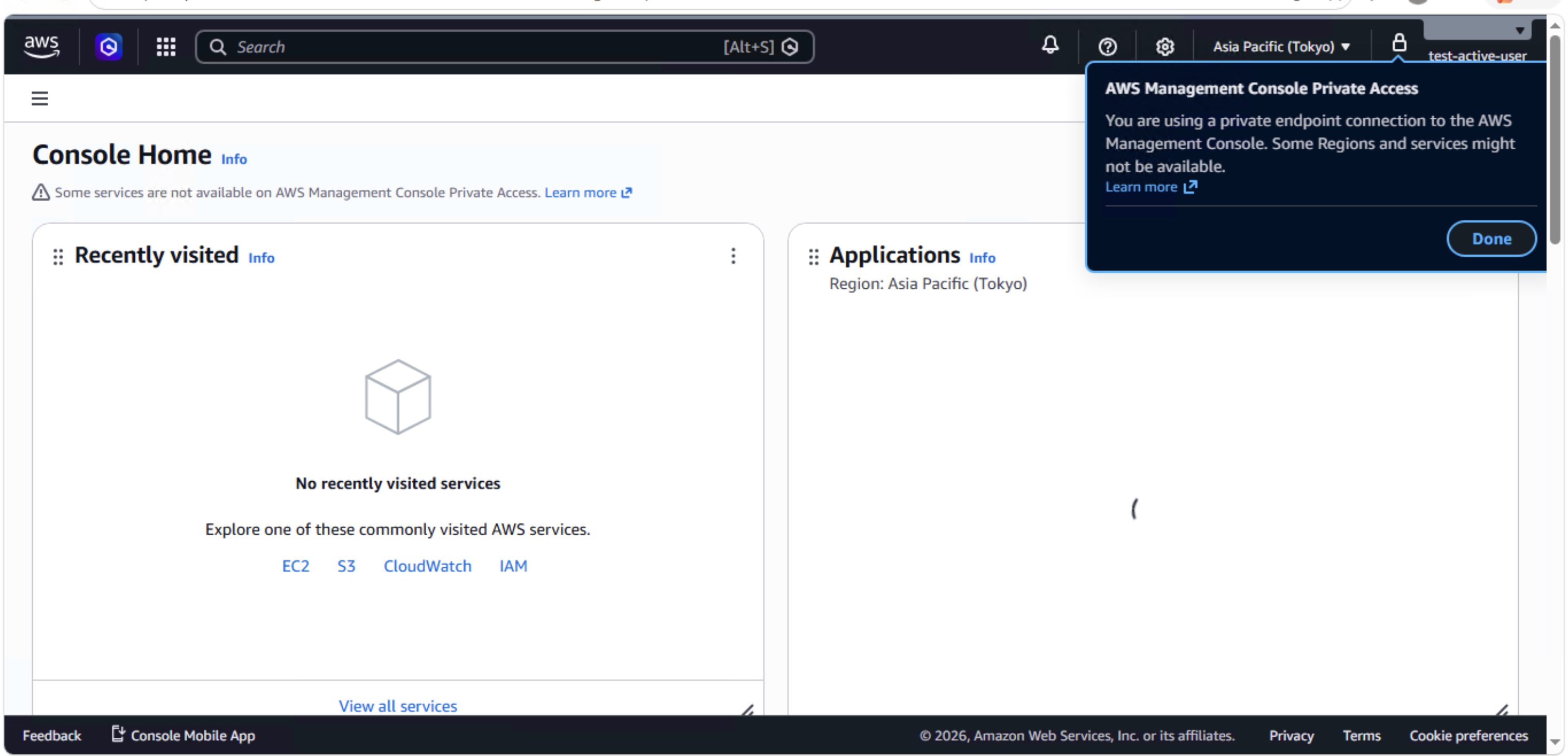
IAMユーザーでサインインすると、Console Homeが表示されました。右上に「AWS Management Console Private Access」のバナーが表示され、VPCエンドポイント経由でアクセスしていることが確認できます。
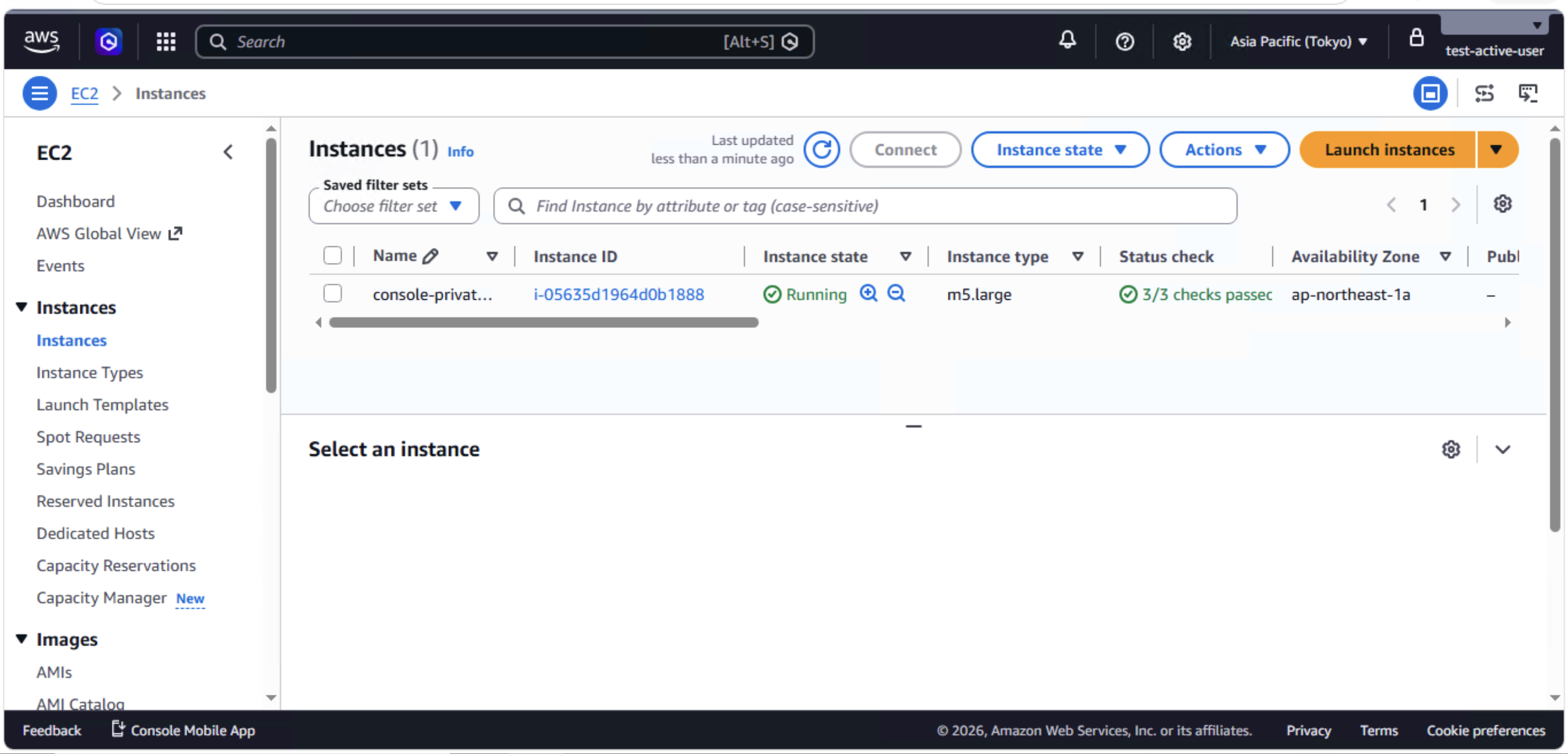
EC2コンソールも正常に動作し、インスタンスの一覧表示や状態確認が行えました。
S3コンソールの動作確認 ― us-east-1エンドポイントが必要
東京リージョンのエンドポイントだけでは不足する
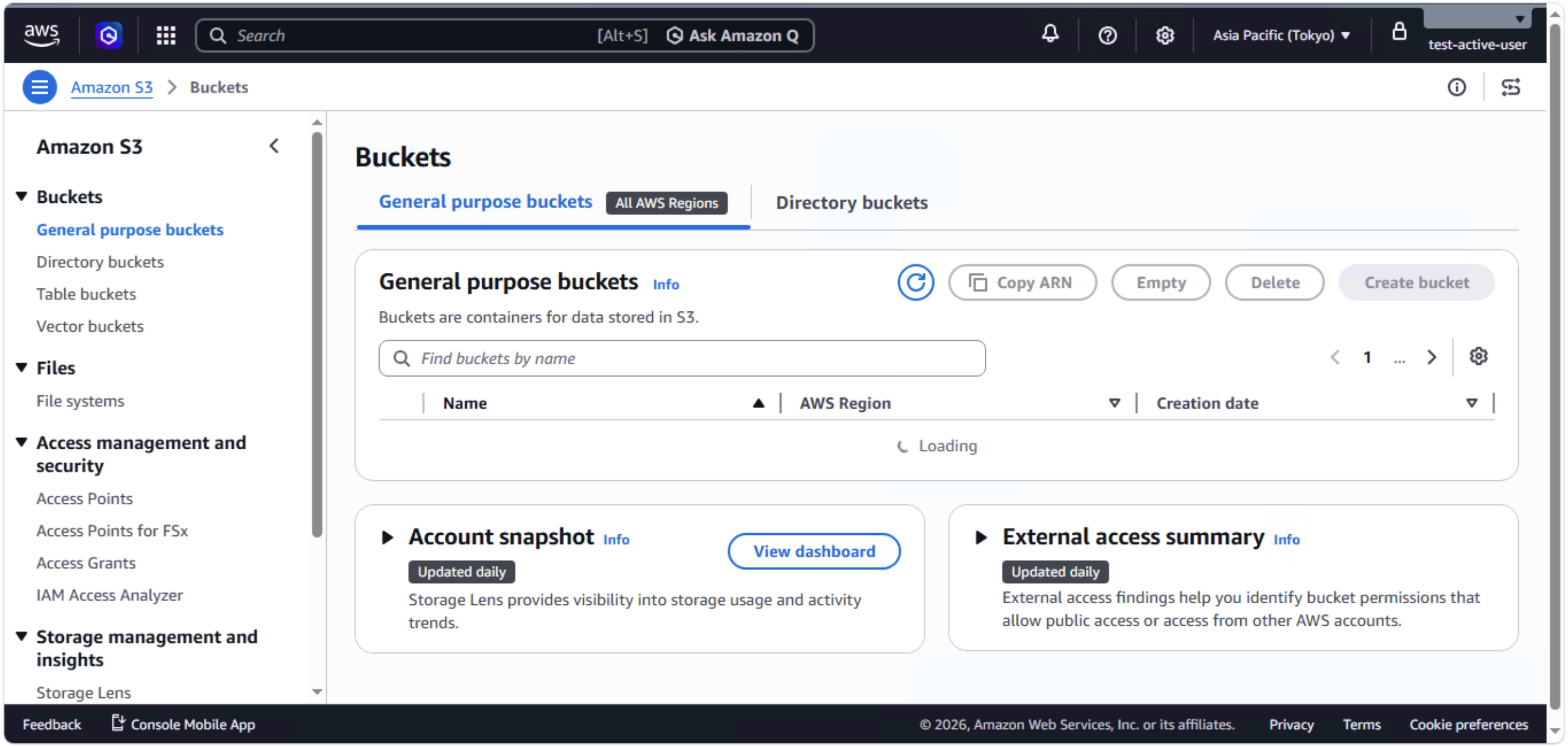
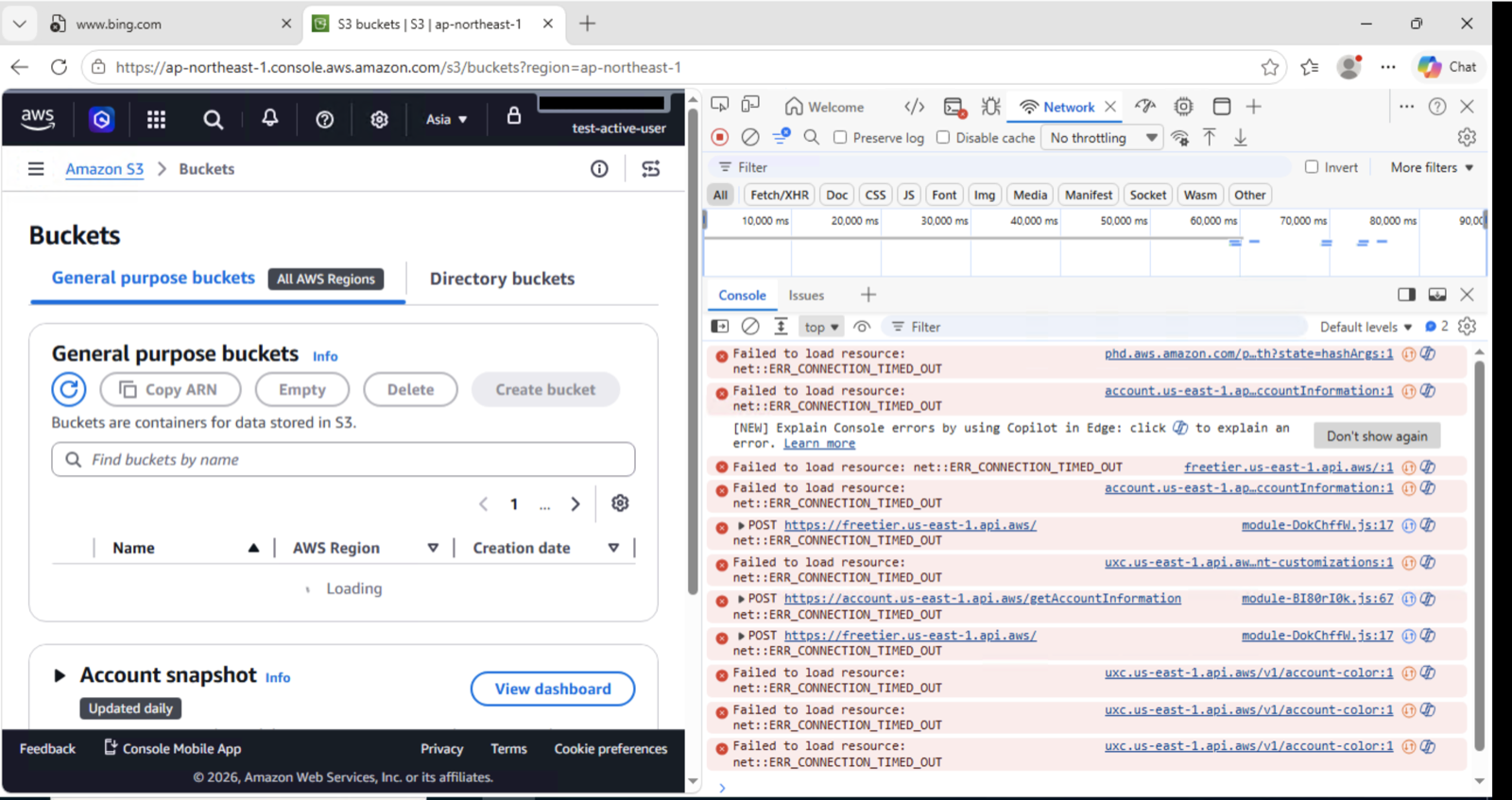
東京リージョンのVPCエンドポイントだけでS3コンソールを開くと、バケット一覧が「Loading」のまま読み込めませんでした。
DevToolsで確認すると、s3.us-east-1.amazonaws.comへの接続がERR_CONNECTION_TIMED_OUTになっています。S3のバケット一覧取得はus-east-1のグローバルAPIを呼び出すため、東京リージョンのエンドポイントだけでは不足します。
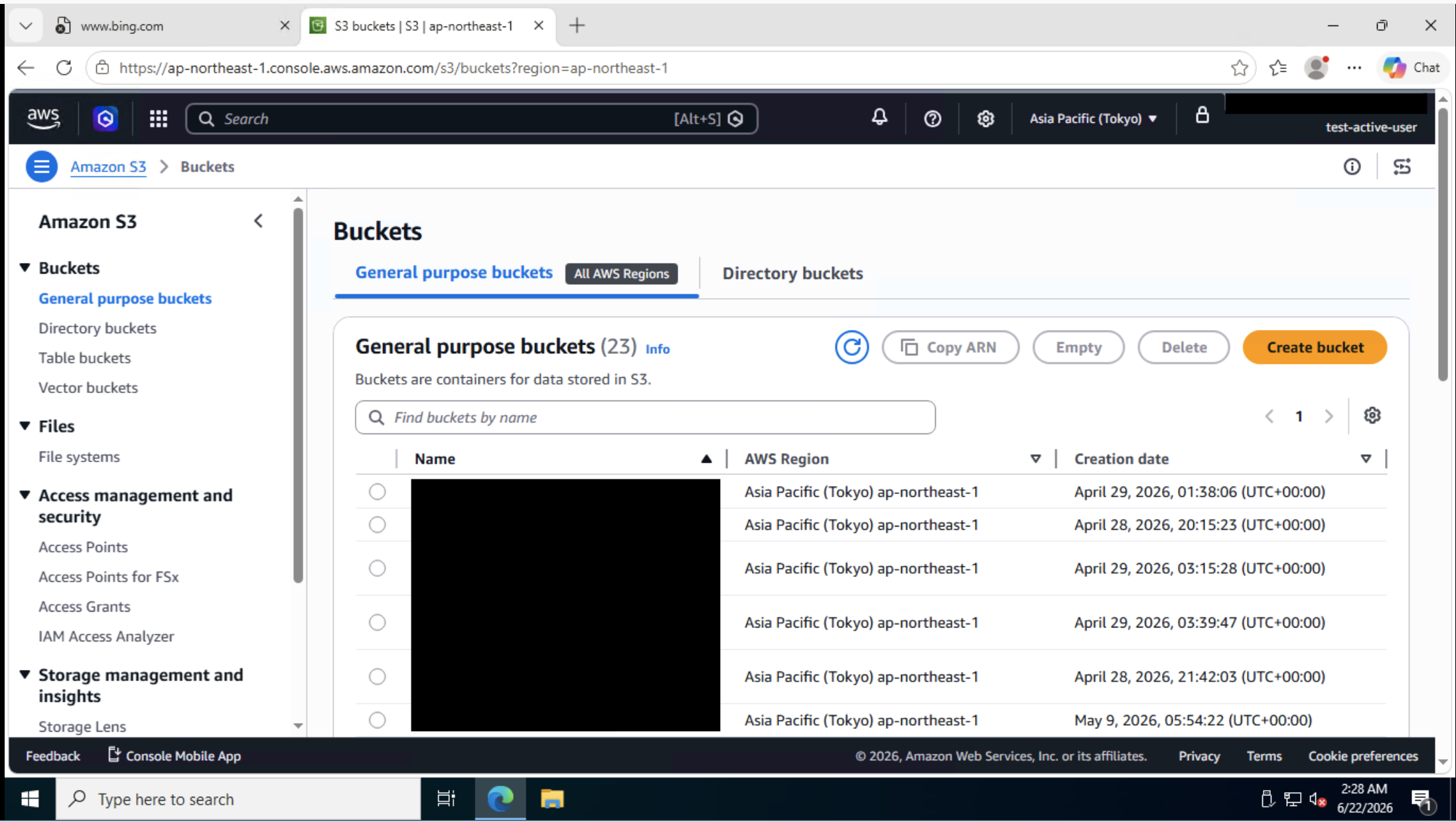
us-east-1エンドポイント追加後
us-east-1にVPC + VPCエンドポイントを構築しVPCピアリングで接続したところ、バケット一覧が正常に表示されました。
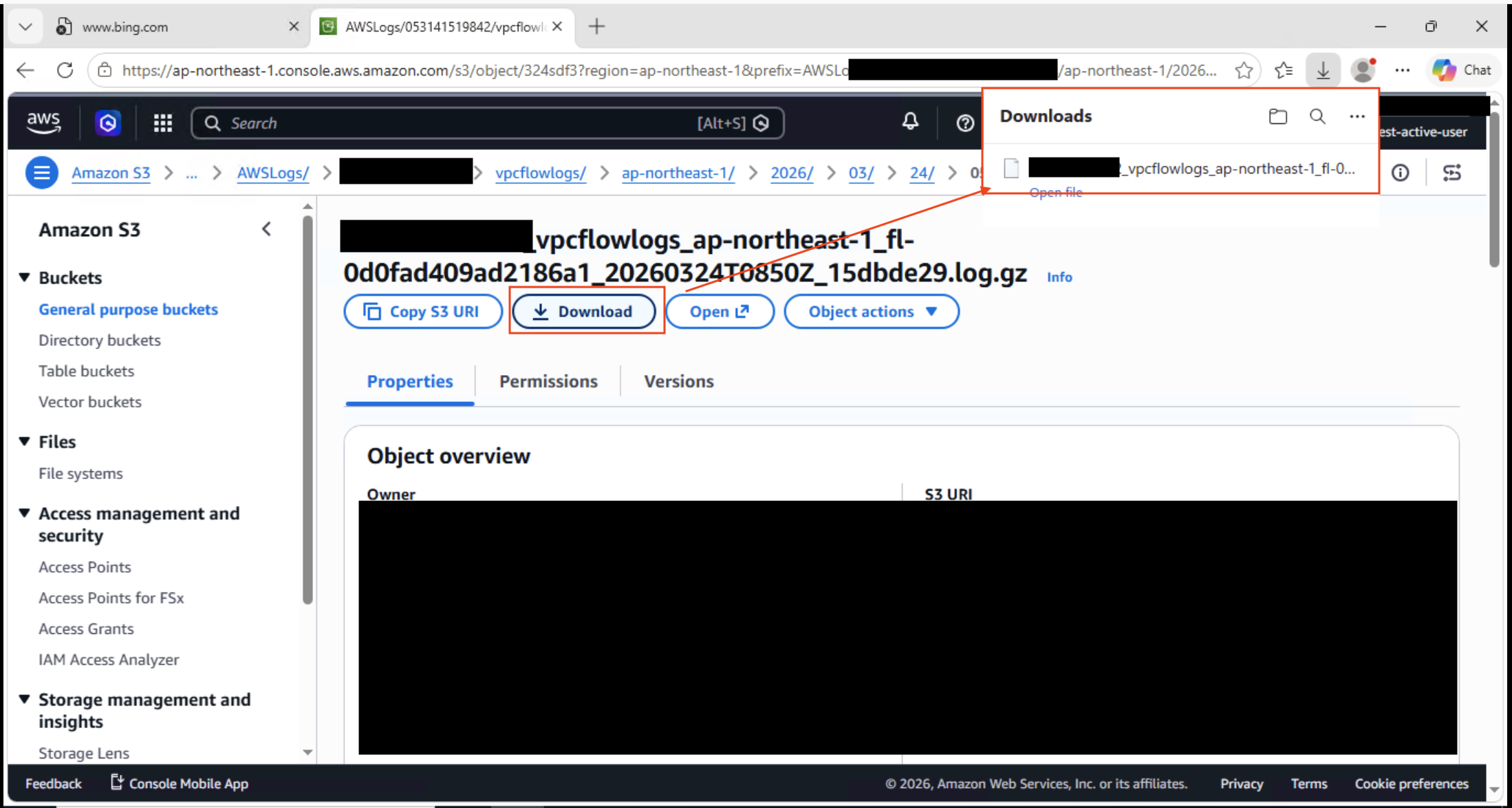
ダウンロード、アップロードとも動作します。
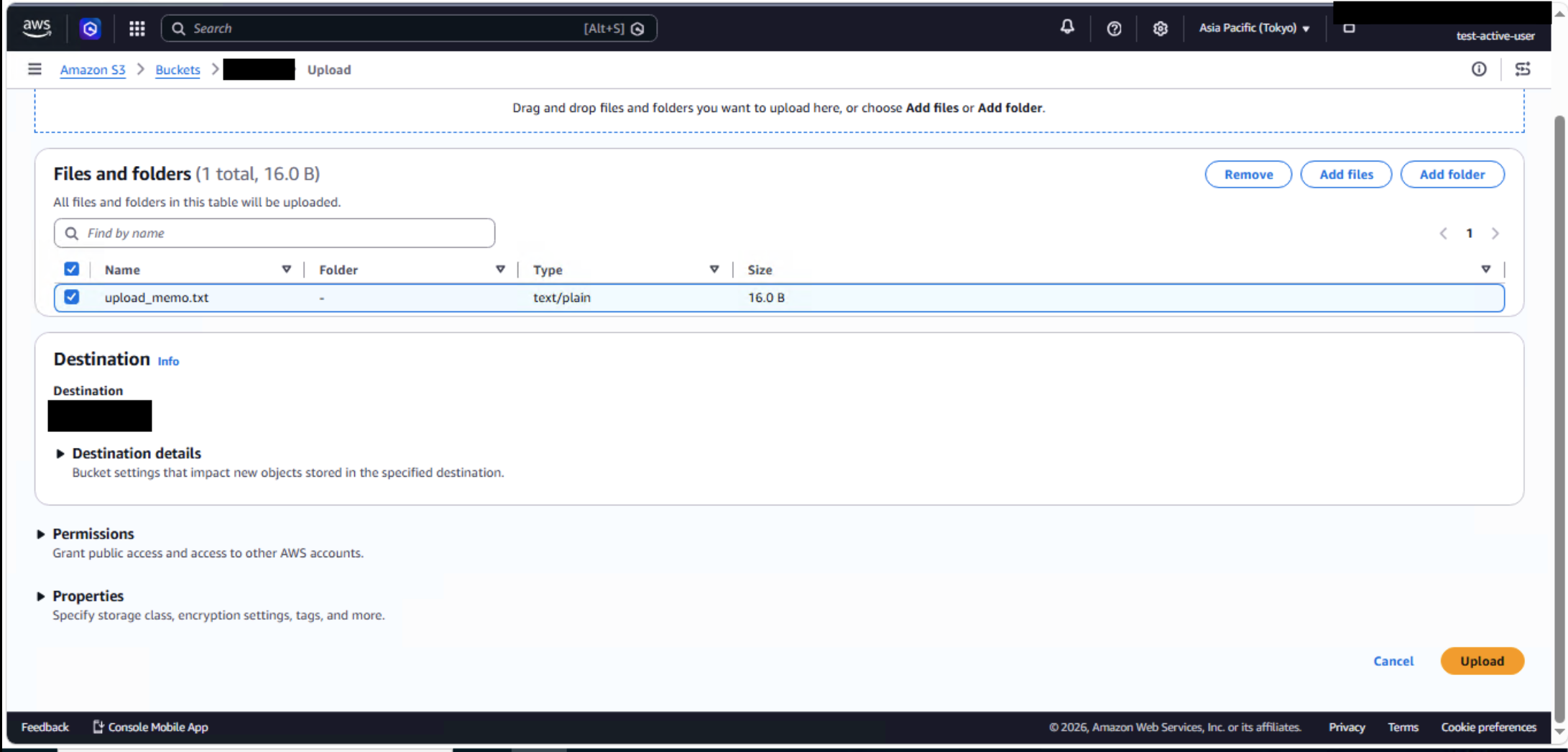
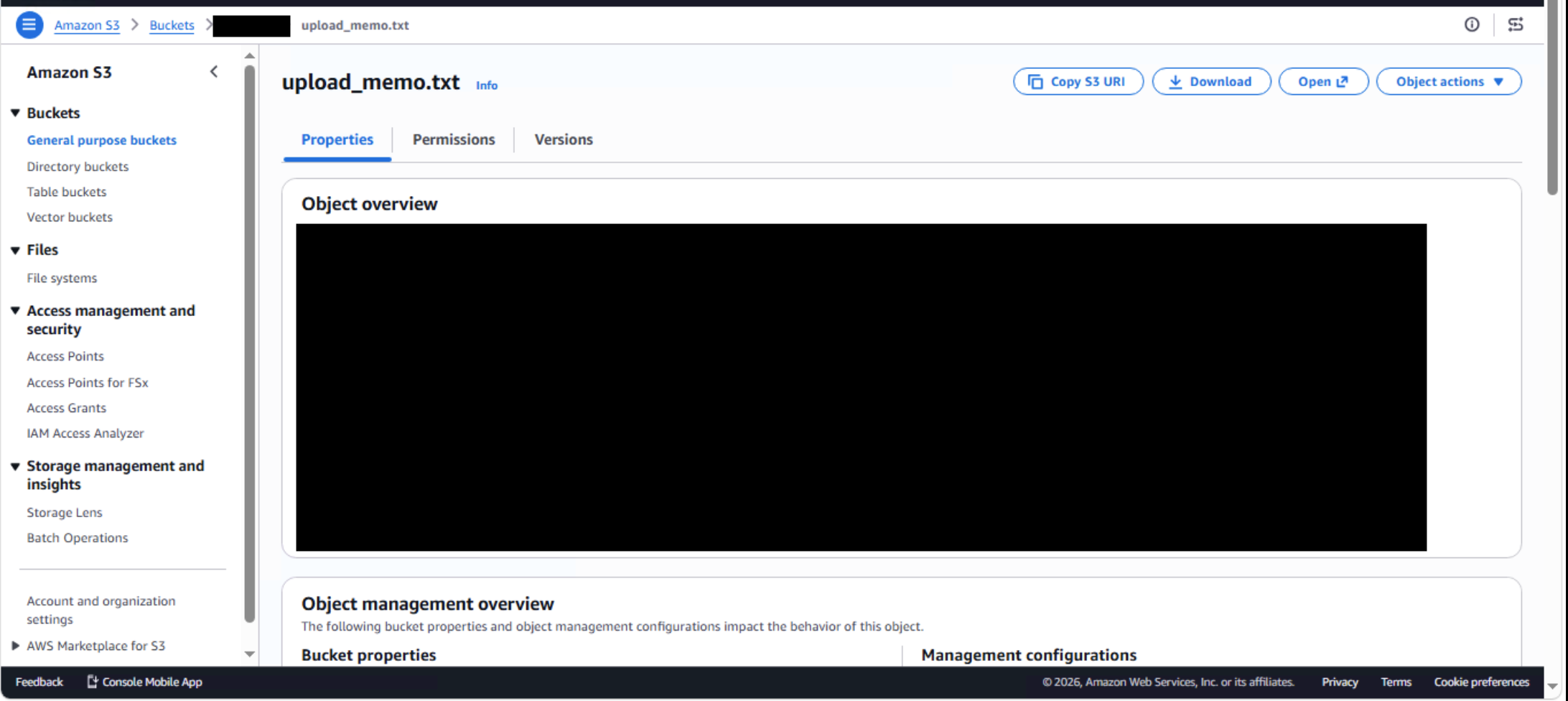
なお、S3のInterface VPCエンドポイントでPrivate DNSを有効にするには、同じVPCにS3 Gateway Endpointが存在している必要があります。
Private Accessで非対応のサービス
2026年6月現在Private AccessにてサポートされていないCloudFrontコンソールにPrivate Access経由でアクセスすると、「Service not supported via AWS Management Console Private Access」と表示されます。
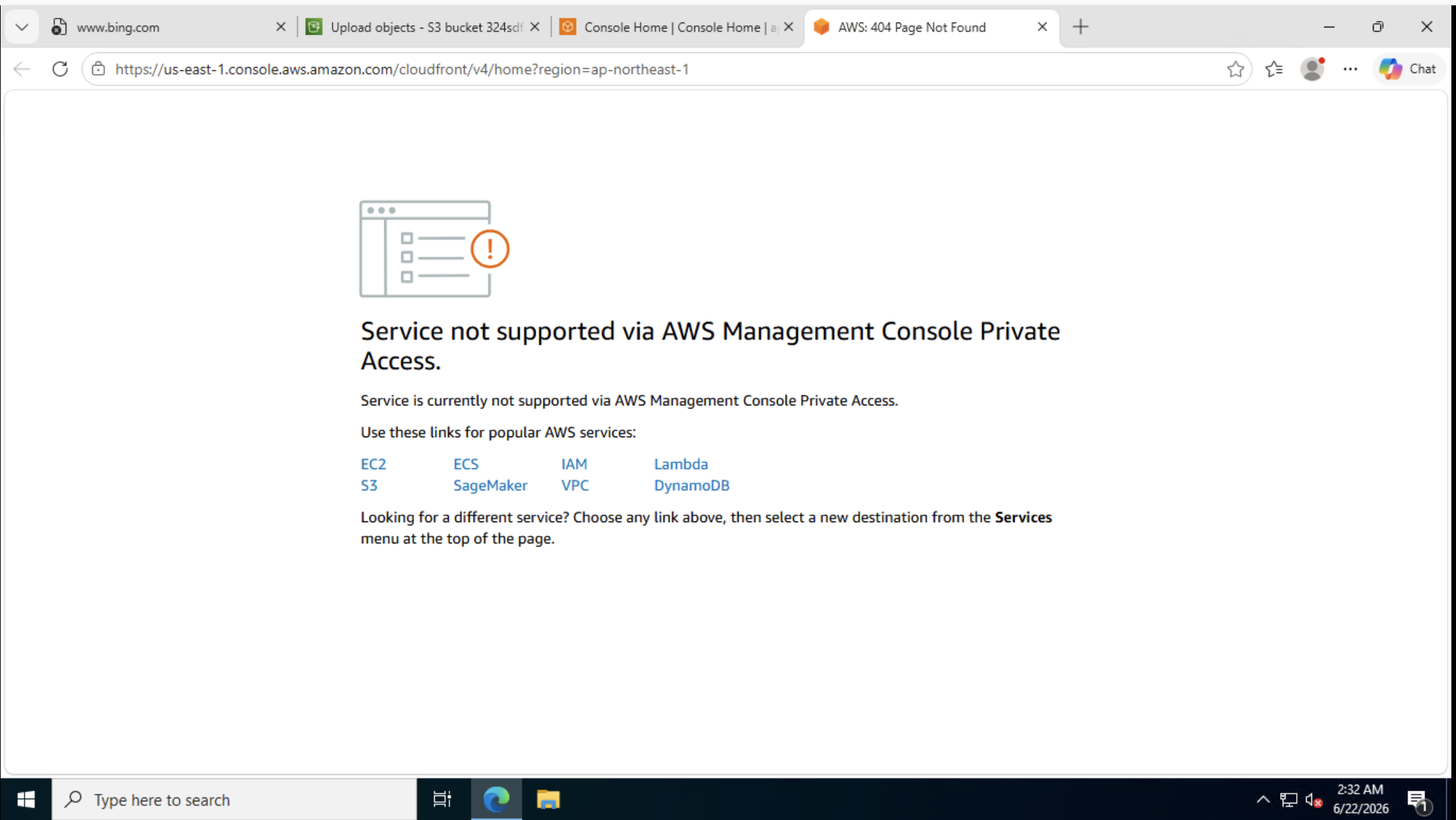
対応サービスの一覧は公式ドキュメントを参照してください。非対応サービスを利用するにはPublic Accessに切り替える必要があります。
DNS切り替えでPublic Accessに変更する
Console Private Accessでは、パブリックアクセスとプライベートアクセスでドメイン名は同一です(console.aws.amazon.com等)。プライベートアクセス専用のURLは存在しません。どちらの経路になるかは**DNS解決の結果**で決まります。
VPC内DNSでの名前解決
VPCエンドポイントのPrivate DNSが有効な場合、VPC内のDNSリゾルバ(172.16.0.2)はconsole.aws.amazon.comをVPCエンドポイントのプライベートIPに解決します。
C:\> nslookup console.aws.amazon.com
Server:  ip-172-16-0-2.ap-northeast-1.compute.internal
Address:  172.16.0.2

Non-authoritative answer:
Name:    console.aws.amazon.com
Addresses:  172.16.2.115
          172.16.1.33
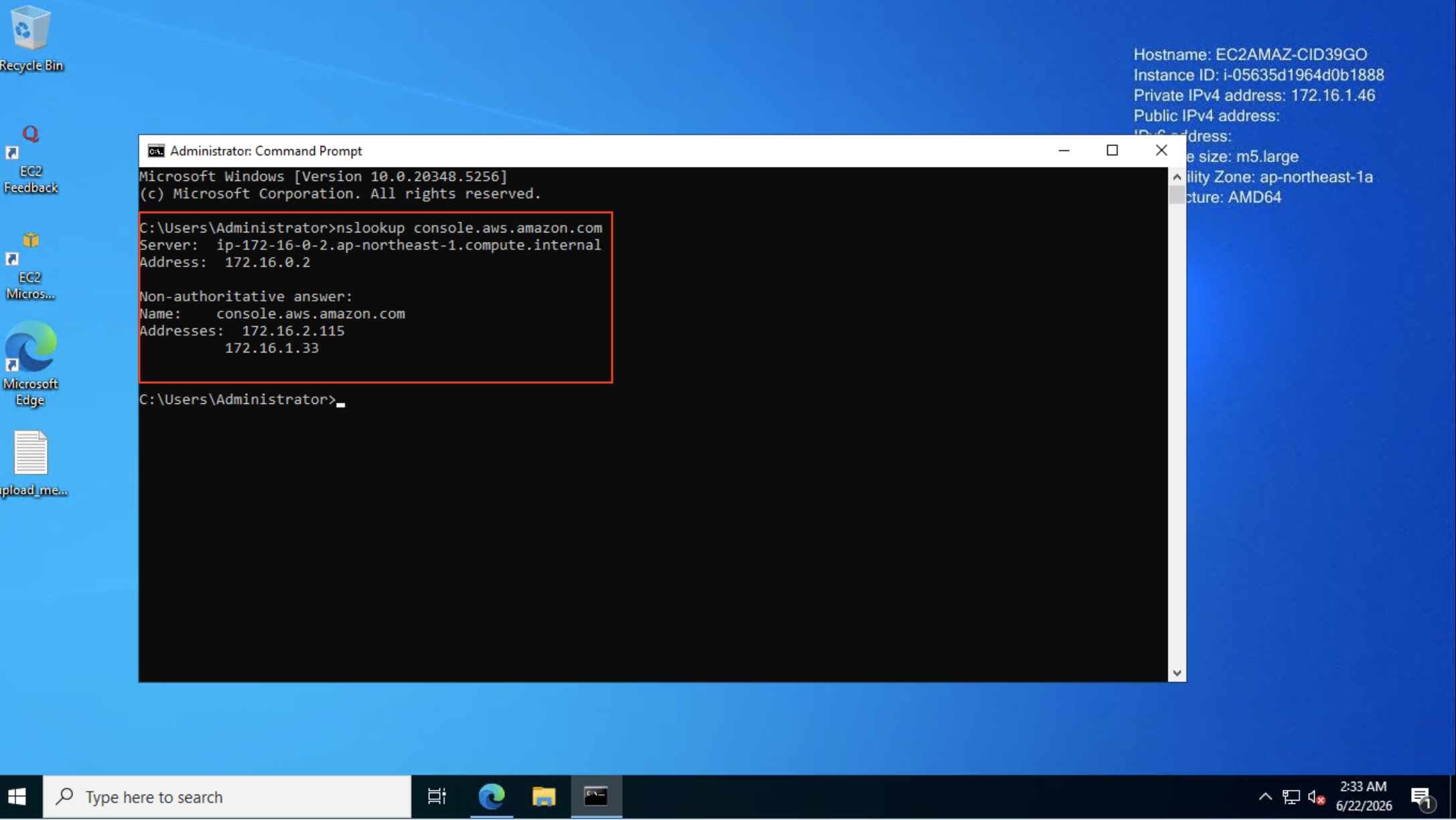
VPCエンドポイントのプライベートIP(172.16.x.x)に解決されており、コンソールへのアクセスはPrivate Access経由になります。
Google Public DNSでの名前解決
同じ端末から、Google Public DNS(8.8.8.8)を指定して名前解決を行うと、パブリックIPが返ります。Google Public DNSはGoogleが提供する無料のパブリックDNSサービスで、VPCエンドポイントのPrivate DNSの影響を受けずに名前解決を行えます。
C:\> nslookup console.aws.amazon.com 8.8.8.8
Server:  dns.google
Address:  8.8.8.8

Non-authoritative answer:
Name:    a716d6d502f17b0e2.awsglobalaccelerator.com
Addresses:  166.117.12.241
          99.83.202.243
Aliases:  console.aws.amazon.com
          console.cname-proxy.amazon.com
          lbr.us.console.amazonaws.com
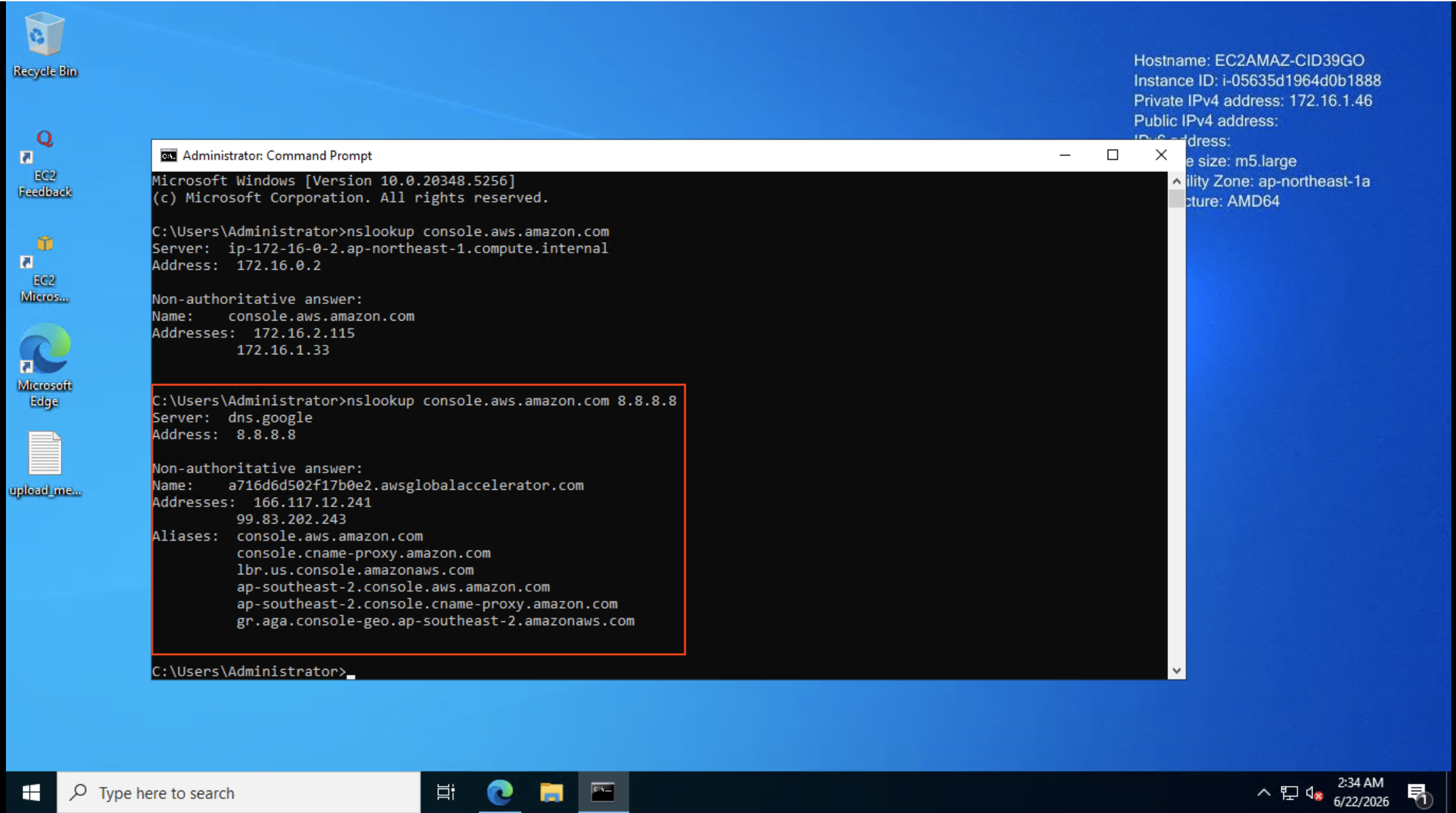
AWS Global AcceleratorのパブリックIP(166.117.12.241, 99.83.202.243)に解決されています。DNSサーバの違いだけでPrivate/Publicの解決先が分かれることがわかりました。では実際に端末のDNS設定を変更してPublic Accessに切り替えてみます。
端末のDNS設定を変更する
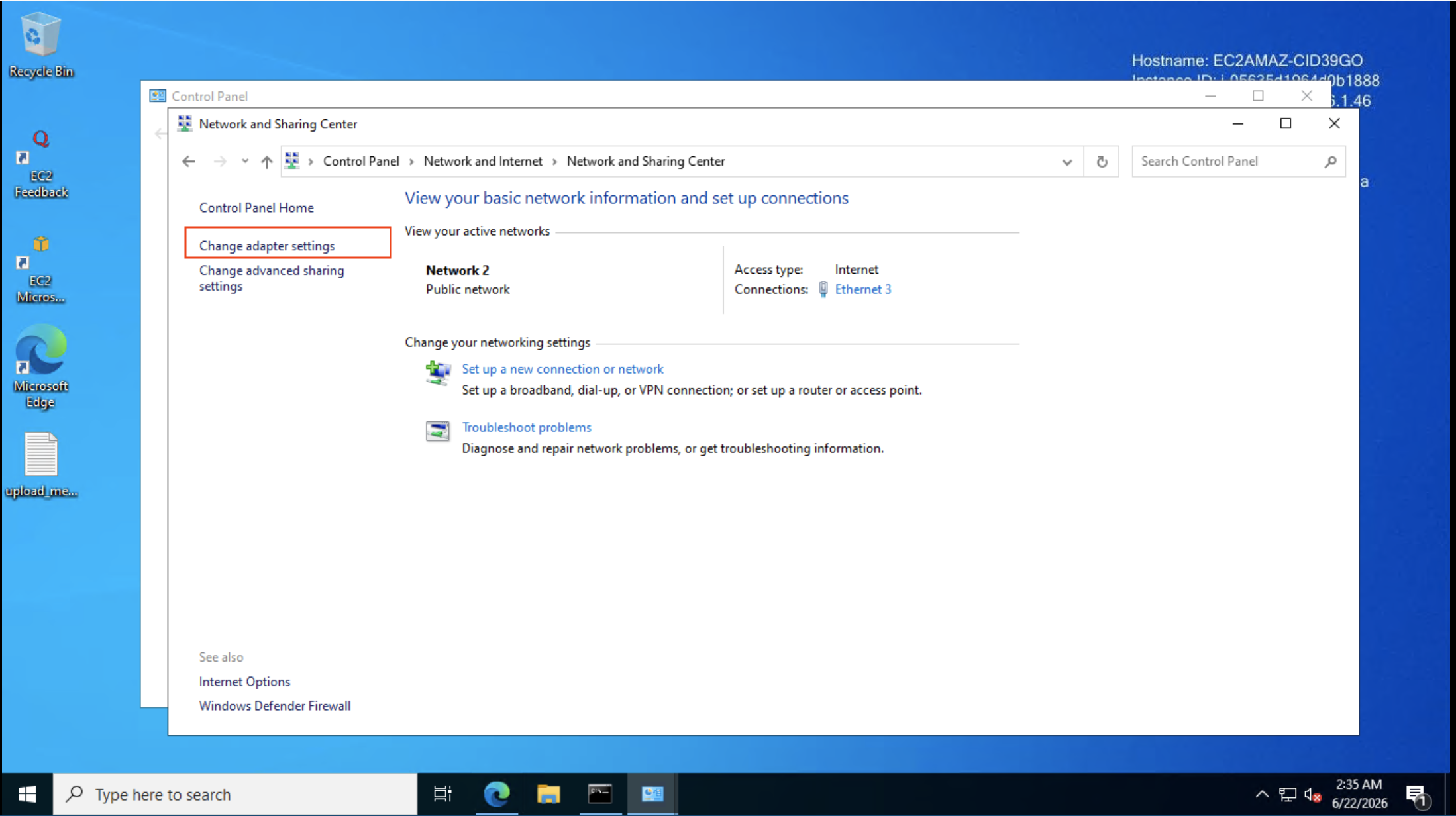
コントロールパネルから「Network and Internet」→「ネットワークと共有センター」→「アダプターの設定の変更」に進みます。
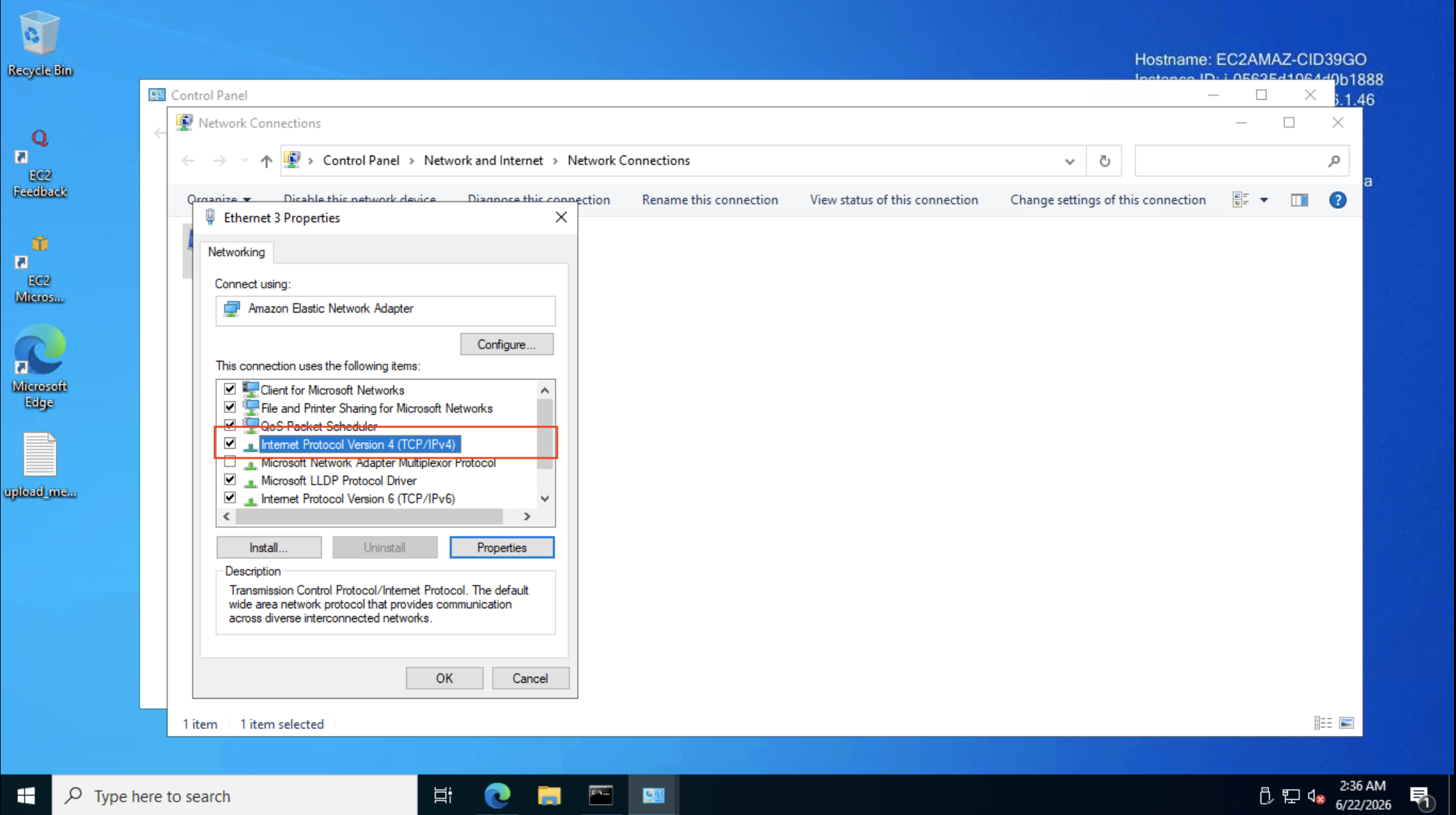
イーサネットアダプタのプロパティから「インターネット プロトコル バージョン 4 (TCP/IPv4)」を開きます。
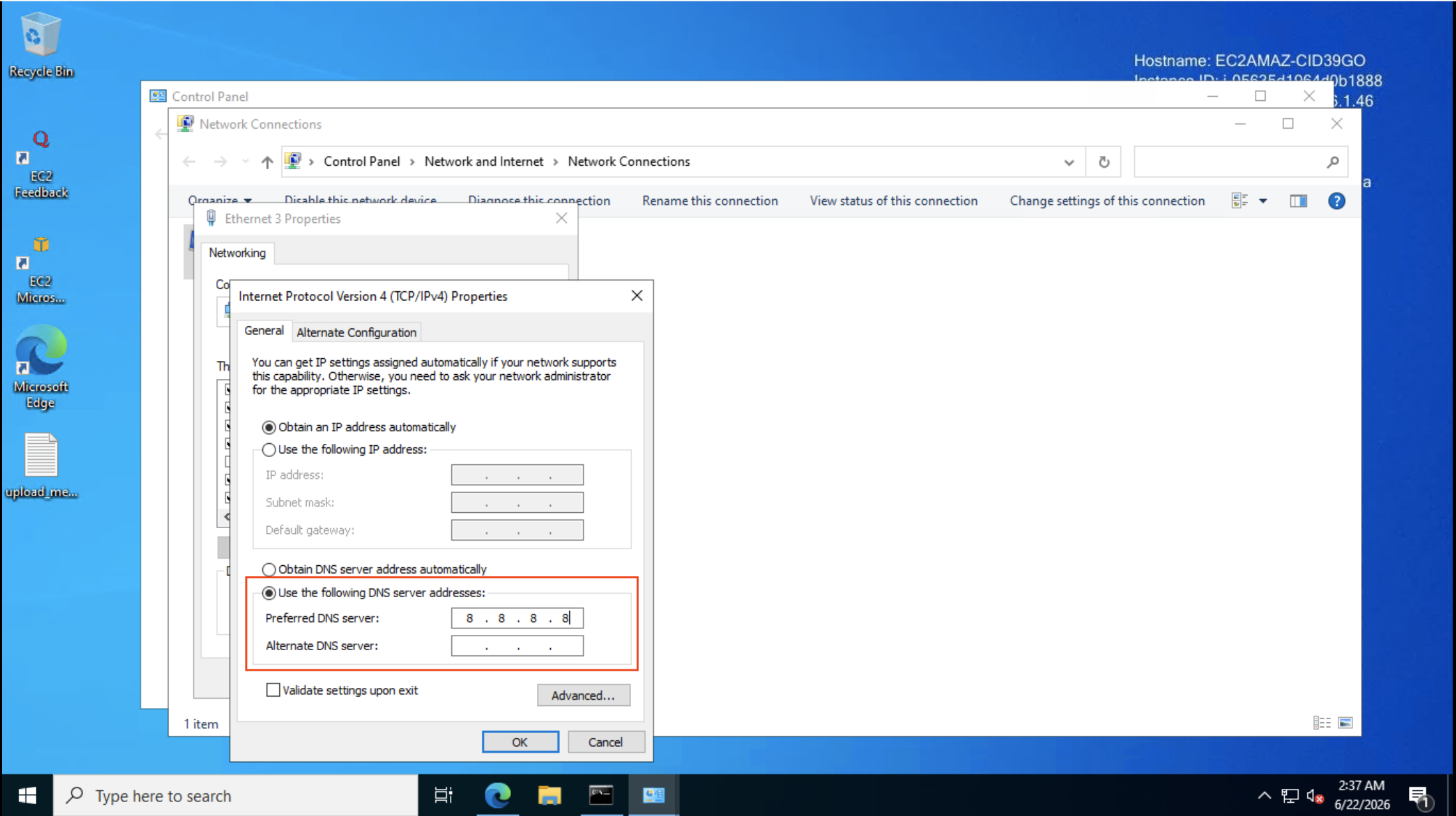
「次のDNSサーバーのアドレスを使う」を選択し、優先DNSサーバに8.8.8.8を設定します。
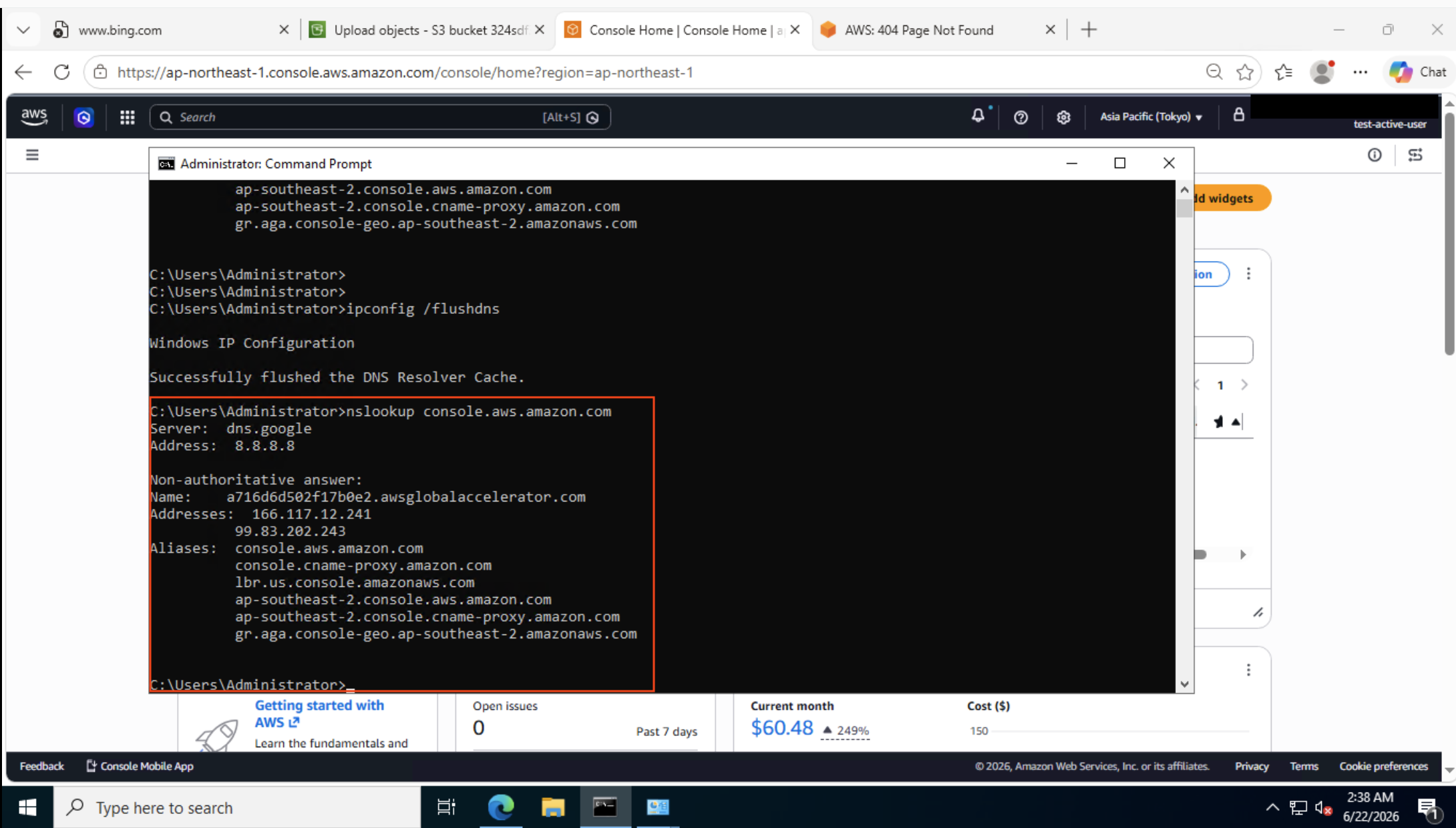
設定変更後、ipconfig /flushdnsでDNSキャッシュをクリアし、nslookupでDNSサーバが切り替わっていることを確認します。
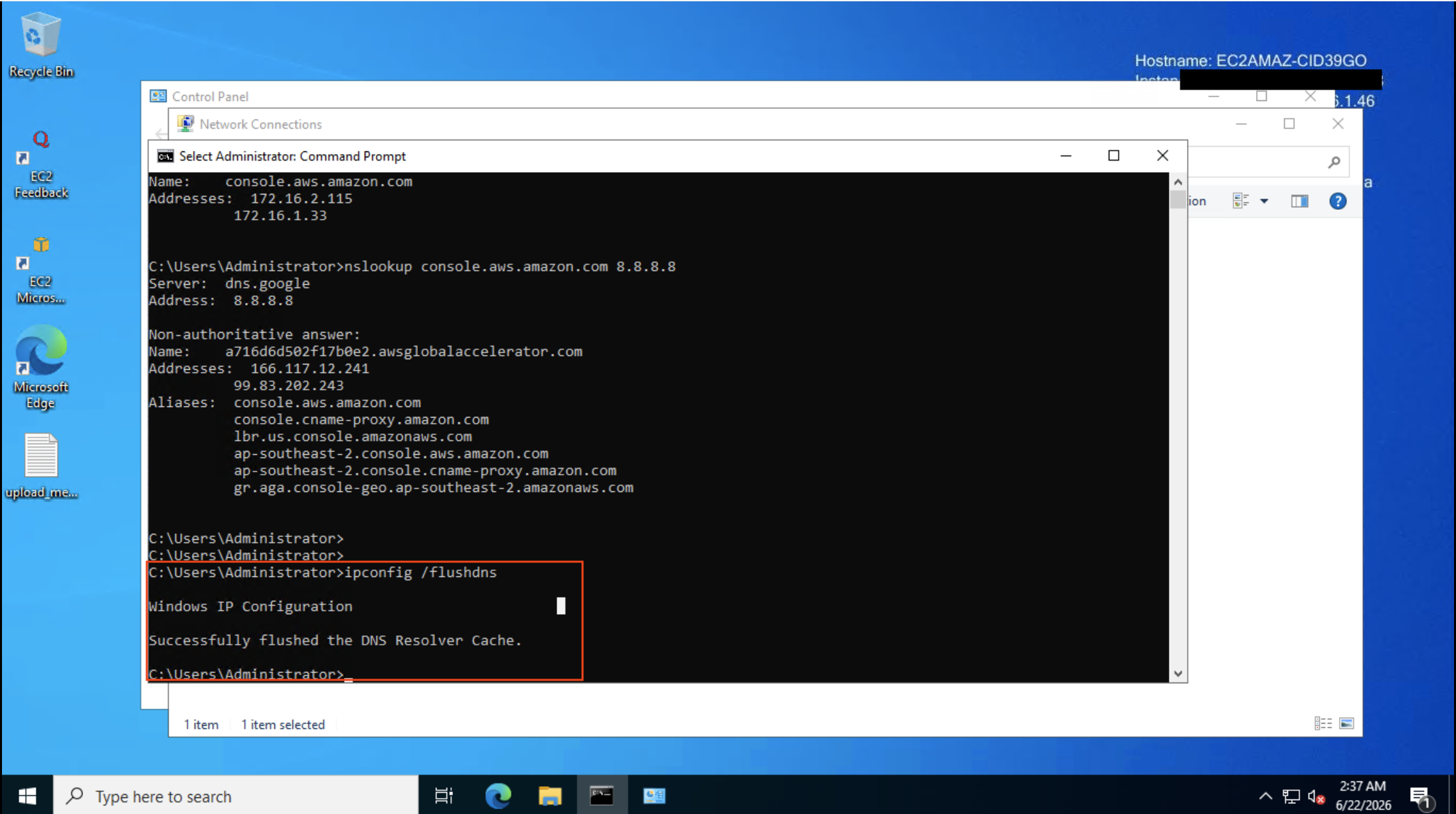
Public Accessへの切り替えを確認
ブラウザでコンソールにアクセスすると、Private Accessのバナーが表示されず、Public Accessに切り替わりました。
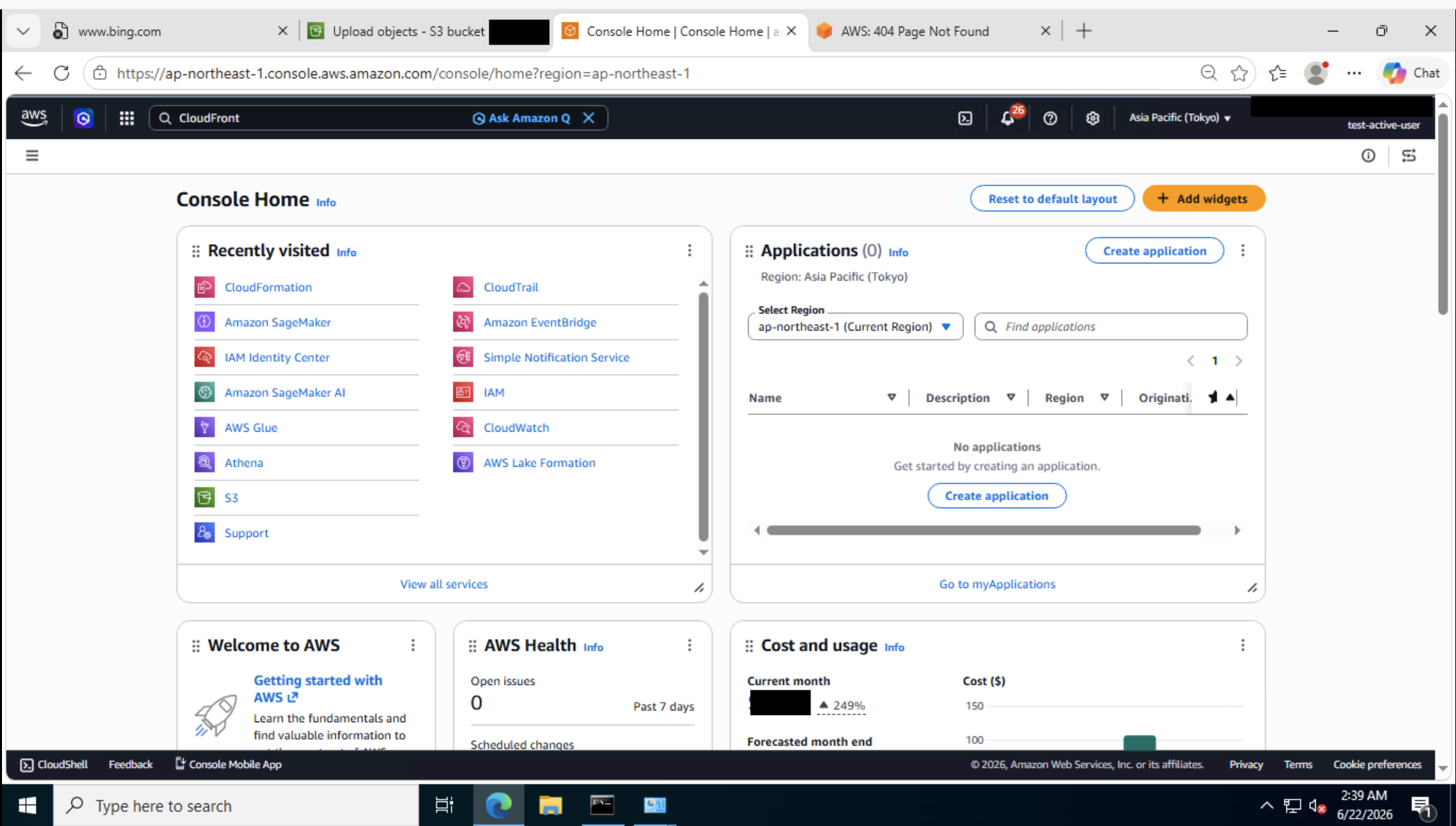
Console Homeも通常のPublic Access画面です。
先ほどPrivate Accessで「Service not supported」と表示されていたCloudFrontコンソールも、正常に表示されました。
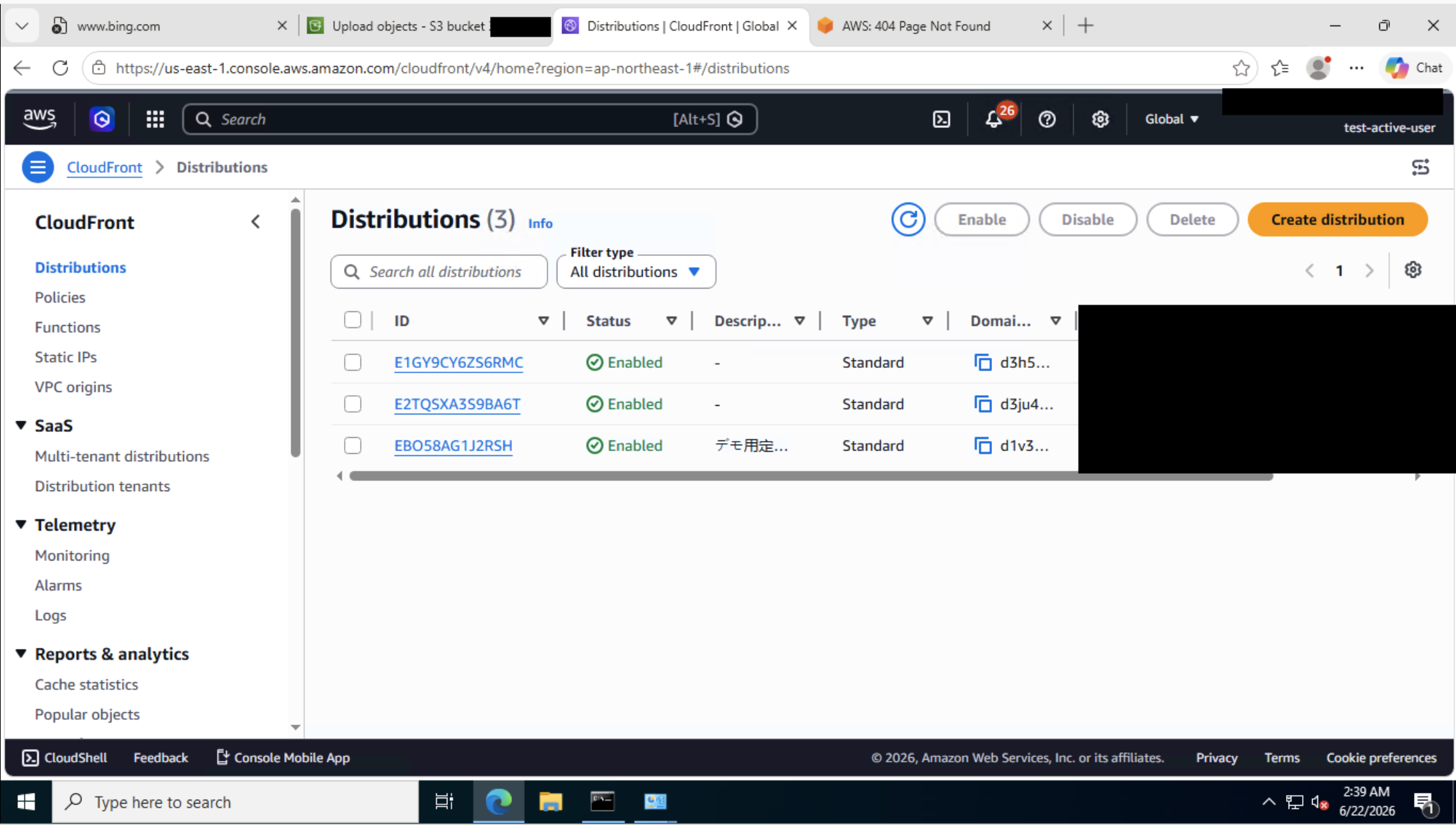
同じドメインに対して、DNSサーバの違いだけでPrivate/Publicの経路が完全に分かれることが確認できました。
検証結果
| DNS設定 | console.aws.amazon.comの解決先 | アクセス経路 | Billing/CloudFront等 |
|---|---|---|---|
| VPC DNS(172.16.0.2 / DHCP既定) | VPCエンドポイントのプライベートIP | Private Access | 利用不可 |
| Google Public DNS(8.8.8.8) | AWS Global AcceleratorのパブリックIP | Public Access | 利用可 |
アクセス経路を決定しているのはDNS解決の結果のみです。VPCエンドポイントのPrivate DNSが有効な環境では、VPC内のDHCPで配布されるDNSサーバがコンソール関連ドメインをプライベートIPに自動解決します。そのため、NAT Gateway経由でインターネットに出られる環境であっても、DNSを変更しない限りPrivate Accessになります。
オンプレミスの企業ネットワークではどうなるか
今回の検証ではVPC内のEC2から端末のDNSサーバをGoogle Public DNSに変更することでPublic Accessへの切り替えに成功しました。しかし実際の企業ネットワークでは、端末のDNS設定はMDMやDHCP、Active Directoryのグループポリシー等で管理されており、利用者が自由に変更することは少ないでしょう。
オンプレミスからDirect ConnectやSite-to-Site VPNでVPCに接続してPrivate Accessを実現する場合、AWSのリファレンスアーキテクチャでは以下の構成が案内されています。
- Console Private AccessのVPCエンドポイントを配置したVPCに、Route 53 Resolver Inbound Endpointを作成する
- オンプレミスのDNSサーバに条件付きフォワーダーを設定し、コンソール関連ドメインの問い合わせをResolver Inbound EndpointのIPアドレスに転送する
- Resolver Inbound Endpoint経由でVPC内のDNSが応答し、VPCエンドポイントのプライベートIPが返る
条件付きフォワーダーの対象となるドメインサフィックスは、公式ドキュメントで以下のように案内されています。
| ドメインサフィックス | 用途 |
|---|---|
.console.aws.amazon.com |
AWSマネジメントコンソール |
.signin.aws.amazon.com |
AWSサインイン |
.amazonaws.com / .api.aws |
AWSサービスAPI |
.console.api.aws / .console.awsstatic.com |
コンソール静的コンテンツ、内部API |
この構成を導入すると、条件付きフォワーダーが設定されたDNSサーバを参照する全端末のコンソールアクセスがPrivate Access経由に固定されます。今回の検証で確認した通りアクセス経路はDNS解決の結果のみで決まりますが、端末側でDNSサーバを変更できない以上、同一ネットワーク接続のままPrivate/Publicを切り替えることは困難です。
Private/Publicを使い分ける必要がある場合は、ネットワークセグメント単位での切り替えが必要になります。
まとめ
- Private AccessとPublic Accessの切り替えは技術的には可能。アクセス経路はDNS解決の結果のみで決まるため、端末のDNSサーバを変更すれば切り替えられることを確認した
- ただし実際の企業ネットワークでは端末のDNS設定がMDM等で固定されているため、同一ネットワーク接続のままPrivate/Publicを切り替えることは困難。使い分けにはネットワークセグメント単位での切り替えが必要
- オンプレミスからPrivate Accessを利用する場合は、Route 53 Resolver Inbound Endpoint + 企業DNSの条件付きフォワーダーで構成する方法がAWSリファレンスアーキテクチャで案内されている
- S3コンソールのバケット一覧取得にはus-east-1のVPCエンドポイントが必要
最後に
今回はConsole Private Access環境で同一端末からPrivate/Public Accessを切り替えられるかを技術的に検証しました。本記事がどなたかの参考になれば幸いです。