Creating A MySQL Connection In IDMC

2024.08.28
この記事は公開されてから1年以上経過しています。情報が古い可能性がありますので、ご注意ください。
Introduction
I'm Shiwani from the Data Analytics Division.
This time, I tried creating a MySQL connection in IDMC.
MySQL Connector in IICS allows you to connect to MySQL databases. You can create, update, or delete records from the MySQL or Amazon Aurora MySQL databases. You can use MySQL objects as sources and targets for various tasks like Data Synchronization, Data Integration, Data Replication, Data Migration and Data Transfer tasks.
Prerequisite
- The IICS Secure Agent and VPC has been configured.
- A MySQL database has been created within the Secure Agent environment, including the necessary username and password for authentication.
- The JDBC and ODBC drivers need to be downloaded and installed on your Windows or Linux computer running Secure Agent to enable secure communication between IICS and the MySQL database.
- Please refer to following documentation for installing JDBC and ODBC drivers on Secure Agent:
Create a Mysql Connection
-
Login to IICS and select Administrator from the My Services window.
-
Click on New connection and enter the connection details as follows:
- Name : Mysql_Database_Connection.
- Description(Optional) : Add a description for your connection.
- Type : Select MySQL.
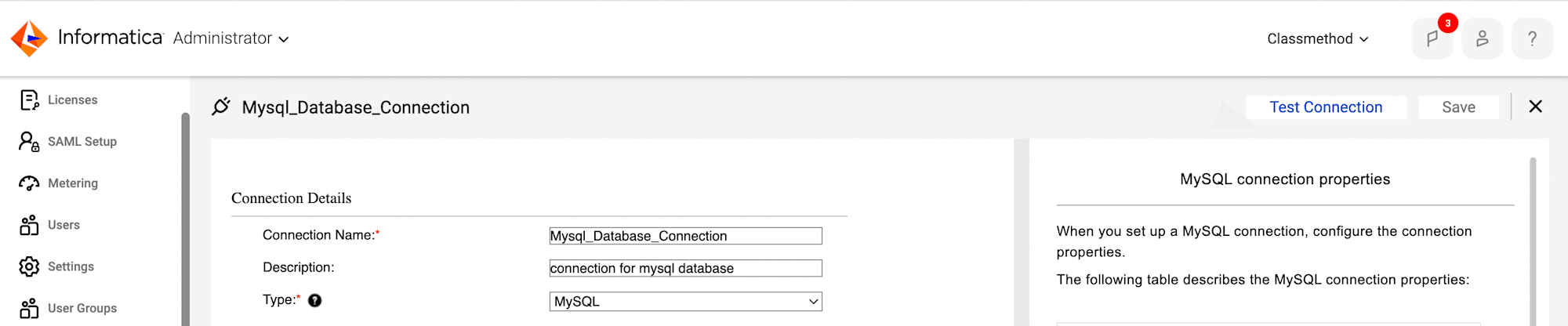
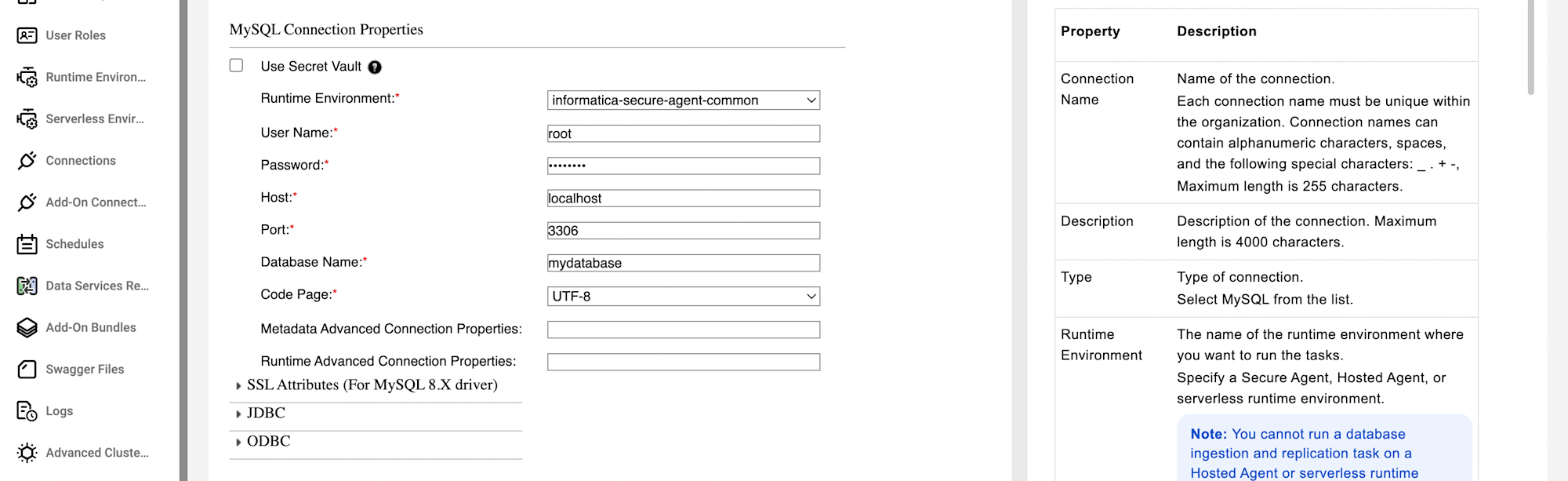
- Runtime Environment: Select your secure agent.
- Username : Enter the MySQL user name (e.g. root).
- Password : Enter the password for the MySQL user.
- Host : localhost.
- Port : Enter the port number (default is 3306).
- Database Name : Specify the MySQL database name you want to connect to(e.g. mydatabase).
- Code Page : UTF-8
- Test and save the connection.
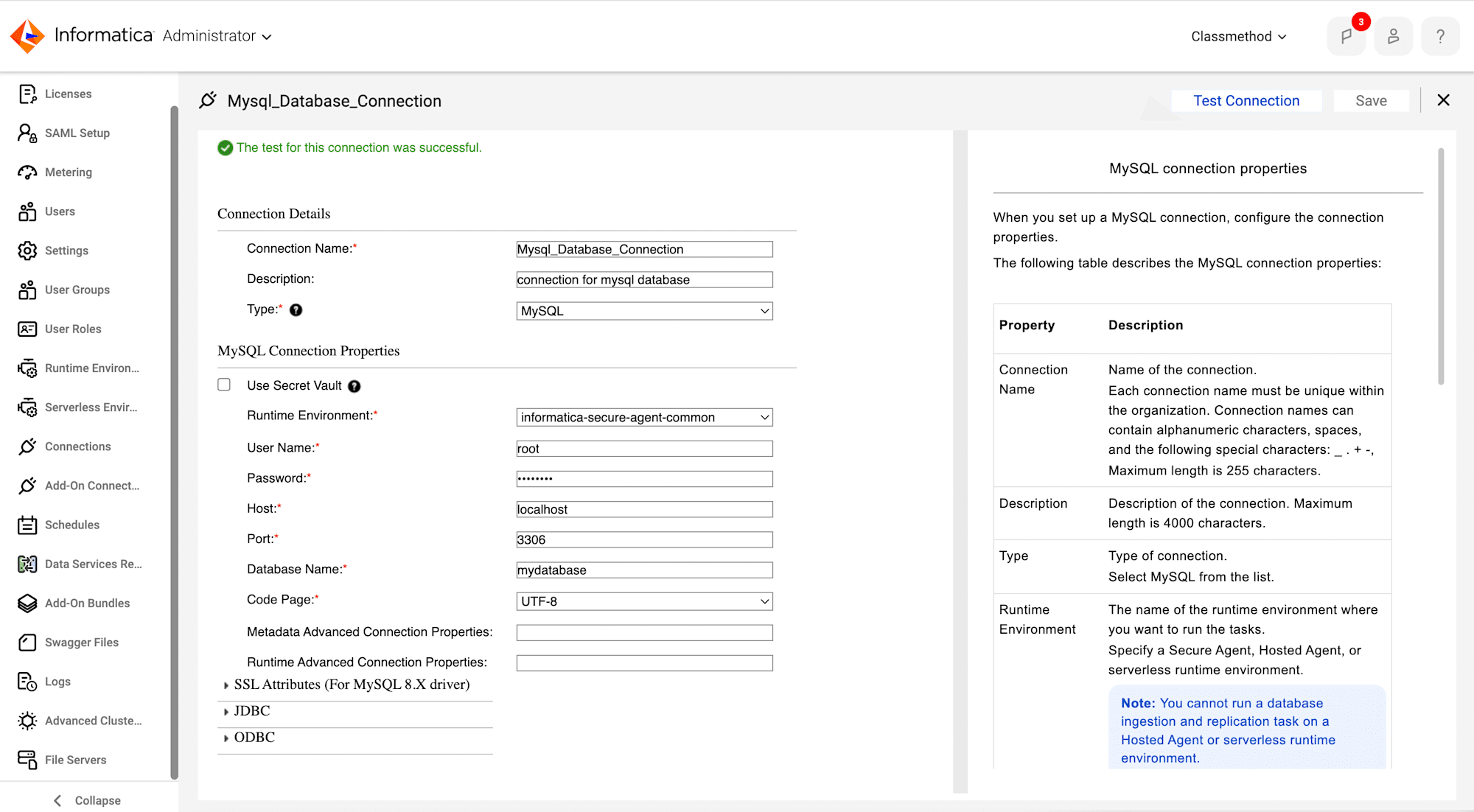
- Finally, The MySQL connection has been created successfully. You can use this connection to connect to the specified MySQL database.