![【Amazon EC2】[ERROR]: Could not connect to the endpoint URL エラーについて (Windows hosts編)](https://images.ctfassets.net/ct0aopd36mqt/wp-thumbnail-bac3d29aa65f45576f73094798087ee5/039ad6f8a7d8f18da47986d21c447f48/amazon-ec2?w=3840&fm=webp)
【Amazon EC2】[ERROR]: Could not connect to the endpoint URL エラーについて (Windows hosts編)

2026.04.28
はじめに
こんにちは、フニです。
本記事では、[ERROR]: Could not connect to the endpoint URL エラーを Windows hosts 設定で解決する手順についてご紹介します。
エラーについて
ネットワーク構成が VPN、Direct Connect、ADサーバーなどにより VPC エンドポイント DNS の名前解決に失敗する場合があります。
例えば、AWS CLI コマンドを入力すると以下のようなエラーが発生します。
C:\Users\Administrator>aws sts get-caller-identity
aws: [ERROR]: Could not connect to the endpoint URL: "https://sts.ap-northeast-1.amazonaws.com/"
Windows hosts 設定とは
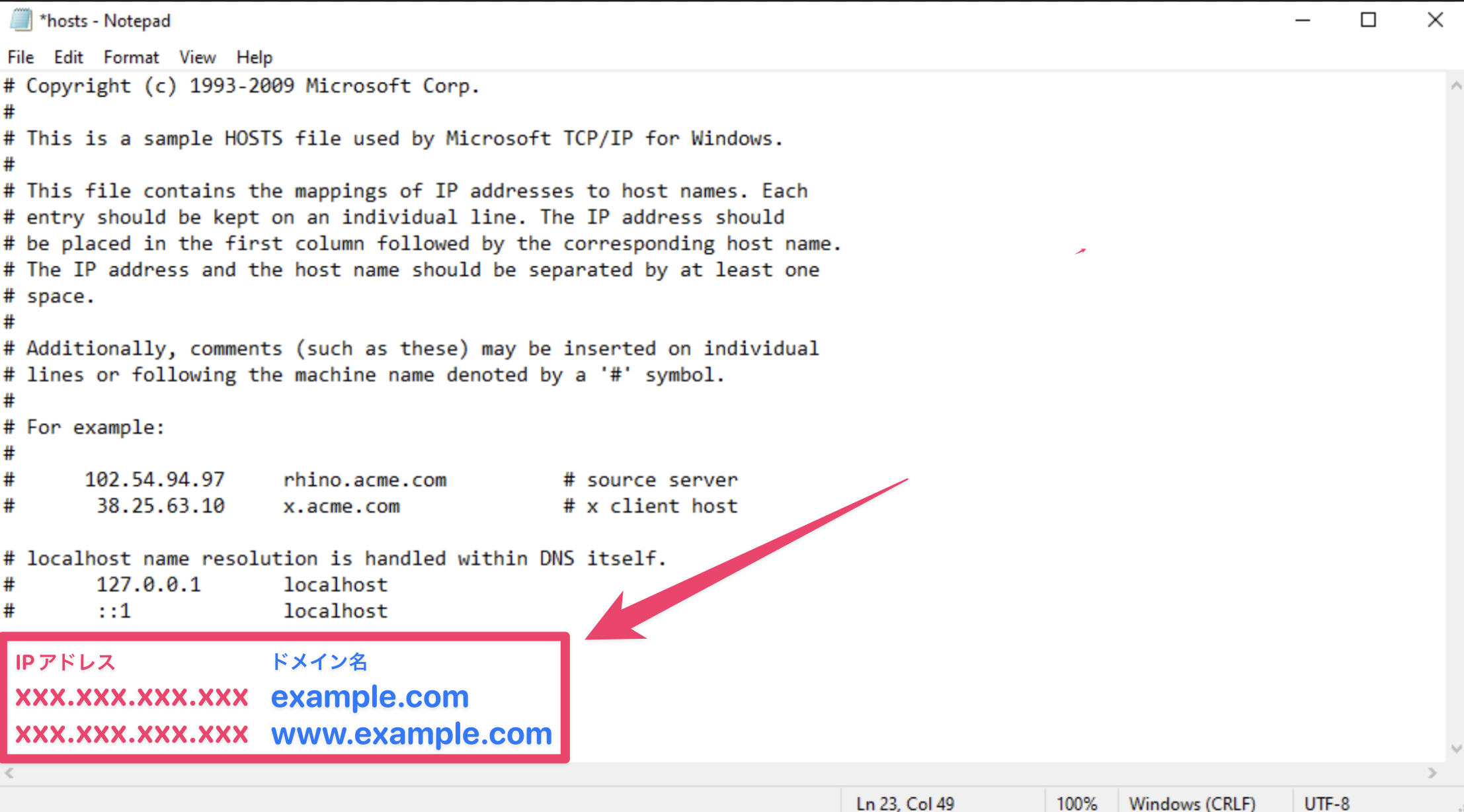
IPアドレスとドメイン名を Windows サーバー上で宣言し、ドメインをそのIPアドレスとして利用できるようにする機能です。
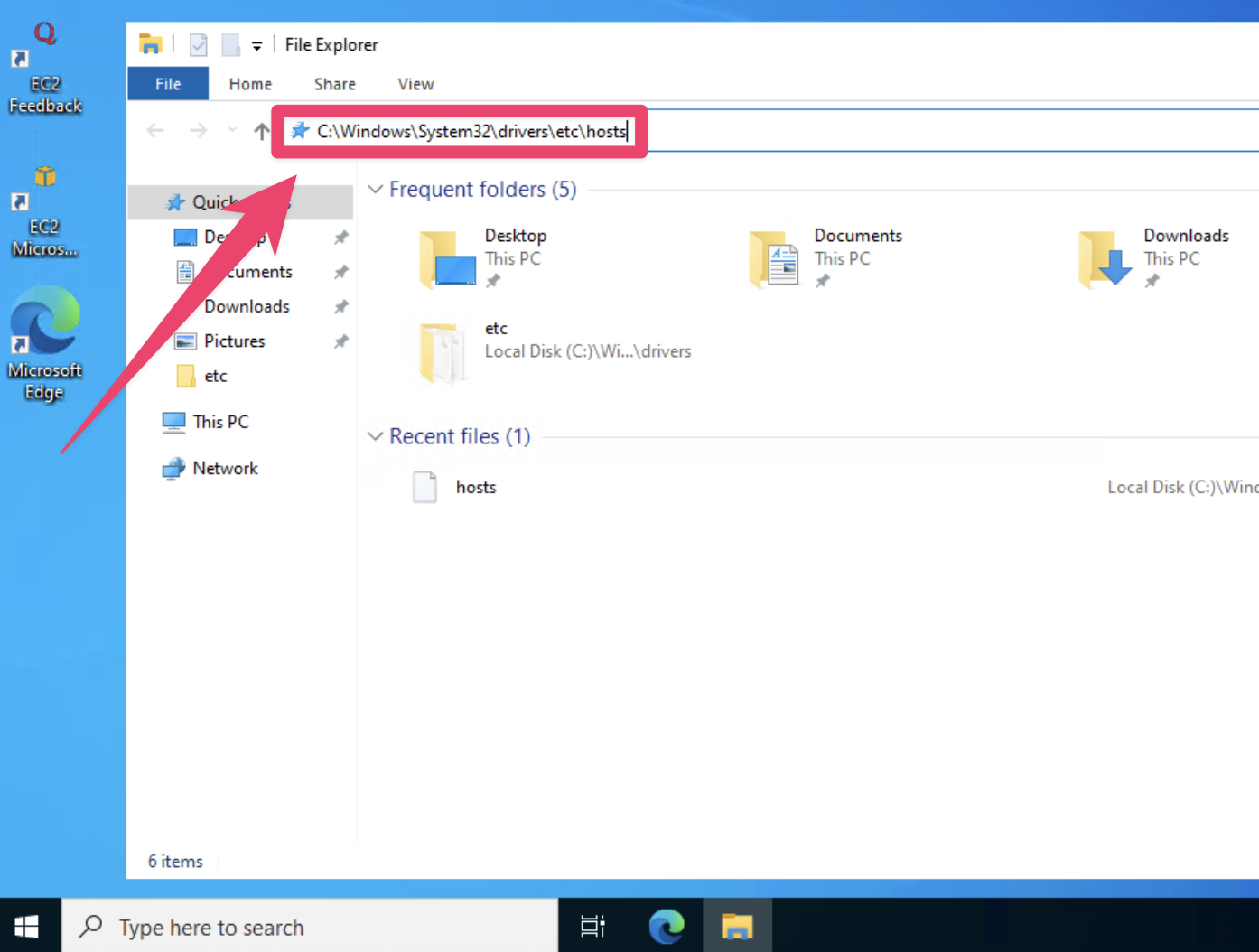
以下画像のように、C:\Windows\System32\drivers\etc\hosts ファイルを修正することで適用されます。
手順
前提
- Windows_Server-2022-English-Full-Base-2026.04.15 (ami-0b8a31df3b5eb48b4)
- aws-cli/2.34.38
1. VPC エンドポイント ENI の確認
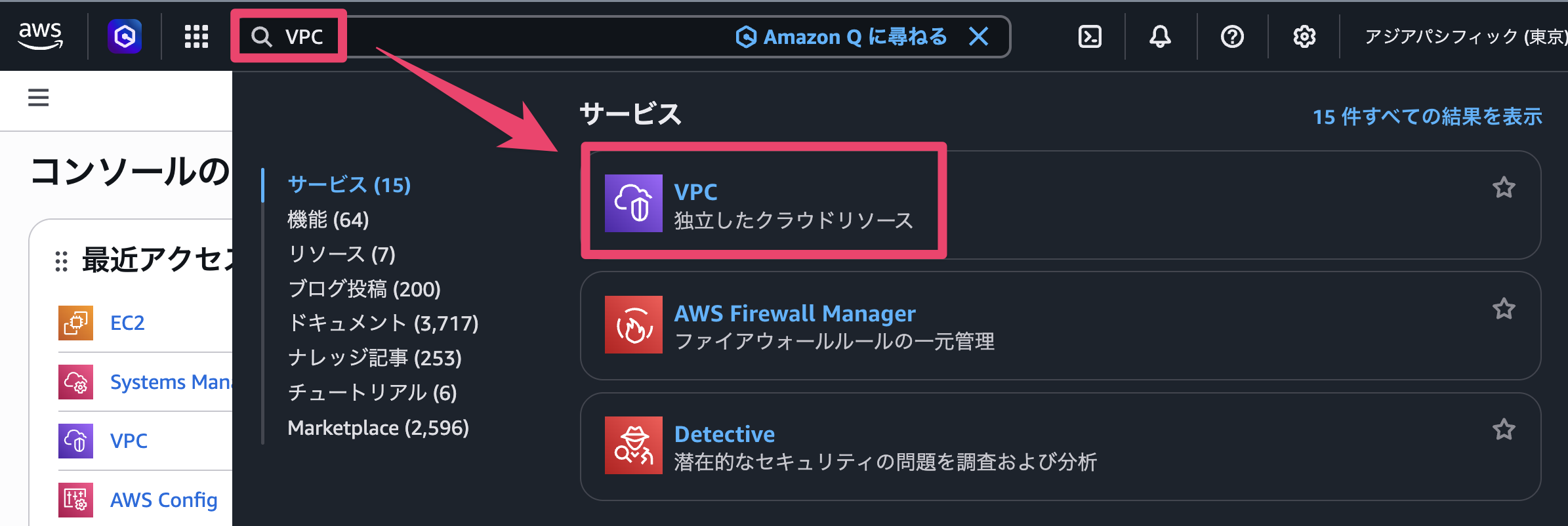
- AWS コンソール画面にログインし、VPC に移動します。
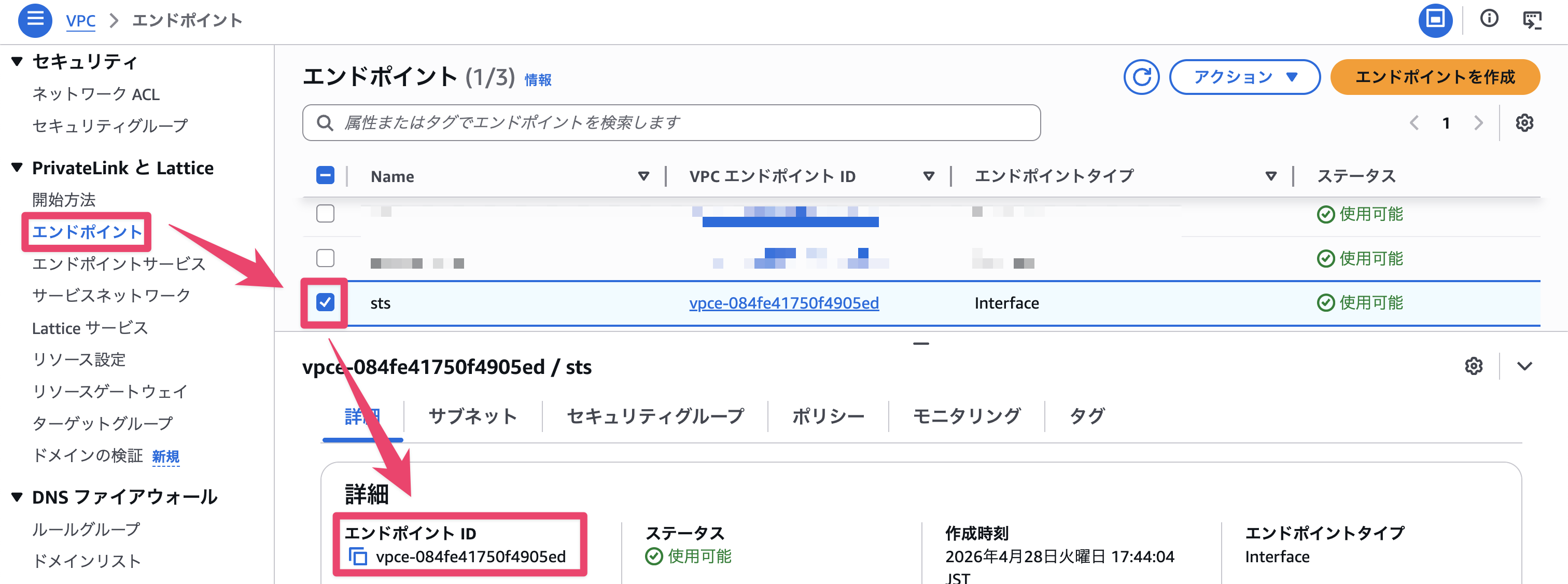
- 「エンドポイント」タブから対象 VPC エンドポイント ID を取得します。
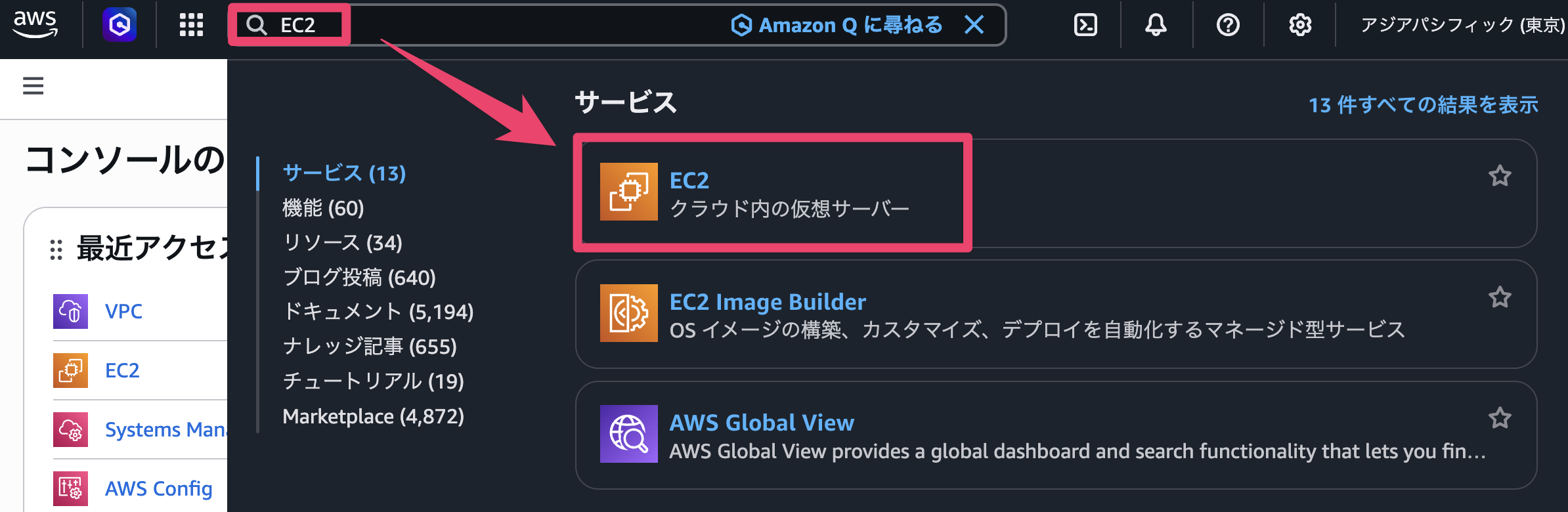
- EC2 に移動します。
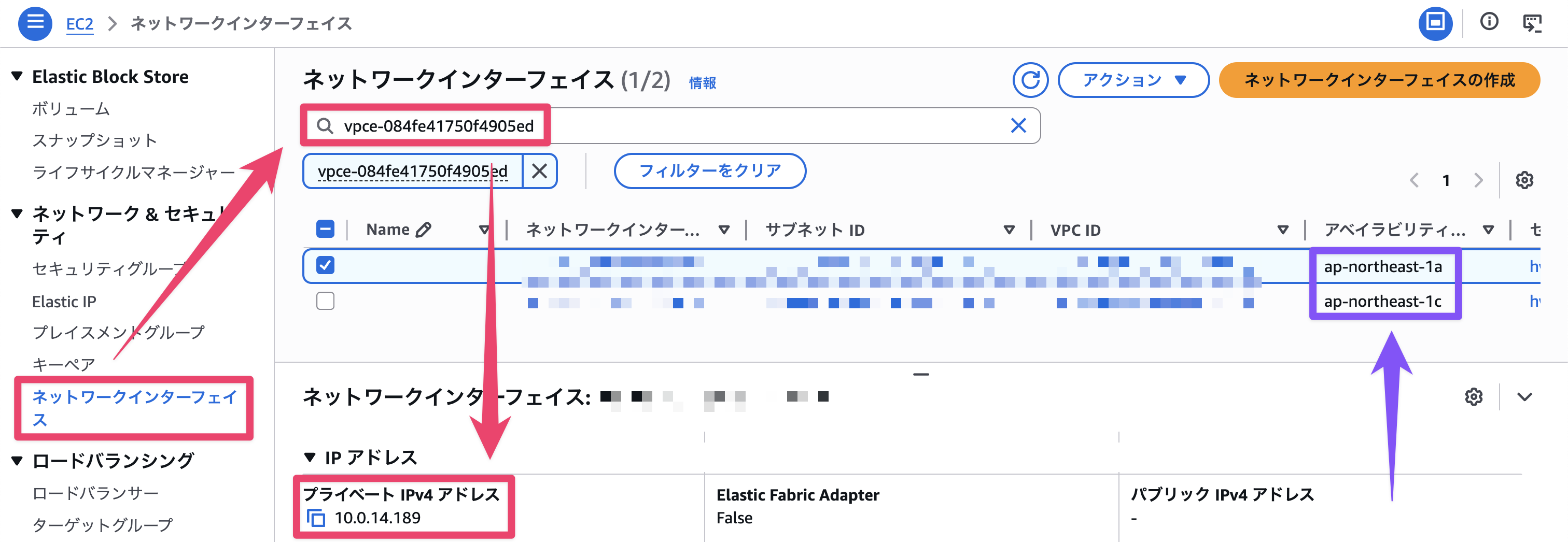
- 「ネットワークインターフェイス」タブから VPC エンドポイント ID をフィルターし、IP アドレスを取得します。
※ AZ 分 VPC エンドポイントの ENI が存在します。対象 Windows EC2 インスタンスと同じ AZ のものを選択してください。
2. Windows hosts ファイル設定
- サーバーに接続し、
C:\Windows\System32\drivers\etc\hostsを入力します。
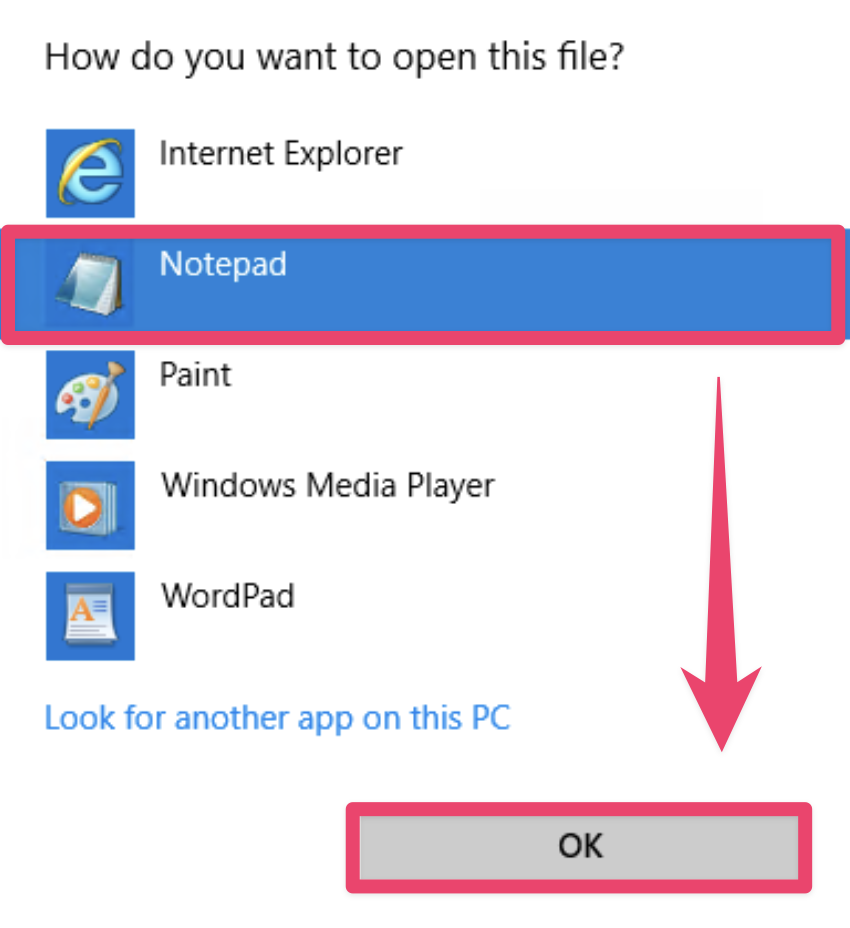
- メモ帳で開きます。
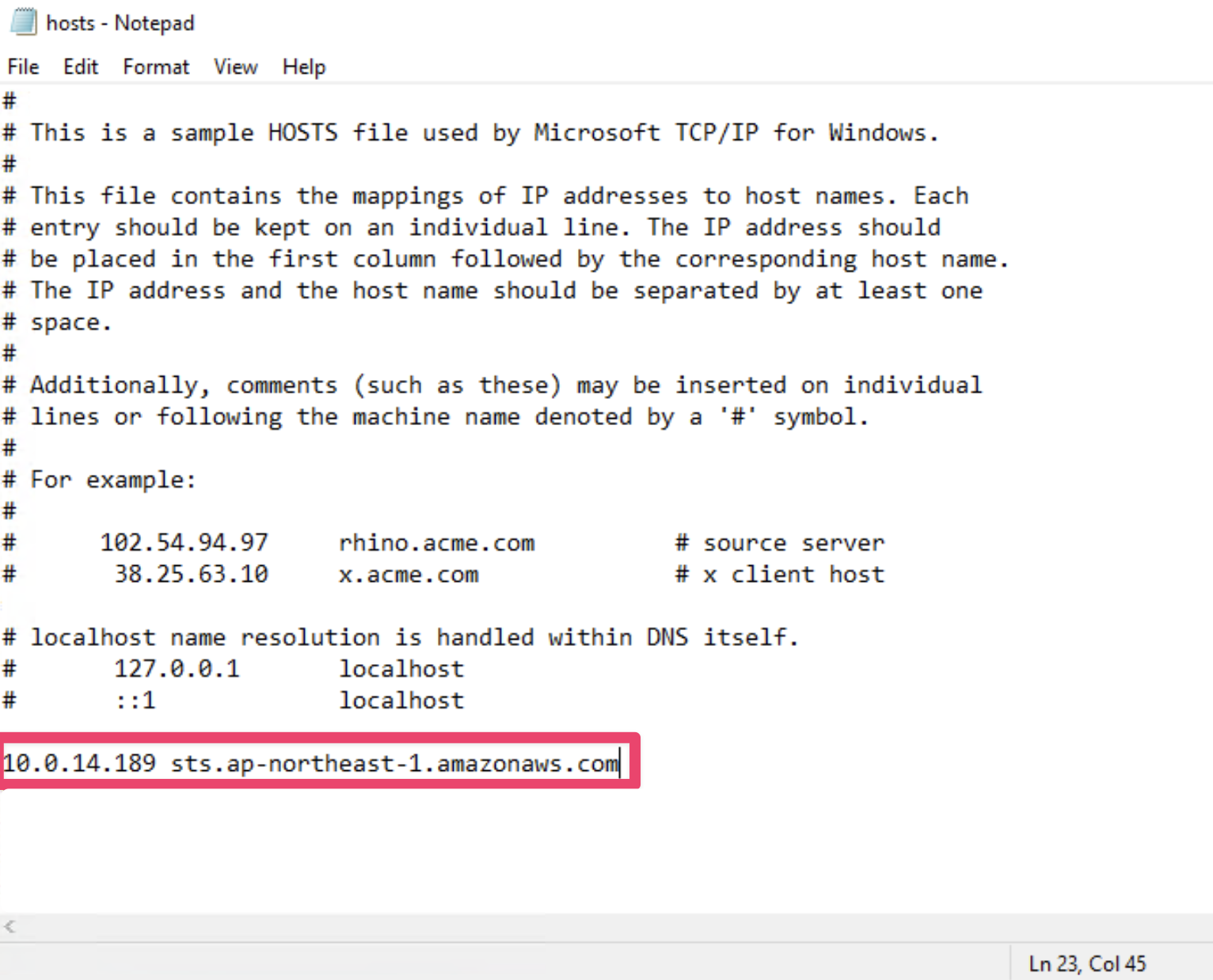
- 取得した ENI の IP アドレスとドメインを入力します。
今回は STS エンドポイントを利用するため、以下のように入力しました。
動作確認
適用前
[ERROR]: Could not connect to the endpoint URL エラーが発生し、取得できませんでした。
C:\Users\Administrator>aws sts get-caller-identity
aws: [ERROR]: Could not connect to the endpoint URL: "https://sts.ap-northeast-1.amazonaws.com/"
適用後
正常に aws sts get-caller-identity の結果が出力されました。
C:\Users\Administrator>aws sts get-caller-identity
{
    "UserId": "AROA55XXXXXXXX:i-12345678",
    "Account": "123456789012",
    "Arn": "arn:aws:sts::123456789012:assumed-role/ec2-ssm-role/i-12345678"
}
さいごに
今回は、[ERROR]: Could not connect to the endpoint URL エラーを Windows hosts 設定で解決する手順についてご紹介しました。
この記事が誰かの助けになれば幸いです。