【アップデート】Amazon Connect アプリ内通知機能でワークスペースヘッダー通知を管理してみた

2026.03.16
はじめに
こんにちは、フニです。
先日、Amazon Connect に重要な運用アラートを表示するアプリ内通知機能が導入されました。
本記事では、Amazon Connect アプリ内通知機能についてご紹介します。
Amazon Connect アプリ内通知とは?
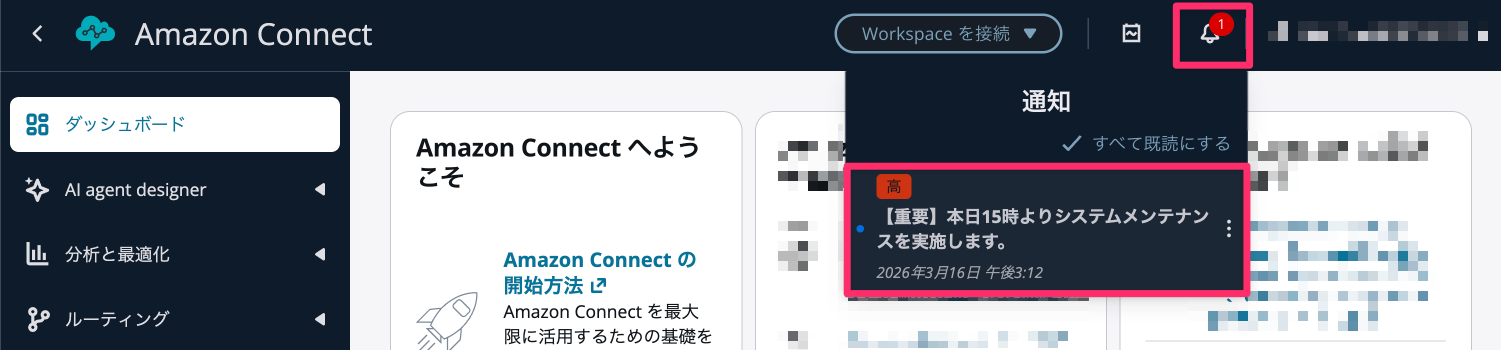
ワークスペースヘッダーで、下記画像のようにアプリ内で通知を送信できる機能のことです。
この機能により、Amazon Connect の管理者とエージェントにお知らせが可能になります。

CLI コマンドの種類
Amazon Connect アプリ内通知関連で公開されている CLI コマンドは以下になります。
本記事では CreateNotification、ListNotifications、UpdateNotificationContent、DeleteNotification 4つを解説いたします。
| API | 用途 | CLI コマンド |
|---|---|---|
| CreateNotification | 通知の作成 | create-notification |
| DescribeNotification | 通知の詳細取得 | describe-notification |
| UpdateNotificationContent | 通知内容の更新 | update-notification-content |
| DeleteNotification | 通知の削除 | delete-notification |
| ListNotifications | インスタンス内の全通知一覧 | list-notifications |
| ListUserNotifications | 特定ユーザーの通知一覧 | list-user-notifications |
| SearchNotifications | 通知の検索 | search-notifications |
| UpdateUserNotificationStatus | ユーザーごとの既読ステータスの変更 | update-user-notification-status |
やってみた
前提
- Amazon Connect インスタンス構築済み
- API 実行における十分な権限
- aws-cli/2.34.0
本記事では AWS コンソール画面にログイン後、CloudShell で AWS CLI を活用した通知の例をご紹介します。

通知の作成 (CreateNotification)
以下のサンプル CLI コマンドを実行したら、画像のようにアラートが登録されました。
aws connect create-notification \
  --instance-id "<インスタンスID>" \
  --recipients '["arn:aws:connect:ap-northeast-1:<AWSアカウントID>:instance/<インスタンスID>"]' \
  --priority "HIGH" \
  --content '{"ja_JP": "【重要】本日15時よりシステムメンテナンスを実施します。"}'
インスタンス内の全通知一覧 (ListNotifications)
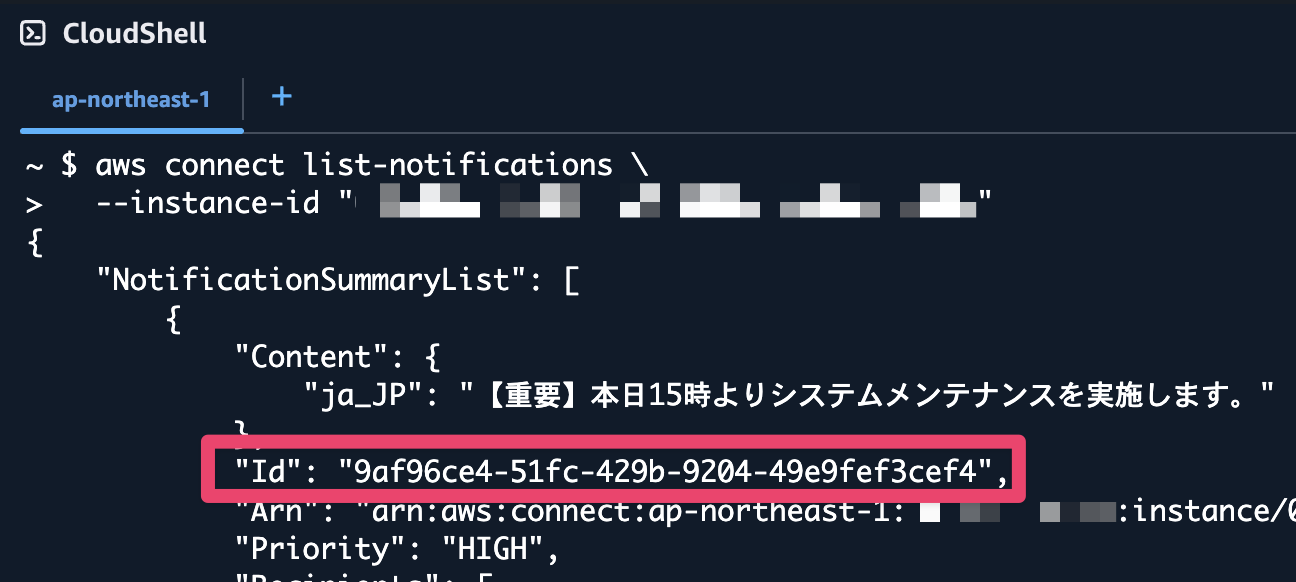
以下のサンプル CLI コマンドを実行したら、画像のようにアラートの情報が出力されました。
赤い枠の Id の部分は今後の CLI コマンドで活用しますので控えておいてください。
aws connect list-notifications \
  --instance-id "<インスタンスID>"
通知内容の更新 (UpdateNotificationContent)
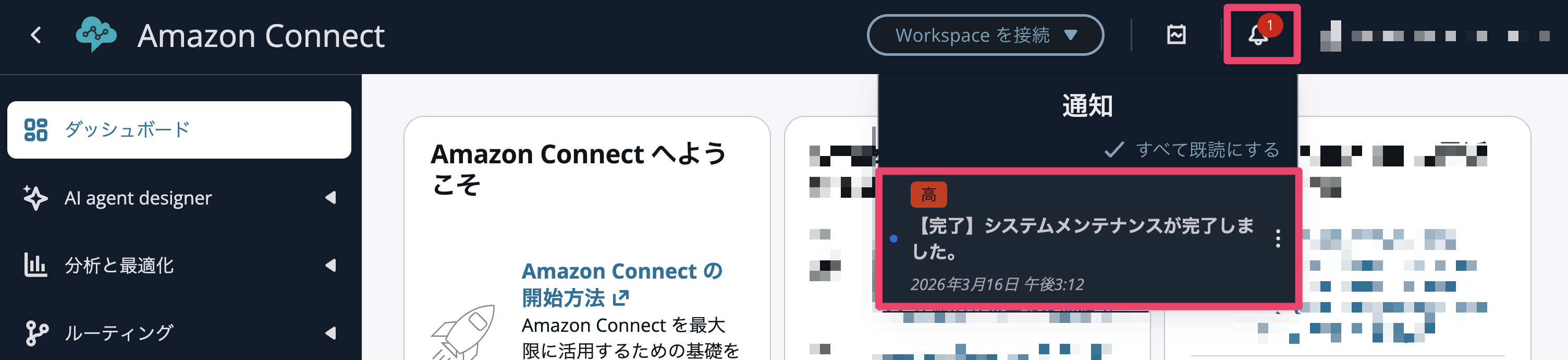
以下のサンプル CLI コマンドを実行したら、画像のようにアラートが更新されました。
aws connect update-notification-content \
  --instance-id "<インスタンスID>" \
  --notification-id "<NOTIFICATION_ID>" \
  --content '{"ja_JP": "【完了】システムメンテナンスが完了しました。"}'
通知の削除 (DeleteNotification)
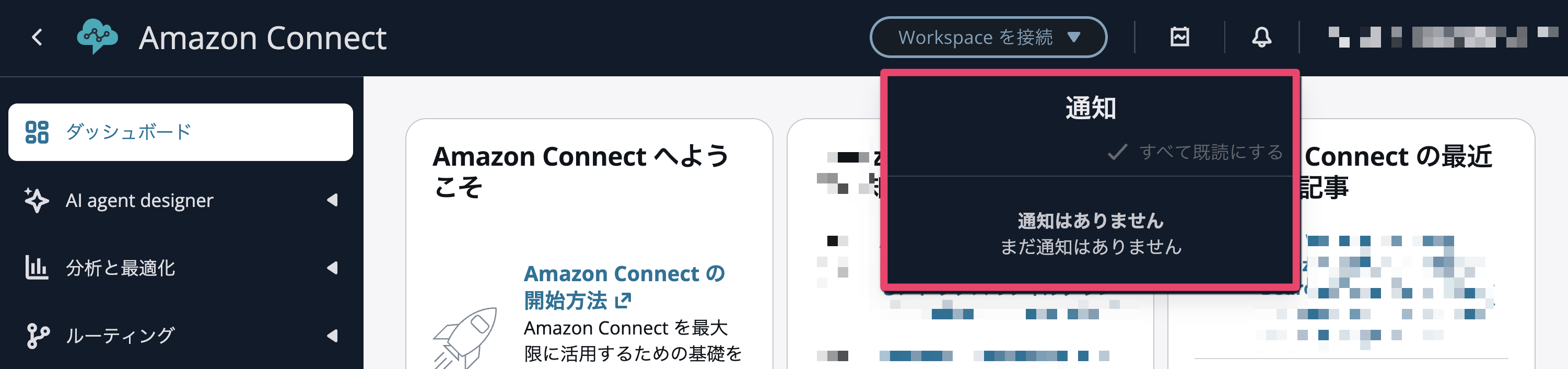
以下のサンプル CLI コマンドを実行したら、画像のようにアラートが削除されました。
aws connect delete-notification \
  --instance-id "<インスタンスID>" \
  --notification-id "<NOTIFICATION_ID>"
さいごに
今回は、Amazon Connect アプリ内通知機能についてご紹介しました。
メールやコミュニケーションツールを別途用意せずとも、告知可能になる嬉しい機能ですね。
この記事が誰かの助けになれば幸いです。
参考