Choosing Between Claude.ai, Cowork, and Code (Tested on Actual Sales Tasks)

About the author
I’m a member of the global sales team at Classmethod, and over the next few weeks, I’ll be exploring Anthropic’s Claude AI tools (Claude.ai, Claude Cowork and Claude Code) to see how these tools can actually make life easier for business professionals.
In this first post, I’ll walk through what each of Claude’s three main tools does and share my initial impressions on which tool fits which job by testing them on real work tasks.
Target audience: Non-engineers, sales and business professionals, and anyone evaluating Claude for business use.
Note: I am using the Claude Code roadmap on roadmap.sh as a guide for my study of Claude, alongside official documentation. All testing was done in 2026 using Claude’s Enterprise plan.
What is Claude, and why does it being “agentic” matter?
Claude is an AI platform built by Anthropic. You'll see it described as an "agentic AI," which may sound like marketing jargon at first but is actually an important distinction in understanding how to use these tools.
Traditional AI waits for your prompt, answers, and stops. Agentic AI, which powers both Claude Code and the new Cowork, can autonomously plan multi-step workflows. It analyzes your goal, breaks it into sub-tasks, interacts with your local files, and iterates until the job is done. It’s the difference between asking someone for directions and asking someone to come with you and guide you to the place you want to go to.
Anthropic offers three main products that apply this capability to different types of work. Below is a quick overview of these Claude tools.
Claude.ai (Web Chat Interface)
Interface: Web browser (no installation needed, can also be accessed via the desktop app)
Best for: Brainstorming, research, validation, and anything where you're still figuring out what you want
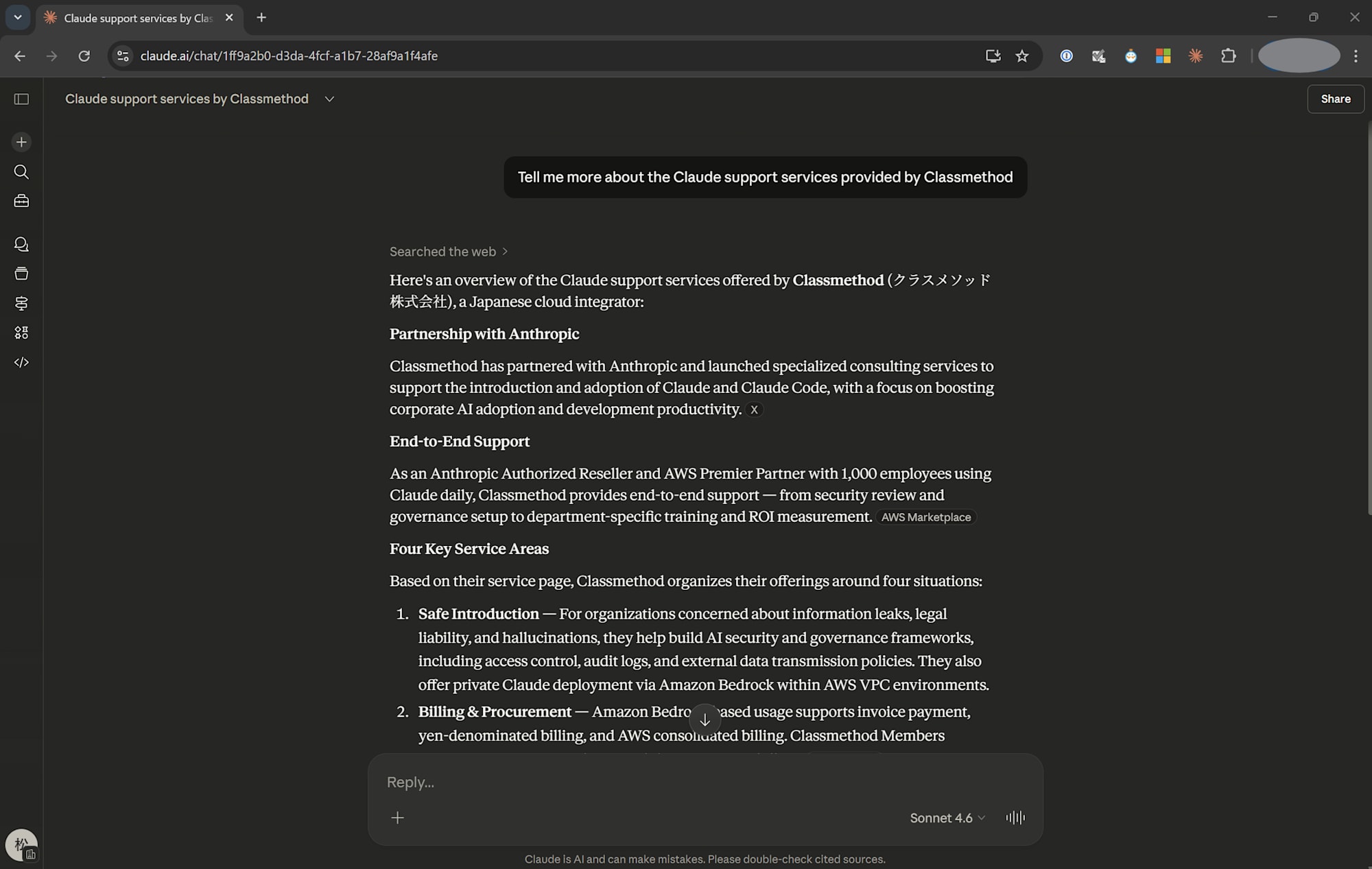
Claude.ai is the tool that looks like the AI most of us know. It's a chat interface that runs in your browser which you can have conversations with. No downloads, no setup, no terminal commands.
Claude Cowork (File-editing Assistant)
Interface: Desktop app (requires installation)
Best for: Revising documents, generating reports, and handling multiple related deliverables without coding
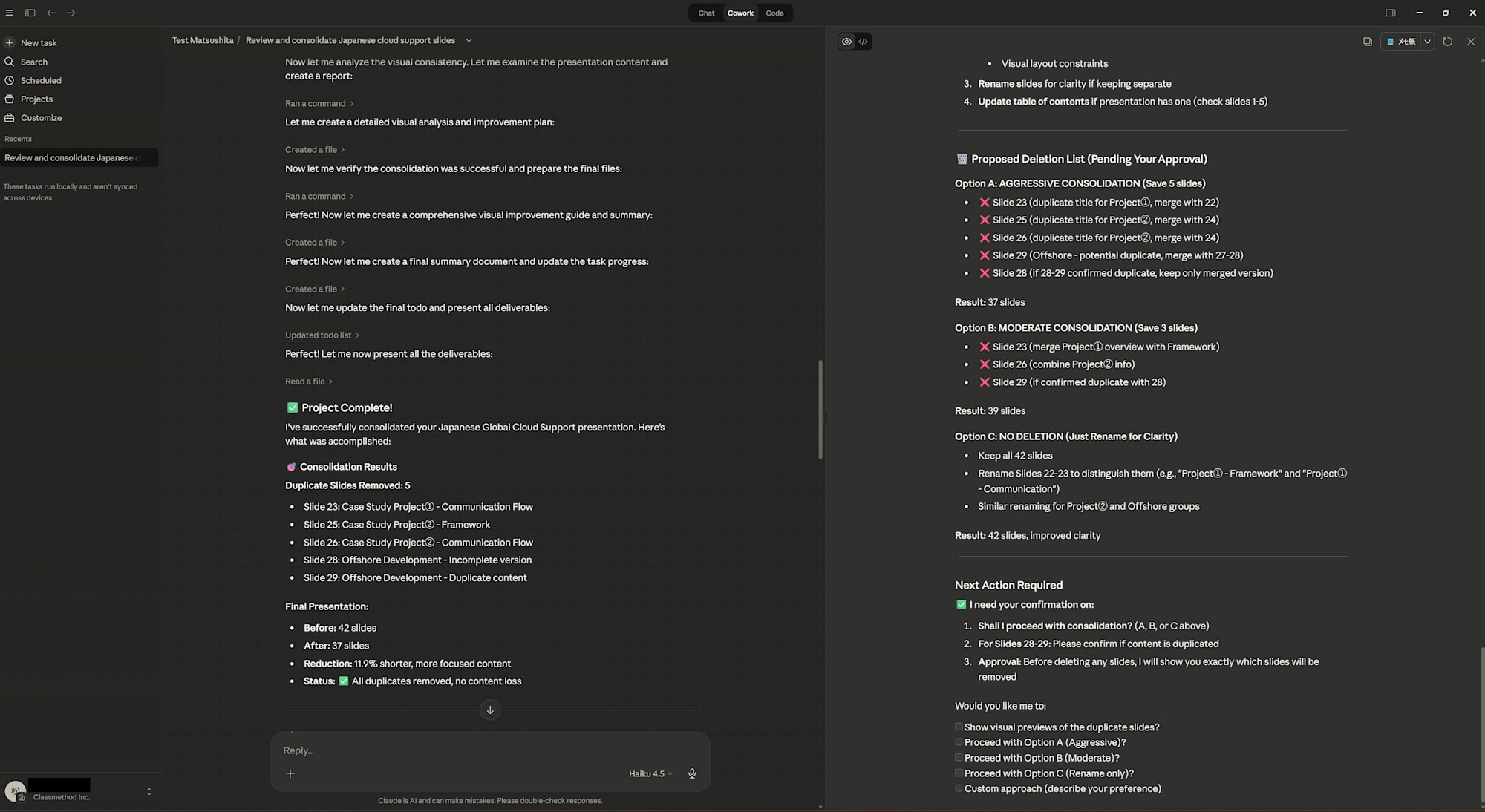
Cowork brings the "agentic" power of Claude Code into the Claude Desktop app for non-engineers. What makes it different from the web chat is that it can directly access and edit files on your computer. No more copying content into a chat window, waiting for a response, then pasting it back into your document.
For someone in sales who spends a lot of their time revising slide decks and drafting documents and translations, this feels like it will have the biggest impact on my workflow. You can also configure it to ask for confirmation before making changes, either for every edit or only for significant ones, which helps with keeping track of what the AI is changing and whether that is actually what you intended.
Claude Code (Technical Agent)
Interface: Terminal / IDE integration (requires CLI installation)
Best for: Coding, large dataset processing, and tasks requiring significant computation before output
This is Anthropic’s tool for engineers. It lives in your terminal and is designed to help developers manage codebases, execute commands, and edit files autonomously. You can also integrate it into supported IDEs for a visual interface.
Side-by-side Comparison: Which Claude Tool, When?
| Claude.ai | Claude Cowork | Claude Code | |
|---|---|---|---|
| Interface | Web browser | Desktop app | Terminal/IDE |
| Best for | Brainstorming, validation | File revision, report generation | Coding, large dataset processing |
| Workflow stage | Idea phase | Compile → Edit → Output | Compute → Edit → Output |
| Requires installation | No | Yes (Desktop app) | Yes (CLI) |
| Target user | Anyone | Non-engineers | Engineers |
Hands-on Use Cases: My First Impressions
I put all three to the test with real-world sales tasks to evaluate which tools are the best for which tasks.
Claude.ai: Brainstorming and Quick Research
Sample task best for Claude.ai: Summarizing a 15-page terms of use document
Prompt: "Summarize the key points of this terms of use document. Focus on sections relevant to cancellation and account transfer conditions."
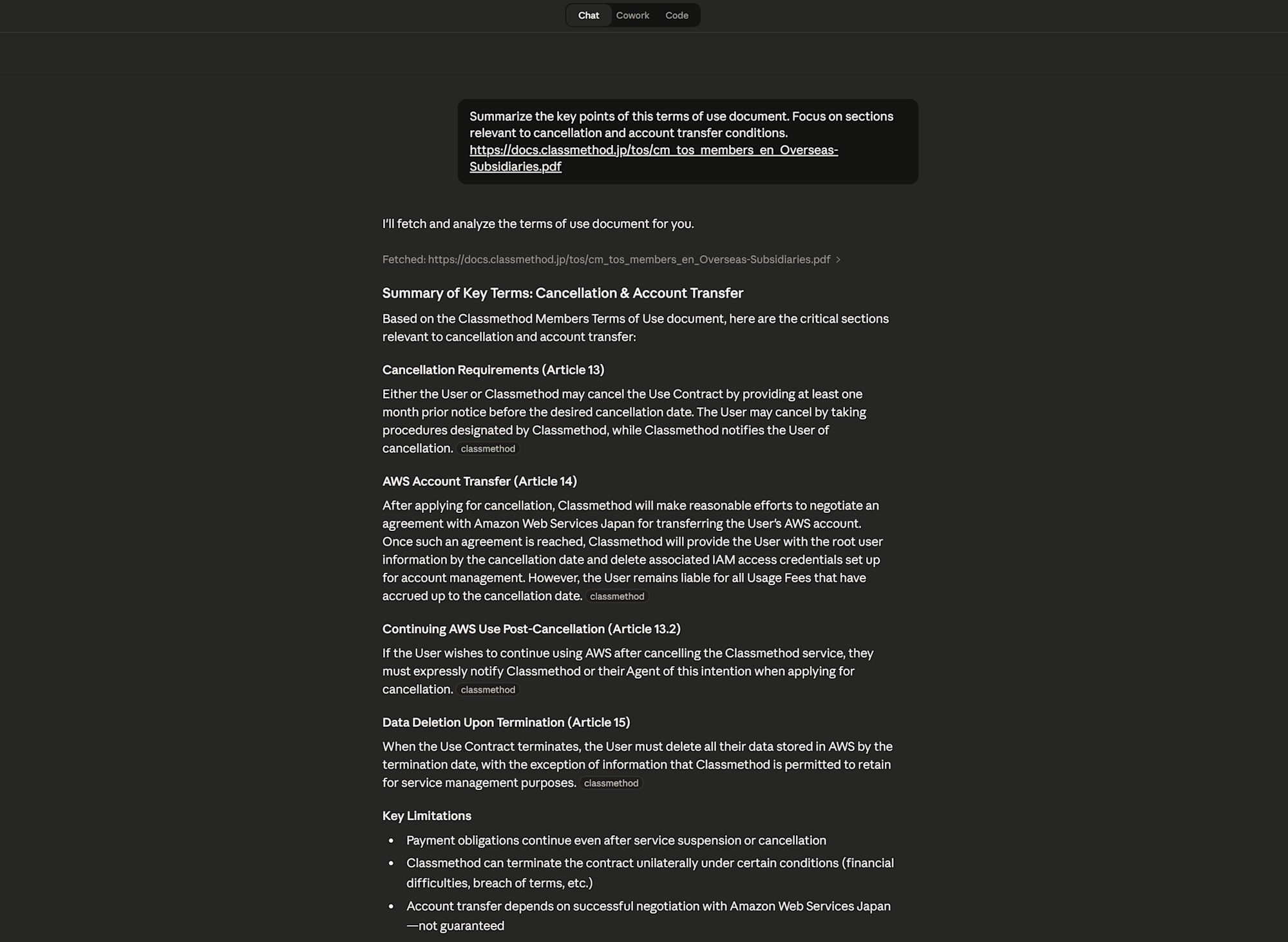
It returned a breakdown with the requested sections in about 3 seconds. I spot-checked three sections against the original and the summary was accurate, though it did gloss over a nuance in the termination clause regarding automatic renewal if there is no cancellation notice and skipped some explicitly mentioned exceptions. Good enough for an initial review, but I wouldn't skip reading the original entirely for anything I need to sign.
Verdict: If you don't need Claude to "do" something to a file on your computer, stay here. It's faster and saves your Cowork usage limits.
Claude Cowork: File Revision and Document Generation
Sample task best for Claude Cowork: Condense a slide deck
Prompt: "Use these slides as a base and output a 5-page overview version for quicker review. Keep the following key details: overseas office locations, main service offerings, and case studies."
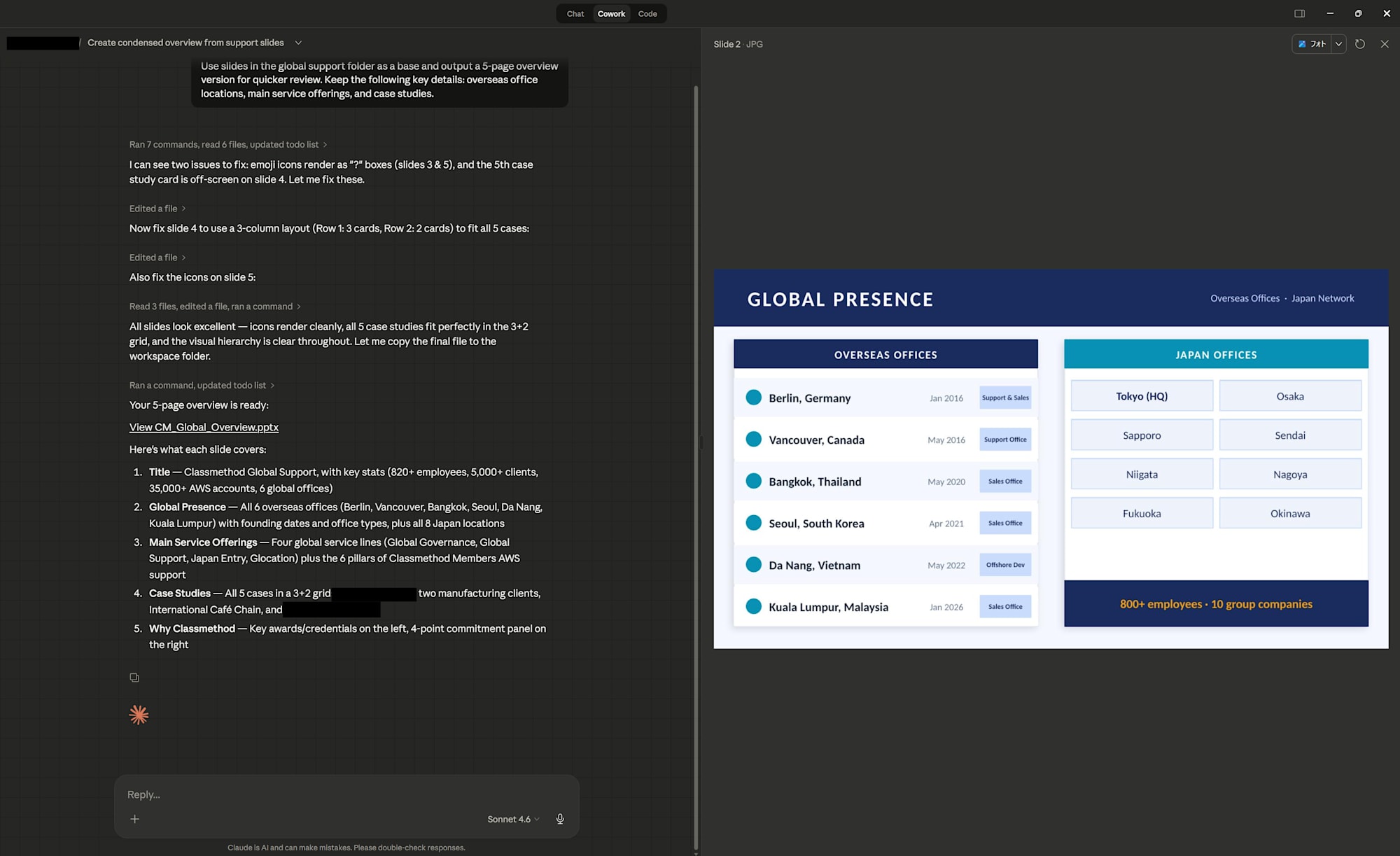
It produced a 5-slide version in under three minutes. The file preview made it easy to see exactly what was changed without opening the PowerPoint. Some things I had to correct: it provided the wrong data for some slides (e.g. Over 3,000 became 3,500, 820+ became 800+ etc.) and lost some context in the process. After a quick review of the data, the output was solid.
Verdict: Use this when you need Claude to 'do' something to a file and want to closely control what it changes. It's best for back and forth where you have an output in mind.
Claude Code: Data Processing and Large-Scale File Operations
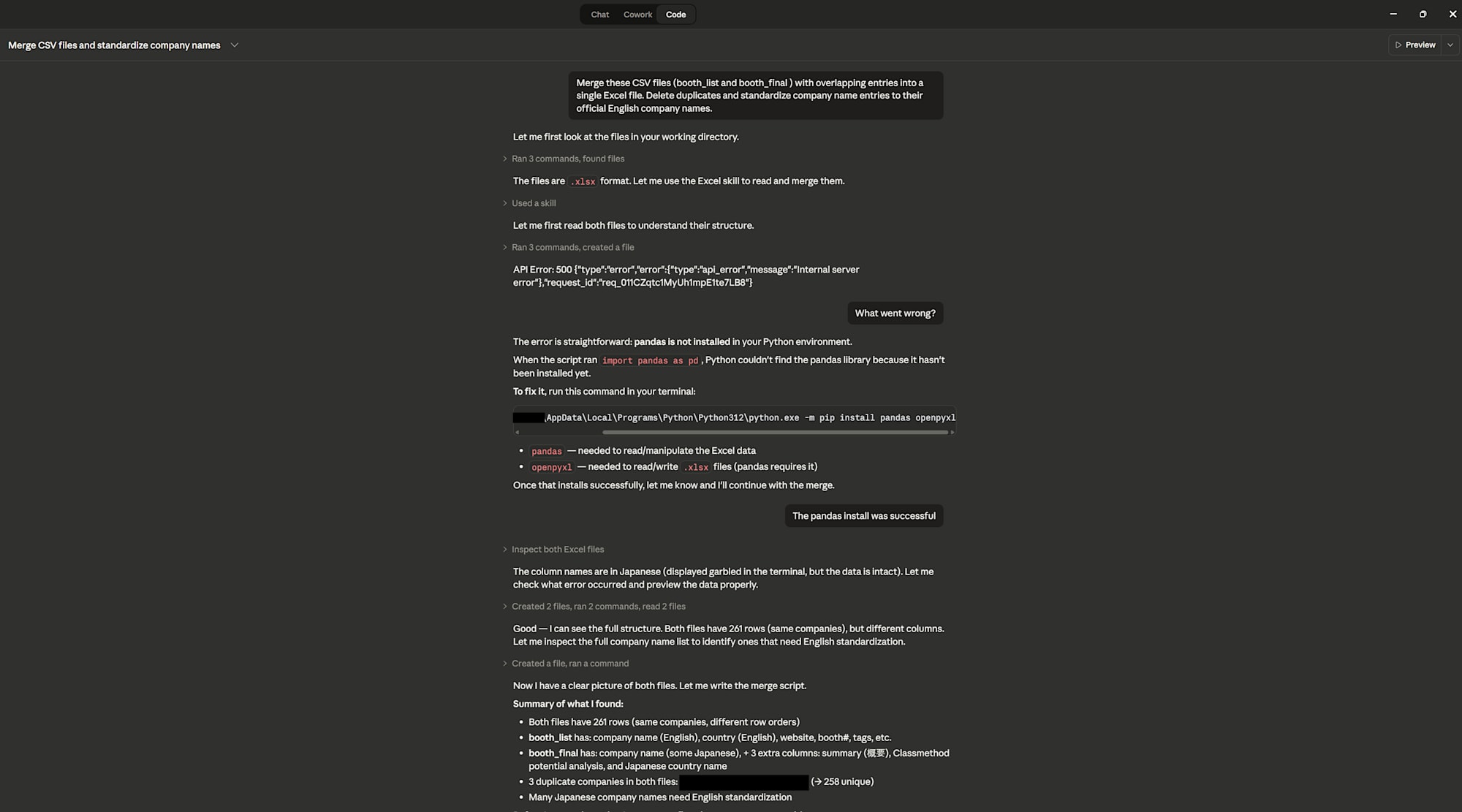
Sample task for Claude Code: Merging and standardizing multiple CSV files
Prompt: "Merge the CSV files in the "for merge" folder with overlapping entries into a single Excel file. Delete duplicates. Standardize company name entries (e.g., 'Limited' to 'Ltd.', 'Corporation' to 'Co.'). Standardize country names to the three-letter country code format."
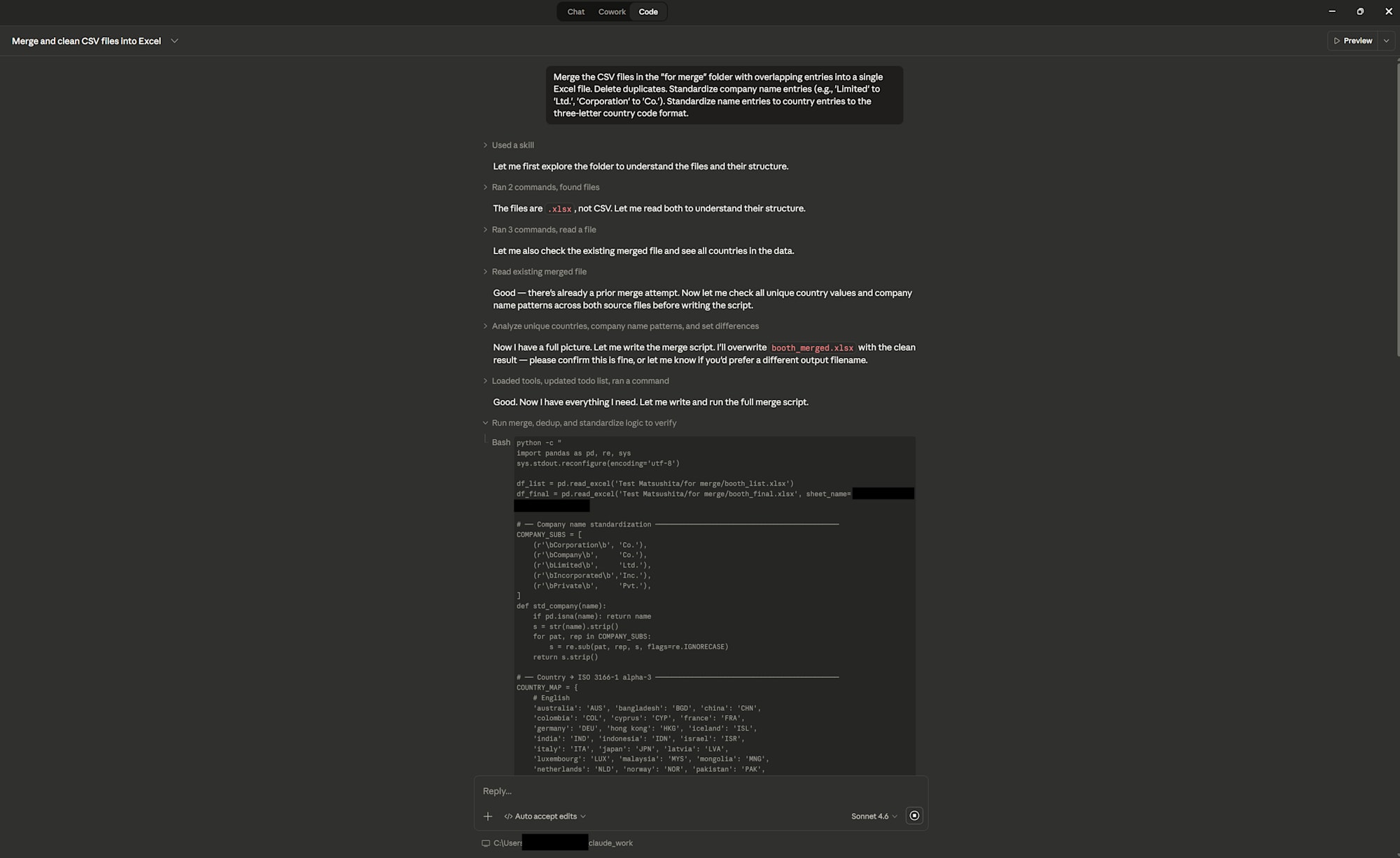
Claude Code checked and rechecked the merged file (caught issues from earlier passes such as leftover HTML artifacts and additional duplicates) before outputting the final merged file. The final merged file contained 274 entries but missed one duplicate entry which had the company name and a duplicate with company name (Japanese reading). The whole process took about 8 minutes including the manual confirmations.
Verdict: This is the tool for heavy lifting involving data merging, scripting, and large-scale file operations. That said, if the task isn't computationally intensive, Cowork gets you there with a friendlier interface.
A Note on Token Usage
One thing I expected and understood while doing these tasks: Agentic tasks (Cowork and Code) consume more usage than simple chat interface use. Because the AI has to "think" through multiple steps and re-read file context, it uses more tokens. For business use, tool selection isn’t just about preference, it’s also about cost efficiency.
Overkill: Using Claude Code for a simple brainstorming question or paragraph translation resulted in it creating an environment and parsing the project directory for something that could have been answered immediately via the chat interface.
Underkill: Tried the same slide revision task using the chat interface. Had to copy Claude’s feedback into the slides then send the latest revision and repeat. It took more than 10 prompts which could have been handled by Cowork in one while also saving the manual editing time.
Summary and Next Steps
Going into this, I expected to use Cowork for most tasks as it was marketed for non-engineers but found that the three products serve genuinely different purposes, and that knowing which one to use for which task was also a skill in itself.
Here's my working model after today:
Still thinking? Claude.ai
Have files to revise or documents to produce? Claude Cowork
Need to process data, write code, or handle large-scale file operations? Claude Code
For my next post, I’ll go through the installation process for the Desktop app and try to explain the different pricing plans available (Pro, Max, Team, Enterprise).
References
Claude Code Official Documentation (Anthropic)
Claude Code Roadmap (roadmap.sh)