Amazon Connect Customer のプレビュー機能「Authentication Profiles API」で無操作時の自動ログアウトを設定してみた

はじめに
Amazon Connect Customer では、Authentication Profiles API を使用して、ユーザーが一定時間操作しなかった場合の自動ログアウトを設定できます。
執筆時点では、この機能はプレビューリリースです。利用するには、Connect Customer Solutions Architect、テクニカルアカウントマネージャー、または AWS Support へアクセスを申請する必要があります。
今回は AWS Support へ有効化を申請した後、AWS CloudShell から以下を試しました。
- 現在の設定を確認する
- 無操作時間を15分に設定して自動ログアウトを有効化する
- 設定変更前後にログインしたユーザーで動作を確認する
- 検証前の設定に戻す
今回の検証では、設定変更後にログインしたユーザーは15分間操作しなかった場合に自動ログアウトしました。一方、設定変更前からログインしていたユーザーは、設定変更から15分以上経過してもログイン状態を維持しました。
前提
今回の検証環境は以下です。
- AWS アカウント ID:
111111111111 - リージョン:
ap-northeast-1 - 操作環境:AWS CloudShell
- 認証プロファイル:
Default Authentication Profile
記事内のインスタンス ID と認証プロファイル ID は例示です。実際に試す場合は、自身の環境の値に置き換えてください。
AWS Support へ有効化を申請する
Authentication Profiles API が有効化されていない環境で以下のコマンドを実行しました。
aws connect list-authentication-profiles \
  --instance-id aaaaaaaa-bbbb-cccc-dddd-eeeeeeeeeeee \
  --region ap-northeast-1 \
  --no-cli-pager
以下のエラーが発生しました。
An error occurred (InvalidRequestException) when calling the
ListAuthenticationProfiles operation:
Account 111111111111 is not allowed to use this feature.
Please contact customer support.
このため、AWS Support Center から、ap-northeast-1 で Authentication Profiles API を利用できるよう有効化を申請しました。
有効化と現在値を確認する
有効化後、再度 list-authentication-profiles コマンドを実行します。
aws connect list-authentication-profiles \
  --instance-id aaaaaaaa-bbbb-cccc-dddd-eeeeeeeeeeee \
  --region ap-northeast-1 \
  --query 'AuthenticationProfileSummaryList[].{Id:Id,Name:Name,IsDefault:IsDefault}' \
  --output table \
  --no-cli-pager
実行結果は以下です。
---------------------------------------------------------------------------------------
|                         ListAuthenticationProfiles                                  |
+--------------------------------------+---------------------------------+------------+
| Id                                   | Name                            | IsDefault  |
+--------------------------------------+---------------------------------+------------+
| 11111111-2222-3333-4444-555555555555 | Default Authentication Profile  | True       |
+--------------------------------------+---------------------------------+------------+
有効化前の InvalidRequestException が発生せず、Default Authentication Profile を取得できました。
続いて、認証プロファイル ID を指定して現在の設定を確認します。
aws connect describe-authentication-profile \
  --instance-id aaaaaaaa-bbbb-cccc-dddd-eeeeeeeeeeee \
  --authentication-profile-id 11111111-2222-3333-4444-555555555555 \
  --region ap-northeast-1 \
  --query 'AuthenticationProfile.{MaxSessionDuration:MaxSessionDuration,SessionInactivityDuration:SessionInactivityDuration,SessionInactivityHandlingEnabled:SessionInactivityHandlingEnabled}' \
  --output table \
  --no-cli-pager
実行結果は以下です。
-----------------------------------------------------------------------------------------
|                             DescribeAuthenticationProfile                             |
+--------------------+-----------------------------+------------------------------------+
| MaxSessionDuration | SessionInactivityDuration   | SessionInactivityHandlingEnabled   |
+--------------------+-----------------------------+------------------------------------+
| 720                | 60                          | False                              |
+--------------------+-----------------------------+------------------------------------+
検証前の設定は以下でした。
| 設定項目 | 設定値 | 意味 | 設定可能範囲 |
|---|---|---|---|
MaxSessionDuration |
720分 | ユーザーが再ログインを求められるまでの最大セッション時間 | 変更不可。720分(12時間)固定 |
SessionInactivityDuration |
60分 | ユーザーが非アクティブになってから自動ログアウトするまでの時間 | 15~720分 |
SessionInactivityHandlingEnabled |
false |
非アクティブ時の自動ログアウトを有効にするか | true または false |
SessionInactivityDuration は60分ですが、SessionInactivityHandlingEnabled が false のため、検証前は無操作時の自動ログアウトが無効な状態です。
無操作時の自動ログアウトを有効化する
今回は、無操作時間を設定可能な最小値である15分に変更します。
aws connect update-authentication-profile \
  --instance-id aaaaaaaa-bbbb-cccc-dddd-eeeeeeeeeeee \
  --authentication-profile-id 11111111-2222-3333-4444-555555555555 \
  --session-inactivity-handling-enabled \
  --session-inactivity-duration 15 \
  --region ap-northeast-1 \
  --no-cli-pager
成功時は出力されないため、describe-authentication-profile で変更後の値を確認します。
aws connect describe-authentication-profile \
  --instance-id aaaaaaaa-bbbb-cccc-dddd-eeeeeeeeeeee \
  --authentication-profile-id 11111111-2222-3333-4444-555555555555 \
  --region ap-northeast-1 \
  --query 'AuthenticationProfile.{MaxSessionDuration:MaxSessionDuration,SessionInactivityDuration:SessionInactivityDuration,SessionInactivityHandlingEnabled:SessionInactivityHandlingEnabled}' \
  --output table \
  --no-cli-pager
実行結果は以下です。
-----------------------------------------------------------------------------------------
|                             DescribeAuthenticationProfile                             |
+--------------------+-----------------------------+------------------------------------+
| MaxSessionDuration | SessionInactivityDuration   | SessionInactivityHandlingEnabled   |
+--------------------+-----------------------------+------------------------------------+
| 720                | 15                          | True                               |
+--------------------+-----------------------------+------------------------------------+
無操作時間が15分になり、自動ログアウトが有効化されました。
今回変更した Default Authentication Profile は、別の認証プロファイルで上書きされていない限り、インスタンスのすべてのユーザーに適用されます。
動作確認
以下の2パターンで、マウスやキーボードを操作せず、音声コンタクトもない状態で15分以上待機しました。
| セッションの開始時点 | 結果 |
|---|---|
| 設定変更前からログイン | ログイン状態を維持 |
| 設定変更後にログイン | 自動ログアウト |
設定変更後にログインしたユーザーでは、セッション期限の警告画面が表示された後、自動的にログアウトしました。
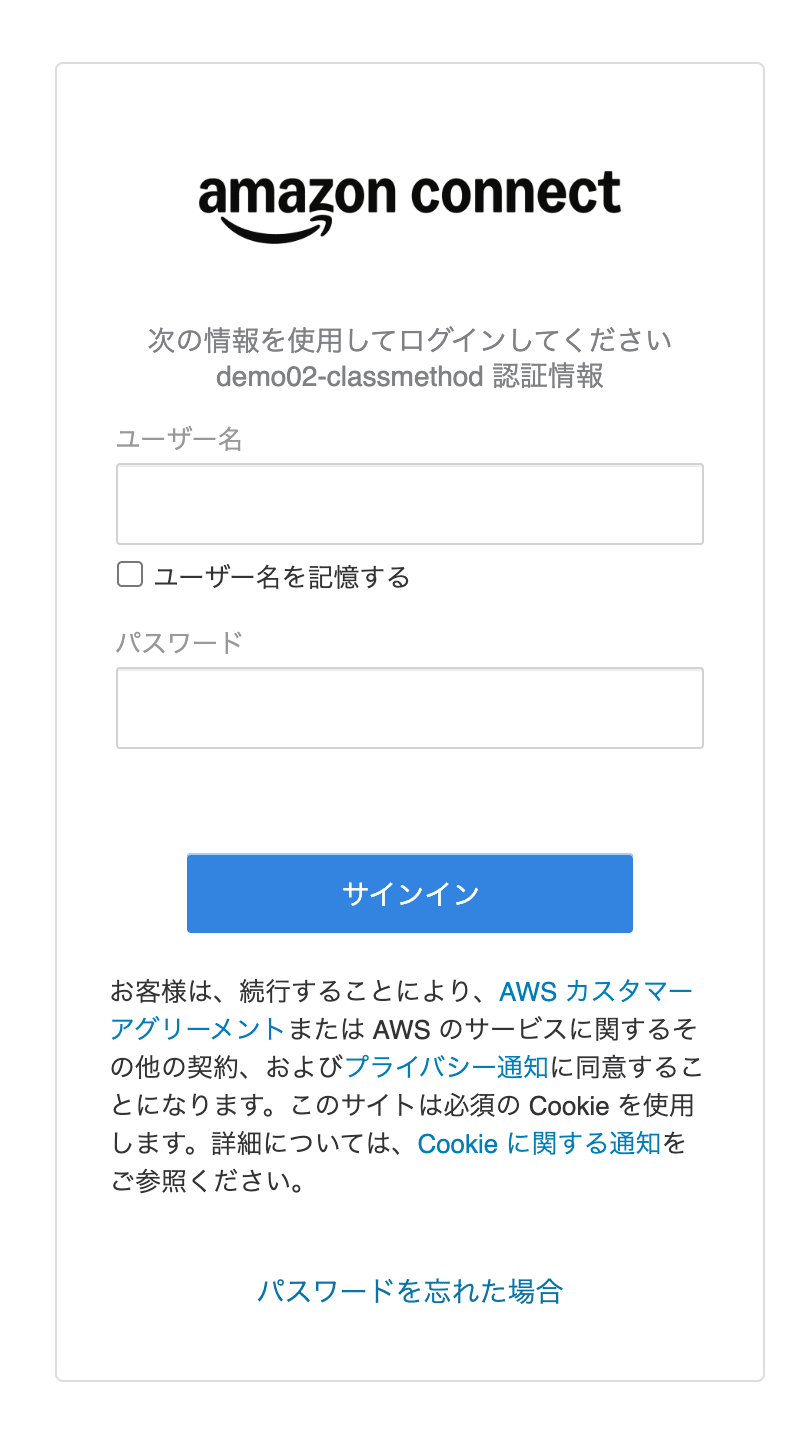
設定変更後にログインしたユーザーに表示されたセッション期限の警告画面
今回の検証では、設定変更後に開始したセッションで自動ログアウトしました。一方、設定変更前から存在するセッションには、変更後の設定がすぐには反映されませんでした。
公開ドキュメントからは、設定変更前から存在するセッションへ新しい設定が適用されるタイミングの詳細までは確認できません。そのため、本番環境で有効化する場合は、利用者への事前案内や再ログインを検討するのがよさそうです。
元の設定へ戻す
検証前は、無操作時間が60分、自動ログアウトが無効の状態でした。
以下のコマンドで元の設定に戻します。
aws connect update-authentication-profile \
  --instance-id aaaaaaaa-bbbb-cccc-dddd-eeeeeeeeeeee \
  --authentication-profile-id 11111111-2222-3333-4444-555555555555 \
  --session-inactivity-duration 60 \
  --no-session-inactivity-handling-enabled \
  --region ap-northeast-1 \
  --no-cli-pager
設定後、現在値を確認します。
aws connect describe-authentication-profile \
  --instance-id aaaaaaaa-bbbb-cccc-dddd-eeeeeeeeeeee \
  --authentication-profile-id 11111111-2222-3333-4444-555555555555 \
  --region ap-northeast-1 \
  --query 'AuthenticationProfile.{MaxSessionDuration:MaxSessionDuration,SessionInactivityDuration:SessionInactivityDuration,SessionInactivityHandlingEnabled:SessionInactivityHandlingEnabled}' \
  --output table \
  --no-cli-pager
実行結果は以下です。
-----------------------------------------------------------------------------------------
|                             DescribeAuthenticationProfile                             |
+--------------------+-----------------------------+------------------------------------+
| MaxSessionDuration | SessionInactivityDuration   | SessionInactivityHandlingEnabled   |
+--------------------+-----------------------------+------------------------------------+
| 720                | 60                          | False                              |
+--------------------+-----------------------------+------------------------------------+
SessionInactivityHandlingEnabled が false に戻ったため、無操作時の自動ログアウトは無効です。
補足
執筆時点では、設定対象はインスタンスごとに用意される Default Authentication Profile のみです。この設定はインスタンスの全ユーザーに適用されるため、特定のユーザーだけを対象に検証することはできません。
本番環境で変更する場合は、検証用インスタンスまたは業務影響の少ない時間帯で試すのがよさそうです。
AmazonConnectStreams または AmazonConnectSDK を使って既存のウェブアプリケーションと統合している場合は、無操作時の自動ログアウトを有効化する前に、アプリケーション側でアクティビティ処理を実装する必要があります。
また、Virtual Desktop Infrastructure(VDI)の分離 Contact Control Panel(CCP)モデルでは、無操作時の自動ログアウトはサポートされていません。標準の Agent Workspace 以外を利用している場合は、事前に利用構成を確認してください。
まとめ
プレビュー機能の Authentication Profiles API を有効化し、Amazon Connect Customer の無操作時の自動ログアウトを設定できました。
今回の検証では、設定変更後にログインしたユーザーで15分後の自動ログアウトを確認しました。一方、設定変更前からログインしていたユーザーはログイン状態を維持しました。
Default Authentication Profile の変更はインスタンスのユーザーに影響するため、本番環境では利用者への事前案内と動作確認を行うのがよさそうです。