CloudFormation StackSetsでSSMドキュメントのパブリック共有をブロックしてSecurity Hub CSPMのSSM.7に全アカウントで対応する

はじめに
皆様こんにちは、あかいけです。
Security Hub CSPMのコントロールSSM.7を全アカウントまとめて設定したいと思ったことはありますか?私はあります。
というわけで今回は、CloudFormation StackSetsでこの設定をAWSアカウント全体へ自動展開し、SSM.7に対応する方法をまとめます。
SSM.7 について
SSM.7が求めているのは、SSMドキュメントの「パブリック共有のブロック設定」を有効にすることです。
またこの設定はリージョンごとに個別に設定する必要があります。
アカウント単位かつリージョン単位という性質上、対象が増えるほど手作業のコストが膨らみます。
また新規アカウントを作る度に設定する必要があるのも面倒です。
そこでCloudFormation StackSetsで一括展開し、新規アカウントに対してもStackSetsの自動デプロイを使うことで都度の手動設定から解放されたいと私は思いました。
AWS::SSM::ServiceSetting で設定するつもりでした
SSMのアカウントレベル設定は、CloudFormationのAWS::SSM::ServiceSettingというリソースで設定できます。
内部的にはUpdateServiceSetting APIを実行しているようです。
つまりUpdateServiceSetting APIで設定可能な以下の設定は、このリソースで設定できるというわけです。
- /ssm/appmanager/appmanager-enabled
- /ssm/automation/customer-script-log-destination
- /ssm/automation/customer-script-log-group-name
- /ssm/automation/enable-adaptive-concurrency
- /ssm/documents/console/public-sharing-permission
- /ssm/managed-instance/activation-tier
- /ssm/managed-instance/default-ec2-instance-management-role
- /ssm/opsinsights/opscenter
- /ssm/parameter-store/default-parameter-tier
- /ssm/parameter-store/high-throughput-enabled
そしてこの中の/ssm/documents/console/public-sharing-permissionがSSMドキュメントのパブリック共有のブロック設定にあたるので、これをDisableに設定すればOKです。
AWSTemplateFormatVersion: '2010-09-09'
Description: Block public sharing setting for SSM documents. Deployed via StackSets to all member accounts (per Region).

Resources:
  BlockPublicDocumentSharing:
    Type: AWS::SSM::ServiceSetting
    Properties:
      SettingId: /ssm/documents/console/public-sharing-permission
      SettingValue: Disable
これでいけるはず!と思ったのですが、謎のエラーが発生しました…。
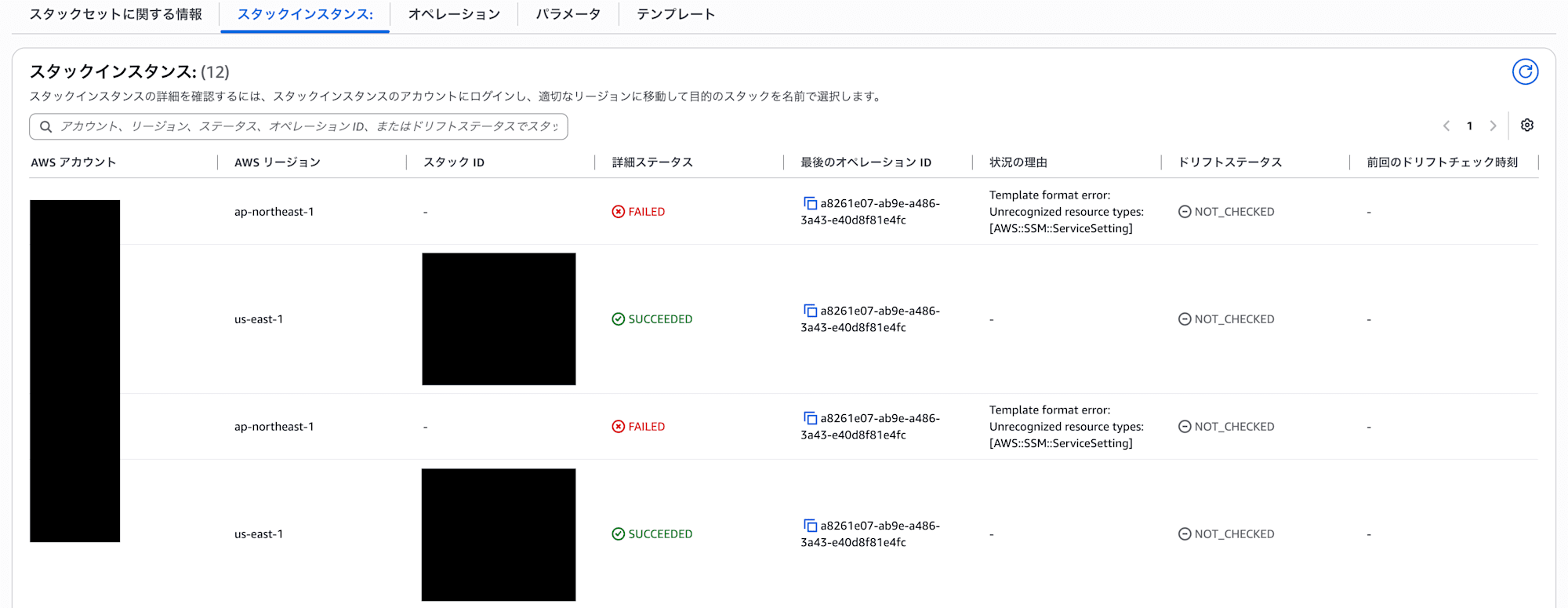
Template format error: Unrecognized resource types: [AWS::SSM::ServiceSetting]
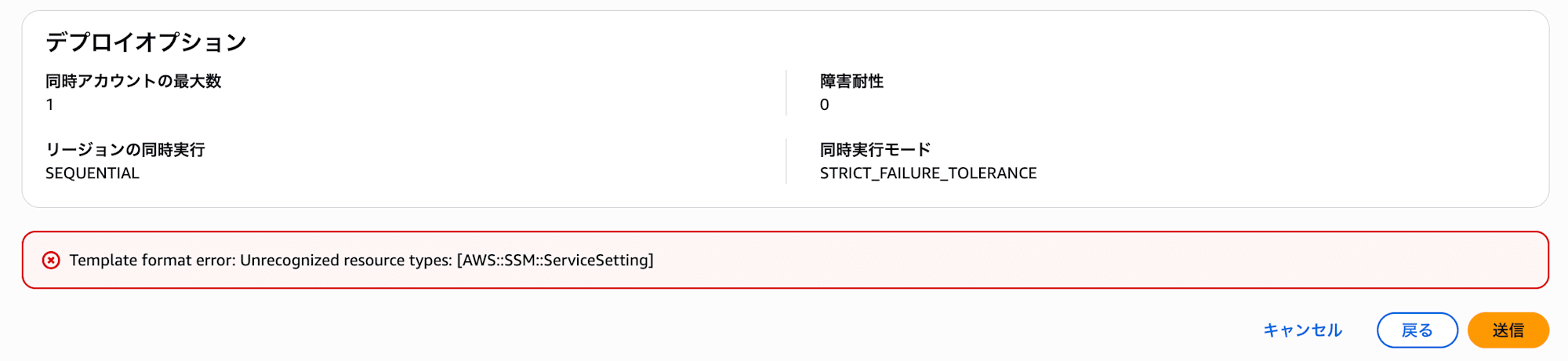
東京リージョンでは AWS::SSM::ServiceSetting が使えなかった
原因を調べたところ、東京リージョン(ap-northeast-1)ではこのAWS::SSM::ServiceSettingがCloudFormationレジストリに登録されていませんでした。
describe-typeで確認すると、東京リージョンではTypeNotFoundExceptionが返り、バージニアリージョン(us-east-1)では正常に取得できます。
% aws cloudformation describe-type \
  --type RESOURCE \
  --type-name AWS::SSM::ServiceSetting \
  --region ap-northeast-1

aws: [ERROR]: An error occurred (TypeNotFoundException) when calling the DescribeType operation: The type 'AWS::SSM::ServiceSetting' cannot be found.

Additional error details:
Type: Sender
% aws cloudformation describe-type --type RESOURCE --type-name AWS::SSM::ServiceSetting --region us-east-1
{
    "Arn": "arn:aws:cloudformation:us-east-1::type/resource/AWS-SSM-ServiceSetting",
    "Type": "RESOURCE",
    "TypeName": "AWS::SSM::ServiceSetting",
    "IsDefaultVersion": true,
    "Description": "Resource Type definition for AWS::SSM::ServiceSetting. ServiceSetting is an account-level setting for an AWS service that defines how a user interacts with or uses a service or feature.",
    "ProvisioningType": "FULLY_MUTABLE",
    "DeprecatedStatus": "LIVE",
    "Visibility": "PUBLIC",
    "TimeCreated": "2026-06-18T17:38:19.655000+00:00"
}
バージニアリージョン側のTimeCreatedが2026-06-18とかなり最近なので、まだ全リージョンには行き渡っていないのかもしれませんね…。
そのうち東京リージョンでも使えるようになることを期待したいところです。
念の為、管理アカウントのバージニアリージョンからStackSetsをデプロイしてみましたが、スタックセット自体の作成は成功するものの、やはり東京リージョンへのスタックインスタンス作成は失敗しました。
カスタムリソースで全リージョンに対応する
AWS::SSM::ServiceSettingが使えないリージョンがある以上、全リージョンをまとめて対応するにはカスタムリソースでUpdateServiceSetting APIを直接叩くしかありません。
というわけで、カスタムリソース版が以下です。
AWSTemplateFormatVersion: '2010-09-09'
Description: Block public sharing setting for SSM documents via custom resource (for Regions without AWS::SSM::ServiceSetting, e.g. ap-northeast-1). Deployed via StackSets to all member accounts (per Region).

Resources:
  BlockPublicSharingFunctionRole:
    Type: AWS::IAM::Role
    Properties:
      AssumeRolePolicyDocument:
        Version: '2012-10-17'
        Statement:
          - Effect: Allow
            Principal:
              Service: lambda.amazonaws.com
            Action: sts:AssumeRole
      Policies:
        - PolicyName: manage-ssm-public-sharing-setting
          PolicyDocument:
            Version: '2012-10-17'
            Statement:
              - Effect: Allow
                Action:
                  - ssm:UpdateServiceSetting
                  - ssm:GetServiceSetting
                Resource: !Sub 'arn:${AWS::Partition}:ssm:${AWS::Region}:${AWS::AccountId}:servicesetting/ssm/documents/console/public-sharing-permission'
              - Effect: Allow
                Action:
                  - logs:CreateLogGroup
                  - logs:CreateLogStream
                  - logs:PutLogEvents
                Resource: !Sub 'arn:${AWS::Partition}:logs:${AWS::Region}:${AWS::AccountId}:*'

  BlockPublicSharingFunction:
    Type: AWS::Lambda::Function
    Properties:
      Description: Sets SSM documents public-sharing-permission to Disable (SSM.7).
      Runtime: python3.14
      Handler: index.handler
      Timeout: 30
      Role: !GetAtt BlockPublicSharingFunctionRole.Arn
      Code:
        ZipFile: |
          import boto3
          import cfnresponse

          SETTING_ID = "/ssm/documents/console/public-sharing-permission"

          def handler(event, context):
              try:
                  ssm = boto3.client("ssm")
                  if event["RequestType"] in ("Create", "Update"):
                      ssm.update_service_setting(
                          SettingId=SETTING_ID, SettingValue="Disable"
                      )
                  cfnresponse.send(event, context, cfnresponse.SUCCESS, {})
              except Exception as exc:
                  cfnresponse.send(event, context, cfnresponse.FAILED, {"Error": str(exc)})

  BlockPublicSharing:
    Type: AWS::CloudFormation::CustomResource
    Properties:
      ServiceToken: !GetAtt BlockPublicSharingFunction.Arn
やっていることはシンプルで、update_service_settingでDisableを設定しているだけです。
なお、Delete時には特に何もしていません。
スタックを削除したときに設定をEnable(パブリック共有を許可)へ戻してしまうと、意図せずSSM.7が再び失敗する状態に戻ってしまうため、あえてブロック設定を残す挙動にしています。
動作確認
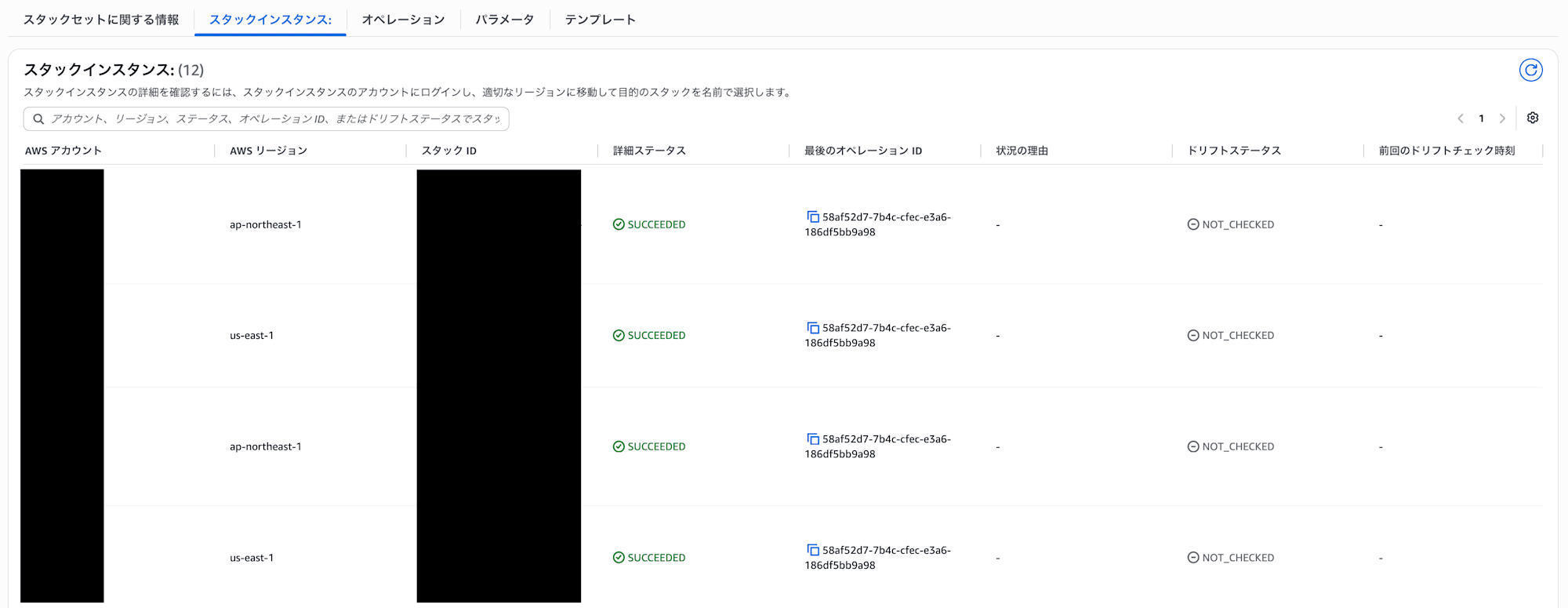
このテンプレートを東京リージョンとバージニアリージョンにデプロイしてみます。
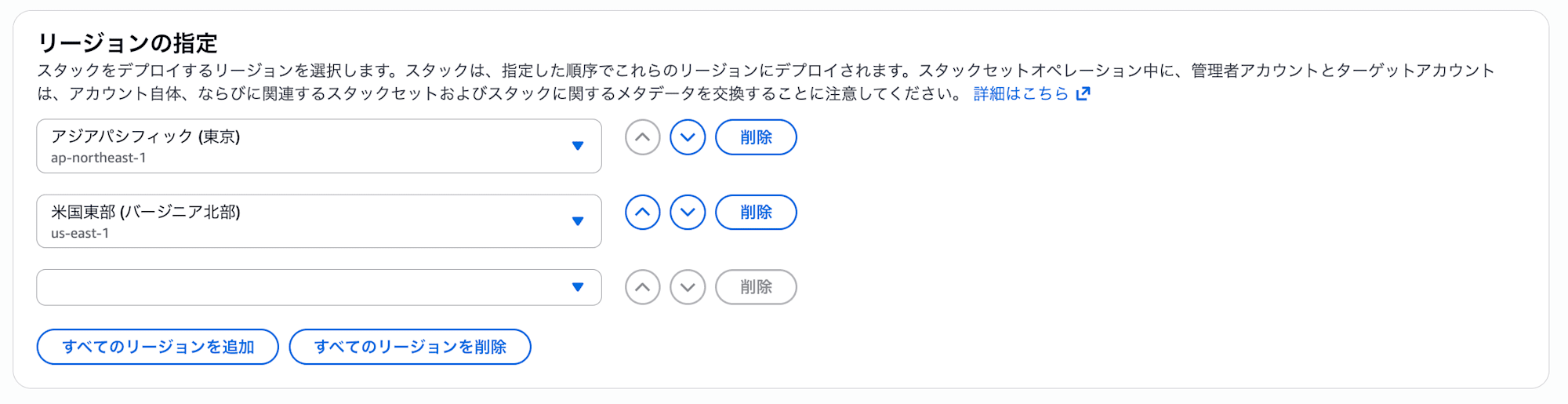
スタックの作成は問題なく完了しました。
デプロイ後にアカウント側の設定を確認します。
今回設定した東京リージョンとバージニアリージョンはDisable(パブリック共有をブロック)になっており、未設定の大阪リージョン(ap-northeast-3)はデフォルトのEnableのままなのでOKそうです。
$ for region in ap-northeast-1 us-east-1 ap-northeast-3; do
>   value=$(aws ssm get-service-setting \
>     --setting-id /ssm/documents/console/public-sharing-permission \
>     --region "$region" \
>     --query "ServiceSetting.SettingValue" \
>     --output text)
>   value=${value%$'\r'}
>   printf '%-16s: %s\n' "$region" "$value"
> done
ap-northeast-1  : Disable
us-east-1       : Disable
ap-northeast-3  : Enable
あとはStackSetsのデプロイ対象リージョンに対応したいリージョンが設定され、自動デプロイを有効になっていれば、新規アカウントが組織に追加されたタイミングで自動的にブロック設定が入るようになります。
さいごに
以上、CloudFormation StackSetsでSSMドキュメントのパブリック共有のブロック設定を有効にし、AWSアカウント全体でSecurity Hub CSPMコントロールSSM.7に対応する方法でした。
早く全リージョンで AWS::SSM::ServiceSetting が使えるようになって欲しいですね…。