【小ネタ】Windows hosts 設定で S3 エンドポイントを指定する際の注意点

2026.04.30
はじめに
こんにちは、フニです。
本記事では、Windows hosts 設定で S3 エンドポイントを指定する際の注意点についてご紹介します。
VPC エンドポイントの Windows hosts 設定については、以下のブログをご参照ください。
背景
画像のように、S3 エンドポイントを Windows hosts 側で設定していました。
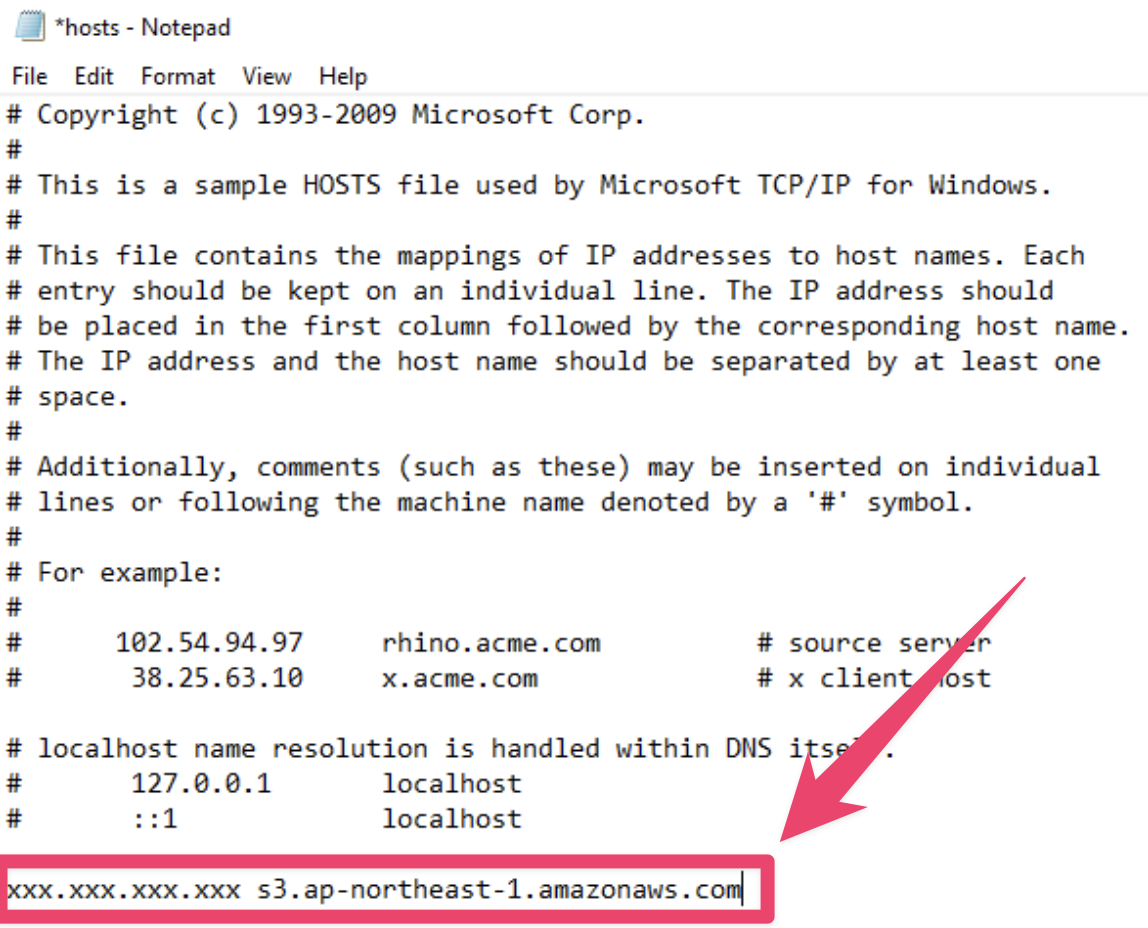
しかし、AWS CLI コマンドで --endpoint-url を実行したところエラーになりました。
C:\Users\Administrator>aws s3 ls --endpoint-url https://bucket.vpce-xxx.s3.ap-northeast-1.vpce.amazonaws.com

aws: [ERROR]: Could not connect to the endpoint URL: "https://bucket.vpce-xxx.s3.ap-northeast-1.vpce.amazonaws.com/"
解決方法
S3 インターフェイスエンドの DNS 名の「*」は、バケット名に置き換えてはいけません。あくまで「bucket」という単語そのものに置き換える必要があります。
上記ブログの記載の通り、Windows hosts 側にも bucket.vpce-xxx.s3.ap-northeast-1.vpce.amazonaws.com として登録する必要があります。
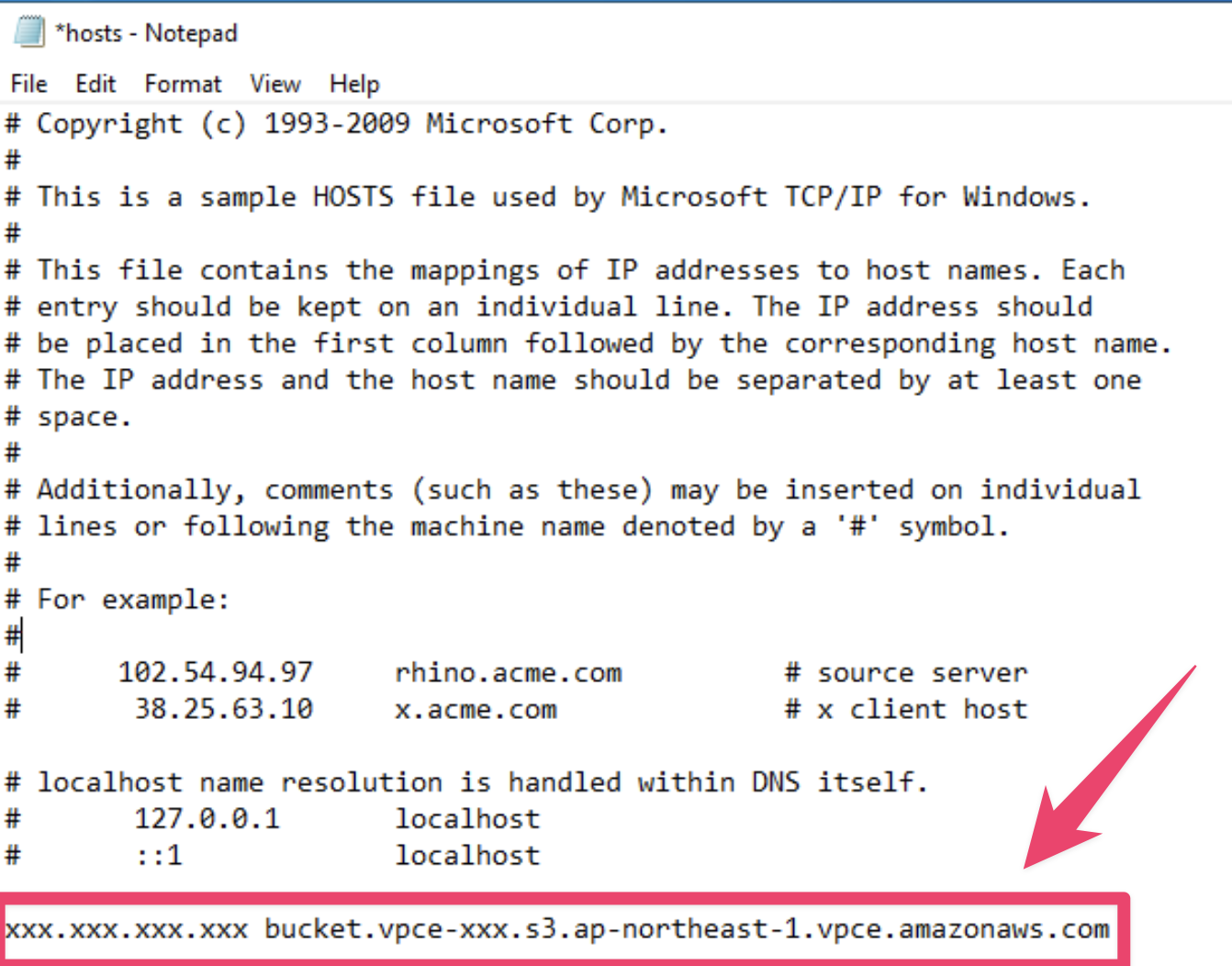
実際に登録してからは以下のように --endpoint-url での処理が成功しました。
C:\Users\Administrator>aws s3 ls --endpoint-url https://bucket.vpce-xxx.s3.ap-northeast-1.vpce.amazonaws.com
YYYY-MM-DD HH:MM:SS <S3バケット名>
YYYY-MM-DD HH:MM:SS <S3バケット名>
YYYY-MM-DD HH:MM:SS <S3バケット名>
さいごに
今回は、Windows hosts 設定で S3 エンドポイントを指定する際の注意点について紹介しました。
この記事が誰かの助けになれば幸いです。